GOOGLE NEST CAM (BATTERY): WHY THE RIGHT LOCATION MAKES IT BRILLIANT — AND THE WRONG ONE MAKES IT A CHORE YOU DIDN’T SIGN UP FOR
The Result Looks Fine. The Problem Isn’t.
You installed it. The app loaded. The live feed showed up. You walked past it twice and got two clean alerts with correct object labels — person detected, vehicle detected. Everything looked like it was working exactly as described.
Then a week later, your neighbor’s dog walked through the side yard. No alert. A delivery driver approached the door. The camera caught him mid-step, halfway out of frame, already turning back. The event recorded two seconds of irrelevant fence and stopped.
Nothing broke. Nothing malfunctioned. The camera did exactly what it was designed to do under battery conservation logic. You just happened to be in a location where that logic produces results that feel like a miss — because they are.
The problem isn’t the camera. The problem is that the product’s fundamental operating condition is invisible at the point of purchase, and most people discover it after the return window.
What You’re Actually Feeling but Not Naming
There’s a specific frustration that comes with this camera, and it doesn’t announce itself clearly. It arrives quietly, over days.
You stop trusting the alert. You start opening the app manually to check — because you’ve learned that “no notification” doesn’t actually mean “nothing happened.” You adjust sensitivity to high. You get more alerts, but half of them are tree branches. You narrow the activity zone. Coverage drops. You start wondering why you’re managing a security camera this carefully when the whole point was to not have to think about it.
What you’re feeling is the maintenance burden of a battery-first device — one that trades always-on awareness for placement flexibility. That trade-off is real, legitimate, and clearly documented in Google’s own support materials. But it isn’t what most people picture when they see “3 months battery life” on a product page.
The tradeoff reads as freedom. It lives as management.
The Hidden Mechanism Behind the Miss
The Google Nest Cam (Battery) uses a passive infrared sensor — a PIR sensor — as its primary wake trigger. To conserve battery, the camera uses a heat and motion sensor to detect movement above a threshold before turning on the actual camera. The camera is not watching when it’s idle. It’s listening for a thermal signature that crosses a defined threshold, and only then does it spin up video capture.
This creates a structural gap that no firmware update has fully closed. The lack of a 3-4 second pre-record makes the product almost useless for some placements, even when running wired. The camera wakes up slightly after the event begins. In a low-traffic driveway where a person walks slowly and stays in frame for thirty seconds, you’d never notice. In a narrow entryway where a person crosses in four seconds, you get the last two.
This is not a defect. It is a design decision made for the explicit purpose of extending battery life. When using the battery, the camera appears as “idle” in the app and the live stream will not display automatically — the camera is in standby, not surveillance mode.
The alerts are most accurate when the camera is plugged into a nearby power outlet. As convenient as battery-operated cameras are, they can’t keep up with one that’s getting continuous power and offers 24/7 recording.
Understanding this mechanism is the single most important thing you can do before making a decision.
The Threshold Where the Outcome Quietly Breaks
Battery life is the most-marketed number for this camera — and the most misread one.
Here is what the data actually says:
| Activity Level | Daily Events | Realistic Battery Duration |
|---|---|---|
| Quiet placement | 2–4 events/day | ~7 months |
| Typical home | 9–12 events/day | ~3 months |
| Active street / busy yard | 13–16 events/day | ~2.5 months |
| High-traffic area | 20–25 events/day | ~1.5 months |
| Very busy (dogs, street traffic) | 25–30 events/day | ~1 month |
Source: Google’s own official battery guidance + independent review data
On average, about three months of battery life applies when the camera records about nine to twelve events every twenty-four hours. The longest the battery will last is seven months — based on two to four events per day, which isn’t many.
Two to four events per day. That is a vacation property. That is a detached garage in a quiet suburb. For most active homes — with pets, deliveries, children, street-facing placement — the realistic ceiling is closer to six to ten weeks per charge.
Cold weather introduces a harder threshold. The battery won’t charge at temperatures below 32°F (0°C), and will only charge slowly at temperatures close to freezing. In winter climates, users have reported battery windows collapsing from months to weeks — not from overuse, but from the camera’s thermal management system throttling performance automatically.
The threshold where battery management stops being convenient and starts being a recurring obligation is roughly: any placement that sees more than twelve motion events per day, in temperatures that drop below freezing for extended periods.
Why Most Buyers Misread This Too Early
The comparison most buyers make when evaluating this camera is wrong — not because they’re careless, but because the product page encourages the wrong frame.
“Battery-powered, indoor/outdoor, 1080p HD, free person/vehicle/animal detection, no subscription required.” That sounds complete. That sounds like the whole product.
It isn’t.
Here is the feature split that matters before purchasing:
| Feature | Free (No Subscription) | Google Home Premium Required |
|---|---|---|
| Live view | ✅ | — |
| Motion alerts (person, animal, vehicle) | ✅ | — |
| Two-way audio | ✅ | — |
| Night vision | ✅ | — |
| Event video history | 3 hours only | 30–60 days |
| Familiar face detection | ❌ | ✅ |
| 24/7 continuous recording | ❌ (requires wired + subscription) | ✅ |
| AI event descriptions + search | ❌ | ✅ (Advanced plan) |
| Sound event detection (barking, etc.) | ❌ in battery mode | Requires wired power |
Sources: Google Nest Help, Google Home Premium documentation, SafeWise, SurveillanceGuides
Without a subscription, you cannot record to the Nest Aware cloud. You can record motion detection or event-based videos to the camera’s internal storage without a subscription, but those videos will be deleted after three hours.
Paywalling features like facial recognition is irritating. The Nest security experience is limited without a subscription.
The three-hour event window is a harder limitation than it appears. If an incident happens at 9 PM and you check your phone at midnight, the footage may already be gone. For anyone who bought this camera specifically for post-incident review, that gap is not theoretical — it is the core reason the camera fails its primary job on the free tier.
As of October 2025, Nest Aware has been rebranded as Google Home Premium. Pricing is $10/month for Standard (30 days event history) and $20/month for Advanced (60 days + 24/7 recording + Gemini AI features).
The total cost of ownership for a camera that actually performs its security function — with footage you can actually review — is the hardware price plus an ongoing subscription.
Who Is Actually Inside This Problem
This camera has a clear, honest user profile. The people for whom it performs well share a set of conditions that are worth naming precisely.
This camera works well for you if:
- You are already inside the Google Home ecosystem (Nest Hub, Google TV, Google Assistant speakers) and want cameras that integrate without friction
- You need wireless placement flexibility — no outlet near the eave, no wiring through walls, rental property where drilling is limited
- Your target placement sees moderate traffic: a back yard, a side gate, a garage — not a busy front street
- You are willing to wire it semi-permanently or add a solar panel for high-traffic spots
- You understand the subscription cost is part of the product and you’re pricing accordingly
- You live in a temperate climate, or you’re prepared to manage seasonal battery behavior
The best thing about the Nest Cam (battery) is its versatility. It’s rated for indoor and outdoor use, and the battery allows you to place it virtually anywhere on your property.
The battery-powered Nest Cam excels at more accurately detecting and differentiating between motion events than previous Google security cameras, equipped with a Tensor Processing Unit chip that helps better detect events in a variety of lighting conditions.
The machine learning is genuinely good. Free person, animal, and vehicle detection — without a subscription — is a real competitive advantage over Ring, which requires a paid plan for comparable smart alerts.
Where Wrong-Fit Begins
There is a version of this purchase that ends in return, frustration, or quiet abandonment in a drawer. It doesn’t require a defective unit. It only requires the wrong placement, the wrong expectation, or the wrong primary use case.
This camera is a wrong fit if:
- Your primary use case is post-incident evidence review — the three-hour free storage window makes this structurally unreliable without a paid subscription
- Your placement is a high-traffic zone: front door on a busy street, driveway with multiple vehicles, yard with free-roaming pets generating 20+ events per day
- You are in a freezing climate and expect the same battery behavior year-round
- You need the batteries to last more than two years — the internal battery is not user-replaceable in any straightforward way, and Google support has told users facing degraded batteries that replacement cameras are the official resolution
- You want sound-based alerts (barking, glass breaking) — sound detection as an event trigger requires wired power; battery or solar-only operation disables it
- You refuse to use the Google Home app — this camera is not compatible with the Nest app and cannot be managed outside the Google Home ecosystem
The wrong-fit signal most people ignore: if you’re placing this camera specifically because a wired camera is inconvenient, but your location generates constant motion, you haven’t removed the maintenance burden — you’ve traded charging for repositioning for troubleshooting. The wired version simply removes that entire category of friction.
The One Situation Where the Google Nest Cam (Battery) Becomes Logical
After all the above, the case for this specific camera is actually quite clear — for a specific person, in a specific situation.
You need a camera that can go somewhere without power. You’re in the Google ecosystem. You want clean, accurate smart detection without paying a subscription just to get the basic alerts. Your placement sees moderate traffic. And you want the option to eventually wire it if the location demands more.
That is the product the Nest Cam (Battery) was built for. It is not a compromise in that scenario — it is the correct answer.
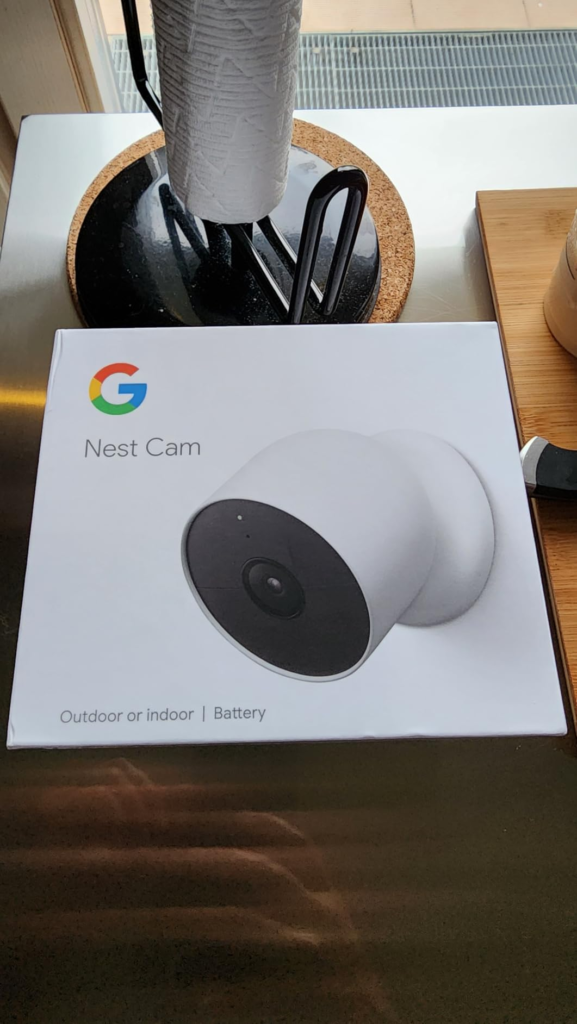
The Nest Cam (Battery) offers free person, animal, and vehicle detection, 3 hours of video storage free, great design, and very sharp video quality. The 1080p HDR image is clean in daylight and usable at night up to 20 feet. Night vision reaches up to 20 feet in darkness, and customized motion detection zones work as advertised. The magnetic mount installs in minutes. The dual-band Wi-Fi (2.4GHz/5GHz) handles both older routers and modern mesh networks.
The hardware is not the problem. The hardware is good. The decision is about whether your use case fits the operating model.
What It Solves, What It Reduces, and What It Still Leaves to You
| Category | What the Camera Delivers |
|---|---|
| Solves completely | Wireless placement flexibility with zero wiring |
| Solves completely | Free smart detection: person, animal, vehicle |
| Solves completely | Google Home integration — automations, routines, Assistant |
| Solves completely | Offline-resilient local recording (1 hour during outage) |
| Reduces, not eliminates | Battery charging frequency — still a recurring task in active placements |
| Reduces, not eliminates | False alerts — activity zones help, but aren’t perfect |
| Leaves to you | Managing battery health over the device’s 2–3 year lifecycle |
| Leaves to you | Subscription cost if you need footage older than 3 hours |
| Leaves to you | Sound event detection — requires wired power to activate |
| Leaves to you | Cold weather battery behavior — no override exists |
The honest position: this camera solves the placement problem elegantly. It does not solve the “always-on surveillance” problem — that requires wired power plus a paid subscription. Anyone who conflates the two will be disappointed at the threshold where their expectation meets the operating reality.
Final Compression
The Google Nest Cam (Battery) is not a flawed product. It is a product with a specific operating envelope that most marketing copy does not communicate precisely enough.
The question to ask before purchasing is not “does it have good reviews” — it does. The question is: does my primary placement and primary use case fit inside the operating model?
| Decision Factor | Check |
|---|---|
| Placement sees under 15 events/day | ✅ Buy with confidence |
| Temperate climate or managed seasonal rotation | ✅ Buy with confidence |
| Google Home ecosystem already in use | ✅ Strong fit |
| Subscription cost acceptable ($10–$20/month) | ✅ Unlocks full capability |
| Placement is high-traffic or front-facing busy street | ⚠️ Consider wired version or solar panel |
| Need 24/7 recorded history without subscription | ❌ Wrong product |
| Need audio event triggers in battery mode | ❌ Wrong operating mode |
| Cold climate, expect year-round identical performance | ⚠️ Plan for seasonal management |
If you are already running Google Home and you need a camera for a location that doesn’t have a nearby outlet — a side gate, a back corner, a detached structure — this is the correct choice. The placement flexibility is real, the smart detection is genuinely free, and the hardware is built to last through weather.
If your situation is already clearly inside this envelope, the next step is simple: the camera is on Amazon, the setup is twenty minutes, and the first three hours of video history are there the moment motion is detected — no subscription, no activation fee, no waiting.
If you are at the edge of the envelope — high-traffic placement, cold climate, need for extended history — wire the camera instead, or budget the subscription before the purchase, not after the frustration.
FAQ: Google Nest Cam (Battery) — Most-Asked Questions
| Question | Answer |
|---|---|
| How long does the Google Nest Cam Battery actually last on a charge? | Realistically, 1.5 to 3 months for most active homes. The seven-month maximum applies only to placements with two to four recorded events per day — a low-traffic scenario that doesn’t reflect most households. Busy placements average four to six weeks. |
| Do I need a subscription for the Google Nest Cam Battery to work? | No. Live streaming, motion detection, two-way audio, and local recording options are available at no cost. However, without a subscription you only get three hours of event storage — meaning footage older than three hours is gone permanently. |
| Can the Google Nest Cam Battery record continuously? | Only when wired and subscribed. Nest cameras can’t continuously record on battery power — a wired connection is required for that feature, along with a paid plan. |
| Does the Nest Cam Battery work in cold weather? | It functions in cold temperatures, but the battery won’t charge at temperatures below 32°F (0°C), and charges only slowly at temperatures close to freezing. Battery life in winter climates can drop significantly. |
| Is the battery replaceable when it degrades? | Not through official channels. Google support has advised users with degraded batteries that replacement cameras are the official resolution, as the batteries are not user-replaceable in any straightforward way. Third-party replacement batteries exist but are difficult to source. |
| Does the Nest Cam Battery detect sound events like barking or breaking glass? | Sound detection as an event trigger requires wired power. Battery or solar-only operation disables sound event detection. |
| What’s the difference between Nest Aware and Google Home Premium? | As of October 2025, Nest Aware was rebranded as Google Home Premium. Pricing stayed the same — $10/month for Standard and $20/month for Advanced — but Gemini AI features were added, including event descriptions, searchable video history, and daily home summaries. |
| Can the Nest Cam Battery be used with Alexa or Apple HomeKit? | No. Google Nest can only be integrated into the Google Home ecosystem — unlike Arlo, which supports Alexa, Apple HomeKit, Google Home, and SmartThings simultaneously. |
| What happens to recordings if the internet goes out? | The camera stores one hour of video footage locally in case of an internet outage. Events beyond that window during an outage are not recoverable. |
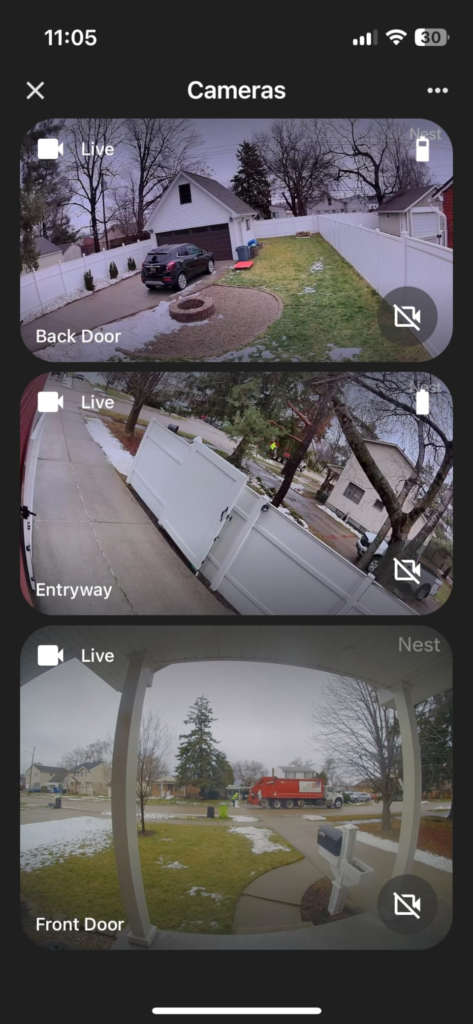
| Is the 130-degree field of view enough for outdoor coverage? | FOV is 130 degrees, which is less than other good security cameras. Night vision reaches up to 20 feet in darkness, and customized motion detection zones work as advertised. For corner placements or narrow entryways, it’s adequate. For wide yards or driveways, camera positioning matters more than the spec number. |
Transparency Note:
This analysis is built on aggregated real-world experience. It extracts what repeatedly holds, what breaks, and what users uncover only after living with the system—then shapes it into a clear model you can use immediately. Think of it as structured experience, refined and presented so you don’t have to learn it the hard way.
“A quick note: Don’t believe the star ratings, but trust personal experience. This article is a compilation of collected experiences”