YOUR WI-FI ISN’T SLOW — IT’S OVERLOADED. WHAT THE TP-LINK DECO XE75 AXE5400 ACTUALLY FIXES (AND WHAT IT DOESN’T)
The Signal Looks Fine. The Problem Isn’t the Speed.
You ran a speed test. The number came back impressive — 400, 600, maybe 800 Mbps. You showed it to the person complaining about the buffering. They shrugged. The call dropped again fifteen minutes later.
This is the first place most people misread their own Wi-Fi problem.
The number on the speed test measures throughput to one device, in one moment, under ideal conditions. It does not measure what happens when fourteen devices compete simultaneously for the same 5 GHz channel. It does not measure the latency spike when your mesh node is busy routing traffic to itself and to your laptop and to two phones at the same time — on the same band, through the same pipe.
The average household now operates with 17 connected devices, up from 11 just two years ago. Over 73% of new routers feature Wi-Fi 6, while only 18% integrate Wi-Fi 6E technology — which means most homes are still trying to solve a 2026 traffic problem with 2021 architecture. The symptom is familiar: a speed test passes, a video call fails.
That gap between the number and the experience is not a mystery. It has a mechanism.
What You’re Feeling but Can’t Quite Name
There is a specific kind of Wi-Fi frustration that doesn’t register as a hardware problem right away. It feels like: the internet works, except when it doesn’t. The call is fine, then pixelates, then recovers. The game runs well at 11 PM, falls apart at 7 PM. The laptop in the kitchen is slower than the one in the bedroom, for no obvious reason.
You’ve blamed the ISP. You’ve rebooted the router. You’ve moved the router to a higher shelf.
None of it held.
What you are experiencing, precisely, is band congestion compounded by backhaul collision — two devices talking to each other through the same radio channel that your client devices are also trying to use. When your mesh node communicates with your main router over the 5 GHz band, and your laptop also tries to connect on 5 GHz, both signals fight for the same spectrum. The node has to split its attention. Your laptop’s experience degrades not because the router is far away, but because the router is busy talking to itself.
This problem is invisible in a speed test. It shows up in daily use. It worsens precisely when the home is most active — when the problem costs the most.
The Hidden Mechanism: Why a Third Band Changes Everything
Standard dual-band mesh systems — and even some tri-band ones — use their 5 GHz band for two jobs simultaneously: serving client devices and maintaining the backhaul link between nodes. The technical term is “half-duplex backhaul sharing.” The practical result is a mesh system that degrades the moment it scales.
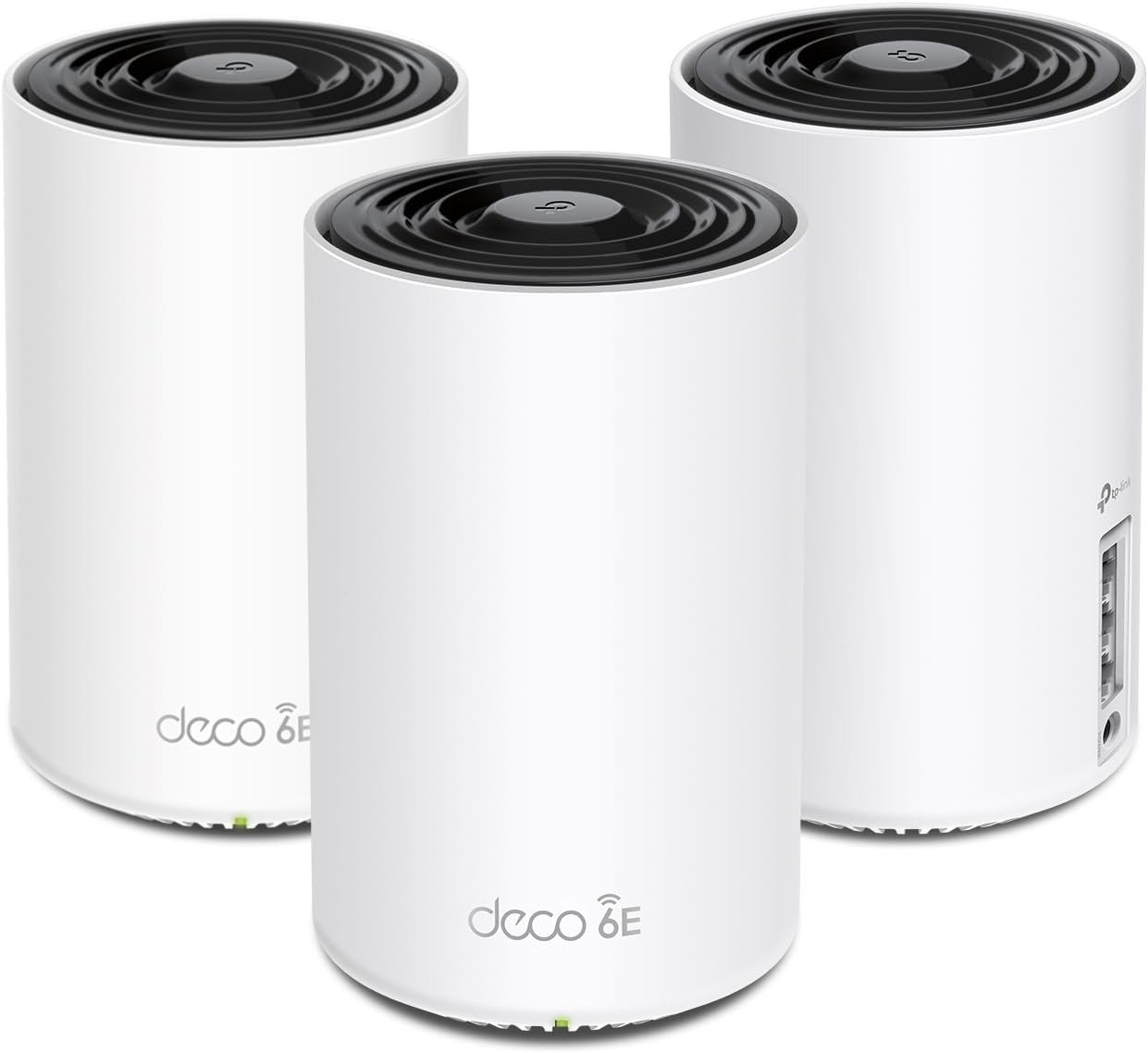
The TP-Link Deco XE75 AXE5400 resolves this through a structural separation.
TP-Link designated the 6 GHz band as the dedicated backhaul for the mesh Wi-Fi network. By using the 6 GHz band as the wireless backhaul, the whole system can enjoy a super-fast network link between the main unit and mesh node. This means the 5 GHz band — the primary working band for most client devices — is no longer interrupted by inter-node traffic. The two radios serve two different functions. They do not compete.
The result is not theoretical. The Deco XE75 is significantly faster than TP-Link’s own flagship Deco X90 when tested at multiple points. The Deco X90 actually comes with 20% more backhaul capacity — yet the XE75 still outperforms it. It shows that Wi-Fi 6E can provide more usable speed thanks to a cleaner signal at the 6 GHz band.
Cleaning the radio environment produces more real-world speed than increasing raw theoretical capacity — because the bottleneck was never the ceiling, it was the collision.
Specifications at a Glance
| Parameter | TP-Link Deco XE75 AXE5400 |
|---|---|
| Wi-Fi Standard | Wi-Fi 6E (802.11ax) |
| Total Throughput | AXE5400 (up to 5,400 Mbps theoretical) |
| 6 GHz Band | 2,402 Mbps (dedicated backhaul) |
| 5 GHz Band | 2,402 Mbps (client devices) |
| 2.4 GHz Band | 574 Mbps (legacy/IoT devices) |
| Processor | Broadcom 1.7 GHz Quad-Core |
| RAM | 512 MB |
| Ethernet Ports Per Node | 3x Gigabit (one used for WAN on primary) |
| Device Capacity | Up to 200 devices |
| Coverage (2-pack) | ~5,500 sq ft |
| Coverage (3-pack) | ~7,200 sq ft |
| Security | WPA3, HomeShield |
| Channel Width | 80 MHz / 160 MHz (selectable) |
| Backhaul Architecture | Dedicated 6 GHz (not shared with clients) |
| Multi-Gig Ethernet | No (standard XE75); Yes (XE75 Pro, 2.5G port) |
Real-World Speed Benchmarks vs. Competing Systems
| Distance / Condition | Deco XE75 | Linksys Atlas Max 6E | Netgear Orbi RBKE963 |
|---|---|---|---|
| Close range (15 ft) | 1,220 Mbps | 1,189 Mbps | 1,009 Mbps |
| Mid range (50 ft) | 299.1 Mbps | 382.2 Mbps | ~270 Mbps |
| Through walls (2-wall path) | Strong lead over 5 GHz backhaul systems | Comparable | Comparable |
| Through 4 walls (extreme) | Measurable lead over Deco X90 | Not tested | Not tested |
| Wired backhaul satellite | 1,570 Mbps (TV room) | N/A | N/A |
At 15 feet, the Deco XE75 managed 1,220 Mbps, nudging out both the Linksys Atlas Max 6E and the Netgear Orbi RBKE963. At 50 feet, the router was able to send 299.1 Mbps — better than the Nighthawk RAXE500’s 215.8 Mbps, though 22% off the pace set by the Linksys Atlas Max 6E at that distance.
The pattern is clear: the XE75 dominates at close to mid-range and through walls when its 6 GHz backhaul is active. The advantage compresses at long distances, where 6 GHz physics begin to limit range.
The Threshold Where Performance Quietly Breaks
The 6 GHz band is exceptional for two reasons: it occupies a largely empty spectrum (no legacy device congestion), and it supports 160 MHz wide channels that move enormous amounts of data per transmission.
It is also physically constrained in a way the 5 GHz band is not.
Cybershack recommends no more than 7 metres line-of-sight or 5 metres through walls for the 6 GHz backhaul. When nodes are placed beyond that threshold — separated by thick concrete, multiple floors, or more than four walls — the 6 GHz backhaul degrades sharply. The system falls back to 5 GHz or 2.4 GHz for the inter-node link. At that point, the core advantage of the XE75 collapses.
A 2-pack can handle around 4,000 sq ft with decent speed. Larger than that, you will need to use a network cable to connect the two units, or be content with using the 2.4 GHz as backhaul, which is very slow.
This is the exact threshold that separates buyers who experience transformation from buyers who experience disappointment. The product is not defective in those cases. The architecture is simply operating outside its designed conditions.
The 6 GHz Backhaul Performance Envelope:
| Condition | 6 GHz Backhaul Status | User Experience |
|---|---|---|
| Nodes within 7m, open space | Active, full capacity | Excellent |
| Nodes within 5m, 1–2 walls | Active, slight reduction | Very good |
| Nodes 8–12m, 2–3 walls | Marginal or degraded | Acceptable to mixed |
| Nodes beyond 12m or 4+ walls | Effectively lost | Falls back to 5 GHz backhaul — significant drop |
| Wired Ethernet backhaul | Not applicable (bypassed entirely) | Best possible performance regardless of distance |
Why Most Buyers Misread This Too Early
The comparison most people make when shopping is: price vs. specs on paper.
The XE75 wins that comparison easily against systems costing two to five times more. Compared to the $1,500 Netgear Orbi RBKE963, the $300 Deco XE75 seems like a bargain. The feature list is comparable. The theoretical throughput is competitive. The coverage claim is generous.
But the comparison that matters is not paper vs. paper. It is architecture vs. your home’s specific geometry.
A buyer who places two nodes in a large open-plan home — or in a long, thin space where nodes can stay within 6 GHz range — will find the XE75 genuinely punches above its class. A buyer who places the second node on a different floor, behind thick masonry, more than 12 meters away from the primary, will find a system that costs like a Wi-Fi 6E product but performs like a congested Wi-Fi 6 one.
The specs page does not tell you which outcome you will get. Your floor plan does.
There is also a secondary misread: assuming that because a device supports Wi-Fi 6E, it automatically uses the 6 GHz client band. The XE75 reserves 6 GHz as a dedicated backhaul by default. Your Wi-Fi 6E phone or laptop does not connect to 6 GHz unless you specifically switch the system to “Wi-Fi Network & Backhaul” mode — which shares the 6 GHz band between client connections and the inter-node link, reducing the backhaul’s dedicated capacity in the process.
Most buyers never configure this. Most buyers also never understand why they’re not seeing the 6 GHz speed they expected on their newest device.
Who Is Actually Inside This Problem
The Deco XE75 AXE5400 solves a specific problem with a specific profile. That profile looks like this:
Household characteristics that align with this product:
| Condition | Fit Level |
|---|---|
| 2–4 bedroom home, 1,500–4,500 sq ft | ✓ Strong fit |
| 20+ connected devices simultaneously | ✓ Strong fit |
| Mix of modern (Wi-Fi 6/6E) and legacy devices | ✓ Strong fit |
| Streaming, video calls, and gaming running concurrently | ✓ Strong fit |
| Nodes can maintain ≤10m separation through ≤3 walls | ✓ Strong fit |
| Internet plan between 200 Mbps and 1 Gbps | ✓ Strong fit |
| Preference for guided app setup over manual configuration | ✓ Strong fit |
| Wired Ethernet backhaul available between node locations | ✓ Exceptional fit |
The mesh kit supports up to approximately 200 devices and covers up to 7,200 sq ft in multi-pack deployments. In practice, the sweet spot sits well below the theoretical maximum — particularly for wireless backhaul configurations.
Where Wrong-Fit Begins
There are four buyer profiles for whom the XE75 will underdeliver — not because the product is flawed, but because the problem it solves is not the problem they have.
Profile 1: The Large Multi-Story Home, Wireless-Only Setup
If you have a 3,000+ sq ft multi-story home and no option for Ethernet between floors, the 6 GHz backhaul will almost certainly not bridge between floors with adequate reliability. The 6 GHz signal attenuates severely through floor/ceiling assemblies. You will be running on 5 GHz backhaul for the inter-floor link — which is exactly what a less expensive Wi-Fi 6 mesh system would give you at lower cost. The 6 GHz backhaul provides capacity gains but has shorter range and worse wall penetration, often requiring more nodes.
Profile 2: The Power User Who Needs Granular Control
The XE75 offers limited settings available to the user and almost no settings in the web browser. The Deco app is intentionally simplified. If you want VLAN support, custom DNS per device, detailed QoS rules, or manual channel selection, you will hit the ceiling of this system quickly. Users on the TP-Link community forum report hours of frustration when trying to configure advanced settings, noting that even the visibility of the 6 GHz backhaul status disappears after firmware updates.
Profile 3: The Internet Plan Above 1 Gbps
The standard XE75 has Gigabit Ethernet ports only. If your ISP delivers 1.5 Gbps or 2 Gbps, the WAN port is your bottleneck before the Wi-Fi is. The XE75 Pro addresses this with a 2.5G port — the standard XE75 does not.
Profile 4: The “Future-Proof” Buyer Who Wants 6 GHz Client Access
If you purchased the XE75 specifically because your new phone or laptop supports Wi-Fi 6E, and you want those devices to connect on 6 GHz — be aware that this requires switching from dedicated backhaul mode to shared mode. When you toggle to Wi-Fi Network & Backhaul mode, the 6 GHz band splits its bandwidth between node communication and client devices — the private road is no longer private. For most households, the dedicated backhaul mode produces better overall outcomes than the shared mode, even for Wi-Fi 6E device owners.
Wrong-Fit Summary:
| Scenario | Expected Outcome |
|---|---|
| Large home, nodes 12m+ apart, wireless only | 6 GHz backhaul lost; reverts to 5 GHz |
| Multi-floor concrete construction | Severe 6 GHz penetration loss |
| Internet plan >1 Gbps | WAN port becomes the ceiling |
| Advanced configuration required | App limitations will frustrate |
| Wi-Fi 6E client speed prioritized over mesh stability | Shared mode halves backhaul capacity |
The One Situation Where the Deco XE75 AXE5400 Becomes the Logical Answer
You have a home between 1,500 and 4,500 square feet. You have fifteen or more devices active during peak hours. Your current setup — whether a single router or a dual-band mesh — produces acceptable speeds in a speed test and frustrating performance in daily use. The problem is worst between 6 PM and 10 PM, when everyone is home and using everything simultaneously.
You have either the ability to wire the nodes together, or you can position nodes within 6–8 meters of each other through no more than two or three standard interior walls.
In that situation, the XE75 does something no software update to your current router can replicate: it physically separates the backhaul traffic from client traffic at the hardware level. Channel allocation across 6 GHz, 5 GHz, and 2.4 GHz reduces congestion by separating legacy and Wi-Fi 6 traffic. In practice, throughput climbs for modern devices while older equipment stays online without dragging performance down.
Over 18% of mesh routers globally now integrate Wi-Fi 6E, and the technology is no longer niche — but the price premium over Wi-Fi 6 mesh systems has narrowed considerably, making the XE75’s entry point genuinely competitive. At its price bracket, expert reviewers across 36 independent sources have given it an average rating of 78%, with near-universal praise for close-range and mid-range performance and consistent identification of wall penetration and limited controls as the ceiling.
For the household described above, those are not disqualifying limitations. They are acceptable tradeoffs for a system that eliminates the core problem.
What It Solves, What It Reduces, and What It Still Leaves to You
What the Deco XE75 AXE5400 actually eliminates:
- Backhaul collision with client traffic (the primary cause of peak-hour degradation)
- Speed variation between devices at comparable distances
- Roaming dead zones between nodes in covered-range deployments
- The complexity of managing multiple separate networks across your home
What it meaningfully reduces:
- Gaming latency under multi-device load
- Video call instability during household peak hours
- Congestion from legacy 2.4/5 GHz device accumulation
- Setup friction — the guided app is genuinely easy
What it does not solve:
- Node placement failures (if you put nodes too far apart, no firmware can compensate)
- Multi-gig WAN throughput (standard model only)
- Advanced networking customization needs
- 6 GHz client connections without trading away dedicated backhaul performance
Cost-benefit snapshot:
| Factor | Reality Check |
|---|---|
| Entry price (2-pack) | ~$300 |
| Competing Wi-Fi 6E systems | $500–$1,500 for comparable throughput |
| HomeShield Pro subscription (optional) | $55/year |
| Performance vs. Deco X90 (previous flagship) | Measurably faster despite lower theoretical backhaul spec |
| Warranty | 2 years |
| App required for management | Yes — no full web UI alternative |
Frequently Asked Questions
| Question | Answer |
|---|---|
| Does the Deco XE75 AXE5400 work with any internet provider? | Yes. The Deco XE75 works with all Internet Service Providers and is 100% backward compatible with all Wi-Fi generations and devices. |
| Can I connect a wired device directly to a satellite node? | Yes. Each node carries three Ethernet ports. On the primary unit, one port is used for the incoming internet connection, leaving two available for wired connections. Satellite nodes have all three free for wired use. |
| Does the 6 GHz backhaul stay on even when the app shows 6 GHz as “disabled”? | TP-Link notes that the 6 GHz functions as a dedicated backhaul by default, even when the app implies the 6 GHz network is turned off. The “off” indicator refers to client access on 6 GHz, not the backhaul link. This distinction has caused significant confusion for users post-firmware update. |
| How many devices can the Deco XE75 handle simultaneously? | Its 2×2 MU-MIMO system can accommodate as many as 200 devices. In practice, device count matters less than traffic demand per device during peak hours. |
| Is the Deco XE75 compatible with other Deco nodes? | Yes — the XE75 works with other Deco nodes. You can expand the mesh with additional units from the Deco ecosystem. |
| Do I need a Wi-Fi 6E device to benefit from the XE75? | No. The 6 GHz backhaul improves performance for all connected devices regardless of their standard support, because it frees the 5 GHz band from backhaul traffic. Wi-Fi 6E client support is a secondary benefit, not a prerequisite for improvement. |
| What happens if I move nodes further apart than 6 GHz can reach? | The system reverts the backhaul to 5 GHz or 2.4 GHz. Performance becomes comparable to a standard Wi-Fi 6 mesh system — you retain coverage but lose the dedicated-backhaul advantage. |
| Is there a browser-based management interface? | Almost no settings are available in |
Final Compression
Your Wi-Fi problem is probably not the router’s top-line speed. It is the fact that your current system’s nodes are talking to each other on the same radio channel they use to talk to your devices. That conversation is silent, invisible in a speed test, and responsible for most of what you experience as “slow internet” during the hours when it matters most.
The TP-Link Deco XE75 AXE5400 is built around one structural answer to that specific problem: give the nodes their own private road. As long as your home’s geometry allows the 6 GHz signal to bridge that road — which it does reliably in most standard single-floor or short-span two-floor deployments within 10 meters — the result is measurably cleaner than what any dual-band or backhaul-shared system can offer at this price point.
If you are inside that condition, the decision is straightforward. If you are outside it, no amount of specification comparison will compensate for the physics.
Understand your home’s geometry first. Then the product either fits or it doesn’t — and now you know exactly how to tell.
Transparency Note:
This analysis is built on aggregated real-world experience.
It extracts what repeatedly holds, what breaks, and what users uncover only after living with the system—then shapes it into a clear model you can use immediately.
Think of it as structured experience, refined and presented so you don’t have to learn it the hard way.
“A quick note: Don’t believe the star ratings, but trust personal experience. This article is a compilation of collected experiences”