Your Ring Alarm Pro 14-Piece Kit Is Keeping Two Jobs — Most Buyers Only Hired It for One
YOUR RING ALARM PRO 14-PIECE KIT
The Result Looks Fine. The Problem Isn’t.
You armed the system. The sensors are on the doors. The app shows “protected.” Nothing has happened, and that’s the point — it shouldn’t. But there’s a version of this purchase that quietly fails before any burglar arrives. Not because the hardware is bad. Because the decision to buy was made against the wrong set of criteria, and the outcome that matters most — actual protection depth — was never measured.
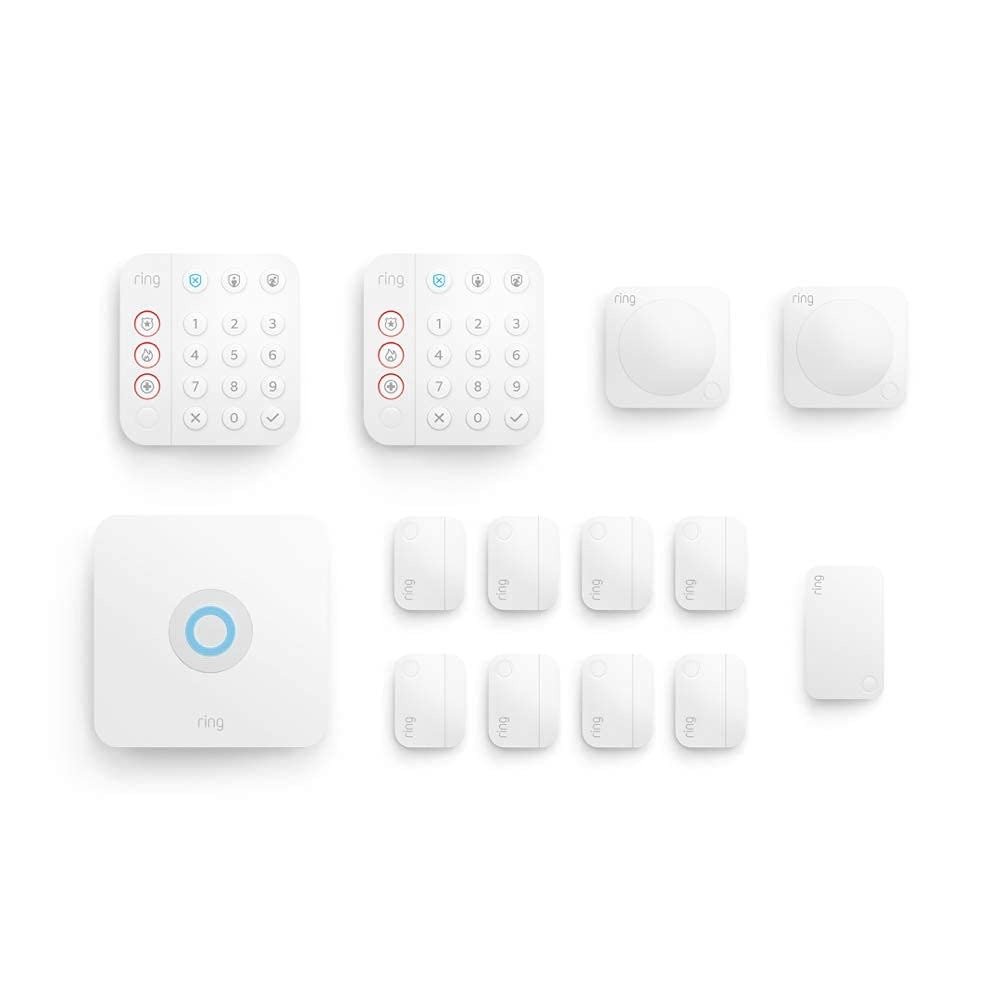
The Ring Alarm Pro 14-Piece Kit has a 104-decibel siren, eight contact sensors, two motion detectors, a built-in eero Wi-Fi 6 router with 900 Mbps capability, 24-hour battery backup, and optional LTE cellular failover. On paper, and often in practice, it performs exactly as advertised. The failure, when it happens, is upstream of the hardware. It happens at the decision stage, before a single sensor gets mounted.
What You’re Actually Feeling but Not Naming
You’re not worried the siren won’t sound. You’re worried that when something actually happens, the chain of response will hold — that the alarm connects, that monitoring gets the signal, that backup internet keeps everything alive during the exact moment your router might go down, that 8 sensors actually cover the entries that matter in your specific floor plan.
That’s not paranoia. That’s the real functional question buried under the product page.
A break-in occurs every 26 seconds in the United States, with homes lacking any security system running 300% higher likelihood of being targeted. That number is why the category exists. But the sharper statistic is this: 83 percent of burglars look for an alarm before attempting entry, and 60 percent would seek a different target entirely upon spotting a security system. The deterrent value starts before the siren ever sounds. Which means the first protection failure happens not when the system malfunctions — but when a house looks unmonitored because the system was underdeployed, wrongly configured, or bought without understanding its actual operating conditions.
The Hidden Mechanism Behind the Miss
The Ring Alarm Pro 14-Piece Kit is not just a security kit. It is a dual-function infrastructure device. That distinction is not marketing language — it is the mechanism that determines whether the system performs at full capacity or operates at half its design intent.
The 14-Piece Alarm Pro combines whole-home security, a fast eero Wi-Fi 6 router, and network security into a single system — protecting 8 windows or doors, adding motion detection to 2 rooms, and delivering Wi-Fi coverage up to 1,500 sq. ft. That means the base station is simultaneously your security hub and your primary router. If you plug it into a home where you already have a mesh network running, or where the 1,500 sq. ft. radius leaves large sections of the house uncovered, or where your ISP modem isn’t configured to let the eero function as the primary gateway — you have introduced a structural conflict between the two jobs this device is doing.
Unlike traditional home security systems, Ring Alarm Pro offers 24/7 Backup Internet, which provides internet to Wi-Fi-enabled devices through a cellular connection during an internet or power outage. That feature — the one that keeps your cameras, sensors, and monitoring connection alive when your ISP goes down — only activates fully under Ring Protect Pro. Without that subscription, the cellular failover is unavailable. The system’s most critical resilience mechanism is gated.
This is the hidden mechanism. Two jobs, one device, one subscription required for the most important failover. Buyers who don’t understand this topology often buy correctly on hardware and incorrectly on configuration.
The Threshold Where the Outcome Quietly Breaks
The break point is not hardware quality. It’s deployment surface.
| Home Profile | Sensor Coverage with 14-Piece | Coverage Gap Risk |
|---|---|---|
| 2-bedroom apartment or condo | 8 sensors covers all entry points | Low — strong fit |
| 3-bedroom single-story home | 8 sensors typically sufficient | Low to moderate |
| 4-bedroom two-story home | 8 sensors may leave secondary entries uncovered | Moderate — add sensors |
| 5+ bedroom or multi-entry home | 8 sensors insufficient for full perimeter | High — requires expansion |
| Home over 1,500 sq. ft. | Wi-Fi coverage drops at edges | Requires eero extenders |
| Home with existing mesh router | Base station conflicts as primary gateway | Configuration friction |
The 14-piece kit is built for a specific home volume. When you exceed that volume, performance doesn’t collapse — it silently thins. A contact sensor that isn’t mounted because there weren’t enough sensors in the box is a gap that statistics fill. 37.5% of burglars in 2023 gained access through unlawful entry — unlocked doors, windows, or unsecured openings — without forcing entry at all. An uncovered window isn’t a hardware failure. It’s a coverage decision made at purchase.
Why Most Buyers Misread This Too Early
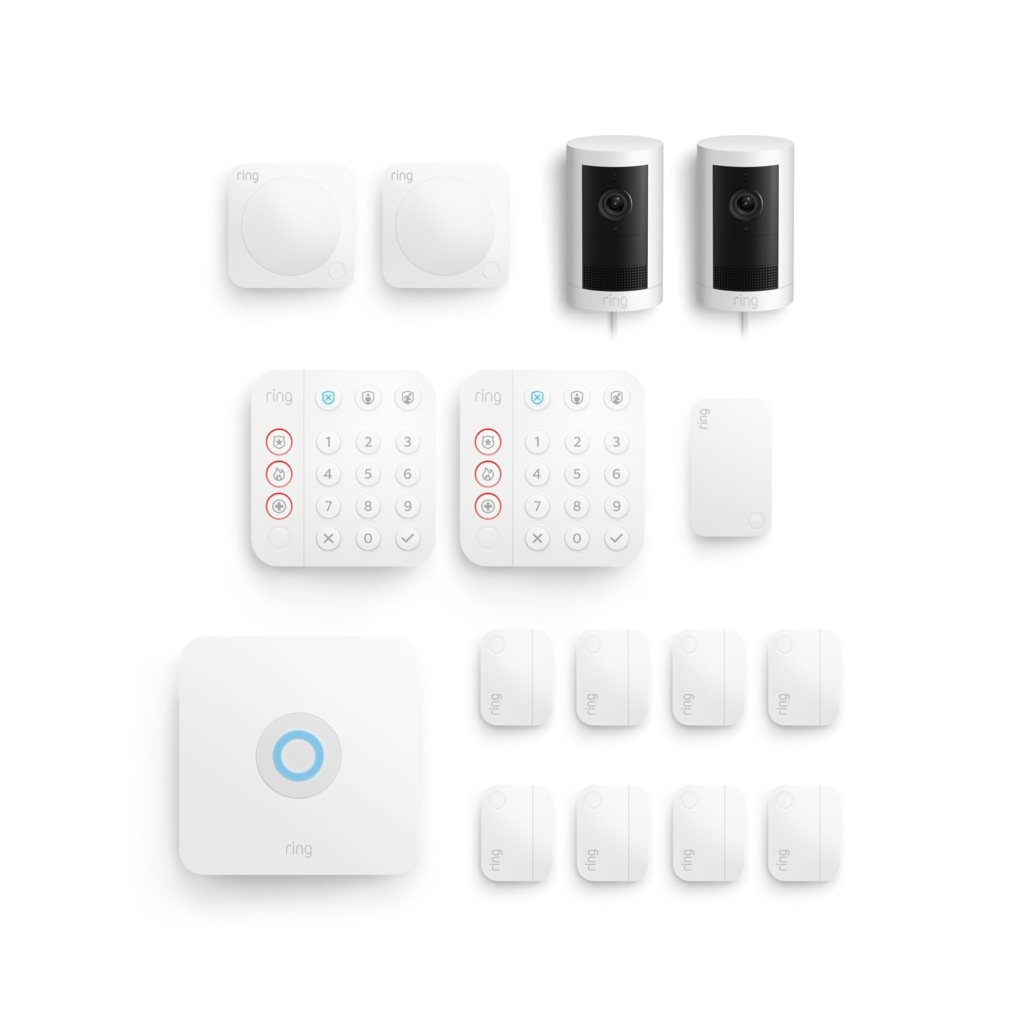
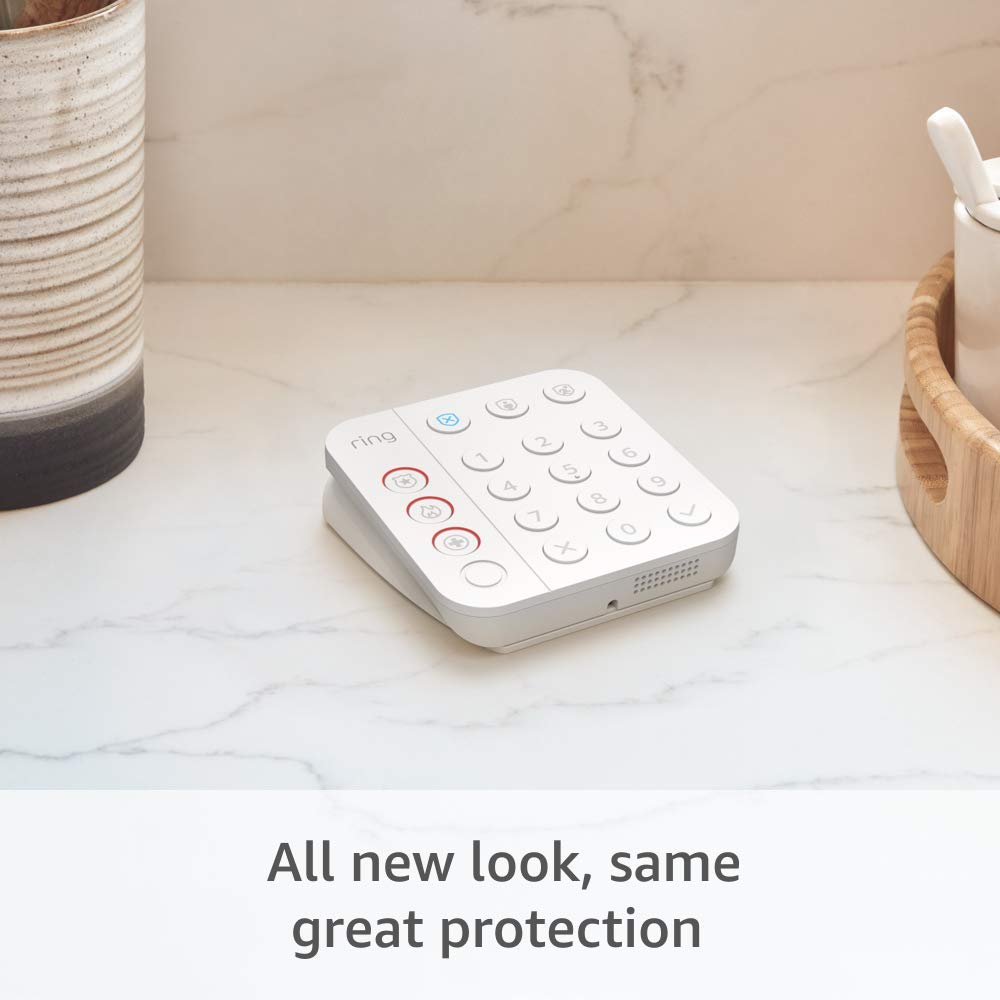
The most common misread is treating the Ring Alarm Pro 14-Piece Kit as a large-home product because of its piece count. Fourteen pieces sounds like complete coverage. But the configuration breaks down as follows: 1 base station, 2 keypads, 8 door/window contact sensors, 2 motion detectors, 1 range extender. The keypads and range extender consume 4 of those 14 slots. The sensors themselves number 10. That is coverage for 8 fixed entry points and motion in 2 rooms.
The second misread is the subscription question. The kit ships with a 30-day Ring Protect trial. After that:
| Feature | No Subscription | Ring Protect Basic | Ring Protect Pro ($20/mo or $200/yr) |
|---|---|---|---|
| App arming/disarming | ❌ | ✅ | ✅ |
| Real-time alerts | Limited | ✅ | ✅ |
| 24/7 Professional Monitoring | ❌ | ❌ | ✅ |
| LTE Cellular Backup (alarm) | ❌ | ❌ | ✅ |
| 24/7 Backup Internet (whole home) | ❌ | ❌ | ✅ |
| Video storage (180 days, unlimited cameras) | ❌ | Per device | ✅ all cameras |
| SOS Emergency Response | ❌ | ❌ | ✅ |
Ring Protect Pro bundles 24/7 professional monitoring for approximately $20/month or $200/year. That is, structurally, the operating cost of the system at full function. Buyers who treat the hardware as a one-time purchase and the subscription as optional are operating a system with its most important failure-resistance features switched off.
The third misread is the Wi-Fi router role. Connecting Ring Alarm Pro requires integrating eero’s network with your existing network, or replacing your original network altogether — a distinction that creates configuration friction not faced by some competing systems. This is not a dealbreaker. But it is a real onboarding step that the product page underemphasizes and that first-time users consistently underestimate.
Who Is Actually Inside This Problem
This system was designed for a specific intersection of conditions. Not every home security buyer lives inside that intersection.
The profile that fits:
- Smart home operating on Alexa — Ring, Echo, Alexa routines, and the Ring app consolidate into one control layer. Users with Amazon Echo households consistently rated Ring’s Alexa integration among the strongest differentiators, with 46 mentions of seamless integration across hundreds of reviews.
- Homeowner in a 2–4 bedroom home under 2,500 sq. ft. wanting full perimeter coverage from a single kit purchase
- Someone replacing or upgrading both their security system and their home router simultaneously — the dual function delivers real value when both jobs are vacant
- Household where ISP outages are a real frustration and backup internet for all devices — not just the alarm — matters
- Renter or owner willing to commit to $20/month for professional monitoring, cellular backup, and whole-home failover
The profile that doesn’t:
- Someone who wants to install and forget without any monthly commitment — the system runs at partial function without Protect Pro
- Homes over 2,500–3,000 sq. ft. without a plan to add eero extenders
- Users deeply embedded in Google Home or Apple HomeKit — Ring does not currently integrate with Google Home at the alarm level, and Matter support for Ring’s alarm sensors remains unconfirmed
- Anyone who treats Wi-Fi router replacement as a barrier rather than a feature
Where Wrong-Fit Begins
Wrong fit is not about the hardware being bad. It’s about a specific form of expectation collapse that happens 3–6 months into ownership.
The scenario: a buyer purchases the 14-piece kit for a 2,400 sq. ft. home with 11 entry points. Mounts 8 sensors on the most obvious doors. Leaves 3 windows uncovered. Does not subscribe to Protect Pro because “I’ll monitor it myself.” ISP goes down during a storm. The alarm base loses connectivity. The backup cellular doesn’t activate. The app can’t be reached. The system is armed but isolated.
This is not a product failure. It is a configuration gap that the purchase decision created.
The honest boundary: the Ring Alarm Pro 14-Piece Kit is the correct system when correctly sized and correctly subscribed. It is the wrong system when used as a standalone device that replaces professional monitoring without replacing it, or when deployed at a coverage surface it wasn’t built to fill.
| Scenario | Fit Assessment |
|---|---|
| 2–3 bed home, Alexa ecosystem, Protect Pro subscription | Strong fit |
| Home needing router replacement + security at once | Dual-value fit |
| 4–5 bed home, 10+ entry points, no extender plan | Coverage gap risk |
| Self-monitor only, no subscription intent | Reduced-function fit |
| Google Home / Apple HomeKit primary | Ecosystem mismatch |
| Renter replacing existing ISP router | Configuration complexity |
The One Situation Where This Product Becomes Logical
There is a specific purchase context where the Ring Alarm Pro 14-Piece Kit stops being a good option and becomes the most structurally coherent one.
You have a 2–4 bedroom home. You’re already using or planning to use Ring doorbells or outdoor cameras. Your current router is mediocre or aging. You want professional monitoring without signing a multi-year contract. You operate in the Alexa ecosystem. And you want one app, one hub, one subscription that covers security monitoring, camera storage, cellular backup, and whole-home Wi-Fi resilience — without paying for separate services for each.
At that intersection, this kit delivers a hardware cost that would be higher if purchased as separate components:
| Component | Standalone Market Cost |
|---|---|
| eero Wi-Fi 6 router | ~$100–$150 |
| 8-piece security kit (no eero) | ~$199–$249 |
| Cellular backup add-on (other systems) | Often requires premium plan |
| 180-day cloud storage, unlimited cameras | ~$5–$10/camera/month elsewhere |
| Professional monitoring | $20–$50+/month elsewhere |
Ring Alarm Pro integrates deeply with Alexa and the Ring camera ecosystem while offering professional monitoring at $20/month — one of the lowest rates among full-feature monitored systems. For someone operating inside this intersection, the 14-piece kit is not the cheapest option. It is the most consolidated one, and consolidation has a real operational value that price-per-piece comparisons miss entirely.
206 out of 218 users in structured review analysis rated installation as straightforward, with QR-code pairing on every component and command hook mounting that eliminates drilling — most completing setup in under 30 minutes.
What It Solves, What It Reduces, and What It Still Leaves to You
What the Ring Alarm Pro 14-Piece Kit definitively solves:
| Problem | How the System Addresses It |
|---|---|
| Unmonitored entry points | 8 contact sensors on doors/windows, instant app alerts |
| Motion blind spots in high-traffic rooms | 2 motion detectors, configurable sensitivity |
| Internet outage vulnerability | 24/7 Backup Internet (LTE) via Protect Pro |
| Power failure continuity | 24-hour internal battery backup |
| Router dead zones in medium-sized homes | eero Wi-Fi 6, up to 1,500 sq. ft., expandable |
| Slow or absent emergency response | 24/7 professional monitoring dispatches police, fire, medical |
| Fragmented smart home control | Single Ring app + Alexa integration for all devices |
| Post-break-in evidence gaps | 180-day cloud video storage for all cameras |
What it reduces but does not eliminate:
- False alarm frustration: the system includes Entry Delay settings, but user configuration errors remain a real source of false triggers
- Internet dependency: cellular backup handles ISP failure, but the backup requires active subscription and functional cellular coverage in your area
- Monitoring response time: professional monitoring averages minutes, not seconds — many police departments now require verified alerts before responding, making camera integration alongside the alarm increasingly important for response speed
What it leaves entirely to you:
- Sensor placement strategy — no AI guides your mounting decisions, and a poorly placed sensor covers nothing
- Coverage beyond 1,500 sq. ft. — you must purchase and deploy eero extenders separately
- Google Home or HomeKit integration — if your household doesn’t operate in Alexa, you lose the ecosystem’s most valuable layer
- Physical door and lock quality — a 104-decibel siren does not reinforce a hollow-core door with a weak deadbolt
Final Compression
The Ring Alarm Pro 14-Piece Kit is not the best home security system for every home. It is the most structurally complete DIY option for a specific home and a specific operator — one running Alexa, covering 8 or fewer primary entry points, willing to replace their router as part of the transaction, and committed to a $20/month subscription that activates the cellular failover and professional monitoring that make the system’s resilience architecture whole.
If you are inside that profile, the decision has already been made by your conditions, not by this article.
If you are outside it — larger home, wrong ecosystem, self-monitoring intent — the right move is not to buy the wrong kit and adapt. It is to identify the correct coverage volume first, then size the system to it.
The statistic that matters last: 94 million U.S. households used security systems in 2025, with ADT and Ring leading the market. The systems that fail aren’t failing because of component quality. They’re failing because the decision that preceded deployment was made without understanding the operating conditions the system was built for.
That understanding is the protection. The hardware is what follows.
Frequently Asked Questions
| Question | Answer |
|---|---|
| Does the Ring Alarm Pro 14-Piece Kit work without a subscription? | The hardware arms and sounds the siren without any subscription. However, app-based remote arming/disarming, 24/7 professional monitoring, LTE cellular backup, whole-home Backup Internet, and cloud video storage all require a Ring Protect plan — with the most critical failover features requiring Ring Protect Pro at $20/month. |
| How many entry points does the 14-piece kit actually cover? | Eight. The kit includes 8 door/window contact sensors, 2 motion detectors, 2 keypads, 1 base station, and 1 range extender. For homes with more than 8 primary entry points, additional contact sensors must be purchased separately. |
| Does Ring Alarm Pro replace my existing router? | Yes — and this is a non-negotiable architectural point. The Ring Alarm Pro Base Station is designed to function as your primary router via eero Wi-Fi 6. Using it as an extender behind an existing router reduces functionality and disables certain Protect Pro features including 24/7 Backup Internet. |
| How large a home does the 14-piece kit cover for Wi-Fi? | The integrated eero Wi-Fi 6 router covers up to 1,500 sq. ft. For larger homes, eero 6 Extenders (sold separately) expand coverage. Ring also offers a 13-Piece Kit that bundles a dedicated eero extender for homes needing broader Wi-Fi range out of the box. |
| What is the actual cost over 3 years including the subscription? | Hardware at approximately $300, plus Ring Protect Pro at $200/year, totals approximately $900 over 3 years. For comparison, ADT with professional installation and a 3-year monitoring contract can exceed $1,800–$2,400 over the same period, with early termination fees above $500. |
| Does Ring Alarm Pro work with Google Home or Apple HomeKit? | Ring Alarm integrates natively with Amazon Alexa for arming, disarming, and routines. Google Assistant and Apple HomeKit integration at the alarm-system level is not currently supported. Camera feeds have limited Google Home support, but alarm sensor control requires Alexa or the Ring app. |
| What happens during a power outage? | The base station’s internal 24-hour battery backup keeps the alarm system running. With Ring Protect Pro, the 24/7 Backup Internet activates LTE cellular connection, keeping Ring cameras and other Wi-Fi devices online. Without Protect Pro, internet-dependent features go offline when the router loses power. |
| Can renters install this system without drilling? | Most sensors use peel-and-stick mounting with command-strip-style adhesive. The base station plugs into an outlet. No professional installation is required, and the entire system can be removed and relocated when moving. |
Transparency Note:
This analysis is built on aggregated real-world experience.
It extracts what repeatedly holds, what breaks, and what users uncover only after living with the system—then shapes it into a clear model you can use immediately.
Think of it as structured experience, refined and presented so you don’t have to learn it the hard way.
“A quick note: Don’t believe the star ratings, but trust personal experience. This article is a compilation of collected experiences”