YI DOME GUARD CAMERA REVIEW: THE FOOTAGE LOOKS FINE. WHAT HAPPENS NEXT DOESN’T.
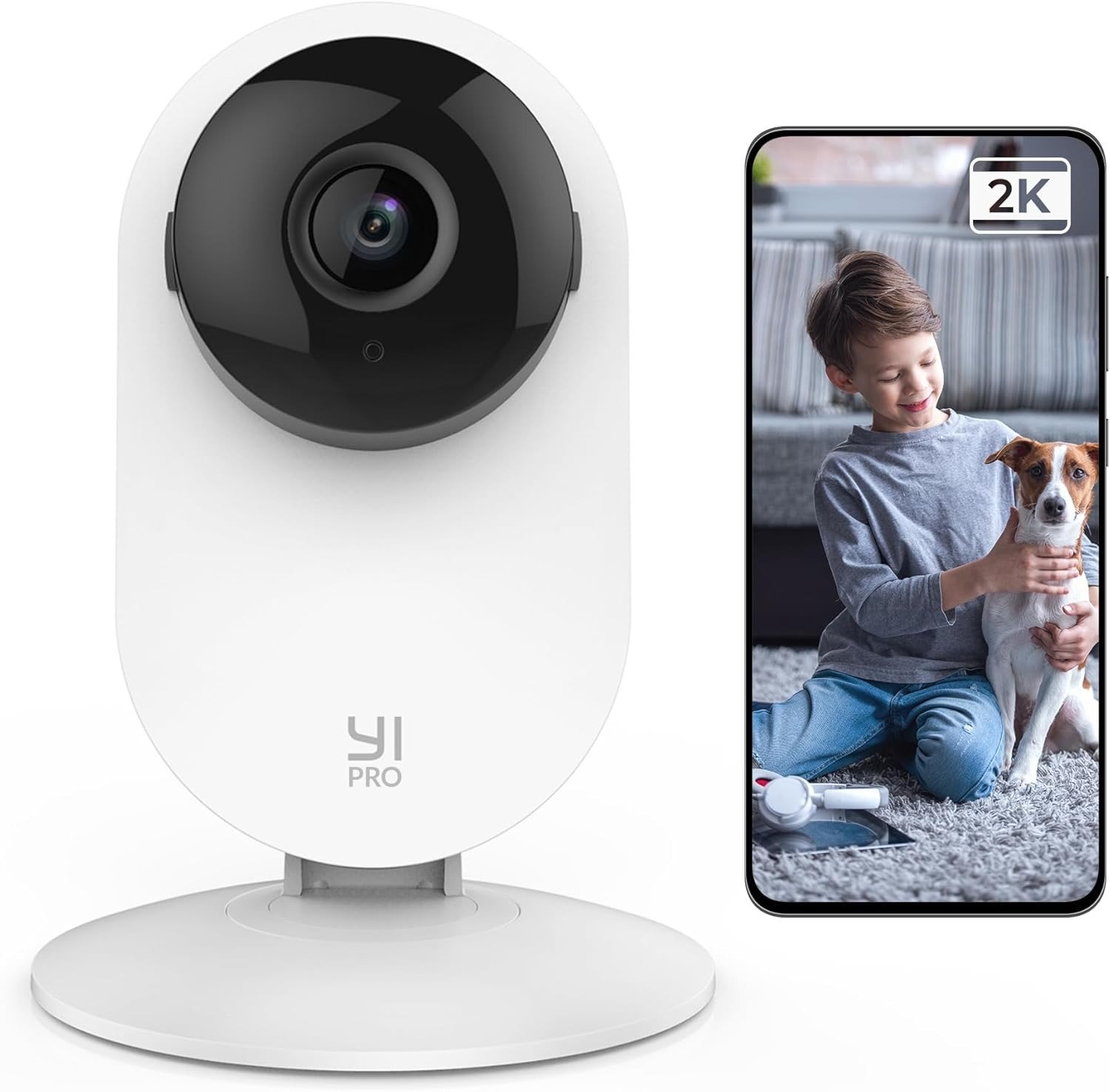
YI DOME GUARD CAMERA
YI DOME GUARD CAMERA REVIEW: THE RESULT LOOKS FINE, THE PROBLEM ISN’T
I want to start with the part every review gets right, because it matters for what comes later.
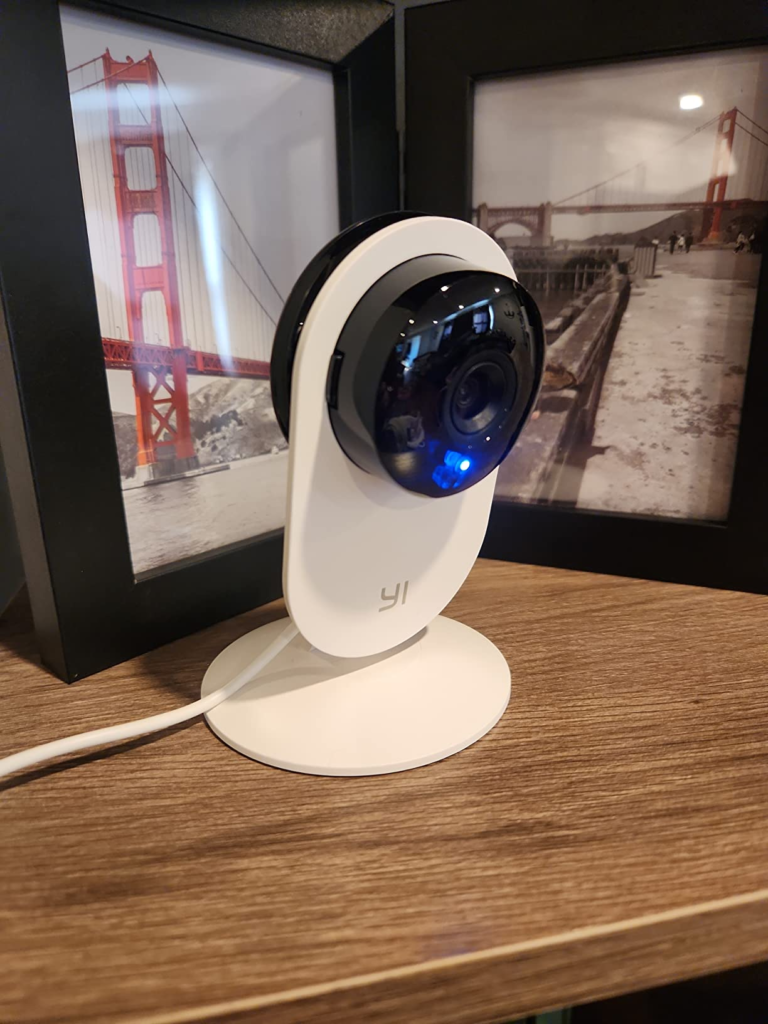
You open the box, mount four white domes around the house, and the whole system is live in about fifteen minutes — hold the camera up to a QR code on your phone, wait for the chime, done. The picture is clean for the price. Night vision switches on by itself once a room goes dark, and it actually looks like your hallway instead of green static. The camera by the front door swivels when your dog wanders past it, and there’s something quietly satisfying about a machine paying attention to your house the way you would if you were standing in it yourself.
That’s the part every listing photo shows you. It’s also the part that tells you almost nothing about what owning this camera feels like eight months from now.
Cheap hardware that fails on day one gets returned before it ever becomes a review. The real test of a budget camera was never going to happen in week one. It happens the first time you need it to do something it quietly stopped doing months earlier — no email, no warning, just a gap where a feature used to be.
That’s the review I actually went looking for.
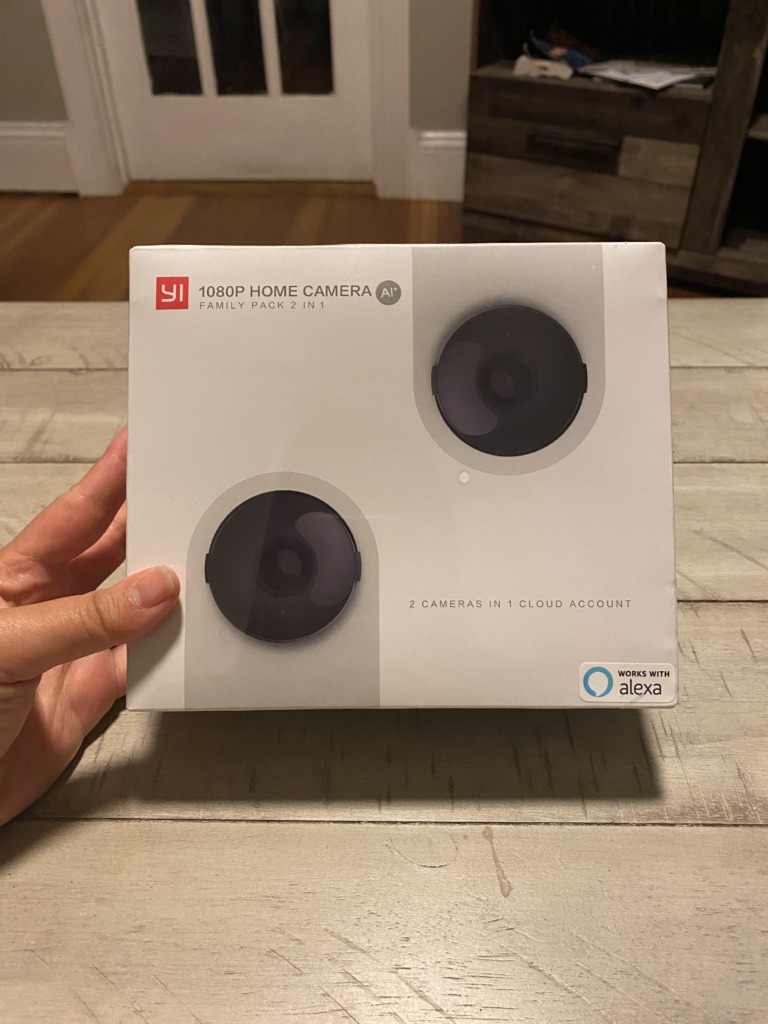
| What | The Actual Spec |
|---|---|
| Resolution | 1080p at up to 20 fps (a 2K/3MP version also exists under the same name) |
| Field of view | 140° wide lens, with 355° horizontal + 84° vertical motorized pan-tilt |
| Zoom | 4x digital only — no optical zoom, no adjustable focus |
| Night vision | Invisible infrared, roughly 30 ft of usable range |
| Connectivity | 2.4GHz Wi-Fi or wired Ethernet (5GHz Wi-Fi is not supported) |
| Audio | Built-in two-way mic and speaker |
| Detection | AI human, motion, and sound detection, adjustable sensitivity |
| Storage | microSD card (sold separately) or YI/Kami Cloud subscription |
| Voice control | Works with Alexa and Google Assistant for live view |
| Use case | Indoor only — not weatherproof or outdoor-rated |
YI DOME GUARD CAMERA COMPLAINTS: WHAT YOU’RE ACTUALLY FEELING BUT NOT NAMING
Here’s a feeling I think a lot of new owners get and don’t quite say out loud: after the first week, you’re not sure if you’re covered, or if you just feel covered.
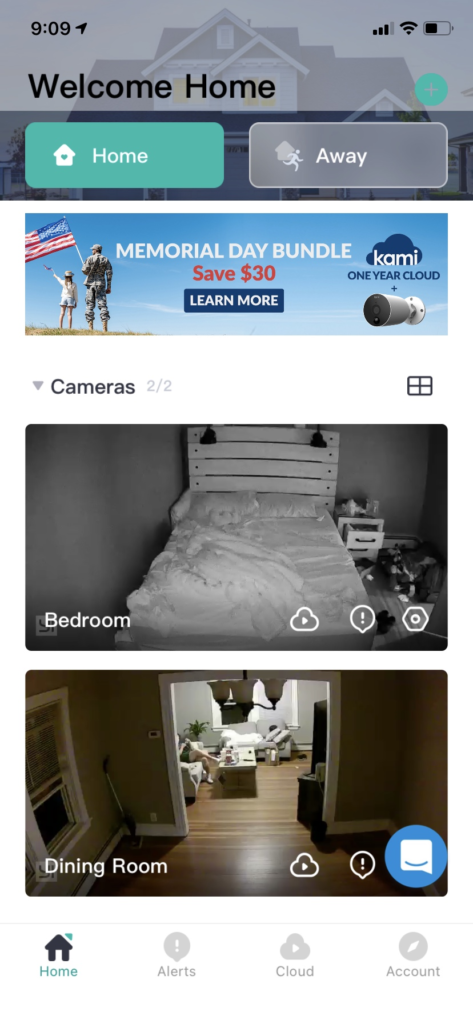
You’ve got four little swivel heads watching four rooms. You get a notification when the dog moves. You get a notification when a shadow moves. Somewhere around alert number thirty, you stop opening half of them — which means you built a system to interrupt you, then trained yourself to ignore it.
There’s a quieter feeling underneath that one. It’s the moment you go looking for a clip from three days ago — nothing dramatic, you just want to check what time a delivery came — and the app asks you to subscribe to see it. You could have sworn that used to be free.
Why does a camera that worked fine on day one start to feel less trustworthy by month three? Nothing about the hardware changed. The terms around the software did.
YI DOME GUARD SMART DETECTION: THE HIDDEN MECHANISM BEHIND THE MISS
Here’s the mechanism in plain terms, because the spec sheet won’t say it this directly.
The camera is sold on “flexible storage” — a microSD card or the cloud, your choice. What that phrasing skips is that those two choices aren’t the same camera wearing different clothes. They’re functionally two different products.
Put a card in and skip the subscription, and you get continuous recording: an unbroken loop of everything the lens sees. No AI tagging, no “human detected” push alert, and no backup if the camera itself is ever lost, stolen, or damaged. Pay for the cloud plan, and the AI layer switches on — clips get tagged by human, motion, or sound, and you get a notification instead of scrubbing through six hours of hallway footage to find eleven seconds that mattered.
The “smart” in “smart security camera” isn’t sitting inside the little dome on your shelf. It’s a subscription service, and it only runs for people currently paying for it. That’s not unusual for the price bracket — plenty of budget cameras work exactly this way. But it’s a detail that belongs on page one, not buried in a footnote, because it changes what “four cameras for one low price” actually buys you.
YI DOME GUARD 4-PACK SETUP: THE THRESHOLD WHERE THE OUTCOME QUIETLY BREAKS
This is where it gets specific to the four-pack, and where I want to name the actual threshold instead of just gesturing at it.
I call it the Silent Split — the point where a feature you were sold as included quietly turns into a feature you have to keep paying to keep. It isn’t a one-time bait and switch. Based on a wide spread of owner reports through 2025 and 2026 — Trustpilot, Amazon, and independent safety reviewers all describe the same shape of complaint — it moves gradually, plan by plan, update by update. Independent aggregators tracking hundreds of these reports flag a consistent pattern: rising in-app advertising, motion clips increasingly locked behind a paywall, and local SD access getting harder to rely on, even for people who bought the camera specifically to avoid a subscription. One long-time subscriber described their rolling cloud window quietly shrinking from thirty days of history to fifteen. A Trustpilot reviewer this June described ads loading before the live feed does — sometimes with sound, sometimes more than once per visit.
None of that shows up during setup. It shows up later, on your schedule, at the exact moment you’d rather not be troubleshooting an app.
| SD Card Only (No Subscription) | Cloud Subscription Active | |
|---|---|---|
| Recording style | Continuous loop, unsorted footage | AI-tagged clips: human, motion, sound |
| Smart alerts | Not available in this mode | Sent to your phone in real time |
| Finding an event | Manually scrub through hours of video | Jump straight to the tagged moment |
| In-app ads | Present on the free tier | Reduced for most subscribers, per recent reports — not guaranteed gone |
| Rolling history | Limited by card size, loops over itself | 7, 15, or 30 days, depending on plan |
| Ongoing cost | One-time cost of the card | Recurring, billed monthly or yearly |
Buying four of anything multiplies whatever the annoyance is. A small inconvenience times one camera is a footnote. The same inconvenience times four is the actual shape of owning this system.
YI DOME GUARD VS. NAME-BRAND CAMERAS: WHY MOST BUYERS MISREAD THIS TOO EARLY
Most people compare this camera on exactly the wrong axis.
They put the spec sheet next to a name-brand camera costing three or four times as much, see “360-degree,” “AI detection,” “night vision,” and assume the gap is smaller than the price difference. But 355° horizontal and 84° vertical rotation means the camera can turn to look anywhere in the room — not that it’s watching the whole room at once. It has to physically swivel there first, which costs a second or two you don’t get back if the moment already passed.
The zoom tells a similar story. It’s four times digital zoom, not optical, so past a certain distance, pushing in gets you a bigger picture, not a sharper one. More than one owner specifically flagged the image getting rough around the edges the moment they zoomed in on something across the room, alongside a separate wish for more vertical tilt range once the camera was mounted high on a wall.
None of that makes the hardware bad. It makes the spec-sheet comparison misleading — because the real cost of ownership was never printed on the box. It’s the subscription decision from the section above, and that’s the number that actually separates this camera from something twice the price.
WHO SHOULD BUY THE YI DOME GUARD CAMERA: WHO IS ACTUALLY INSIDE THIS PROBLEM
This bundle is genuinely built for one specific person, and I’d rather describe them precisely than pretend it’s for everyone.
You’re setting up your first real multi-room system — living room, hallway, a kid’s door, the back entry — on an actual budget, not an unlimited one. You’ve already mentally priced in a modest yearly cloud plan as the cost of the smart features, the way you’d accept a phone bill, instead of something you resent discovering six months in. You want to ask Alexa or Google to pull up a room on command, and you care more about “did someone come to the door” than “would this hold up in court.”
If that’s you, four cameras covering a whole home for well under what a single premium camera often costs is a genuinely reasonable trade.
WHO SHOULD SKIP THE YI DOME GUARD CAMERA: WHERE WRONG-FIT BEGINS
Here’s who I’d steer away from this bundle, plainly.
If your rule is “no subscription, ever, for any reason,” don’t buy this expecting the SD card to quietly cover you forever — recent reports suggest that path has gotten narrower, not wider. If you need outdoor coverage, this is the wrong product entirely: the Dome Guard line is built and sold as an indoor camera, while YI sells a separate weatherproof line for porches and driveways. If your footage needs to hold up as evidence in a serious dispute, a continuous-recording budget camera isn’t the tool for that job.
One case deserves to be named directly, because it matters more than the others. If you’re using this to check on a parent or relative who needs fast, reliable access — not a delay while an ad finishes loading — read the free tier’s fine print before you lean on it. A documented account from this year described real delays reaching a live feed while checking on a family member with dementia, caused by ads loading first. That’s a minor annoyance for most households. It isn’t minor for that one.
| This Is Probably You If… | This Is Probably Not You If… |
|---|---|
| You’re setting up your first multi-room system on a real budget | Your hard rule is “no subscription, ever” |
| You’ve already budgeted a modest yearly cloud plan | You bought this expecting free SD-only smart alerts long-term |
| You want basic presence and pet or package monitoring | You need footage reliable enough for a legal dispute |
| You’re placing cameras indoors — living room, hallway, nursery, back door | You need coverage on a porch, driveway, or anywhere exposed to weather |
| You’re comfortable troubleshooting an app occasionally | You’re monitoring a vulnerable family member and can’t tolerate access delays |
YI DOME GUARD 4-PACK BUNDLE: THE ONE SITUATION WHERE THIS PRODUCT BECOMES LOGICAL
Strip away everything else, and there’s one situation where this bundle is the logical answer rather than just the cheap one.
You need four rooms covered this month, not eventually. You’ve already decided the subscription is a planned cost, not a trap, and you’d rather pay it once across all four cameras — the multi-camera cloud plans cover up to five devices on a single subscription — than juggle four separate contracts under four separate brands. You like having Ethernet as a backup if your Wi-Fi is already crowded, and you’re not trying to prove anything in court. You just want to know what happened while you were at work.
That’s a real, ordinary situation. If it’s yours, this is the version of “should I buy this” that actually holds up after the first month.
YI DOME GUARD CAMERA PROS AND CONS: WHAT IT SOLVES, WHAT IT REDUCES, AND WHAT IT STILL LEAVES TO YOU
| What It Solves | What It Reduces | What It Still Leaves to You |
|---|---|---|
| Blind spots across multiple rooms in one afternoon | The cost of outfitting a whole home with cameras | Deciding on and budgeting a cloud plan honestly, before buying |
| The “did something happen while I was out” question | The number of separate subscriptions — up to five cameras share one plan | Tuning notification sensitivity so real alerts don’t drown in noise |
| Basic remote check-ins from your phone | The technical setup curve — most people are live in under 20 minutes | Accepting slower customer support if something goes wrong |
| Voice-activated live view through Alexa or Google | The upfront price versus name-brand systems | Choosing SD card versus subscription, and living with that choice |
None of these trade-offs are hidden once you know to look for them. That’s really the point of this whole review — not that the camera is secretly bad, but that the honest version of “what does this cost” only shows up after you’ve already decided what kind of owner you’re going to be.
YI DOME GUARD CAMERA REVIEW: FINAL VERDICT
So — is the four-pack worth buying?
If you walk in expecting a camera company selling cameras, you’ll be a little disappointed the first time an ad interrupts your live feed. If you walk in understanding that you’re buying hardware now and choosing a data plan later — the same way you’d think about a phone — most of that disappointment disappears, because you priced it in from the start.
The picture is genuinely good for the cost. The setup is genuinely fast. The subscription question is genuinely yours to answer honestly, before you buy, not after.
If you’ve already made peace with that trade — hardware today, a modest plan later, four rooms covered in one afternoon — this is where the decision stops being vague:
YI DOME GUARD CAMERA FAQ: YOUR QUESTIONS, ANSWERED STRAIGHT
| Question | Answer |
|---|---|
| Does the YI Dome Guard 4-Pack work without a subscription? | Yes — through free 6-second clip alerts or a microSD card. But the AI-tagged detection stops working outside a paid plan, and the free path comes with in-app ads. |
| Why doesn’t it support 5GHz Wi-Fi? | The hardware is built for 2.4GHz networks only. If your router splits bands under separate names, connect to the 2.4GHz one specifically during setup, or you’ll get stuck at pairing. |
| Can I put these cameras outside? | No. Dome Guard is built and marketed as an indoor camera. YI sells a separate weatherproof outdoor line for porches and driveways — that’s the one to look at instead. |
| How many cameras can one cloud plan cover? | Up to five cameras per Standard Plan, so a four-pack fits comfortably under a single subscription instead of needing four separate ones. |
| Will I definitely see ads if I skip the subscription? | Based on numerous owner reports through 2025 and 2026, yes — and several describe the ads becoming more frequent over time. Worth knowing before you commit to the SD-only path. |
| What happens to old footage if I cancel my plan? | Cloud clips are deleted once your subscription period ends, per the company’s own policy, so download anything you want to keep before you cancel. |
Transparency Note:
This analysis is built on aggregated real-world experience. It extracts what repeatedly holds, what breaks, and what users uncover only after living with the system—then shapes it into a clear model you can use immediately. Think of it as structured experience, refined and presented so you don’t have to learn it the hard way. “A quick note: Don’t believe the star ratings, but trust personal experience. This article is a compilation of collected experiences.”