WYZE CAM PAN V3 REVIEW: IT WATCHES EVERY ANGLE, UNTIL THE ONE SECOND THAT ACTUALLY COUNTS
WYZE CAM PAN V3
You check the app before bed — green dot, camera online, all four corners of the yard supposedly covered. Then the one night something happens — a package mix-up, a stray dog at the gate, a noise on the porch at 2 a.m. — you open the clip and it’s three seconds of the fence, not the door.
Why does a camera that spins a full 360 degrees still miss the one second that mattered? That gap isn’t a defect. It’s built into how every pan-tilt camera in this price range works, and almost nobody explains it before you buy one. This review does.
WYZE CAM PAN V3 COVERAGE: THE FOOTAGE LOOKS FINE. THE PROBLEM ISN’T.
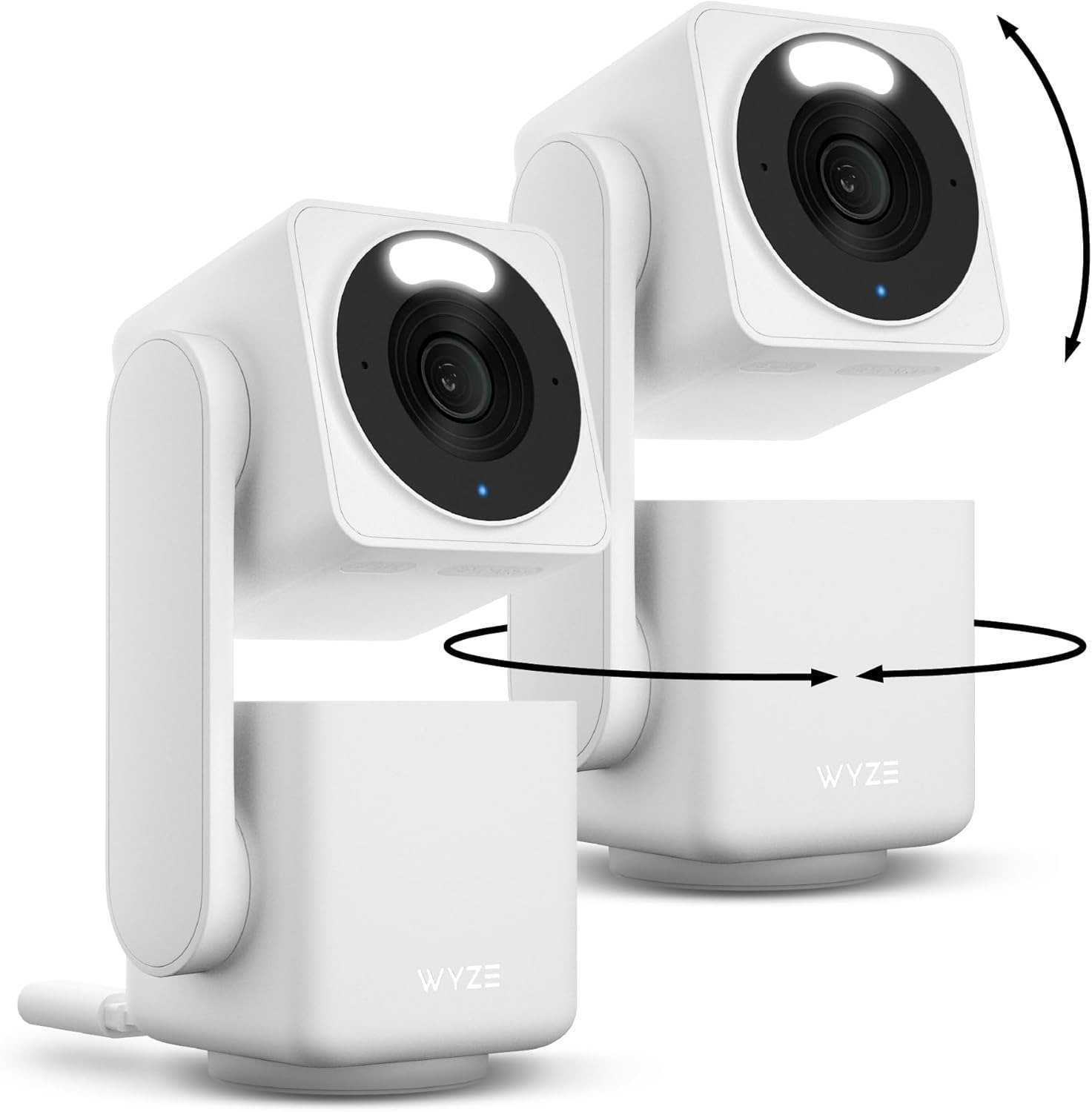
The Pan v3 spins 360 degrees and tilts a full 180, double the previous generation’s range. Set loose on Pan Scan, it patrols up to four waypoints you choose, holding each one for roughly ten seconds before moving on — a full loop in under a minute.
That sounds like total coverage. It isn’t, not the way most people assume. At any given second, the lens shows one 120-degree slice, not the whole scene at once. If your moment happens between waypoints, the camera has to notice motion, decide to react, and swing over — and for a beat or two, whatever mattered is already at the edge of the frame. The image quality is fine. The problem is timing, which is exactly why it’s easy to miss until it costs you something.
WYZE CAM PAN V3 ALERTS: WHAT YOU’RE FEELING BUT NOT NAMING
Give it a week and you’ll know the feeling: phone buzzes, you open the app expecting something, and it’s a moth. Then a shadow. Then your own porch light flicking on. Owners report this constantly — night-time motion sensitivity picking up insects and small light shifts like they’re intruders.
That’s not malfunction. It’s the camera doing exactly what it’s built to do without help: react to any movement, because alone, it can’t yet tell a moth from a person. The irritation isn’t paranoia — it’s the reason so many Wyze owners eventually mute notifications entirely, and stop checking the app the one week it would have mattered.
WYZE CAM PLUS: THE HIDDEN MECHANISM BEHIND THE MISS
Here’s the part the box doesn’t spell out. Fresh out of the packaging, the Pan v3 can tell you something moved. It can’t tell you what. Person, pet, car, falling leaf — to the base camera, motion is motion.
The line where that changes is Cam Plus. Below it: generic alerts, free local recording. Above it: the camera actually reads the scene — person, pet, vehicle, package — with cloud clips held for two weeks. Call this the Detection Line, because it’s the real reason “cheap camera with annoying alerts” and “smart camera that finally makes sense” can be the same hardware, a few dollars apart.
| Plan | Cost | What actually changes |
|---|---|---|
| No subscription | Free | Generic motion/sound alerts, local microSD recording only |
| Cam Plus (per camera) | $2.99/month or $19.99/year | Person, pet, vehicle & package detection, 14-day cloud clips |
| Cam Plus Unlimited | $12.99/month | Cam Plus features across every camera on the account |
| Cam Protect (per camera) | $3.99/month | Adds professional monitoring dispatch, up to 5 cameras |
This isn’t a Wyze trick specifically — it’s how the whole budget pan-tilt category makes its money. Worth knowing before you compare price tags with anyone else.
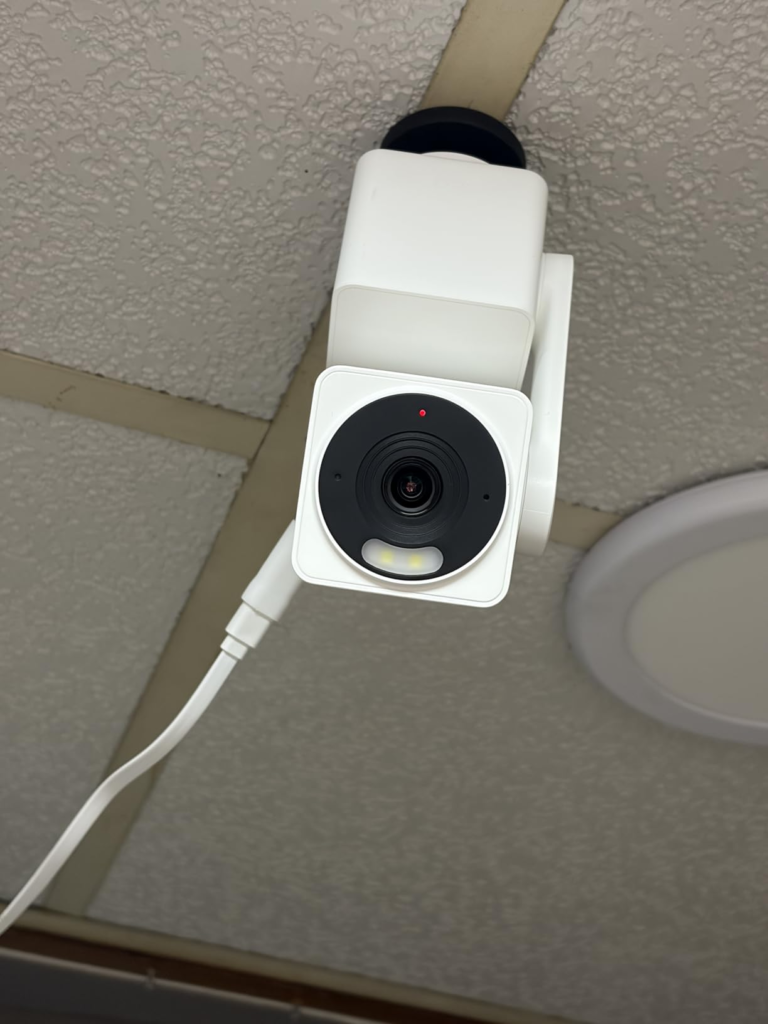
WYZE CAM PAN V3 SPECS: THE THRESHOLD WHERE THE OUTCOME QUIETLY BREAKS
| Spec | Wyze Cam Pan v3 |
|---|---|
| Resolution | 1080p — 20 fps day / 15 fps night |
| Field of view | 120° per view; 360° pan, 180° tilt |
| Night vision | Color (Starlight sensor) + infrared fallback |
| Weatherproofing | IP65 (outdoor power adapter sold separately) |
| Wi-Fi | 2.4GHz only (802.11 b/g/n) |
| Local storage | microSD, up to 256GB |
| Smart home | Alexa, Google Assistant, IFTTT — no Apple HomeKit |
| Single camera | around $40 |
| 3-pack bundle | around $115–120 |
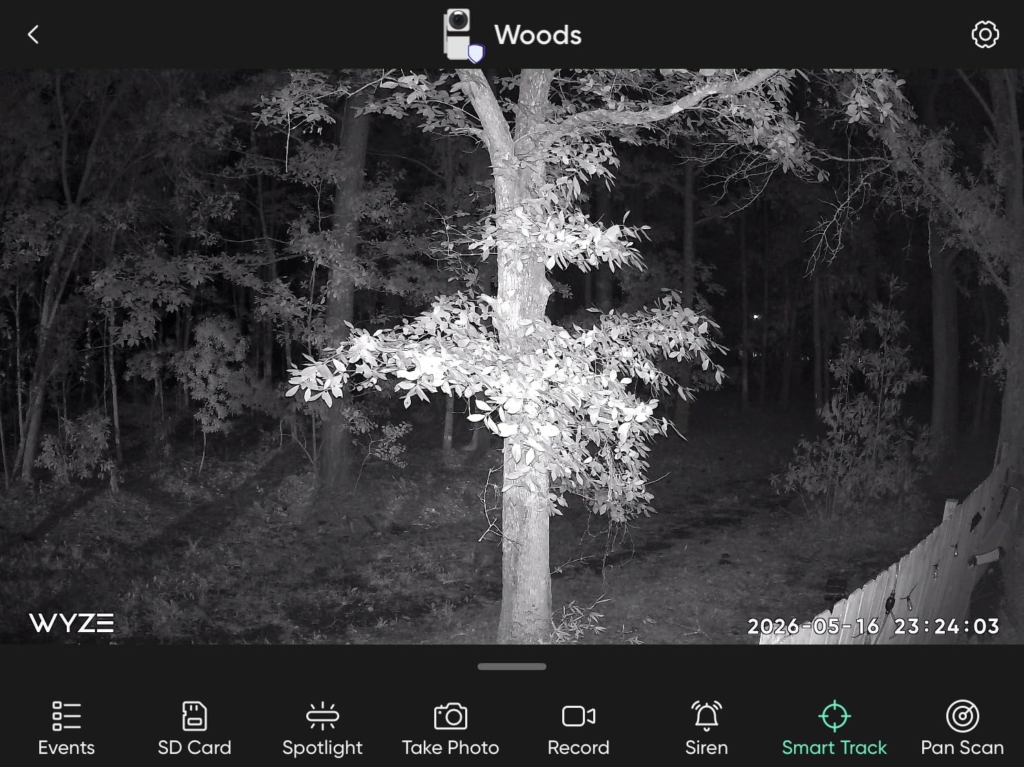
Every one of those numbers hides a real limit. Color night vision needs some ambient light — true pitch darkness kicks it back to black-and-white infrared. A 256GB card holds roughly a day of continuous 1080p footage before it loops and overwrites itself. And more than one owner has reported the camera drifting off its set “home” position over weeks, landing on the eave or the wall until you nudge it back by hand. None of that breaks the camera. It just means “360-degree coverage” has an asterisk, and now you’ve read it.
WYZE CAM PAN V3 VS. RING, ARLO & EUFY: WHY MOST BUYERS MISREAD THIS TOO EARLY
I’ve looked at enough of these cameras to know the pattern by now: the mistake most buyers make is comparing pan-tilt cameras on the spec sheet alone, as if the winner is whichever one has the sharpest picture. Wrong test.
| Camera | Price | Pan / Tilt | Subscription for AI alerts | Works without one |
|---|---|---|---|---|
| Wyze Cam Pan v3 | ~$40 | 360° / 180° | $2.99/mo | Yes — local recording included |
| Ring Pan-Tilt Indoor Cam | ~$80 | 360° / 169° | Ring Home plan | Limited — built around the plan |
| Arlo Essential Pan Tilt | $40–60 | 360° / 180° | $7.99–9.99/mo | Limited — same pattern |
| Eufy S350 Pan Tilt | ~$129 | 360°, 4K | Local-first | Yes — no plan required |
Two Wyze cameras cost less than one Ring, and both still need a subscription to unlock full smarts — that’s not a Wyze weakness, it’s the category’s entire business model. Where Wyze genuinely gives something up is Wi-Fi, since it’s 2.4GHz only and won’t ride a 5GHz-only mesh network, and top-end resolution, where Eufy’s 4K pulls ahead at three times the price.
WHO SHOULD BUY THE WYZE CAM PAN V3: WHO IS ACTUALLY INSIDE THIS PROBLEM
This is for the person who wants to watch a wide space — a backyard, a driveway, a living room where the dog and the toddler both roam — without pricing out three separate cameras to do it. Renters who need something portable, Alexa or Google households, anyone fine checking in occasionally rather than needing airtight, evidence-grade footage of every second.
| Good fit | Not a good fit |
|---|---|
| Wide backyard, driveway, or living-room coverage | One fixed angle you never want to reconfigure |
| Renters who need portable, no-install cameras | Apple HomeKit households |
| Alexa / Google Assistant homes | 5GHz-only mesh Wi-Fi with no 2.4GHz band |
| Multi-camera coverage on a tight budget | Extremely privacy-sensitive rooms |
If you’re nodding at “wide space, tight budget,” keep reading. If you’re picturing one door and an anxious re-check every hour, this isn’t your camera — a fixed lens does that job better.
WYZE CAM PAN V3 PROS AND CONS: WHERE WRONG-FIT BEGINS
| Real pros | Real cons |
|---|---|
| Wide coverage for the price of one budget camera | AI detection needs Cam Plus |
| Color night vision that’s genuinely usable | 2.4GHz Wi-Fi only |
| Setup in about two minutes | Night alerts often triggered by insects |
| Quieter motor than the previous generation | Some owners report position drift |
| Works locally with no subscription required | A few long-term owners report failure near year two |
| Free, unlimited sharing with family members | No Apple HomeKit support |
Where this goes wrong: bedrooms, bathrooms, anywhere you’d hate for a stranger to glimpse, even briefly. Wyze has real incidents on record — a 2019 exposure of account emails and device data, and a February 2024 mix-up where roughly 13,000 users briefly saw thumbnails from other people’s cameras during a caching error, with about 1,500 clicking through to actual footage. Wyze patched the specific bug and added verification steps, and no camera brand has a spotless record — but if a stranger ever glimpsing a room would unsettle you, keep this camera on the porch, not the nursery.
WYZE CAM PAN V3 3-PACK: THE ONE SITUATION WHERE THIS BUNDLE ACTUALLY MAKES SENSE
One Pan v3 covers one wide area well. It can’t also be at the driveway and the back gate at the same time — no single camera can. That’s the real argument for the 3-pack, and it’s structural, not a sales pitch: front door, side entry, backyard, covered for less than one mid-range static camera from a pricier brand.
Worth saying plainly: the 3-pack’s main saving is dodging the $5.99 shipping fee three separate times, not a steep bulk discount — expect to land around $115–120 total. Buy three because you need three vantage points, not because the per-camera math suddenly gets dramatically cheaper.
WYZE CAM PAN V3 IN REAL USE: WHAT IT SOLVES, WHAT IT REDUCES, AND WHAT’S STILL ON YOU
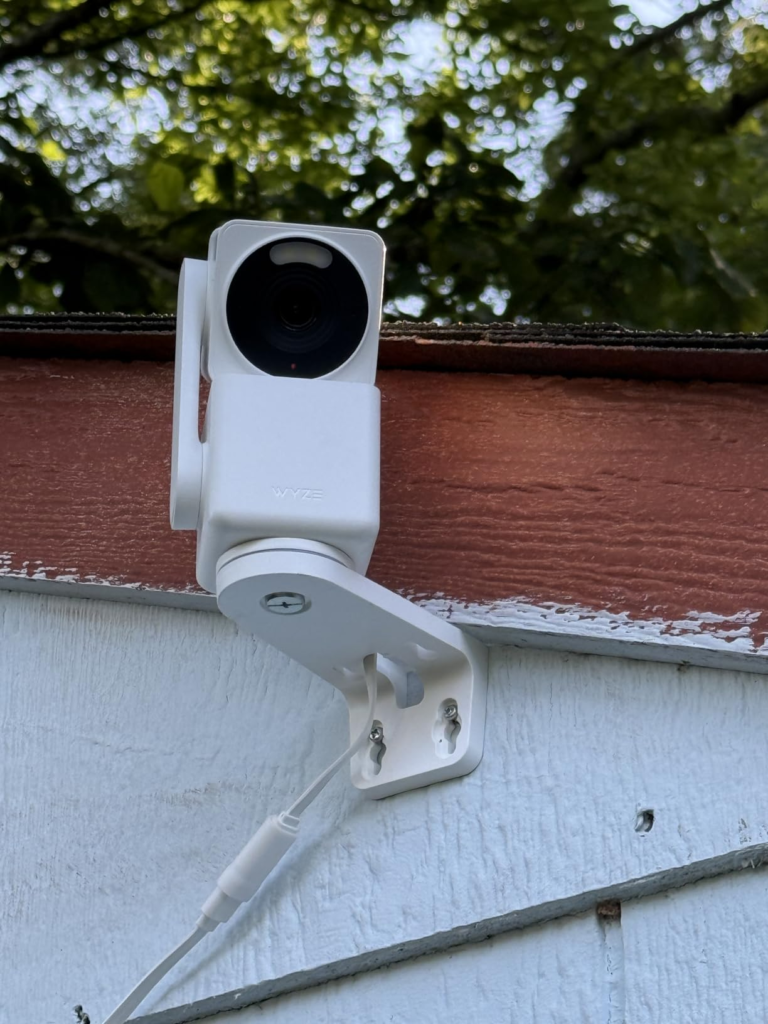
What it solves: visual coverage of a wide space, at a price that makes putting a camera on every entry point realistic instead of aspirational. What it reduces: the usual excuse that proper home security costs too much. What’s still on you: choosing local storage versus Cam Plus, narrowing motion zones so insects stop tripping it, remembering the separate power adapter if it’s heading outside, and deciding where you’re comfortable pointing an internet-connected lens given Wyze’s track record.
WYZE CAM PAN V3 REVIEW: FINAL VERDICT
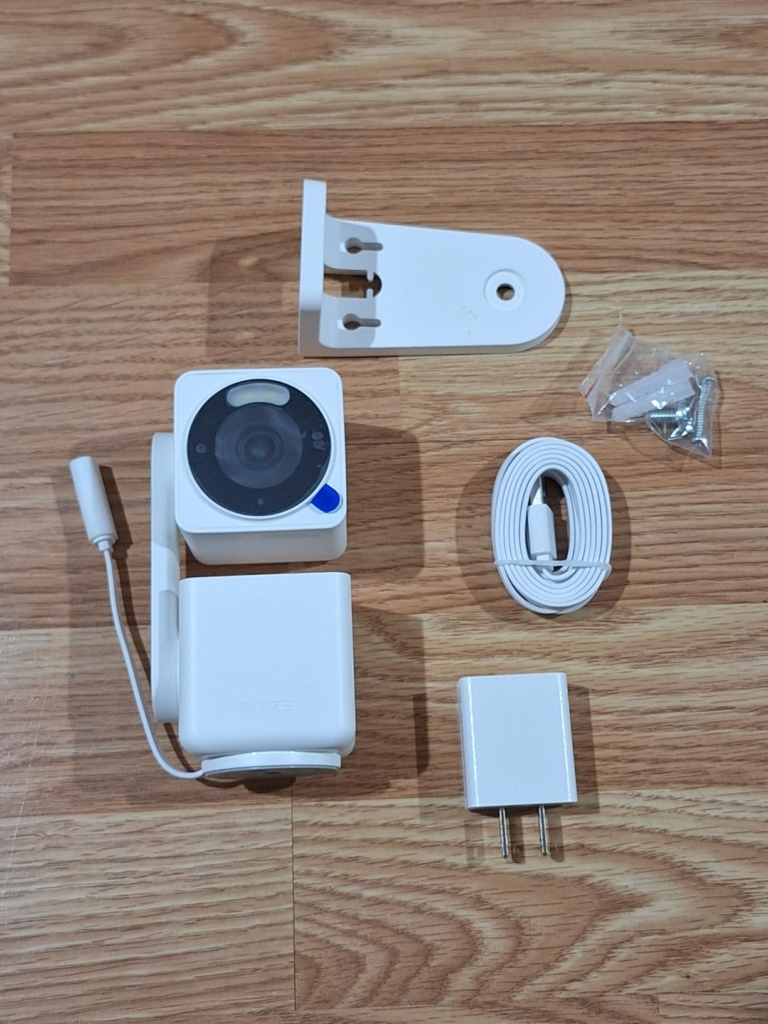
I’ll say this plainly: if the problem in front of you is “I need eyes on more of my property without spending like I’m buying a used car,” the Pan v3 still solves it honestly. If the problem is “I need one flawless angle I never have to think about again,” a fixed camera is the better tool.
For most people weighing the 3-pack specifically, the logic holds — three vantage points, one flexible camera doing each job, at a price where adding the third one never feels like a luxury. If that’s genuinely the problem you’re solving, the current listing is the logical next step.
WYZE CAM PAN V3 FAQ
| Question | Answer |
|---|---|
| Does it need a subscription to work? | No. Baseline motion and sound alerts plus local microSD recording work with zero subscription. Cam Plus ($2.99/month or $19.99/year per camera) adds person, pet, vehicle, and package-specific detection plus 14-day cloud clips. |
| Is it actually safe to use outdoors? | Yes, it’s IP65-rated for weather resistance — but genuine outdoor power needs the separate Wyze Outdoor Power Adapter. The included cable is meant for indoor use. |
| Does it work with Apple HomeKit? | No. It integrates with Amazon Alexa, Google Assistant, and IFTTT, not HomeKit. |
| Is it 5GHz Wi-Fi compatible? | No, 2.4GHz only. If your router or mesh system runs 5GHz-primary, confirm a 2.4GHz band is available before buying. |
| Should the past Wyze privacy incidents worry me? | It’s fair to factor in. Wyze had a 2019 data exposure and a February 2024 incident where about 13,000 users briefly saw thumbnails from other accounts due to a caching bug. Wyze patched it and added verification steps. Most owners never experience anything like it, but privacy-conscious buyers should point the camera at shared or outdoor spaces rather than the most private rooms in the house. |
| How long does it actually last? | Most owners report solid multi-year use. A smaller number report failure — often a solid red status light — around the two-year mark, sometimes just past the standard warranty window. Registering your purchase and keeping the receipt is worth the two minutes it takes. |
Transparency Note:
This analysis is built on aggregated real-world experience. It extracts what repeatedly holds, what breaks, and what users uncover only after living with the system—then shapes it into a clear model you can use immediately. Think of it as structured experience, refined and presented so you don’t have to learn it the hard way.
“A quick note: Don’t believe the star ratings, but trust personal experience. This article is a compilation of collected experiences.”