Arlo Essential 2K Wired Review: The Footage Gap Nobody Warns You About
ARLO ESSENTIAL 2K WIRED
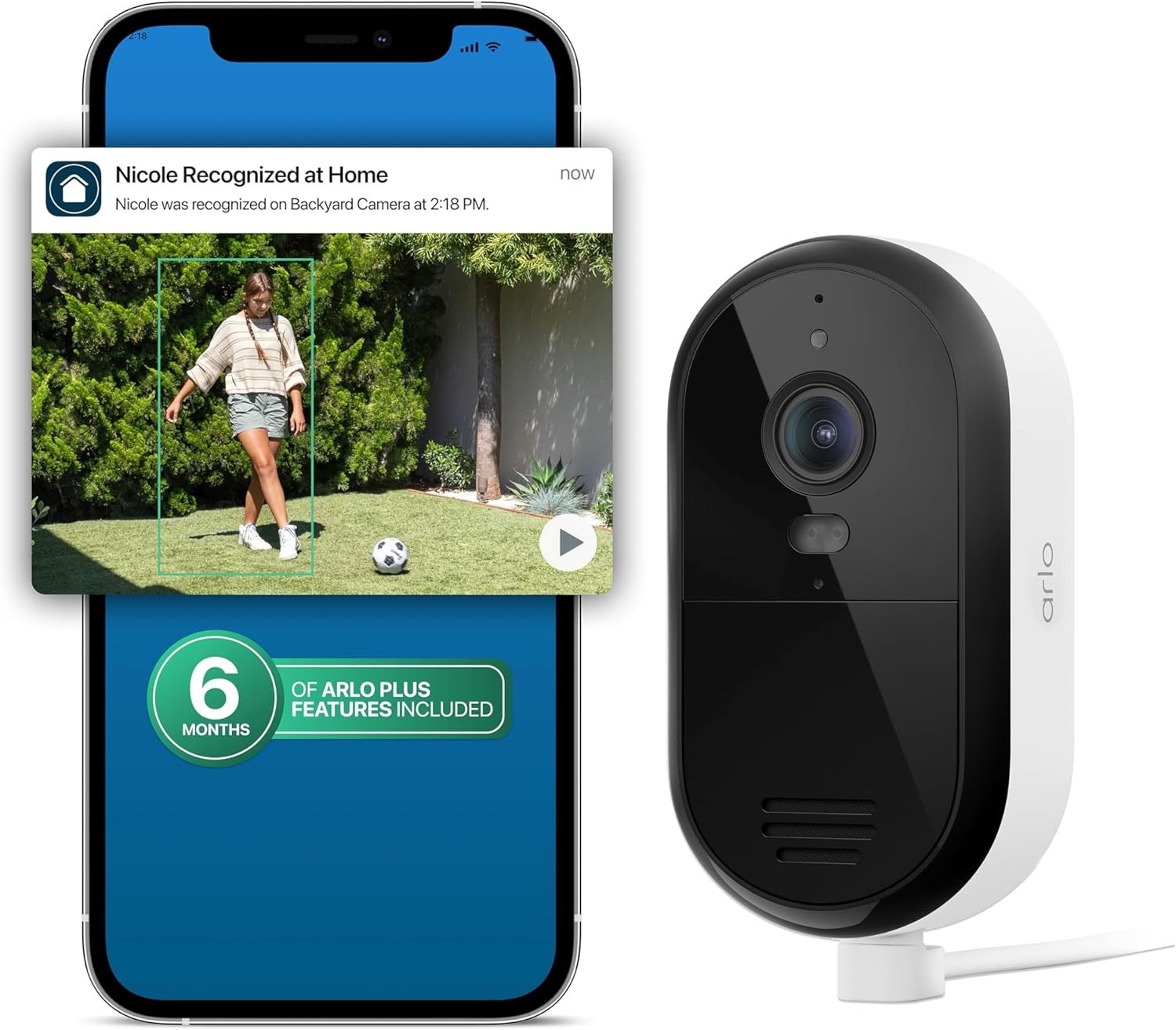
Picture quality was never going to be the problem. The second the live feed loads in clean, bright 2K, you already know the sensor is good. That part of this review is settled early and it stays settled.
The problem shows up later, quietly, on a day you’re not thinking about the camera at all. A package goes missing off the porch and you go looking for the ten-second window that would settle it — and the timeline either doesn’t have it, or it has forty clips of a shadow crossing the driveway and none of the one you actually needed. Or it’s month four, and you’ve genuinely forgotten whether the plan renewed itself or quietly lapsed. The camera never announces which version of itself it’s running that day: the one that saves everything, or the one that just watches and lets it go.
That gap — between what the hardware is capable of and what it’s actually holding onto the day you need it — is the real subject here. Not whether the lens is sharp. It is. The question is whether you’ll notice the difference before it costs you something.
Arlo Essential 2K Wired Specs: What’s Actually in the Box
| Spec | What you get |
|---|---|
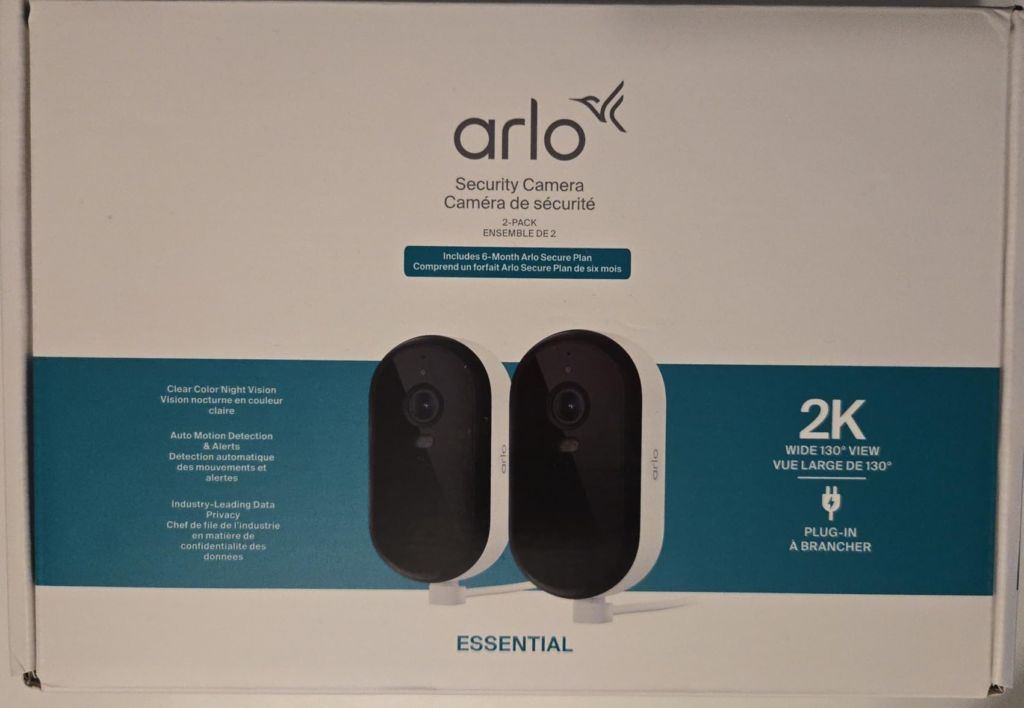
| Resolution | 2K (2560×1440), 12x digital zoom |
| Field of view | 130° diagonal |
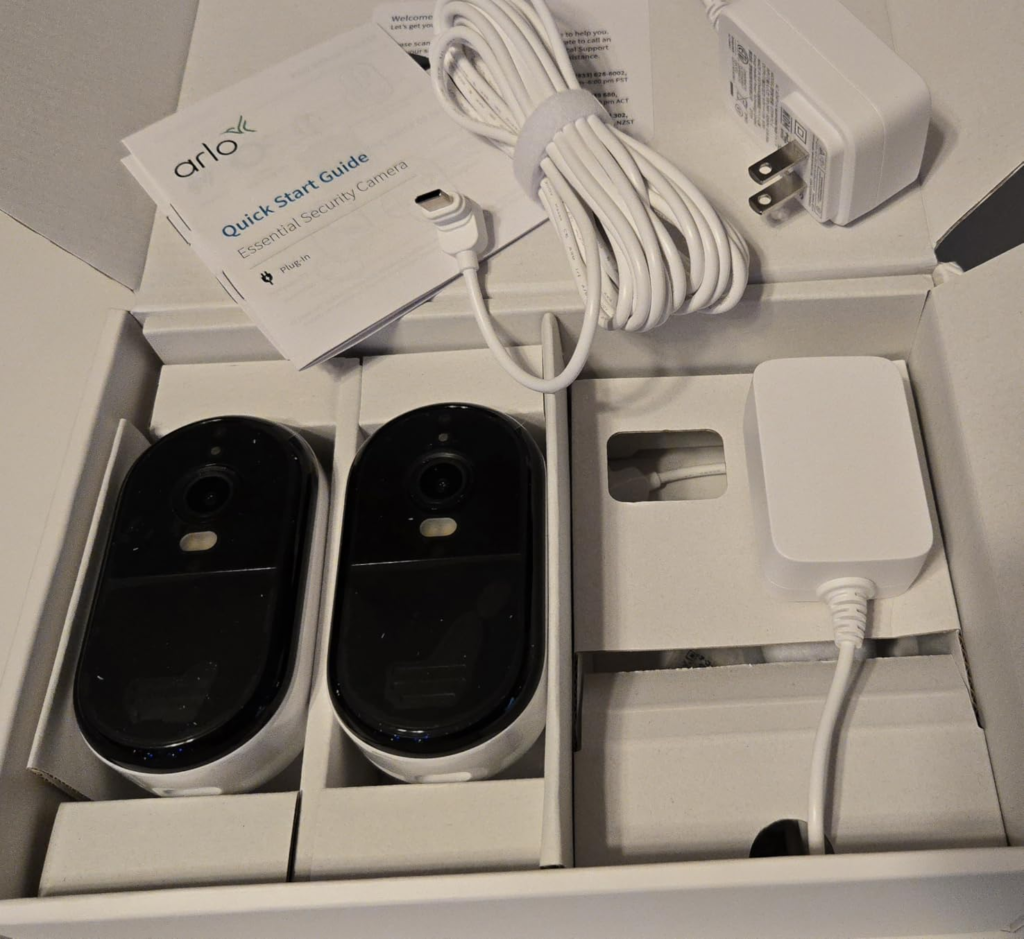
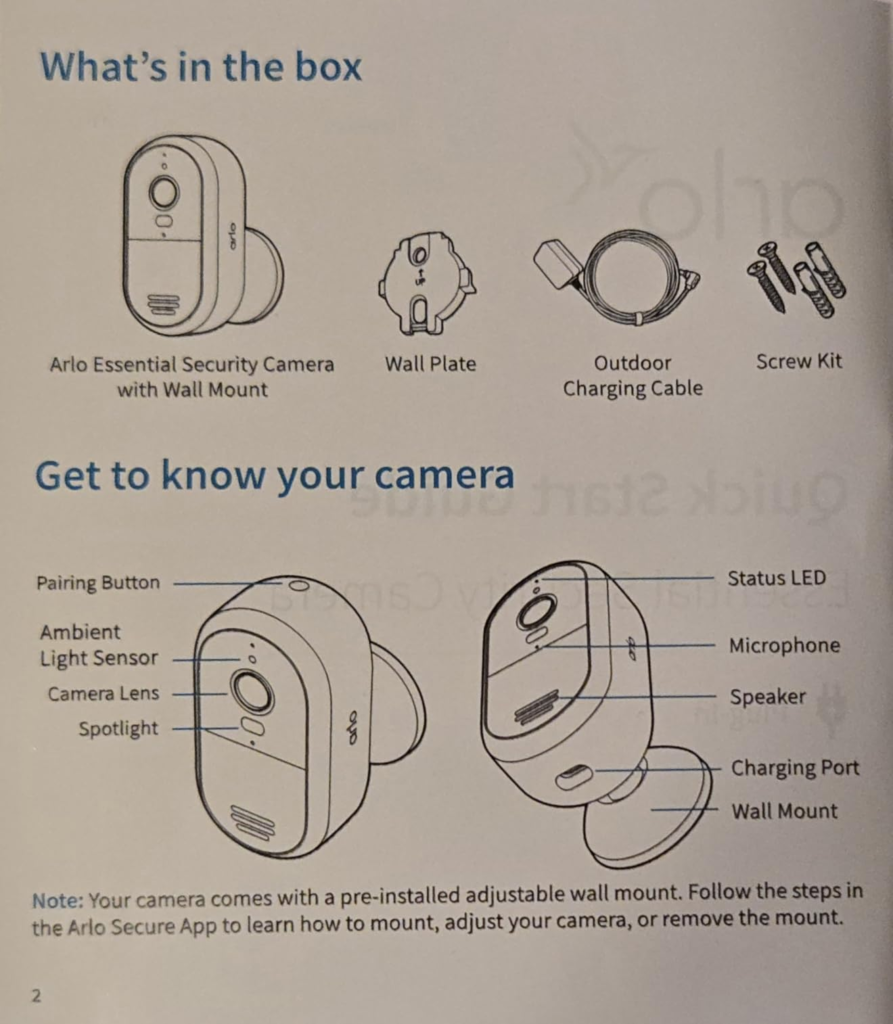
| Power | Plug-in only — 16 ft cable + adapter, no battery |
| Wi-Fi | Dual-band 2.4GHz/5GHz, connects direct — no SmartHub support |
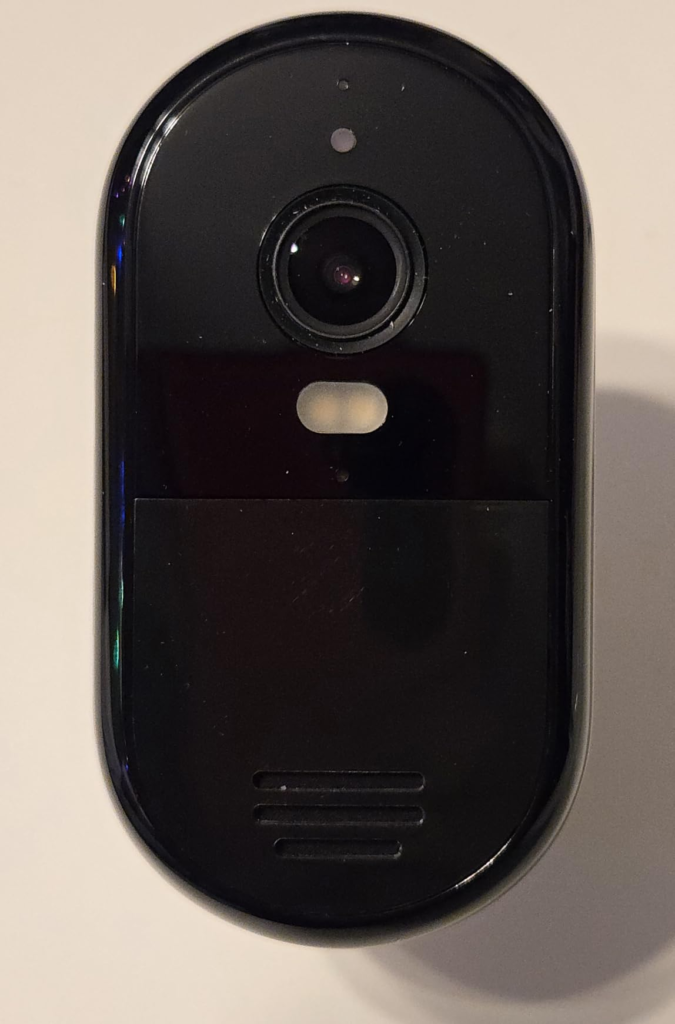
| Night vision | Color night vision with integrated spotlight |
| Audio | Two-way, noise-cancelling |
| Weather rating | Outdoor-rated for heat, cold, rain |
| Smart detection | Person, vehicle, animal, package (subscription required) |
| Included plan | 6 months of Arlo Secure Plus |
| Local storage | None available on this model |
Arlo Essential 2K False Alerts: What You’re Actually Feeling but Not Naming
Here’s the feeling before you’ve named it: you own a camera that’s supposedly smart, but your phone buzzes constantly, and most of it is nothing. A car door. A branch. Your own porch light kicking on. After the third or fourth day of that, most people do the same thing — they stop looking at the notifications at all.
That’s the quiet failure. Not that the camera missed something big. It’s that you trained yourself to ignore it, which means the one alert that actually mattered had the same odds of getting your attention as the other thirty that didn’t.
Arlo Essential 2K Motion Sensor Explained: The Hidden Mechanism Behind the Miss
Why does a camera with this clean a picture still leave people uneasy? Independent lab testing on Arlo’s entry-tier Essential cameras found the answer, and it isn’t the lens — it’s the sensor doing the detecting. This tier reads motion by analyzing changes in the image itself, rather than sensing heat and movement directly the way a PIR sensor does on Arlo’s pricier models, like the Essential XL.
That single design choice is the actual mechanism behind the noise. A pixel-based sensor can’t easily tell a person from a shifting shadow or a passing headlight, because it’s reading light change, not body heat. The picture quality was never the issue. The eye behind the picture is doing a cheaper version of the job.
Arlo Essential 2K Subscription Cutoff: The Threshold Where the Outcome Quietly Breaks
There’s a specific day this camera changes, and nothing on the screen tells you it happened. The moment your included plan or paid subscription lapses, cloud recording and smart sorting switch off — but the app still says “connected,” the live feed still loads, and the camera still looks exactly like it did the day before. The safety net is gone; the appearance of one isn’t.
And for this specific model, there’s no fallback. Arlo confirms directly that the plug-in Essential line can’t pair with a SmartHub, which is the only route to local, subscription-free storage on other Arlo cameras. So the usual workaround — “I’ll just add a hub and skip the monthly fee” — isn’t on the table here. The subscription isn’t an upsell on this camera. It’s the only door to saved footage that exists.
| Feature | Without a plan | With Secure Plus |
|---|---|---|
| Live viewing | Yes | Yes |
| Basic motion push | Yes, generic | Yes |
| Clip actually saved | No | Yes — 60-day cloud history |
| Person/vehicle/animal/package sorting | No | Yes |
| Activity zones | No | Yes |
| Emergency response / call-a-friend | No | Yes |
| Cost after the included 6 months | $0 | ~$7.99/mo, single camera, billed annually |
Arlo Essential 2K vs Essential XL: Why Most Buyers Misread This Too Early
Most people compare these on two numbers: resolution and price. Both cameras say 2K, one costs less, decision made. That comparison skips the two things that actually determine how the camera behaves on your wall.
First is the sensor difference above — PIR versus image-based — which shows up as the gap between “occasional false alert” and “constant false alert.” Second is power: this one lives on a cord, which buys you always-on reliability and zero charging cycles, but only at a spot within real reach of an outlet. The XL trades that for battery freedom at the cost of eventually taking it down to recharge.
| Essential 2K Wired (this camera) | Essential XL (battery) | Typical no-subscription rival | |
|---|---|---|---|
| Motion sensor | Image-based | PIR (heat-based) | Usually PIR |
| Power | Plug-in only | Battery, solar-compatible | Battery or plug-in |
| Local storage without a fee | Not possible | Not possible (needs SmartHub) | Usually yes, SD card |
| Best suited for | One fixed point near an outlet | Flexible mounting, no outlet nearby | Buyers who won’t pay monthly, ever |
Arlo Essential 2K Wired Camera: Who Is Actually Inside This Problem
The honest buyer for this camera has one clear vulnerable spot — a side door, a driveway, a gate — and a power outlet already near it. Their Wi-Fi reaches that spot without a fight. They’re not trying to wire a whole property; they want one point watched properly.
It’s also a strong fit for anyone already inside the Arlo app who just needs one more fixed eye somewhere, and for renters who can’t run new cabling but can absolutely plug something in. If that’s the shape of your situation, keep reading. If it isn’t, the next section will probably say so plainly.
Arlo Essential 2K Limitations: Where Wrong-Fit Begins
Some situations make this the wrong purchase before the box is even open, and it’s worth being blunt about which ones.
| You’re a fit if… | This isn’t for you if… |
|---|---|
| You have one clear spot near an outlet | Your ideal spot has no outlet or safe outdoor extension |
| Wi-Fi reaches that exact spot reliably | That corner of the house barely holds a signal |
| You’re fine paying a small monthly fee eventually | You want zero ongoing cost, permanently |
| You’ll spend ten minutes drawing an activity zone | You won’t tune anything and hate false alerts |
| One reliable point is what you need | You need several rooms or entries covered cheaply |
If you land in that second column, save yourself the return shipping and look at a battery model or a local-storage rival instead. Nothing above changes because you want it to.
Arlo Essential 2K Wired Review: The One Situation Where This Camera Becomes Logical
Strip away the marketing and the decision is actually narrow: one fixed point, power within reach, workable Wi-Fi, and a willingness to treat a small recurring fee as part of the real cost of owning a smart camera rather than a hidden catch.
If that’s your situation, this particular bundle removes the one piece of friction that usually stalls people — the “do I subscribe or not” decision — by prepaying it for six months. That’s long enough to actually live with activity zones, tune out the false positives, and decide with real data whether the ongoing fee earns its place in your budget, before a single extra dollar leaves your account.
Arlo Essential 2K Pros and Cons: What It Solves, What It Reduces, and What It Still Leaves to You
What it solves: a genuinely clear, always-on picture at one point you care about, with no battery cycle to manage and a setup that most owners finish in a few minutes. What it reduces: the low-grade not-knowing — did anyone come to the door, did the package actually arrive — once the app is configured properly.
What it still leaves to you: drawing your own activity zones instead of trusting the defaults, deciding what happens once the six included months run out, and being honest with yourself about whether your mounting spot actually has the power and Wi-Fi this camera needs. None of that is a flaw hiding in the fine print. It’s just the part of the job the camera was never going to do for you.
Arlo Essential 2K Wired FAQ: Real Questions, Straight Answers
| Question | Answer |
|---|---|
| Does the Arlo Essential 2K Wired camera work without an Arlo Secure subscription? | Yes, narrowly. You keep live viewing and a basic motion push without paying anything. What disappears is the recording itself — no clip is saved anywhere, so once the moment passes, it’s gone unless you happened to be watching live. You also lose the sorting that tells a person apart from a passing car. |
| Can I add a SmartHub or local storage to this camera later? | No. Arlo confirms this model connects directly to Wi-Fi and isn’t compatible with any Base Station or SmartHub, which is the only local-storage path on other Arlo cameras. If saved footage matters to you, a subscription isn’t optional here. |
| What happens when the included 6 months of Secure Plus ends? | The camera keeps working for live viewing exactly as before. Cloud recording and smart detection simply turn off. To keep them, single-camera Secure Plus currently runs around $7.99/month billed annually (about $9.99 month-to-month); a household planning to add more cameras should look at the unlimited-camera tier instead. Arlo’s pricing has shifted more than once, so a quick check before renewing is worth it. |
| Why does it keep alerting me about things that aren’t people? | The entry Essential tier reads motion from image changes rather than heat, unlike the PIR sensor on pricier Arlo models, so light shifts, moving branches, and passing cars can all trigger it. Drawing a tight activity zone in the app is the actual fix, not a workaround. |
| Does it need to be near a power outlet? | Yes. It ships with a 16-foot cable, which buys some placement room, but there’s no battery fallback. If your ideal spot has no outlet or safe extension run nearby, this isn’t the right camera for that spot. |
| Is this a better buy than the Essential XL or a no-subscription rival? | It depends what you’re solving for. The XL costs more but adds a more accurate PIR sensor and battery freedom. No-subscription rivals save you the monthly fee but usually fall short on video consistency and app polish. This camera’s case is narrow and specific: one fixed point, near power, decent Wi-Fi, and a willingness to pay a small fee for real cloud history. |
Transparency Note:
This analysis is built on aggregated real-world experience.
It extracts what repeatedly holds, what breaks, and what users uncover only after living with the system—then shapes it into a clear model you can use immediately.
Think of it as structured experience, refined and presented so you don’t have to learn it the hard way.
“A quick note: Don’t believe the star ratings, but trust personal experience. This article is a compilation of collected experiences”