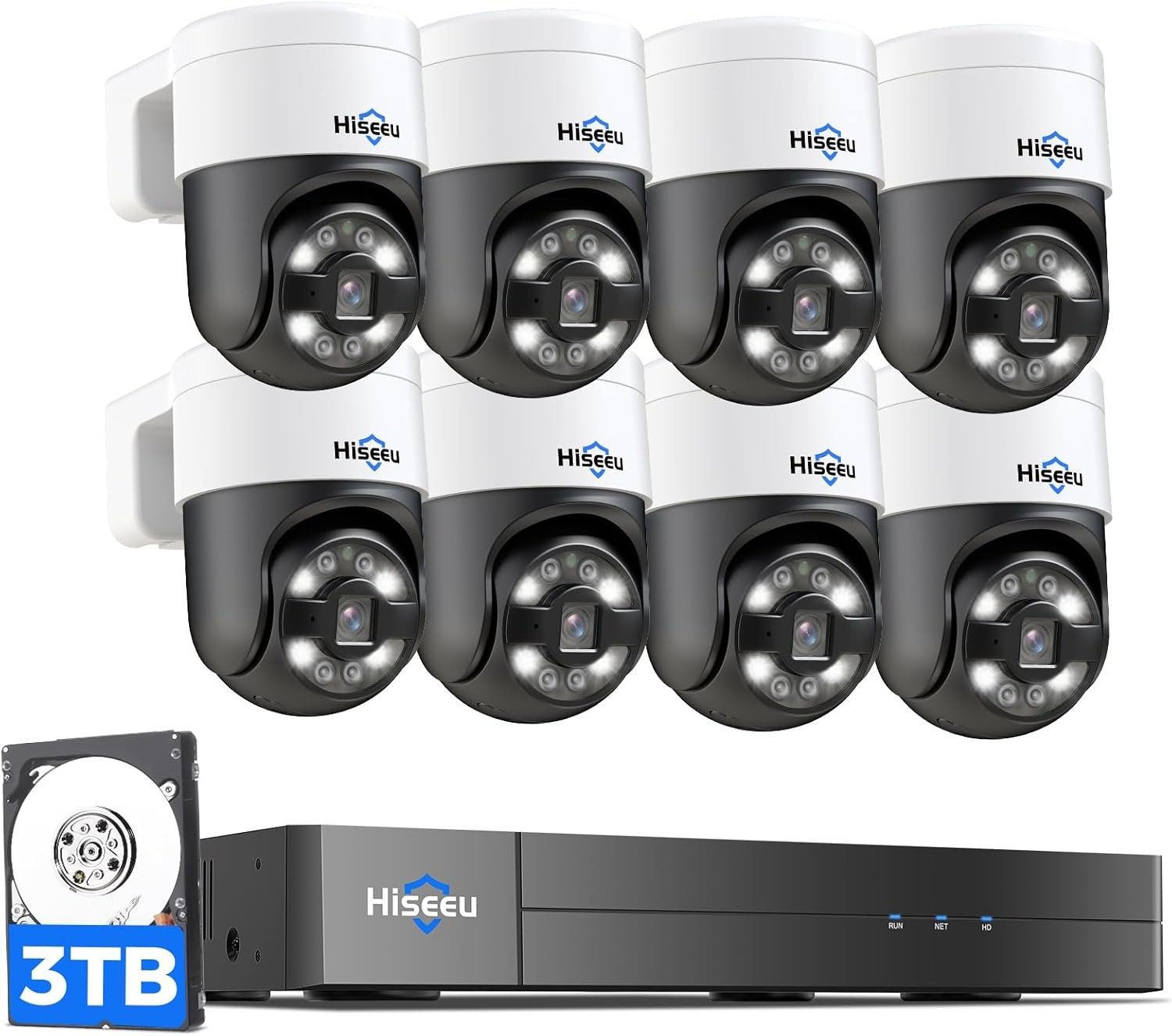
The TP-Link TL-SG116P Has 16 PoE Ports — Here’s the Gap Between What That Sounds Like and What It Actually Delivers
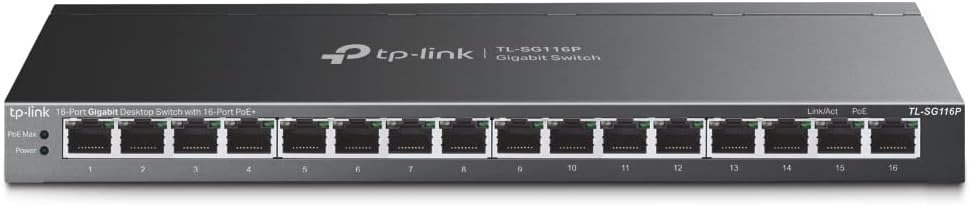
TP-LINK TL-SG116P
The Result Looks Fine. The Problem Isn’t.
You plug in a camera. The LED lights up. Data is flowing. Power is confirmed. Everything on the surface looks exactly as it should.
Then you plug in camera number ten. Or camera eleven. Or the second access point. And something goes dark — not with an error, not with a failure alert, just a quiet shutdown that the switch triggered on its own because the total draw crossed 120W and an automatic priority cutoff killed the lowest-priority port without announcing itself.
That’s not a malfunction. That’s the device doing exactly what it was designed to do. The problem wasn’t the switch. The problem was a purchase made on port count alone.
What You’re Actually Feeling but Not Naming
There’s a specific frustration that shows up in deployments like this one, and it’s not about the switch being broken. It’s about the switch working perfectly within a constraint the buyer didn’t map out before they bought it.
You counted 16 ports. You have 14 cameras. The math looked clean. What you didn’t account for was the wattage distribution across those 14 devices running simultaneously, because the spec didn’t force you to think about it before checkout. It said 120W total. It said up to 30W per port. Both are true. The part it didn’t say loudly enough is that 120W shared across 16 ports means roughly 7.5W per port before the budget runs out — and a PTZ camera, a dual-band access point, or an outdoor turret can each pull anywhere from 12W to 25W without blinking.
This is not a hidden defect. It is a structural constraint that behaves like a hidden defect if you never modeled your actual draw before installation.
The Hidden Mechanism Behind the Miss
The TL-SG116P is an unmanaged PoE+ switch. That word — unmanaged — does more load-bearing work than most buyers give it credit for.
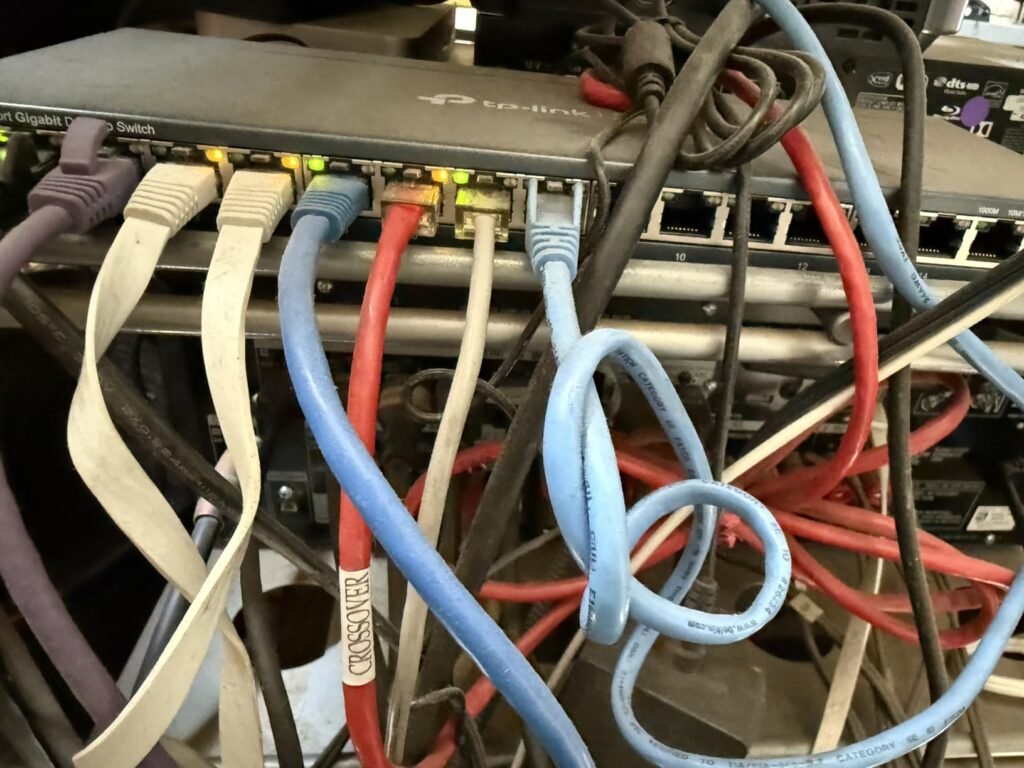
It means there is no web interface. No dashboard. No live wattage readout per port. No VLAN segmentation. No SNMP monitoring. No way to log in and see which port is drawing what, or reassign priority dynamically. When a port loses power because the budget was exceeded, there is no notification. The LED on that port simply goes out.
The switch compensates for this with a hardware-level Priority Mode: ports 1–4 hold priority. When the total PoE consumption reaches or exceeds 120W, the switch cuts power to the lowest-numbered available port above priority range. It’s a clean, logical system — but it’s invisible to anyone who hasn’t read past the bullet points.
There’s a second mechanism worth naming: Extend Mode. It allows PoE signal to reach up to 250 meters, which solves a real problem in large-area surveillance deployments where cameras sit far from the closet. But when Extend Mode is enabled on a port, that port’s speed drops to 10 Mbps. Not 100. Not Gigabit. 10 Mbps. If you’re streaming 4K or high-bitrate H.265 footage from a camera at 180 meters, Extend Mode handles the power — but the data pipe will throttle the resolution before the camera does.
The Threshold Where the Outcome Quietly Breaks
The 120W budget is real and stable under laboratory conditions. TP-Link acknowledges in their own fine print that actual delivered power varies based on cable quality, ambient temperature, and device behavior.
Here is the practical budget model for honest planning:
| Device Type | Typical PoE Draw | Devices Before Budget Limit |
|---|---|---|
| Standard IP camera (802.3af) | 5–9W | 13–16 devices |
| PTZ / motorized camera | 12–18W | 6–10 devices |
| Dual-band Wi-Fi 6 access point | 15–22W | 5–8 devices |
| VoIP desk phone | 3–6W | 16+ devices |
| Outdoor turret camera w/ heater | 18–25W | 4–6 devices |
| Mix: 10 cameras (8W avg) + 2 APs (18W avg) | 80W + 36W = 116W | Barely within budget |
The table above shows the threshold clearly: if your deployment is purely standard cameras, the 120W budget is genuinely sufficient for a fully loaded switch. If your deployment mixes in anything with a motor, a heater, or a Wi-Fi radio, the budget tightens fast and port cutoffs become a real operational event.
Why Most Buyers Misread This Too Early
The comparison that kills this purchase most often isn’t made between the TL-SG116P and a higher-budget switch. It’s made between the TL-SG116P and an 8-port PoE switch with 60W total — and the TL-SG116P wins that comparison on paper without effort.
16 ports versus 8. 120W versus 60W. Full Gigabit on all ports. Metal housing. Fanless. No configuration required. The spec sheet wins every time.
What the comparison doesn’t surface is that doubling the ports and doubling the budget still doesn’t mean “power 16 high-draw devices simultaneously.” It means power a realistic mix of devices within a 120W ceiling, and that ceiling has a harder edge than the spec card implies.
The second misread is feature-led judgment. Buyers see Extend Mode, PoE Auto Recovery, Priority Mode, Isolation Mode, and they register these as management-grade features. They are not. They are hardware-fixed behaviors. Isolation Mode is a one-button toggle that prevents port-to-port traffic. Priority Mode is a fixed hierarchy, not a configurable QoS policy. Extend Mode is a trade: range for speed. None of them provide the visibility or control you’d get from a managed or Easy Smart switch.
Who Is Actually Inside This Problem
The TL-SG116P is purpose-built for a specific operator profile, and that profile is narrower than the marketing implies.
The operator who fits it exactly looks like this:
| Fit Signal | What It Means in Practice |
|---|---|
| Deploying 8–14 standard IP cameras | Most cameras draw 5–9W; budget stays comfortable |
| No VLAN requirements | Unmanaged means no logical network segmentation |
| Cables under 100m | Gigabit speed on all ports; no Extend Mode tradeoff |
| No active monitoring dashboard needed | Relies on LED indicators only |
| Quiet environment (office, retail, small warehouse) | Fanless design eliminates noise entirely |
| Budget-constrained, expansion not planned | All 16 ports PoE is rare at this price point |
| Cameras or APs that sometimes go unresponsive | PoE Auto Recovery handles soft-lock reboots automatically |
If your profile matches four or more rows in that table, you are inside this product’s genuine operating zone.
Where Wrong-Fit Begins
The regret cases cluster around three failure modes, and each one is predictable before purchase if you ask the right question.
Failure Mode 1: High-draw device mix. A buyer runs 8 cameras averaging 7W each (56W), two outdoor cameras averaging 22W (44W), and one access point at 18W. Total: 118W. They’re under the budget. But the TP-Link spec note says actual PoE budget is based on laboratory testing and varies in real conditions. In a warm closet, with marginally thinner cable, the delivered budget may fall short of the nameplate figure. Port cutoffs begin.
Failure Mode 2: VLAN segmentation requirement. A buyer wants to isolate camera traffic from office LAN traffic at the switch level. Isolation Mode exists but it performs one-click blanket isolation — it doesn’t let you create tagged VLANs or segment traffic into logical subnets. For any setup requiring true network segmentation, this switch architecturally cannot do it.
Failure Mode 3: Managed visibility in a security-critical deployment. A buyer wants to monitor uptime per port, receive alerts when a camera drops, see bandwidth consumption per device. The TL-SG116P has no web interface and no SNMP. There is nothing to query. The only diagnostic is the LED array on the front panel.
| Wrong-Fit Scenario | Why It Breaks |
|---|---|
| Mix of high-draw PTZ + APs + cameras | Budget consumed before all ports load |
| VLAN requirement for IoT isolation | No configurable VLAN — only blunt isolation toggle |
| Network monitoring or remote management | No web GUI, no SNMP, no CLI |
| Gigabit speed beyond 100m | Extend Mode forces 10 Mbps speed cap |
| Deployment with 14+ high-wattage devices | Budget math fails above ~8–9 high-draw devices |
| IT environment requiring audit logs or alerts | No logging capability |
The One Situation Where This Product Becomes Logical
If your deployment is a small or mid-scale surveillance system — somewhere between 8 and 14 standard IP cameras drawing under 10W each, within 100-meter cable runs, in an environment where silence matters and configuration burden is a real operational cost — the TL-SG116P is not a compromise. It is the correct tool.
The feature that makes it structurally different from every competing switch in its price bracket is the port count. Most 16-port switches in this range provide PoE on only 8 ports. The TL-SG116P provides PoE on all 16. That means a single switch can handle a 14-camera deployment with two uplinks, without a secondary switch, without a budget for powered injectors, and without a single configuration step.
PoE Auto Recovery adds operational value that is easy to underestimate: when a camera locks up — as IP cameras periodically do on long uptime cycles — the switch detects the unresponsive state and power-cycles the device automatically. For a system running in a building with no on-site IT staff, that feature prevents a dead camera from staying dead until someone notices it on the monitor.
The fanless metal chassis is not cosmetic. In a closet or wall-mount without active cooling, fan noise and fan failure are real maintenance concerns. The TL-SG116P eliminates both.
What It Solves, What It Reduces, and What It Still Leaves to You
| Category | What the TL-SG116P Does |
|---|---|
| Solves | Powering up to 16 PoE devices from a single switch |
| Solves | Deploying cameras past the 100m limit via Extend Mode |
| Solves | Silent, fanless operation in noise-sensitive spaces |
| Solves | Soft-lock camera recovery without manual intervention |
| Reduces | Complexity — no configuration, no software, no training |
| Reduces | Infrastructure cost — no powered injectors needed |
| Still leaves to you | Calculating actual watt draw before filling all 16 ports |
| Still leaves to you | Any VLAN or traffic segmentation logic |
| Still leaves to you | Monitoring uptime or diagnosing port issues remotely |
| Still leaves to you | Planning for expansion if high-draw devices enter later |
The switch does not manage itself beyond the hardware-fixed behaviors. It will not warn you when you are 10W from the budget ceiling. It will not tell you which port drew the most power last week. It will not page you when a port cuts off. Those responsibilities remain with the installer.
Final Compression
The TP-Link TL-SG116P is a structurally honest product. It does not try to be a managed switch. It does not pretend to have visibility features it lacks. What it offers — 16 PoE+ ports, a 120W total budget, plug-and-play operation, silent fanless housing, 250m Extend capability, and automated device recovery — is genuinely rare at its price point and genuinely sufficient for the deployment profile it was designed for.
The purchase mistake is not buying it. The purchase mistake is buying it without running the watt math first.
Before you finalize, fill this in:
| Your Device | How Many | Estimated Watts Each | Total Watts |
|---|---|---|---|
| IP cameras | |||
| Access points | |||
| VoIP phones | |||
| Other PoE devices | |||
| Total | Target: under 110W |
If your total lands comfortably under 110W, and you have no VLAN requirements, and you are not planning to monitor the network remotely — the TL-SG116P is not a compromise choice. It is the logical one.
If your total approaches or exceeds 120W, or if you need managed visibility, step up to the TL-SG1218MP (16 PoE+ ports at 250W) or the TL-SG1016PE with Easy Smart management. The gap in price is real. The gap in operational fit is larger.
Frequently Asked Questions
| Question | Answer |
|---|---|
| Q: Does the TL-SG116P really have PoE on all 16 ports? | Yes. This is uncommon in its price range. Most competing switches at this tier provide PoE on only 8 ports. All 16 ports on the TL-SG116P deliver PoE+ (802.3at/af) with up to 30W per port. |
| Q: What happens when I exceed the 120W PoE budget? | The switch automatically cuts power to the lowest-priority port (ports above the 1–4 priority range get cut first). There is no warning indicator other than the PoE Max LED on the front panel illuminating. The device on the cut port loses power silently. |
| Q: Does Extend Mode affect all ports or only the ports I enable it on? | Extend Mode is applied per port and reduces that port’s speed to 10 Mbps. Ports not in Extend Mode continue operating at full Gigabit. You choose which ports use it. |
| Q: Can I configure VLANs on the TL-SG116P? | No. It is an unmanaged switch. The Isolation Mode feature prevents traffic between ports but does not create configurable VLANs. For VLAN support you need the TL-SG116E (Easy Smart) or a managed model. |
| Q: Is 120W enough for 16 cameras? | It depends entirely on the cameras. Standard 802.3af cameras drawing 5–8W each: yes, comfortably. PTZ cameras, outdoor cameras with heaters, or Wi-Fi 6 access points drawing 15–25W each: no, you will hit the ceiling before filling all 16 ports. |
| Q: Does PoE Auto Recovery need to be configured? | Yes. It requires one-time configuration to activate, as noted in the user manual. It does not function automatically out of the box. |
| Q: Is the TL-SG116P the same as the TL-SG116 (non-P)? | No. The TL-SG116 (without the P) has no PoE. If you need to power cameras or access points through the switch, you need the TL-SG116P specifically. |
| Q: What’s the warranty period? | 3 years from TP-Link, covering manufacturing defects. |
Transparency Note:
This analysis is built on aggregated real-world experience.
It extracts what repeatedly holds, what breaks, and what users uncover only after living with the system—then shapes it into a clear model you can use immediately.
Think of it as structured experience, refined and presented so you don’t have to learn it the hard way.
“A quick note: Don’t believe the star ratings, but trust personal experience. This article is a compilation of collected experiences”