ASUS RT-BE88U Review: The Wi-Fi 7 Router Built for People Who Wired Their Homes — Not for People Chasing Spec Sheets
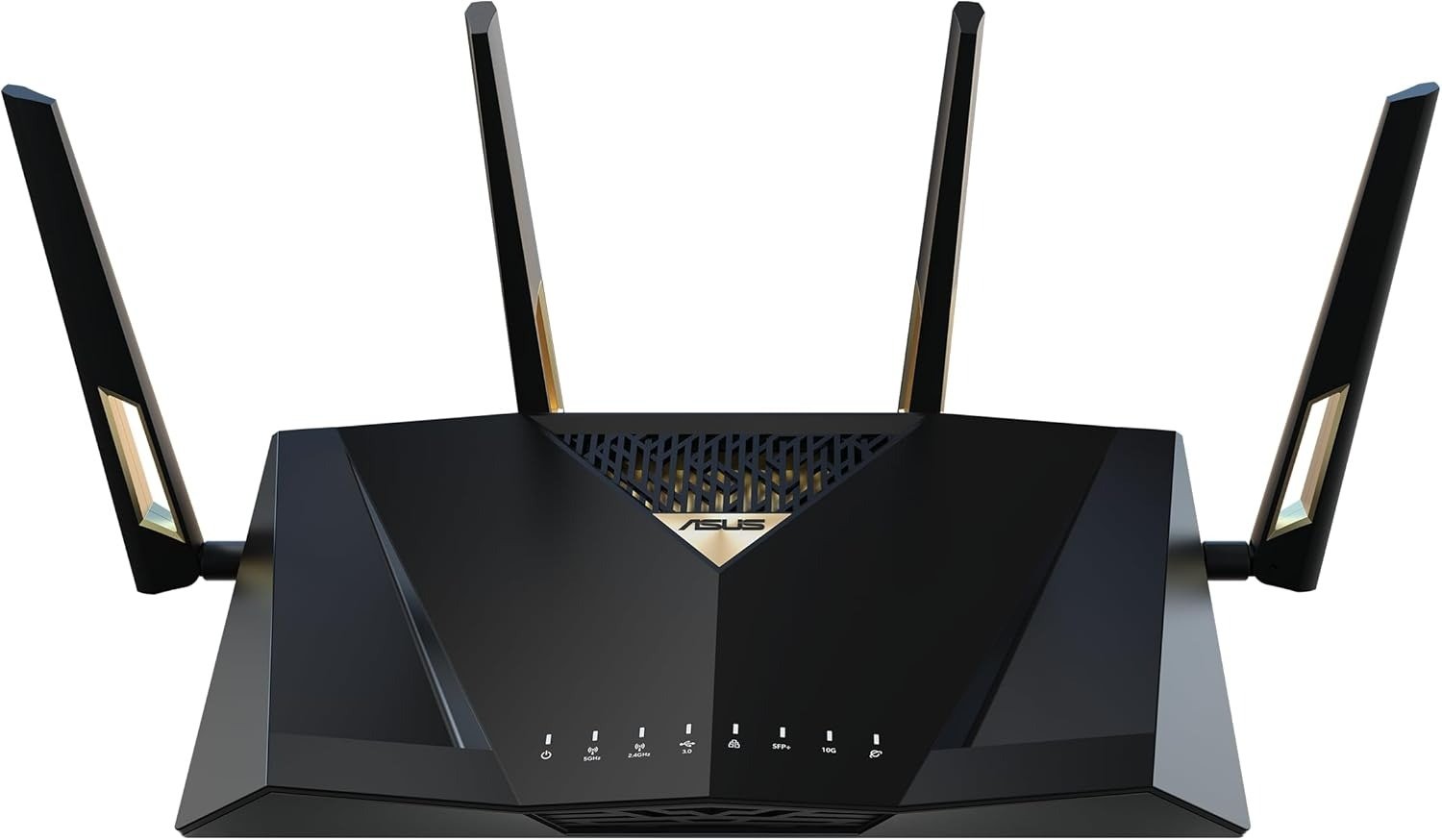
ASUS RT-BE88U
The network looks fine. The speeds on paper look fine. The old router is still connected, still breathing, still doing its job in the technical sense of the word.
But you know something is off. The 2.5 Gbps NAS port is a bottleneck. The gaming PC is running on a 1G connection while the ISP just upgraded you to a multi-gig plan. The home office is wired with Cat 6 through the walls — six drops, four rooms — and the router treats all of them the same way it treated gear from 2018. Somewhere between what the infrastructure can carry and what the router actually delivers, there is a gap. A quiet, expensive gap you cannot name precisely until you go looking for it.
The ASUS RT-BE88U is built around that gap.
The Result Looks Fine. The Problem Isn’t.
Most routers that “support Wi-Fi 7” in 2024-2025 fall into two camps. The first camp adds the 6 GHz band and a tri-band label and calls it done. The second camp — a much smaller one — asks a different question: what are the actual bottlenecks in a real home network today, and how do we remove them?
The RT-BE88U has 10 built-in network ports, five of which are Multi-Gig, and one is an SFP+. In total, it carries a combined wired bandwidth of 34 Gbps — the highest among its peers. That number is not a marketing abstraction. It is a direct answer to a specific problem: wired infrastructure in modern homes and small offices is outpacing the router’s ability to distribute bandwidth across it.
The router’s wireless story is also real, but it reads differently than the spec sheet suggests — and the gap between those two readings is where most buying decisions go wrong.
What You’re Actually Feeling but Not Naming
Here is the friction that brings people to a router like this, and it usually has nothing to do with Wi-Fi speeds:
You upgraded your internet plan to multi-gig fiber. The ISP modem has a 10G port. Your router has a 1G WAN port. The upgrade is invisible because the router is the ceiling.
You bought a NAS with a 2.5G or 10G interface. The router connects to it at 1G. The transfer speeds tell you something is wrong, but not what.
You have four or five wired devices — gaming PC, NAS, work machine, smart TV, IP camera hub — and they share ports that cannot negotiate above 1 Gbps. The Wi-Fi is fast enough. The wires are not.
You are running a VPN on the router for the whole home, and the old processor starts throttling under the encryption load. Streams stutter. The VPN becomes the suspect. The processor is the actual culprit.
The ASUS RT-BE88U is powered by a quad-core 2.6 GHz CPU, boosting processing power by up to 30% compared to previous generations. That processor difference is what makes VPN, QoS, and simultaneous 10G switching possible at the same time — tasks that expose the ceiling on lower-end hardware immediately.
The Hidden Mechanism Behind the Miss
The standard Wi-Fi 7 narrative centers on the 6 GHz band. Wi-Fi 7 typically means a router with three bands: 2.4 GHz, 5 GHz, and 6 GHz, with 320 MHz channeling on the 6 GHz band to improve overall network performance. However, in some regions of the world, the 6 GHz band is not licensed for commercial use, and most consumers do not have an abundance of 6 GHz gear.
There is something structurally important buried in that fact: the fastest band in the Wi-Fi 7 spec is also the one with the shortest effective range and the worst penetration through solid objects. The 6 GHz band offers high speeds but has limitations in range and object penetration. The real-world performance benefits of the 6 GHz band might be negligible for many users, particularly those in environments with multiple walls or other obstructions.
This is not a defense of skipping 6 GHz — it is a clarification of what you actually lose when the router omits it. For a device on the same floor, in the same room, with a clear line of sight, the absence is real. For a device two rooms away through drywall, the absence becomes almost theoretical.
What the RT-BE88U does instead is invest the hardware budget into two areas: the wired port matrix and the 5 GHz radio quality. In long-distance Wi-Fi speed tests, the router maintains impressive speeds even after two physical walls — a scenario where the 6 GHz band would struggle to maintain high throughput. In practical tests, the 5 GHz network of the RT-BE88U matches ASUS’s flagship ROG Rapture GT-BE98 after two walls.
That is not a marketing claim. That is a performance tradeoff made deliberately, and it matters enormously once you understand which problem you are actually solving.
The Threshold Where the Outcome Quietly Breaks
Call this the Wired Density Threshold: the point at which a home or small-office network has enough multi-gig wired runs, NAS units, 10G-capable endpoints, and concurrent VPN sessions that a standard router — even a decent Wi-Fi 6E router — becomes the systemic bottleneck.
Below that threshold, the RT-BE88U is expensive for what you need. Above it, almost nothing at this price competes on the wired side.
| Component | RT-BE88U | Typical Wi-Fi 6E Router | Tri-band Wi-Fi 7 Router |
|---|---|---|---|
| WAN Port Speed | 10 Gbps | 1–2.5 Gbps | 2.5–10 Gbps |
| SFP+ Port | Yes | No | Rarely |
| 2.5G LAN Ports | 4 | 0–1 | 1–2 |
| 1G LAN Ports | 4 | 4–8 | 4–8 |
| Total Wired Capacity | 34 Gbps | ~10 Gbps | ~15 Gbps |
| RAM | 2 GB | 256–512 MB | 512 MB–1 GB |
| CPU | Quad-core 2.6 GHz | Dual/Quad-core 1.8 GHz | Quad-core 2.0 GHz |
| 6 GHz Band | No | No/Yes | Yes |
| MLO | Yes (2.4+5 GHz) | No | Yes (5+6 GHz) |
| AiProtection | Lifetime, free | Paid subscription | Varies |
The 34 Gbps total wired capacity is not about saturating every port simultaneously. It is about headroom. The RT-BE88U has a 10 Gbps WAN port that is ideal for users who have upgraded to multi-gigabit fiber broadband plans. There is also a 10 Gbps SFP+ port for prosumers and networking enthusiasts, plus four 2.5 Gbps ports useful for gaming laptops and NAS connections, and four basic 1 Gbps ports.
Why Most Buyers Misread This Too Early
The most common misread happens at the spec comparison stage. Someone looks at the RT-BE88U next to a tri-band Wi-Fi 7 router at a similar price and sees: no 6 GHz, slower theoretical wireless ceiling, smaller maximum channel width. The comparison ends there.
What the comparison missed: iPerf performance on the 5 GHz band was stellar, surpassing the 5 GHz performance of “true” Wi-Fi 7 routers like the ROG Rapture GT-BE98 Pro. The RT-BE88U topped 1.2 Gbps at six feet and fell to 958 Mbps at 25 feet. For reference, even the ROG Rapture GT-BE98 Pro could only manage 1.1 Gbps at six feet and dropped by half to 528 Mbps at 25 feet.
The RT-BE88U’s 5 GHz radio outperforms more expensive, nominally superior Wi-Fi 7 routers at real-world distances. The reason: when a router uses three bands, the 5 GHz radio receives less hardware attention and tuning. The RT-BE88U puts its entire wireless investment into two bands, and the 5 GHz result is measurably better because of it.
The second misread involves MLO. Simultaneous MLO allows the router to combine two bands — 2.4 GHz and 5 GHz — to increase peak throughput speeds and lower latency. Alternating MLO enables a client to dynamically switch between multiple bands based on available bandwidth, potential wireless interference, and traffic conditions.
Near the router, using MLO by aggregating 5 GHz and 2.4 GHz radios, the RT-BE88U delivered improved throughput, but the gains diminished with distance. Latency was a major downside, with bufferbloat averaging 250 ms — far from ideal. MLO on a dual-band router using 2.4+5 GHz is not the same as MLO on a tri-band router using 5+6 GHz. The implementation here works, but the conclusion from independent testing is consistent: do not buy this router primarily because of MLO. Buy it for the ports. The MLO is a bonus that performs well close in.
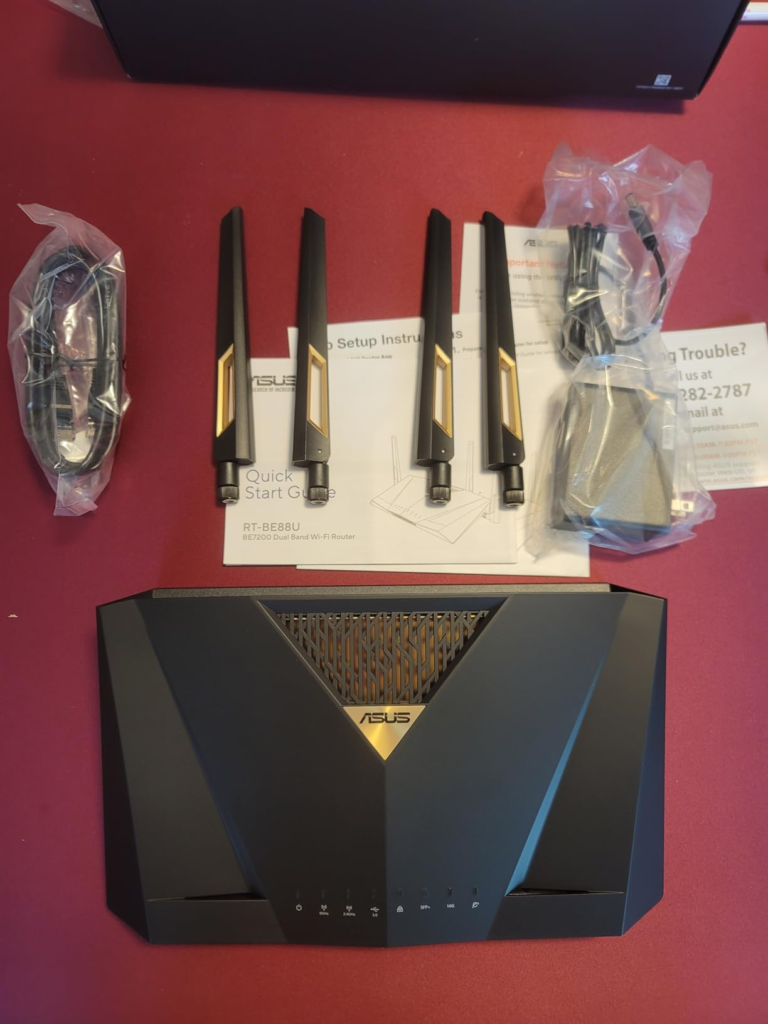
Who Is Actually Inside This Problem
| Profile | RT-BE88U Fit |
|---|---|
| Multi-gig fiber subscriber (2.5G+ plan) | Strong — 10G WAN removes the bottleneck immediately |
| Home with Cat 6 wired drops to multiple rooms | Strong — 4x 2.5G + 4x 1G covers all of them |
| NAS user with 2.5G or 10G interface | Strong — direct high-bandwidth path without a separate switch |
| Small office with 3–8 wired workstations | Strong — port density eliminates need for a separate switch |
| Heavy VPN user at home | Strong — 2 GB RAM + 2.6 GHz quad-core handles encryption without throttling |
| AiMesh node operator with existing ASUS routers | Strong — acts as a high-throughput core with wired backhaul to nodes |
| Gamer who needs low-latency wired connection | Strong — the dedicated gaming port prioritizes gaming traffic for a connected device just from plugging it in |
| Regions where 6 GHz is not approved | Strong — the RT-BE88U is a viable modern solution for those living in regions where the 6 GHz band is not viable or heavily restricted |
Where Wrong-Fit Begins
The 6 GHz client concentration threshold. If the majority of your devices are brand-new Wi-Fi 7 smartphones, laptops, and tablets in a small apartment — all within 20 feet of the router — the RT-BE88U will underserve those clients. A tri-band Wi-Fi 7 router with a proper 6 GHz radio will deliver meaningfully better peak throughput to those devices at close range. The wired port matrix does nothing for you if your entire network is wireless and close-range.
The “I want the fastest headline spec” buyer. Wi-Fi 7 on a budget means that you miss out on breakneck wireless speeds. The RT-BE88U does not win the wireless speed headline contest. It wins the real-world 5 GHz range contest, the wired density contest, and the processor headroom contest. If what matters most is the top wireless throughput number in a controlled test environment, a different router will satisfy that need more directly.
The single-device household. One laptop, decent internet plan, no NAS, no wired runs, no mesh. A router with this port density is delivering hardware you will never activate. The cost-per-used-feature ratio is poor. A simpler, less expensive router handles that environment without compromise.
The buyer expecting firmware perfection. Firmware quirks and mixed long-term reliability are worth noting. The ASUS ecosystem has a history of active firmware updates, and the AiProtection suite is strong, but some early users reported stability issues that required firmware updates to resolve. If you need a router that works perfectly out of the box with zero firmware intervention, calibrate expectations accordingly — and check the current firmware version before purchasing.
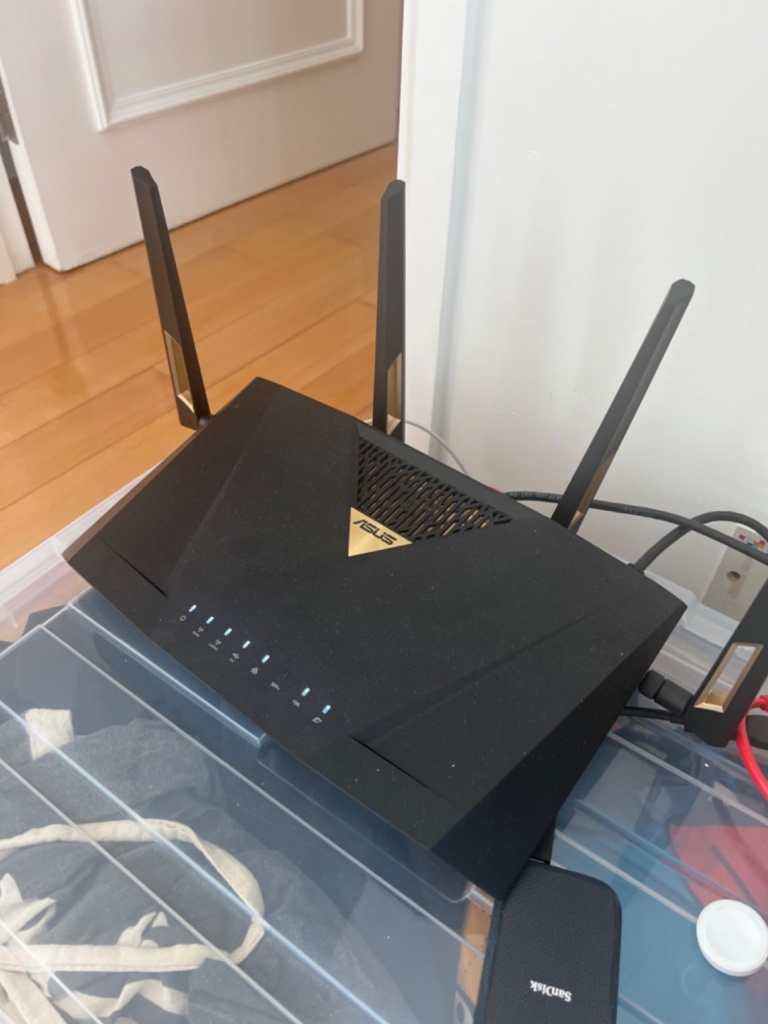
The One Situation Where This Router Becomes Logical
You have a multi-gig fiber connection and a 10G port on the ISP modem or ONT. Your home has at least three or four wired drops — gaming PC, NAS, work machine, media server — and those devices are capable of 2.5 Gbps or higher. You are either already running an ASUS AiMesh setup and need a more capable core router, or you are building one. You use VPN at the router level, or you plan to. You do not have a managed switch in the picture, and you do not want one.
In that environment, the RT-BE88U is not a compromise on Wi-Fi 7. It is a complete solution: it strikes an excellent balance between advanced features, performance, and practicality, making it a standout choice in the competitive Wi-Fi 7 router market.
The port configuration alone replaces a $150–$200 multi-gig switch. The processor headroom means VPN and QoS run without throttling the primary throughput. The 5 GHz radio delivers real-world range that outperforms more expensive tri-band alternatives. And the ASUSWRT 5.0 firmware gives you lifetime AiProtection Pro, WireGuard VPN, Guest Network Pro with five SSIDs, VLAN control, and the full AiMesh architecture — with no subscription.
| Feature | Cost if Purchased Separately |
|---|---|
| Multi-gig 8-port switch (2.5G) | ~$120–180 |
| AiProtection lifetime subscription equivalent | ~$50–80/year on competing platforms |
| WireGuard VPN server capability | Hardware upgrade on most budget routers |
| SFP+ port for fiber ONT or switch uplink | Rare at this price point |
| 2 GB RAM for VPN + QoS headroom | Not available on most sub-$400 routers |
The RT-BE88U packages all of that into a single device at a price point that, when measured against what it replaces, is less expensive than it initially appears.
What It Solves, What It Reduces, and What It Still Leaves to You
What it solves completely: The 10G WAN bottleneck. The multi-gig wired distribution problem. The processor throttle under VPN. The AiMesh core router limitation on older hardware. The lack of a gaming-priority wired port. The absence of SFP+ connectivity in consumer-grade routers.
What it reduces but does not eliminate: Range variability at extreme distances. The RT-BE88U expands Wi-Fi for large homes up to 3,000 sq. ft. — accurate for most deployments, but homes above that size will need AiMesh nodes regardless of which core router you use. MLO latency variability is also reduced compared to older routers but remains higher than enterprise-grade access points at the same MLO task.
What it still leaves to you: The 6 GHz band. If your client devices are Wi-Fi 7 capable and you want the highest-speed close-range wireless for those specific devices, you will not get it here. You will also need to manage firmware updates actively — not a heavy burden, but not zero. And wall-mounting requires care; the router comes with two silicone covers which hide what looks like mounting holes, but there is no canal where to hook the router on screw heads — it is flat. Hang it carefully.
Where the regret typically starts: Buying this router for a network that is entirely wireless, entirely close-range, and populated with the newest generation of Wi-Fi 7 clients. The wired infrastructure is the engine. Without it, the RT-BE88U is an expensive 5 GHz router with unusually good build quality.
Final Compression
| Decision Signal | Direction |
|---|---|
| Multi-gig fiber plan + 10G ISP port | Buy |
| Cat 6 wired home with 4+ drops | Buy |
| NAS with 2.5G/10G interface | Buy |
| Existing ASUS AiMesh wanting a core upgrade | Buy |
| Primarily wireless home, small apartment | Look at tri-band alternatives |
| Mostly new Wi-Fi 7 clients at close range | Look at tri-band alternatives |
| Need firmware stability from day one without updates | Calibrate expectations first |
| Regions with no 6 GHz band approval | Strong buy |
The RT-BE88U does not claim to be the fastest Wi-Fi 7 router. It claims to be the most complete wired + wireless solution at its price point for homes and small offices that have outgrown the port count and processor ceiling of standard consumer routers. That claim holds up under independent testing. The 5 GHz radio outperforms more expensive tri-band routers at real distances. The wired port matrix eliminates a separate switch purchase. The processor handles VPN and QoS without throttling.
Despite its powerful components, the RT-BE88U runs at a surprisingly low temperature — even under sustained heavy load, the surface temperature does not exceed 45°C (113°F). This thermal efficiency eliminates the need for a fan, ensuring silent operation and reducing the risk of mechanical failures associated with active cooling systems.
If your wired infrastructure has already outgrown your current router, this is the logical next step. If it hasn’t — if the wires are thin on the ground and the devices are all wireless — the argument for this router weakens significantly, and the price becomes harder to justify.
The decision is cleaner than it looks once you identify which side of the Wired Density Threshold you are actually on.
Frequently Asked Questions
| Question | Answer |
|---|---|
| Does the ASUS RT-BE88U support 6 GHz Wi-Fi? | No. The RT-BE88U is a dual-band Wi-Fi 7 router operating on 2.4 GHz and 5 GHz only. It does not include the 6 GHz band. This is a deliberate design choice — ASUS prioritized wired port density, 5 GHz radio quality, and processor headroom over the third band. If 6 GHz coverage is a hard requirement, the RT-BE92U or RT-BE96U are the tri-band alternatives in the ASUS lineup. |
| What is MLO and does it work well on the RT-BE88U? | MLO (Multi-Link Operation) allows a Wi-Fi 7 client to transmit data across two frequency bands simultaneously rather than selecting one. On the RT-BE88U, MLO aggregates 2.4 GHz and 5 GHz. Independent testing shows meaningful throughput improvements at close range, but the gains diminish with distance and latency remains higher than MLO implementations using 5+6 GHz bands. It works — but it is not the primary reason to choose this router. |
| Is the 34 Gbps wired capacity a real number? | It is a summation of all port maximum speeds: one 10G WAN/LAN + one 10G SFP+ + four 2.5G + four 1G = 34 Gbps aggregate theoretical capacity. You cannot saturate all ports simultaneously in most home environments. The practical value is the flexibility: 10G to your ISP, 2.5G to your NAS, 2.5G to your gaming machine, 1 |
Transparency Note:
This analysis is built on aggregated real-world experience.
It extracts what repeatedly holds, what breaks, and what users uncover only after living with the system—then shapes it into a clear model you can use immediately.
Think of it as structured experience, refined and presented so you don’t have to learn it the hard way.
“A quick note: Don’t believe the star ratings, but trust personal experience. This article is a compilation of collected experiences”