UniFi Dream Router Review: THE NETWORK FEELS FINE UNTIL THE FRICTION STARTS
You usually do not notice a weak router when everything is quiet. You notice it when the house is technically online but never fully settled. A camera drops for a moment. A video call stays connected but loses its shape. A smart device responds, just not instantly. You reset nothing. You tolerate everything. That is the trap. The result looks acceptable long after the network has stopped feeling dependable.
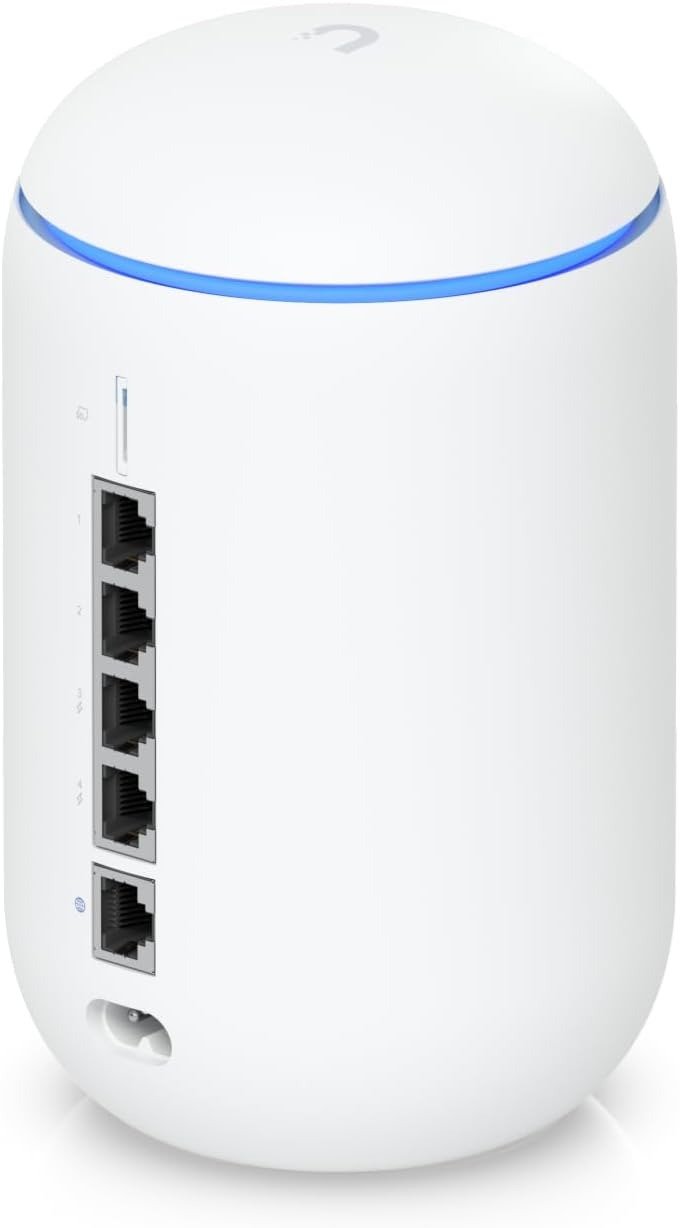
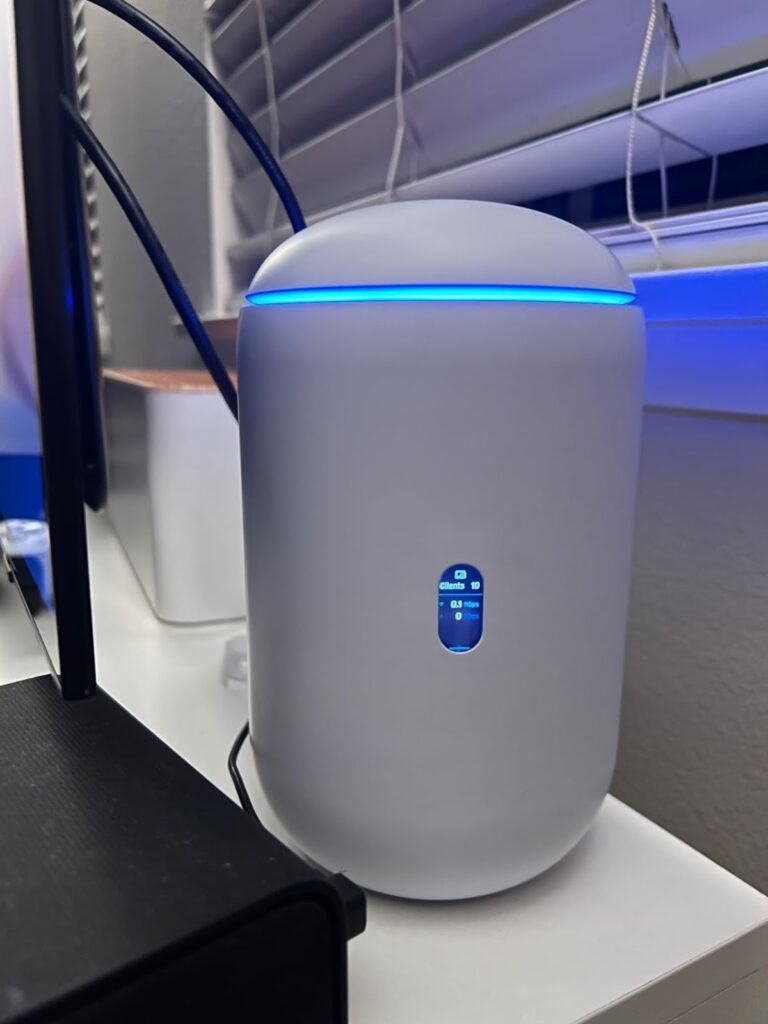
That is exactly where the UniFi Dream Router becomes interesting. Not because it is the fastest box in its class. It is not. Not because it is the easiest consumer router to buy and forget. It is not that either. It matters because it solves a different threshold: the point where a home network stops being just internet access and starts acting like a small system that needs structure, visibility, segmentation, PoE power, and room to grow without becoming a rack project. On paper, the UDR is a dual-band Wi-Fi 6 router with 1GbE ports, two PoE ports, built-in 128GB SSD storage, a microSD slot, IDS/IPS up to 1Gbps, and support for UniFi’s broader application stack. In practice, that means it behaves less like a normal retail router and more like a compact control center with consumer-sized compromises.
The Result Looks Fine. The Problem Isn’t.
What misleads most buyers is that a network can look healthy while already costing attention. Pages still load. Streaming still works. The Wi-Fi icon stays full enough. Yet the system becomes something you keep mentally babysitting. The friction is not a dramatic outage. It is the slow buildup of tiny checks: Is the camera still connected? Why did that roaming device stick to the wrong band? Why does the smart home feel less crisp when more things are active?
That is why the usual “How fast is it?” question is often too early. RTINGS found the Dream Router strong enough for roughly up to a ~700Mbps internet connection, with short-range average 5GHz speeds around 490Mbps and long-range average 5GHz speeds around 267Mbps in standalone testing. Those numbers are good enough for many homes. But that is not the whole story. The bigger story is that its range is only decent, not dominant, and every wired port on the unit is still 1GbE. So the UDR feels clean when your break point is organization and control, but narrow when your break point is raw multi-gig performance.
What You’re Actually Feeling but Not Naming
Most people describe the problem badly. They say they need “better Wi-Fi.” Often they do not. They need lower intervention.
That distinction matters.
The hidden annoyance is not always bandwidth starvation. It is management fatigue. It is the moment your network has enough moving parts that an ordinary router stops being reassuring. A few access points. Several cameras. Phones, TVs, consoles, voice assistants, laptops, maybe a NAS, maybe VLAN separation for IoT, maybe parental controls that should not feel toy-like. The stress comes from a system that has become layered, while the router remains shallow.
The Dream Router earns attention here because its appeal is not just wireless coverage. It combines gateway, switch, Wi-Fi access point, PoE output, storage, firewalling, and UniFi app support in one compact desktop unit. Officially, Ubiquiti lists support for 20+ UniFi devices, 150+ simultaneous users, two PoE ports, a 40W PoE budget, and built-in support for Network, Protect, Access, Talk, and Connect. That is not a normal “plug it in and forget the rest” consumer profile. It is a small-network profile disguised as a home router.
The Hidden Mechanism Behind the Miss
The usual miss happens because buyers compare routers by peak radio marketing, then discover later that the real pain was orchestration.
The UDR’s mechanism is simple: it trades ceiling for coherence.
You are not buying the most aggressive Wi-Fi hardware on the market. You are buying a compact gateway that centralizes network control, traffic visibility, security tooling, optional camera storage, PoE-powered expansion, and UniFi ecosystem growth. Ubiquiti’s own specs show application-aware Layer 7 firewalling, DPI and traffic identification, content filtering, advanced NAT, RADIUS, VPN options including WireGuard, and 20,000+ IDS/IPS signatures with CyberSecure. That is why the UDR keeps showing up in discussions as a “home router” that behaves more like a starter admin platform.
There is a cost to that design. The processor is a dual-core Arm Cortex-A53 at 1.35GHz, and the hardware is pinned to 1GbE WAN/LAN. That is enough for a disciplined gigabit-grade environment. It is not the right base for buyers chasing a modern multi-gig pipeline, future-facing Wi-Fi 7 client utilization, or large-property single-unit coverage. RTINGS is blunt about this trade: robust features, but 1Gbps ports; very good speeds, but only decent range; strong UniFi app support, but not the hardware headroom of newer multi-gig models.
What the UDR is really optimized for
| What it solves | What it is not optimized for |
|---|---|
| Network control and visibility | Multi-gig internet exploitation |
| Compact all-in-one deployment | Maximum range from one box |
| UniFi expansion with PoE | Latest Wi-Fi 6E / Wi-Fi 7 client value |
| Structured home / prosumer setup | Cheapest “just give me decent Wi-Fi” purchase |
Source context: official specs and RTINGS testing.
The Threshold Where the Outcome Quietly Breaks
This router becomes a strong fit right before complexity escapes the category of “annoying,” but before performance demands escape the category of “gigabit-grade.”
That is the threshold.
If your internet service is below or around the upper hundreds of megabits, your home is not enormous, and your real problem is that the network has started to accumulate cameras, IoT clutter, segmentation needs, remote access concerns, or future UniFi expansion, the UDR starts making structural sense. RTINGS’ performance picture and Ubiquiti’s own feature sheet line up here: the unit covers roughly 140 m² / 1,500 ft² as a standalone device, supports Wi-Fi 6 with 4×4 MIMO on both 2.4GHz and 5GHz, includes DFS support, and keeps advanced management features unusually accessible for its size and price tier.
The quiet break happens when one of three things becomes true:
| Threshold trigger | What starts breaking |
|---|---|
| You have multi-gig internet or expect it soon | The 1GbE WAN/LAN ceiling turns the router into a bottleneck |
| You want one router to dominate a larger or more difficult floorplan | “Decent” range starts feeling like repeated compromise |
| You only need simple Wi-Fi, nothing else | The UniFi stack becomes overhead rather than value |
That is why the Dream Router can feel brilliant to one buyer and unnecessary to another. The product is not failing in those cases. The fit is.
Why Most Buyers Misread This Too Early
They buy on headline speed, then live with admin friction.
Or they buy on brand aura, then discover they paid for a control layer they never intended to use.
That early misread happens in two directions.
The first mistake is consumer-speed thinking. A buyer sees Wi-Fi 6, sees Ubiquiti, sees sleek industrial design, and assumes modern premium means future-proofed in every direction. It does not. RTINGS notes that newer UniFi models such as the UDR7 move to much faster wired networking, while the older UDR remains limited to 1GbE ports. Dong Knows lands in the same place from a different angle: excellent for gigabit-grade households, but not a sensible recommendation for anyone wanting Gigabit-or-faster experience.
The second mistake is simple-router thinking. A buyer compares it to a normal off-the-shelf router and treats the extra control surface as decorative. It is not decorative. It is the point. RTINGS explicitly says cheaper models can offer better speed and range, and that the UDR makes the most sense for advanced home users or small businesses that can benefit from its deeper configuration and app ecosystem. That is the uncomfortable truth: if you do not need the structure, a simpler router may perform better for less money.
| Early comparison metric | Why it misleads |
|---|---|
| “Does it have Wi-Fi 6?” | That says little about system fit |
| “Is it fast enough?” | Speed is only one layer of network pain |
| “Is Ubiquiti premium?” | Premium brand does not erase 1GbE limits |
| “Can it replace my old router?” | Replacement is easy; clean scaling is harder |
Who Is Actually Inside This Problem
This product fits a very specific reader.
You are inside the problem if your home network has started behaving like a small operational environment. Maybe you have a few fixed wired devices, growing IoT sprawl, security cameras in the plan, a desire to separate trusted devices from noisier clients, or a need to see what the network is doing without turning your setup into a hobby that eats weekends. You probably care more about control, visibility, and device policy than about winning a spec-sheet race. The UDR’s support for UniFi applications, PoE-powered add-ons, IDS/IPS, VPN tools, and mesh-style AP expansion makes sense here.
The customer sentiment supports that pattern. On Amazon, the listing shows a 4.5/5 average across 439 global ratings, with 76% of ratings at five stars. The visible owner comments are not obsessed with synthetic speed bragging. They keep circling back to coverage, visibility, dashboard quality, easy navigation, and the feeling of finally seeing the network clearly. That is a strong clue about the true value people are paying for.
Where Wrong-Fit Begins
This is not for the buyer whose main priority is squeezing value from multi-gig broadband.
It is not for the buyer who wants the least thinking possible.
It is not for the buyer whose home needs wide standalone coverage more than network structure.
It is not for someone upgrading specifically to serve Wi-Fi 6E or Wi-Fi 7 devices better.
And it is not the smartest purchase if all you really need is reliable mainstream Wi-Fi for a modest set of devices and no ecosystem ambition. RTINGS states plainly that less expensive routers can deliver better speed and range if you do not need the UDR’s advanced features. Dong Knows is equally clear that the absence of Multi-Gig ports changes the recommendation the moment faster service tiers enter the picture.
| If your priority is… | UDR fit |
|---|---|
| Clean network visibility and control | Strong |
| UniFi cameras / PoE expansion / ecosystem growth | Strong |
| Gigabit-grade home or small office with admin needs | Strong |
| Cheapest good Wi-Fi only | Weak |
| Multi-gig broadband headroom | Weak |
| Large-home single-box coverage | Borderline |
| Wi-Fi 7 future-facing hardware | Weak |
That is the Compatibility Split in plain language. The UDR is not broad. It is precise.
The One Situation Where This Product Becomes Logical
It becomes logical when your network has crossed from “internet appliance” into “managed environment,” but has not yet crossed into “I need multi-gig infrastructure.”
That is the one situation.
In that band, the Dream Router is unusually coherent. You get Wi-Fi 6, gigabit-grade IPS throughput, two PoE ports, built-in storage for Protect use cases, mesh and AP growth inside UniFi, strong policy tooling, VPN flexibility, and a compact form factor that does not force a rack decision on day one. Officially, Ubiquiti also lists support for 20+ managed UniFi devices and 150+ simultaneous users, which reinforces the point: the product is built for small-network density and coordination more than raw consumer glamour.
That is where I would place it mentally: not as a trophy router, but as a threshold router.
A router for the moment when vague network irritation finally deserves a system.
If that is the condition you are actually dealing with, the UniFi Dream Router becomes the logical next step
What It Solves, What It Reduces, and What It Still Leaves to You
What it solves is fragmentation. The UDR pulls several small network roles into one place: gateway, Wi-Fi AP, switch, PoE source, light NVR-ready platform, and UniFi management surface. That reduces box count, setup sprawl, and the sense that each new device forces another layer of compromise.
What it reduces is uncertainty. The better part of UniFi, for many owners, is not the existence of more knobs. It is the fact that the network becomes legible. Traffic, devices, segmentation, add-ons, and remote-access logic stop feeling buried behind a retail-router cartoon interface. That is exactly why reviews keep describing it as bridging home and enterprise.
What it still leaves to you is architectural honesty. If your property is hard to cover, you may still need more access points. If your ISP has moved beyond gigabit and you care about actually using that capacity, you will outgrow this box. If you want dead-simple consumer convenience above all else, the UniFi mindset may feel heavier than necessary. And if you enable deeper security features, owner testing and RTINGS both note that performance trade-offs can appear, especially compared with running the unit in a lighter state.
| You gain | You trade off |
|---|---|
| Visibility | Simplicity of a basic consumer router |
| Ecosystem growth | “One-box solves everything forever” fantasy |
| PoE-powered expansion | Multi-gig headroom |
| Better policy control | Maximum value for speed-only buyers |
| Built-in storage options | Latest-gen wireless bragging rights |
Final Compression
The Dream Router is not the right answer to “What is the fastest router I can buy for this money?”
It is the right answer to a narrower, better question:
At what point does a home network stop needing more speed talk and start needing structure?
If your network is already crossing that line, this product makes sense. Not because it dominates every metric. Because it solves the metric most people name too late. It gives order to the moment when devices, policies, cameras, coverage extensions, and day-to-day reliability start living under one roof and ordinary routers begin to feel thin.
If your break point is multi-gig performance, skip it.
If your break point is wider one-box coverage, be careful.
If your break point is admin clarity, UniFi growth, PoE convenience, and gigabit-grade control in one compact chassis, the decision stops being vague here.
Transparency Note:
This analysis is not based on quick personal impressions.
It is derived from documented system behavior, verified user patterns, and the physical constraints of storage capacity.
The goal is to translate complex technical behavior into a realistic performance model that helps you make a clear decision.
“A quick note: Don’t believe the star ratings, but trust personal experience. This article is a compilation of collected experiences”