JVC KW-Z900W REVIEW: THE MOMENT A BIGGER SCREEN STOPS BEING VANITY AND STARTS FIXING THE DRIVE
THE RESULT LOOKS FINE. THE PROBLEM ISN’T.
A lot of factory stereos fail in a polite way. They still turn on. They still make sound. They still let you believe the system is “good enough” because music comes out and the screen responds eventually. But the failure is already there. It shows up in tiny hesitations you stop naming: the second glance at a washed-out map, the awkward stab at a small icon, the little spike of annoyance when reversing at night and the camera image feels more like a suggestion than a view.
That is the trap. The dashboard looks functional. The drive feels heavier.
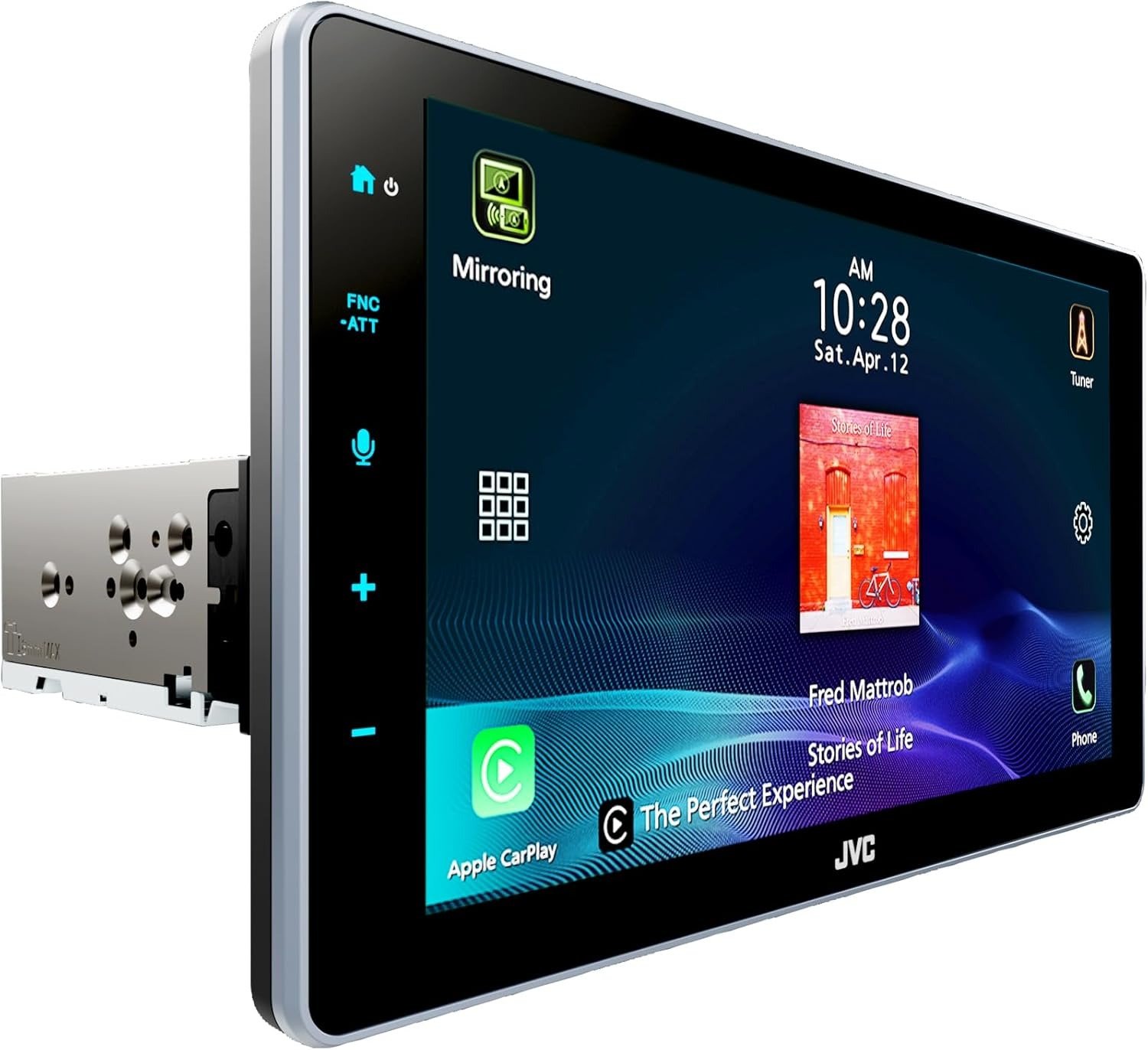
What I see in the JVC KW-Z900W is not a product built around spectacle first. It is built around a specific break point: when the screen stops being decoration and becomes your main operating surface for directions, calls, cameras, and fast decisions while moving. JVC’s own design choices make that clear — a 9-inch HD 1280×720 floating display, wireless and wired CarPlay and Android Auto, a compact rear chassis, dual camera inputs, and a fully adjustable floating mechanism that can rotate and tilt for line-of-sight correction. This is not random feature stacking. It is a response to glance-time friction.
WHAT YOU’RE ACTUALLY FEELING BUT NOT NAMING
Most people describe this problem badly. They say they want “a better stereo.” Usually they do not.
They want relief from the daily tax.
Not louder music. Not a shinier dashboard. Relief.
The tax usually comes in three forms:
| Hidden friction | What it feels like in the seat | What it quietly costs |
|---|---|---|
| Visual drag | You look twice to confirm what should take one glance | More distraction, slower reactions |
| Input drag | Touches feel smaller, menus feel older, actions take too long | More frustration, more missed commands |
| Camera drag | Reverse and front views exist, but confidence does not | More guesswork in tight spaces |
That is why owner reactions cluster around the same things instead of romantic language. Best Buy reviewers repeatedly praise the screen brightness and size, the clarity of Android Auto directions, the usefulness with vehicle cameras, and the way the unit made an older vehicle feel more alive. Crutchfield’s customer pages also show the KW-Z900W carrying a 5/5 average from 12 reviews, while Best Buy lists it at 3.9/5 from 15 reviews — a split that matters less as “who is right” and more as a clue that satisfaction rises sharply when the buyer understands the install context and the feature dependencies.
I would name the feeling like this: glance-friction.
That is the point where your stereo is no longer just old. It is now stealing attention in small, repeatable slices.
THE HIDDEN MECHANISM BEHIND THE MISS
Here is the part most product pages blur: people think they are buying inches. They are actually buying legibility under motion.
A large screen alone is cheap theater. A large screen with weak resolution, awkward angle, poor fit, and slow interaction is just a bigger version of the same irritation. The KW-Z900W matters because JVC tied size to operating conditions that actually affect daily use: its 9-inch display is HD 1280×720, which JVC says is about 2.4 times the resolution of a conventional WVGA panel; the screen angle can be adjusted through its floating mechanism; the rear chassis is compact enough to widen fit possibilities in older or tighter dashboards; and the system supports both wireless smartphone integration and camera expansion.
That combination changes the mechanism of the experience.
The screen does not merely “look nicer.” It reduces jagged map edges, clarifies icons, and lowers the cognitive strain of reading while driving. The floating adjustment does not merely look premium. It helps correct viewing angle in dashes where glare, seating position, or bezel placement would otherwise sabotage the whole point of the upgrade. The compact chassis is not a brochure trick either. In single-DIN or constrained installations, that packaging is the difference between “I want a modern screen” and “this can actually live in my car.”
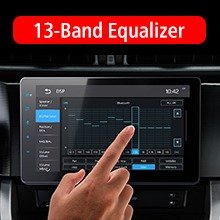
Then there is the audio side, which matters more than people admit. The KW-Z900W is rated at 22 watts RMS x 4, 50 watts peak x 4, with 3 sets of 3-volt preamp outputs, time alignment, and a 13-band EQ. That tells me JVC did not frame this as a dead-end screen receiver. It leaves room for a cleaner staged system, a subwoofer path, and actual tuning instead of mere replacement.
THE THRESHOLD WHERE THE OUTCOME QUIETLY BREAKS
This is the threshold article, so the threshold needs a name.
I would call it the single-glance threshold.
If your current setup no longer lets you complete the most common actions — check the route, answer a prompt, confirm the camera view, manage media, recover from a wrong tap — in one clean glance or one clean touch, the old system is not merely outdated. It has crossed into performance drag.
That is the exact zone where the KW-Z900W starts making structural sense.
| Condition | Below the threshold | Beyond the threshold |
|---|---|---|
| Maps and navigation | You can tolerate a basic display | You need sharper, faster visual parsing |
| Reversing and parking | Camera is occasional convenience | Camera view is part of daily confidence |
| Dash space | Standard double-DIN fit is easy | You need floating-screen flexibility and compact rear chassis |
| Audio plans | Factory speakers only, no tuning intent | You want EQ, timing, preouts, and future expandability |
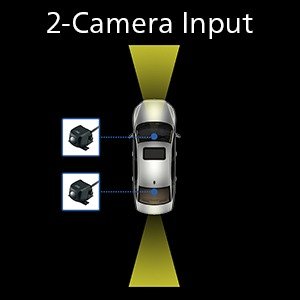
This is why the KW-Z900W is more than a style upgrade for the right buyer. JVC built in dual camera inputs, optional front-camera switching support, iDatalink Maestro compatibility for broader vehicle integration, SiriusXM readiness with an optional tuner, and both wired and wireless phone platforms. Those details only become valuable after the threshold is crossed. Before that, they are just nouns on a spec list. After that, they become relief.
WHY MOST BUYERS MISREAD THIS TOO EARLY
Because they shop like spectators.
They compare three lazy things:
- screen size
- logo familiarity
- price tag
And then they wonder why the dashboard still feels slightly wrong.
The shallow comparison goes like this: “It has CarPlay, it has a big screen, so they are basically the same.” That sounds reasonable for ten seconds. Then real use begins. Angle matters. Resolution matters. Camera handling matters. Chassis depth matters. Tuning headroom matters. Integration matters. A floating screen installed badly can feel like a billboard bolted to your dash. A compact single-DIN style architecture with proper adjustability can feel like the system was meant to be there.
You may think at first that this is overthinking a car stereo. The harder truth is the opposite: most people underthink the tool they touch, read, and trust every single day in motion.
Even the mixed review signal supports that reading. Positive user comments consistently point to the bright display, camera visibility, cleaner navigation experience, and stronger overall feel in older vehicles. One Best Buy reviewer also noted a common friction point: SiriusXM does not “just work” unless you add the required adapter, and the radio preset presentation was not their favorite. That is not a minor side note. It is exactly why threshold buying beats feature shopping. The wrong buyer sees those details late and feels tricked. The right buyer reads them early and builds accordingly.
WHO IS ACTUALLY INSIDE THIS PROBLEM
This product is not for everyone. Good. That makes the decision cleaner.
You are probably inside the real problem if most of the following sound familiar:
| Real-fit user | Why the KW-Z900W fits |
|---|---|
| You drive an older car or truck with a tired factory interface | The floating 9-inch HD screen modernizes the operating surface without demanding a giant rear body |
| You rely on maps every day | The higher-resolution display and wireless smartphone integration reduce glance strain |
| You park in tighter spaces or want more visual certainty | Dual camera support and front/rear camera flexibility matter in daily use |
| You care about sound staging, not just sound output | Time alignment, 13-band EQ, and 3 preouts give the receiver room to grow |
| You need factory-feature retention in a compatible vehicle | iDatalink Maestro support raises the ceiling of the upgrade path |
That last part is important. This unit starts to look very logical when the stereo is not just entertainment hardware, but the command layer for navigation, calls, cameras, and a future audio build. That is exactly how JVC positions the KW-Z900W through its integration stack and tuning tools.
WHERE WRONG-FIT BEGINS
Wrong-fit starts where the problem is still cosmetic.
If you just want any screen.
If you rarely use navigation.
If you do not care about camera confidence.
If you are not planning any tuning or amplifier path.
If your car already has a good native interface and the irritation is light, not daily.
Then this can become overkill fast.
Wrong-fit also begins when the buyer wants simplicity but ignores installation reality. A floating display unit is not a magic wand. Vehicle fit, trim clearance, adapters, steering wheel control retention, SiriusXM add-ons, and Maestro compatibility all live in the real world, not the headline. Best Buy’s product listing and user feedback make that plain, and JVC’s official pages repeatedly note that some accessories and compatibility layers are sold separately or vary by vehicle.
That is why I would not sell this as a universal upgrade. I would draw a much narrower circle.
Inside that circle, it makes sense.
Outside it, it becomes a pretty mistake.
THE ONE SITUATION WHERE THIS PRODUCT BECOMES LOGICAL
The KW-Z900W becomes logical in one specific situation:
When your current head unit has crossed the single-glance threshold, and you need one upgrade that simultaneously fixes visual parsing, smartphone usability, camera confidence, and future audio flexibility without forcing a bulky rear chassis.
That is the sentence.
Not “if you want a big screen.”
Not “if you love tech.”
Not “if you want the best.”
If your dashboard has become a low-grade argument you keep having with your own attention, this is where the argument starts to end.
The product itself backs that logic with the right kind of hardware: 9-inch HD capacitive screen, adjustable floating mount, wireless and wired CarPlay and Android Auto, wireless and HDMI mirroring options, 22W RMS x4 amplification, 3V front/rear/sub preouts, time alignment, 13-band EQ, dual camera input support, compact rear chassis, and Maestro readiness. That is a coherent set. Not a random pile.
WHAT IT SOLVES, WHAT IT REDUCES, AND WHAT IT STILL LEAVES TO YOU
What it solves is straightforward.
It solves the feeling that the screen is too crude for the job you now expect it to do. It solves the mismatch between a modern phone and an old in-dash experience. It solves part of the hesitation that comes from weak camera visibility and small, tired interfaces. For many owners, it also becomes the first real step toward a more serious audio system, because JVC did not lock the unit into a dead-simple, dead-end architecture.
What it reduces is subtler.
It reduces second glances.
It reduces menu resentment.
It reduces the stale feeling of driving a car whose dashboard belongs to another decade.
But it still leaves important work to you.
You still need to get the installation right. You still need to confirm dash fit, adapter requirements, camera plans, and any SiriusXM or Maestro accessories. You still need to decide whether you are buying a clean interface upgrade or laying the foundation for a broader system. And if your real complaint is not usability but speaker quality, road noise, or poor install execution elsewhere, no receiver alone will rescue that. JVC, Best Buy, and retailer listings all point toward accessory dependencies and vehicle-specific integration realities.
That honesty is not a weakness in the sale. It is the sale.
Because regret usually begins where promises get too wide.
FINAL COMPRESSION
Here is the cleanest way I can say it.
The JVC KW-Z900W is not the answer to “Do I want a nicer stereo?”
It is the answer to “Has my dashboard become too slow, too dim, too cramped, or too clumsy for the way I actually drive now?”
That distinction matters.
If your problem is still vanity, wait.
If your problem is now operational, this receiver stops looking expensive and starts looking precise.
That is why the product holds together. The display is genuinely sharper. The smartphone layer is modern. The camera path is useful. The chassis is installer-friendly in the ways that count. The tuning tools are enough to make the unit more than a screen. And the user feedback, while not flawless, points in the same direction: people who needed a brighter, bigger, more useful control surface for an older vehicle tended to feel the difference immediately.
If that is the condition you are actually dealing with, this is the logical next step:
Transparency Note:
This analysis is not based on quick personal impressions.
It is derived from documented system behavior, verified user patterns, and the physical constraints of storage capacity.
The goal is to translate complex technical behavior into a realistic performance model that helps you make a clear decision.
“A quick note: Don’t believe the star ratings, but trust personal experience. This article is a compilation of collected experiences”