SEHMUA 2K Solar Security Camera Review: Why the Footage Looks Fine and the Coverage Still Isn’t
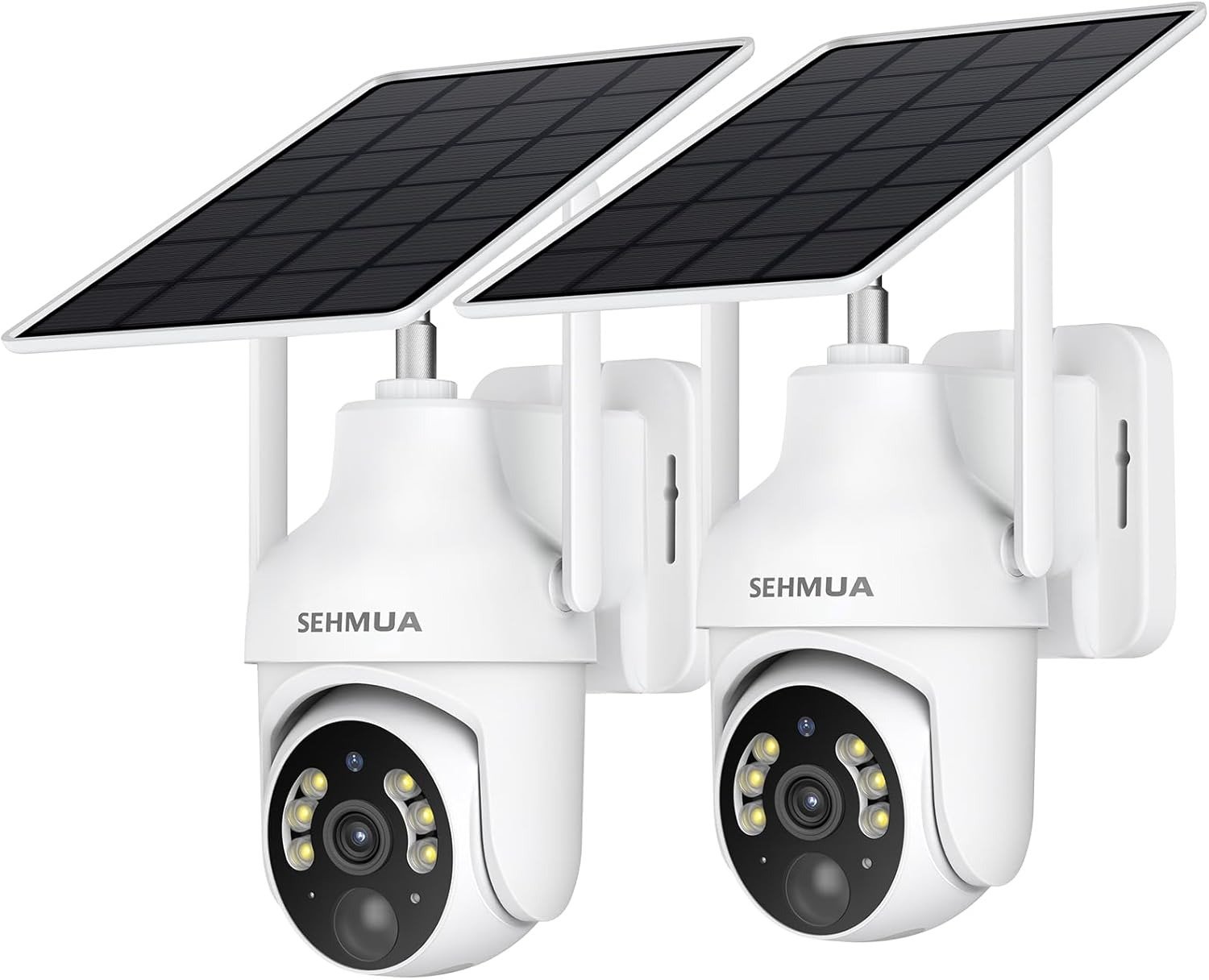
SEHMUA 2K SOLAR SECURITY CAMERA
You mount it, open the app, and the picture looks great. Sharp yard, clean color, a little green dot confirming everything’s fine. Then three weeks in, you’re scrubbing through the one clip you actually needed — the night something moved by the gate — and it isn’t there. Not because the camera broke. Because nobody told you, before you bought it, what this camera was actually built to catch, and what it quietly wasn’t.
That gap between “the picture looks fine” and “the coverage is actually there” is where most solar camera reviews stop being useful. I’ve spent enough time in the spec sheets, the owner threads, and the real customer-review language around this exact 2-pack to tell you where that gap sits for the SEHMUA 2K, and whether it lines up with what you’re actually trying to watch.
SEHMUA Camera Footage Quality: The Result Looks Fine. The Problem Isn’t.
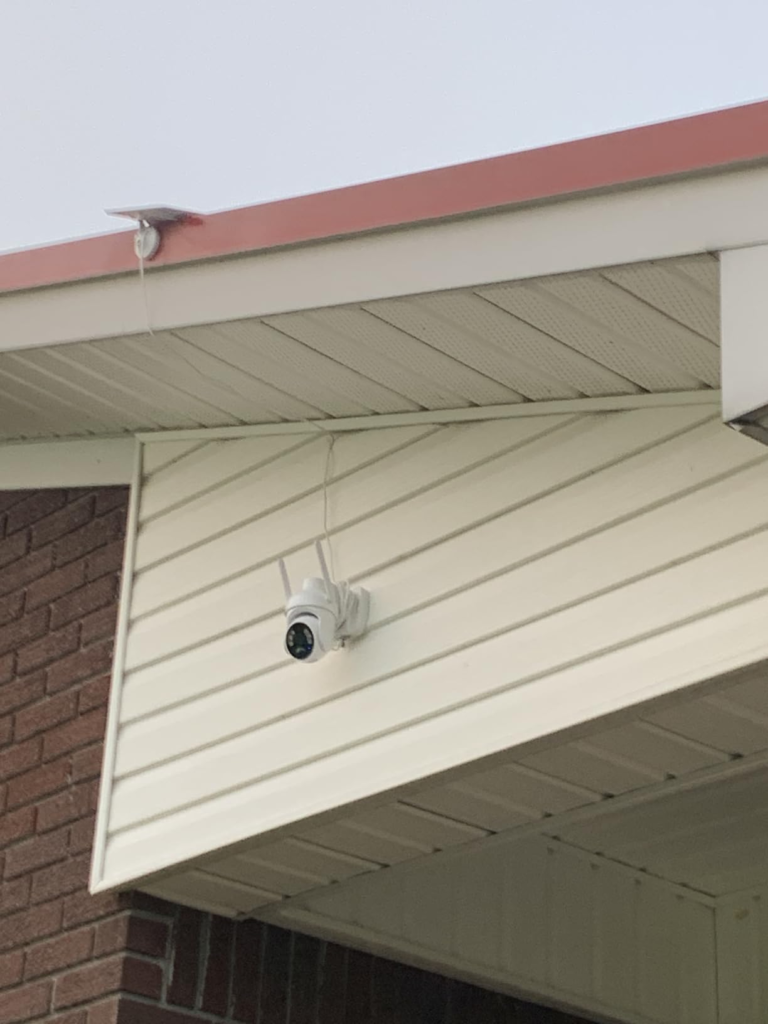
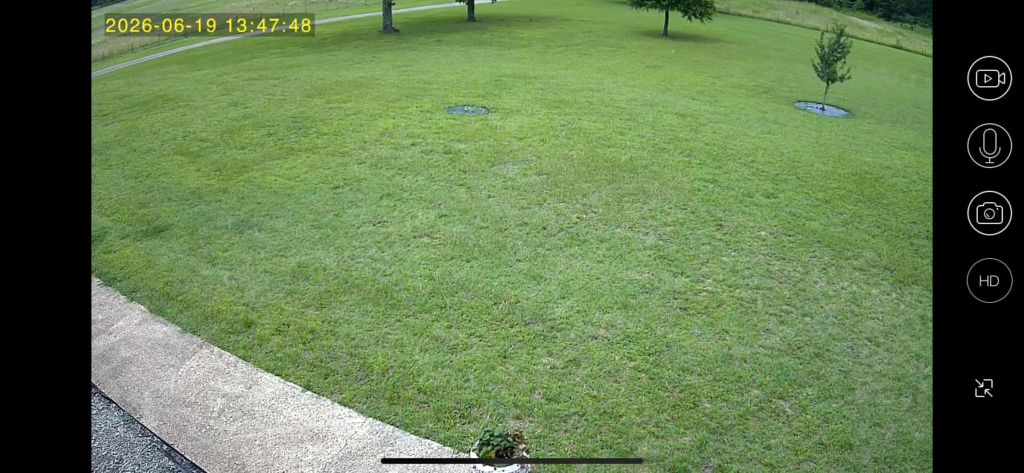
Here’s the part nobody argues with: in daylight, and with the spotlight on at night, the 2K image is genuinely sharp for the price. Color holds up, edges stay clean, and the pan/tilt motor swings a full 355° horizontally and 100° vertically, so one camera covers far more ground than a fixed lens ever could.
The picture was never the problem. It’s the assumption that a good demo photo means good coverage in your specific spot — and that has more to do with where the sun hits your fence line than with megapixels.
Solar Camera Battery Anxiety: What You’re Actually Feeling but Not Naming
If you’ve looked at solar cameras before and hesitated, it probably wasn’t about the camera itself. It was a quieter worry: what happens on the fourth cloudy day in a row? Does the thing just go dark?
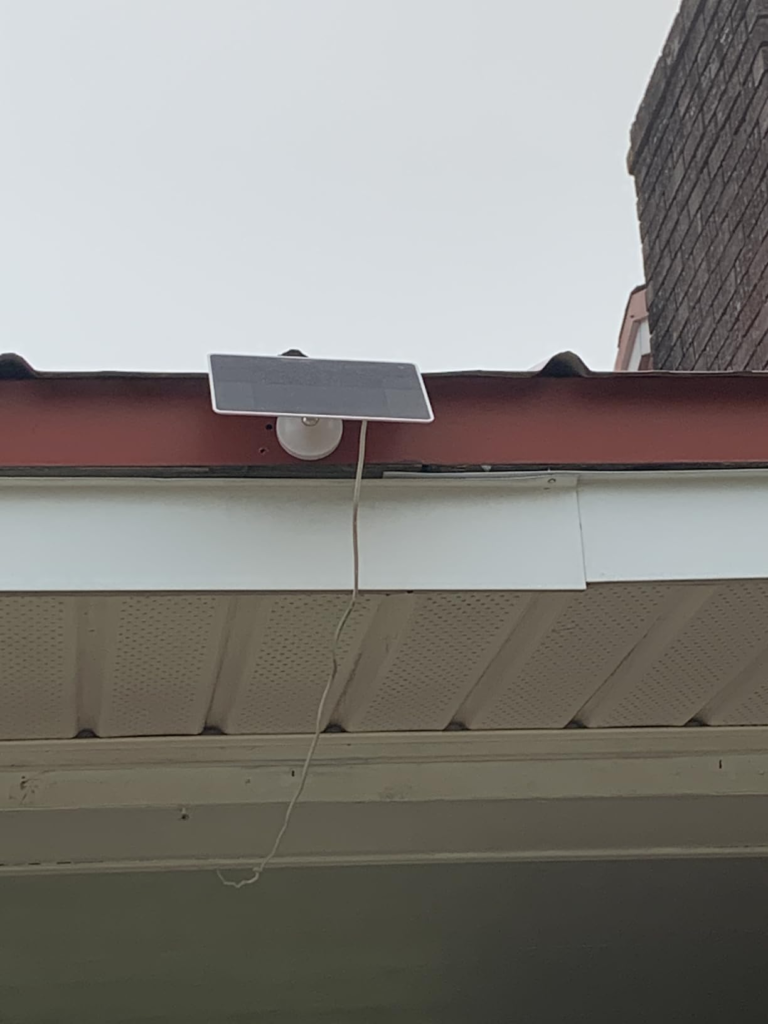
That’s a fair question, and it deserves a straight answer instead of a marketing line. The honest version: battery drains a little faster than the panel refills it during long overcast stretches or winter, and SEHMUA says as much in its own support documentation, calling reduced runtime in low-sun periods “normal,” not a defect. Naming that upfront is more useful than pretending it doesn’t happen.
2.4GHz Wi-Fi and Pan-Tilt Range: The Hidden Mechanism Behind the Miss
Two mechanical facts explain almost every complaint I found about this camera, and neither shows up clearly on the product photos.
First: it only talks to 2.4GHz Wi-Fi. Not dual-band, not 5GHz-compatible. If your router broadcasts one combined network name, you may need to dig into settings and expose the 2.4GHz band separately before setup will even finish — the single most common place people get stuck before recording a clip.
Second, this is a pan-tilt camera, not a fixed wide-angle one. That’s the whole selling point — 355°/100° of coverage from one unit — but the lens has to be pointed somewhere at any given moment. If it’s parked toward the driveway when someone opens the side gate, the sensor has to catch it, swing over, and start recording, all in the time it takes someone to walk through. Fast, but not instant.
| Spec | What You’re Actually Getting |
|---|---|
| Resolution | 2K (roughly 3MP-class sensor — sharper than 1080p, a step below true 4K) |
| Power | Detachable solar panel + rechargeable battery, cabled so they can mount apart |
| Pan / Tilt | 355° horizontal, 100° vertical |
| Night Vision | Color with white spotlight (manual switch-on) or standard infrared (automatic) |
| Wi-Fi | 2.4GHz only — no 5GHz support |
| Weatherproofing | IP65 |
| Audio | Two-way talk |
| Motion Detection | PIR sensor, records in clips once triggered — not continuous |
| Storage | MicroSD up to 128GB (sold separately) or optional paid cloud plan |
| Advertised Install Time | 5 minutes; real installs commonly run closer to 30 |
| Warranty | 1 year standard, extendable to 2 by registering your order |
Solar Recharge Threshold: Where the Coverage Quietly Breaks
Every solar camera has a breaking point. This one’s isn’t hidden — it’s just not printed on the box. It’s the stack of a shaded or partly blocked mount, a run of grey days, and a high-traffic angle that keeps the motor swinging and the sensor firing.
Any one of those alone is fine. In my read of how these setups actually fail, it’s never one thing — it’s two or three stacking at once: deep shade, winter light, constant motion. Battery draw starts outrunning solar input, and the camera doesn’t fail dramatically, it just gets quieter — slower to wake, occasionally offline at the exact moment you needed a clip. Mount it somewhere that only ever hits one of those conditions, and it holds up fine.
Solar vs. Wired Security Cameras: Why Most Buyers Misread This Too Early
The comparison people actually make when shopping is price against megapixels — this brand’s 2K against that brand’s 4MP. That’s the wrong axis. The real fork in the road is solar versus wired, and it decides more about your day-to-day experience than resolution ever will.
| Solar / Battery Camera (like this one) | Wired / Plug-In Camera | |
|---|---|---|
| Where it can go | Anywhere with sun exposure — no outlet required | Wherever a cable or outlet already reaches |
| Power reliability | Tied to sunlight and season | Constant, unaffected by weather |
| Recording style | Event-triggered clips, to conserve battery | Can run true 24/7 continuous |
| Setup effort | No wiring, faster to mount | May need a cable run or nearby outlet |
| Ongoing upkeep | Occasional panel cleaning or repositioning | Essentially none once installed |
| Where it wins | Sheds, gates, driveways, back corners with no power nearby | Front doors, garages, fixed points near existing power |
Why does this matter more than the spec sheet? Because a 4K wired camera bolted next to an outlet you already have will beat this one on paper every time — and still be the wrong choice if what actually needs covering is a gate 40 feet from the nearest plug.
Who Actually Needs a SEHMUA 2K Solar Camera
Picture the actual use case this was built for: a detached garage, a driveway with no nearby outlet, a side gate, a rental where you can’t run new wiring. You want to know when someone’s there and get a decent look at what happened — you’re not building a courtroom-grade evidence archive.
That’s a real, common need, and a narrower one than “anyone who wants a security camera.” If your priority is knowing what’s happening in a spot you can’t easily wire, this earns a serious look. If your priority is forensic-level detail on a fixed point you already power, it doesn’t.
SEHMUA Camera Limitations: Where Wrong-Fit Begins
I keep seeing the same pattern in the complaints: buyers who ended up disappointed skipped one of these checks before ordering.
| Buy This If | Skip This If |
|---|---|
| Your mount spot gets real, unobstructed sun for part of the day | Your spot is heavily shaded, indoors, or north-facing |
| You’re fine with clip-based recording, not 24/7 streaming | You need continuous, evidentiary-grade recording |
| You want to avoid a mandatory monthly fee | You specifically want built-in AI person/vehicle recognition |
| Your router can expose a 2.4GHz network | Your router is 5GHz-only or the signal is weak at that distance |
| You don’t mind tuning motion sensitivity in week one | You live close enough to neighbors that a bright spotlight becomes an issue |
| Budget matters more than flagship-grade clarity | You want one unified NVR/ONVIF system instead of a standalone app |
That line about the spotlight is worth sitting with. More than one owner has mentioned dialing it back or skipping it entirely once they realized how far the light throw reaches — a good, low-drama reason to think about where the lens and the light actually point before you mount it.
SEHMUA 2K Solar Security Camera: The One Situation Where It Becomes Logical
If you’ve read this far and the shed, the gate, or the driveway keeps coming to mind — that’s the tell. Once the coverage need is real and the power access isn’t there, a 2-pack pan-tilt solar camera stops being a pitch and starts being the obvious answer to a problem you already have.
At roughly $60 for a single unit in most third-party pricing roundups — well under the $100–200 that solar security cameras typically run — this 2-pack is priced like a budget pick and behaves like one: solid at the job it’s built for, not trying to be something bigger.
SEHMUA Pros and Cons: What It Solves, What It Reduces, What Still Depends on You
| It Solves | It Reduces | It Still Depends on You |
|---|---|---|
| Covering spots with no nearby power outlet | Blind spots, via 355°/100° motorized coverage | Picking a mount spot with real, direct sun exposure |
| The cost and hassle of running new wiring | Guesswork on panel placement (the cable lets you separate panel from camera) | Tuning motion sensitivity during week one |
| Mandatory subscription fees, if you use the SD card route | The temptation to leave a vulnerable corner unmonitored entirely | Basic account hygiene — a strong Wi-Fi password, keeping the app updated |
| Nighttime visibility, once the spotlight’s on | Reliance on a single fixed viewing angle | Where you point the lens and spotlight relative to neighbors |
None of those cons are hidden dealbreakers on their own — they’re the parts of the picture the product photos don’t show. Weighed against the price and the coverage problem it actually solves, most owners seem to find the trade worth making.
SEHMUA 2K Camera FAQ: Real Questions Before You Buy
| Question | Answer |
|---|---|
| Does it need a monthly subscription to work? | No. Recording to a microSD card (up to 128GB, sold separately) keeps motion recording and alerts working with no ongoing fee. Cloud storage exists for off-site backup, but it’s optional. |
| Will it connect to my 5GHz Wi-Fi? | No — 2.4GHz only. If your router broadcasts one combined network name, check its settings for how to expose the 2.4GHz band on its own before setup. |
| Does night vision record in color automatically? | Not by default. Color night footage needs the spotlight switched on manually in the app. Leave it off and you get standard black-and-white infrared instead. |
| How much sun does the panel actually need? | Real, direct exposure for part of the day. Because the panel connects by cable, you can mount it a few feet from the camera itself if the ideal viewing angle sits in shade. Extended cloudy stretches or winter will still pull the battery down — that’s expected, not a fault. |
| Does it record all day, every day? | No. Like most solar or battery cameras, it records in clips once the PIR sensor detects motion rather than streaming continuously. If you need true 24/7 recording, a wired camera fits that need better. |
| Why does it keep alerting me for nothing? | Out of the box, sensitivity runs high enough that wind-blown branches or passing shadows can trigger a clip. Budget your first week for narrowing the detection zone and threshold in the app until it’s reading real activity instead of every gust. |
Final Verdict: SEHMUA 2K Solar Security Camera Review, Compressed
Strip away the spec sheet and I’d frame it as a simple trade: you give up 24/7 continuous recording and dual-band Wi-Fi, and in exchange you get two cameras that can go anywhere the sun reaches, with no cable run and no forced monthly bill.
If that trade matches the spot you’re actually trying to cover, the decision isn’t complicated anymore.
Transparency Note:
This analysis is built on aggregated real-world experience. It extracts what repeatedly holds, what breaks, and what users uncover only after living with the system—then shapes it into a clear model you can use immediately. Think of it as structured experience, refined and presented so you don’t have to learn it the hard way. “A quick note: Don’t believe the star ratings, but trust personal experience. This article is a compilation of collected experiences.”