ORBIT B-HYVE BLUETOOTH TIMER REVIEW: IT WORKS GREAT, UNTIL YOU LEAVE THE YARD
ORBIT B-HYVE BLUETOOTH TIMER
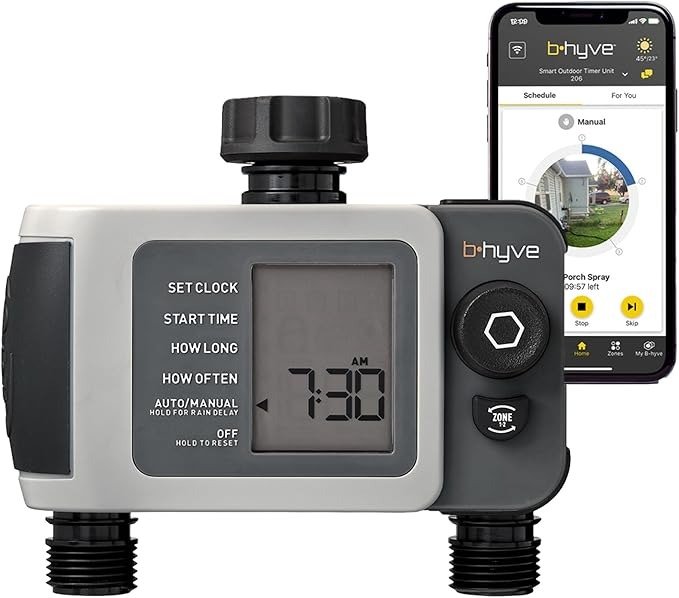
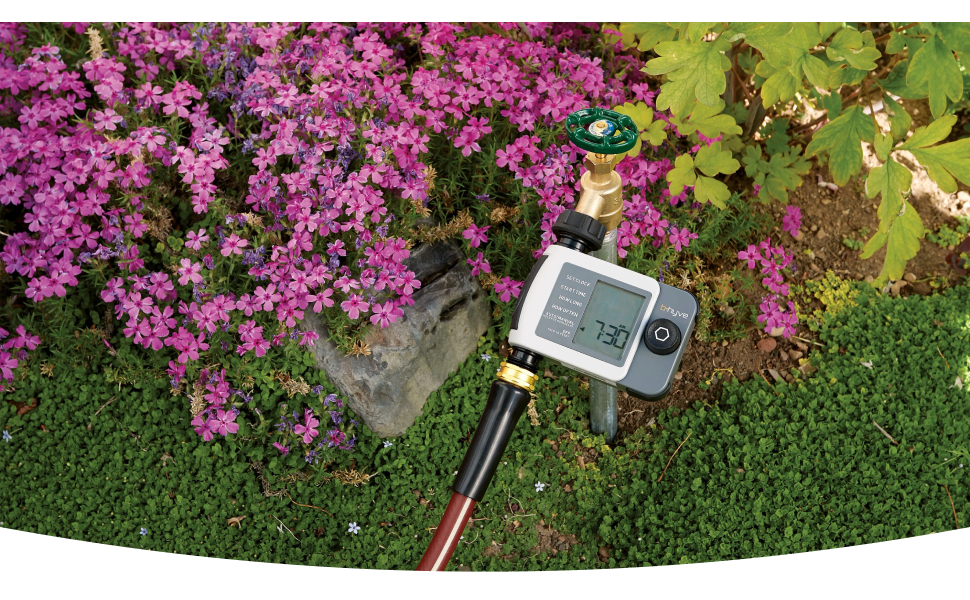
You screw it onto the faucet, download the app, tap “water zone one,” and the display lights up right on cue. It’s a small, satisfying moment, the kind you get from a car door shutting with a solid thunk. For the first couple of weeks, the Orbit B-hyve 24632 does exactly what the box promised.
Then you leave. A weekend trip, a work conference, three days at your parents’ place. Out of habit, you open the app and tap the same button you’ve tapped a hundred times from your own backyard.
Nothing happens. No crash, no error worth reading. Just a spinning icon, then a quiet timeout.
That’s not a broken unit. It’s the product doing exactly what it was built to do. You just weren’t told, clearly, which product that was.
Orbit B-hyve Smart Hose Faucet Timer (2-Zone) Specs: The Result Looks Fine, the Problem Isn’t
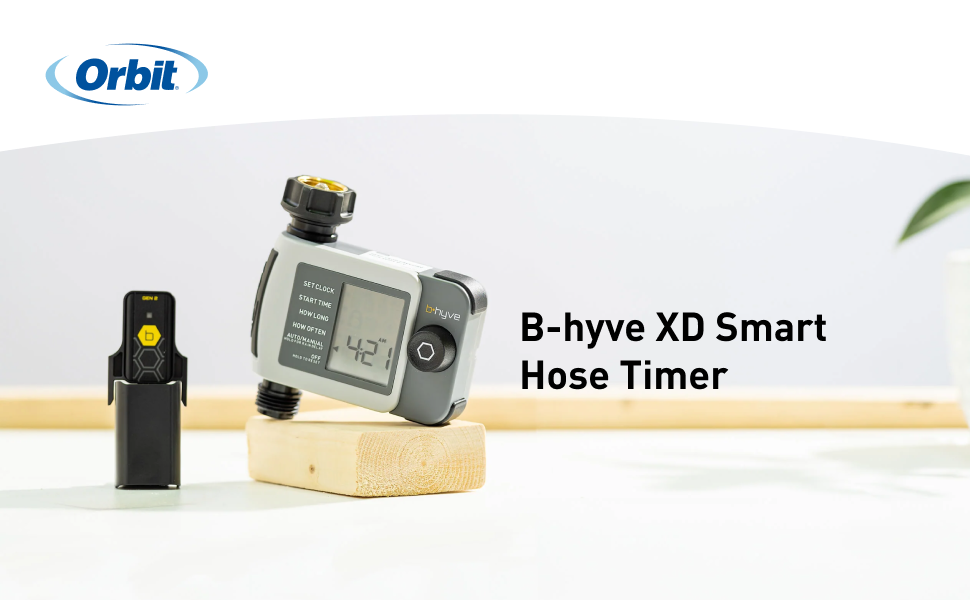
For most of the season, this timer earns its keep. It’s a two-zone, battery-powered hose faucet controller that runs on Bluetooth out of the box, with a physical dial on the unit itself as backup. Here’s what you’re actually buying:
| Spec | Orbit B-hyve 24632 |
|---|---|
| Zones / outlets | 2 |
| Connection | Bluetooth (Wi-Fi optional, via separate hub) |
| Power | 2 AA alkaline batteries (not included; rechargeables not recommended) |
| Water pressure range | 10–100 PSI |
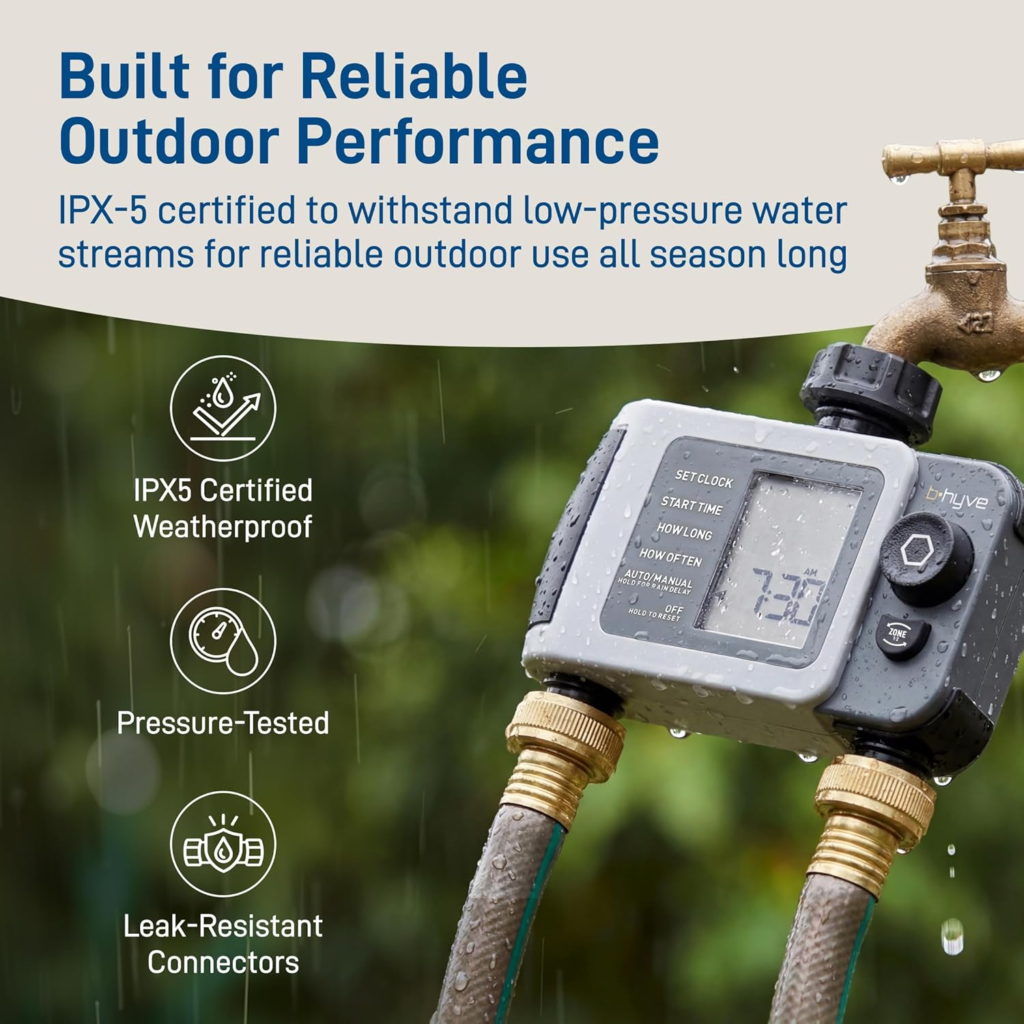
| Weatherproof rating | IPX-5 |
| Freeze-safe | No, must be stored indoors before frost |
| App | B-hyve (free, iOS 13.5+ / Android 5.0+) |
| Manual control | Yes, directly on the unit, no phone needed |
| Voice assistants | Alexa / Google Assistant, hub required |
| Warranty | 2-year limited, transferable |
| Typical price | Roughly $55–$65 alone (check current listing) |
None of that is misleading. What’s missing from the spec sheet, and from most five-star reviews written in the first week of ownership, is the detail that decides whether this timer quietly disappears into your routine or quietly lets you down: how it connects, and what that connection can and can’t do once you’re not standing next to it.
Bluetooth Sprinkler Timer Reviews: What You’re Actually Feeling but Not Naming
If you’ve owned a hose timer before this one, you know the old annoyance: crouching to squint at a dial, a schedule that resets itself for no reason. This timer solves that. What it introduces is a quieter kind of annoyance, one most reviews don’t name directly.
It’s opening the app “just to check,” even though you told it to run twenty minutes ago. It’s the flicker of doubt when you’re two states away and genuinely don’t know if the tomatoes got watered. It’s realizing push notifications only arrive if you happen to have the app open in the background, which drains your phone’s battery more than it saves your peace of mind.
Why does a “smart” timer still make you want to walk outside and check with your own eyes? That’s the whole review, honestly. The product isn’t bad. Bluetooth and Wi-Fi are simply not the same promise, and this timer is sold, gently, as if they were.
Orbit B-hyve Range Explained: The Hidden Mechanism Behind the Miss
Here’s the mechanism, in plain terms. Out of the box, the 24632 is Bluetooth-only. Bluetooth is a short-range radio built to talk to whatever’s nearby, not the internet. It never touches Wi-Fi unless you add Orbit’s separate Gen 2 Hub and plug it in indoors.
That distinction explains almost every “it just stopped working” story in the reviews. It’s rarely the valve. It’s the radio running out of room.
The range itself has a marketing problem. Depending on which Orbit document you read, you get three different numbers:
| Source | Bluetooth range stated |
|---|---|
| Orbit product announcement | Up to 500 ft, line of sight |
| Orbit user guide / manual | Up to 150 ft |
| Orbit customer support, direct replies to owners | About 50 ft, less through walls |
| Independent hands-on testing | Unreliable indoors; timeouts before reaching even 50 ft in some layouts |
I went through Orbit’s own support replies to frustrated customers, not just the marketing copy, and the pattern is consistent: support tells owners to expect roughly 50 feet, and less once drywall, brick, or a fence line gets involved. One independent tester clocked the connection failing with a “device is taking too long to respond” message well before leaving the property, and summed it up plainly: once you’re inside the house, or off it, assume the Bluetooth link is gone.
That’s not a defect report. That’s just what Bluetooth does. The problem is nobody hands you a tape measure at checkout.
B-hyve Bluetooth Timer Limits: The Threshold Where the Outcome Quietly Breaks
Call it the Fifty-Foot Line. Inside it, the 24632 is a genuinely pleasant device: quick to program, reliable to schedule, easy to override from your phone while you’re dragging a sprinkler across the yard. Cross it, whether by walking into the house or boarding a plane, and live control disappears. Not gradually. All at once, without warning.
Here’s the part worth sitting with: the schedule you already saved keeps running on its own, stored right on the timer. Your zone still gets watered whether or not your phone can reach it. What you lose past the Fifty-Foot Line is the ability to change your mind: to cancel a cycle because it’s suddenly pouring, to add ten minutes because a heat wave rolled in, to actually check instead of just hoping.
There’s a second, smaller threshold hiding in the same design, and it explains a specific cluster of one-star reviews. To protect the valve from a dying battery, the timer automatically switches itself to OFF once it drops to roughly the 20–30% mark. Sensible, on its own. But after you replace the batteries, the timer doesn’t resume its schedule by itself; you have to open the app and manually switch it back to AUTO. Skip that one tap and you’ll swear the unit died, when really it’s sitting there fully charged, waiting for a setting you didn’t know existed.
| Feature | Bluetooth only | With Gen 2 Wi-Fi Hub (sold separately) |
|---|---|---|
| Scheduled watering | Yes | Yes |
| Phone control | Only within ~50 ft | From anywhere with internet |
| Automatic weather-based rain delay | No | Yes (WeatherSense) |
| Alexa / Google Assistant | No | Yes |
| EPA WaterSense certification | Not applicable | Applies |
| Manual watering at the unit | Yes | Yes |
| Approx. added cost | — | Roughly $30–$50 |
Smart Sprinkler Timer Mistakes: Why Most Buyers Misread This Too Early
Most people shopping for a hose timer compare star ratings and price the way they’d compare two identical phone chargers. That’s the wrong comparison here, and it’s why so many disappointed reviews read like betrayal instead of a mismatch.
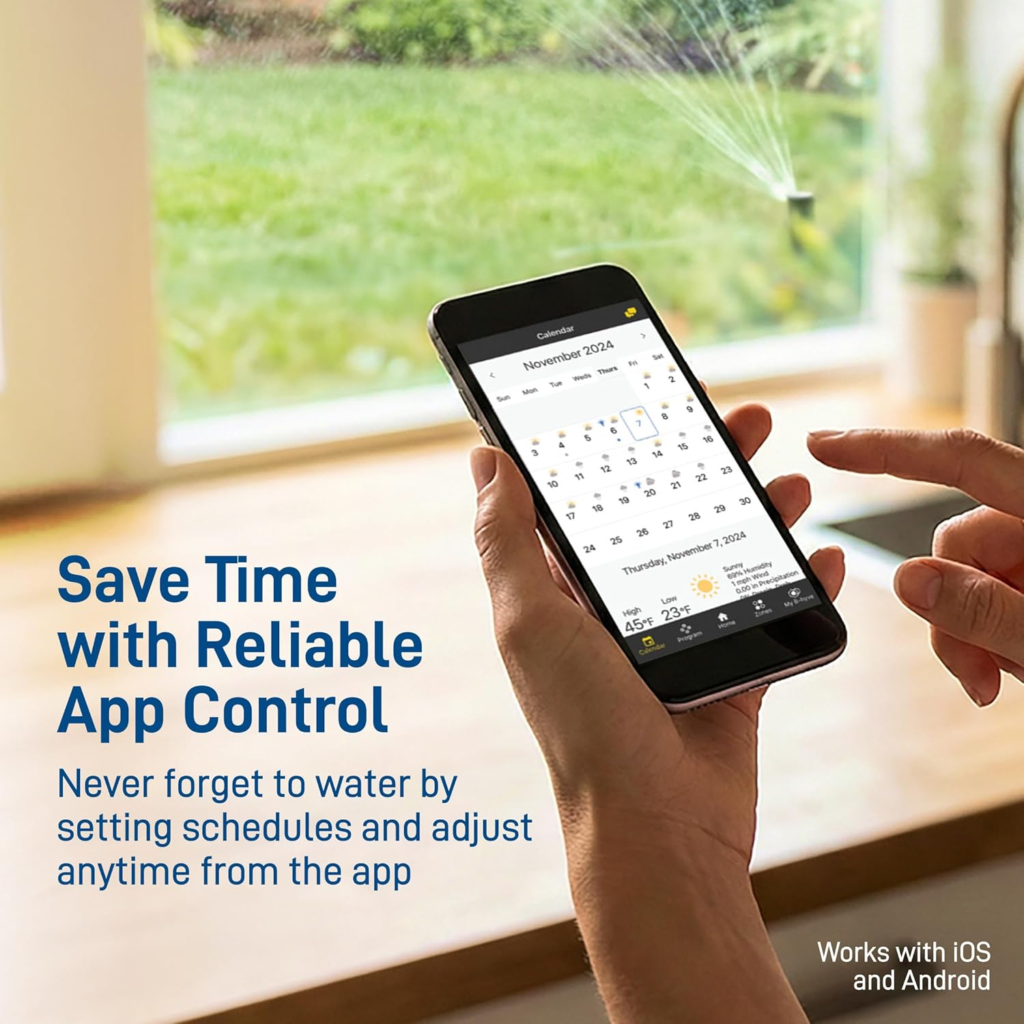
“Smart” and “app-controlled” do a lot of quiet work on the product page. They’re accurate, but they’re carrying the weight Wi-Fi usually carries, and Bluetooth can’t fully cover for it. Buyers who assume this behaves like a Wi-Fi thermostat, reachable from anywhere on earth, are comparing it against a promise the box never actually made in writing. Buyers who read the fine print, Bluetooth range and hub sold separately, tend to leave calmer reviews because they bought the thing that exists rather than the thing they imagined.
The second misread is the battery cutoff. From the outside, it looks like a defect: worked fine, then randomly stopped. It’s not random. It’s a safety behavior with a manual reset step Orbit doesn’t advertise loudly enough.
Who Should Buy the Orbit B-hyve 24632: Who Is Actually Inside This Problem
This timer earns its price with a specific kind of household. If you’re watering container plants, raised beds, or a flower bed that doesn’t justify a full in-ground system, this is exactly the scale it was built for. If you’re on well water and need two zones running at different flow rates so you’re not overtaxing the pump, the dual-outlet design solves a real problem.
Picture the version of this that actually works: it’s Tuesday evening, you’re inside making dinner, and from the kitchen table you nudge zone two on for an extra five minutes because the afternoon was hotter than expected. That’s the Fifty-Foot Line working in your favor instead of against you.
Mostly, this is for people who are usually home. If “away” means a weekend at the lake or a long day at the office, you’re inside the forgiving edge of the range for most of your week, and the on-unit dial covers the rest without needing the phone at all.
Where Wrong-Fit Begins: Who Should Skip This Timer
Skip the Bluetooth-only version, or budget for the hub from day one, if travel is the actual reason you’re buying a smart timer. Two weeks abroad with nothing but a Bluetooth radio between you and your garden isn’t what this configuration is for, and no amount of optimism about the 500-foot figure changes that.
Skip it, or commit to bringing it inside every autumn without fail, if you live somewhere winters actually freeze. The internal valve isn’t built to survive ice expanding inside it, and Orbit is explicit that freeze damage voids the warranty. Skip it if you’re expecting Alexa or Google Assistant out of the box, since that’s a hub feature, not a base feature. And if you already have a proper in-ground sprinkler system, this isn’t an upgrade for you. It’s a downgrade with extra steps.
| Good fit | Not a fit |
|---|---|
| Container gardens, raised beds, flower beds | Full in-ground irrigation systems |
| No permanent irrigation (renters, small yards) | Frequent long-distance travelers needing guaranteed remote access |
| Well water needing 2 zones at different flow rates | Hard-freeze climates with no seasonal storage plan |
| Usually home, tired of hand-watering | Expecting Alexa/Google out of the box |
| Open to adding the hub later | Needing more than 2 zones on one unit |
Orbit B-hyve 24632 vs the Wi-Fi Hub: The One Situation Where This Product Becomes Logical
Once the range and the battery behavior stop being a mystery, the decision splits cleanly in two.
If most of your watering happens while you’re on the property, and what you actually want is to stop walking to the faucet and stop forgetting to shut it off, the 24632 alone does that job well and costs less than the bundle. Nothing about the base unit locks you out of adding the Gen 2 Hub later, the day remote access starts feeling worth paying for.
If the entire reason you’re buying a smart timer is peace of mind while traveling, buy the hub with it now. Paying for range after you’ve already been burned by not having it is a more expensive lesson than paying for it up front.
What the Orbit B-hyve 24632 Solves, Reduces, and Still Leaves to You
It solves the specific, small failure that ends a lot of container gardens: forgetting. No soggy patio because you got distracted mid-watering, no wilted basil because a trip ran a day long. It reduces water waste compared to eyeballing it with a hose, and it reduces the wear of manually cranking a spigot valve all season.
It does not solve remote control on its own. That’s the hub’s job. It does not solve winter; that’s still you, unscrewing it before the first hard frost. And it does not solve the battery reset step; that’s one tap in the app, every time you change batteries, for as long as you own it.
| Common complaint | Real cause | Fix |
|---|---|---|
| “App can’t find my timer” | Outside the ~50 ft Bluetooth range, or blocked by walls | Move closer, or add the Wi-Fi hub |
| “Stopped watering after I changed batteries” | Auto-shutoff at ~20–30% battery didn’t reset | Open the app, switch the device back to AUTO |
| “Leaking at the hose connection” | Plastic threads over-tightened or under-sealed | Use PTFE thread tape or a quality quick-connect |
| “No rain delay when it started pouring” | Automatic rain delay needs the hub | Set a manual delay on-device, or add the hub |
| “Batteries die fast” | Radio and valve motor draw power in high-use zones | Fresh name-brand alkalines; keep a spare set on hand |
Orbit B-hyve 24632 FAQ: Your Questions, Answered
| Question | Answer |
|---|---|
| Does the Orbit B-hyve 24632 need Wi-Fi to work? | No. Out of the box it runs entirely on Bluetooth. Wi-Fi is optional and only comes from adding Orbit’s separate Gen 2 Hub. |
| What’s the actual Bluetooth range? | Officially “up to 150 ft” in the manual and “up to 500 ft line of sight” in early marketing, but Orbit’s own support team tells customers to expect about 50 feet in real conditions, less through walls. |
| Does it work with Alexa or Google Assistant? | Only with the Wi-Fi hub attached. On Bluetooth alone, there’s no voice control. |
| What batteries does it use, and how long do they last? | Two AA alkaline batteries, not included. Life depends on how often it runs; many owners replace them at least once or twice per season. Orbit advises against rechargeables, since lower voltage can cause connectivity drops or valve issues. |
| Can I leave it outside over winter? | No. It needs to come off the faucet and move indoors before the first freeze. Ice expanding inside the valve can crack internal components and will void the warranty. |
| Is the Wi-Fi hub required? | Not for basic scheduled watering. It’s required for remote control away from home, automatic weather-based rain delay, and voice assistants. |
| Why does the app say it’s connected, but nothing happens? | Two likely reasons: you’re right at the edge of Bluetooth range, or the timer auto-switched to OFF after a low-battery event and is waiting for you to set it back to AUTO. |
| What’s the warranty? | Two years from the original purchase date, transferable to a new owner if you sell or hand down the house, though that doesn’t extend the original window. |
Orbit B-hyve 24632 Review: The Final Verdict
Strip away the marketing number and the 24632 is a good, fairly priced timer for a specific job: watering a yard that doesn’t have, and doesn’t need, a full sprinkler system, for someone who’s usually within fifty feet of it. It won’t quietly babysit your garden from another continent, and it won’t warn you before it switches itself off on a low battery. Once you know both of those things going in, most of the one-star complaints stop applying to you.
If that’s your exact situation, a hose, a couple of zones, a habit of forgetting to turn the water off, this is the logical buy: If control from anywhere is the actual goal, pair it with the hub from the start instead of finding the Fifty-Foot Line the way most frustrated reviewers did.
Transparency Note:
This analysis is built on aggregated real-world experience. It extracts what repeatedly holds, what breaks, and what users uncover only after living with the system—then shapes it into a clear model you can use immediately. Think of it as structured experience, refined and presented so you don’t have to learn it the hard way. “A quick note: Don’t believe the star ratings, but trust personal experience. This article is a compilation of collected experiences.”