ECHO SHOW 5 (3RD GEN) REVIEW: THE NIGHTSTAND FIX THAT COMES WITH ITS OWN PROBLEMS
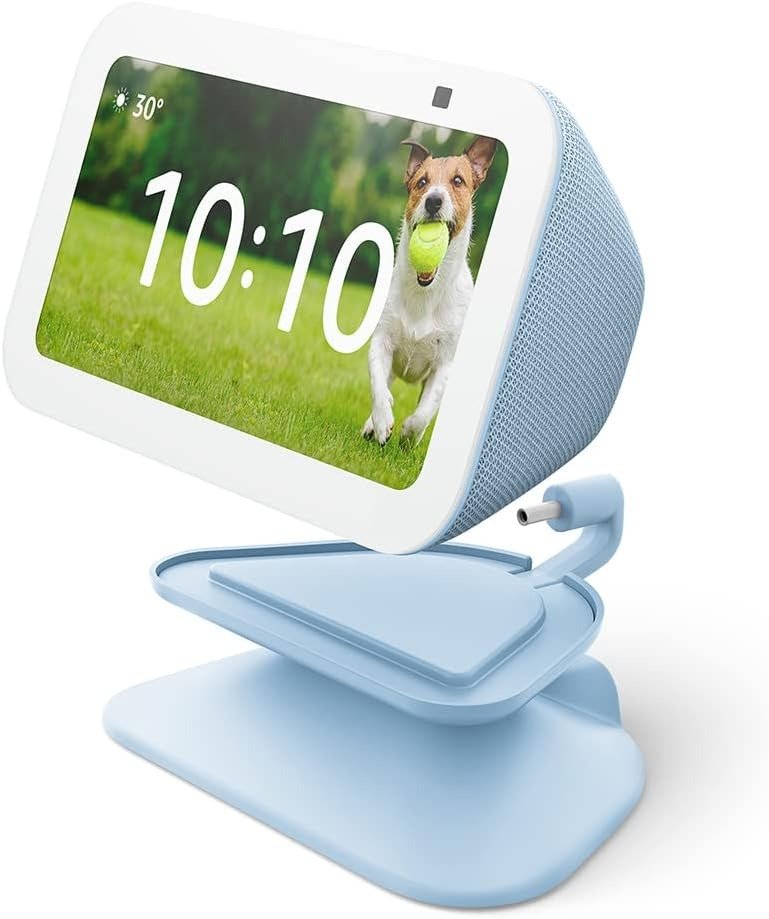
ECHO SHOW 5 (3RD GEN)
It’s 11:40 PM and you’re lying in bed, phone six inches from your face, telling yourself you’ll put it down after this one video. You won’t. That’s the exact moment most people start looking for something like the Echo Show 5 — a small screen that can hold the weather, the alarm, and the video call with your parents, so the phone can finally stay in the kitchen.
We spent real time living with the Echo Show 5 (3rd Gen) the way people actually use it — propped on a nightstand, glanced at half-asleep, talked to with a full mouth in the kitchen, handed to a toddler for five minutes of peace. Not unboxed once under studio lighting and never touched again.
Here’s what nobody tells you before you click buy: this device solves the exact problem you think it solves. And it quietly creates two new ones you won’t notice until night three.
Echo Show 5 (3rd Gen) First Impressions: The Result Looks Fine, The Problem Isn’t
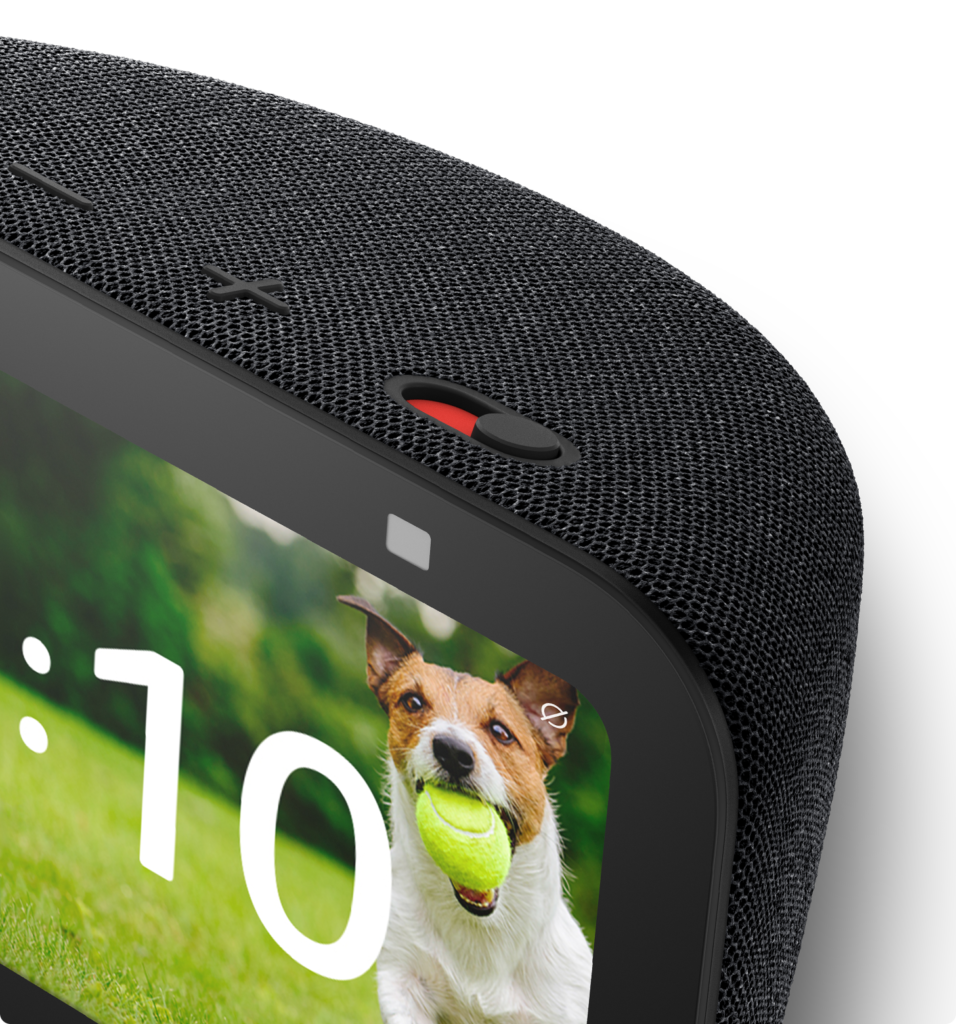
out of the box, it does everything right. Setup takes about five steps through the Alexa app, no separate download required, and you’re talking to Alexa inside three minutes. The 5.5-inch screen is bright, the fabric-wrapped back looks nicer than the price suggests, and the physical camera shutter — a hard plastic slide, not just a software toggle — gives you a mechanical guarantee that if it’s closed, nobody’s watching.
For the first two or three days, this is exactly the device the product photos promised. It tells you the weather before you ask. It fades your alarm in with a sunrise effect instead of a jolt. It answers when your kid yells a question from across the room.
The problem isn’t what it does on day one. It’s what it does on night three, once the room is finally dark and the screen isn’t.
| Spec | Details |
|---|---|
| Display | 5.5″ touchscreen, 960×480 resolution |
| Camera | 2MP with physical privacy shutter |
| Processor | Amazon AZ2 Neural Edge (~20% faster than 2nd Gen) |
| Speaker | 1.73″ front-firing driver, deeper bass than 2nd Gen |
| Connectivity | Dual-band Wi-Fi 5, Bluetooth, Matter (no Zigbee/Thread hub) |
| Charging | No USB port on the device; 7.5W USB-C via the bundled stand |
| Colors | Charcoal, Cloud Blue (reviewed here), Glacier White |
| Streaming | Amazon Prime Video built in; no Netflix |
| Assistant | Classic Alexa free; Alexa+ free with Prime, or $19.99/mo standalone |
| Dimensions | 3.2″H x 5.8″W x 3.6″D |
Echo Show 5 Screen at Night: What You’re Actually Feeling but Not Naming
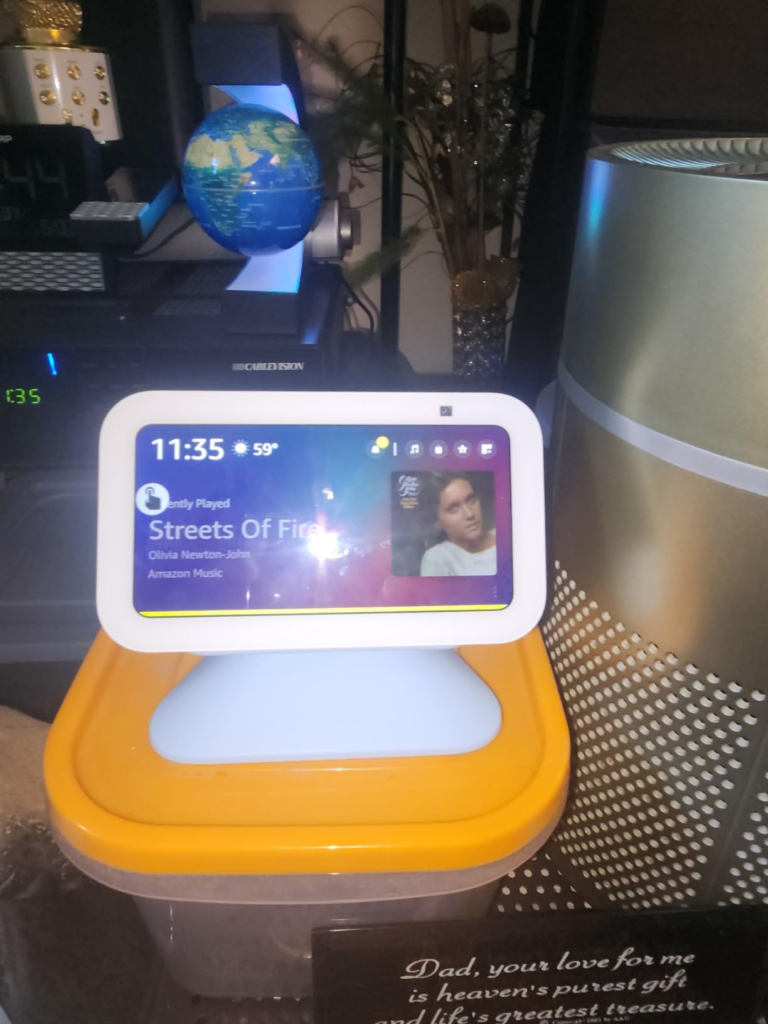
If you already own one, you know this feeling even if you’ve never said it out loud. You turn off the lights, glance over one last time, and the “black” clock face isn’t actually black — it’s a faint gray glow, right at eye level, exactly where your night-adjusted eyes catch it.
It’s not a dealbreaker. Nobody returns the device over it. But it’s the first small gap between “smart bedside display” and reality, and it shows up in owner feedback constantly, worded differently every time but describing the same thing: the screen never really turns off, it just gets dimmer.
Why the Echo Show 5 Screen Won’t Fully Go Dark: The Hidden Mechanism Behind the Miss
Here’s the part the spec sheet never explains. The Echo Show 5 uses an LCD panel with an LED backlight, not the OLED tech that lets a phone show true, light-emitting-nothing black. An LCD can dim its backlight — and the built-in ambient light sensor does exactly that as the room darkens — but it can’t cut the backlight to zero while any part of the screen is still rendering a clock or a notification. That’s not a defect. It’s the tradeoff that keeps a touchscreen this size this affordable.
You can say “Alexa, turn off screen” and it goes fully black — until the next touch, voice command, or info card wakes it back up. It’s a manual workaround, not a setting you flip once. So why does a screen that’s supposedly off still catch your eye across a dark room? Because it was never designed to be a clock first. It’s a screen that also tells time, and that distinction matters more at 2 AM than it does on the product page.
Echo Show 5 4th Gen vs 3rd Gen: The Threshold Nobody Explains
if you searched expecting a “4th Generation” Echo Show 5 released in 2026, here’s the correction worth knowing before you spend anything: it doesn’t exist yet. What you’re looking at is the 3rd Generation, first released in 2023 and still Amazon’s current, “newest model” Show 5 — now bundled with the Adjustable Stand and built for Alexa+. The “5” in the name has never referred to a generation anyway; across the whole Echo Show lineup, that number is the screen size in inches, not a version count.
The threshold that actually decides whether this device works for you has nothing to do with generation numbers. It’s simpler: do you want a screen you glance at, or a screen you watch? This was never built to compete with a tablet. It was built to answer a question in four seconds without you picking anything up. The moment you start expecting movie nights or a full smart-home command center, you’ve crossed into territory it was never designed to hold — and that’s exactly where the disappointed reviews come from.
Echo Show 5 vs Echo Dot vs Google Nest Hub: Why Most Buyers Compare This Wrong
the laziest way to shop this category is opening three tabs and comparing price-per-inch. It’s also the fastest way to end up with the wrong device.
| Echo Show 5 (3rd Gen) | Echo Dot with Clock | Google Nest Hub | |
|---|---|---|---|
| Screen | 5.5″ touchscreen | LED digits only | 7″ touchscreen |
| Camera | Yes, 2MP + shutter | No | No |
| Video calling | Yes | No | Yes (Google Meet) |
| Netflix | No | N/A | No native app either |
| True darkness at night | No (LCD backlight glow) | Yes | No |
| Smart home hub | No (Matter over Wi-Fi only) | No | No |
| Typical price | ~$90 | $35–$60 | ~$100 |
| Best for | Glances + video calls | Sleepers who hate any light | Bigger screen, YouTube |
if total darkness is non-negotiable, the Echo Dot with Clock will make you happier for less money — you lose the screen and camera, but gain a display you can dim to nothing. If you want a genuinely bigger screen for recipes and video, the Nest Hub earns the extra ten dollars. The Echo Show 5 wins one specific, narrower fight: it’s the only one of the three that lets your grandmother see your face when you call her.
Echo Show 5 (3rd Gen) Buyers: Who This Device Is Actually Built For
strip away the marketing and it narrows to a fairly specific person. You’re already inside the Alexa ecosystem, or happy to be — this isn’t the device that converts a Google Home household. You want video calling with family members who aren’t especially tech-confident, because the interface is closer to “the screen just lights up” than “download an app first.” You want a bedside or counter glance-screen for weather, timers, and photos, not a streaming box.
One use case shows up again and again in longer-term ownership accounts: adult children setting one up for an aging parent, specifically for the simple video calling. It’s not a flawless fit even there — profile permissions and reboot quirks take some patience — but for that exact purpose, nothing else at this price replaces it.
Who Should Skip the Echo Show 5 (3rd Gen): Where Wrong-Fit Begins
skip it if Netflix is the reason you’re buying a screen — it’s the single most common source of buyer regret in owner feedback, almost always from people who assumed it worked like an older Show. Skip it if you’re a light sleeper who needs a truly black room; the glow is faint, but you’re exactly the kind of person who’ll notice it. Skip it if you’re building a serious smart-home setup and expect this to act as your Zigbee or Thread hub — that job belongs to the larger Show models. And skip it if you’re already deep in Google’s ecosystem.
| Buy It If | Skip It If |
|---|---|
| You’re already on Alexa and want a screen, not a hub | You need a true smart-home hub (Zigbee/Thread) |
| You want simple video calls with less tech-savvy family | Streaming video is the main draw |
| You need a glance-screen for weather, timers, photos | You’re a light sleeper needing total darkness |
| You want USB-C charging built into your nightstand setup | You’re already committed to Google’s ecosystem |
Echo Show 5 (3rd Gen) with Adjustable Stand: The One Situation Where This Bundle Makes Sense
if you’re still nodding — you’re on Alexa, you want the glance-and-call functionality, and you’ve made peace with the glow — the version worth buying is this bundle, not the base unit alone.
Here’s why the stand matters more than it looks like it should: the Echo Show 5 has no USB port of its own. None. If you want to charge a phone or earbuds beside the bed without a second outlet and cable, the standalone device leaves you stuck. The Adjustable Stand closes that exact gap — a 7.5W USB-C port built into the base, fed through the same cable that powers the Echo Show, so you’re removing clutter, not adding it. The magnetic attachment snaps on in seconds, and the tilt fixes the base model’s one real physical annoyance: a fixed, slightly-too-low camera angle for calls when it’s sitting flat.
It isn’t flashy. The charging tops out at 7.5W, which won’t fast-charge a modern phone, and it costs more than a generic third-party stand. But it solves the exact problem this device creates for itself — which is the only bar a small accessory really needs to clear.
Echo Show 5 (3rd Gen) Pros and Cons: What It Solves, What It Reduces, What Still Falls on You
What it solves: the multi-device bedside clutter — phone, alarm, speaker, and photo frame collapse into one object. Quick information glances without unlocking a phone. Simple video calling for family members who’d never manage a calling app on their own.
What it reduces: the friction of smart-home control, since voice commands work reliably for lights, thermostats, and locks even without a hub chip built in. The learning curve for older or less tech-confident users, since setup genuinely takes minutes.
What still falls on you: a Prime membership to unlock full Alexa+, or $19.99 a month without one — classic Alexa still works free, but the newer conversational features are gated. Manually saying “turn off screen” if pitch-black matters to you. And explaining to whoever’s excited about Netflix that it isn’t there.
| Pros | Cons |
|---|---|
| Compact size fits any nightstand or counter | Screen never reaches true black at night |
| Fast, genuinely simple wireless setup | No Netflix support |
| Physical camera shutter for real privacy | No USB port on the device itself |
| Strong value, frequently discounted | Not a smart home hub (no Zigbee/Thread) |
| Great for simple video calls with family | Mono speaker, thin on deep bass |
| Alexa+ compatible, free with Prime | Occasional screen flicker/refresh quirk |
Echo Show 5 (3rd Gen) FAQ: Quick Answers Before You Buy
| Question | Answer |
|---|---|
| Is the Echo Show 5 (3rd Gen) the same as a “4th Gen” model? | No 4th generation exists yet. The 3rd Gen, released in 2023, is still Amazon’s current Show 5 as of 2026. |
| Does the Echo Show 5 (3rd Gen) support Netflix? | No. Prime Video is built in; Netflix was removed starting with this generation. |
| Can the screen go completely dark at night? | Not on its own. It dims automatically, and “Alexa, turn off screen” blacks it out until the next touch or command. |
| Does it work as a smart home hub? | No. It supports Matter over Wi-Fi for basic control but has no built-in Zigbee or Thread radio. |
| Is the Adjustable Stand worth buying with it? | Yes, if you want nearby USB-C charging — the base device has none — and a better camera angle for calls. |
| Does it support Alexa+? | Yes. Free with Prime membership; $19.99/month standalone for non-Prime accounts. |
Echo Show 5 (3rd Gen) Review: Final Verdict
take away the generation confusion and the marketing gloss, and the Echo Show 5 (3rd Gen) is a genuinely solid answer to a narrow question: you want Alexa, a small screen, and a camera, on a nightstand or counter, for under $100. It was never trying to replace your TV, and it was never trying to go silent-dark at 3 AM. Judged against what it’s built to do, it holds up. Judged against what the product photos let you assume, it disappoints a little — and now you know exactly where.
If this is the version of the problem you’re actually solving — clutter, glances, and a video-calling grandmother, not a streaming box — the bundle below is the logical way to buy it, because it fixes the one hardware gap the base unit leaves you to solve yourself.
Transparency Note:
This analysis is built on aggregated real-world experience. It extracts what repeatedly holds, what breaks, and what users uncover only after living with the system—then shapes it into a clear model you can use immediately. Think of it as structured experience, refined and presented so you don’t have to learn it the hard way.
“A quick note: Don’t believe the star ratings, but trust personal experience. This article is a compilation of collected experiences.”