Wemo Smart Video Doorbell Review: When "No Alert" Doesn’t Mean No One Was There
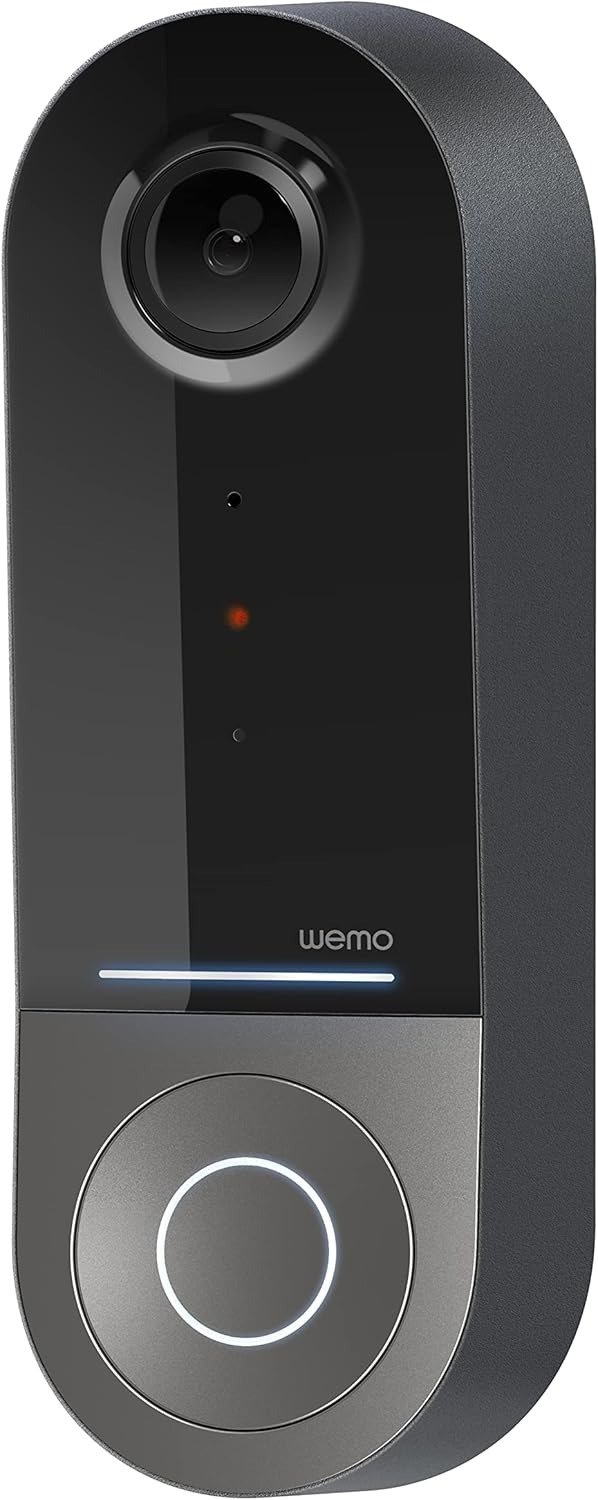
WEMO SMART VIDEO DOORBELL
You’re upstairs, hands full, water running, and by the time you check your phone there’s nothing there. No knock alert. No motion clip. Nothing. You tell yourself no one came. Then you find out someone did — a delivery, a neighbor, someone who mattered — and your doorbell has no record of it at all.
That’s the exact failure mode built into the Wemo Smart Video Doorbell, and it’s also a big part of why this Apple HomeKit camera sits at a mixed 2.8 out of 5 on Amazon instead of the four-and-a-half stars its wide-angle lens and clean design seem to promise. I’ve spent real time in the HomeKit doorbell category — reading the detailed teardowns, the verified owner complaints that actually explain themselves, and Belkin’s own recent announcements about where this product line is headed. Here’s the honest read on where this device earns its price, where it quietly doesn’t, and exactly who it’s built for.
Wemo Smart Video Doorbell Problems: The Result Looks Fine. The Problem Isn’t.
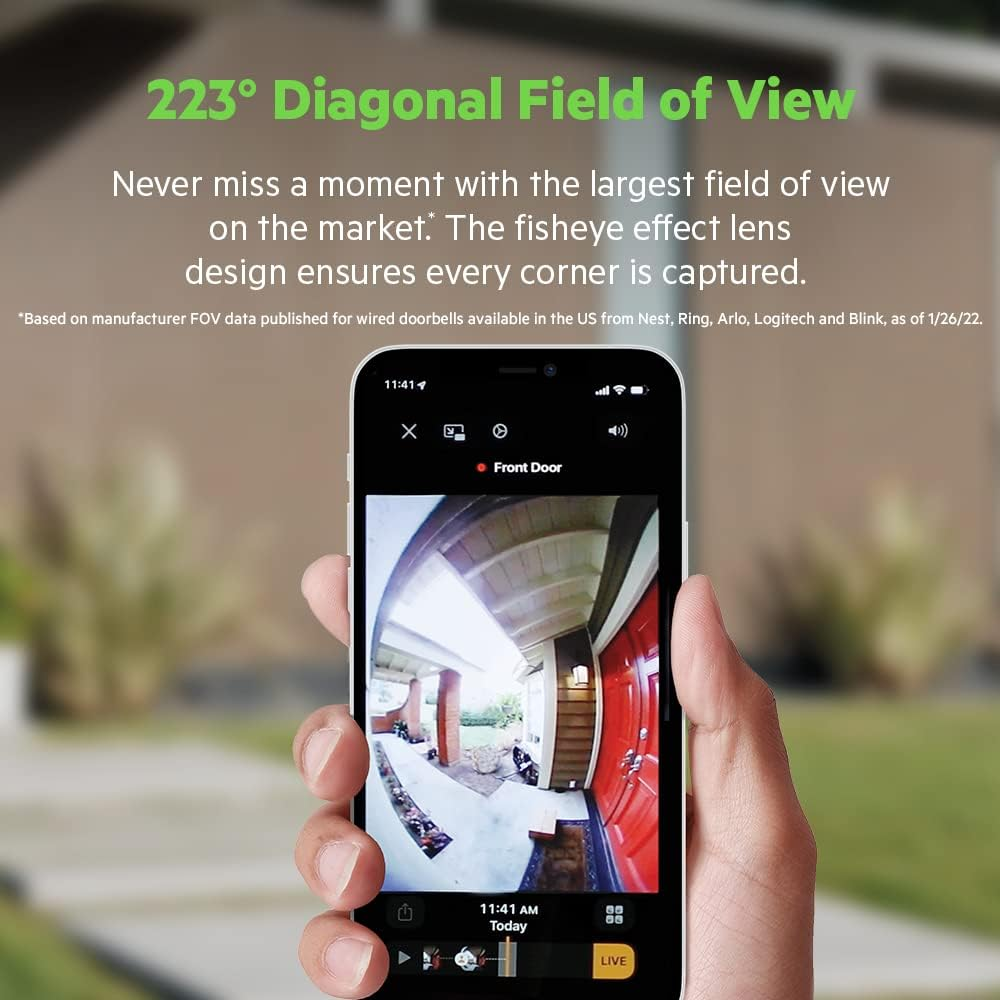
Open the spec sheet and this looks like the obvious HomeKit pick. A 223-degree diagonal field of view — wider than the Logitech Circle View’s 160 degrees and Netatmo’s 140 — plus HDR, dual-band WiFi, a 4-megapixel sensor, and full support for Apple’s HomeKit Secure Video. Mount it, wire it up, pair it over NFC, and for the first week it does exactly what it says on the box. Visitors show up in a tall, head-to-toe frame that catches a package on the ground as easily as a face at eye level.
Then, at some point, the pattern breaks. A package gets left, a person walks up, and your Apple Home timeline shows nothing. Not a bad clip. Not a blurry clip. Nothing. No error, no warning light, no notification that anything failed. The device just quietly didn’t record, and the only way you find out is because you already knew something should be there.
Quick Facts: Wemo Smart Video Doorbell (WDC010)
| Compatibility | Apple HomeKit only (iPhone 7 or later); no Android, Alexa, or Google Assistant |
| Power | Hardwired only, 16–24V AC transformer; no battery option |
| Field of view | 223° diagonal (140° horizontal, 178° vertical) |
| Resolution | 4MP sensor, 1200 x 1600, 3:4 “head-to-toe” aspect ratio |
| Night vision | Infrared; recent independent testing rates it as a weak point |
| Two-way audio | Consistently rated clear and low-latency across testers |
| Weatherproofing | IP65 |
| Cloud storage | Requires iCloud+ (from $0.99/month) for the 10-day recording history |
| Home Hub needed | Yes — HomePod, HomePod mini, Apple TV, or iPad |
| Launch price | $249.99 (2022) |
| Typical price now | Roughly $70–$100, depending on retailer and timing |
| Amazon rating | About 2.8 out of 5 |
| Brand status (2026) | Belkin ended active Wemo development/support Jan 31, 2026; this model is confirmed to keep working via Apple Home |
Wemo HomeKit Doorbell Frustration: What You’re Actually Feeling but Not Naming
If you already own one of these, none of this is news to you, even if you’ve never put it into words. It’s the reason you check the Home app “just to be sure” after every delivery instead of trusting the notification. It’s the small, specific annoyance of realizing your partner’s Android phone can’t see the camera at all, three days after you already screwed the mounting bracket into the brick. It’s the quiet suspicion that you didn’t buy a doorbell — you bought a part-time job managing Apple’s home network.
Why does a device built for peace of mind end up making you the one doing quality control? Because HomeKit Secure Video was never built to be foolproof. It was built to be private, and it hands the reliability problem straight back to your WiFi.
HomeKit Secure Video Explained: The Hidden Mechanism Behind the Miss
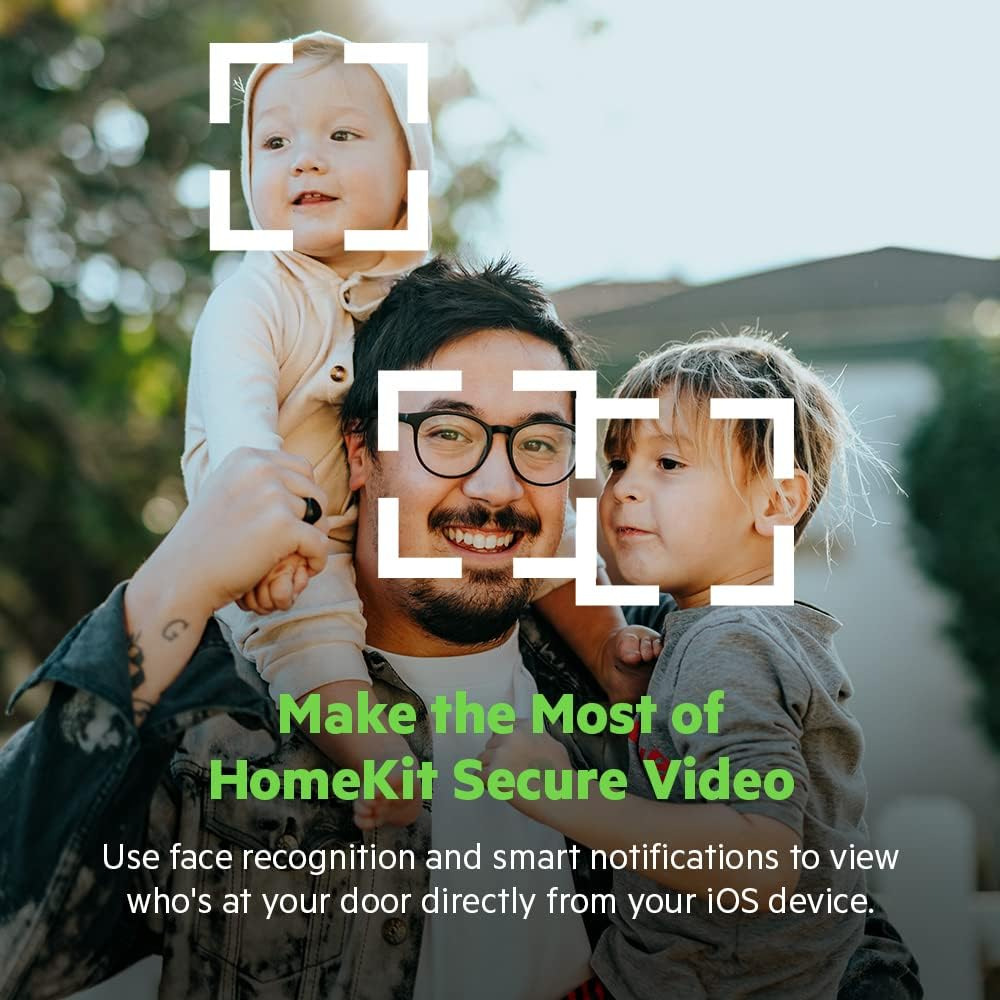
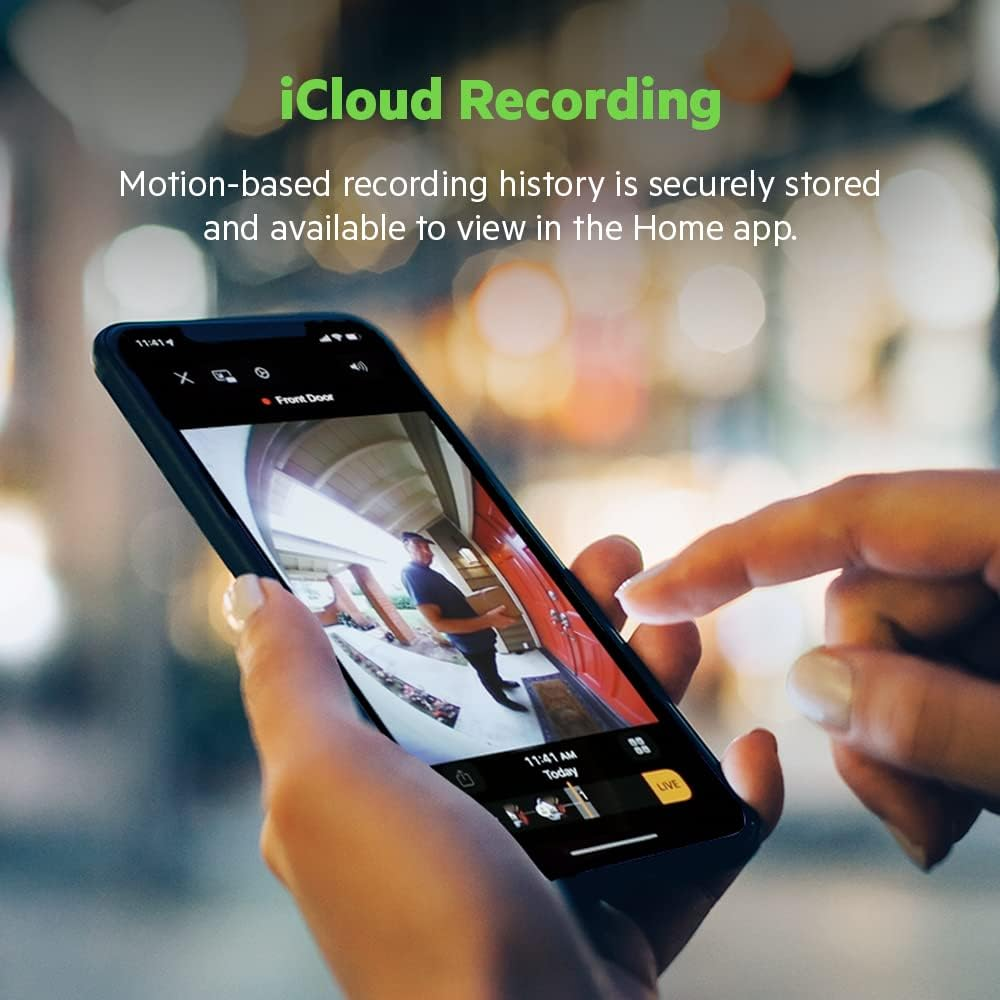
Here’s the mechanism, and it isn’t really a Wemo problem — it’s a HomeKit Secure Video problem that Wemo happens to inherit. When motion hits the sensor, the doorbell doesn’t just save a clip. It hands that decision to a Home Hub — a HomePod, an Apple TV, or an iPad — which has to be awake and reachable, and that hub then has to push an encrypted clip up to your iCloud+ storage before anything shows up in your timeline.
That’s three separate handoffs over WiFi, at the exact spot in most houses with the weakest signal: the front door, often behind brick, metal, or stucco, as far from the router as a device can get. Owners of Logitech’s Circle View report the identical symptom. So do people running other cameras through HomeKit. The status light on the doorbell doesn’t change when this happens. There’s no error state. The only way you find out is by noticing what’s missing.
Wemo Doorbell WiFi Requirements: The Threshold Where the Outcome Quietly Breaks
There’s a specific point where this device tips from basically fine to quietly useless, and it isn’t dramatic — it’s just signal strength. Once the WiFi at your actual doorbell location drops below a strong, stable connection, because of a metal door, a congested 2.4GHz band shared with the whole street, or a Home Hub sitting on a different part of your network, the recording chain stalls, and it stalls silently.
The same threshold shows up in the picture itself. That 223-degree field of view is genuinely the widest in its class, excellent for catching a package on the ground or a person’s full body instead of a floating face. But spreading a 4-megapixel sensor across that much arc leaves less resolution for any single point in the frame, and once the sun goes down, that tradeoff shows. A detailed 2025 test rated the night image and general clarity as one of the weaker performers in the category — a real step down from the largely positive first-look reviews this doorbell got at launch in 2022. That gap between the early reviews and the more rigorous recent one tells you something: this hardware hasn’t aged into 2026 as gracefully as newer HomeKit cameras have.
What’s Actually Going Wrong (and What to Do About It)
| What you’re seeing | What’s actually happening | What to do |
|---|---|---|
| App shows nothing, but someone was clearly at the door | Weak WiFi at the doorbell breaks the handoff to your Home Hub | Test signal strength at the exact mounting height before installing; add a mesh point near the door if it’s weak |
| Notifications arrive minutes late | Your Home Hub is overloaded, asleep, or juggling too many devices | Keep a dedicated, always-powered Hub near the front of the house, not the far end |
| Night video looks soft or grainy | A wide 223° lens spreads a modest sensor thin, and low light makes it worse | Set expectations for presence detection, not facial ID, after dark |
| No firmware updates going forward | Belkin wound down active Wemo development in 2025–2026 | Buy based on what it does today, not on promised future improvements |
Wemo vs Ring Doorbell: Why Most Buyers Misread This Too Early
A lot of people land on this exact product page while cross-shopping Ring or Nest, and it’s not entirely their fault — even the Amazon listing works the word “Ring” into its own title to catch that traffic. But comparing this doorbell to a Ring or Nest on specs alone is comparing the wrong axis.
Ring and Nest send your video to Amazon’s or Google’s servers and work with almost any phone or voice assistant. Wemo sends your video to your own iCloud account and works with exactly one ecosystem. That’s not automatically a worse tradeoff — for a privacy-minded Apple household it’s arguably the better one — but it’s a completely different decision than “which camera has the wider lens.” Buyers who compare spec sheets instead of ecosystems are the ones who end up disappointed two weeks in, not because the doorbell failed, but because they never asked the only question that actually mattered: do I already live entirely inside Apple’s world, or don’t I?
Best Doorbell for Apple HomeKit Users: Who Is Actually Inside This Problem
The right owner for this device is specific, and it’s worth being precise instead of vague. You’re carrying an iPhone 7 or newer. You already own, or are willing to buy, a HomePod, HomePod mini, Apple TV, or iPad to act as a Home Hub — without one, you lose remote notifications and the 10-day recording history that make a video doorbell worth having in the first place. You have existing low-voltage doorbell wiring, 16 to 24 volts AC, already running to your door, since this is wired-only with no battery option. And you’re either already paying for iCloud+ or fine adding roughly a dollar a month for the entry tier, because Secure Video simply won’t record without it.
If all four of those are true, you’re the actual audience here. If even one isn’t, keep reading before it goes in your cart.
Wemo Doorbell Compatibility Issues: Where Wrong-Fit Begins
Wrong-fit starts the moment Android enters the house. This doorbell has no app of its own for daily use — it lives entirely inside Apple’s Home app, with no Alexa, no Google Assistant, and no Android viewing option, despite what a few outdated or templated listings claim. If your household is mixed, or a partner or roommate needs to check the feed from a non-Apple phone, this device will quietly leave them out every single day.
It’s also the wrong pick if you’re chasing flawless night video or crisp facial detail in low light; independent testing has been consistent that this isn’t where the doorbell is strongest, and newer HomeKit-compatible options like Aqara’s doorbell line have since closed that gap while still getting active firmware support. And it’s the wrong pick if ongoing company backing matters to you. Belkin ended active development and most customer support for Wemo as of January 31, 2026. This exact doorbell is one of the few Wemo devices confirmed to keep working afterward, because it always ran through Apple’s Home app rather than the Wemo app — but “keeps working” and “actively improved” are two different promises, and only one of them is still being kept.
Buy It If / Skip It If
| Buy it if… | Skip it if… |
|---|---|
| Your whole household is on iPhone, with no Android viewers to accommodate | Anyone at home needs to check the doorbell from an Android phone |
| You already have, or will add, a HomePod, HomePod mini, Apple TV, or iPad | You have no interest in buying Apple hardware just to support a doorbell |
| You have existing 16–24V wired doorbell circuitry | You wanted a battery, no-wiring installation |
| You’d rather your footage stay in your own iCloud than a company’s servers | You specifically want Alexa or Google Assistant integration |
| You’re buying at today’s discounted price, not the original $249.99 | You expect flagship-level night video and facial detail |
| You’re fine with this as a finished product, not an evolving one | You want a brand still actively building and updating the device |
Wemo Smart Video Doorbell Price and Fit: The One Situation Where This Product Becomes Logical
Strip away the marketing and one situation remains where this doorbell is genuinely the logical choice, not just an acceptable one. You’re fully inside Apple’s ecosystem already. You have the wiring, and either own a Home Hub or were planning to get one anyway. You want the widest package-and-visitor view available in a HomeKit doorbell, you’d rather your footage stay in your own iCloud account than on a company’s servers, and you’re paying today’s price — commonly somewhere in the $70 to $100 range depending on retailer and timing, well under half its original $249.99 launch price.
At that price, for that specific household, the occasional missed clip and so-so night video are a fair trade for the privacy, the field of view, and the two-way audio testers have praised consistently since launch. Outside that specific setup, you’re paying for compatibility you can’t actually use.
Wemo Doorbell Pros and Cons: What It Solves, What It Reduces, and What Still Depends on You
What it actually solves: a genuine head-to-toe view of your porch, wide enough to catch a package the moment it lands and a visitor’s full frame instead of just a face; two-way audio that testers across multiple independent reviews single out as clear and quick; and footage that stays inside your own iCloud account instead of a manufacturer’s servers. It also handles the specific headache of separate “home” and “away” recording modes for more than one person, correctly telling your phone apart from your partner’s without extra setup.
What it reduces, rather than eliminates: the uncertainty of not knowing who was at the door. It won’t remove that uncertainty entirely, for the reasons already covered above.
What it still leaves entirely to you: your own WiFi signal strength at the door, an ongoing iCloud+ subscription, a Home Hub you have to maintain, and the fact that Belkin isn’t going to keep improving this product. You’re buying the version of this doorbell that exists today, permanently.
Wemo Smart Video Doorbell Review: Final Verdict
If you’ve read this far and recognized your own front door, your own iPhone, your own reluctance to add another subscription, you already know which side of this you’re on. This doorbell was never going to work for everyone — a 2.8-star average and an Apple-only design make that obvious before you even open the box. But for the household that’s fully inside Apple’s ecosystem, already has the wiring, and wants the widest view and the most private storage in the HomeKit category, at a fraction of its original price, this is no longer a hard call.
If that’s the situation you’re actually in, the sensible next step is confirming you have a Home Hub ready and installing it before you second-guess a decision the facts already made for you. If it isn’t, the next step is just as clear: keep looking, and don’t let a wide-angle lens talk you out of what your own household actually needs.
Wemo Smart Video Doorbell FAQ: Quick Answers Before You Buy
| Question | Answer |
|---|---|
| Does the Wemo Smart Video Doorbell work with Android or Amazon Alexa? | No. It works exclusively with Apple HomeKit and requires an iPhone 7 or later to set up and use. There’s no Android app, no Alexa integration, and no Google Assistant support, regardless of what a few outdated or inaccurate listings suggest. |
| Do I need to pay for iCloud+ to use it? | Yes, for anything beyond a live view. HomeKit Secure Video — the feature behind the 10-day recording history and package/facial recognition — requires an iCloud+ subscription starting at $0.99 a month for 50GB. Clips from HomeKit cameras don’t count against your regular iCloud storage. |
| Can I install this without existing doorbell wiring? | No. This is a wired-only doorbell that needs an existing 16–24V AC transformer and doorbell circuit. There’s no battery version, and it won’t work with a digital chime — only a mechanical one, or no chime at all if app-only notifications are enough. |
| Is Wemo shutting down? Will this doorbell stop working? | Belkin ended app and cloud support for most Wemo products on January 31, 2026, as part of winding down the wider Wemo brand. This specific doorbell was one of a small handful of devices Belkin confirmed will keep working afterward, because it always ran through Apple’s Home app rather than the Wemo app. What did end, for every Wemo product including this one, is ongoing firmware development and standard customer support. |
| Why do HomeKit doorbells sometimes miss recording events? | It’s a known characteristic of HomeKit Secure Video, not something unique to this device. Every motion event travels from the camera to a Home Hub and then to iCloud before it appears in your timeline, and a weak WiFi signal anywhere in that chain, often worst right at a front door, can drop the recording silently with no error shown. Owners of other HomeKit doorbells, including Logitech’s Circle View, report the same pattern. |
Transparency Note:
This analysis is built on aggregated real-world experience. It extracts what repeatedly holds, what breaks, and what users uncover only after living with the system—then shapes it into a clear model you can use immediately. Think of it as structured experience, refined and presented so you don’t have to learn it the hard way.
“A quick note: Don’t believe the star ratings, but trust personal experience. This article is a compilation of collected experiences”