Google Nest Thermostat Review: The Room Feels Fine. Your Energy Bill Says Otherwise.
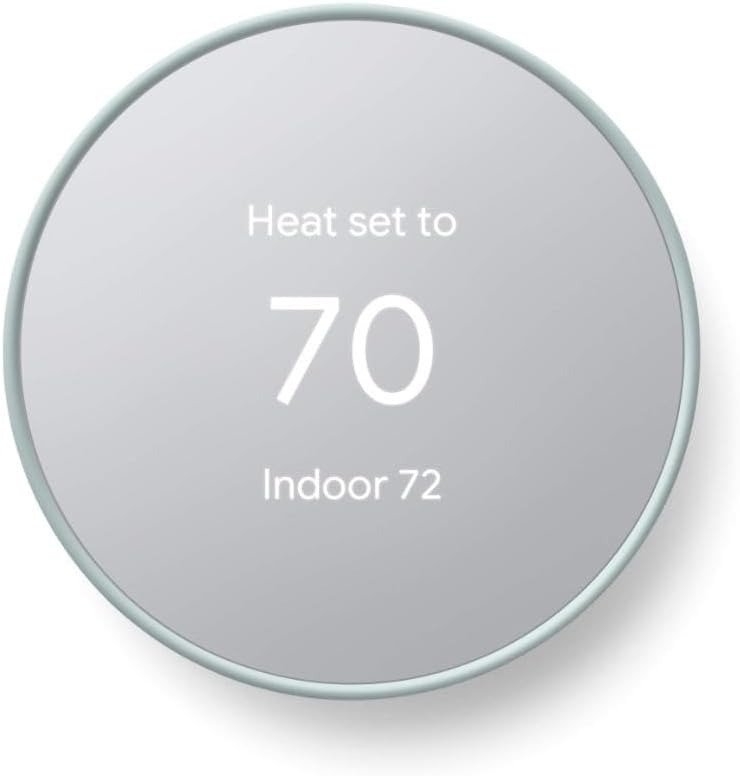
GOOGLE NEST THERMOSTAT
I spent the better part of a week doing the thing most people skip before spending $130 on a thermostat: reading through hundreds of real installs, HVAC technician complaints, lab tests, and the quiet threads where people admit a purchase didn’t go the way the box promised. Here’s what actually separates the people who love the Google Nest Thermostat from the people who return it inside a month. It’s almost never the thermostat. It’s a five-minute check nobody tells you to make before you buy one.
| Quick Facts | Google Nest Thermostat |
|---|---|
| Typical price | $99–$130 (sales and utility rebates common) |
| Ideal home | Single-zone, standard forced-air or basic heat pump |
| Power | Battery, with an optional (often recommended) C-wire |
| Setup time | 25–30 minutes, DIY with a screwdriver |
| Ecosystem | Google Home app, Amazon Alexa |
| Auto-learning schedule | No — manual or Quick Schedule only |
| Warranty | 1 year |
| Colors | Snow, Charcoal, Sand, Fog |
Nest Thermostat Problems: The Result Looks Fine. The Problem Isn’t.
The install itself is almost suspiciously painless. You photograph your old wiring the way the app tells you to, snap the new disc onto its backplate, and twenty-five minutes later there’s this small mirrored circle on your wall doing something your old thermostat never did — checking in with your phone. For the first few weeks, it’s genuinely satisfying to watch.
Then, for a portion of owners, something starts to slip. Not a dramatic failure — a quieter one. The screen says “Delayed.” The house holds at 74°F when you told it 71°F, and you find yourself reaching for a blanket even though the app insists everything’s fine. Why does a thermostat that installs perfectly keep drifting off target three months in? Almost every time, the answer was decided before the thermostat was ever mounted, in a step most buyers treat as optional.
Nest Thermostat Complaints Nobody Fully Explains: What You’re Actually Feeling
Line up a stack of one-star reviews next to a stack of five-star ones for the same exact product, and you already know something’s off — not with the reviewers, with the setup underneath them. The frustration people describe isn’t really “the thermostat broke.” It’s more specific than that, and most people never get the words for it before they give up and call a technician.
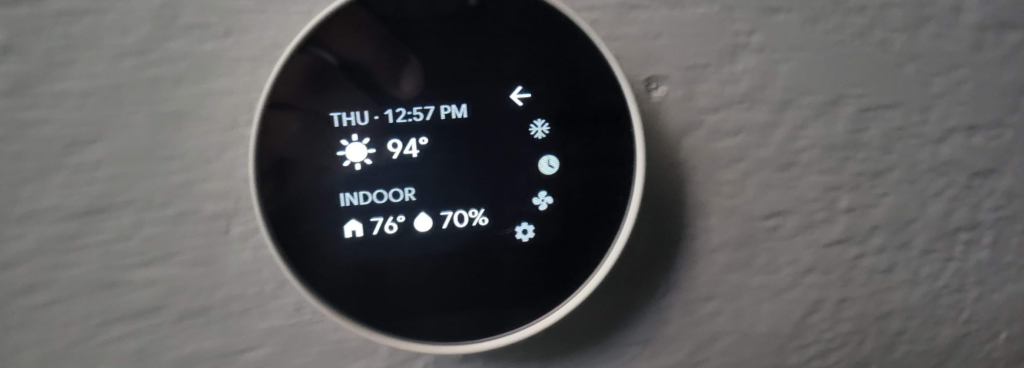
It’s the quiet hum of intervention burden — nudging the app two or three times a day because the schedule never quite matches how the house actually behaves. It’s maintenance dread — a “Delayed” message or low-battery warning that keeps reappearing no matter how many times you reset it. It’s the touch strip that only sits on the right edge, which left-handed owners bring up more than you’d expect. And it’s a mirrored display that looks stunning in product photos and shows every fingerprint the second you actually touch it, usually at 11pm while you’re checking the temperature from bed. None of this is a defect exactly. It’s the quiet cost of a device built down to a price, and it matters more once the novelty wears off.
Nest Thermostat C-Wire Issue: The Hidden Mechanism Behind the Miss
Here’s the mechanism almost nobody explains before you buy: this thermostat is designed to run without a dedicated common wire — the “C-wire” — in most homes, by pulling a tiny trickle of current through the same wires that call for heat or cooling. HVAC technicians call this power stealing, and in the right system, it’s harmless. In the wrong one — certain heat pumps, cooling-only setups, some older multi-stage furnaces — that trickle is enough to cause exactly the symptoms owners complain about online: random resets, an E74 power error, short cycling, or a system that seems to run but never quite satisfies the thermostat.
This isn’t a flaw unique to Nest. Every battery-based smart thermostat that skips the C-wire makes the same tradeoff. The difference is that nobody prints it in bold on the box, so the first most people hear of it is a support call three weeks after installation.
| Your System | C-Wire Usually Needed? | What Happens Without One |
|---|---|---|
| Simple single-stage gas forced-air | Often no | Runs fine on power-stealing |
| Heat pump | Often yes | Frequent resets, “Delayed” messages |
| Cooling-only system | Yes | Struggles to hold a steady charge |
| Multi-zone / multi-stage | Yes | Compatibility drops sharply |
| Electric baseboard / boiler-only | Frequently incompatible | Check before buying at all |
Nest Thermostat Compatibility: The Threshold Where It Quietly Breaks
Google states this thermostat works with the wiring in roughly 85% of U.S. homes — a genuinely high number, and also, if you do the math, one household in six for whom this is the wrong box before they even open it. Call it the Wiring Gap: the distance between what your system can actually support and what the listing photos imply every home can support. That gap isn’t about build quality. It’s a threshold — does your system have, or can it easily get, a common wire, and does it fall inside the standard 24V category this thermostat was designed around.
Cross the Wiring Gap without knowing it, and you’re not buying a smart thermostat — you’re buying a return label. Stay on the right side of it, and this becomes one of the easiest upgrades in home electronics. Google’s free online compatibility checker answers this in about ninety seconds using nothing but the wire labels on your current thermostat. Skipping that check is the single most common reason this product ends up with a bad review attached to it.

Nest Thermostat vs Nest Learning Thermostat: Why Most Buyers Misread This Comparison
Most people compare these two Nest models by feature list — metal versus plastic, small screen versus large screen, no-learning versus learning. That’s the wrong lens, and it’s why the comparison quietly fails so many buyers. The real difference sits somewhere less visible: how much your household’s routine actually varies week to week, and how complicated your HVAC system is underneath the wall plate.
| Nest Thermostat | Nest Learning Thermostat (4th Gen) | |
|---|---|---|
| Price | ~$130 | ~$280 |
| Auto-schedule / learning | No | Yes |
| Display | 2.4″ mirrored LCD | 2.7″ borderless, Farsight |
| Build | Plastic | Metal ring |
| Temperature sensor support | No | Yes (one included) |
| Warranty | 1 year | 2 years |
| Best for | Simple homes, renters, budget buyers | Complex systems, uneven routines |
If your routine is steady and your system is standard, you’re paying $150 extra for a feature you may never notice using. If your schedule is chaotic or your system is unusual, that same $150 stops being a luxury and starts being the thing that actually makes the purchase work.
Who Should Buy the Google Nest Thermostat
You’re the buyer this was built for if your home runs a standard single-zone forced-air or basic heat-pump system, your routine is predictable enough that one schedule covers most of your week, and you’d rather control temperature from your phone than pay $150 more for a device that guesses your routine on its own. Renters upgrading a dumb thermostat before a lease ends, first-time smart-home buyers, and anyone already living inside the Google ecosystem tend to walk away satisfied — not because the product is flawless, but because it was built around exactly this situation.
Who Shouldn’t Buy This: Where Wrong-Fit Begins
Wrong-fit starts earlier than people expect — not at the six-month mark, but the moment of purchase, before the box is even opened. If you don’t know whether your system has a C-wire and aren’t willing to spend two minutes checking, stop here; that one unknown accounts for a large share of the complaints you’ll find online. If your home runs a multi-zone system, an unusual setup like electric baseboard or boiler-only heat, or a heat pump with auxiliary and emergency heat stages, the pricier Learning Thermostat’s broader compatibility is worth the extra cost — this model may simply refuse to run your system correctly. And if you live deep inside Apple’s ecosystem and want full native HomeKit control rather than a Google Home go-between, be honest about how much that friction will actually bother you day to day.

Is the Google Nest Thermostat Worth It: The One Situation Where It Just Makes Sense
Strip away the marketing and the online arguments, and the purchase becomes logical in exactly one situation: your system already checked out as compatible, you don’t need multi-room sensors or an AI studying your routine, and you want the core benefits — remote control, an away-triggered eco setting, HVAC health alerts — without paying premium pricing for features you won’t use. In that situation, this isn’t really a close call. It’s the same core hardware the pricier model is built on, minus the parts you didn’t need anyway.
Google Nest Thermostat Pros and Cons: What It Solves, What It Reduces, and What Still Depends on You
| Solves | Reduces | Still On You |
|---|---|---|
| Remote, app-based control | Guesswork around scheduling | Confirming compatibility first |
| Away-detection savings | Wasted heating/cooling when out | Deciding whether you need a C-wire |
| Clean, minimal design | Visual clutter of an old dial stat | Manual schedule setup (no auto-learn) |
| HVAC health alerts | Missed early maintenance issues | The actual repair, if one’s needed |
A thermostat can only do so much. It solves the guesswork of a manual dial and the waste of heating an empty house. It can’t solve a wiring mismatch it was never designed for, and it won’t fix an aging HVAC system by itself — the health alerts flag a problem, but a licensed technician still has to walk out and handle it. Worth knowing too: like most connected home devices, it collects usage and diagnostic data to power its remote and scheduling features, which is worth a look through the privacy settings in the Google Home app if that’s something you weigh carefully.
Nest Thermostat FAQ: Quick Answers Before You Buy
| Question | Answer |
|---|---|
| Does the Google Nest Thermostat need a C-wire? | Not always. It’s designed to run without one in most standard single-zone systems using a trickle-power method, but heat pumps, cooling-only systems, and some older furnaces often need one for stable, reset-free performance. |
| How much does the Google Nest Thermostat cost? | List price is $129.99, though it regularly sells for $99–$115 during sales, and many utility companies offer separate rebates on top of that. |
| What’s the real difference between this and the Nest Learning Thermostat? | Auto-scheduling — it learns your routine instead of you setting it — plus broader HVAC compatibility, a larger display, and a metal build, for roughly $150 more. |
| Does it work with Amazon Alexa? | Yes. The Google Home app is its primary control hub; full native Apple HomeKit support is more limited than on the newer Learning Thermostat. |
| How long does installation take? | Around 25 to 30 minutes for most standard systems, using the guided wiring photos built into the Google Home app. |
| Does it actually save money on energy bills? | Google cites independent studies showing average savings of roughly 10–12% on heating and about 15% on cooling, though real results depend heavily on your climate, insulation, and how consistently you let the schedule run instead of overriding it. |
| Is professional installation required? | No, for most standard setups it’s a DIY job with a screwdriver and half an hour. If your system needs a C-wire added, or involves multi-stage or multi-zone wiring, budget for a technician instead of forcing it yourself. |
Google Nest Thermostat Review: Final Verdict
Take away the packaging and the debate, and it comes down to one honest question: does your system already speak this thermostat’s language? Check compatibility and the answer is yes, and the rest of this decision is mostly noise — you’re getting a genuinely well-built, Google Home-native thermostat at one of the fairer prices in its category, running the same core hardware as a model that costs $150 more. Answer is no, or you’re not sure, and that’s the only real reason people end up disappointed — one that’s fixable before you ever open the box.
If your system checks out and the only thing left between you and a smarter, cheaper-to-run home is about a hundred dollars and half an hour, this is where the decision stops being complicated:
Transparency Note:
This analysis is built on aggregated real-world experience.
It extracts what repeatedly holds, what breaks, and what users uncover only after living with the system—then shapes it into a clear model you can use immediately.
Think of it as structured experience, refined and presented so you don’t have to learn it the hard way.
“A quick note: Don’t believe the star ratings, but trust personal experience. This article is a compilation of collected experiences.”