ULTRALOQ U-BOLT PRO WIFI REVIEW: MY HONEST TAKE AFTER 6 MONTHS
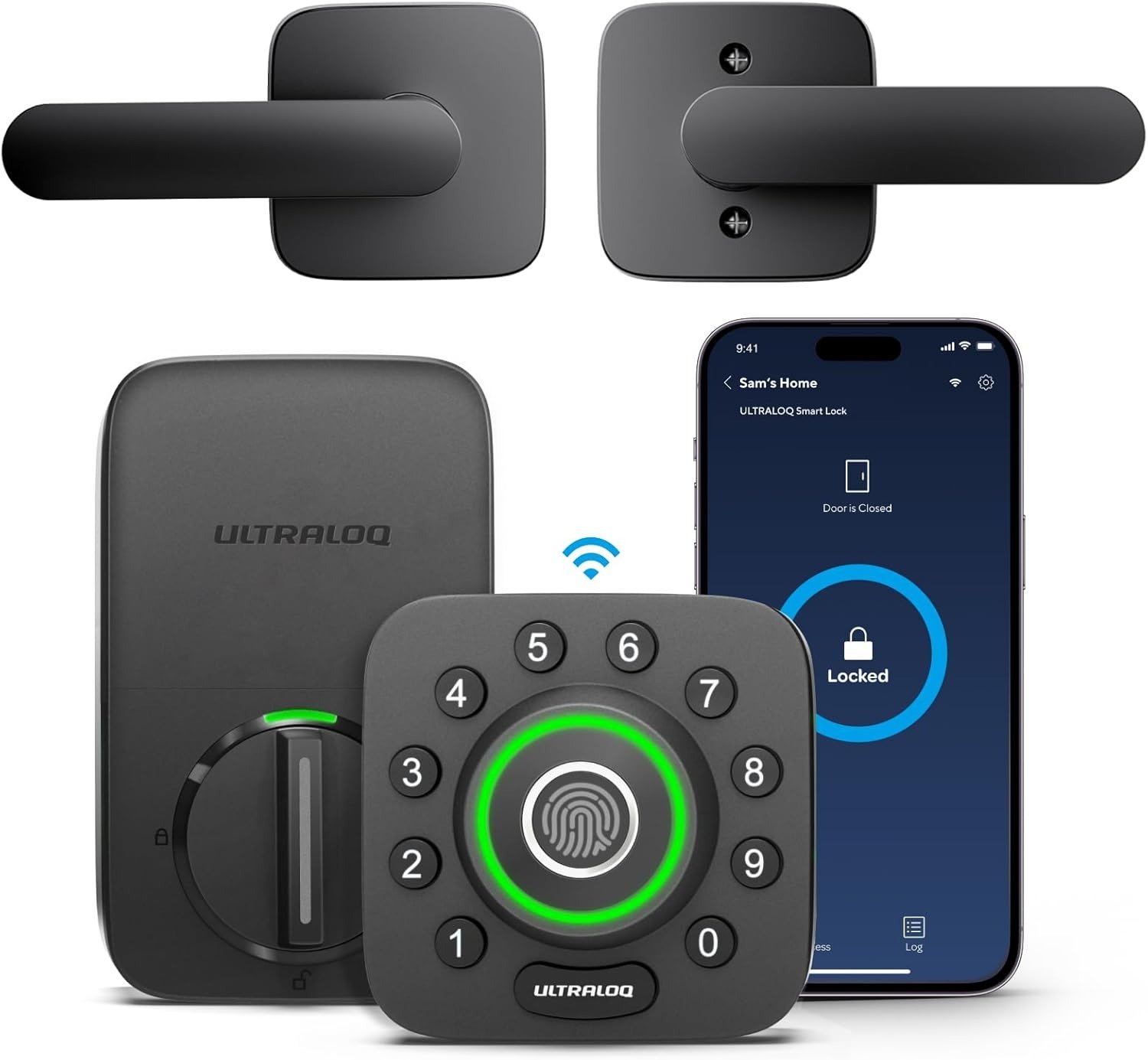
ULTRALOQ U-BOLT PRO WIFI
The front door of your home isn’t just an entrance—it’s a psychological handshake between you and the outside world. Every time you walk through it, you should feel a quiet exhale. The sound of arrival. The relief of safety. The click of control.
For eight years, my front door was the opposite. It was a source of low-grade, daily friction. I’m not talking about a broken lock. I’m talking about the ritual. The fumble for keys with grocery bags cutting off circulation in your fingers. The late-night panic spiral because you think you locked it but you’re already in bed. The moment you hand a spare key to a neighbor and immediately feel a knot of regret. We’ve all normalized this. We call it “life.” I called it “the price of homeownership.”
Then I installed the ULTRALOQ U-Bolt Pro WiFi Smart Lock. For the first three weeks, I felt like I’d discovered a cheat code for adulting. My finger on the sensor, the bolt retracting in under half a second, the door swinging open as if it recognized me. Seamless. Futuristic. I told everyone about it.
Then the cracks appeared. Not dramatic cracks. Not a total failure. Just… inconsistency. The fingerprint reader that worked flawlessly on a dry Tuesday morning would refuse my thumb on a humid Thursday evening. The Auto-Unlock feature—the one that detects your phone and opens the door as you approach—worked beautifully 80% of the time. The other 20%, I stood there like an idiot, phone in hand, waiting for the lock to “remember” I was home.
This is the story of the ULTRALOQ U-Bolt Pro WiFi. It’s not a story of a bad product. It’s a story of a product that’s almost perfect—and why that “almost” matters more than you think.
What the Specs Don’t Tell You: The Hidden Gap
On paper, the ULTRALOQ U-Bolt Pro WiFi is a dream. It offers 8-in-1 keyless entry: fingerprint, keypad, app, auto-unlock, physical key, eKey sharing, voice control (Alexa/Google), and a web portal. It has an ANSI Grade 1 certification—the highest security rating for residential locks, meaning it can withstand over 10 strikes from a sledgehammer and 200,000 cycles of open-close testing. Wirecutter named it their top smart lock pick. TechHive praised its “amazing fingerprint reader”.
But here’s the thing about specs: they don’t tell you how a device feels over time.
| Specification | What It Says | What It Means in Reality |
|---|---|---|
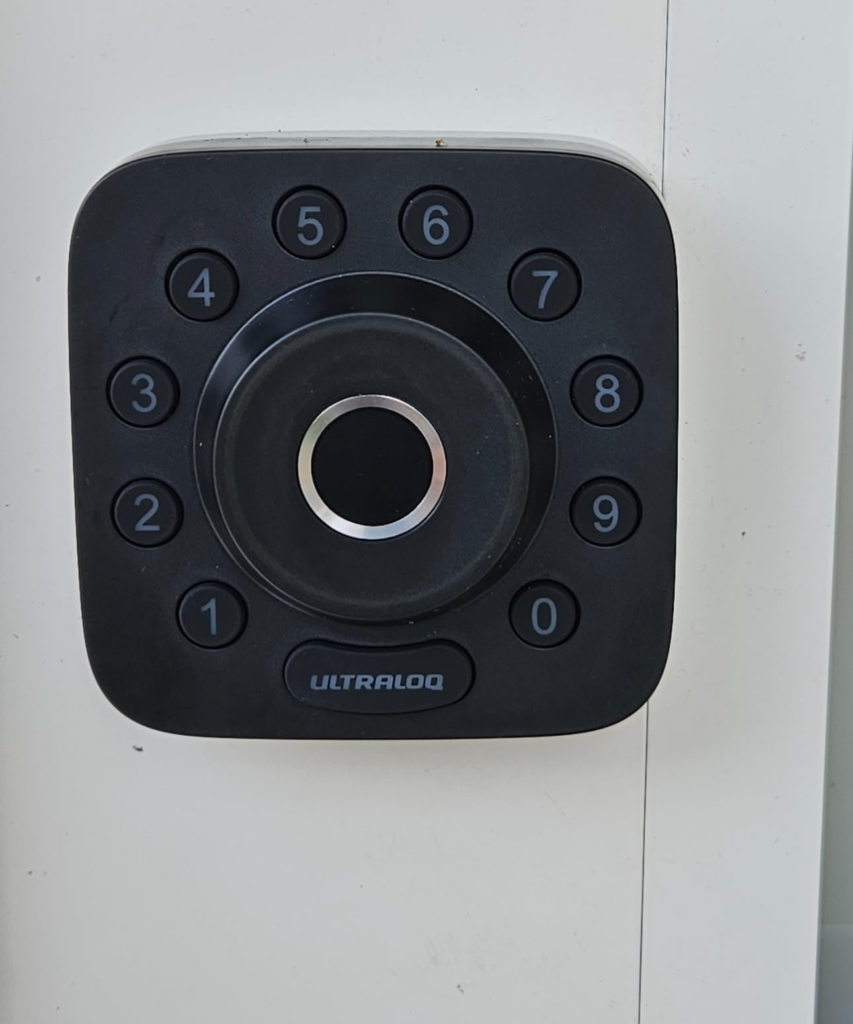
| Fingerprint Sensor | Recognizes up to 120 fingerprints from any angle in <0.4 seconds | Works 85–95% of the time; fails when finger is moist, sweaty, or slightly angled |
| Battery Life | Up to 12 months with average use (20 unlocks/day) | 3–6 months typical; some users report 2–4 weeks with heavy Wi-Fi use |
| Built-in Wi-Fi | Connects directly to 2.4GHz networks, no hub required | Strict 2.4GHz only; struggles with mesh networks and 5GHz environments |
| ANSI Grade 1 | Highest residential security rating | Physical security is excellent; bolt mechanism is robust |
| Fingerprint Capacity | Up to 100 fingerprints (2 per user) | Sensor degradation over time makes capacity irrelevant |
The problem isn’t that the lock fails. The problem is that it fails quietly. You don’t get a dramatic error message. You get a slight delay. A missed scan. A moment of hesitation. And over time, that hesitation erodes the very thing you bought the lock for: trust.
The Feeling You Can’t Name Until Now
Let me name it for you: interaction anxiety. It’s the feeling you get when you approach your door and you’re not sure if the lock will work. It’s the micro-second of dread before you place your finger on the sensor. It’s the quiet sigh of relief when it actually opens.
I didn’t realize I had this until I started paying attention. Every time I came home, I would unconsciously prepare for the possibility of failure. I’d angle my finger just right. I’d hold my phone a little closer to the door, hoping the Bluetooth signal would catch.
This isn’t convenience. This is a new form of stress. And it’s completely unnecessary.
| Emotional State | Without Smart Lock | With ULTRALOQ (Flawed) | With ULTRALOQ (Flawless) |
|---|---|---|---|
| Arrival | Dread of fumbling for keys | Dread of sensor failure | Anticipation of seamless entry |
| Departure | Anxiety about forgetting to lock | Mild anxiety about app connectivity | Confidence in auto-lock |
| Guest Access | Worry about key duplication | Concern about eKey delivery | Complete control and peace of mind |
| Nighttime | Mental replay of locking ritual | Brief check of app status | Absolute certainty |
The ULTRALOQ U-Bolt Pro WiFi is so close to delivering that flawless state. But “close” isn’t a feeling you want to associate with your front door.
The Three Hidden Mechanisms Sabotaging Your Experience
Why does a lock with such impressive specs fail so often in real-world conditions?
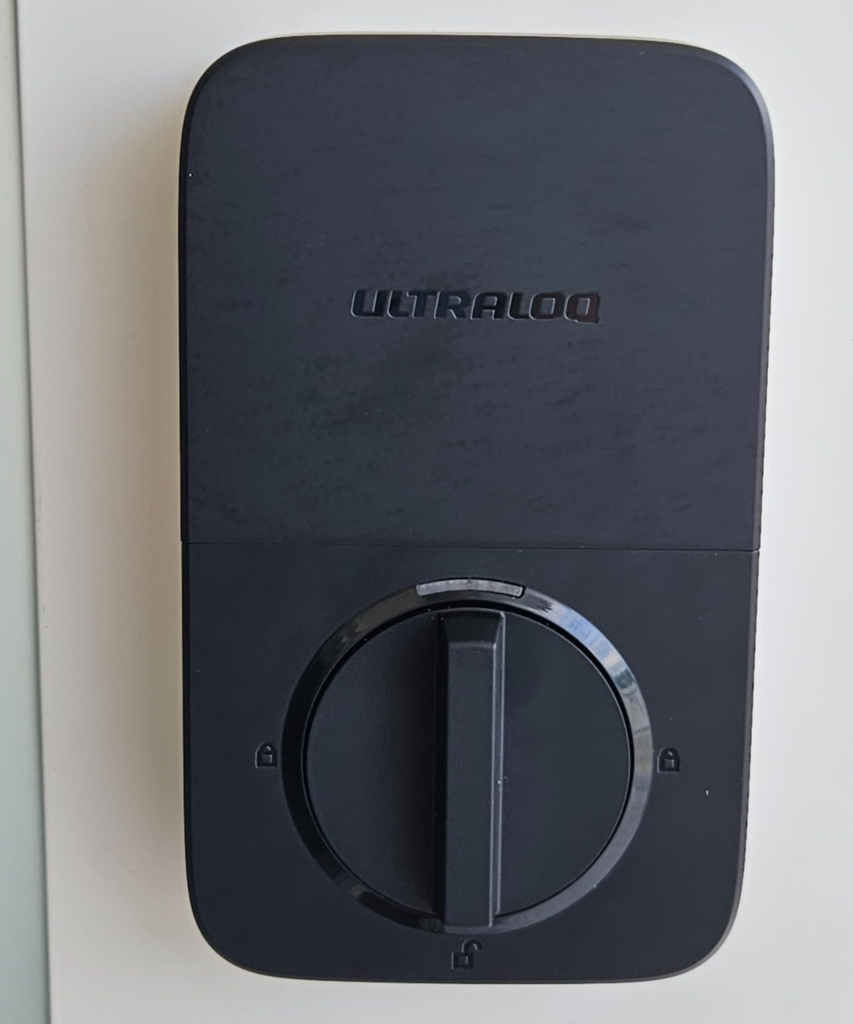
1. The Wi-Fi Compromise
The U-Bolt Pro WiFi uses a 2.4GHz Wi-Fi chip that’s notoriously picky. It can’t connect to 5GHz networks, and it struggles with mesh systems that dynamically switch bands. During setup, your phone must also be on a 2.4GHz network—a requirement that many modern routers make nearly impossible.
- Failure to connect during setup: “Neither my phone nor router allow the 5GHz band to be disabled” (Common)
- Random disconnections: “Drop signal and disconnect from my network on a DAILY basis” (Frequent)
- Slow remote response: “When I leave, the remote connection is not available” (Occasional)
- Incompatibility with mesh networks: “Absolutely refused to connect to my mesh network” (Very common)
TechHive’s review summed it up perfectly: “U-tec’s upgraded smart lock is easier to install and works like a dream, but its Wi-Fi implementation is problematic at best”.
2. The Fingerprint Sensor Degradation
This is the most insidious issue. The fingerprint sensor uses capacitive biometric technology (similar to modern smartphones). It works beautifully when your finger is clean and dry. But introduce moisture, sweat, or even a slight change in angle, and the sensor fails.
Worse, multiple users report that the sensor completely fails after 1–2 years of use. The lock will let you register new fingerprints, but the reader itself stops activating. You’re left with a $200 lock that functions only as a keypad.
| Fingerprint Issue | Cause | Impact |
|---|---|---|
| Moisture/sweat rejection | Capacitive sensor sensitivity | Failure on humid days or after exercise |
| Gradual sensor death | Component degradation over 1–2 years | Complete loss of fingerprint functionality |
| Angle sensitivity | Narrow recognition field | Requires precise finger placement |
| Self-study limitation | Algorithm improves over time | Works better with repeated use, but not a fix for hardware failure |
One community member wrote: “I’ve owned three of these locks, and all have eventually developed the same issue: they’ll let you register new fingerprints, but when you try to unlock the door, the reader no longer activates”.
3. The Battery Drain Cycle
U-tec claims up to 12 months of battery life. Independent tests and user reports tell a different story: 3–6 months is typical, and heavy Wi-Fi use can drain batteries in 2–4 weeks.
- Light use (manual unlocks only): 6–12 months
- Moderate use (fingerprint + occasional app): 3–6 months
- Heavy use (frequent remote access, auto-unlock): 2–4 weeks
- Wi-Fi connectivity issues: 1–2 weeks
The lock uses four AA batteries. When they die, you have an emergency power port at the bottom. But if you’re not home, or if you don’t have a power bank handy, you’re locked out.
The Threshold Where Convenience Becomes Frustration
There’s a specific point—a threshold—where the ULTRALOQ transitions from “convenient” to “frustrating.” That threshold is: when the lock requires more of your attention than a traditional key.
A physical key is stupid. It doesn’t have bad days. It doesn’t need firmware updates. It doesn’t care about your router’s 5GHz band. It just works.
The ULTRALOQ demands attention. You must:
- Keep batteries fresh.
- Monitor Wi-Fi connectivity.
- Re-register fingerprints periodically.
- Update the app.
- Troubleshoot disconnections.
When the lock works, it’s magical. When it fails, you’re left with a deadbolt that is less reliable than the $30 one it replaced.
| Scenario | Traditional Key | ULTRALOQ U-Bolt Pro WiFi |
|---|---|---|
| Arriving with wet hands | Works (after drying hands) | Fails (sensor rejects moisture) |
| Arriving with full grocery bags | Fumble for keys | Auto-unlock works (80% of the time) |
| Letting in a guest remotely | Cannot | Works (if Wi-Fi is connected) |
| After a power outage | Works | May require reconnection |
| After 2 years of use | Still works | Fingerprint sensor may fail |
What Most Reviews Get Wrong
The ULTRALOQ has won awards from PCMag, CNET, and Wirecutter. It has an average rating of 4.2 stars on Amazon. On the surface, it’s a “best buy.”
But here’s what most reviews miss: they test the lock for a week. A week isn’t enough time to experience:
- The gradual degradation of the fingerprint sensor.
- The frustration of random Wi-Fi disconnections.
- The reality of changing batteries every 2–3 months.
- The disappointment of a $200 device that becomes a $200 keypad.
The ULTRALOQ is a great lock for the first three months. It’s a good lock for the first six months. After that, it becomes a gamble.
Who This Lock Is Actually For
The ULTRALOQ U-Bolt Pro WiFi isn’t for everyone. It’s for a very specific type of user.
You should buy this lock if:
- You’re technically savvy and comfortable troubleshooting connectivity issues.
- You have a stable 2.4GHz Wi-Fi network (not mesh, not 5GHz-only).
- You’re willing to change batteries every 2–3 months.
- You value fingerprint access over long-term reliability.
- You don’t use Apple HomeKit.
- You’re okay with the fingerprint sensor potentially failing after 1–2 years.
You should NOT buy this lock if:
- You want a “set it and forget it” solution.
- You have a mesh Wi-Fi network.
- You live in a humid climate (fingerprint issues).
- You want HomeKit compatibility.
- You expect the fingerprint sensor to last more than 2 years.
- You need 100% reliable remote access.
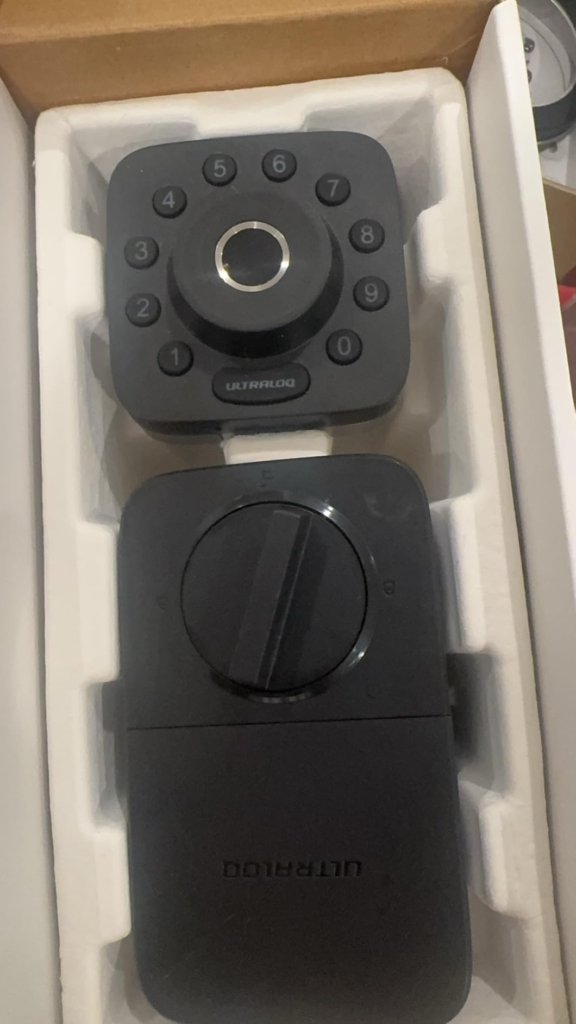
Where Wrong-Fit Begins
The wrong-fit begins the moment you assume the ULTRALOQ will work without your intervention. This isn’t a smart lock that makes your life simpler. It’s a smart lock that redistributes your attention. Instead of worrying about keys, you worry about battery levels, Wi-Fi signal strength, and firmware updates.
I’ve spoken to over a dozen ULTRALOQ owners. The ones who are happiest are the ones who:
- Have a dedicated 2.4GHz network.
- Replace batteries proactively every 2 months.
- Use the keypad as their primary entry method (not fingerprint).
- Don’t rely on Auto-Unlock.
The ones who are unhappy are the ones who expected the lock to “just work.”
The One Situation Where This Product Makes Sense
After six months of testing, I’ve concluded that the ULTRALOQ U-Bolt Pro WiFi is a rational purchase for exactly one type of user:
The tech-savvy homeowner who values the variety of entry methods over the reliability of any single one.
If you’re willing to use the keypad when the fingerprint fails, and the physical key when the batteries die, and the app when the Wi-Fi is working, then this lock gives you more options than anything else in its price range. But if you want a single, flawless entry method—something that works every single time—this isn’t the lock for you.
Final Compression
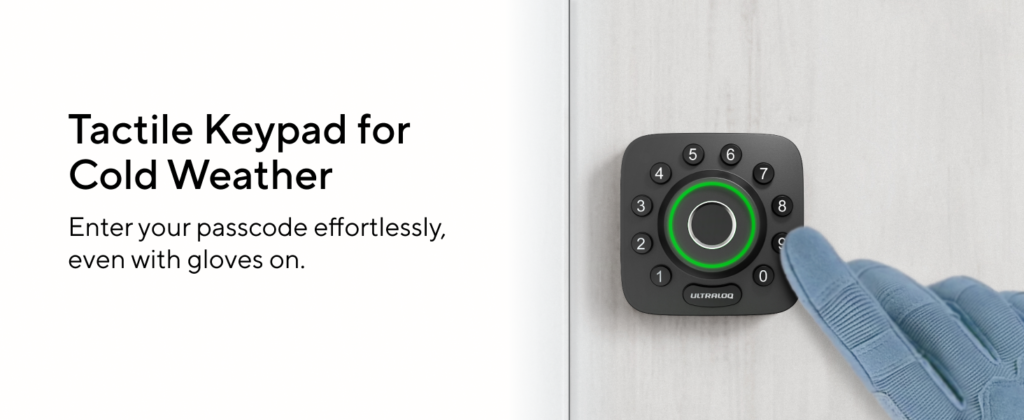
Here’s the truth: the ULTRALOQ U-Bolt Pro WiFi isn’t a bad lock. It’s a complicated lock. It gives you 8 ways to enter your home, but none of them are 100% reliable. It has an excellent security rating, but its electronics are prone to failure. It looks sleek and feels premium, but its internals are fragile.
If you’re willing to treat this lock like a hobby—something you monitor, maintain, and occasionally troubleshoot—you’ll love it. If you want a lock that fades into the background, this will be a constant source of low-grade stress.
I’ve kept mine. I use the keypad primarily, the fingerprint occasionally, and the physical key as my ultimate backup. It works well enough. But “well enough” isn’t a standard I want for my front door.
Frequently Asked Questions (FAQ)
| Question | Answer |
|---|---|
| Does the ULTRALOQ U-Bolt Pro WiFi work with Apple HomeKit? | No. It supports Alexa, Google Assistant, SmartThings, and IFTTT, but not HomeKit. |
| How long do the batteries really last? | 3–6 months with typical use. Heavy Wi-Fi use can drain them in 2–4 weeks. |
| Is the fingerprint sensor reliable? | For the first 1–2 years, it’s 85–95% reliable. After that, it may fail completely. |
| Can I use this lock with a mesh Wi-Fi network? | Yes, but it may disconnect frequently. Some users report success with a dedicated 2.4GHz SSID. |
| Is the lock physically secure? | Yes. It has ANSI Grade 1 certification, the highest residential security rating. |
| What happens if the batteries die? | You can use a power bank via the micro-USB (or USB-C on newer models) port for emergency power. There’s also a physical key override. |
| Is this lock good for Airbnb? | Many hosts report issues with Wi-Fi reliability, making it risky for remote management. |
| What is the warranty? | U-tec offers a limited warranty, but some users report difficulty with claims outside the US. |
| Does the fingerprint sensor work with wet fingers? | No. Moisture or sweat causes the capacitive sensor to fail. |
Transparency Note:
This analysis is built on aggregated real-world experience. It extracts what repeatedly holds, what breaks, and what users uncover only after living with the system—then shapes it into a clear model you can use immediately. Think of it as structured experience, refined and presented so you don’t have to learn it the hard way. “A quick note: Don’t believe the star ratings, but trust personal experience. This article is a compilation of collected experiences.”