Kasa KC420WS Review: The Footage Looks Fine. The Blind Spot Isn’t.
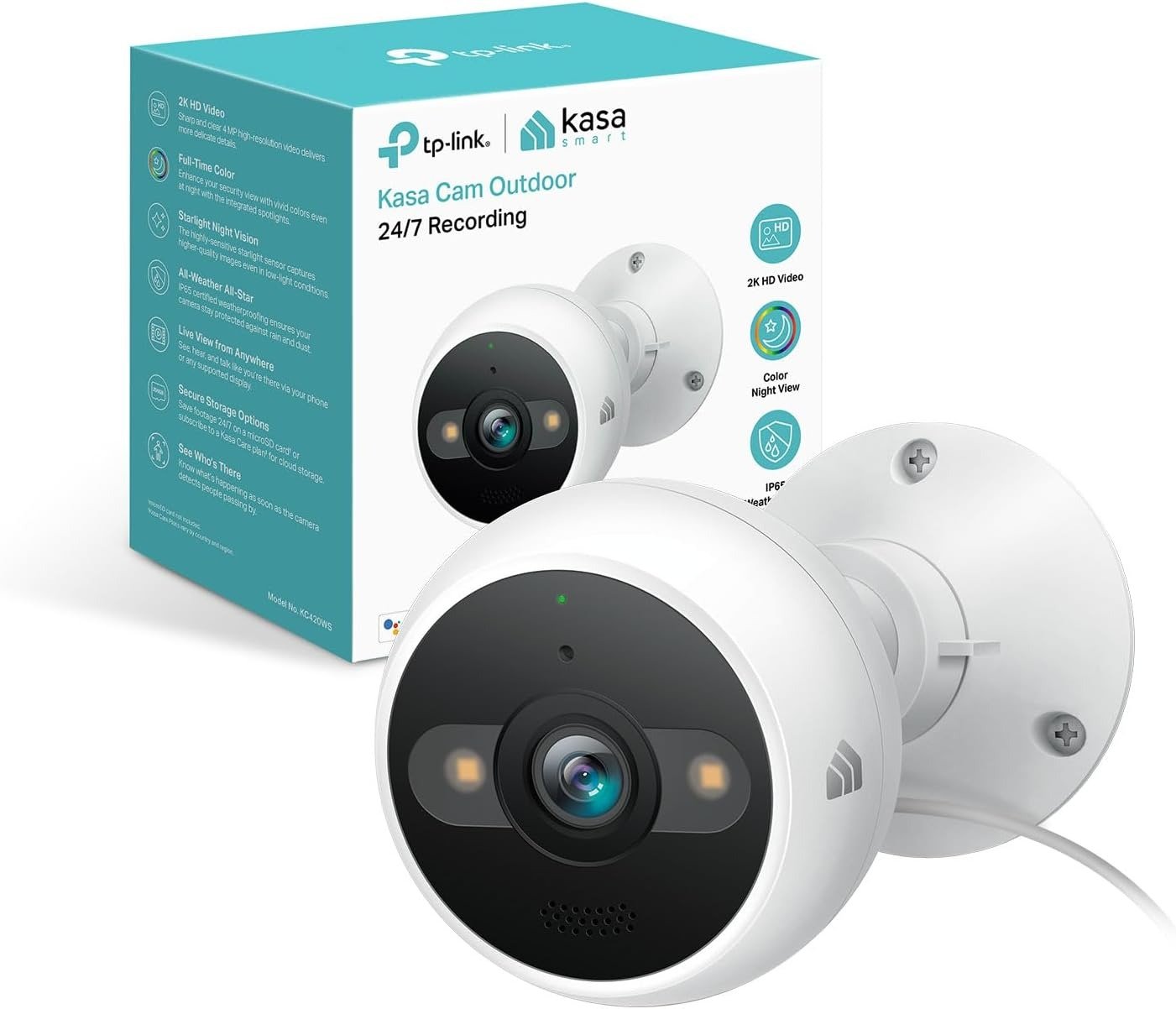
KASA KC420WS
Kasa KC420WS Real-World Performance: The Footage Looks Fine. The Problem Isn’t.
It’s 11:40 p.m. Your phone lights up: motion detected, front yard. You open the clip half-asleep and squint at a soft gray shape drifting past the fence. Person? Raccoon? A trash bag caught in the wind? By the time your eyes adjust, the ten-second clip has already ended.
That’s the moment no spec sheet mentions. The Kasa KC420WS records in sharp 2K, comes weatherproofed, and looks, on paper, like a complete answer to “I want to see what’s happening outside my house.” For most of the day, it genuinely is — daytime footage is crisp enough to make out a face at the gate or the make of a car in the driveway.
The gap shows up somewhere else entirely: not in what the camera records, but in what you can actually trust once the sun goes down, or once a few cameras are supposed to be watching a property that has more corners than cameras. That gap is the real subject of this review — not because the KC420WS is a bad camera, but because almost nobody buying one for the first time knows where that gap sits until they’ve already lived with it for a month.
Kasa Outdoor Camera Notifications: What You’re Actually Feeling but Not Naming
If you’ve owned any motion-alert camera for more than a few weeks, you already know this feeling even if you’ve never put a name to it. It’s the small flicker of attention every time your phone buzzes at an odd hour — not dread exactly, just the tax of checking something you’ve already learned is probably nothing.
Call it alert fatigue. A moth near the lens, a shadow shifting with the porch light, a delivery van idling two doors down — the KC420WS will flag most of it unless you deliberately narrow what it’s allowed to notice. There’s a well-documented, more specific version of this friction too: tapping to review a clip and watching a loading spinner for a full minute, even from thirty feet from your own router. It’s rarely a dealbreaker. It is exactly the kind of small friction that reminds you what price bracket you’re actually in.
Underneath both of those is a quieter assumption: that because a camera is recording, you’re covered. That’s usually true for the one angle the lens is pointed at, and quietly untrue for everything just outside its field of view. Why does a camera marketed around “AI-powered detection” still need you to manually tell it what to ignore? Because the AI here is doing pattern-matching on movement, not judgment on intent — and that distinction is worth understanding before you mount anything.
Kasa KC420WS Specs and Night Vision: The Hidden Mechanism Behind the Miss
Here’s the mechanism worth knowing before you buy: the KC420WS actually runs two different night-vision systems, and TP-Link’s own datasheet quietly assigns them the exact same number.
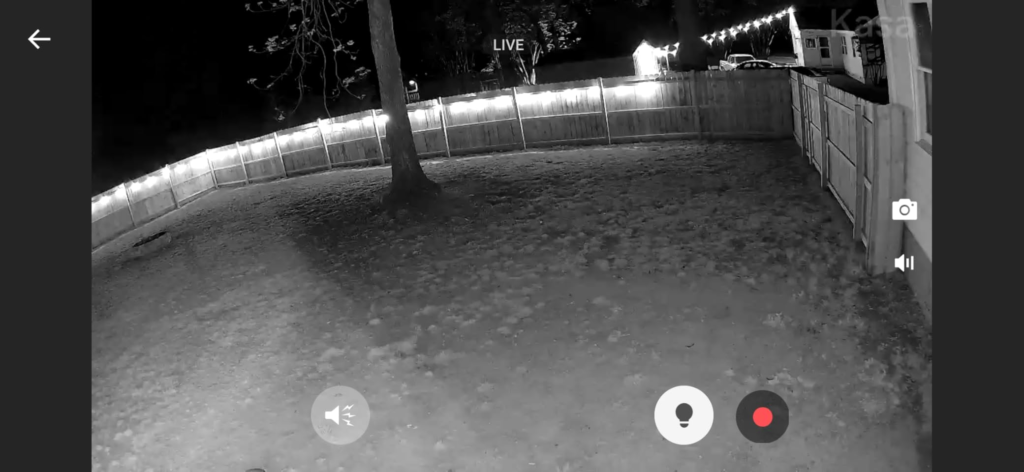
Standard infrared, black-and-white: rated to about 98 feet. Full-color mode, powered by two built-in spotlights working with what TP-Link calls a starlight sensor — an image sensor built to hold onto color information in near-total darkness: also rated to about 98 feet.
Identical numbers on a spec sheet don’t guarantee identical results in your actual backyard. Testers who’ve run both modes side by side report the color mode doesn’t hold up nearly as well at real distance, and default back to plain infrared for anything beyond close range. Here’s the full picture:
| Spec | What the Kasa KC420WS Actually Offers |
|---|---|
| Resolution | 2560×1440 (2K QHD), 4MP-class sensor, 15 fps |
| Night vision | Infrared & full-color spotlight both officially rated ~98 ft (real-world color range runs shorter) |
| Field of view | 110° (fixed 3.18mm lens) |
| Power | Wired only — AC adapter, ~5W draw, 10 ft cable, no battery |
| Wi-Fi | 2.4GHz only (no 5GHz) |
| Local storage | microSD up to 256GB (sold separately), no subscription needed |
| Cloud storage | Optional Kasa Care plan, 30-day rolling history |
| Weatherproofing | IP65 — dust-tight, resists water jets from any direction |
| Audio | Two-way talk, 80dB manual siren |
| Smart home | Amazon Alexa, Google Assistant / Google Home |
| Hub required | No |
One more spec worth flagging: 15 frames per second. Plenty smooth for a static porch view, but fast motion — a car pulling out quickly, a bike passing at speed — can look a touch stuttery next to cameras running 24–30fps. Zoom is digital, not optical, so cropping into a distant plate or face trades resolution for size rather than gaining real detail.
Kasa KC420WS Color Night Vision Distance: The Threshold Where the Picture Quietly Breaks
If there’s one thing worth remembering from this whole review, it’s this: the “98 feet” on the box applies cleanly to black-and-white infrared. It does not apply the same way to the full-color mode most buyers actually picture when they read “color night vision up to 98 feet.”
That gap sits exactly where people forget to check for it — not at the edge of the yard, but at the range where you’d actually want to identify a face or a jacket color. Independent testers consistently point back to infrared for anything past your immediate porch light, which tells you plainly where the color mode’s real working threshold sits: closer in than the spec sheet implies, not further out.
Why would a manufacturer publish the same number for two modes that don’t perform the same? Because that number describes how far the light physically travels, not how usable the image is once it gets there. Throw distance and image usability are two different measurements wearing the same unit. That distinction is the actual thing you’re paying for when “color night vision” shows up as a headline feature — worth understanding before you assume more range than you’re going to get.
Kasa vs Battery-Powered Security Cameras: Why Most Buyers Compare This Wrong
The most common mistake in this category isn’t picking the wrong camera. It’s comparing cameras on the wrong axis — lining up megapixels and price, and skipping the one variable that actually decides whether you’re happy in six months: power source.
The KC420WS is wired. That single fact explains most of what people either love or resent about it. There’s no battery to charge, no camera going dark mid-storm at the worst possible moment, no “low battery” notification competing with your actual security alerts. The tradeoff: it needs a nearby outlet, and the 10-foot cable in the box sets a hard limit on how far from that outlet you can mount it.
| Wired cameras (like the KC420WS) | Battery-powered cameras (the category) |
|---|---|
| Records continuously, 24/7, if you want it to | Usually records only when triggered, to save charge |
| No battery to charge or replace | Needs recharging roughly every 1–3 months |
| Needs an outlet within cable reach | Can mount almost anywhere, no outlet needed |
| Never goes dark mid-event from a dead battery | Can miss the exact moment it’s charging |
| Slightly more upfront install planning | Faster, more flexible initial placement |
Neither approach is objectively better. A battery camera wins on placement freedom. A wired one wins on the thing that matters during an actual break-in: it doesn’t get to decide it’s tired.
Best Use Case for the Kasa KC420WS: Who This Camera Is Actually Built For
Strip away the marketing and the KC420WS is built for a specific household: one with an outdoor outlet already in a useful spot, a router close enough to hold a steady 2.4GHz signal, and a short list of exact points they want watched — a front door, a driveway, a side gate, a garage.
It’s built for people who’d rather own their footage on a memory card than lease access to it every month, and who’ll happily trade some polish for a lower total cost over a few years. It’s also, quietly, built for people already living in the Alexa or Google Home world — asking a smart display to pull up “the driveway camera” is a genuinely nice moment the first time it works, and it only works if you’re already in one of those two ecosystems. The 80-decibel built-in siren is loud enough to startle someone off your porch, not loud enough to alarm the whole street.
Kasa KC420WS Pros and Cons: Where the Wrong Fit Begins
Every camera has a point where it stops being the right answer. For the KC420WS, that point shows up in one of three ways.
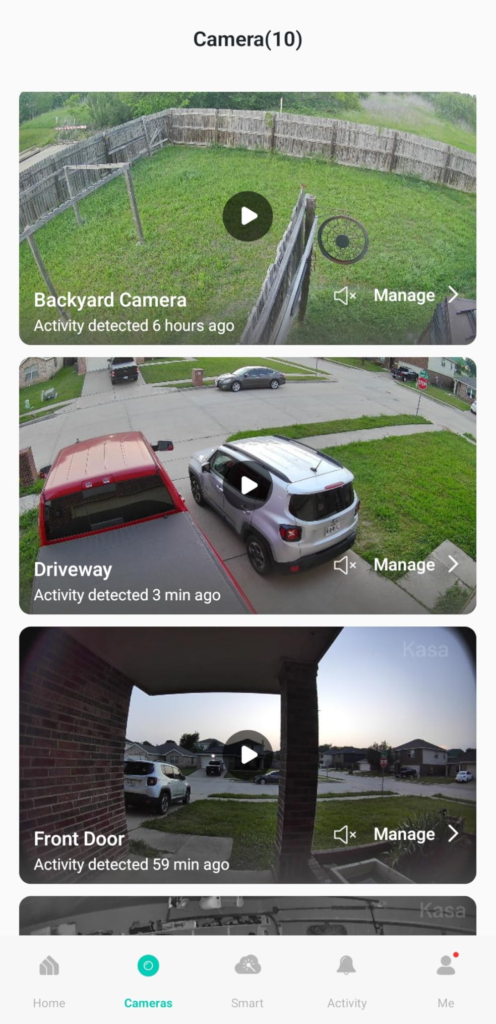
The first is power access — if the only spot that makes sense is nowhere near an outlet, you’re either running a cord you don’t want visible, or looking at a battery model instead. The second is Apple’s ecosystem: there’s no clearly confirmed HomeKit or Siri integration, so a home built entirely around an iPhone will always feel like it’s hosting a guest. The third, and the one that trips up the most first-time buyers, is expecting a multi-camera pack to mean full perimeter coverage. At 110 degrees per unit, each camera covers a good angle, not a seamless ring around your property. Placed at real chokepoints, that’s exactly enough. Placed hopefully, it leaves the same blind corners you had before — just on camera now.
| You’re a good fit if… | Look elsewhere if… |
|---|---|
| You have an outdoor outlet near your mounting spot | There’s no power access anywhere useful |
| You want free, unlimited local recording | You want on-demand clip capture without ever paying |
| Your Wi-Fi reaches the spot reliably | The router is far from the porch, driveway, or yard |
| You’re covering specific chokepoints | You expect full 360° coverage from just 2–3 units |
| You already use Alexa or Google Home | Your home runs on Apple HomeKit |
Kasa KC420WS 3-Pack Setup: The One Situation Where It Becomes the Logical Choice
Put all of this together, and one specific situation turns the KC420WS — especially as a 3-pack — from “a decent budget camera” into the clearly logical pick.
That situation: a house with two or three genuinely distinct entry points, outdoor power already run to roughly the right spots, a router that reaches all of them, and an owner who’d rather check a driveway clip for free forever than pay a subscription to unlock a feature they’d use twice a year. In that exact setup, wired reliability stops being a limitation and becomes the entire point — cameras that are always recording, always powered, never quietly offline because a battery ran down on the one night it mattered.
If that’s the actual shape of your problem — three specific points to watch, not a wish for total coverage — this is where the decision stops being vague.
Kasa Care Subscription vs Free Storage: What It Solves, What It Reduces, and What’s Still on You
Buying the camera doesn’t end the decision-making — it just moves it to one more fork: card or cloud.
A microSD card, up to 256GB, gives you continuous local recording with no monthly bill, ever. That solves the cost question completely. It doesn’t solve convenience — footage lives on the card until you pull it, and if the camera is ever stolen along with whatever it just recorded, that evidence goes with it. Kasa Care, the optional cloud plan, solves exactly that: your last 30 days ride safely off-device, shareable in one tap. Pricing has crept upward over the past few years — historically around three dollars a month for one camera, closer to five now on some current plans — so check the live Kasa Care page rather than trust an old number.
One quirk either way: without a paid plan, you can’t manually hit “record” on demand. You’re relying entirely on the camera noticing and saving the moment for you — which, most of the time, it does.
| Free (microSD only) | Kasa Care (paid) | |
|---|---|---|
| Monthly cost | $0 | Roughly $3–5/mo for one camera, plans vary |
| Video history | Continuous, until the card loops | 30-day rolling cloud history |
| On-demand recording | Not available | Available |
| Sharing a clip | Manual, from the card or app | One-tap share |
| If the camera is stolen | Footage likely lost with it | Footage safe in the cloud |
Kasa KC420WS FAQ: Fast Answers Before You Buy
Does the Kasa KC420WS need a subscription to work?
No. With a microSD card (sold separately, up to 256GB), it records continuously at no monthly cost. A Kasa Care subscription only adds 30-day cloud backup and on-demand clip recording.
How far can it actually see at night?
Officially, both modes — infrared and full-color — are rated to about 98 feet. In practice, infrared holds up much better at that distance; the color spotlight mode loses usable clarity sooner, so expect strong color detail close to the lens and rely on infrared farther out.
Will it keep working if my Wi-Fi goes down?
Local recording to an SD card can continue, but live viewing, push alerts, and cloud backup all need internet. It’s also 2.4GHz-only, so a weak signal at the mounting spot shows up as lag or missed clips before anything else does.
Is the 3-pack actually a better deal than buying single units?
Usually yes on a per-camera basis, and it means one shared app setup instead of three separate onboarding runs. Just don’t expect three cameras to blanket an entire property — plan them around your actual entry points instead.
Does it work with Apple HomeKit or Siri?
There’s no clearly confirmed HomeKit or Siri support across current listings. It’s built around Amazon Alexa and Google Assistant/Google Home, so an Alexa or Google Home household gets more out of it than an iPhone-and-HomeKit one.
Does person detection actually cut down false alerts?
It helps, but it isn’t perfect — hands-on testing has shown it can still trigger on things like a swaying branch or a handheld object, not just people. Narrowing activity zones and adjusting sensitivity in the app makes a real, noticeable difference.
Can I mount it indoors instead of outdoors?
Yes. The IP65 rating is really an outdoor spec, but nothing stops the camera from working just as well pointed at a hallway, garage interior, or workshop.
Should I be concerned about TP-Link/Kasa and data security?
It’s worth knowing about, not panicking over. TP-Link has faced scrutiny from U.S. lawmakers and a proposed Commerce Department action over its Chinese ties; a federal-level ban on its networking gear was reported shelved as of early 2026, the company disputes the allegations, and some state-level action continues. If footage leaving your home to a company under that kind of scrutiny would bother you regardless of outcome, that’s a reasonable line to draw — and local SD storage rather than cloud sidesteps most of the concern either way.
Final Verdict on the Kasa KC420WS: Is It Actually Worth Buying?
Judged against its actual price bracket, not cameras costing three times as much, the KC420WS holds up well. Daytime video is genuinely sharp, wired power means it’s not going to quietly die at 2 a.m., and local storage means you’re never forced into a subscription just to own your own footage.
Judged against the marketing copy on the box, it falls a little short in exactly the two places most budget cameras do: night-vision color range, and detection accuracy fine enough to always tell a person from a plastic bag. Buy it knowing where that color-range line actually sits, mount it at your real entry points instead of hoping for full perimeter coverage, and it does precisely the job most households need a camera to do — quietly, reliably, without asking you to keep paying for the privilege.
Transparency Note:
This analysis is built on aggregated real-world experience.
It extracts what repeatedly holds, what breaks, and what users uncover only after living with the system—then shapes it into a clear model you can use immediately.
Think of it as structured experience, refined and presented so you don’t have to learn it the hard way.
“A quick note: Don’t believe the star ratings, but trust personal experience. This article is a compilation of collected experiences.”