AOSU SolarCam D1 SE Review: The Night My "360°" Camera Only Watched Half the Yard
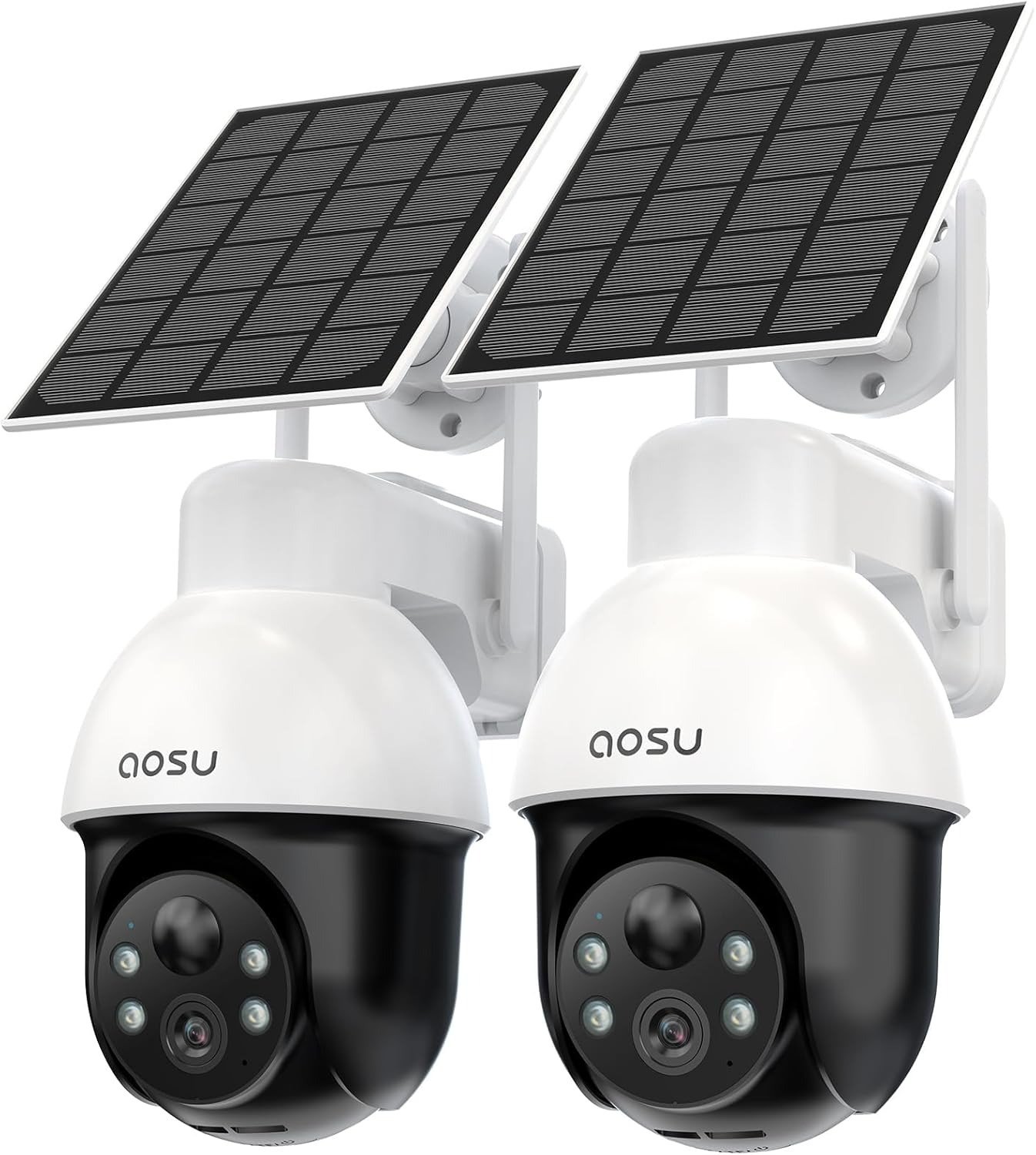
AOSU SOLARCAM D1 SE
I mounted mine on the corner post above the garage on a Tuesday. By Thursday, I’d already decided it was watching everything, all the time, in every direction. It wasn’t. Nothing was broken. I had just misunderstood what a camera like this actually promises to do.
AOSU SolarCam D1 SE Footage: It Looks Fine. That’s the Problem.
The alert comes in while you’re loading the dishwasher. You wipe your hands, open the app, and there it is: a clean, sharp clip of the delivery driver setting a box down and walking off. Nothing dramatic. Case closed.
Except a few weeks in, you notice something quieter. A clip that starts a half-beat after a car door slams. A notification for “motion” where the actual person is already halfway out of frame by the time the camera catches up and settles on them. Nothing about the footage looks wrong. It just doesn’t feel like it caught the beginning of anything.
That’s not a defect you can point to. It’s a gap between when something happens and when the camera is actually looking at it, recording it, focused on it. Most people never name this gap. They just feel a little less certain than the app icon implies.
Panoramic PTZ Cameras: What You’re Feeling but Can’t Quite Name
Here’s the strange part: the camera does its job. Every clip you pull up looks clean, timestamped, in color even at night. And yet you find yourself opening the app more than you expected to — not because something happened, but to check that it would have caught something if it had.
That’s a specific kind of unease. It’s not “this camera is bad.” It’s closer to: I bought coverage, but I’m still doing the watching. You re-arm it after a false alert from a moth near the lens. You glance at the battery percentage more than you’d like to admit. You catch yourself wondering, mid-thought, whether it was actually facing the driveway or still turned toward the side gate from an hour ago.
None of that shows up in a spec sheet. It shows up in how you actually live with the thing.
How the AOSU SolarCam D1 SE Actually Watches: The Hidden Mechanism
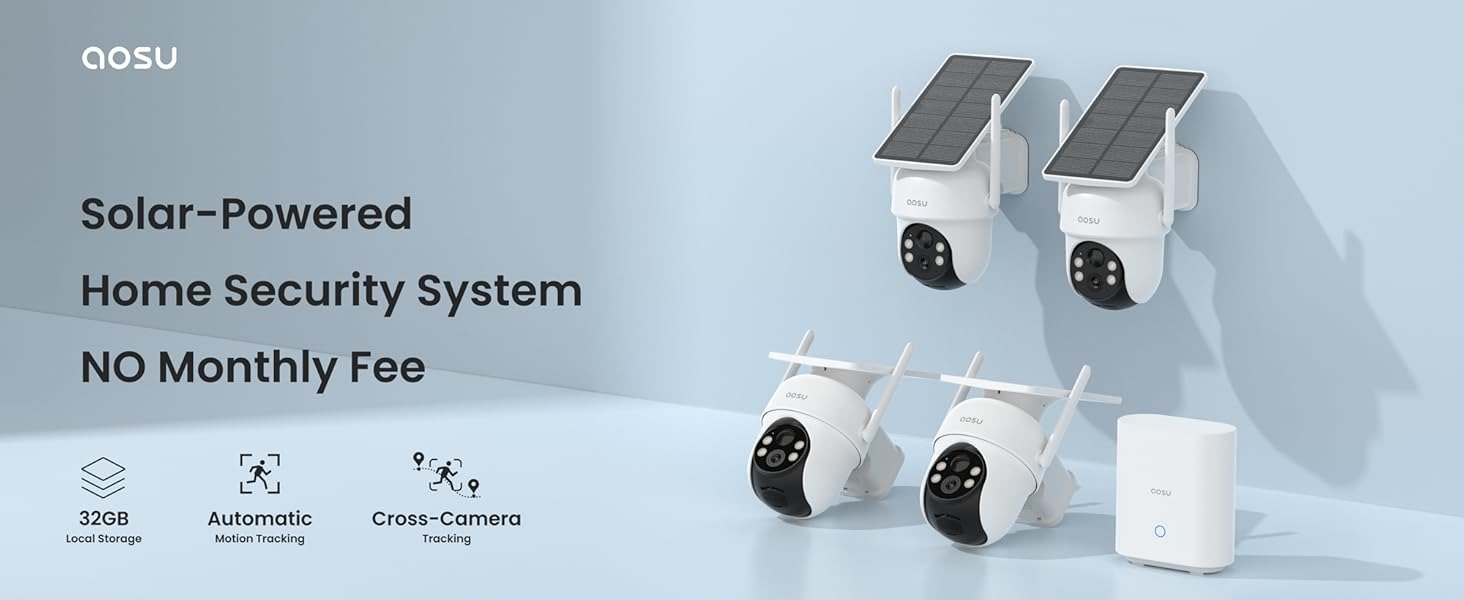
“Panoramic PTZ” and “360° coverage” are accurate descriptions of what the camera can reach. They are not descriptions of what it’s looking at right now, in this second. There’s one lens, on a motor, and it points in one direction at a time. It can rotate to any point across a full circle — on a tap, or automatically while tracking motion — but it isn’t a dome of six eyes watching every angle simultaneously. Think of it less as an all-seeing observer and more as a single, attentive eye that can turn fast. Call it the Sequential Eye: total reach, one direction at a time.
Second mechanism, and this one matters just as much: it’s a battery-and-solar device, so it isn’t recording continuously. It wakes up when it detects motion, which is exactly why it doesn’t drain itself dry in a week — but it also means there’s a brief window between “something moved” and “camera is rotated, focused, and rolling.” For most everyday moments — a car pulling in, a person walking a dog — that window is invisible. For a fast-moving edge case, it’s the difference between catching the beginning of something and catching the middle of it.
Third mechanism: everything that makes this camera useful also spends power. The motor that rotates it, the spotlight behind the color night vision, the two-way audio, the tracking — all of it draws from the same battery the solar panel is trying to refill. Call that ongoing back-and-forth the Power Ledger. On a well-placed panel with real, direct sun, the ledger stays positive. On a partly shaded mount, during short winter daylight, or after a stretch of nights spent tracking raccoons across the yard, it can run negative even while the sky outside looks perfectly sunny — which is exactly the pattern that shows up again and again in longer-term owner reports: battery percentage sliding down over several clear days because the panel isn’t catching enough direct, unbroken light where it’s mounted.
None of these three things are secret. They’re just easy to miss when the listing says “360°” and “solar-powered” and your brain fills in “everywhere, always, forever.”
| What the Name Implies | What’s Actually Happening |
|---|---|
| “Panoramic PTZ” = sees all directions at once | One lens, one direction at a time, full rotation on demand |
| “360° coverage” = constant full-yard view | 360° of reach, not 360° of simultaneous view |
| “Solar-powered” = never think about charge | Power budget depends on placement, angle, and season |
| “AI human/vehicle detection” = zero false alerts | Fewer false alerts than basic motion sensors, not none |
AOSU SolarCam D1 SE — Quick Specs
| Spec | Detail |
|---|---|
| Resolution | 3K / 5MP |
| Camera type | Solar + battery, panoramic pan-tilt-zoom (PTZ) |
| Wi-Fi | 2.4GHz only (no 5GHz support) |
| Recording | Event-triggered on motion, not continuous |
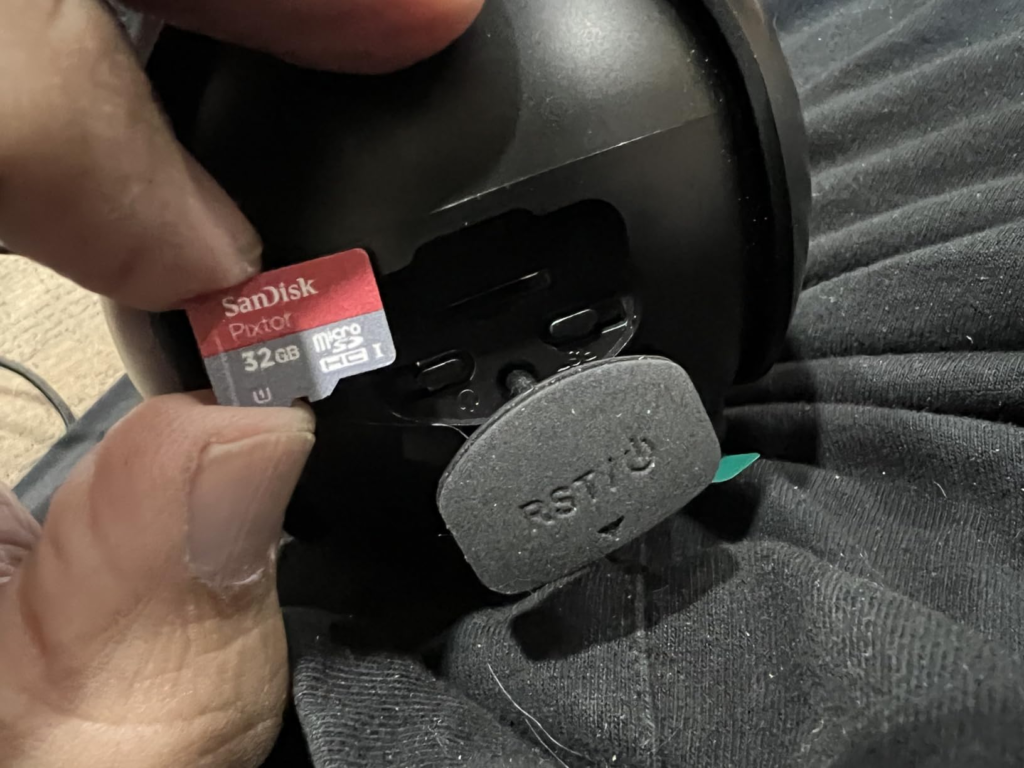
| Storage | MicroSD (not included), no mandatory subscription; optional cloud plan available |
| Night vision | Full-color, via built-in spotlight |
| Tracking | Automatic human/vehicle auto-tracking |
| Audio | Two-way talk with noise reduction |
| Deterrent | Spotlight + siren alarm |
| Weatherproofing | Outdoor-rated for rain, wind, and snow exposure |
| Smart home | Works with Alexa and Google Assistant |
The AOSU Coverage Threshold: Where “360°” Quietly Breaks
There’s a specific point where the gap stops being theoretical and starts being the reason you missed something. It’s not one dramatic failure — it’s a handful of ordinary conditions stacking up.
| Situation | What Actually Happens |
|---|---|
| Two things move in different directions within a few seconds | The camera tracks one; the other happens outside its current view |
| A subject moves quickly right after triggering motion | Footage may start a beat after the action begins |
| Mount is shaded more than half the day | Battery can trend down even across sunny weeks |
| Router only broadcasts 5GHz | Camera won’t connect — it needs a visible 2.4GHz signal |
| Wind, pets, or reflections near the lens | Occasional false alerts, even with AI filtering |
Individually, small. Together, they define exactly who this camera fits well and who it doesn’t — which is really the whole point of reading a review like this before you buy, not after.
AOSU vs. Fixed Security Cameras: Why Most Buyers Compare Wrong
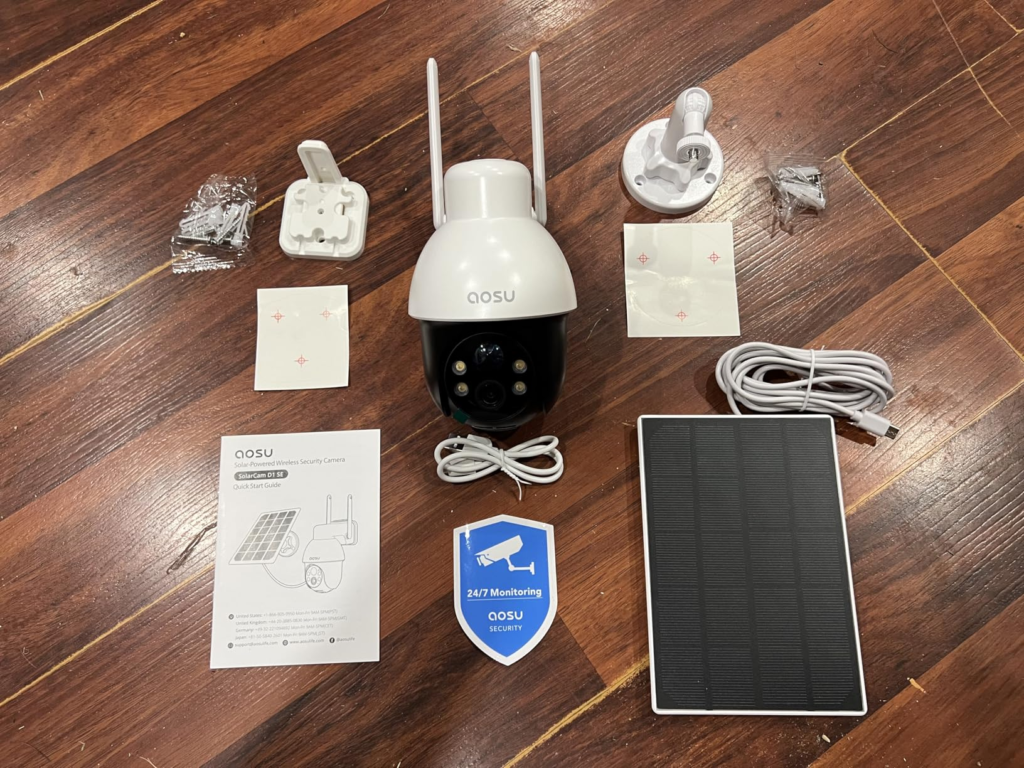
Here’s where I’ll be direct, because it’s the part most listings won’t tell you. The biggest early mistake usually has nothing to do with the camera’s actual performance — it’s grabbing the wrong AOSU listing in the first place. There are D1 SE, D1 Classic, D1 Max, D1 Lite, and T2 Ultra kits, sold in 2, 3, 4, and 6-camera bundles, some with a local storage hub included and some without. They look nearly identical in a search results page. If you’re comparing purely on thumbnail and price, you can end up with a different feature set than you think you’re buying.
Second mistake: treating “no subscription” as “no ongoing cost at all.” It’s true you’re not billed monthly for basic use — but you’re still buying your own microSD card, since none is included with this 2-pack. Cloud storage exists too, as a paid option, mainly useful if you want your footage safe even if the camera itself is stolen or damaged.
Third: assuming “auto-tracking” means broader coverage. It’s the opposite. Tracking narrows the camera’s attention onto whatever it locks onto, which is exactly why it’s good at following one subject closely and not naturally built to watch two separate areas at once.
| What Buyers Often Assume | What’s Actually True |
|---|---|
| All AOSU 2-packs are basically the same | Specs, storage, and included hardware vary by exact model |
| “No subscription” means zero added cost | You’ll still buy your own microSD card |
| Auto-tracking means wider coverage | Tracking narrows focus onto one subject |
| Higher megapixels alone mean a clearly better camera | Wi-Fi band, storage, and power design matter just as much |
Who the AOSU SolarCam D1 SE Is Actually Built For
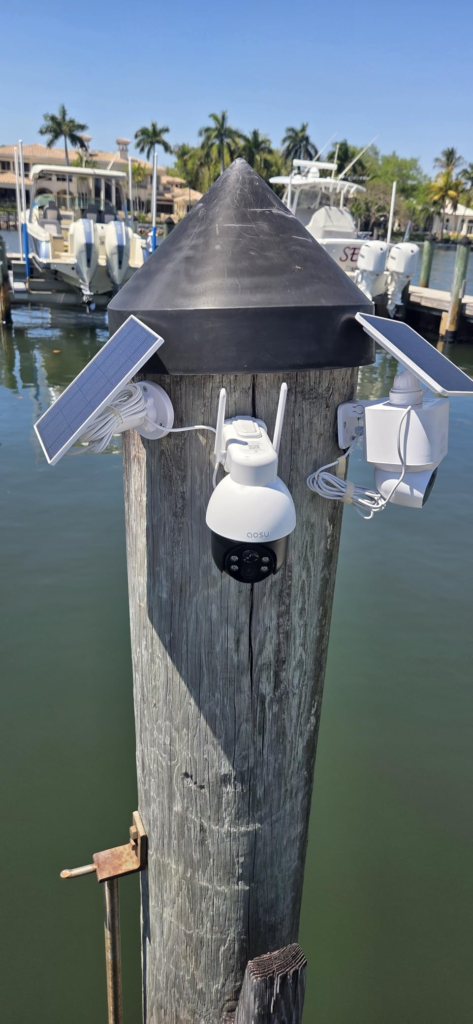
This camera makes the most sense for a property where activity tends to happen in one place at a time — a driveway, a side gate, a backyard with a single main approach. It fits people who don’t want to run cable or commit to a monthly bill, who can mount the panel somewhere it actually gets real, unbroken sun for a couple of hours a day, and who are fine with a small lag between motion and full recording in exchange for wire-free flexibility.
It also suits anyone who moves — renters, landlords between tenants, seasonal or vacation properties — since there’s no outlet or electrician required, just a bracket and a signal.
AOSU SolarCam D1 SE: Where the Wrong Fit Begins
It’s a weaker fit if you need continuous, gapless recording for insurance or legal purposes — a business entrance, a high-value asset, anywhere “we’re pretty sure we caught it” isn’t good enough. That job belongs to a wired, always-recording system, not an event-triggered battery camera.
It’s also a poor match if your only realistic mounting spot sits deep under a porch roof or in near-constant shade, if your network only broadcasts 5GHz, or if you’re expecting one rotating camera to simultaneously watch two entry points on opposite sides of the house the way two fixed cameras would.
| You’re a Good Fit If | Look Elsewhere If |
|---|---|
| Activity at your property usually happens in one spot at a time | You need simultaneous coverage of two separate zones |
| You can give the solar panel real, direct sun | Your only mount option is heavily shaded |
| You’re comfortable managing your own microSD card | You need guaranteed 24/7 continuous forensic recording |
| Your router broadcasts 2.4GHz | Your network is 5GHz-only |
| You want wire-free, no-subscription flexibility | You want zero lag between motion and recording, ever |
AOSU SolarCam D1 SE Review: When It Becomes the Logical Choice
If what you’re actually dealing with matches that shape — a property where trouble tends to show up sequentially, not from three directions at once, and you’d rather mount a battery camera in an afternoon than schedule cable work — the AOSU SolarCam D1 SE 2-pack stops being a gamble and starts being the sensible pick. Not because it does everything. Because it does the specific job you actually have.
Current pricing on the 2-pack moves with seasonal promotions, so it’s worth checking the live listing rather than relying on a number that’ll be stale in a month.
AOSU SolarCam D1 SE: What It Solves, What It Reduces, What’s Still on You
| It Solves | It Reduces | Still on You |
|---|---|---|
| No cable runs, no electrician | False alerts vs. basic PIR-only cameras | Choosing a genuinely sunny mount spot |
| No mandatory monthly fee | The hassle of manual battery swaps | Buying and managing your own microSD card |
| Clear, color identification at night | Blind coverage of areas you never check | Accepting a short motion-to-record lag |
| Active deterrence via light and siren | Time spent scrubbing through footage | Realistic expectations about simultaneous coverage |
AOSU SolarCam D1 SE: Frequently Asked Questions
| Question | Answer |
|---|---|
| Does it work with 5GHz Wi-Fi? | No. It connects to 2.4GHz only. Most routers still broadcast a 2.4GHz band alongside 5GHz — just confirm yours does before setup. |
| Do I have to pay a subscription? | No. Local recording works with a microSD card you provide (not included). A cloud plan exists as an optional add-on if you want off-device backup. |
| Can it really watch 360° at once? | No — and that’s the core thing to understand before buying. It can rotate across a full 360° range, but it’s looking at one direction at any given instant, not all of them simultaneously. |
| Why does the battery still drop on sunny days? | The PTZ motor, spotlight, tracking, and audio all draw power, and the panel only deposits what it collects from direct light. Mounting angle and shade affect that balance more than how “sunny” it feels outside. |
| Does color night vision give away that a camera is there? | Generally, yes. It lights the scene with a visible spotlight rather than staying invisible like infrared-only cameras — part of its deterrent design, but worth knowing if you wanted something discreet. |
| What size microSD card should I buy? | A 64–128GB card from a reputable brand is a sensible starting point for a two-camera setup. |
AOSU SolarCam D1 SE Review: Final Verdict
None of this makes the camera flawed, and none of it makes it the answer for every fence line in the country. It makes it exactly what it is: a Sequential Eye running on a real, sun-dependent power budget, built for properties where trouble tends to show up one direction at a time.
If that’s the shape of what you’re actually protecting, this is where the decision stops being vague:
Transparency Note:
This analysis is built on aggregated real-world experience.
It extracts what repeatedly holds, what breaks, and what users uncover only after living with the system—then shapes it into a clear model you can use immediately.
Think of it as structured experience, refined and presented so you don’t have to learn it the hard way.
“A quick note: Don’t believe the star ratings, but trust personal experience. This article is a compilation of collected experiences.”