I Reviewed the Govee Smart Ceiling Light 4300LM: The Brightness Is Real — The Assumptions Around It Aren’t
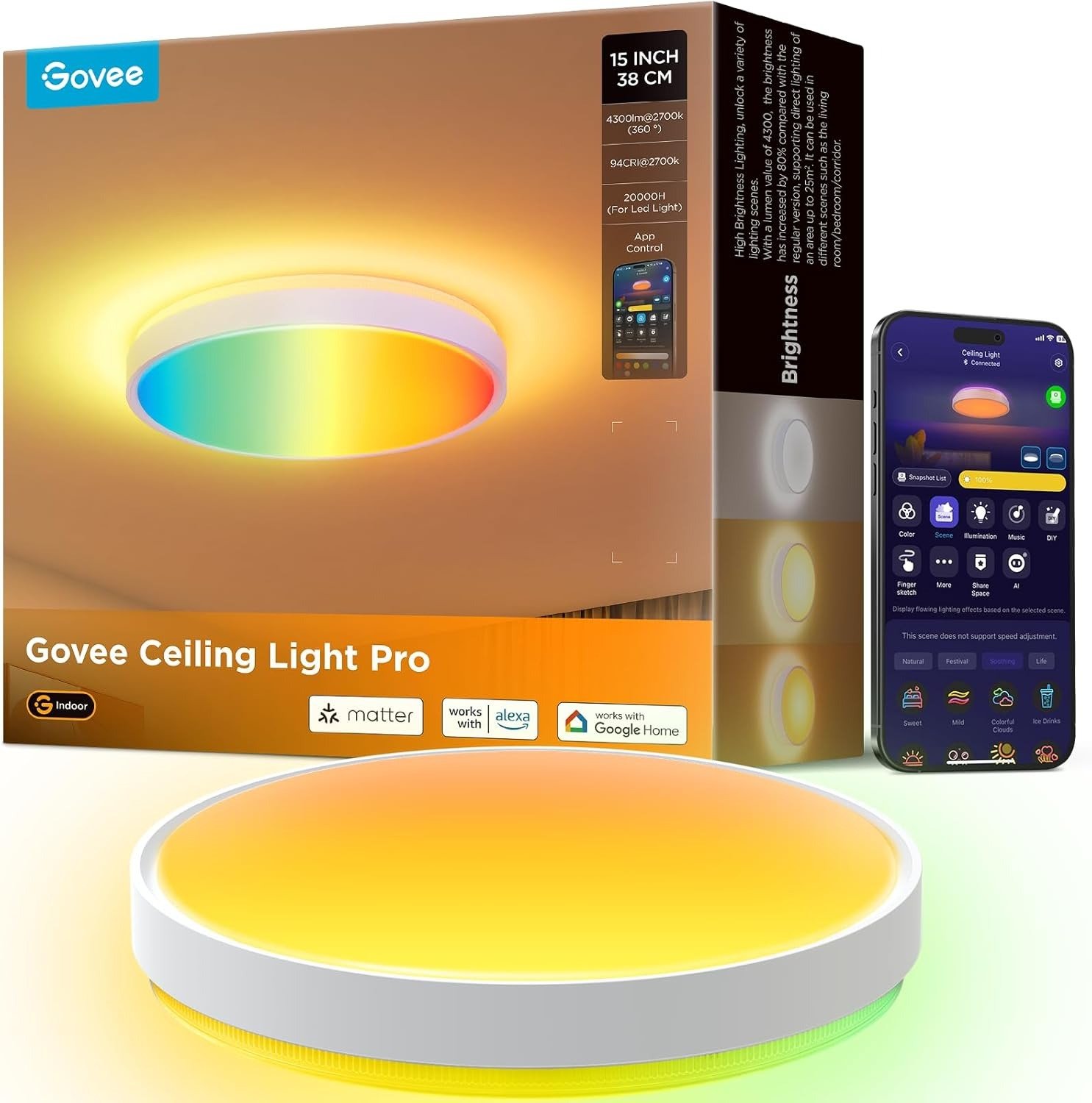
GOVEE SMART CEILING LIGHT 4300LM
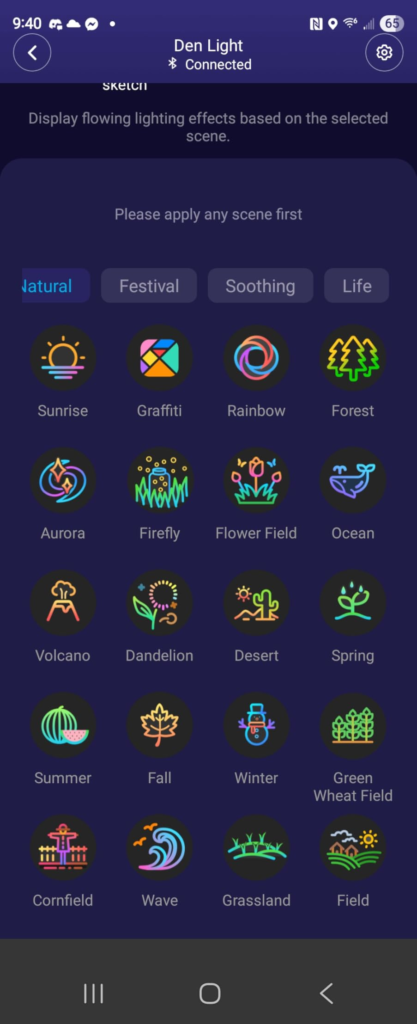
The first thing I did after installing this light was pull out my phone. Not because there was a problem. Because there are 66 lighting scenes and a music sync mode and a DreamView setup and a DIY segment grid and — let me just say — the Govee Home App knows exactly how to make you feel like you’ve unlocked something significant while making you forget what you came into the room for.
That’s actually a clue.
When a ceiling light requires this much management on day one, you’re not buying a fixture. You’re adopting a relationship. And like most relationships, the real problems aren’t in the pitch. They’re in the gap between what you expected and what you quietly got used to three weeks in.
I’ve looked at this light from every angle — the spec sheet, the app behavior, the wall switch moment, the “why isn’t my dimmer responding” search, and the actual daily question of what kind of room I’m choosing to sit in tonight. What I found isn’t a flaw in the product. It’s a flaw in how almost everyone reads it before they buy.
RGBIC Ceiling Light Specs: The Result Looks Fine. The Problem Isn’t.
This is what the box says. I’ll give you the honest version side by side.
| Specification | What the Label Says | What It Means in Practice |
|---|---|---|
| Brightness | 4,300 lumens | Comfortably covers rooms up to ~270 sq ft (25m²) |
| Diameter | 15 inches (38cm) | Appropriate for medium to large rooms visually |
| Color Temperature | 2700K – 6500K | Full range from warm amber to crisp daylight |
| RGBIC Segments | 121 independent | Precise color zoning in 5 concentric circles |
| Preset Scenes | 66+ | Genuinely varied — not just visual decoration |
| Smart Protocols | Matter, Alexa, Google | Multi-platform, but not all features cross platforms |
| WiFi Requirement | 2.4GHz only | Will not connect to 5GHz-only networks |
| Dimmer Compatibility | Not compatible | Existing wall dimmers break this setup entirely |
| Profile Thickness | 2.95 inches (7.5cm) | Visible presence — not an ultra-slim panel |
| Installation | 5 steps | Requires neutral wire; basic electrical knowledge needed |
| Price | ~$129.99 | Mid-to-premium tier for this smart light category |
The numbers are accurate. The issue is what happens when those numbers meet your actual setup — especially the last three rows.
Smart Light Irritation: What You’re Actually Feeling but Not Naming
Let me put you in the exact moment this becomes personal.
It’s 10 PM. The bedroom light is on — white, clean, solid. You open the Govee app, tap through to Color Mode, and the ceiling shifts. Some segments go amber, others deep rose. Your partner looks up. You feel, for exactly one second, like someone who actually curated their space.
The next morning, you say: “Hey Google, dim the bedroom light to 40%.” It dims. Fine.
Then you say: “Hey Google, set bedroom to Sunset.” And nothing happens. Or an error. Or it turns the light white.
Why? Because the scene command doesn’t live inside the Matter layer. It lives inside the Govee app. And that distinction — which no one explains clearly in the product listing — is where the daily friction starts.
Voice commands through Google, Alexa, or Apple Home give you on/off, brightness, and white temperature. The rest of what makes this light interesting is app-only. Every time, without exception.
I keep using the light because the brightness is genuinely excellent and the app scenes are worth setting up. But that first week of discovering what voice control can and can’t do felt like finding out a car’s heated seats need a separate remote that only works in the driveway.
Govee RGBIC Technology: The Hidden Mechanism Behind the Miss
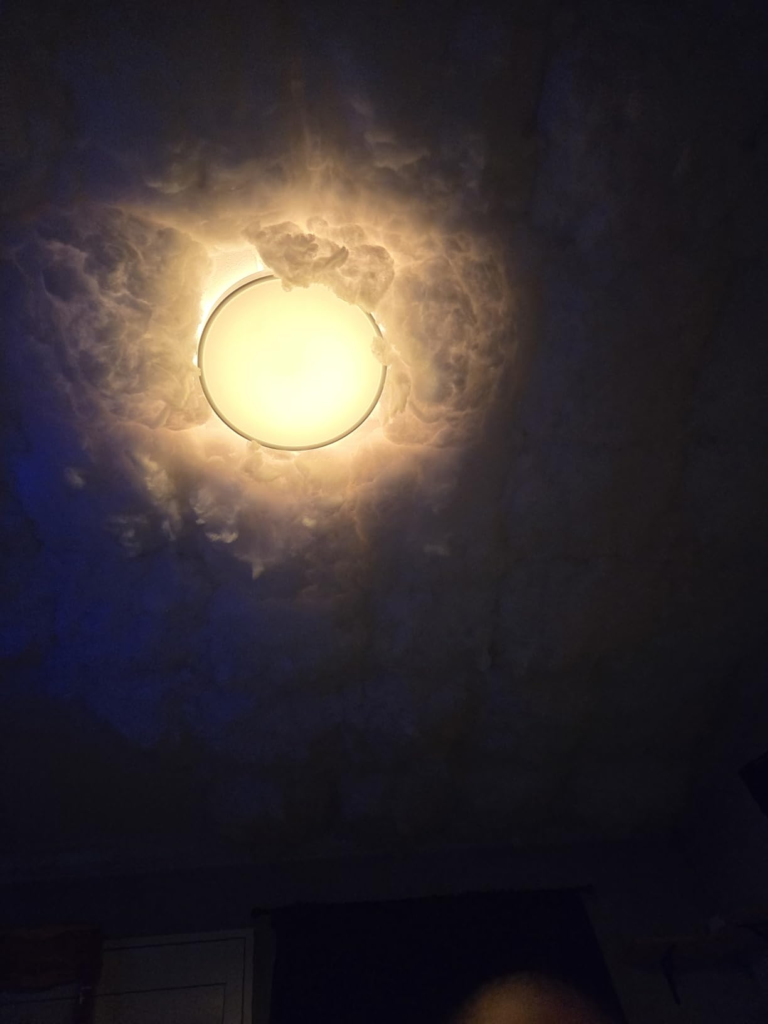
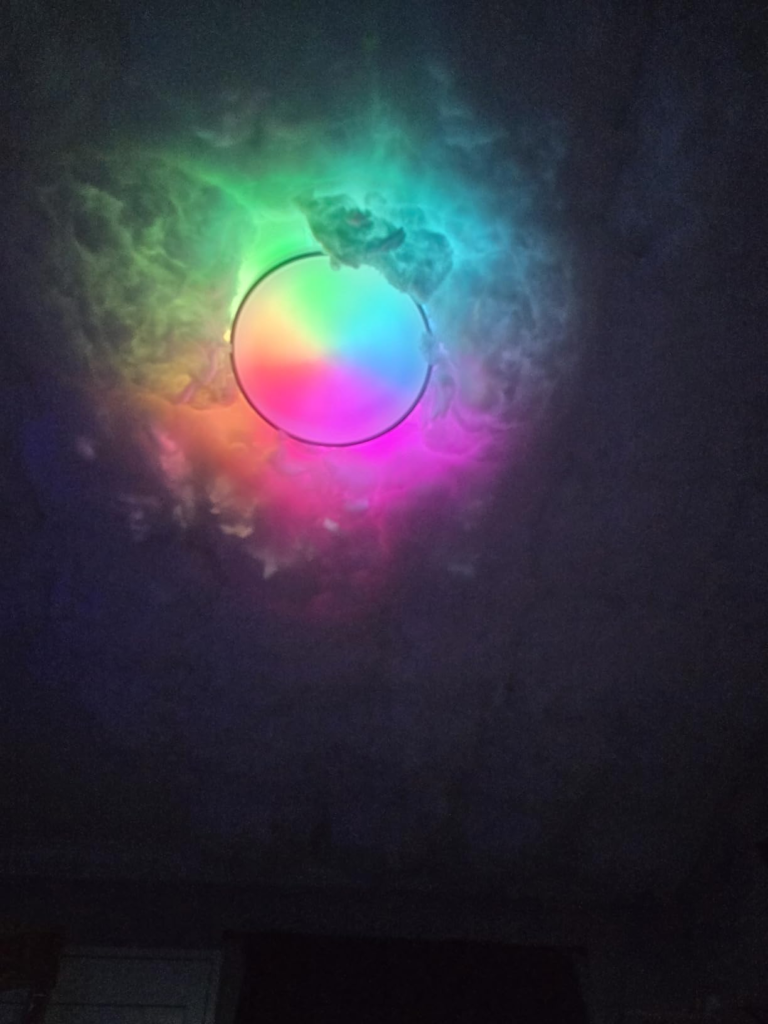
RGBIC means independent control per segment. The 121 segments are arranged in five concentric circles on the main downlight panel. Behind the fixture, a separate LED ring throws ambient light upward onto the ceiling. This is the two-tier system — direct downlight toward your room, and atmospheric glow on the ceiling above it.
The technology itself is solid. The problem isn’t the technology. It’s the mode logic that governs it.
The warm white center light and the RGBIC color segments cannot operate simultaneously. This is confirmed in multiple product listings and mentioned by users who specifically bought this fixture hoping to run ambient color while still having functional white illumination.
| Mode | White Center Light | RGBIC Color Active | Both Simultaneously? |
|---|---|---|---|
| White / Task Mode | ✓ On | ✗ Off | Not possible |
| Color / Scene Mode | ✗ Off | ✓ On | Not possible |
| Music Sync | ✗ Off | ✓ On | Not possible |
| DreamView Sync | ✗ Off | ✓ On | Not possible |
Why does this matter so much? Because the visual that most people carry into this purchase — ambient color ring floating on the ceiling while warm white light fills the room below — is a scene this hardware cannot produce. You get one or the other. Never both in the same moment.
If you didn’t read that in the fine print, your first real use of the color mode is your first real disappointment.
Govee App Limitations: The Threshold Where the Outcome Quietly Breaks
I call this the Dual Layer Collapse. It happens the moment you realize the product you bought has two completely different operating ceilings depending on where you’re controlling it from.
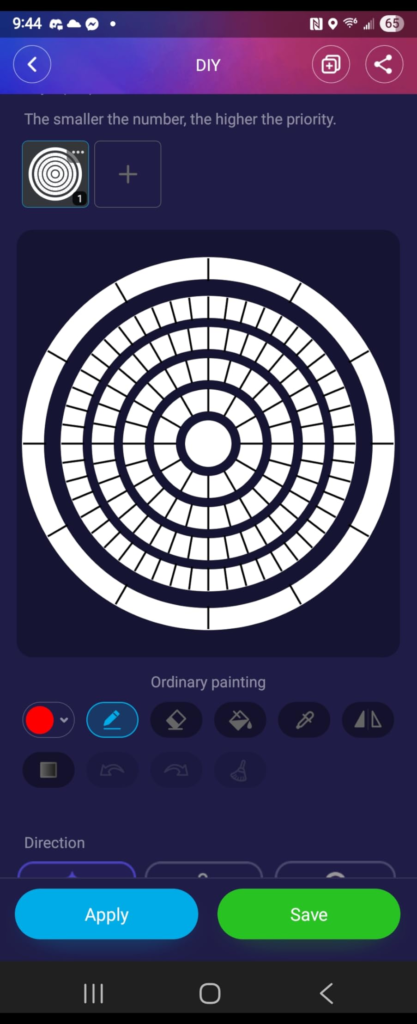
Layer 1 — Govee Home App: Full access to 66+ scenes, music sync, DIY segment-level control, DreamView, group management, circadian rhythm scheduling. This is the actual product experience you purchased.
Layer 2 — Matter / Alexa / Google Home / Apple Home: On/off, brightness, and white color temperature. Full stop.
| Control Method | On/Off | Brightness | Color Temp | Scene Control | Music Sync | DreamView |
|---|---|---|---|---|---|---|
| Govee Home App | ✓ | ✓ | ✓ | ✓ | ✓ | ✓ |
| Amazon Alexa | ✓ | ✓ | ✓ | ✗ | ✗ | ✗ |
| Google Home | ✓ | ✓ | ✓ | ✗ | ✗ | ✗ |
| Apple Home (Matter) | ✓ | ✓ | ✓ | ✗ | ✗ | ✗ |
| Samsung SmartThings | ✓ | ✓ | ✓ | ✗ | ✗ | ✗ |
| Physical Wall Switch | On/Off only | ✗ | ✗ | ✗ | ✗ | ✗ |
If your daily workflow runs through Google Home or Apple Home and you were expecting to voice-trigger a sunset scene or activate music sync without touching a phone — that expectation ends here. The brightness remains excellent. The light still looks good. But 70% of what distinguishes this product from a plain smart LED stays locked behind the Govee app, permanently.
Govee 4300LM Brightness Comparison: Why Most Buyers Misread This Too Early
4,300 lumens sounds impressive in a spec sheet. Here’s what it translates to in a real room.
| Space | Recommended Lumens | Govee 15″ Output | Coverage Assessment |
|---|---|---|---|
| Small Bedroom (~100 sq ft / 9m²) | 1,500 – 2,000 lm | 4,300 lm | Overkill at full; easy to fix with dimming |
| Standard Bedroom (~150 sq ft / 14m²) | 2,000 – 3,000 lm | 4,300 lm | Excellent — no supplemental fixture needed |
| Living Room (~250 sq ft / 23m²) | 3,000 – 4,500 lm | 4,300 lm | Near-ideal single fixture coverage |
| Open-Plan Space (300+ sq ft) | 4,500 lm+ | 4,300 lm | Underperforms solo; consider adding a second unit |
| Task Kitchen | 4,000 – 5,000 lm | 4,300 lm | Borderline — no directional over-counter bias |
| Home Office / Study | 3,000 – 4,000 lm | 4,300 lm | Strong at 6500K for sustained focus work |
The marketing claim of “80% brighter than regular models” is measured against a 12-inch baseline of roughly 2,400 lumens. That’s the previous Govee model in the lineup, not a neutral industry standard. The more useful question is whether 4,300 lumens is the right number for your specific room — and across most bedrooms and living rooms under 270 square feet, it genuinely is.
The 1% to 100% dimming range through the app handles the rest. I use this light at 30% most evenings. At 100%, it floods the room in a way that makes every other light in it feel unnecessary.
Govee Flush Mount User Profile: Who Is Actually Inside This Problem
Not everyone buying this light is solving the same problem. The ones who end up satisfied share a recognizable profile.
I see three real user types when I look at the actual review patterns:
Type 1 — The Scene Architect. Already inside the Govee ecosystem. Has the app from a strip light, a floor lamp, a TV backlight. Wants scene automation tied to their daily routines — movie mode, study mode, wind-down before sleep. Uses DreamView. This is the person this light was built for. They will use the full feature set without friction.
Type 2 — The Casual Upgrader. Replacing a dim, ugly flush mount. Wants something smarter and brighter with decent app control. Sets up three or four scenes, mostly uses it in white mode. Gets roughly 60% of the product’s value and feels satisfied. Also a genuine fit.
Type 3 — The Matter Minimalist. Lives in Apple Home or Google Home. Doesn’t want a new app. Expects Matter support to unlock the full experience. Gets on/off, dimming, and color temperature — and feels like they spent $130 on a dimmable LED with an impressive spec sheet.
Type 3 is the misread purchase. They’re not wrong to want what they want. They just picked the wrong product to find it. And this is the category of user who will leave a 2-star review that confuses everyone else reading it later.
Govee Ceiling Light Incompatibility: Where Wrong-Fit Begins
There are five specific setup conditions that make this product the wrong call — regardless of how appealing the specs look on paper.
| Condition | Why It Breaks the Experience |
|---|---|
| You have a 5GHz-only WiFi network | This light requires 2.4GHz exclusively. You’ll need to enable or separate a 2.4GHz band on your router |
| You have a smart dimmer switch already installed | Govee explicitly states it’s incompatible with external dimmer switches. The dimmer must be fully removed |
| You want color and white light running simultaneously | RGBIC color mode and warm white mode cannot run at the same time — it’s either/or by hardware design |
| You don’t plan to use the Govee app | Without the app, you lose all scenes, music sync, DreamView, and segment DIY modes — Matter covers basics only |
| Your room exceeds 30m² (320 sq ft) as a sole fixture | 4,300 lumens will underperform in large, open spaces without supplemental lighting |
The dimmer switch issue is the sharpest friction point I encountered in real user feedback. If you already have a Lutron Caseta, a Leviton Decora, or any in-wall smart dimmer running your bedroom or living room circuit, this light will behave unpredictably at best — and stay unresponsive at worst. The fix is removing the smart dimmer and replacing it with a standard on/off switch before installation. That’s a step nobody expects when they read “smart home compatible.”
Govee Smart Ceiling Light 4300LM Value: The One Situation Where This Product Becomes Logical
Why this light — specifically — over the alternatives that exist at the same price point?
Philips Hue makes a 15-inch smart ceiling panel. It runs close to $250. Some users prefer LIFX for color saturation at similar prices. Generic smart ceiling lights come in at $50–$80 but typically cap out around 2,400 lumens, carry no RGBIC segmentation, and rarely include Matter support.
What the Govee 4300LM 15-inch does that nothing else achieves simultaneously at this price:
121 independent RGBIC segments + 4,300 lumens + Matter compatibility + DreamView ecosystem sync + music reactive mode — all in one flush mount under $130.
| Feature | Govee 4300LM 15″ | Generic Smart Ceiling ($50–$80) | Philips Hue 15″ (~$249) |
|---|---|---|---|
| Lumens | 4,300 | 1,500–2,400 | ~4,000 |
| RGBIC Segments | 121 | 1 zone | 3–4 zones |
| Matter Support | ✓ | Rarely | ✓ |
| Preset Scene Library | 66+ | 10–20 | 10–15 |
| DreamView Sync | ✓ | ✗ | ✗ |
| Music Reactive Mode | ✓ | ✗ | ✗ |
| Price | ~$129.99 | $50–$80 | ~$249 |
The logic closes here: if you need RGBIC scene fidelity, serious brightness, and a multi-platform starting point — all in one flush mount under $150 — this is the single slot in the market where this product has no clean competition.
Govee 15 Inch RGBIC Expectations: What It Solves, What It Reduces, and What It Still Leaves to You
What this light genuinely solves:
- Inadequate brightness in bedrooms and living rooms under 270 sq ft
- The need for multiple fixtures to handle both task light and mood light
- Voice-controlled brightness and white temperature adjustment
- Scene-based atmosphere changes through the Govee app
What it meaningfully reduces:
- Visual clutter from multiple devices — strip lights, lamps, secondary mood lighting — because this handles both functions
- The friction of adjusting lighting manually after you’re already in bed
- The buzzing noise that was present in the previous 12-inch version (confirmed by users who owned both)
What it still leaves entirely to you:
- The Govee app. It is a permanent dependency for anything beyond basic control.
- Your router’s 2.4GHz configuration, if you haven’t isolated that band
- Removing any existing wall dimmer switches before installation
- Accepting that warm white and RGBIC color will never coexist in the same moment
| Outcome | Does This Product Resolve It? | Notes |
|---|---|---|
| Room brightness improvement | ✓ Yes | Strong performance at 4,300lm across 25m² |
| Ambient scene and mood lighting | ✓ Yes | Via Govee app — 66+ scenes including music reactive |
| White + color running simultaneously | ✗ No | Hardware limitation — either/or by design |
| Full voice control without the app | Partial | Matter handles basics; all advanced modes require app |
| External dimmer switch integration | ✗ No | Incompatible — wall dimmer must be removed |
| Smart home ecosystem unification | Partial | Matter bridges platforms; deep features stay in Govee |
| Simple installation for DIY users | ✓ Yes | 5-step install; neutral wire required |
FAQ: Govee Smart Ceiling Light 4300LM Review — Real Questions, Direct Answers
| Question | Answer |
|---|---|
| Can I run the color effects and the white light at the same time? | No. The RGBIC color mode and the warm white center light cannot operate simultaneously. It is one or the other at any given moment — this is a hardware design constraint, not a software setting. If simultaneous white and color output is something you specifically need, this product does not meet that requirement. |
| Will this work with my existing smart dimmer switch? | No. The Govee 4300LM flush mount is incompatible with external dimmer switches and smart switches. If you have any in-wall dimmer — Lutron, Leviton, or otherwise — you must remove it and replace it with a standard on/off switch before installing this light. Dimming is handled through the Govee app or voice commands, not through the wall. |
| Does Matter replace the need for the Govee app? | No. Matter integration through Alexa, Google Home, or Apple Home gives you on/off, brightness, and white color temperature control. Scene modes, music sync, DreamView, and DIY segment customization are exclusively available in the Govee Home App. These features will not transfer to third-party platforms. |
| My router uses 5GHz. Will this light still connect? | No. This fixture requires a 2.4GHz WiFi band. If your router broadcasts only 5GHz, or if both bands share the same network name, you’ll need to create a separate 2.4GHz SSID or enable band steering that allows 2.4GHz devices to connect independently. |
| Why does the light turn on by itself after a power outage? | This is default behavior reported by multiple users — the light returns to its previous state when power is restored after an outage. This behavior can be adjusted in the power-on settings within the Govee Home App. |
| Is 4,300 lumens too intense for a bedroom? | At 100% brightness, yes — for most bedrooms. At 20–40% via the app or voice command, it produces very comfortable ambient evening light. The dimming range runs from 1% to 100%, giving you precise control over the output for any time of day. |
| Can this sync with other Govee devices like my TV backlight? | Yes. Through the DreamView feature in the Govee Home App, this ceiling light can be synchronized with compatible Govee products to create coordinated ambient lighting tied to your screen content or other Govee fixtures throughout the room. |
| How thick does it sit on the ceiling — will it look heavy? | The unit is 2.95 inches (7.5cm) deep. It’s more visible than ultra-slim LED panels, but comparable in profile to other premium smart fixtures. Standard 8-foot ceilings accommodate it without it feeling intrusive. The rounded white housing keeps it neutral in most room styles. |
Final Compression: The Decision That Has Already Been Made Somewhere in the Middle of This Article
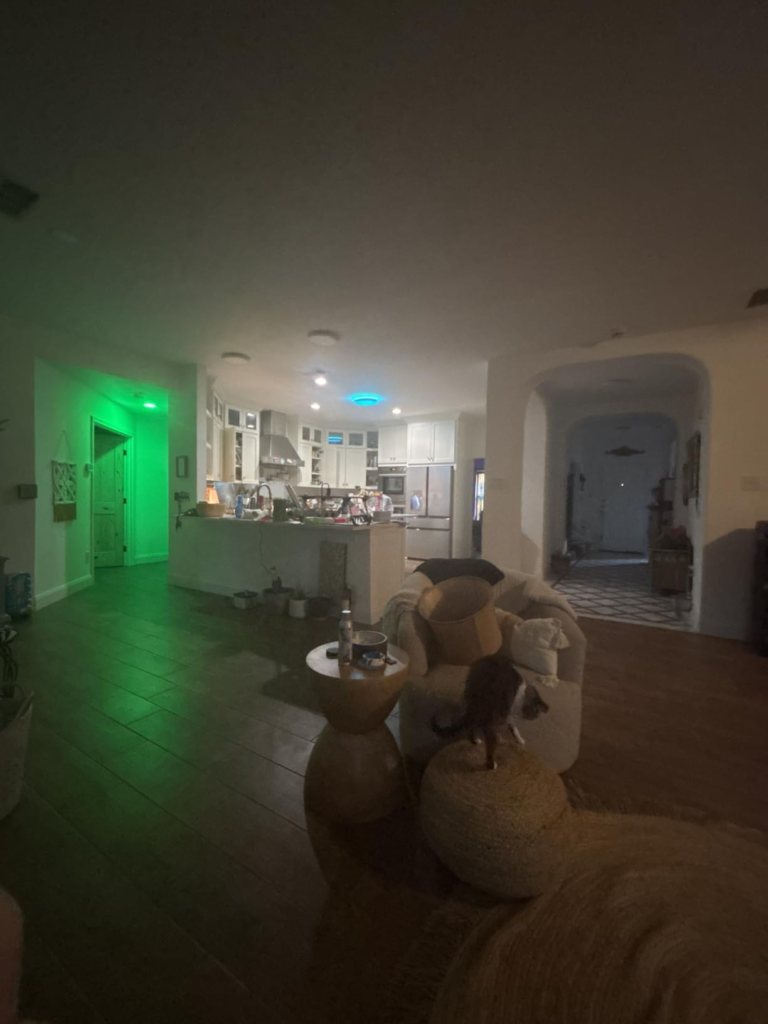
If your room is under 270 square feet, you’re comfortable with the Govee app as a permanent tool rather than an afterthought, your wall has a standard on/off switch (not a dimmer), and your router supports 2.4GHz — then the product comparison is already over.
4,300 lumens of adjustable light. 121 independently controlled color segments. Scene logic that shifts a room’s entire atmosphere in under a second. A price that sits halfway between a generic smart ceiling light and a Philips Hue.
The question was never whether the brightness was real. It was whether your setup lets it perform without the friction that cuts the experience in half.
If your setup checks out, this is where the decision stops being vague.
[Check current price and availability on Amazon →]
Transparency Note:
This analysis is built on aggregated real-world experience.
It extracts what repeatedly holds, what breaks, and what users uncover only after living with the system—then shapes it into a clear model you can use immediately.
Think of it as structured experience, refined and presented so you don’t have to learn it the hard way.
“A quick note: Don’t believe the star ratings, but trust personal experience. This article is a compilation of collected experiences”