DREO TURBOPOLY FAN 707S REVIEW — MY FAN WAS ON, I WAS STILL SWEATING. THEN THE RADAR CHANGED EVERYTHING.
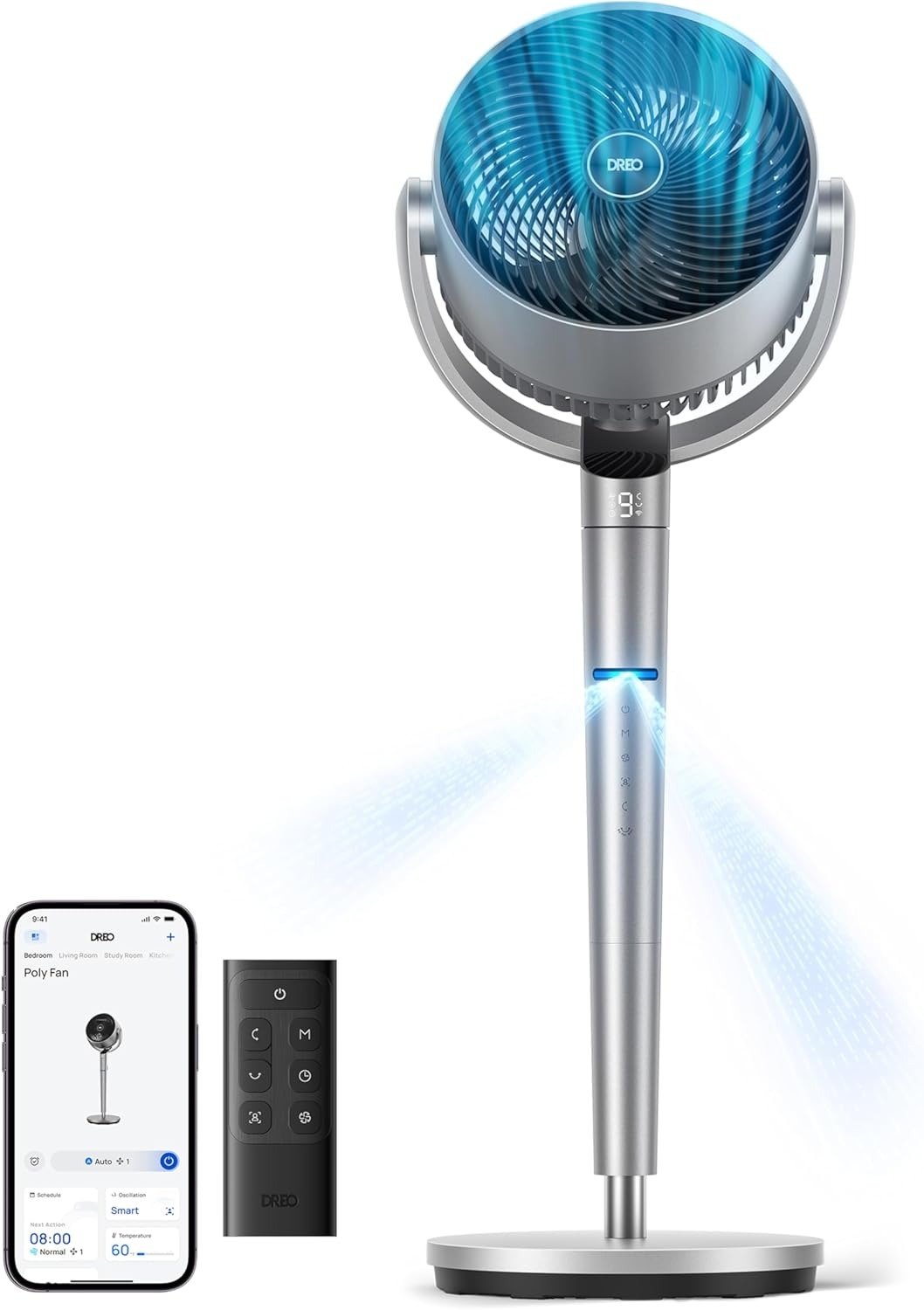
Dreo TurboPoly 707S Oscillation — The Result Looks Fine. The Problem Isn’t.
There’s a specific frustration that sneaks up on you slowly, summer after summer.
The fan is on. The blades are spinning. The room hums. And yet — you’re pulling at your collar, rotating your chair, angling yourself toward the sweep again. By hour three, you’ve repositioned yourself four times. The fan hasn’t moved once.
That’s not a power problem. That’s a targeting problem. And most people never name it correctly, which is exactly why they keep buying the wrong solution.
I’ve owned three fans. I’ve tested more than I care to count. The DREO TurboPoly Fan 707S is the first one that actually changed this equation — not by adding power, but by adding something no home pedestal fan had ever had before: the ability to find you.
Here’s every number that matters before we go deeper:
| Spec | Value |
|---|---|
| Model | DREO TurboPoly Fan 707S |
| Price | $179.99 USD |
| Color | Silver |
| Airflow Volume | 1,404 CFM |
| Wind Distance | 110 ft |
| Wind Speed | 26–28 ft/s |
| Horizontal Oscillation | 150° |
| Vertical Oscillation | 120° |
| Adjustable Height | 39–44 inches |
| Airflow Speeds | 9 |
| Airflow Modes | 6 |
| Noise Level | 20–25 dB |
| Timer | 12H (up to 12H via app) |
| Motor | Next-Gen Brushless DC |
| Tracking Technology | Millimeter-wave radar |
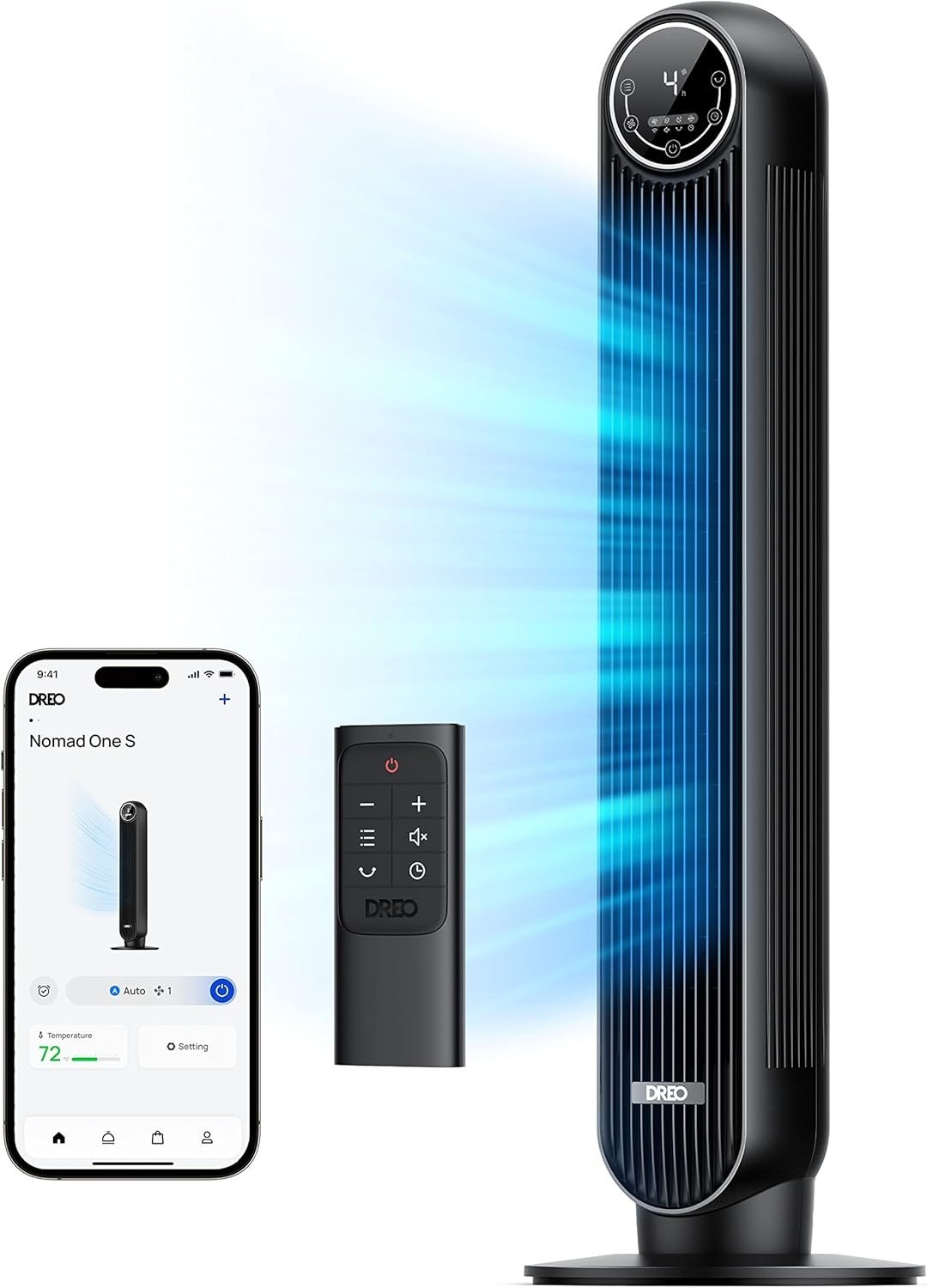
| Smart Control | Wi-Fi + Bluetooth dual-mode |
| Voice Control | Amazon Alexa / Google Home |
| Room Refresh Rate | 156 sq ft in 1 minute |
| Industry Recognition | TIME Best Invention 2025 |
Dreo 707S Pedestal Fan — What You’re Actually Feeling Every Time You Adjust It Again
Why do I keep moving my chair toward the fan?
I asked myself that question for three summers. I blamed the room shape. The desk angle. The ceiling height. I bought a longer power cord to get the fan closer. I bought a fan stand to get it higher. I tried different oscillation ranges. Nothing held.
The answer was simpler than I wanted it to be: a fan on a fixed oscillation sweep doesn’t choose you. You have to be in its path. And if your chair sits 15 degrees left of center — which mine does — you catch that sweep for maybe 8 seconds per cycle. Then it sweeps away. You wait. It comes back. You have 8 more seconds. Then it’s gone again.
That’s not cooling. That’s a brief acknowledgment that moving air exists somewhere in the room.
What I was actually feeling — and couldn’t name until I understood the mechanism — was the gap between what a fan does and what I needed it to do. I needed the air to stay on me. The fan was designed to cover a room, not a person. Those are different jobs. And once you name that difference, you can’t unfeel it.
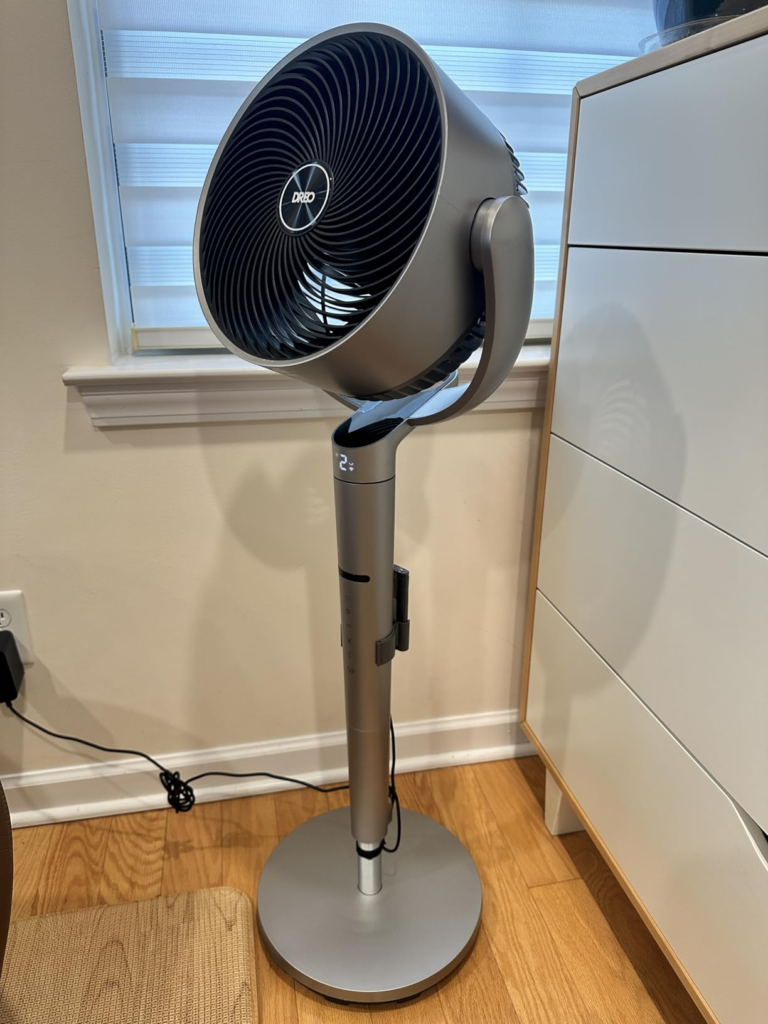
Dreo 707S Mechanism — Why Your Fan Misses You in the First Place
Why does a powerful fan still fail to cool you when you’re sitting right in front of it?
Because oscillation is a broadcast, not a conversation.
Standard oscillating fans work on a fixed loop: sweep left, sweep right, repeat. No input. No feedback. No awareness of whether you’re at your desk, in the kitchen, or entirely asleep. The arc continues regardless. You receive airflow for a few seconds per cycle, then the fan moves on to cool the bookshelf and the air conditioner vent with equal enthusiasm.
DREO built the 707S on a completely different premise. They embedded a millimeter-wave radar sensor — the same technology found in automotive safety systems and smart building infrastructure — into a home pedestal fan. This wasn’t a quick engineering decision. It took 19 engineers, nine months, 40 real-world tests, and 74 design iterations to adapt automotive-grade sensing for a household appliance.
The result: a fan that doesn’t broadcast. It delivers.
The moment you enter its detection zone, the fan turns to face your exact position — not the general area, not an approximation. It then reads your distance and adjusts fan speed accordingly. Close to the fan? It softens the airflow so it doesn’t overwhelm you. Move farther back? It increases intensity automatically. Step out of the room entirely? It switches to full 150° sweep mode to circulate air until you return.
No button. No remote. No thought required.
| Your Situation | What the 707S Does |
|---|---|
| You enter the detection zone | Rotates precisely to your position |
| You’re close (under ~10 ft) | Reduces speed — not over-blasting you |
| You move farther from the fan | Increases airflow automatically (levels 3–9) |
| You leave the room | Switches to full 150° sweep mode |
| Two people in the room | Tracks first detection; “Find Me” wave reassigns focus |
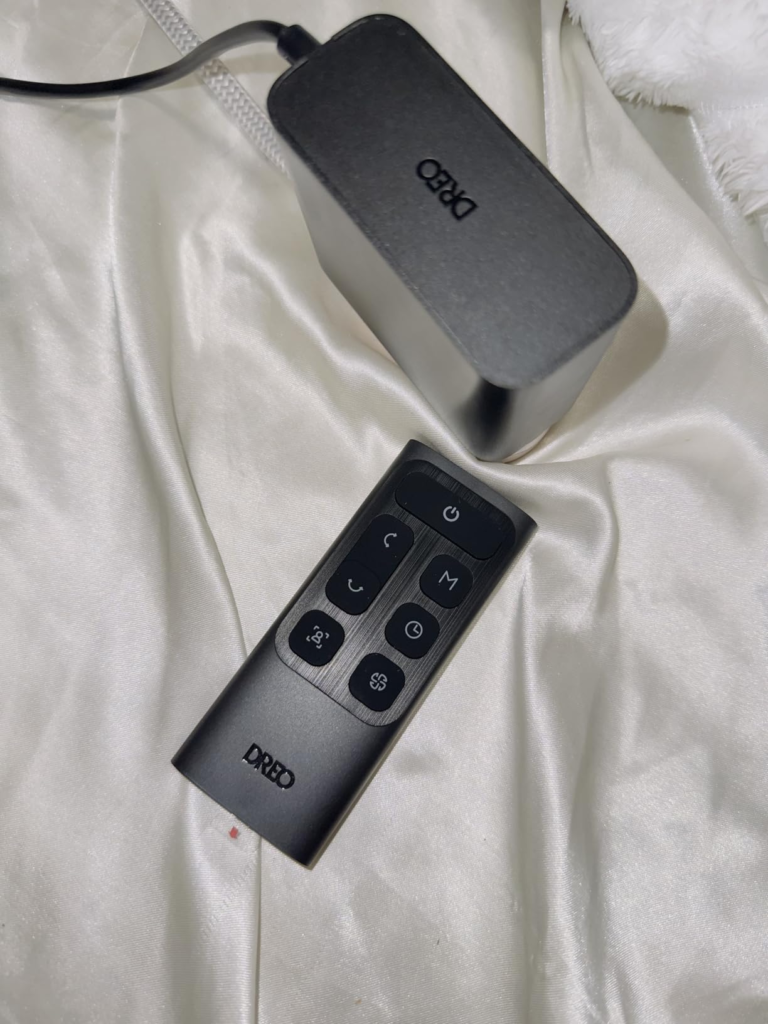
| You want full manual control | Remote or app overrides radar instantly |
Dreo 707S Airflow Threshold — The Exact Moment Your Fan Quietly Stops Working for You
Here’s the threshold nobody maps before they buy a fan.
Below 80°F and light activity, any decent fan works. The gap between sweep-based and tracked airflow is invisible at that temperature. But the moment the room climbs above 82°F — and you’re sitting still for more than 30 continuous minutes generating body heat — the gap becomes physical.
You feel it as irritation first. Then fatigue. Then the reflex to get up and adjust something, but you can’t quite identify what. Your body is being cooled for 8 seconds per minute, which is not enough to carry away what you’re producing. And no amount of higher fan speed on a sweep pattern solves this, because the problem isn’t power. It’s duration of contact.
I call this the sustained airflow threshold. It’s the point where you stop needing a stronger fan and start needing the fan to stop ignoring you. Once you cross it, every fan you’ve ever owned suddenly makes a different kind of sense — or doesn’t.
The 707S lives on the correct side of that threshold. Once the radar locks on, the air doesn’t sweep past you on a timer. It holds.
| Speed Level | Noise (Approx.) | Effective Reach | Best Use Case |
|---|---|---|---|
| 1–2 | 20–22 dB | 40–55 ft | Sleeping, lowest gentle breeze |
| 3–4 | 22–25 dB | 70–85 ft | Home office, focused work |
| 5–6 | 28–33 dB | 90–100 ft | Living room background circulation |
| 7–8 | 38–45 dB | 100–105 ft | Larger open spaces, shared rooms |
| 9 (Turbo) | ~51 dB | 110 ft | Maximum output, post-workout, intense heat |
Dreo TurboPoly 707S Review — Why Most Buyers Misread This Fan Before the First Hour
Why do people compare the 707S to a $60 fan and walk away thinking they’ve done the math?
Because they’re measuring the wrong variable.
The most common mistake in fan research: open a spec sheet, compare CFM and oscillation range, see the price difference, and conclude the cheaper fan is better value. I did this myself the first time I looked at this product. I almost didn’t buy it.
What that comparison misses entirely: the 707S’s defining feature — continuous position-locked airflow — doesn’t appear in any spec table. It has no CFM rating. It can’t be measured on paper. It only shows up in five hours of daily use at a fixed desk while trying to finish work without melting.
Comparing the 707S to a standard oscillating fan on airflow specs is like comparing GPS navigation to a paper map because both technically show you roads. Yes. But one of them tells you when you’ve missed your turn.
| Factor | Standard Oscillating Fan | DREO TurboPoly Fan 707S |
|---|---|---|
| Air direction logic | Fixed sweep loop | Position-locked via millimeter-wave radar |
| Speed response | Manual only | Auto-adjusts by distance (levels 3–9) |
| Maximum noise | 55–70 dB (typical models) | 51 dB at Turbo; 20 dB minimum |
| Oscillation coverage | Horizontal only | 150° Horizontal + 120° Vertical |
| Smart control | Rare or basic | Wi-Fi + Alexa + Google + 4.9-rated app |
| Room refresh speed | Varies, often slow | 156 sq ft in 1 minute |
| Industry recognition | — | TIME Best Invention 2025 |
| Price point | $40–$80 | $179.99 |
Is $179.99 expensive for a fan? Relative to a $60 sweep fan, yes. Relative to the 90 minutes per day you spend adjusting, repositioning, and sweating through a workday because your cheaper fan is on its own schedule — the math shifts. What you’re buying isn’t stronger air movement. You’re buying the end of a daily negotiation with your appliance.
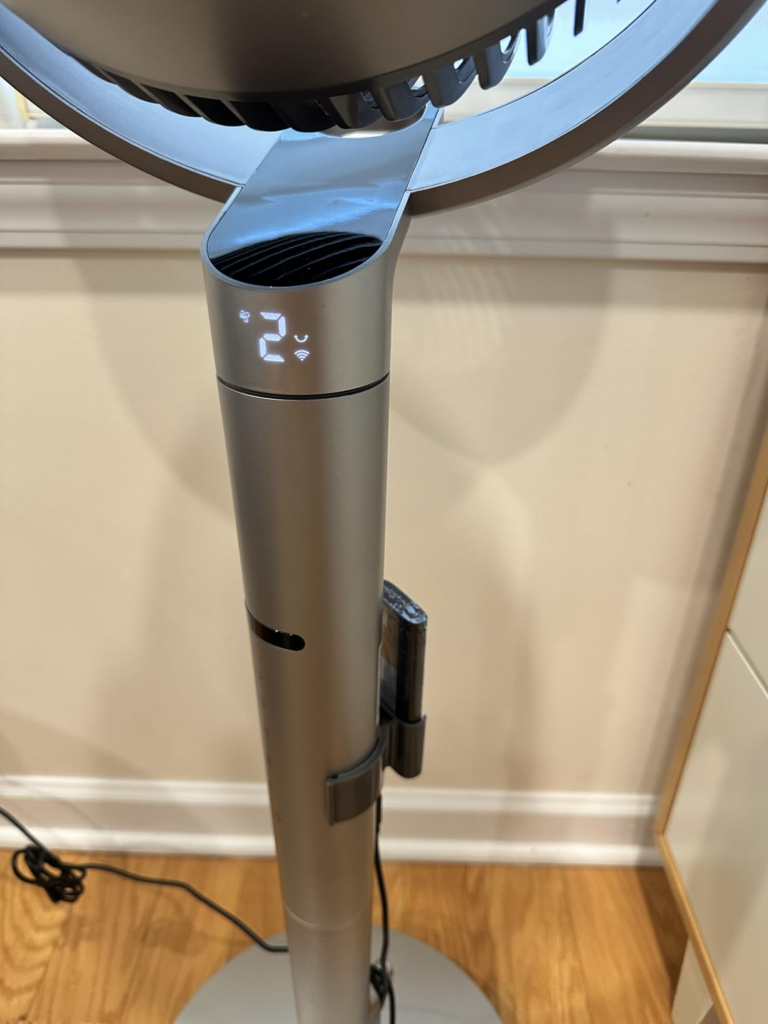
Dreo 707S Tracking Fan — Who Is Actually Living Inside This Cooling Problem
I’ve paid attention to who describes this specific frustration — “the fan is running but I’m still hot” — and the same profiles appear every time.
You work from home. Fixed desk. Six, seven, eight hours a day. You’re generating heat. The fan sweeps past you, pauses on the wall, sweeps back. By 2 p.m. you’ve repositioned your chair three times, and you still can’t understand why a fan rated for 100 feet can’t seem to hold 8 feet.
Or you sleep hot. You don’t run the AC at night — electricity costs, it dries you out, your partner can’t take the cold. So you use a fan. And somewhere around 3 a.m. you wake up sweating because you rolled left and your left side is suddenly outside the sweep arc. The fan is still running. It just moved on without you.
Or you have a child in the playroom who never sits still. No child in the history of childhood has maintained a fixed position inside a fan’s oscillation window. You can’t follow them with the fan every four minutes. They won’t do it themselves.
These aren’t edge cases. These are the everyday situations the 707S was built to eliminate.
| User Profile | Fit Level | Why It Works — or Doesn’t |
|---|---|---|
| Remote worker at fixed desk 6+ hrs/day | ✅ Strong fit | Radar holds airflow on you continuously — no adjusting |
| Hot sleeper who moves at night | ✅ Strong fit | Sleep mode + sustained tracking = no 3 a.m. adjustments |
| Parent cooling an active child | ✅ Strong fit | Fan follows movement without any manual input |
| Large open room (150–200 sq ft) | ✅ Solid fit | 3D oscillation refreshes the full room in 60 seconds |
| Occasional-use buyer (<1 hr/day) | ⚠️ Low priority | Radar is wasted at that frequency |
| Budget-first buyer (under $100) | ❌ Not this fan | Look at 704S ($149) or 513S ($119) instead |
| Outdoor or patio use | ❌ Not designed for it | Indoor use only — full stop |
| Shared high-traffic room (3+ people constantly moving) | ⚠️ Inconsistent | Tracking shifts between targets; usable but not seamless |
Dreo 707S Wrong-Fit Warning — Where Regret Quietly Begins
Let me be specific here, because vague warnings help no one.
If you prefer a fan you can run entirely without apps or setup — just a plug-in-and-use appliance — the 707S will work in basic mode but well below its ceiling. The control panel handles on/off, speed, and standard oscillation. But precision tracking calibration, the “Find Me” gesture, and distance-based speed tuning are app-exclusive. If you’re not going to configure the app, you’re paying $180 for a $150 fan’s experience.
If you’re in a genuinely busy multi-person room where three or four people flow in and out constantly, the radar will shift tracking frequently. Sometimes it will follow the wrong person. The “Find Me” gesture in the app brings airflow back to you, but it adds friction to a feature that’s supposed to be hands-free. The fan works correctly in this scenario — it’s just not at its best.
If you plan to use this fan for one hour in the evening after work and that’s the extent of it — the 707S will feel powerful, quiet, and solid. But you’ll have bought $180 of technology to run at $120 of value. At that usage level, the 704S is the smarter financial decision.
And if the price itself feels like a stretch right now, trust that feeling. Not because the 707S isn’t worth it. It is. But the only time this fan truly earns its cost is when you’re using the tracking feature daily. If you’re not ready for that commitment, hold the decision.
DREO TURBOPOLY FAN 707S REVIEW — THE ONE SITUATION WHERE THIS FAN BECOMES LOGICAL
You work from a fixed position four or more hours a day. You run warm. You’ve already repositioned a cheaper fan repeatedly and still find yourself adjusting it by midafternoon. You sleep hot and hate waking up to manage an appliance at 3 a.m.
In that specific situation — and I mean that situation, not “anyone who gets warm occasionally” — the 707S stops being a premium purchase and becomes the most practical decision in the room.
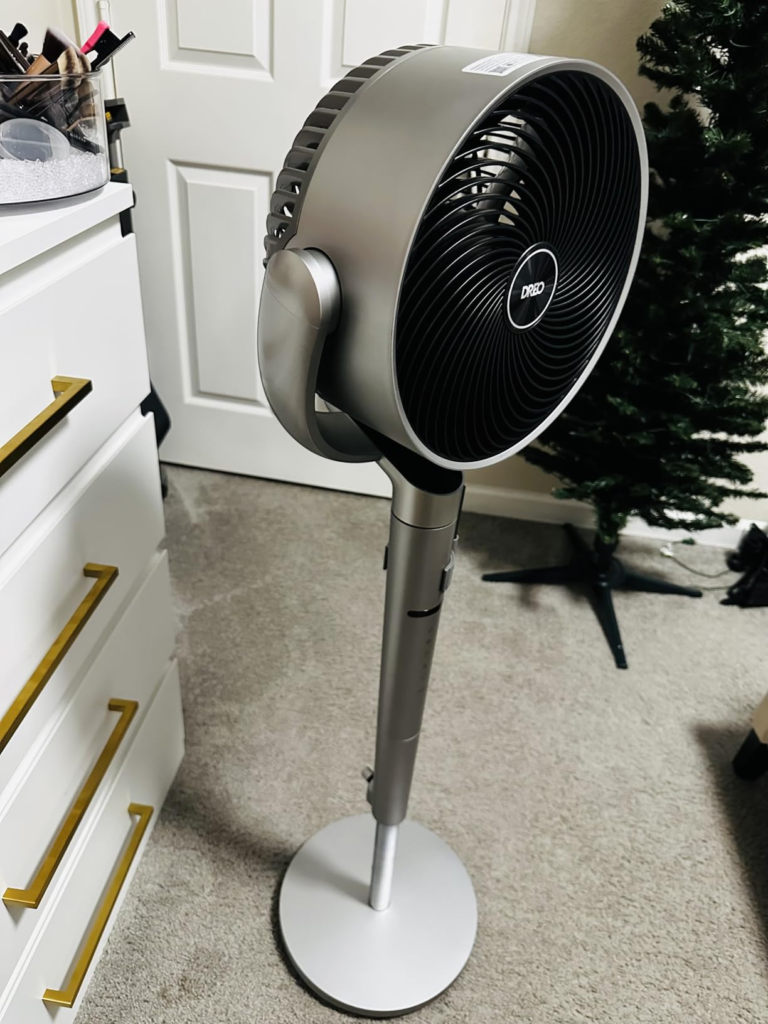
I set mine up in my home office. Silver finish, cleaner than I expected in person — the fan head especially, which has a precision-machined look that photographs can’t fully capture. Assembly: seven minutes with the included screwdriver. App pairing via Bluetooth: five seconds, no exaggeration.
What changed in the first two days: I stopped thinking about the fan. That sounds minor. It isn’t. I stopped adjusting it. Stopped rotating my chair. Stopped reaching for the remote. The air was there. I moved to the window — the fan shifted. I walked back to my desk — it followed. I stepped out for lunch — it went back to its sweep. I returned — it found me.
Six modes, and all of them are daily-useful, not marketing-useful:
| Mode | What It Actually Does | Best Real Moment to Use It |
|---|---|---|
| Normal | Constant airflow at your chosen speed | Deep work hours — no variation needed |
| Natural | Randomly varied speed, mimics outdoor breeze | Reading, unwinding, open windows feel |
| Sleep | Ultra-gentle ramp-down; display dims automatically | Bedtime, early mornings |
| Auto | Speed adjusts to ambient room temperature sensor | Unattended rooms, background circulation |
| Custom | You define exact oscillation angle and speed setting | Very specific personal comfort setups |
| Turbo | Maximum 1,404 CFM output | Post-workout, extreme afternoon heat |
At 20 dB on low settings, the 707S is quieter than a library. I’ve compared it side-by-side to my previous fan. The difference in sleep quality on low settings — no more sub-hum crawling into my focus — was noticeable within the first week.
At Turbo, it reaches approximately 51 dB — audible, but still well below a box fan on high. The brushless DC motor eliminates the hum frequency that typical motors produce, the one that burrows into concentration without you consciously noticing it.
TIME magazine named the 707S one of the Best Inventions of 2025. That’s the result of nine months, 19 engineers, 74 design iterations, and the first application of automotive millimeter-wave radar to a home pedestal fan. At $179.99, you’re not buying prestige. You’re buying the end of an engineering compromise that every fan since 1900 has accepted as a given.
What the Dreo 707S Solves, What It Reduces, and What It Still Leaves to You
I want to be direct here, because overbuilt expectations are where regret is manufactured.
What the 707S solves entirely: the problem of a fan that sweeps past you on a fixed schedule you didn’t agree to. If your core frustration is “I’m in the airflow for 8 seconds and ignored for the next 52,” this is fixed. The radar holds. The fix is structural, not incremental.
What it noticeably reduces: manual adjustment. You stop repositioning the fan. Stop tilting the head. Stop rotating your chair to stay in range. The app gives angle precision down to a degree. Voice commands via Alexa or Google mean you change everything without standing up. What used to require four adjustments per day becomes one setup, then nothing.
What it does not replace: an air conditioner. This fan moves air — it does not cool it. On a day above 95°F with no AC, the 707S will help through evaporative cooling from your skin. But “more tolerable” and “comfortable” are different outcomes at that temperature. Set accurate expectations and this fan exceeds them. Carry air-conditioner expectations in and you’ll blame the fan for something it was never designed to do.
One honest physical limitation: the power cord is shorter than I’d like. Plan your placement before you fully assemble. In some room layouts, you’ll need an extension cable. It’s a minor detail that real users consistently flag, and I’m flagging it too so it doesn’t catch you off guard.
| Performance Area | Honest Verdict |
|---|---|
| Targeted airflow via radar | Excellent — locks on consistently, adjusts fluidly |
| Quiet operation (speeds 1–4) | Excellent — 20–25 dB is genuinely near-silent |
| 3D whole-room oscillation coverage | Very Good — 156 sq ft refreshed in 1 minute |
| App quality and smart integration | Very Good — 4.9 Apple App Store, 4.8 Google Play |
| Energy efficiency | Good — brushless DC motor, low electricity draw |
| Build feel and aesthetics | Good fan head; plastic stand is functional, not premium |
| Value-to-use-case alignment | Strong — when you match the profile |
| Standalone relief without AC above 95°F | Limited — air movement, not temperature reduction |
Final Verdict — The DREO TurboPoly Fan 707S in One Honest Call
Weeks of daily use. Here’s what I know.
If your frustration is that the fan is always running but never actually landing on you — this ends that frustration. The radar works. The tracking is not a feature you experiment with once; it’s something that quietly reorders your relationship with your own room. You stop negotiating with the appliance. It negotiates with you instead.
If you want a strong, smart pedestal fan without the tracking, the 704S at $149.99 is the right call — excellent airflow, same smart controls, no radar. If your budget is firm under $100, the 513S will cool your room effectively and quietly. Neither is a compromise. They’re solving a different tier of the same problem.
But if you’re the person who has repositioned a fan four times today and is still sweating at 3 p.m. because the sweep keeps missing you — and you’re done engineering workarounds for an appliance that should be doing this automatically — the decision is clear.
The 707S isn’t asking you to upgrade your fan. It’s asking you to stop compensating for one that was never designed to find you in the first place.
Dreo TurboPoly 707S FAQ — The Questions That Actually Determine Your Decision
| Question | Answer |
|---|---|
| Does the radar tracking work without the Dreo app? | Yes — you can activate Dynamic Wind Motion directly from the fan’s control panel button. Basic position tracking functions without the app. However, precision calibration, distance-based speed tuning, and the “Find Me” gesture are app-exclusive. Without the app, you get tracking. With the app, you get tracking that’s calibrated to you specifically. |
| How quiet is the 707S on Sleep mode at night? | At speeds 1–2, the fan runs at approximately 20 dB — below the threshold of a whisper. Sleep mode is configured to gradually reduce airflow and automatically dim the display so there’s zero light interference. For hot sleepers who need silence, this is one of the quietest pedestal fans available at this airflow output level. It’s genuinely the setting that made me stop running my AC at night. |
| Can the fan track more than one person at a time? | No. The radar tracks one primary person. In rooms with multiple people moving around, the fan may shift between targets based on proximity and movement intensity. The “Find Me” gesture in the Dreo app lets you reassign tracking to your position immediately, without getting up or touching the fan. |
| Does the 707S work completely without Wi-Fi? | Yes. The physical control panel and included remote give you full manual operation with no network required — speed, oscillation, timer, mode selection. Wi-Fi and the app unlock scheduling, voice commands, remote access from outside the home, and advanced tracking precision. |
| What is the real difference between the 707S and the 704S? | Both offer 150°+120° 3D oscillation, 9 speeds, 6 modes, and full smart-home integration. The 707S adds millimeter-wave radar: the fan turns to face your exact position and adjusts fan speed based on your distance from it. The 704S does not have this. At a $30 difference ($149.99 vs. $179.99), the question is simple: do you need the fan to find you, or is smart oscillation already enough? |
| Does the radar tracking also adjust vertical angle? | No. Position tracking operates horizontally only — the radar detects your left-right position and adjusts horizontal direction plus fan speed. Vertical oscillation (120°) is a separate function controlled manually via the remote or app, independent of radar tracking. |
| How long does initial setup take start to finish? | Physical assembly with the included screwdriver: 7–10 minutes. App download and Bluetooth pairing: approximately 5 seconds once you’re logged in. Adding the fan to Wi-Fi for voice-command integration: 2 additional minutes. Most people are fully operational, including radar tracking, within 15 minutes of opening the box. |
| Does the fan reset its position when I turn it off? | Yes. When oscillation is active during use and you power the fan off, it automatically returns to its initial forward-facing neutral position. You never restart the next day into a sideways angle you forgot to correct. Each session begins clean. |
Alternative recommendations
Transparency Note:
This analysis is built on aggregated real-world experience.
It extracts what repeatedly holds, what breaks, and what users uncover only after living with the system—then shapes it into a clear model you can use immediately.
Think of it as structured experience, refined and presented so you don’t have to learn it the hard way.
“A quick note: Don’t believe the star ratings, but trust personal experience. This article is a compilation of collected experiences”