Philips Hue Play Light Bar 2-Pack Review: The Ambient Light That Only Works Once You Stop Comparing It to a $135 Purchase
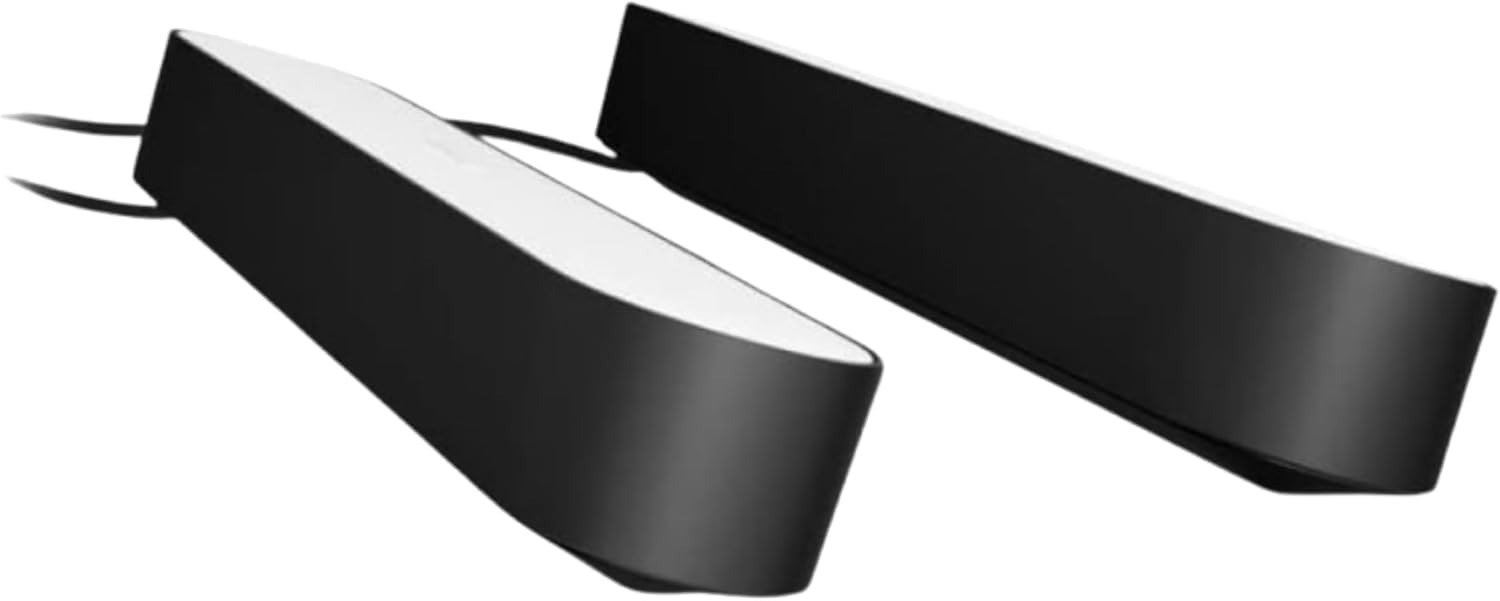
PHILIPS HUE PLAY LIGHT BAR 2-PACK
The Result Looks Fine. The Problem Isn’t.
You unbox the Philips Hue Play Light Bar 2-Pack.
Two compact, lozenge-shaped bars. A shared power supply. Two mounting options. A clean industrial finish. Everything looks complete.
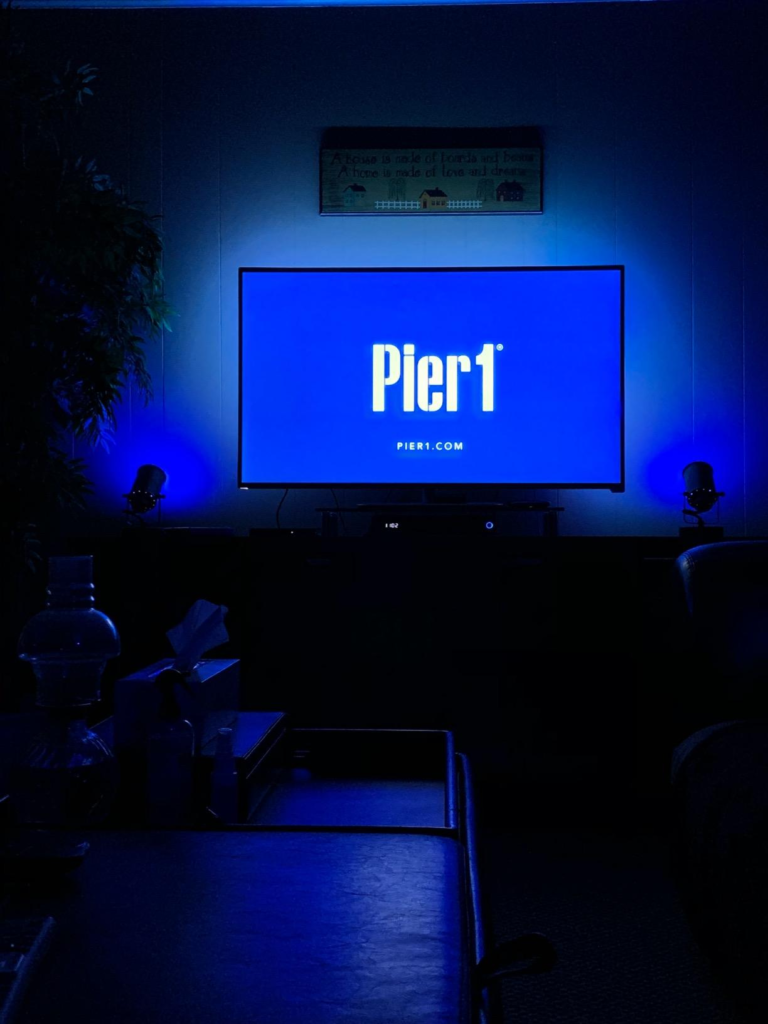
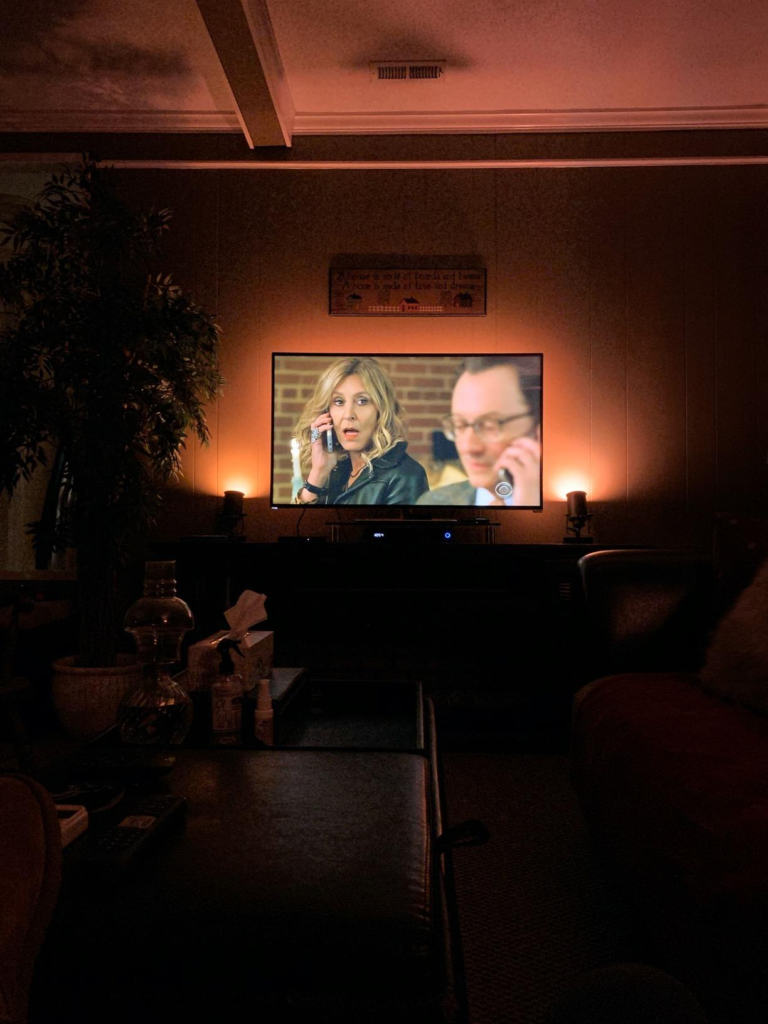
You plug them in. The colors are genuinely beautiful — rich, deep, accurate. The bars wash your wall in a precise amber or a sharp blue that no budget competitor has matched at this color fidelity. You feel good about the purchase.
Then you open the Hue app.
And the app asks you where your Bridge is.
Not “do you have one.” It already knows you don’t. It’s asking you to go buy one.
That is the first moment this product stops being a $135 purchase.
| What You Think You’re Buying | What You’re Actually Entering |
|---|---|
| 2 ambient light bars | An ecosystem with mandatory hardware layers |
| A TV backlight solution | A system that needs a $50 Bridge to function |
| Screen-synced immersion | A feature locked behind a $350 HDMI Sync Box 8K |
| A standalone product | A node in a larger infrastructure |
The bars are not broken. The experience is not disappointing once it’s complete. The problem is structural: the product is sold at a tier that implies independence it does not have.
What You’re Actually Feeling but Not Naming
There is a specific frustration pattern that surfaces in nearly every real-world account of this product — and it is never named in the spec sheet.
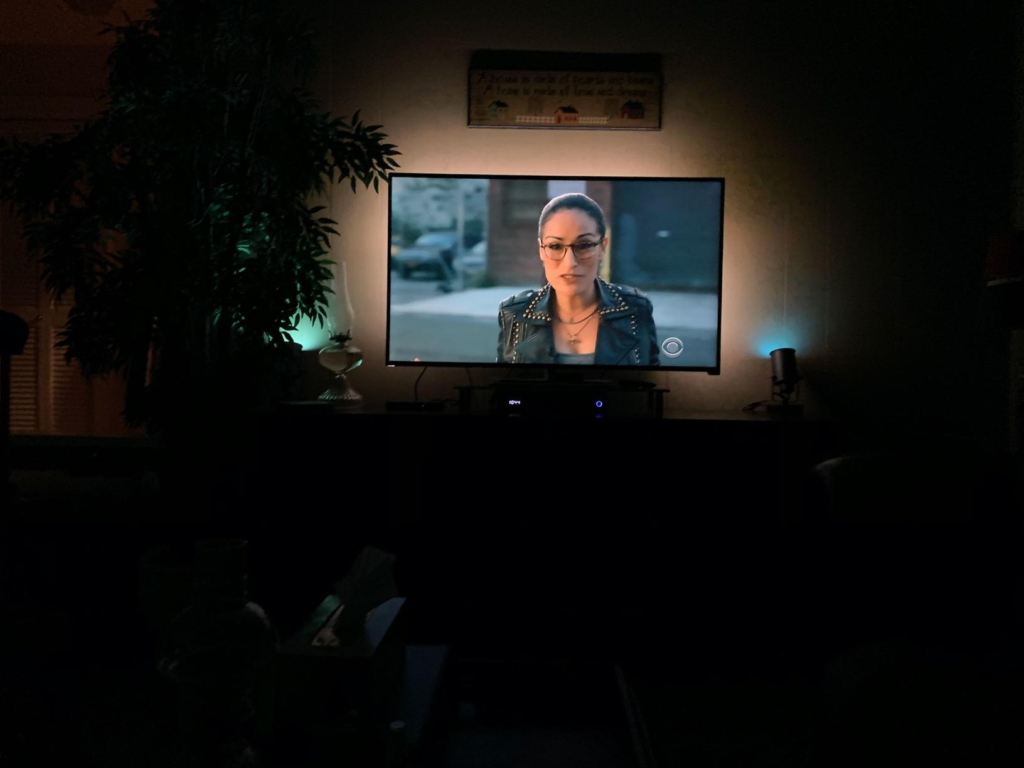
You feel it when you realize the 530-lumen output per bar is beautiful for accent use but too low to function as meaningful ambient fill in a brightly lit room. It’s designed to operate in the dark, or near-dark. The bars are not reading lights. They are not room lights. They are film-and-game atmosphere tools — and that is a narrower mandate than most buyers initially assume.
You feel it when the adhesive mounting strip commits to its position with a permanence that punishes second-guessing. Users report that once the 3M adhesive is applied, repositioning requires genuine effort and risks surface damage. The bar is not “easy to move around and try different spots.” It is easy to place once — correctly.
You feel it when the cord reaches exactly as far as it reaches, and not one inch further.
You feel it when you realize the sync feature — the main reason many people buy this product — is not active by default. Static color scenes work immediately with Bluetooth or Bridge. But reactive, screen-synced light requires the Hue HDMI Sync Box, now exclusively available as the 8K model at $349.99.
| Friction Point | Surface Symptom | Actual Mechanism |
|---|---|---|
| “The lights look great but don’t react” | Underwhelmed after setup | Sync requires separate $350 hardware |
| “I can’t move them after mounting” | Placement regret | 3M adhesive is permanent-grade |
| “The cord doesn’t reach” | Outlet positioning problem | ~6ft cable, wall-mounted TVs often insufficient |
| “It’s not bright enough for daytime” | Underwhelmed brightness | 530 lm is accent-grade, not fill-grade |
| “Why does it need a Bridge and a Sync Box?” | Cost shock | Two separate hardware prerequisites |
None of these are failures. Each is a known design choice. The problem is that buyers encounter them after the purchase, not before.
The Hidden Mechanism Behind the Miss
The Philips Hue Play Light Bar is not a TV backlight in the way a $30 LED strip is a TV backlight.
It is a precision color-reproduction peripheral built on the Zigbee protocol, operating within a closed ecosystem that prioritizes accuracy, stability, and deep integration over accessibility and low entry cost.
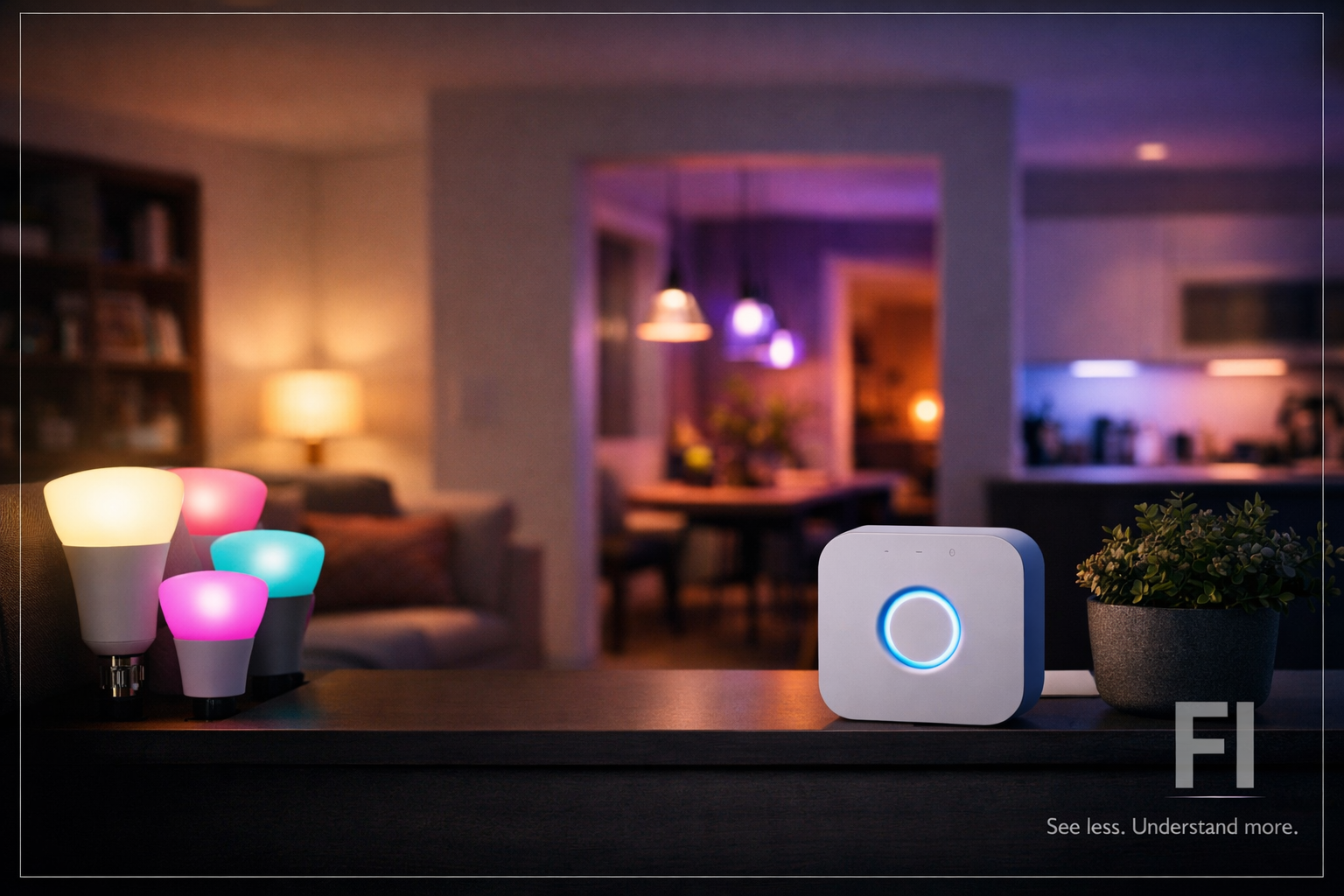
The Zigbee protocol is why the Bridge is non-negotiable for full function. The bars don’t connect directly to your Wi-Fi. They communicate on a separate mesh frequency — reliable, low-latency, non-congesting — but only when a Bridge acts as the translation hub between Zigbee and your network. Without it, you get Bluetooth-only mode: limited to a 30-foot range, no remote access, no automations, no entertainment area sync, no multi-room scenes.
The screen-sync feature works through a completely different mechanism: the HDMI Sync Box captures the video signal passing through it, analyzes the average color per screen zone at high speed, and translates that into light commands for each bar’s position — left, right, top, bottom. This is why the color accuracy is genuinely excellent and why competitors using cameras or TV-mounted sensors have visible delay and misread problems. But this accuracy is purchased at a hardware cost that doesn’t appear on the bar’s product page.
| Hardware Layer | Required For | Current Cost |
|---|---|---|
| Hue Play Light Bar 2-Pack | Static color scenes, Bluetooth mode | ~$135 |
| Hue Bridge | Remote access, automations, full app | ~$50 |
| Hue HDMI Sync Box 8K | Real-time screen color sync | ~$350 |
| Full Functional Stack | Everything advertised | ~$535 |
The $135 price point is not misleading in isolation. It is accurate for what the bars alone provide. The mislead happens when buyers mentally map the product’s potential — the immersive screen-synced ambiance visible in every product photo — to the price they pay at checkout.
The Threshold Where the Outcome Quietly Breaks
There is a specific cost threshold at which this product stops making sense — and it has nothing to do with the quality of the bars themselves.
If your total investment in the Hue ecosystem, including Bridge and Sync Box, stays below approximately $250, you are in the wrong ecosystem for what you want. At that budget, Govee, Nanoleaf 4D, or a basic LED strip gives you a comparable visual impression at a fraction of the cost. Color accuracy will be lower. Stability will be lower. Integration depth will be minimal. But the perceived outcome — colored light washing the wall behind your TV — will be similar enough that the difference is marginal to a casual user.
The Hue Play Light Bar earns its premium only when:
- You already own a Hue Bridge, or are building toward a multi-room Hue system
- You are willing to invest in the HDMI Sync Box for genuine screen sync
- Color accuracy matters enough to you to distinguish between a rose-red and a salmon-pink on the wall
- Long-term reliability over 5–10 years is a real priority
- You plan to add 3–5+ Hue devices over time, amortizing the Bridge cost
Below that threshold, the product works. It simply works at a level that cheaper alternatives also reach.
Why Most Buyers Misread This Too Early
The most common error is feature-led judgment.
A buyer sees: “16 million colors. Real-time sync. Works with Alexa, Google, HomeKit, Razer Chroma, Corsair iCUE, Spotify.”
They read: “This product does all of that.”
What those specifications actually describe is the ceiling of capability — the full expression of the product operating inside a complete Hue ecosystem with every supporting hardware layer active. Almost no first-time buyer reaches that ceiling on purchase day.
The early comparison trap compounds this. Buyers compare the Hue Play bars to $25 Govee TV strips and conclude they’re being asked to pay five times more for a similar concept. They are not comparing the same thing. Govee produces a camera-based screen sync that reads ambient light reflected from the screen, not the signal itself. It introduces visible lag, misreads dark scenes, and loses accuracy in lit rooms. The Hue system, with the Sync Box, captures the signal directly — no camera, no lag, no ambient-light contamination.
The problem is that buyers making this comparison are making it before they’ve spent $350 on the Sync Box. They are comparing a $135 partial-stack against a $25 complete-stack — and the partial stack loses.
| What Looks Like a Fair Comparison | Why It Isn’t |
|---|---|
| Hue Play 2-Pack ($135) vs. Govee Flow Pro ($60) | Govee is a complete standalone system; Hue is one node in a larger stack |
| Color counts (16M vs. 16M) | Color accuracy and reproduction method are entirely different |
| “Sync with TV” feature claim | Govee uses camera; Hue requires $350 signal-capture hardware |
| App ratings | Different apps serving different ecosystem depths |
Who Is Actually Inside This Problem
The buyer this product is designed for is not a first-time smart lighting customer.
Or rather: they can be — but they should enter with full awareness that they are making a long-term infrastructure decision, not a single-item purchase.
This product fits cleanly when the buyer matches one or more of the following:
- Already owns a Hue Bridge from a previous bulb or lamp purchase
- Is building a dedicated home theater or gaming setup with a multi-year investment horizon
- Values color stability and accuracy enough to notice — and care about — the difference between accurate and approximate
- Uses a PC setup with the Hue Sync desktop app, which provides screen sync without the HDMI Sync Box (PC-only, no console support)
- Is purchasing the bars as part of a bundle that includes the Bridge and Sync Box
The PC Hue Sync app path is underutilized and under-discussed: for users with a desktop gaming or work-from-home setup, the app syncs Hue lights to the PC screen for free — no Sync Box required. For that specific user, the 2-Pack at $135 plus a $50 Bridge produces the full reactive lighting experience at $185 total.
Where Wrong-Fit Begins
This product becomes the wrong choice — not a bad product, specifically the wrong choice — under these conditions:
You are buying it only as a TV backlight for a living-room television, with no intention of purchasing the HDMI Sync Box. The bars will function as static-color accent lights. They will look good. But you will have paid $135 for a feature you could have acquired for $25 and not felt the difference.
You are buying it for a room where daytime ambient light is significant. The 530-lumen output is tuned for dark or low-light environments. In a well-lit room, the bars become visually minimal — more decorative than atmospheric.
You are comparing it to a one-time purchase and expecting no further investment. The Bridge alone requires an additional $50. If you want screen sync, the Sync Box is $350. The bars are the lowest cost node in their own full system.
You want to reposition them regularly. The mounting system — adhesive strips or clip stands — is designed for permanent or semi-permanent placement. It is not flexible furniture lighting.
| Wrong-Fit Profile | Why the Regret Happens |
|---|---|
| Standalone TV buyer, no Sync Box plans | Pays $135 for what a $25 strip provides in this use case |
| Bright-room user | 530 lm is accent-grade; effect disappears in daylight |
| “Complete product” expectation | Two mandatory hardware purchases not included or disclosed at checkout |
| Frequent repositioner | Adhesive mount is near-permanent; stands are stable but fixed |
| Budget-first buyer | Total functional stack is $535; partial stack underdelivers the promise |
The One Situation Where This Product Becomes Logical
If you already own a Hue Bridge — or are buying one alongside this purchase — and your primary use case is a dedicated home theater or gaming setup with a PC or a television connected to a device on the HDMI Sync Box, the Philips Hue Play Light Bar 2-Pack is the most accurate, stable, and durable ambient lighting product available at this size category.
Color reproduction is genuinely class-leading. The Zigbee connection is more stable than any Wi-Fi-direct competitor. The build quality survives years of use — users report 5–10 year lifespans without failure. The ecosystem integration — Razer Chroma, Corsair iCUE, Spotify, Apple HomeKit, Google Home, Alexa — is deeper than any rival at this price tier.
The bars are also expandable without replacing any hardware: a single power supply handles up to three bars, and additional bars can be added to an existing setup without rewiring.
For the buyer already inside the Hue ecosystem, or deliberately entering it as a long-term infrastructure decision, this 2-Pack is the correct starting point.
What It Solves, What It Reduces, and What It Still Leaves to You
| Category | Reality |
|---|---|
| Solves | Color-accurate accent lighting. Full ecosystem integration. Screen sync (with Sync Box). Reliable 25,000-hour lifespan. Zigbee stability with no Wi-Fi congestion. |
| Reduces | Ambient eye fatigue during long screens sessions. The “flat wall” effect behind a mounted TV. Scene automation complexity once the Bridge is active. |
| Does not solve | Fill lighting in bright rooms. Budget lighting needs. Standalone TV sync without additional hardware. Cord-length constraints near distant outlets. |
| Leaves to you | Bridge purchase. Sync Box decision. Correct placement before adhesive commitment. Cable management behind the TV. |
| Where regret begins | Buying for the sync experience without budgeting for the Sync Box. Applying the adhesive mount without confirming final position. Expecting brightness above 530 lm. |
Final Compression
The Philips Hue Play Light Bar 2-Pack is not overpriced for what it is.
It is misunderstood about what it is.
It is a precision ecosystem node. It produces the most accurate, stable, color-faithful ambient light available in its form factor. It integrates deeply, survives long, and scales cleanly. Its color reproduction is not cosmetically similar to competitors — it is mechanically different and measurably better.
But it is a $135 entry point into a system that costs $535 to operate at full specification. That gap is not a scam. It is an architecture.
And the question is whether you are building for that architecture or not.
If you own a Hue Bridge and are adding screen-reactive lighting to a dedicated entertainment or gaming space — or building a PC setup where the free Hue Sync app replaces the need for the Sync Box entirely — this is the product that closes that need without compromise.
If you are buying it expecting a self-contained TV backlight at $135, the gap between expectation and outcome will feel exactly like $135 wasted.
Frequently Asked Questions
| Question | Answer |
|---|---|
| Does the Philips Hue Play Light Bar 2-Pack work without a Hue Bridge? | Yes — in Bluetooth mode only, within 30 feet of your phone. You lose automations, remote access, entertainment area sync, and all multi-room functionality. For full operation, the Hue Bridge ($50, sold separately) is required. |
| Do I need the HDMI Sync Box to sync the lights with my TV? | For a TV with a connected streaming device, game console, or media player — yes. The HDMI Sync Box (currently the 8K model at $349.99) is the only way to achieve real-time screen color sync on a television. The exception is PC users, who can use the free Hue Sync desktop app for the same effect without the hardware. |
| How bright are the Hue Play Light Bars? | Each bar outputs 530 lumens. This is intentionally accent-grade — designed for dark or low-light environments. They are not fill lights or reading lights. In bright rooms, their atmospheric effect is minimal. |
| Can I mount them without using the adhesive? | Yes. Each bar includes a clip stand for placement on a shelf or cabinet surface. The adhesive mounts are provided for permanent wall or TV-back mounting. If you use the adhesive, confirm placement before committing — repositioning is difficult and risks surface damage. |
| How many bars can one power supply support? | The included power supply supports up to three Hue Play light bars simultaneously — even though the 2-Pack includes two. A third bar can be added without replacing any power hardware. |
| Is the Hue Play Light Bar compatible with Razer Chroma and Corsair iCUE? | Yes. With a Hue Bridge active, the bars integrate with Razer Chroma for gaming peripheral sync and Corsair iCUE for keyboard/mouse lighting coordination. Both require the Bridge; neither works in Bluetooth-only mode. |
| What is the actual total cost to get the full advertised experience? | Hue Play 2-Pack (~$135) + Hue Bridge (~$50) + Hue HDMI Sync Box 8K (~$350) = approximately $535 before any additional bars or accessories. |
| How long do the bars last? | Philips rates the LED lifespan at 25,000 hours. Real-world reports from community users confirm functional units operating at 5–10 years of regular use without hardware failure, with isolated reports of power supply failure in multi-bar setups after 2–3 years. |
Transparency Note:
This analysis is built on aggregated real-world experience.
It extracts what repeatedly holds, what breaks, and what users uncover only after living with the system—then shapes it into a clear model you can use immediately.
Think of it as structured experience, refined and presented so you don’t have to learn it the hard way.
“A quick note: Don’t believe the star ratings, but trust personal experience. This article is a compilation of collected experiences”