My UAP-NanoHD Review: You’re Not Buying a Wi-Fi Box. You’re Buying Into a System That Will Either Reward or Punish You.
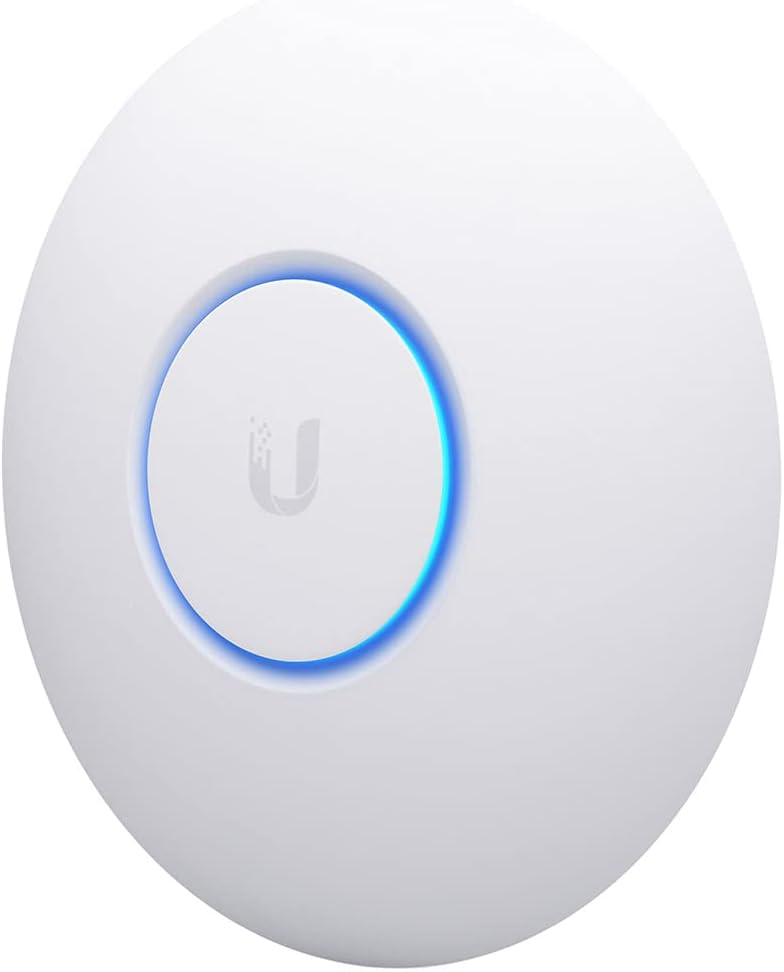
UAP-NANOHD
The Signal Looks Strong. The Problem Is Somewhere Else.
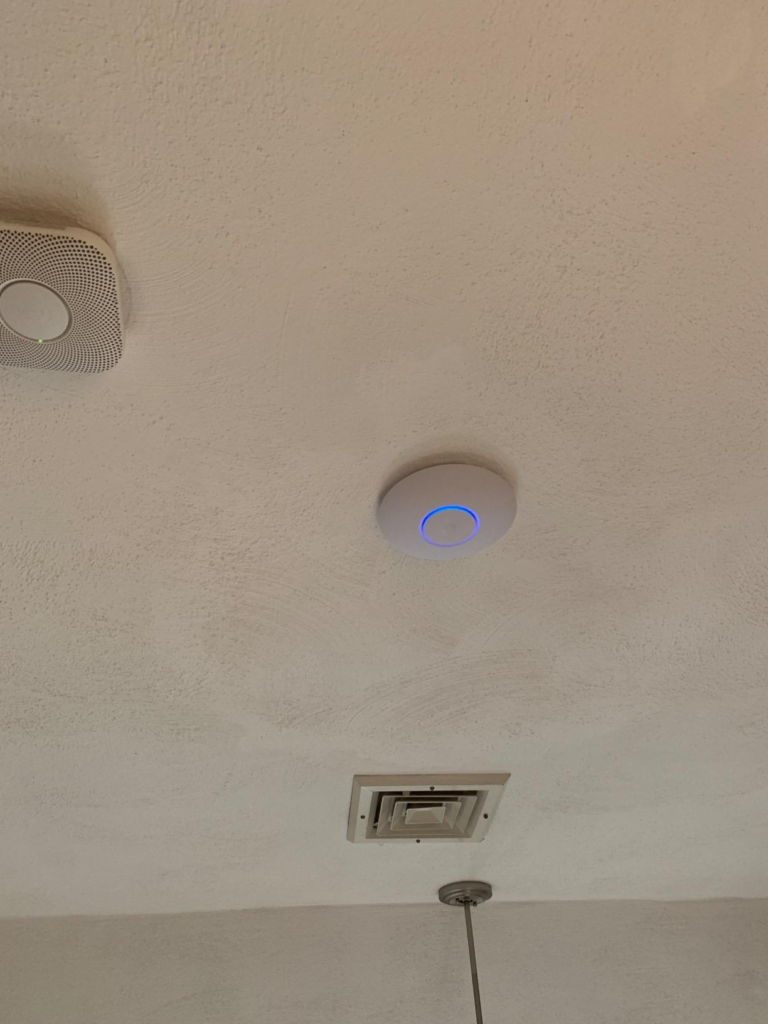
You mount it. You provision it. The LED ring glows a clean white. Clients connect. Speeds look reasonable. On the surface, everything appears to be working exactly as described.
But something feels off — and you can’t name it precisely.
Throughput drops under load. IoT devices hang on 2.4 GHz. The controller needs attention again. Firmware flagged. You’re spending thirty minutes every few weeks doing things you didn’t expect to do. The network “works,” but it costs more management effort than you thought you were buying.
That friction? It’s not a bug. It’s the architecture. And it only reveals itself after you’ve committed to the hardware.
What You’re Actually Feeling But Not Naming
The UAP-NanoHD markets itself as a high-density enterprise access point. That phrase carries a specific meaning — and most buyers don’t read it as carefully as they should.
“High-density” doesn’t mean “excellent everywhere.” It means the device is optimized for environments where many devices connect simultaneously on 5 GHz in a managed, centrally coordinated network. When that isn’t your situation, the device’s design priorities actively work against you.
Here’s what users experience without naming it correctly:
The 2.4 GHz radio runs 2×2 MIMO at a maximum PHY rate of 300 Mbps — not the 1,733 Mbps figure you see in the headline spec. That headline number belongs exclusively to the 5 GHz band. Older laptops, smart home sensors, wireless printers, and most IoT devices default to 2.4 GHz. In a mixed-device environment, those clients aren’t getting what the box implies.
The second unnamed frustration is controller dependency. This access point does not operate meaningfully in standalone mode. Without the UniFi Controller — running either on a local server, a Cloud Key, or a Dream Machine — you lose configuration persistence, firmware update management, band steering, airtime fairness settings, and meaningful diagnostics. The controller isn’t optional. It’s structural.
Most buyers realize this only after mounting the AP and trying to manage it directly.
The Hidden Mechanism Behind the Miss
The NanoHD was built on a specific engineering philosophy: centralize intelligence at the controller level, keep the AP hardware lean and fast, and let the software ecosystem do the heavy lifting.
This is the right philosophy — for the right context. The consequence of this philosophy is that the AP is genuinely powerful when the full UniFi stack surrounds it, and genuinely limited when it doesn’t.
The 4×4 MU-MIMO on 5 GHz is real. Beamforming is real. Airtime fairness across 200+ concurrent clients is real. Hardware radio acceleration with independent offload for both bands — also real. These aren’t marketing claims; they’re measurable performance advantages in high-client-density deployments.
But MU-MIMO only activates meaningfully when multiple clients simultaneously request transmission and the controller has steered them correctly across bands. In a home or small office with 15–25 mixed devices, most of MU-MIMO’s capacity sits unused. You’re paying for infrastructure built for a conference room or a clinic waiting area, and deploying it in a space where its primary advantages remain permanently idle.
The thermal design reveals this too. The bottom chassis uses zinc alloy specifically to manage heat under sustained multi-user load. That thermal solution exists because the hardware was expected to run hot under real enterprise traffic. In low-traffic environments, that’s engineering headroom you’ll never touch.
The Threshold Where the Outcome Quietly Breaks
There is a density threshold below which the UAP-NanoHD’s value proposition collapses — not catastrophically, but quietly.
| Deployment Context | Device Count | Primary Band Used | NanoHD Fit |
|---|---|---|---|
| Enterprise office / classroom | 80–200+ clients | 5 GHz (managed) | Strong fit |
| SMB with full UniFi stack | 30–80 clients | Mixed, controller-steered | Good fit |
| Small office, partial UniFi stack | 15–30 clients | Mixed, partial management | Marginal fit |
| Home network, no controller | Under 20 clients | Mostly 2.4 GHz | Poor fit |
| IoT-heavy environment | 20+ IoT devices | 2.4 GHz dominant | Poor fit |
Below roughly 30 actively managed, 5 GHz-capable clients in a controller-governed network, the NanoHD’s differentiated features — MU-MIMO efficiency, airtime fairness, beamforming precision — contribute diminishing returns. The device remains functional, but it no longer earns its price point relative to simpler, cheaper alternatives.
The 2.4 GHz ceiling is the clearest marker of this threshold. Two spatial streams at 300 Mbps maximum PHY rate means that band-heavy environments — IoT-dense homes, legacy device fleets, offices with old Chromebooks — will feel the constraint. Not as failure. As persistent underperformance that’s hard to diagnose unless you know where to look.
Why Most Buyers Misread This Too Early
The first comparison trap is the spec sheet.
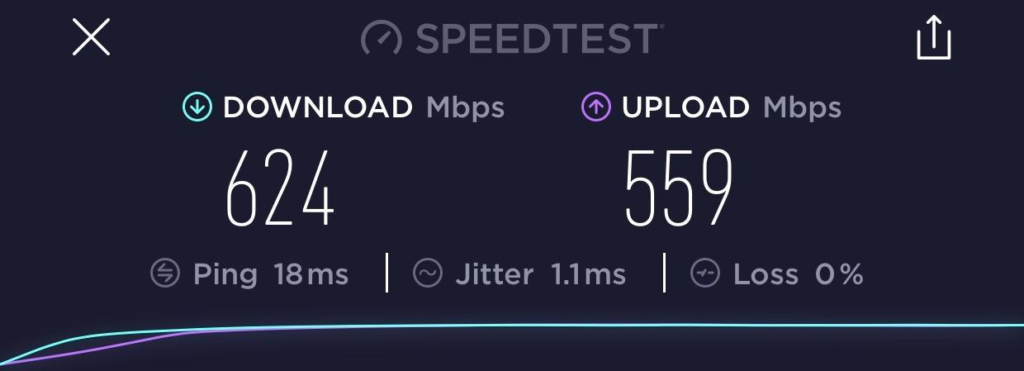
The NanoHD’s aggregate throughput figure — around 1.73 Gbps combined — looks impressive in a table. But aggregate throughput is the theoretical sum of both bands at their maximum PHY rates. Real-world throughput under mixed load is substantially lower. Under concurrent multi-client stress on both bands, actual measured throughput sits in a different range entirely from the headline number.
| Spec | Marketing Claim | Real-World Reality |
|---|---|---|
| Aggregate throughput | ~2 Gbps combined | Varies by client count, band, distance |
| 5 GHz max PHY | 1,733 Mbps | Requires 4-stream AC Wave2 client close-range |
| 2.4 GHz max PHY | 300 Mbps | Capped by 2×2 antenna configuration |
| Concurrent users | 200+ | Requires controller management to sustain |
| Standalone operation | Yes | Limited without controller; no real configuration control |
| PoE standard | 802.3af | Correct — but PoE switch or injector sold separately |
The second comparison trap is treating it as a plug-and-play device. Every retail competitor in this price range — consumer mesh systems, standalone APs — works immediately out of the box with a phone app. The NanoHD requires infrastructure investment: a controller device, a PoE switch or injector (not included in the single pack), and some comfort with network configuration. That isn’t a defect. It’s a design decision. But buyers who discover it post-purchase feel deceived.
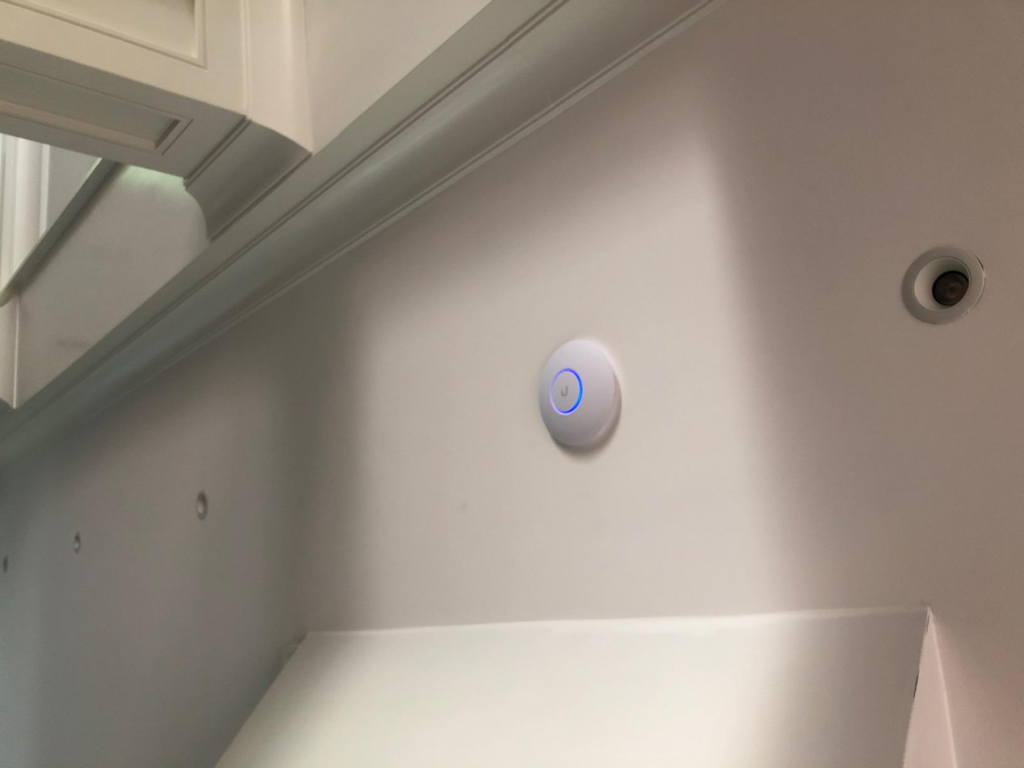
The third trap is the LED. The provisioning ring is visible confirmation that the device is running. But “running” and “correctly configured” are different states. A device can join a network, light up, and stream traffic while still operating on default settings that don’t match the environment — open channels, no band steering, no airtime fairness, default transmit power. The hardware does nothing to signal configuration gaps.
Who Is Actually Inside This Problem
This device makes sharp sense for a specific operator type.
You are already inside the problem the NanoHD solves if you run a UniFi network — or are actively building one. If you have a UniFi Security Gateway, a Dream Machine, or a Cloud Key on the network, the NanoHD integrates without friction. It becomes a node in a system that already knows how to manage it. Controller detection is automatic. Provisioning takes minutes. Firmware updates propagate centrally.
You are inside this problem if you manage a space where density matters: a clinic, a school hallway, a coworking floor, a retail store with 60 client devices cycling through daily. You are inside this problem if your ceiling infrastructure is already PoE-capable and you need to place a compact, invisible AP that doesn’t dominate visual space.
| User Profile | Already in the Ecosystem? | Density Justified? | Verdict |
|---|---|---|---|
| Enterprise IT admin (UniFi stack) | Yes | Yes | Strong purchase |
| SMB owner building UniFi setup | Partially | Likely | Logical next step |
| Home user wanting “enterprise Wi-Fi” | No | No | Wrong tool |
| Small café with <20 users | Unlikely | No | Overshooting |
| Hotel floor deployment | Ideally yes | Yes | Purpose-built fit |
| Mixed IoT/smart home environment | No | No | Wrong band priorities |
Where Wrong-Fit Begins
Wrong fit begins the moment you plug this into a network without a UniFi controller running.
Without the controller, you get a functional access point that broadcasts a default SSID with default credentials. You can connect to it. You can push traffic through it. But you cannot configure band steering, airtime fairness, transmit power curves, client isolation, VLAN tagging, or guest portal settings. You cannot monitor client signal quality or reassign channels intelligently. The hardware is present. The intelligence is offline.
Wrong fit deepens in IoT-heavy environments. The 2.4 GHz band is where most smart home devices live — locks, bulbs, sensors, cameras, thermostats. That band gets 2×2 MIMO and 300 Mbps maximum PHY. In a home with 30+ IoT devices clustered on 2.4 GHz and 5–10 higher-bandwidth clients on 5 GHz, the device is running its least capable radio for its most crowded use case.
Wrong fit also appears in one-AP deployments for large physical spaces. The NanoHD is a high-density AP, not a long-range AP. Its antenna gain is modest — 2.8 dBi at 2.4 GHz and 3.0 dBi at 5 GHz. It is engineered to serve many clients well in a relatively contained area, not to broadcast signal through concrete walls across a 3,000 sq ft warehouse floor.
| Wrong-Fit Condition | Why It Fails |
|---|---|
| No UniFi Controller | Cannot configure enterprise features; defaults only |
| IoT-dominant environment | 2.4 GHz is 2×2 only; insufficient for dense IoT bands |
| Single AP for very large space | Low antenna gain; not designed for long range |
| Plug-and-play expectation | Requires PoE infrastructure + controller; no self-setup |
| Competitor comparison by spec alone | Aggregate spec misrepresents per-band real performance |
| Budget-first decision | Price doesn’t include controller, PoE switch, or low-profile mount |
The regret path is almost always the same: a buyer attracted by the enterprise label, underwhelmed by the setup complexity, confused by the 2.4 GHz performance gap, unsure why the device isn’t behaving like the specs suggested.
The One Situation Where This Product Becomes Logical
If you are building or extending a UniFi network — with a controller already running, a PoE switch in place, and a deployment context where 30 or more managed clients share the same physical space — the UAP-NanoHD becomes one of the most rational access point purchases in its price class.
The 4×4 5 GHz radio with hardware MU-MIMO offload handles concurrent client load in ways that cheaper APs cannot sustain. The beamforming tightens the RF beam to individual clients, improving SNR at distance and under interference. Airtime fairness prevents a single slow client from consuming disproportionate channel time — a silent killer in most consumer APs that the NanoHD actively manages.
The form factor is genuinely compact — 160 × 160 × 33 mm, 30% smaller than the UAP-AC-Pro it replaced — and the zinc alloy base plate manages thermal load without active cooling. No fan noise. No thermal throttling under normal multi-user operation.
The controller integration means zero per-device licensing fees, scalable to thousands of APs under a single management interface, with spectral analysis, RF mapping, detailed client analytics, and multi-site control all included in the software at no additional cost.
If you’re already in the ecosystem, or you’re committing to it with a clear-eyed understanding of what that means, this AP rewards that commitment consistently.
What It Solves, What It Reduces, and What It Still Leaves to You
| Category | What the NanoHD Delivers |
|---|---|
| Solves | High-density 5 GHz performance under concurrent load |
| Solves | Centralized management with no licensing fees |
| Solves | Clean ceiling installation with PoE single-cable deployment |
| Solves | Scalable architecture from 1 AP to thousands |
| Reduces | Client contention via MU-MIMO and airtime fairness |
| Reduces | Band congestion via controller-driven band steering |
| Reduces | Installation footprint with compact, skin-optional design |
| Still requires from you | A running UniFi Controller (server, Cloud Key, or Dream Machine) |
| Still requires from you | A PoE switch or injector (not included in single pack) |
| Still requires from you | Basic network administration literacy |
| Still requires from you | Channel planning if deploying multiple APs |
| Still requires from you | A realistic count of your 5 GHz vs 2.4 GHz device split |
The honest expectation-setting: the NanoHD will not make a poorly planned network good. It will make a well-planned network excellent. That distinction matters more than any spec on the box.
Full Specifications at a Glance
| Specification | Value |
|---|---|
| Wi-Fi Standard | 802.11ac Wave 2 (Wi-Fi 5) |
| Frequency Bands | 2.4 GHz + 5 GHz simultaneous dual-band |
| 2.4 GHz MIMO | 2×2 |
| 5 GHz MIMO | 4×4 |
| Max 5 GHz PHY Rate | 1,733 Mbps |
| Max 2.4 GHz PHY Rate | 300 Mbps |
| Concurrent Users | 200+ (with controller management) |
| PoE Standard | 802.3af (48V) |
| Max Power Consumption | 10.5W |
| Antenna Gain | 2.8 dBi (2.4 GHz) / 3.0 dBi (5 GHz) |
| Dimensions | 160 × 160 × 33 mm |
| Weight | 300 g |
| Management | UniFi Controller (software, Cloud Key, or Dream Machine) |
| Mounting | Ceiling or wall (low-profile mount sold separately) |
| Operating Temperature | -10°C to 70°C |
| Ethernet Port | 1× Gigabit (PoE input) |
| Warranty | 1 year limited |
Final Compression
The UAP-NanoHD is not a Wi-Fi device you buy to simplify your network.
It is a Wi-Fi device you buy to scale your network — correctly, precisely, and with the infrastructure commitment that enterprise-grade performance requires.
If you have a UniFi Controller running, a PoE switch in place, and a physical space where 30 or more managed clients genuinely share the air, this is the access point that earns its position in your ceiling. The 5 GHz performance is real. The multi-user handling is real. The zero-license management is real. The long-term reliability, once the ecosystem is intact, is genuinely consistent.
If any one of those conditions is missing — no controller, no PoE infrastructure, an IoT-heavy environment, or a space with fewer than 20 clients — the device will function but will not justify itself. The money and the management overhead belong elsewhere.
The decision threshold is not whether this is a good access point. It is. The threshold is whether you are the operator this access point was built for.
If you are already running a UniFi network and need to extend it with a compact, high-density 802.11ac AP, the next step is clear and costs nothing more to confirm.
Frequently Asked Questions
| Question | Answer |
|---|---|
| Does the UAP-NanoHD require a UniFi Controller to function? | It will broadcast a default wireless network without a controller, but all enterprise features — band steering, airtime fairness, VLAN tagging, QoS, firmware updates, and meaningful configuration — require the UniFi Controller. Operating it long-term without a controller means paying for hardware whose core value remains permanently inaccessible. |
| Why is my 2.4 GHz performance underwhelming on the NanoHD? | The 2.4 GHz radio is a 2×2 MIMO configuration with a maximum PHY rate of 300 Mbps. This is a hardware limitation, not a firmware issue. The device’s 4×4 MU-MIMO capability belongs exclusively to the 5 GHz band. IoT-heavy or legacy-device environments that rely primarily on 2.4 GHz will feel this ceiling. |
| Is PoE included in the single-unit package? | The multi-unit packs sometimes include a PoE injector; the single unit typically does not. Confirm the listing before purchase. If you don’t have a PoE-capable switch, you will need a separate 802.3af-compliant injector to power the device. |
| Can the NanoHD handle a home network with 20–30 smart devices? | It can, but it is over-engineered for that use case. Its performance advantages activate primarily in high-density, controller-managed, 5 GHz-dominated environments. A home with 20–30 mixed smart home and mobile devices will see functional but not differentiated performance compared to simpler, cheaper access points. |
| How does the NanoHD compare to the UniFi U6 Lite? | The U6 Lite supports Wi-Fi 6 (802.11ax), which brings better efficiency for dense IoT environments and improved performance for Wi-Fi 6-capable clients. The NanoHD is Wi-Fi 5 (802.11ac). If you’re building new today and your client devices support Wi-Fi 6, the U6 Lite is the more forward-compatible choice at a comparable price. The NanoHD remains a strong option in existing AC-standard networks where controller-managed stability is already proven. |
| What happens if the UniFi Controller goes offline? | Connected clients remain online — the AP continues to serve traffic based on its last configuration. New clients can still associate. However, no configuration changes, monitoring, or firmware updates are possible until the controller comes back online. The network doesn’t collapse; management does. |
| Is the low-profile mount included? | No. The standard mounting bracket is included. The low-profile ceiling mount that allows the AP to sit flush against the ceiling is sold separately by Ubiquiti. |
Transparency Note:
This analysis is built on aggregated real-world experience.
It extracts what repeatedly holds, what breaks, and what users uncover only after living with the system—then shapes it into a clear model you can use immediately.
Think of it as structured experience, refined and presented so you don’t have to learn it the hard way.
“A quick note: Don’t believe the star ratings, but trust personal experience. This article is a compilation of collected experiences”