Your Wi-Fi Looks Fine. The Ubiquiti UniFi U6 Lite Exposes Why It Isn’t.
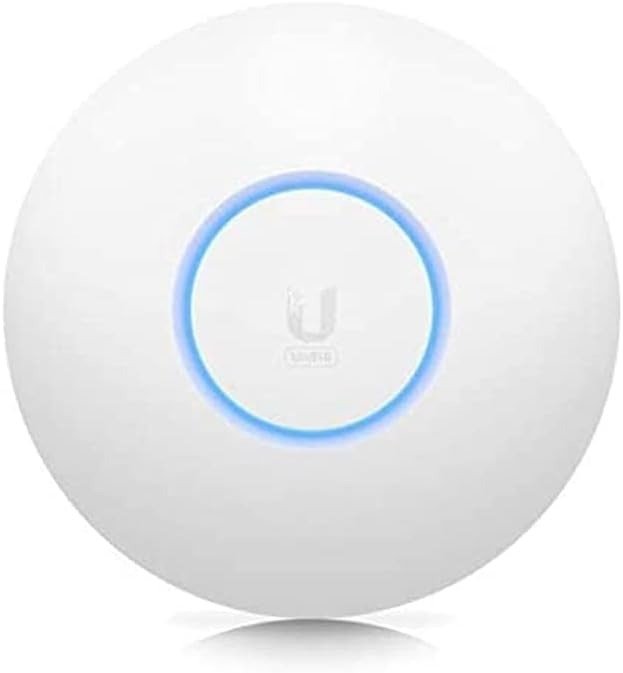
UBIQUITI UNIFI U6 LITE
The Result Looks Fine. The Problem Isn’t.
Your connection works. The speed test passes. The bar is full. And yet — something keeps slipping.
The video call freezes at the wrong moment. Your laptop, three rooms from the router, loads the same page twice as slowly as it does at the desk. Your phone clings to a weak signal on the far end of the house instead of switching cleanly to something stronger. You reboot the router. It helps for a day.
This is the pattern that doesn’t get named correctly. People blame the ISP. They blame the device. They upgrade the plan. None of it fixes the underlying structure — because the structure itself is the problem.
Consumer routers, even strong ones, operate as single broadcast points. One device, one location, one radiation pattern thrown outward in every direction and weakened by every wall, door, and floor it crosses. The farther you move, the more signal degrades — not linearly, but exponentially. And the device in your hand, trained to stay connected to what it already knows, holds on to the original weak signal far too long before switching to anything better.
The Ubiquiti UniFi U6 Lite doesn’t fix your router. It replaces the architecture — placing a dedicated Wi-Fi 6 access point exactly where the signal actually needs to be, managed through a system that controls roaming, channel assignment, and client behavior from a single interface.
That’s a different category of solution entirely.
What You’re Actually Feeling but Not Naming
There’s a specific texture to the frustration that precedes this purchase.
It isn’t a total failure. Total failures are easy — you troubleshoot, you replace, you solve. This is subtler: a network that delivers just enough performance to make the problem feel like your fault. You walk into another room and things slow down, but only slightly. You join a video call from the kitchen and the quality drops, but only for a few seconds. You stream from the bedroom and it buffers once, then recovers.
None of these moments are acute enough to force action. They accumulate. They cost time — small amounts, repeatedly. And because no single moment is decisive, you adapt to the friction instead of solving it.
The technical name for part of what you’re experiencing is “sticky client behavior.” Your device, by design, holds its connection to the access point it originally associated with, even when a better one is available. This is a client-side behavior that consumer routers cannot override. The result: a phone that’s physically near a strong signal source continues operating through a weaker, more distant one — degraded performance, hidden in plain sight.
The second part is airtime contention. In a dense device environment — ten, fifteen, twenty connected devices — older Wi-Fi 5 (and even early Wi-Fi 6 consumer) equipment serves clients sequentially, not simultaneously. Devices wait their turn. The more clients, the more waiting. The result appears as latency, not disconnection, which makes it even harder to identify.
The U6 Lite’s 2×2 MU-MIMO and OFDMA architecture on the 5 GHz band addresses both of these directly — not by adding speed, but by restructuring how airtime is allocated and how client association is managed at the infrastructure level.
The Hidden Mechanism Behind the Miss
Most Wi-Fi performance conversations revolve around a single number: speed. Maximum throughput. Gigabits per second. These numbers are real — and they are also almost completely irrelevant to the problem described above.
The issue isn’t peak throughput. It’s spatial performance degradation, airtime discipline, and client management — three things that live beneath the surface of every speed test result.
Here is the mechanism:
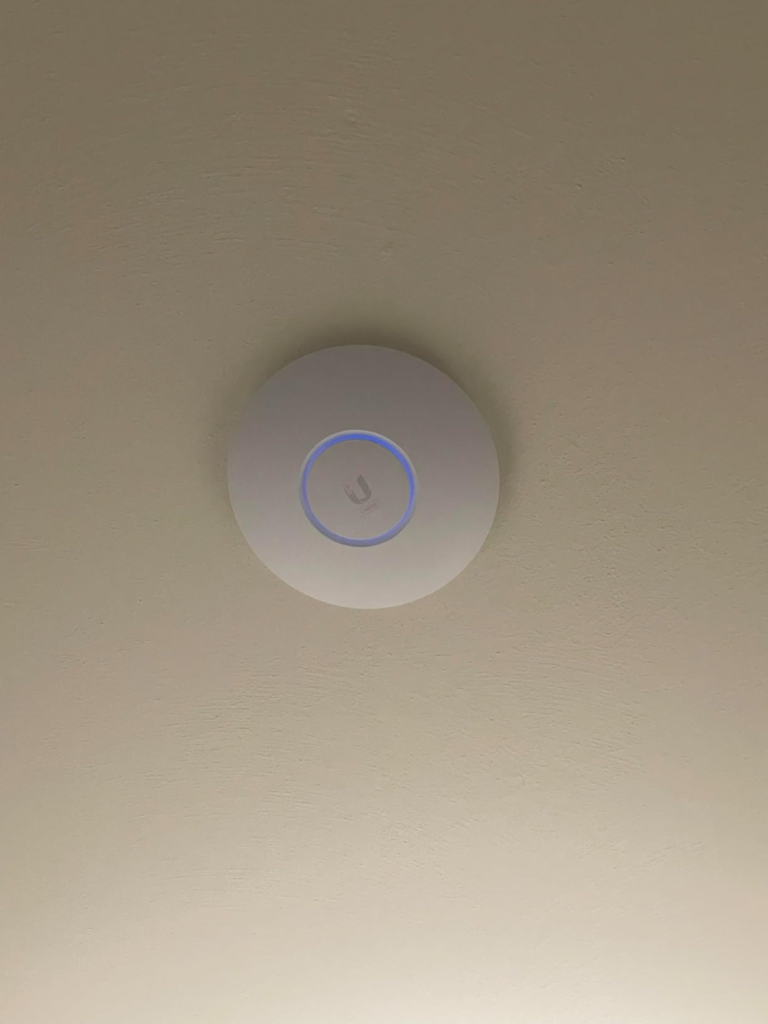
A standard consumer router broadcasts signal omnidirectionally from a fixed point. Wi-Fi 6 on a consumer device still suffers from the same physics — signal attenuates with distance and through obstacles at a predictable rate. A U6 Lite mounted on a ceiling at the geometric center of a coverage zone behaves fundamentally differently: omnidirectional, yes, but positioned to serve the space it’s placed in rather than radiating outward from a corner of the house where the router lives.
More importantly, the UniFi controller — the software layer that manages the U6 Lite and any other UniFi access points in the network — actively manages roaming. It can enforce band steering (pushing capable clients to 5 GHz), minimum RSSI thresholds (preventing devices from holding weak connections), and BSS Transition requests (the mechanism that gently instructs sticky clients to move to a better access point). None of these tools exist in a typical consumer router.
This is the hidden mechanism. The U6 Lite isn’t just hardware. It’s hardware designed to operate inside a management framework that changes how clients behave — not passively, but actively.
The real-world performance data supports this: at close range with a 2×2 Wi-Fi 6 client, the U6 Lite delivers throughput 10–20% higher than Wi-Fi 5 equipment at equivalent signal strength. The gains widen when multiple clients compete for airtime. At distance, the lower transmit power of the Lite model (compared to the U6 Long Range) becomes a real factor — which is precisely why its coverage ceiling sits around 1,200–1,500 square feet in real-world, non-ideal conditions.
| Spec | U6 Lite | U6 Long Range | U6 Pro |
|---|---|---|---|
| Wi-Fi Standard | Wi-Fi 6 (802.11ax) | Wi-Fi 6 (802.11ax) | Wi-Fi 6 (802.11ax) |
| 5 GHz MIMO | 2×2 MU-MIMO | 4×4 MU-MIMO | 4×4 MU-MIMO |
| 2.4 GHz MIMO | 2×2 MIMO | 2×2 MIMO | 2×2 MIMO |
| Max Aggregate Rate | 1.5 Gbps | 3.0 Gbps | 4.8 Gbps |
| 5 GHz Radio Rate | 1.2 Gbps | 2.4 Gbps | 4.8 Gbps |
| 2.4 GHz Radio Rate | 300 Mbps | 600 Mbps | 573 Mbps |
| Coverage (real-world) | ~1,200–1,500 sq ft | ~2,000–2,500 sq ft | ~1,800–2,200 sq ft |
| PoE Requirement | 802.3af | 802.3at | 802.3at |
| Max Clients (claimed) | 300+ | 300+ | 300+ |
| Price (MSRP) | $99 | $179 | $179 |
The table above reveals the structural trade-off at the center of the U6 Lite’s value proposition: it gives you Wi-Fi 6 infrastructure — real access-point-grade infrastructure — at $99, with a coverage radius appropriate for apartments, single floors, and medium-density residential environments. What it trades away is the range and the 5 GHz stream count of the more expensive models.
That trade-off is exactly right for some people. And exactly wrong for others.
The Threshold Where the Outcome Quietly Breaks
There is a coverage threshold above which the U6 Lite stops being the right answer — not because it fails catastrophically, but because it delivers less than what the space actually requires.
That threshold is approximately 1,500 square feet of irregular floor plan, or any environment with thick concrete, masonry, or more than two interior walls between the device and the farthest client.
Below that threshold: the U6 Lite is genuinely excellent. Mounted on a ceiling at the center of the space it serves, it handles 25–40 concurrent active clients without measurable airtime contention. A two-bedroom apartment, a small office floor, a single story of a multi-story home — these are the environments where the U6 Lite performs at its ceiling, not its floor.
Above that threshold, performance doesn’t collapse suddenly. It erodes progressively. Clients at the edge of range hold weaker signal. The 2×2 configuration on 5 GHz means fewer simultaneous streams compared to 4×4 models. The lower transmit power means longer distances produce more degradation than they would on the U6 LR.
The failure mode here is invisible in the spec sheet. You won’t see it in the throughput numbers at five feet. You’ll see it three months later, when the device in the far room starts buffering again — and you find yourself in the same place you started.
| Coverage Scenario | U6 Lite Fit | Notes |
|---|---|---|
| Studio / 1-bed apartment | Excellent | Single AP, ceiling-mounted, solves fully |
| 2-bed apartment (~900 sq ft) | Excellent | Full coverage, clean roaming |
| Small office, open plan | Excellent | 25–40 concurrent clients handled well |
| 3-bed house, single floor | Good | May need 2 APs if irregular layout |
| 2-story home | Limited | One U6 Lite insufficient; add U6 LR or second Lite |
| Large open warehouse | Not appropriate | Wrong product entirely |
| Dense MDU (multi-dwelling) | Good per unit | One per floor/unit works in controlled deployments |
Why Most Buyers Misread This Too Early
The most common mistake in this category is comparing the U6 Lite to a consumer mesh kit by price alone.
A $99 mesh node from a consumer brand appears to compete directly. Dual-band, Wi-Fi 6, easy setup. On paper the comparison looks fair. In practice it isn’t, and the gap isn’t primarily about wireless performance.
The gap is about what happens at the management layer.
Consumer mesh systems handle roaming through proprietary protocols that operate at the discretion of the client device. The system can signal a preference, but it cannot enforce client behavior. The result is the sticky client problem described earlier — clients holding weak associations because the device, not the network, controls the transition.
UniFi’s controller-managed architecture shifts that control to the network side. BSS Transition (802.11v), client kick/steer behavior, minimum RSSI enforcement — these mechanisms aren’t available in consumer mesh systems at the $99 price point, and they’re what separates genuine seamless roaming from the illusion of it.
The second misread is treating PoE as a negative. The U6 Lite requires 802.3af PoE — it does not include a PoE injector in the US model. First-time buyers are sometimes surprised by this. But the cable-run discipline this enforces is part of what makes the system work: a single Ethernet cable delivers both data and power, eliminates the need for power outlets near the AP, and enables clean ceiling mounts without visible wiring. This is a feature, not a limitation — but only if you understand it before you order.
The third misread is assuming the U6 Lite works as a plug-and-play replacement for a router. It doesn’t. It is an access point. It requires a controller (the free UniFi Network software, a UniFi Cloud Key, a UniFi Dream Machine, or equivalent) and an existing network with PoE infrastructure or a standalone injector. Buyers who skip this understanding arrive at setup with incomplete hardware and incomplete expectations.
| Common Assumption | Reality |
|---|---|
| “It replaces my router” | It is an access point only — requires existing network infrastructure |
| “PoE injector is included” | US model does not include PoE injector |
| “Setup is plug-and-play” | Requires UniFi controller software or hardware |
| “More expensive = better for me” | Coverage fit matters more than spec ceiling |
| “Consumer mesh competes at the same level” | Client management and roaming control are categorically different |
| “Speed test numbers tell the whole story” | Airtime contention and roaming behavior don’t appear in speed tests |
Who Is Actually Inside This Problem
The U6 Lite is the right product for a narrowly defined but genuinely common situation.
You have an existing network — a router you understand and trust — and you’re adding wireless coverage as a separate layer of infrastructure. You’re not replacing your router. You’re placing a dedicated radio where the signal actually needs to be, and managing it through the UniFi ecosystem.
Specifically: you are covering a space under approximately 1,500 square feet, you have (or are willing to run) a single Ethernet cable to the mount location, you are either already in the UniFi ecosystem or are ready to adopt the controller software, and you have more than ten devices competing for bandwidth in that space.
You are not a beginner who wants to unbox and be done in ten minutes. You are technically capable — or willing to spend an afternoon learning — and you understand that the trade-off for enterprise-grade performance at $99 is a setup process that requires more than one step.
The population of people who fit this profile precisely is large. It includes: apartment dwellers in dense buildings where radio interference is real; small office managers tired of constant re-boots and dead zones; homeowners who’ve already bought and returned two mesh kits; IT-adjacent professionals setting up secondary locations; and anyone who’s ever said “the Wi-Fi is fine, I just don’t understand why the far room is always slow.”
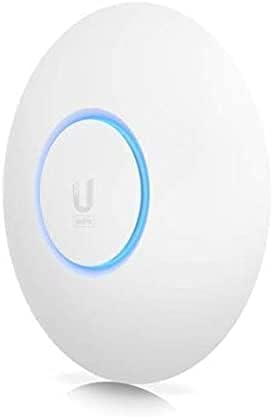
Where Wrong-Fit Begins
Not every network problem is a U6 Lite problem. Several profiles of wrong-fit exist, and they are worth naming clearly.
If your space exceeds 1,500 square feet without adding a second access point, the U6 Lite will leave the edges of your environment underserved. This isn’t a close call — the physics of a 2×2 transmitter at 802.3af power levels simply don’t reach farther. The U6 Long Range exists for this scenario.
If you have more than 40–50 simultaneously active clients on a single AP, the 2×2 radio architecture begins to limit throughput allocation. The U6 Pro or U6 Enterprise is the correct tool.
If you have no PoE infrastructure and no intention of running cable, the setup friction is real. Wireless uplink is possible in standalone mode, but it introduces performance compromises that partially negate the access point’s advantage. A consumer mesh kit with wireless backhaul will be simpler to configure and honest about its limitations.
If you need telephone support, Ubiquiti does not offer it. Community forums are active and generally excellent, but they require a level of comfort with technical language that not every buyer has.
If you are managing a network for a client or running a deployment across multiple sites, the U6 Lite is a reasonable per-unit tool — but the infrastructure around it (controller, switch, gateway) requires planning that this product page will not walk you through.
| Buyer Profile | U6 Lite Fit | Better Alternative |
|---|---|---|
| Apartment, single floor, 10–40 devices | ✅ Correct fit | — |
| Small office, open plan, existing PoE switch | ✅ Correct fit | — |
| Home > 2,500 sq ft, single AP | ❌ Insufficient range | U6 Long Range |
| 50+ simultaneous active clients | ❌ Stream count limits performance | U6 Pro |
| No Ethernet, wireless-only setup | ⚠️ Compromised | Consumer mesh (Eero, Google) |
| Needs phone support | ❌ Not available | Consumer brand or VAR relationship |
| First-time network builder, no IT background | ⚠️ Steep curve | UniFi Express (simpler entry point) |
The One Situation Where the Ubiquiti UniFi U6 Lite Becomes Logical
After everything above is understood, one situation makes the U6 Lite the clear, narrow answer.
You have a defined space — typically one floor, one apartment, one wing of a building — that currently has unreliable wireless performance not because your internet is slow, but because the physical coverage architecture is wrong. You’re willing to run a cable, adopt the controller, and place a purpose-built access point at the geometric center of the space that needs serving. You have fewer than 40–50 active clients and a floor plan under 1,500 square feet.
In that situation: the U6 Lite at $99 performs at a level that consumer hardware at $200–$300 does not match — not in throughput, but in client management, roaming consistency, and long-term stability.
The firmware is regularly updated. The controller software is free. The device has no subscription requirement. The community support infrastructure around UniFi is deep and well-indexed. And when you decide to add a second access point — because you moved to a larger space, or added a floor — the existing setup absorbs it without reconfiguration.
That is the actual product. Not a router replacement. Not a plug-and-play consumer upgrade. A Wi-Fi 6 access point that performs correctly when positioned correctly, managed correctly, inside an architecture that’s built to handle what consumer hardware is designed to avoid.
What It Solves, What It Reduces, and What It Still Leaves to You
What the U6 Lite solves:
Dead zones caused by single-point broadcast architecture. Sticky client behavior when used with the UniFi controller. Airtime contention in environments with 10–40 competing devices. The need to run separate power to an access point location. The throughput ceiling imposed by Wi-Fi 5 equipment.
What it reduces:
Latency caused by overcrowded channels. Roaming lag when moving between access points in a multi-AP deployment. Signal degradation from physical obstacles within its rated coverage radius. Configuration complexity versus older UniFi generations, which required more manual tuning.
What it still leaves to you:
Running the Ethernet cable to the mount location. Setting up and maintaining the UniFi controller (software or hardware). Configuring PoE infrastructure if not already present. Network architecture decisions: VLANs, guest networks, minimum RSSI thresholds, channel width settings. Troubleshooting via community forums rather than phone support.
The product is not the entire solution. It is the access point component of a solution. The rest of the infrastructure — switch, controller, gateway — must exist before the U6 Lite can perform.
| Category | Solved by U6 Lite | Requires External Setup |
|---|---|---|
| Dead zones | ✅ If placed correctly | Placement and cabling required |
| Sticky client roaming | ✅ With controller | Controller must be configured |
| Airtime contention | ✅ Via OFDMA/MU-MIMO | — |
| PoE power delivery | ✅ Single cable | Requires 802.3af source or injector |
| Speed above 1.2 Gbps (5 GHz) | ❌ 2×2 ceiling | Need U6 LR or Pro |
| Controller software | ❌ Not included | Self-hosted, Cloud Key, or UDM required |
| Phone support | ❌ Not available | Community forums only |
| WAN routing, DHCP | ❌ AP only | Separate router required |
Final Compression
The Ubiquiti UniFi U6 Lite is not a product you buy because you want faster Wi-Fi. You buy it because you understand — or are ready to understand — that your current Wi-Fi problem is structural, not numeric.
The signal bar is full. The speed test passes. And something still doesn’t work right. That gap, between the reading and the experience, is what this access point is built to close.
It works when the space fits. It works when the infrastructure is present. It works when the controller is running and the cable is in the ceiling. At that point, it delivers consistent, managed, roaming-capable Wi-Fi 6 coverage for $99 — a price that should not exist for what the product actually does.
If your floor
Frequently Asked Questions
Does the Ubiquiti UniFi U6 Lite work without a controller?
Yes, in standalone mode. You can configure a basic SSID and password through a mobile app without a full UniFi controller. However, advanced features — including roaming management, minimum RSSI enforcement, band steering, and detailed client analytics — require a controller. Standalone mode is functional but significantly limited relative to the product’s actual capability.
Does the U6 Lite include a PoE injector?
The US model (U6-Lite-US) does not include a PoE adapter. You need either an 802.3af PoE switch port or a separate 802.3af PoE injector (such as Ubiquiti’s U-POE-AF). The PoE requirement is 802.3af — standard PoE, not PoE+.
How large a space can a single U6 Lite cover?
In real-world conditions with drywall interior walls, approximately 1,200–1,500 square feet. In open-plan or low-obstacle environments, up to 1,500 square feet is achievable. Dense construction (concrete, masonry, multiple walls) reduces this significantly. Ubiquiti’s official spec lists up to ~1,250 square feet (115 m²) in typical indoor conditions.
Is the U6 Lite better than a Wi-Fi 6 mesh system?
For client management and roaming discipline: yes, when operating with a UniFi controller. The controller enables BSS Transition requests and minimum RSSI thresholds — mechanisms that push clients to better access points actively rather than waiting for client-side decisions. Consumer mesh systems cannot enforce this at the network level. For ease of setup with zero infrastructure: no — consumer mesh is significantly simpler.
Can the U6 Lite handle 50 or more connected devices?
Ubiquiti claims 300+ concurrent client capacity. In practice, simultaneous active throughput across 50+ devices on a 2×2 radio begins to show airtime allocation limits. For environments with more than 40–50 heavily active clients, the U6 Pro (4×4 on both bands) is a more appropriate tool.
What controller options work with the U6 Lite?
The free UniFi Network application runs on any computer (Windows, Mac, Linux). Hardware options include the UniFi Cloud Key Gen2, the UniFi Express (which also functions as a gateway and built-in controller), the UniFi Dream Router, and the UniFi Dream Machine series. All are compatible.
Is the U6 Lite discontinued?
As of 2025–2026, the U6 Lite remains in Ubiquiti’s lineup, though the U6 Plus (U6+) has been introduced as a successor with 4 spatial streams and dual-band Wi-Fi 6 at a similar price point. The U6 Lite continues to be sold and supported. Buyers evaluating the current catalog should compare the U6 Lite and U6 Plus directly before purchasing.
What’s the difference between the U6 Lite and U6 Plus?
The U6 Plus improves on the U6 Lite with 4 spatial streams (versus 2×2 on the Lite) and full dual-band Wi-Fi 6 support on both 2.4 and 5 GHz. The U6 Lite has Wi-Fi 6 only on 5 GHz; the 2.4 GHz radio is standard 802.11n/MIMO. At similar price points, the U6 Plus is the stronger current-generation choice if available. The U6 Lite remains relevant for constrained-budget or legacy deployments already in the UniFi ecosystem.
Transparency Note:
This analysis is built on aggregated real-world experience.
It extracts what repeatedly holds, what breaks, and what users uncover only after living with the system—then shapes it into a clear model you can use immediately.
Think of it as structured experience, refined and presented so you don’t have to learn it the hard way.
“A quick note: Don’t believe the star ratings, but trust personal experience. This article is a compilation of collected experiences”