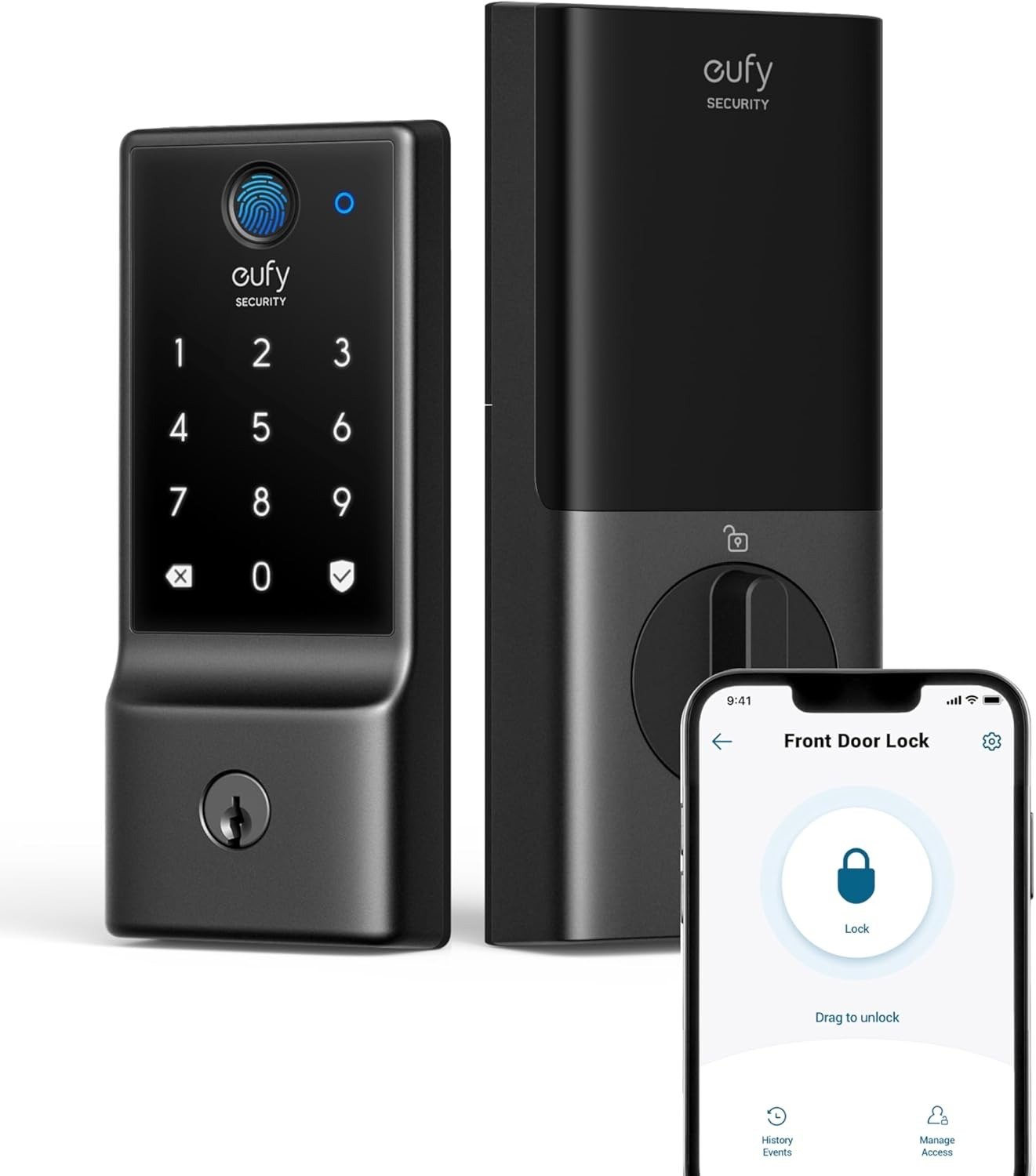
EUFY SMART LOCK C210
The Result Looks Fine. The Problem Isn’t.
You install the eufy Smart Lock C210 on a Saturday morning. It takes about 15 minutes. The keypad lights up clean, the deadbolt clicks with that satisfying mechanical authority, and the eufy app connects without drama. You send your partner a remote unlock from the couch just to test it. It works. You feel like you made a smart decision.
Then, three weeks later, you’re standing at your front door — groceries in both hands, phone in your pocket — and the remote unlock doesn’t respond. You try again. Nothing. You pull out the physical key you almost never carry anymore, open the door, and tell yourself it was probably a one-time glitch.
It wasn’t a glitch. It was the first sign of a real pattern. And the product never told you it was coming.
What You’re Actually Feeling but Not Naming
The annoyance isn’t about the lock itself failing. The lock, in a mechanical sense, almost never fails. The deadbolt is BHMA-certified to withstand over 100,000 cycles — more than 30 years of daily use at typical rates. It’s not going to fall apart.
What bothers people is something more specific and harder to name: the remote layer works inconsistently. You bought a smart lock for the smart part. And the smart part — the WiFi connection, the app-triggered unlock, the real-time notification — behaves like a guest in your network rather than a resident of it.
Multiple users across Amazon, Slickdeals, Best Buy, and Home Depot report the same sequence: the C210 connects initially, works normally for days or weeks, then loses its WiFi connection and doesn’t reconnect on its own. It doesn’t announce this. The app shows it as “offline.” You only find out when the remote unlock you issued from your car never reached the door.
The friction isn’t catastrophic. It’s eroding. And eroding friction, the kind that doesn’t break anything visibly, is the kind that makes you regret a purchase slowly rather than immediately.
The Hidden Mechanism Behind the Miss
The C210 runs on 4 AA batteries. Its WiFi radio is always polling for its connection — maintaining a live link to your network so remote commands can arrive instantly. That polling is exactly what drains the battery faster than the spec suggests, and it’s exactly what becomes unstable when signal quality fluctuates or the router reassigns an IP.
Eufy officially rates the C210 at roughly 4 months of battery life at 10 unlocks per day. That number assumes consistent WiFi quality and stable environmental conditions. Users who live in larger homes, who have routers with aggressive IP lease cycling, or who use certain network setups with band-steering find their batteries dropping faster — sometimes significantly faster.
The mechanism behind WiFi dropout is structural, not accidental. A battery-powered device cannot hold a WiFi connection with the same reliability as a mains-powered one. When power gets marginal, the radio is often the first subsystem to behave erratically. The lock doesn’t alert you to this sequence. It simply goes offline.
There’s a secondary mechanism worth naming: the C210 is not compatible with Apple HomeKit, Google Home Matter, Z-Wave, or Zigbee. It lives entirely within the eufy Security ecosystem. If that ecosystem has a server-side hiccup — which has happened before, given eufy’s publicly documented cloud reliability issues from 2022 and 2023 — your remote access window closes entirely until it resolves.
The Threshold Where the Outcome Quietly Breaks
Call this the Remote Dependency Threshold.
Below it: you use the C210 primarily through the keypad or physical key. The app is a bonus — for occasional remote checks, setting guest codes, reviewing entry history. At this threshold, the C210 performs consistently and reliably. The keypad is responsive, the auto-lock works, the access log is useful, and the installation has genuinely solved the problem of carrying keys or distributing them to guests.
Above it: you’ve made the remote app your primary unlocking method. You expect it to work 100% of the time, the way a light switch works. You’ve stopped carrying physical keys. You’re coordinating with housekeepers, contractors, or family members through app-issued temporary codes. You rely on real-time notifications as part of your awareness of who’s home.
At this second level, the C210’s WiFi instability becomes a meaningful operational failure. Not a dramatic one — but a consistent, low-level one that gradually costs you trust in the product, confidence in the access you’ve delegated, and peace of mind you thought you were buying.
Most buyers enter at the second level without realizing the first threshold is where the product was actually designed to live.
Why Most Buyers Misread This Too Early
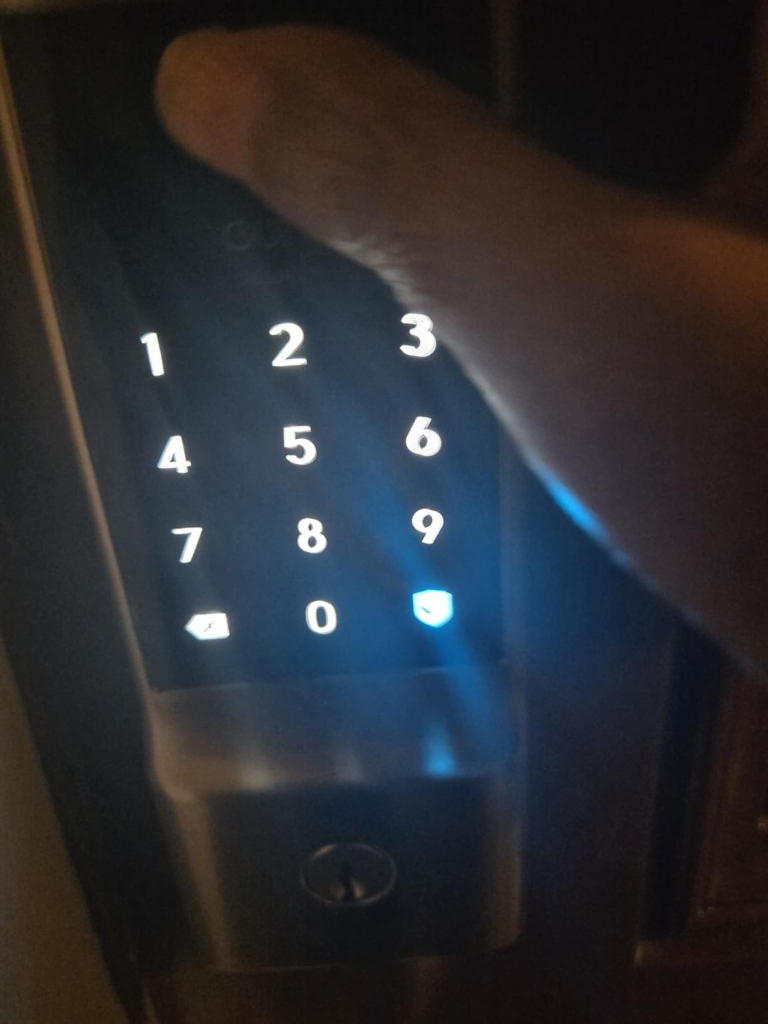
The C210 is listed — on Amazon, Best Buy, Home Depot, and the eufy website — with “5 Ways to Unlock” as a headline feature. Keypad. App. Voice. Apple Watch. Physical key. Five paths in. That listing creates an impression of redundancy and robustness that isn’t entirely accurate.
Four of those five paths depend on the app ecosystem or the keypad functioning cleanly. Only one — the physical key — is mechanically independent. The voice path (Alexa, Google) depends on both the WiFi connection and third-party integrations that multiple users have reported as unreliable. The Apple Watch path requires the same connection stability. The app path is subject to everything described above.
The comparison trap most buyers fall into is comparing the C210 against other smart locks on feature count rather than on the stability architecture beneath those features. A Z-Wave or Zigbee lock managed by a local hub doesn’t rely on cloud routing at all — commands travel on a separate low-power radio frequency that doesn’t compete with your WiFi band and doesn’t drain batteries in the same way. The C210, with its direct WiFi integration, trades architecture depth for setup simplicity. That trade is real, and the product page doesn’t surface it.
There’s also a fingerprint confusion worth naming explicitly. The C210 does not have a fingerprint scanner. Several listings — particularly older Best Buy listings — included “Biometric Access” in their titles due to a product categorization error. Multiple verified buyers received the C210 expecting fingerprint capability and were disappointed after installation. If fingerprint entry is your primary reason for choosing this lock, this is not the right product. The C220 is.
| Feature | eufy C210 | eufy C220 |
|---|---|---|
| Built-in WiFi | ✅ Yes | ✅ Yes |
| Fingerprint Scanner | ❌ No | ✅ Yes |
| Battery Life (rated) | ~4 months | ~8 months |
| BHMA Grade | Grade 2 | Grade 3 |
| Bridge Required | No | No |
| IP Rating | Not rated | IP53 |
| Price Range | ~$70–$100 | ~$120–$150 |
| Apple HomeKit | ❌ No | ❌ No |
| Matter/Thread | ❌ No | ❌ No |
Who Is Actually Inside This Problem
The C210 serves a specific type of user well. That user:
- Rents out a room or an Airbnb unit and needs to issue temporary numeric codes to guests without mailing physical keys. The C210’s time-based and recurring code management handles this cleanly, and the app-based code revocation works reliably even when the remote unlock occasionally lags.
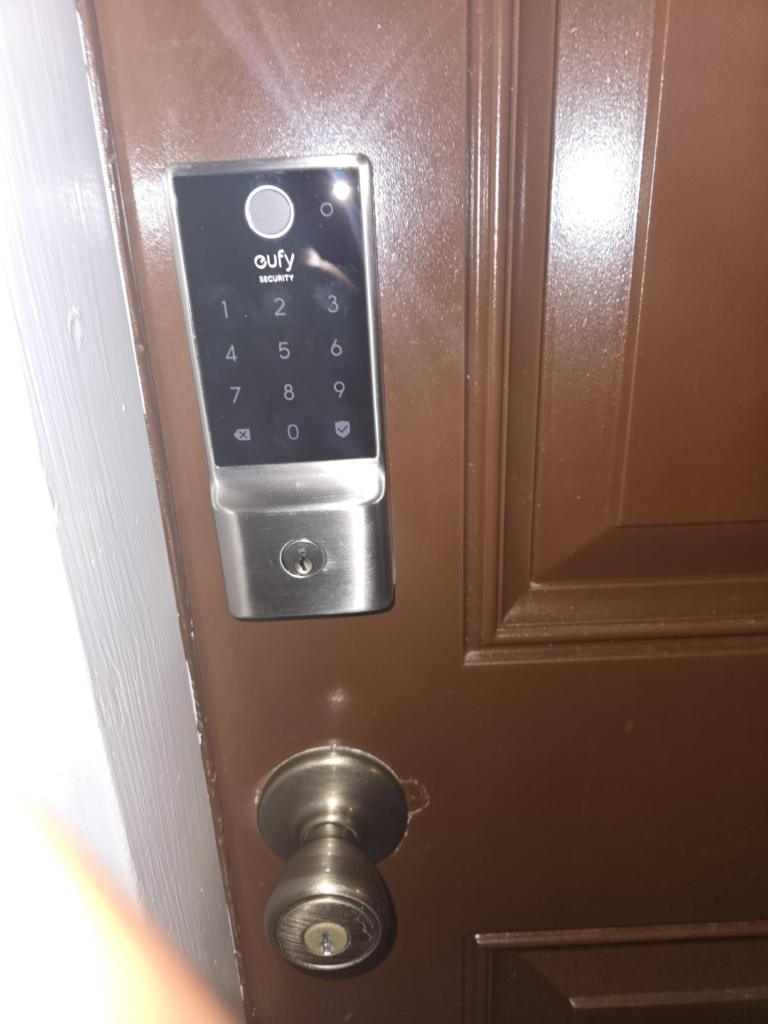
- Has an aging parent or a family member with limited tech literacy who just needs a PIN pad on the door. The keypad is intuitive, always backlit, and requires no phone to operate. The physical key backup provides insurance.
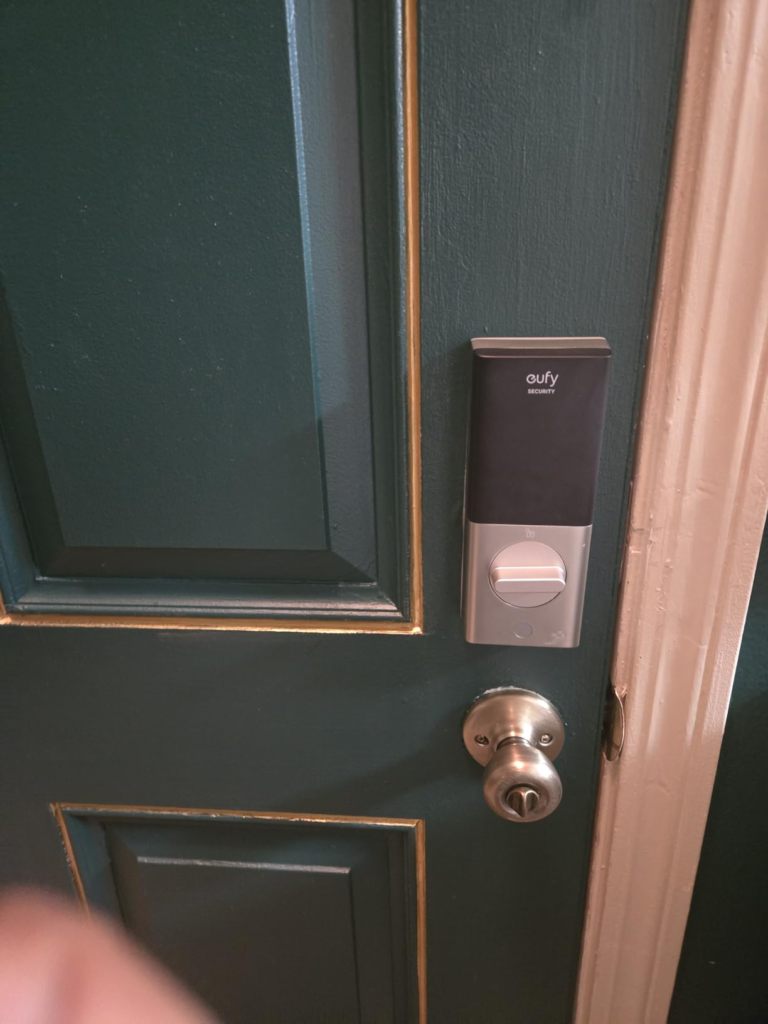
- Owns a standard US deadbolt door and wants to upgrade without hiring anyone. The 15-minute installation claim is accurate for most single-cylinder deadbolt setups. No drilling. No professional required. The included hardware and manual are genuinely clear.
- Already uses eufy cameras or a eufy doorbell. The C210 integrates with the eufy ecosystem, including the ability to trigger the lock from a doorbell video feed. For existing eufy users, this integration adds real operational value.
- Uses the app as a secondary control layer — not the primary one. Checks in on entry history, issues codes remotely, and occasionally unlocks from a distance when it works — but still presses the keypad most of the time when walking through the door.
Where Wrong-Fit Begins
The C210 is the wrong lock if your access pattern requires consistent, reliable remote operation as a primary function. “Consistent” here means every time, not most of the time.
It’s the wrong lock if you’ve fully committed to keyless living — meaning you’ve stopped carrying physical keys and have no fallback habit. One WiFi outage, one dead battery, one app crash, and you’re standing outside your own door with no path in.
It’s the wrong lock if you manage a property remotely where the people inside are not capable of troubleshooting connectivity issues. If your tenant can’t reconnect the lock to WiFi, and you’re not there to do it, your remote access is gone until someone physically resolves it.
It’s the wrong lock if you need fingerprint entry — not as a convenience, but as a practical need for someone in your household who can’t reliably operate a keypad (young children, elderly users with motor difficulty).
It’s the wrong lock if your home network uses a 5GHz-only setup. The C210 requires a 2.4GHz network. Several users reported initial connection failure traced to band-steering configurations that kept pushing the lock to 5GHz, which it cannot use.
It’s the wrong lock if you live in a climate with regular freeze-thaw cycles and need IP-rated weather resistance. The C210 has no official IP rating for water resistance. The C220 carries IP53.
| Wrong-Fit Signal | What It Means |
|---|---|
| “I never carry keys anymore” | Single point of failure risk |
| “My housekeeper needs to get in daily, reliably” | WiFi instability = access failure |
| “I want fingerprint entry” | Wrong model — this is the C220’s function |
| “I have a 5GHz-only router” | C210 won’t connect |
| “I need HomeKit or Matter” | C210 is not compatible |
| “I live somewhere it rains heavily” | No IP rating on C210 |
| “I need Alexa to work perfectly” | Alexa integration is reportedly spotty |
The One Situation Where This Product Becomes Logical
If your access pattern places keypad and physical key as your primary entry methods — and you want app-based remote control as a useful secondary layer rather than a critical operational dependency — the eufy Smart Lock C210 is a structurally honest product at its price point.
At $70–$100, it delivers:
- A solid deadbolt mechanism BHMA-certified for over 100,000 cycles
- A clean, intuitive touchscreen keypad with smudge-resistant coating
- Built-in WiFi with no hub or bridge required
- The ability to issue, revoke, and time-limit access codes from anywhere
- Entry history logging with timestamps
- Tamper alarm triggered by abnormal force or magnet detection
- Emergency USB-C charging port on the exterior so you can power the lock temporarily if batteries die
- 18 months of manufacturer warranty and 24/7 customer support
The installation is genuinely straightforward for anyone with basic tool literacy. The app (eufy Security) is well-designed, consistent, and subscription-free — no monthly fee to access any feature.
For a first-time smart lock buyer who wants to understand what the category feels like, manage guest access without key duplication, and add a layer of remote visibility to their front door — the C210 is a logical first step.
| What the C210 Delivers | Performance Level |
|---|---|
| Mechanical deadbolt quality | Reliable — BHMA certified |
| Keypad entry | Consistent and intuitive |
| App remote unlock | Works most of the time, not all of the time |
| Access code management | Reliable — strong feature |
| Entry history logging | Reliable — accurate timestamps |
| Alexa/Google voice control | Inconsistent — depends on integration health |
| WiFi stability long-term | Variable — network-dependent |
| Battery life | 3–5 months in real use |
| Weather resistance | No official rating |
| Fingerprint entry | Not available on C210 |
What It Solves, What It Reduces, and What It Still Leaves to You
What the eufy C210 genuinely solves: The logistical burden of physical keys — mailing them, duplicating them, taking them back, worrying whether the contractor still has a copy. The code management system is the clearest value the C210 delivers. You can issue a code to someone this afternoon and revoke it tonight without touching the lock.
What it meaningfully reduces: The friction of letting in a guest, a delivery, a cleaner, or a family member when you’re not home. Not perfectly — the remote unlock occasionally lags or fails — but consistently enough to replace the key-under-mat or the lockbox in most low-stakes scenarios.
What it still leaves to you: Monitoring whether the WiFi connection is still active. Replacing batteries before the connection degrades. Carrying a physical key as genuine insurance, not as a nostalgic habit. Confirming your router broadcasts 2.4GHz and isn’t steering devices away from it. Accepting that Alexa and Google Voice integration will sometimes fail and adjusting your expectations accordingly.
Where the regret starts: Buyers who expected the remote unlock to be as reliable as their WiFi thermostat report the most dissatisfaction. The thermostat is plugged in. The lock runs on 4 AA batteries. That difference in power architecture explains the difference in behavior. If you understand that going in, the C210’s occasional WiFi gaps feel like a known limitation rather than a betrayal.
Final Compression
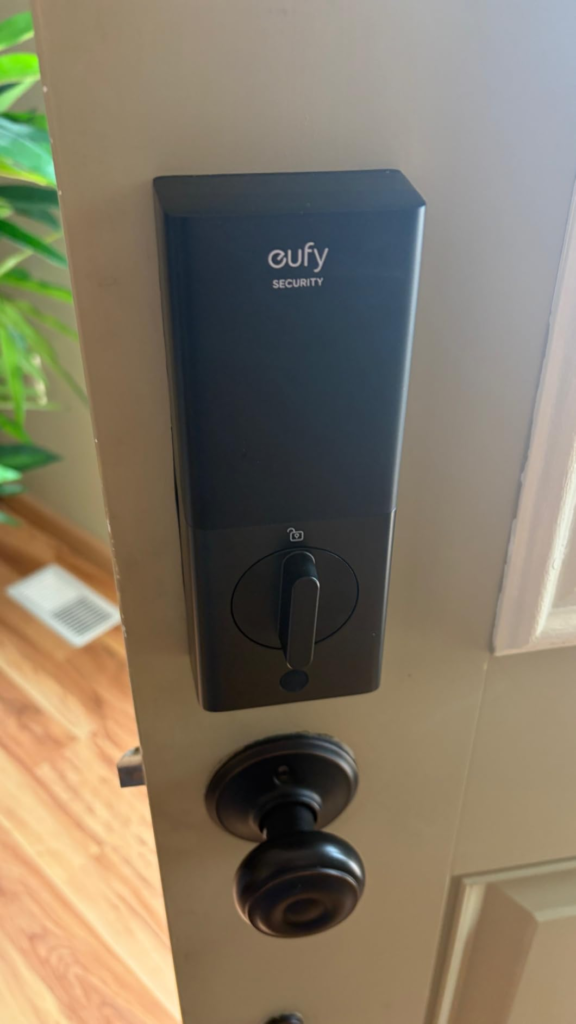
The eufy Smart Lock C210 is not a precision instrument for users who need their front door to function like a cloud-managed access control system. It’s a well-built, cleanly designed, genuinely easy-to-install smart lock that solves the keypad-and-code problem reliably, and adds remote visibility as a secondary layer that usually works.
The distinction matters. “Usually works” is the honest description of its WiFi reliability in real-world conditions, across hundreds of documented real user experiences. That’s not a flaw for every buyer. It’s a flaw for the buyer who treats “usually” as “always.”
If you use a keypad or a physical key as your primary method, and you want app-based remote control as a useful bonus — the C210 earns its price without hesitation.
If remote unlock is the reason you’re buying it, you’re pricing in a limitation without realizing it.
That distinction, drawn cleanly before purchase, is the only thing that separates satisfied owners from disappointed ones.
Frequently Asked Questions About the eufy Smart Lock C210
| Question | Answer |
|---|---|
| Does the eufy C210 have a fingerprint scanner? | No. The C210 uses a touchscreen keypad, app, Apple Watch, voice commands, and physical key — but it does not include biometric/fingerprint entry. Some older retail listings incorrectly included “Biometric Access” in their titles, which caused confusion. If fingerprint entry is important to you, the eufy C220 is the correct model. |
| How long does the battery last on the eufy C210? | Eufy rates it at approximately 4 months based on 10 unlocks per day. Real-world reports show 3–5 months depending on WiFi signal quality, unlock frequency, and battery type. Using standard alkaline AA batteries (not rechargeable) produces the best results. Constant WiFi polling accelerates drain when signal quality is poor. |
| Does the eufy C210 require a hub or bridge? | No. The C210 has WiFi built in and connects directly to your 2.4GHz network. No separate bridge, hub, or HomeBase is required. Note: it must be a 2.4GHz network — it does not support 5GHz. |
| Is the eufy C210 compatible with Apple HomeKit or Google Home Matter? | No. As of current firmware, the C210 is not compatible with Apple HomeKit, Google Home Matter, Z-Wave, or Zigbee. It works within the eufy Security app ecosystem and integrates with Alexa, Google Voice Assistant, and other eufy devices such as the eufy doorbell. |
| What happens if the battery dies on the eufy C210? | The lock includes an emergency USB-C charging port on the exterior of the device. Connecting a portable power bank to this port provides enough power to unlock the door temporarily. Additionally, 5 physical keys are included for mechanical backup entry. The app will notify you when the battery falls below 10%. |
| Will the eufy C210 fit my existing door? | The C210 is compatible with most standard US single-cylinder deadbolts. It does not require drilling and installs in approximately 15 minutes. It does not fit rounded latch holes. The deadbolt slider on the C210 is slightly thicker than most standard deadbolts — a point several users flagged during installation. Eufy provides a compatibility infographic on their product page to verify fit before purchasing. |
| Is the eufy C210 waterproof? | The C210 is rated for outdoor temperatures from -22°F to 158°F (-30°C to 70°C) but carries no official IP water resistance rating. It is designed for standard front-door use. For environments with heavy rain or direct water exposure, the eufy C220 (rated IP53) is more appropriate. |
| Can I use the eufy C210 without the app? | Yes. The keypad and physical key work independently of the app and WiFi connection at all times. The app is required only for remote unlock, code management, entry history, and smart home integrations. The core mechanical and keypad functions are fully offline-capable. |
—
Transparency Note:
This analysis is built on aggregated real-world experience.
It extracts what repeatedly holds, what breaks, and what users uncover only after living with the system—then shapes it into a clear model you can use immediately. Think of it as structured experience, refined and presented so you don’t have to learn it the hard way.
“A quick note: Don’t believe the star ratings, but trust personal experience. This article is a compilation of collected experiences”