Ring Smart Lighting 2-Pack + Bridge: The One Thing Most Buyers Get Wrong Before They Install a Single Light
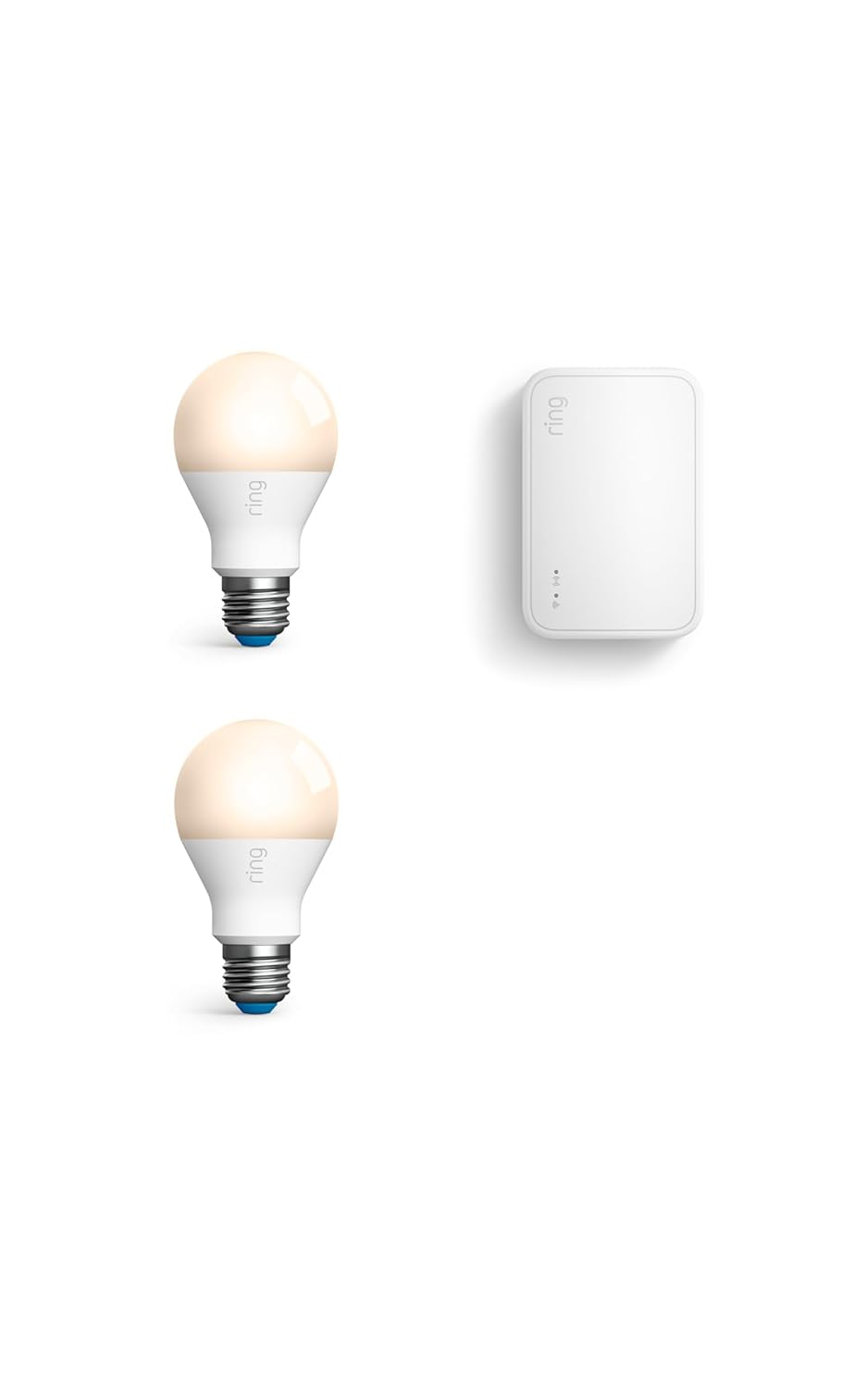
RING SMART LIGHTING 2-PACK + BRIDGE (NEWEST MODEL)
You installed a Ring doorbell. Maybe a camera or two. You get the notification. You open the app. And by the time the video loads, whoever was at your door is already gone — and your porch is dark.
The camera saw something. You never got a clear look.
That gap — between what the camera detects and what the rest of your property actually does — is the exact problem the Ring Smart Lighting 2-Pack + Bridge is built to close. Not as a flashy upgrade. As a structural fix.
But that fix only works under specific conditions. And a surprising number of buyers discover those conditions after the purchase, not before.
This article exists to reverse that sequence.
The Light Turned On. That’s Not the Same as the System Reacting.
A motion-activated light and a smart motion-activated light look identical from the street. Both flash on when someone walks by. Both go dark when the motion stops.
The difference isn’t visible from outside. It lives inside the logic.
A standalone motion light reacts to the body in front of it — and only to that body, only once, with no record, no coordination, no downstream consequence. The moment is bright. Then it’s gone.
The Ring Bridge is what changes that equation entirely. When connected, if one Ring Bridge-enabled device detects motion, it can turn on lights, activate cameras, and trigger downstream reactions across your entire Ring system — not just the light that caught the motion.
That cascade — one trigger, system-wide response — is the actual product. The lights are just the front edge of it.
The 2-Pack + Bridge bundle gives you two battery-powered Spotlights and the Bridge in a single box. Each Spotlight shines 400 lumens of brightness with a 3,500K color temperature when motion is detected, connecting to the Ring Bridge to unlock smart controls, motion-activated notifications, and app-based setting adjustments.
But how that Bridge works — and why the 2nd Gen version is fundamentally different from what most people assume — is the part worth understanding before you mount anything.
What You’re Actually Frustrated By (But Probably Haven’t Named Yet)
Most people who end up searching for this product aren’t shopping for lights. They’re solving one of three very specific frustrations:
Frustration 1 — The Notification Delay Problem. Their Ring camera sends an alert, but by the time they check the footage, the motion event started 15 seconds earlier than the recording did. The driveway was dark. The face is unclear.
Frustration 2 — The Coverage Gap. They have cameras on the front of the house. But the side gate, the back deck, and the garage corner exist in a completely unmonitored darkness that the camera can’t reach — and wiring isn’t an option.
Frustration 3 — The Dumb Light Problem. They already have motion lights. They work. But those lights don’t notify them, can’t be scheduled, can’t be grouped, don’t communicate with their doorbell, and offer zero insight into what actually triggered them.
The Ring Smart Lighting 2-Pack + Bridge doesn’t solve all three equally well for all homes. Understanding which frustration you actually have — and whether this bundle addresses it cleanly — is the decision that determines whether this purchase ends in satisfaction or regret.
The Hidden Mechanism: How the Bridge Actually Connects Your Lights
Here’s what the spec sheets don’t say clearly enough:
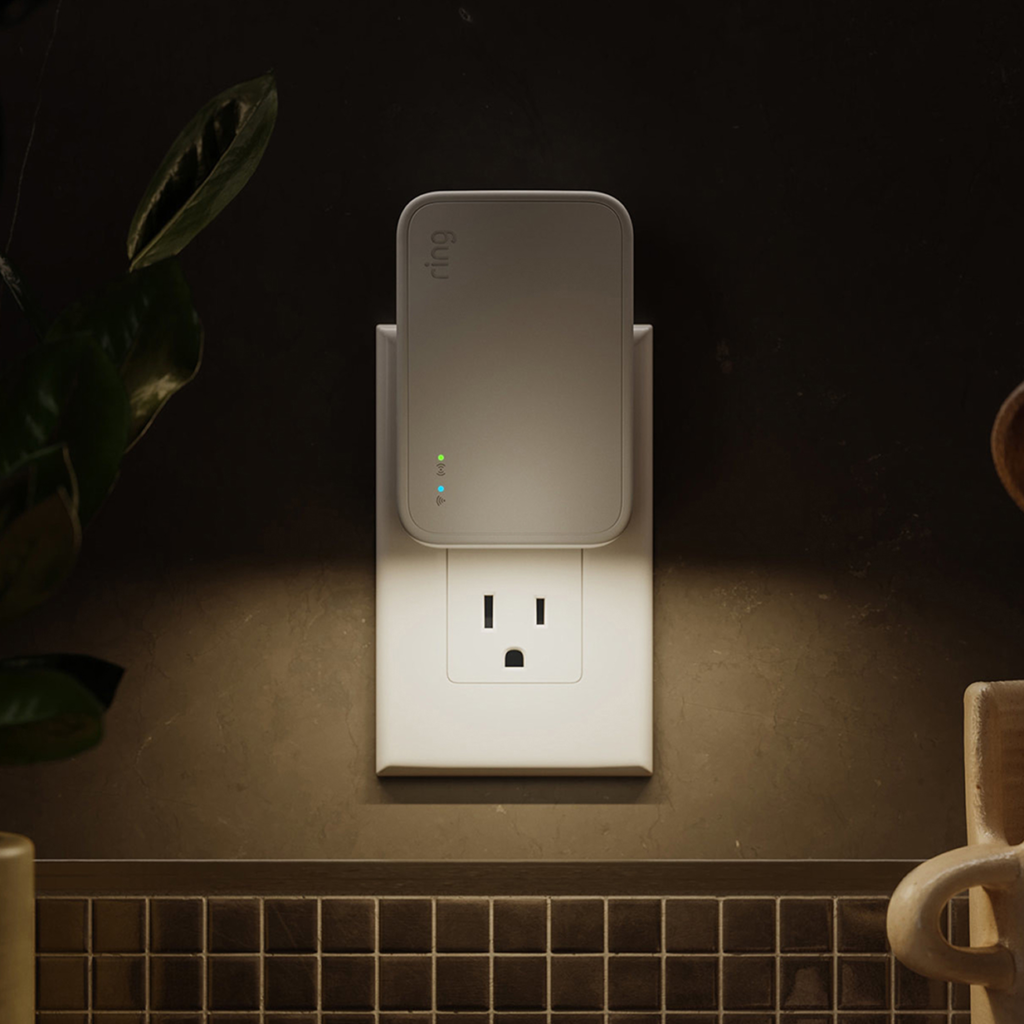
Ring Smart Lighting lights run on a power-efficient, long-range RF network. The Bridge converts those RF signals to Wi-Fi, delivering alerts and diagnostic information to you — and translating commands from your phone back to the lights. It’s not connecting lights directly to your router; it’s serving as the translator between two different protocols.
This architecture is why the Bridge is genuinely valuable if you’re running multiple lights: instead of five or ten lights each pinging your router individually, they all ping the Bridge, and the Bridge maintains a single dedicated connection to your router — dramatically reducing the load on your home network. A single Ring Bridge (2nd Gen) supports approximately 50 Ring Smart Lighting devices, including motion sensors. One Bridge. One household. Up to fifty lights feeding into one connected system.
But here’s the architectural shift most buyers miss in 2025:
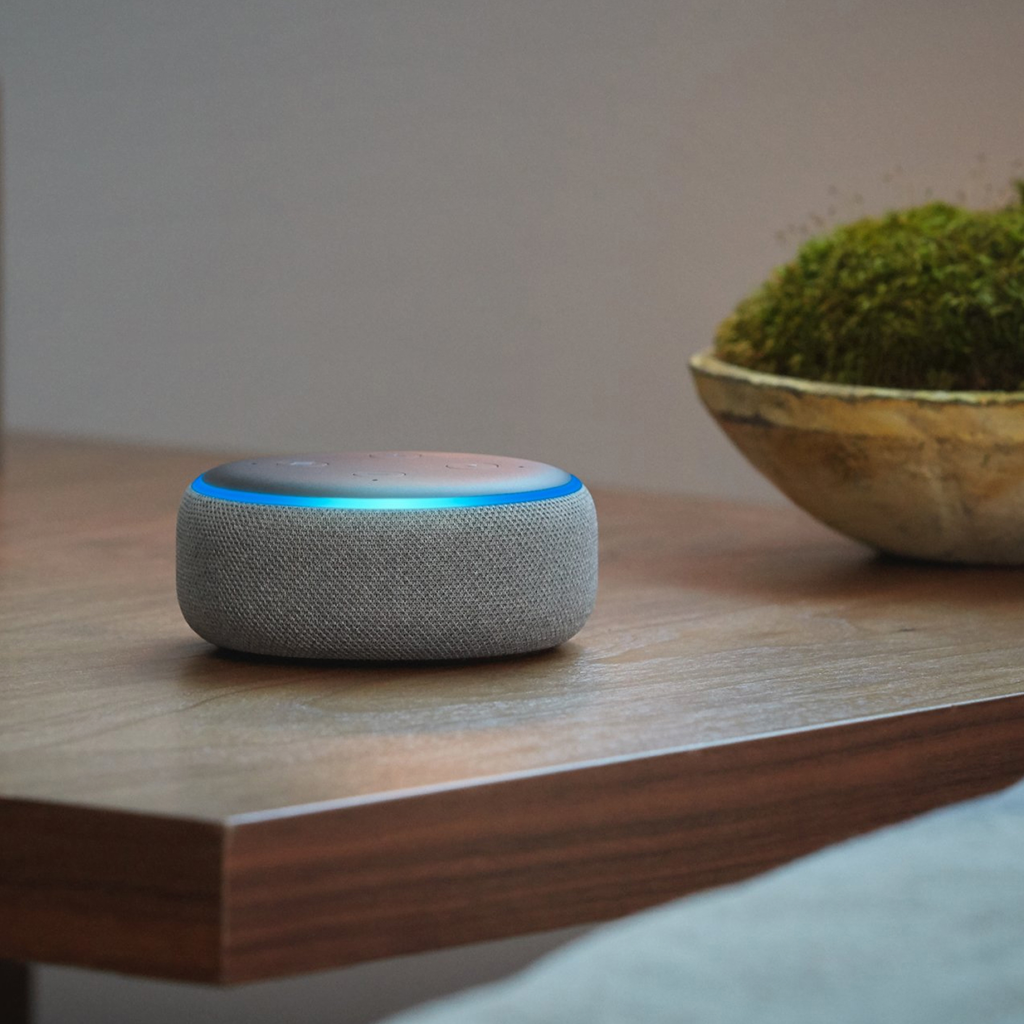
The 2nd Gen Bridge uses completely different technology from the original. It’s a repeater and extender for the Amazon Sidewalk Network — not a traditional bridge in the way the 1st generation operated. If you already own a device that supports Sidewalk (like a 4th Gen Echo or Echo Show 10 3rd Gen), you might not need the Ring Bridge at all.
This is neither a flaw nor a trick. It’s a genuine evolution in how Ring smart lights connect. But it means the purchase decision depends on your existing ecosystem — not just your lighting preference.
The Threshold Where the Setup Quietly Breaks
Most Ring Smart Lighting failures aren’t hardware failures. They’re placement failures.
The Bridge must be placed as close to your router as possible. You can check signal strength directly in the Device Health section of the Ring app — the RSSI value runs from 0 (perfect) to 99 (unusable), and anything above 50 will cause your flood lights and smart lights to fail to maintain connection to the Bridge.
That means the Bridge needs to live indoors, near a power outlet, near your router — not near the lights it’s serving. The lights talk to the Bridge wirelessly via RF. The Bridge talks to your router via Wi-Fi. Compromise either link, and the system behaves like it’s broken when it’s actually just mispositioned.
The 2.4 GHz Threshold: Ring Bridge connects exclusively to 2.4 GHz Wi-Fi networks. If you recently upgraded your modem or router and it now defaults to 5 GHz or combines bands, the Bridge will fail to connect — not because it’s defective, but because it simply cannot see a 5 GHz network.
This is the source of the “blue light of death” phenomenon reported extensively in Ring’s support community. Bridge blinks blue. Won’t connect. Factory reset doesn’t fix it. The culprit almost always turns out to be a router running on the wrong band, or a phone’s VPN or security app blocking the pairing handshake.
The Property Size Threshold: One Ring Bridge is supported per household. For larger properties that need coverage across separate zones, users have found themselves hitting the limit of what one Bridge can serve — and Ring does not currently support multiple Bridges on a single account.
This is the wall that large-property buyers hit after expanding their system. It’s a real constraint, not a user error.
Why Most Buyers Misjudge This Bundle Before Installing Anything
The most common mistake isn’t buying the wrong product. It’s applying the right product with the wrong mental model.
Mental model error 1 — “The lights are the product.”
The Spotlights in this bundle are the activation surface. The Bridge is the product. Buy two standalone spotlights without the Bridge, and they’re motion-activated lights with no notifications, no app control, no grouping, and no camera integration. The light itself works as a motion detector — but without the Bridge, it has no smart functions at all.
Mental model error 2 — “I already have Ring, so I already have this.”
Having a Ring doorbell or camera does not mean your system has Bridge functionality. The Bridge is a separate physical device. Without it — or without Amazon Sidewalk coverage in your area — Ring smart lights are isolated units that never communicate with your cameras.
Mental model error 3 — “Newer is always better.”
If you own original Ring Smart Lights that were connected via a 1st Gen Bridge, upgrading to a 2nd Gen Bridge is not plug-and-play. You’ll need to delete your existing devices, reinstall them, and select Amazon Sidewalk as the new connection type — because the underlying technology changed entirely between generations.
Mental model error 4 — “Any Wi-Fi setup will work.”
It won’t. The 2.4 GHz requirement is a hard constraint. Mesh networks, enterprise-grade routers, and ISP-provided combo units sometimes default to band-steering or 5 GHz-only modes that make Bridge setup fail on the first attempt — and the third.
Who Is Actually Inside This Problem
The Ring Smart Lighting 2-Pack + Bridge is the logical next step for a specific type of homeowner. Not all homeowners — a specific type.
You are inside this problem if:
| Your Situation | Why This Bundle Directly Solves It |
|---|---|
| You have Ring cameras/doorbell but dark zones they can’t cover | Spotlights extend your illuminated perimeter without wiring |
| Motion events happen and you want camera recording to start earlier | Cross-device triggering via Bridge links lights and cameras |
| You want to schedule lights by time of day or sunset/sunrise | App-based scheduling requires Bridge; standalone lights can’t do this |
| Your Wi-Fi doesn’t reach the far end of your property | Bridge uses long-range RF to reach lights beyond Wi-Fi range |
| You use Alexa and want voice control for outdoor lighting | Bridge is required for Alexa integration with Ring smart lights |
| You’re starting a Ring Smart Lighting system from scratch | Bundle is the most cost-efficient entry — Bridge included |
Where Wrong-Fit Begins
Some buyers will be disappointed by this purchase. Not because it fails — because it was the wrong tool for their actual situation.
You are outside this problem if:
| Your Situation | Why This Bundle Doesn’t Fit |
|---|---|
| You already own an Echo (4th Gen) or Echo Show 10 (3rd Gen) | Amazon Sidewalk may already provide connectivity — you might not need the Bridge at all |
| You need lights brighter than 400 lumens for large open areas | These Spotlights are accent and security lights, not floodlights — the Ring Floodlight Wired offers 2,000 lumens |
| You have a 5 GHz-only router and cannot change settings | Bridge pairing will fail without 2.4 GHz access |
| Your property is very large and needs multi-zone coverage | One Bridge per household is the current hard limit |
| You’re buying Ring lights for a rental or location where you can’t plug in a Bridge indoors | Bridge requires an indoor power outlet; without placement flexibility, the system can’t be properly positioned |
| You need smart controls without any subscription | Basic motion alerts work without Ring Protect; however, video recording from cameras triggered by lights requires a Ring subscription |
The regret profile here is specific: buyers who assume that purchasing two spotlights alone gives them smart functionality, or who discover the 5 GHz limitation after the Bridge is already mounted in an inconvenient spot.
The One Situation Where the Ring Smart Lighting 2-Pack + Bridge Becomes Logically Inevitable
You have a Ring video doorbell or camera. You’ve noticed it captures the tail end of motion events — the person walking away, the car already leaving the frame. You’ve also noticed there are dark zones your cameras don’t cover, or can’t wire to.
You want those zones lit. You want your camera to start recording the moment a light triggers — not after a 15-second delay. You want to know via your phone when something moves at 2 AM near your garage. And you want all of this to work without running conduit or calling an electrician.
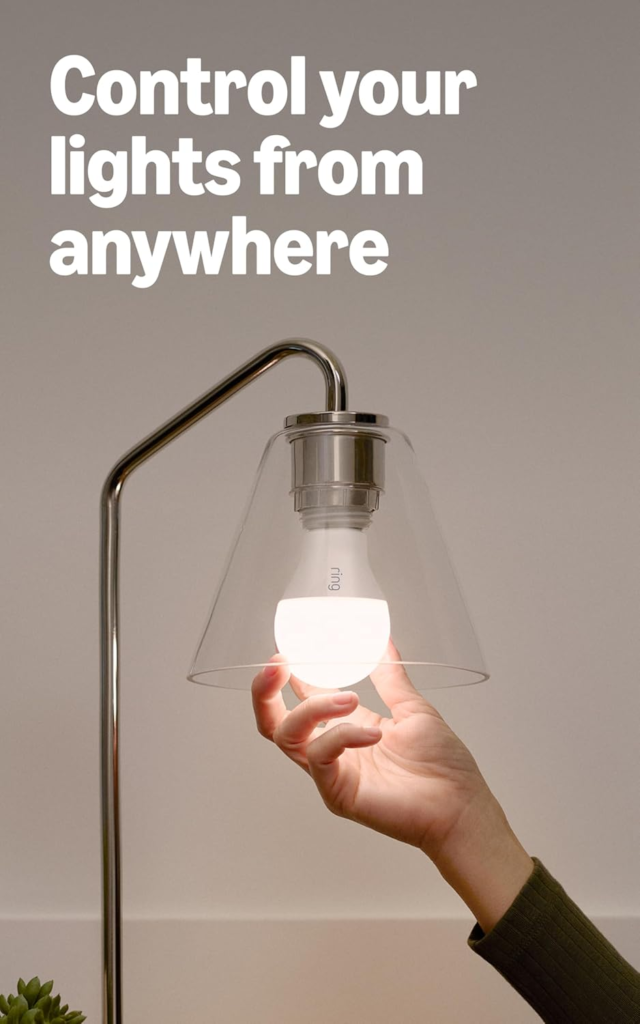
The Spotlight Battery can turn on automatically when it detects motion, in sync with other Ring Smart Lights, or manually through the Ring app. When someone enters the motion zone, it lights the area and sends a notification to your phone. If you have lights grouped with each other or any other Ring Smart Lighting device, it can trigger those too.
That’s the complete behavioral loop this bundle enables. Two Spotlights handle the zones your cameras can’t reach. The Bridge ties them to your existing Ring system. The Ring app becomes the unified dashboard for both.
No subscription required to run the Bridge. No professional installation. No wiring.
The bundle format — two lights plus Bridge in one box — removes the most common purchasing mistake: buying lights without the Bridge and discovering, after mounting them, that they’re functionally dumb without it.
What It Solves, What It Reduces, and What It Still Leaves to You
| Category | What the Bundle Delivers |
|---|---|
| Solves completely | Dark coverage zones where you can’t wire lights |
| Solves completely | Disconnected Ring ecosystem with no cross-device triggers |
| Solves completely | No app control or scheduling for outdoor lighting |
| Solves completely | Wi-Fi dead zones — lights communicate via RF, not Wi-Fi |
| Meaningfully reduces | Reaction delay between motion detection and camera activation |
| Meaningfully reduces | Uncertainty about what’s happening outside at night |
| Does not solve | Large property coverage beyond one Bridge’s range |
| Does not solve | High-lumen flood lighting needs (400 lm is accent-grade) |
| Still requires from you | Indoor placement near 2.4 GHz router for the Bridge |
| Still requires from you | Ring subscription for motion-triggered video recording |
| Still requires from you | D-cell batteries for each Spotlight (not included) |
The system works without a Ring Protect subscription for alerts and light control. It requires one for cloud video recording triggered by your cameras when the lights detect motion. That distinction matters before you build expectations around it.
Frequently Asked Questions
| Question | Answer |
|---|---|
| Do I need a Ring subscription to use the Ring Smart Lighting 2-Pack + Bridge? | No. The Bridge connects Ring Smart Lights and other Ring devices whether or not you are subscribed to a Ring subscription. Mobile notifications, scheduling, grouping, and Alexa integration all function without a paid plan. However, if you want motion-triggered video recording from your cameras when a light activates them, a Ring Protect subscription is required for video storage. |
| How many lights can one Ring Bridge support? | Approximately 50 Ring Smart Lighting devices, including motion sensors, though actual performance depends on usage and environmental factors. |
| Can I use this bundle if I already have an Echo (4th Gen)? | Ring smart lights now connect to the Ring app with Amazon Sidewalk. If you already own a device that supports Sidewalk, you might not need the Ring Bridge at all. Check whether your existing Echo is Sidewalk-compatible before purchasing. |
| Will the Bridge connect to my mesh Wi-Fi or 5 GHz router? | The Bridge only connects to 2.4 GHz Wi-Fi. If your router is dual-band and combines both frequencies under one name, you may need to temporarily split them in your router settings to complete pairing. |
| Can I use two Ring Bridges to cover a large property? | Only one Ring Bridge is supported per household. For very large properties, Amazon Sidewalk coverage may extend range beyond what the Bridge alone can provide. |
| What happens if the Bridge loses power or Wi-Fi? | Your lights will still activate on local motion detection. But app notifications, scheduling, camera coordination, and Alexa responses all pause until the Bridge reconnects. |
| Do the Spotlights need to be near the Bridge? | No. The Spotlights communicate with the Bridge via long-range RF — not Wi-Fi. The Bridge needs to be near your router. The lights can be placed across your yard, up to the RF range limit. |
| Is the 2nd Gen Bridge backward compatible with older Ring Smart Lights? | Your existing Ring devices may need to be reconnected — delete the existing devices, reinstall them, and select Amazon Sidewalk as the connection type. The underlying protocol changed between generations. |
| Are batteries included? | No. Each Spotlight Battery requires 4 D-cell alkaline batteries (sold separately). Battery life is approximately one year under normal use of 8 to 10 light activations per day at Level 8 brightness for 20-second durations, though brightness decreases as battery depletes. |
| Can lights trigger my Ring doorbell camera to start recording? | Yes — when both are connected through the Bridge and grouped together in the Ring app, motion detected by a Spotlight can trigger your Ring camera to begin recording, extending the capture window earlier than the camera’s own detection would allow. |
Final Compression
The Ring Smart Lighting 2-Pack + Bridge is not a lighting product. It’s a coordination product with lights attached to the front of it.
If your Ring system currently consists of cameras that see motion after it’s already happened, and dark zones that your cameras either don’t cover or can’t reach, this bundle is the structural fix that makes your existing devices work the way you assumed they already did.
It requires specific placement — Bridge near your 2.4 GHz router, indoors. It requires D-cell batteries for the lights. It works without a subscription for core functions and without professional installation for everything else.
It will not solve large-property multi-zone coverage at scale. It will not replace floodlights that need 2,000 lumens. And it will not cooperate with a 5 GHz-only router.
If none of those constraints apply to your situation — and if you have at least one Ring camera that currently misses the beginning of motion events — this is the logical next step.
Not because it’s the only option. Because it’s the one that closes the gap you’re actually living with.
Transparency Note:
This analysis is built on aggregated real-world experience.
It extracts what repeatedly holds, what breaks, and what users uncover only after living with the system—then shapes it into a clear model you can use immediately.
Think of it as structured experience, refined and presented so you don’t have to learn it the hard way.
“A quick note: Don’t believe the star ratings, but trust personal experience. This article is a compilation of collected experiences”