Your GPU Hits 240 Frames. The Monitor Can’t Always Keep Up.
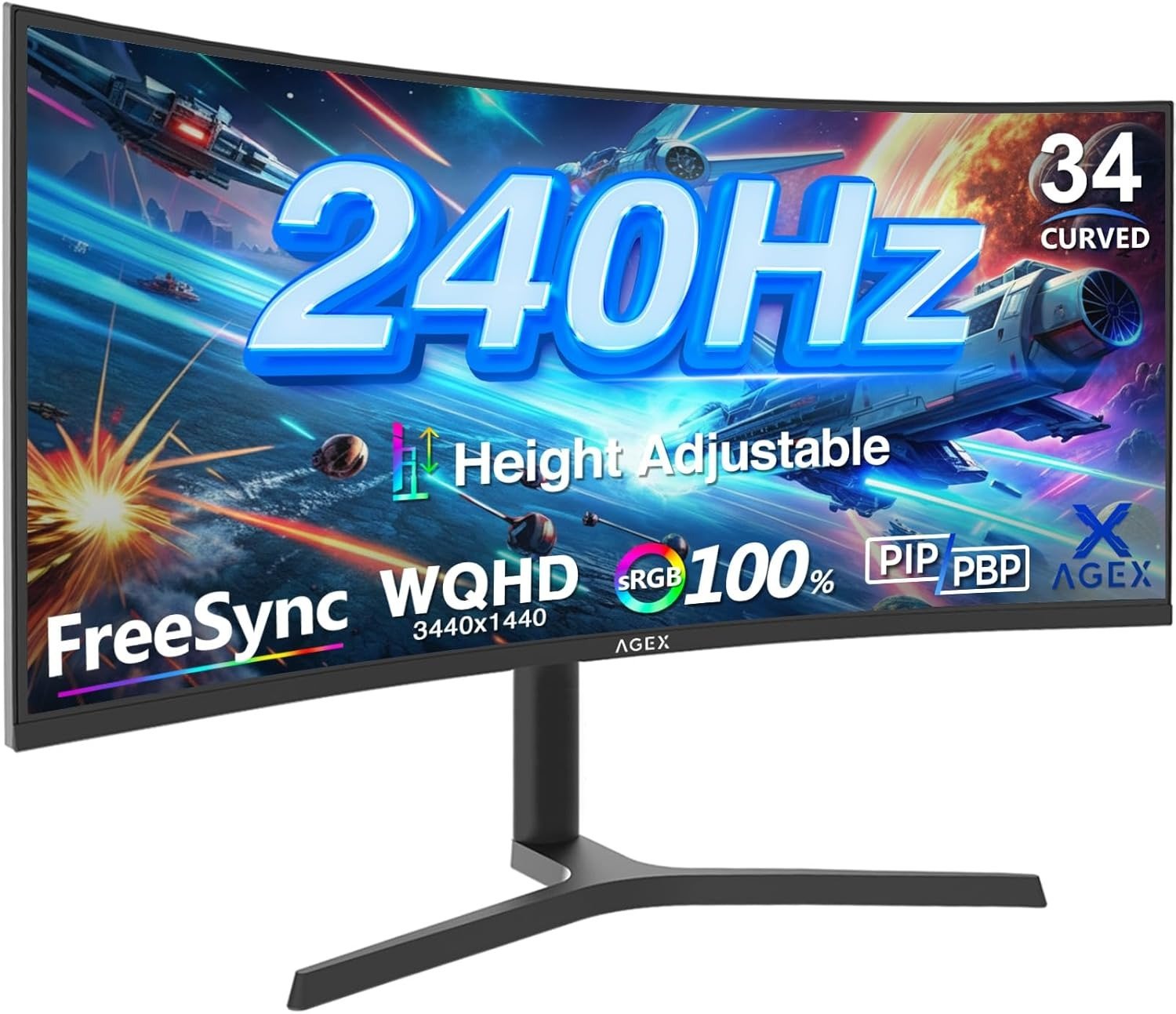
Z-EDGE AG34P
You’re looking at a 34-inch ultrawide. 3440×1440. 240Hz via DisplayPort. A 4000:1 contrast ratio that sounds like the richest image you’ll ever own. The price makes it feel like a steal in a segment where comparable names charge twice as much.
So you run the numbers, the numbers look good, and you move forward.
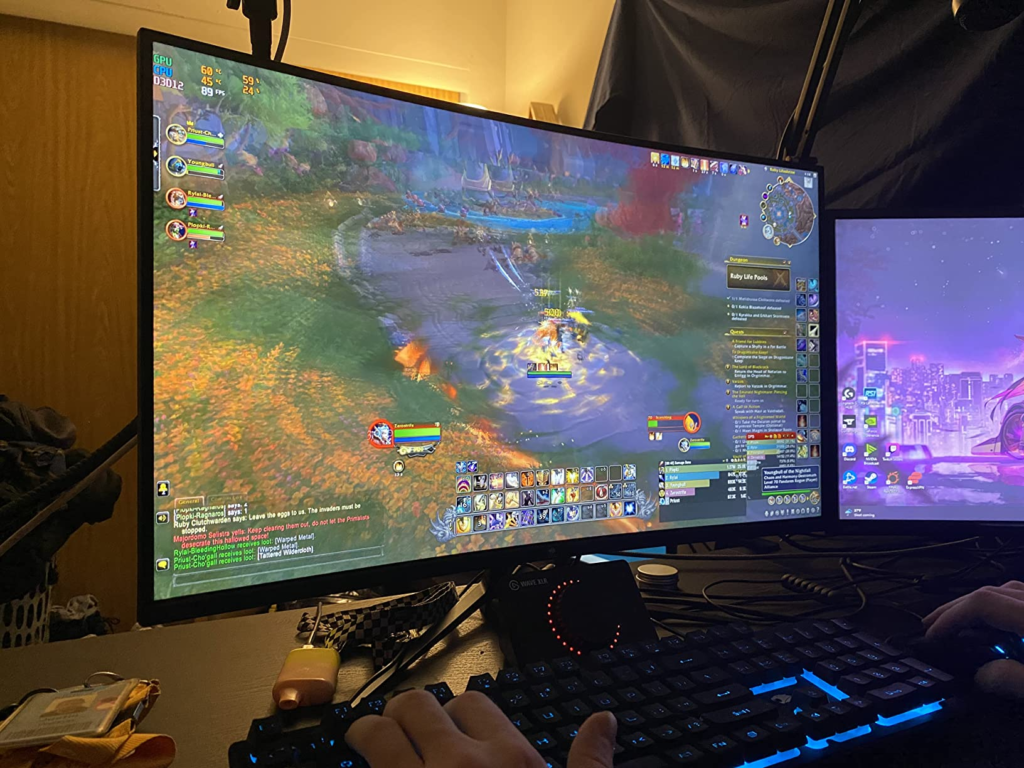
Then you sit in a dark forest in a game and pan the camera — and something behind the trees smears into the background like wet ink. The frame is technically correct. The colors are technically accurate. But motion in dark areas has a quality that no spec sheet warned you about.
That’s not a defect. That’s a ceiling. And it belongs to the panel type, not the refresh rate.
The Result Looks Fine. The Problem Isn’t.
The AG34P will display a beautiful static image. Open a photo. Watch a film with dark cinematography. Pull up a spreadsheet across the full 21:9 canvas. The 4000:1 contrast ratio does exactly what it promises — it renders blacks that a standard IPS panel at the same price simply cannot match. Deep, rich, dimensionally layered.
The problem does not appear when the screen is still.
It appears the moment fast motion crosses a dark background. That’s the silent failure mode of a VA panel at high refresh rate, and it’s invisible in every benchmark that only tests gray-to-gray transitions.
What You’re Actually Feeling but Not Naming
You bought this monitor because you wanted immersion and speed. The wide curved canvas pulls you into the scene. The 240Hz number felt like it was solving the motion problem permanently.
But after a few sessions, especially in games with dark environments — night maps in shooters, shadowed corridors in RPGs, any scene where the background is deep and the action is quick — you notice a quality to movement that feels slightly off. Objects that should be sharp mid-motion have a trailing softness in dark zones specifically.
You don’t call it smearing. You call it “something feels weird.” You adjust brightness. You try overdrive settings. The issue reduces slightly but doesn’t vanish entirely.
What you’re actually experiencing is a physics-level constraint of VA LCD technology in dark transitions.
The Hidden Mechanism Behind the Miss
Every display panel has a response time — how fast a pixel transitions from one color to another. Manufacturers advertise this as “1ms MPRT.” That number is real, but it doesn’t represent what happens when dark pixels move.
MPRT (Moving Picture Response Time) is measured with backlight strobing active. It tells you how long a pixel appears blurred across a single frame under artificial conditions. It does not measure the actual speed of pixel transitions — the gray-to-gray (GtG) number does.
On VA panels, the GtG performance is uneven. Average GtG on modern VA panels sits around 4–8ms, but dark transitions can spike to 15–25ms — creating an artifact called dark smearing, where dark areas trail behind brighter elements during fast panning. Gamerhardware
At 240Hz, the monitor generates a new frame every 4.1ms. When a panel’s pixel is still transitioning from the previous color when the next frame arrives, errors stack on top of each other — creating a smeared trail behind moving objects. Gamerhardware
The AG34P runs a VA panel. The 240Hz rating is accurate. The two facts coexist — and they create a specific, bounded problem that appears only under specific conditions.
This is not a quality control failure. It is what VA at high refresh rate does.
The Threshold Where the Outcome Quietly Breaks
Not every gaming session will expose this. The threshold is precise:
| Condition | Dark Smearing Risk |
|---|---|
| Static work — spreadsheets, coding, video | None |
| Movie playback — cinematic 24fps content | Negligible |
| Casual gaming — slow environments, turn-based | Very low |
| Fast-paced gaming — lit environments, racing, sports | Low to moderate |
| Competitive FPS — dark maps, night scenes, rapid panning | Visible to significant |
| Horror / open-world — dark forests, caves, underground | Consistent and noticeable |
The break point isn’t the refresh rate. It’s the combination of fast camera movement and dark scene content. Below that combination, the VA panel excels — its contrast makes environments feel more real than IPS equivalents. Above it, motion in dark zones becomes the thing you notice first.
Dark smearing on VA ultrawides is clearly visible even at top overdrive settings, with dark transitions averaging significantly higher than the panel’s best-case response time — and the differences between overdrive levels are small and difficult to perceive in real play. NoobFeed
The threshold exists. The question is whether your primary use case crosses it.
Why Most Buyers Misread This Too Early
The comparison trap goes like this: you see 240Hz vs. 165Hz, and you rank the AG34P higher because the number is larger. Or you see 4000:1 contrast vs. 1000:1 contrast on an IPS, and you expect superior image quality across the board.
Both comparisons are partially right and structurally incomplete.
Brands advertise “1ms MPRT” and “1ms GtG” as though they measure the same thing, but they describe completely different capabilities. The MPRT monitor may have a 5ms panel hidden behind strobing. Alibaba
The 240Hz on the AG34P is real — but it requires DisplayPort 1.4. The HDMI 2.1 ports on this panel cap at 100Hz. If your GPU connects via HDMI — common with console-connected setups, or older graphics card configurations — you are running a 100Hz monitor, not a 240Hz one.
At 240Hz, the screen updates every 4.17ms. With pixels completing color changes within 1–2ms, each frame is fully resolved before the next arrives. With VA’s slower dark transitions, this clean resolution doesn’t always happen. DisplayModule
The spec is not a lie. The spec is a ceiling that the panel technology partially supports — and partially constrains — depending on what you’re asking it to render.
Who Is Actually Inside This Problem
The AG34P is a strong, honest fit for a specific kind of user. That user has a few consistent characteristics:
They game across genres — not exclusively competitive FPS. They want the panoramic field of view for immersive single-player titles: open-world games, RPGs, driving games, strategy titles. They appreciate deep blacks and rich contrast. They spend meaningful time in content that isn’t full-speed competitive action — productivity, video, creative work. Their GPU is capable of reaching 180–240fps in less demanding titles, or 100–150fps in graphically heavy ones.
They are not primarily a competitive shooter player running dark maps at 240fps who expects motion to feel as clean as an IPS or OLED panel. That’s not the person this monitor is built for — and trying to use it that way reveals the ceiling fast.
The 34-inch 21:9 canvas at WQHD resolution is a genuine advantage for users whose sessions span more than one type of use. The workspace that a 3440×1440 panel creates is meaningfully wider than anything a standard 16:9 display at the same price can offer. PIP and PBP support means two concurrent sources can run simultaneously — a workflow advantage that competitive monitors rarely offer.
Where Wrong-Fit Begins
Wrong-fit is not failure. It’s a mismatch between what the hardware delivers and what the use case demands.
You are in wrong-fit territory if:
Your primary game genre is competitive FPS — titles like CS2, Valorant, Apex Legends — where map environments are frequently dark, camera movement is fast and constant, and enemy tracking clarity is the single most important visual variable. Independent reviewers consistently recommend against VA panels for competitive shooters, where dark scene smearing actively costs clarity during the 70–80% of gameplay that involves rapid panning and flick shots. Gamerhardware
You are connecting via HDMI from a console. The HDMI 2.1 ports on the AG34P max at 100Hz. At 100Hz, you’re not using the panel’s rated speed — and you’ve paid for hardware you’re not reaching.
Your GPU cannot sustain high frame rates at 3440×1440. This resolution demands significantly more rendering power than 2560×1440. A GPU that comfortably drives 200fps at 1440p may produce 80–100fps at ultrawide. At that frame rate on a VA panel, dark smearing becomes the dominant visual artifact.
You expect OLED-level motion clarity at VA pricing. That gap is real and not closeable by refresh rate alone. Both QD-OLED and W-OLED panels respond in 0.03–0.1ms GtG — at these speeds, ghosting does not exist in any practical sense. VA cannot reach those speeds regardless of overdrive tuning. Gamerhardware
The One Situation Where This Product Becomes Logical
The Z-Edge AG34P AGEX — 34 inches, UWQHD 3440×1440, 240Hz via DP 1.4, 4000:1 contrast, VA panel, 1500R curve — is the logical choice when your use case fits a specific profile:
You want the widest possible immersive display without reaching OLED pricing. Your games are primarily narrative, open-world, racing, or multi-genre — not exclusively competitive FPS on dark maps. You have a GPU capable of using DP 1.4 and pushing meaningful frame rates at 3440×1440. You work in a mixed environment — gaming, content consumption, productivity — where the 21:9 panoramic canvas earns its keep across the whole day.
The contrast ratio genuinely matters to you. In dark RPGs, cinematic cutscenes, night racing sequences, and atmosphere-heavy environments, this panel produces depth that IPS monitors at the same price point cannot replicate. VA’s 3000:1–4000:1 contrast ratio delivers tangible visual benefits for users whose sessions are 50% or more single-player or immersive titles — the deeper blacks create substantially better perceived depth in dark scenes, and higher contrast makes HDR content pop without requiring premium hardware. DisplayModule
At its price bracket, this combination — ultrawide WQHD, curved VA, 240Hz rated, 4000:1 contrast — does not have a direct equivalent from mainstream brands. The competitors that match the spec typically charge significantly more. The ones that match the price typically offer less resolution, less contrast, or less screen real estate.
The Z-Edge AG34P makes logical sense as a primary display for a gamer-creator hybrid who values field of view and contrast depth over competitive motion purity.
What It Solves, What It Reduces, and What It Still Leaves to You
What it solves: The sense that your screen is too small for the game you’re playing. The 21:9 canvas eliminates field-of-view gaps in supported titles, creates real multitasking space, and puts cinematic and open-world content in the frame ratio it was designed for. The 4000:1 contrast gives dark content the depth that budget IPS panels routinely fail to render.
What it reduces: Mid-session GPU strain from unnecessary resolution — 3440×1440 is demanding but not unmanageable for a capable GPU. FreeSync support reduces tearing across a wide frame rate range. The 240Hz ceiling via DP 1.4 gives headroom for titles where your hardware can reach it.
What it still leaves to you: Managing the dark smearing reality. This panel will show smearing in dark zones under fast motion — not dramatically, but consistently. If this is your primary concern, this is not your monitor. Accepting it as the cost of the contrast and the canvas is a reasonable trade for the right user — not a hidden defect to be discovered.
Also left to you: GPU matching. Run DP 1.4 explicitly, confirm your GPU can sustain useful frame rates at UWQHD, and do not connect via HDMI expecting 240Hz.
| Feature | What It Does | What It Doesn’t Do |
|---|---|---|
| 240Hz (DP 1.4) | Smooth high-fps gameplay, competitive ceiling | Deliver IPS/OLED motion clarity in dark zones |
| 1ms MPRT | Reduces perceived blur with strobing active | Equal actual GtG across all color transitions |
| 4000:1 Contrast | Deep blacks, rich shadow detail, strong HDR depth | Eliminate dark smearing during fast motion |
| UWQHD 3440×1440 | Immersive wide canvas, multi-source productivity | Run light on mid-range GPUs at high fps |
| HDMI 2.1 x2 | Multi-source connectivity | Reach 240Hz — caps at 100Hz per port |
| FreeSync | Tear-free variable frame rates | Fully replace G-Sync for Nvidia users |
| 1500R Curve | Peripheral immersion, reduced head movement | Suit every desk depth — requires 60cm+ distance |
Final Compression
If you play across genres, value cinematic depth and screen real estate over competitive motion purity, run a DisplayPort-capable GPU at UWQHD frame rates, and want an ultrawide VA display that genuinely punches above its price in contrast and canvas — the Z-Edge AG34P is the decision that holds.
If you’re primarily running competitive FPS on dark maps, expecting OLED motion behavior at VA pricing, or connecting via HDMI — this monitor’s ceiling will be the first thing you notice, not the last.
The right buyer already knows which side of that line they’re on. The spec sheet will not tell you. The dark forest at 240fps will.
If this is the use case you’re actually inside, this is where the decision stops being vague.
Transparency Note:
This analysis is built on aggregated real-world experience. It extracts what repeatedly holds, what breaks, and what users uncover only after living with the system—then shapes it into a clear model you can use immediately. Think of it as structured experience, refined and presented so you don’t have to learn it the hard way.
“A quick note: Don’t believe the star ratings, but trust personal experience. This article is a compilation of collected experiences”