ULTRALOQ U-BOLT PRO WIFI
You do not buy a smart lock when keys annoy you. You buy one when the front door starts quietly wasting your life.
The Result Looks Fine. The Problem Isn’t.
A lot of front doors look secure right up until the moment they become tedious. Not unsafe. Tedious. That is the part most people misname. They think they are shopping for “a better lock,” when what they are really trying to escape is a repeating little tax: patting pockets in the dark, opening the door for someone remotely, checking whether the bolt actually engaged, giving a cleaner or guest access without turning your week into a key-exchange ritual. That is the friction this lock is built to absorb.
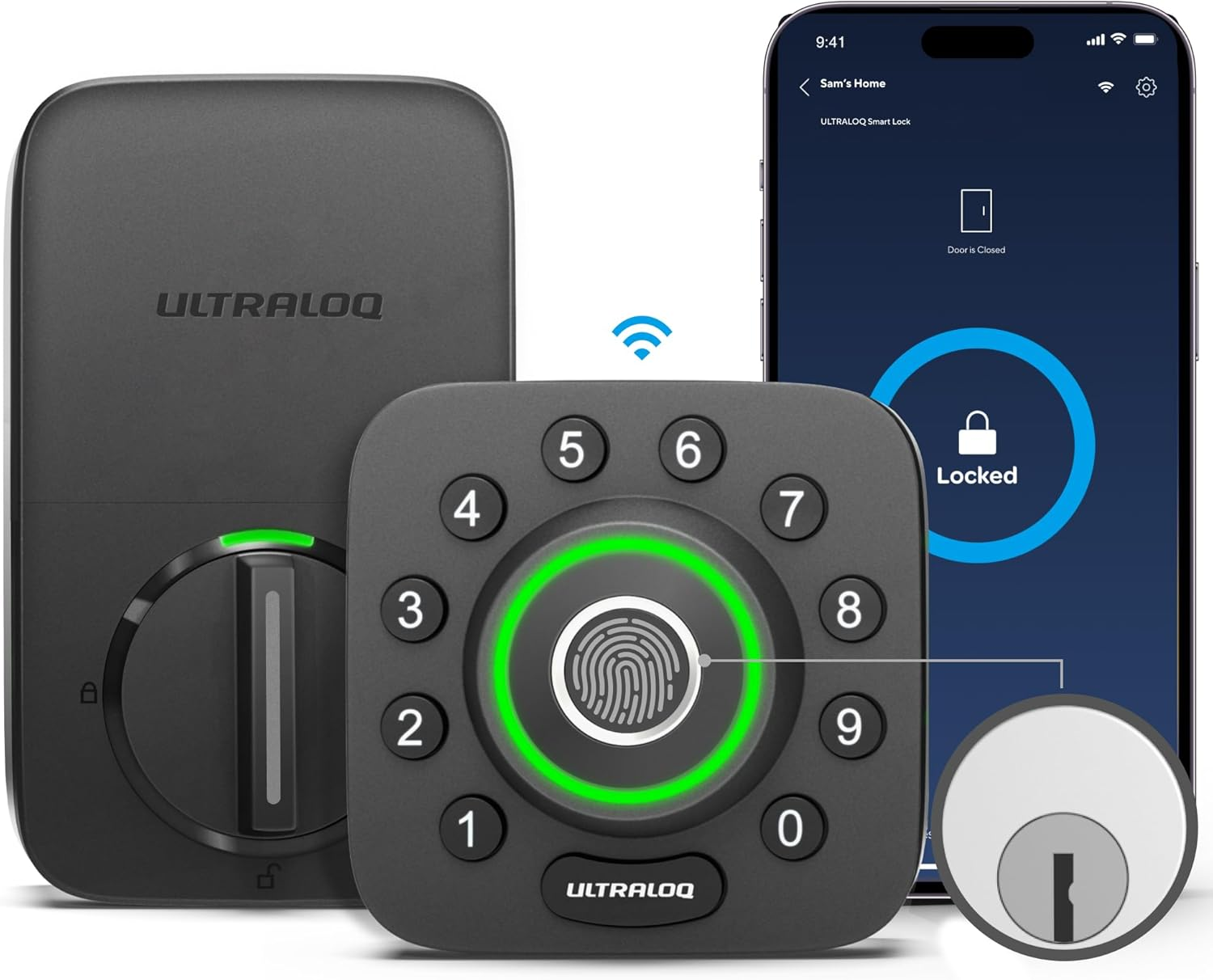
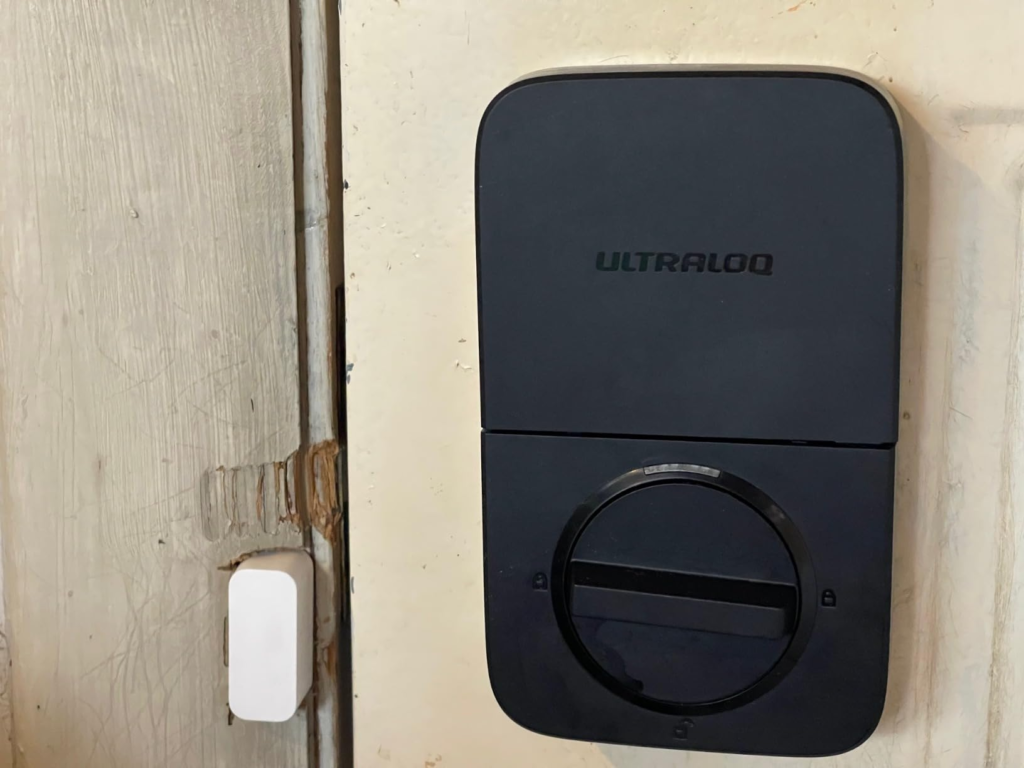
What pulled me toward the ULTRALOQ U-Bolt Pro WiFi is not the marketing promise of “8-in-1.” It is the shape of the problem it solves. Built-in Wi-Fi means remote control without a separate bridge. The door sensor adds status awareness. Fingerprint, keypad, app, voice control, auto lock/unlock, eKey sharing, web access, and two physical keys are all there, but the real question is simpler: does this reduce the number of times your entrance interrupts your day? On that question, the lock has a serious case.
What You’re Actually Feeling but Not Naming
The irritation is rarely “I hate keys.” It is usually one of these three:
| What you feel at the door | What is really happening | Why it matters |
|---|---|---|
| A tiny pause before entry | Your access method adds micro-delay | The front door stops feeling seamless |
| Low-grade doubt after leaving | You are not fully certain the door is locked | Your mind keeps circling back |
| Mental clutter around other people | Access sharing is manual, messy, or insecure | Convenience turns into management overhead |
That is why smart locks rise or fall on lived rhythm, not spec-sheet theater. The U-Bolt Pro WiFi is strong when your problem is repeated access friction with multiple human scenarios—family, deliveries, service visits, guests, Airbnb turnover, remote checks. It is less magical when your routine is simple, your ecosystem is Apple-first, or your door already works cleanly with a basic deadbolt and no delegation burden.
The Hidden Mechanism Behind the Miss
Here is the hidden variable most buyers miss: the lock is not judged by how many ways it opens. It is judged by whether the fastest daily method still works cleanly when your hands are full, your phone is elsewhere, the weather is off, and the battery is no longer fresh.
That sounds obvious. It is not. People compare smart locks the lazy way—assistant logos, app screenshots, maybe fingerprint support. But the lock lives or dies at the entry threshold: the exact second you expect the door to obey without negotiation. Reviewed found the fingerprint reader fast and dependable in testing, TechHive praised it as “amazing,” and GearBrain reported reliable real-home performance over months. But owner feedback is where the mechanism becomes clearer: the keypad is dependable, the fingerprint path is often the fastest, and auto-unlock is the least trustworthy piece of the stack.
That last point matters. U-tec’s own support notes that auto-unlock depends on GPS for away/back state and Bluetooth for the final unlock, not Wi-Fi. In plain English: it can feel elegant when it behaves, and fussy when your phone permissions, geofence behavior, or Bluetooth handoff drift out of alignment. If you buy this lock assuming auto-unlock is the core experience, you are buying the weakest part of its value.
The Threshold Where the Outcome Quietly Breaks
I would name the critical threshold here Re-Entry Friction Threshold.
It starts the moment your door has to do more than lock.
Not someday. Now.
You are inside this threshold if at least two of these are already normal in your life:
- You regularly need to let people in without being home.
- You are tired of carrying, hiding, or duplicating keys.
- You want to know whether the door is shut and locked without standing there.
Below that threshold, this can feel like an expensive gadget. Above it, the logic hardens. Built-in Wi-Fi, access logs, scheduled or temporary credentials, alerts, and door-status awareness stop looking like features and start looking like cleanup.
A second threshold sits underneath it: Tolerance for Maintenance Drift. The U-Bolt Pro WiFi runs on four AA batteries; U-tec rates this Wi-Fi model at roughly 3–6 months, and Reviewed flagged battery life as merely so-so. Several owners also report that weak batteries can cause strange behavior before total failure, especially around unlocking, even when the lock still appears partially responsive. That does not make the lock bad. It means this product rewards owners who treat battery replacement as routine, not afterthought.
Why Most Buyers Misread This Too Early
Because they buy the headline and ignore the operating conditions.
This is where comparison goes crooked:
| Lazy buying metric | Better metric | What happens if you choose lazily |
|---|---|---|
| “How many unlock methods?” | Which method will I actually use 90% of the time? | You overpay for options you never trust |
| “Does it have Wi-Fi?” | Is Wi-Fi stable where my door sits, and is 2.4 GHz workable for me? | Setup frustration starts before trust does |
| “Does it have fingerprint?” | Does fingerprint stay convenient with my skin, weather, and habits? | The fastest method becomes intermittent |
| “Does it work with smart homes?” | Does it work with my ecosystem? | Daily control feels incomplete |
This lock is 2.4 GHz Wi-Fi only. It supports Alexa, Google Assistant, SmartThings, IFTTT, and Apple Watch app control, but not Apple HomeKit on this U-Bolt Pro WiFi version. If your home is built around Siri and Apple Home, that limitation is not cosmetic. It changes the texture of the product in daily use.
There is another misread: fingerprint hype. Yes, the lock stores up to 100 fingerprints, with two per user in Reviewed’s specs and official documentation. Yes, multiple reviewers liked the scanner. But the support docs also explicitly tell users to keep fingers clean, dry or lightly moisturized depending on condition, cover the sensor properly, touch the surrounding metal ring, and enroll multiple prints. That is your clue. The fingerprint experience is good, often very good, but it is still a real biometric system, not sorcery. Wet fingers, dry skin, bad enrollment, and direct sunlight can all nudge performance off center.
Who Is Actually Inside This Problem
I would put the true-fit buyer into one of three groups.
First: the family home where entry is constant, uneven, and messy. Kids, walkers, deliveries, short absences, someone always half-arriving. Remote lock control, access logs, and no-key entry genuinely reduce noise there.
Second: the host or property owner who needs temporary or scheduled access without physically showing up. This is one of the clearest use cases because built-in Wi-Fi removes the extra hub headache, and credential sharing is part of the product’s core behavior, not a side note.
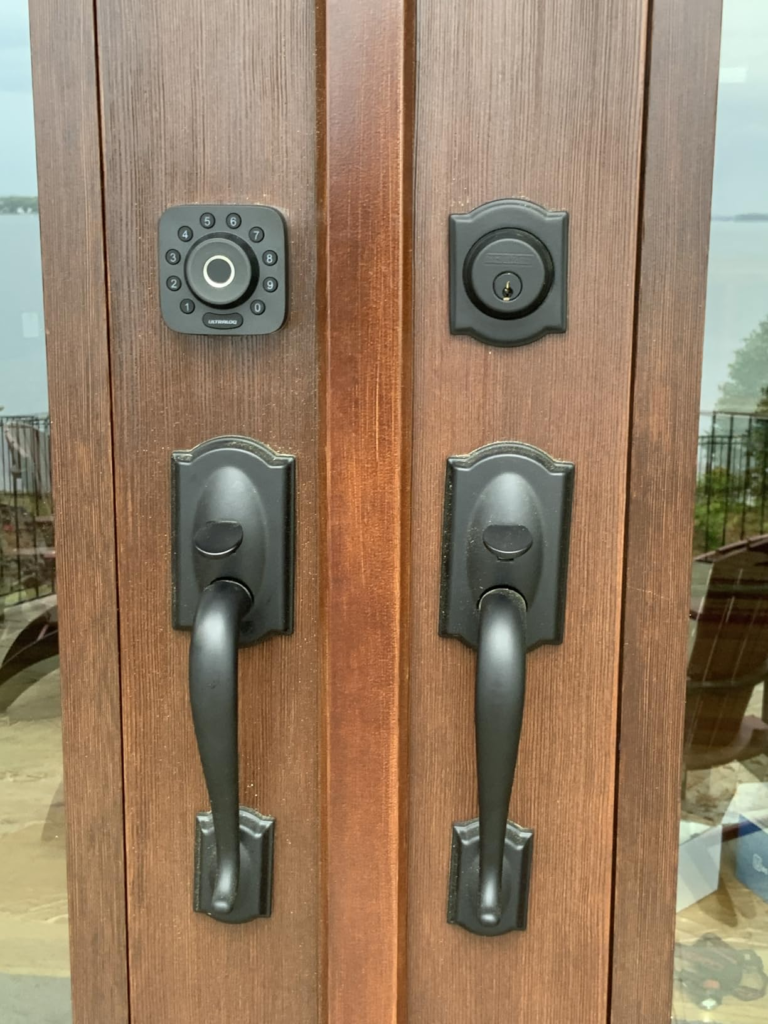
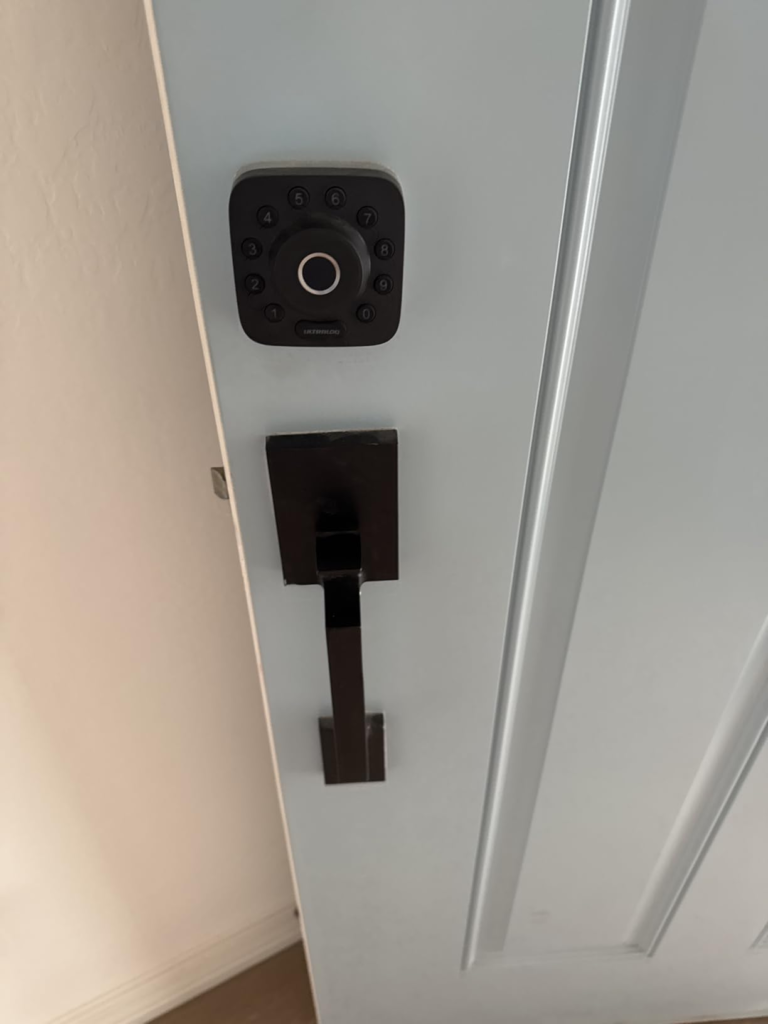
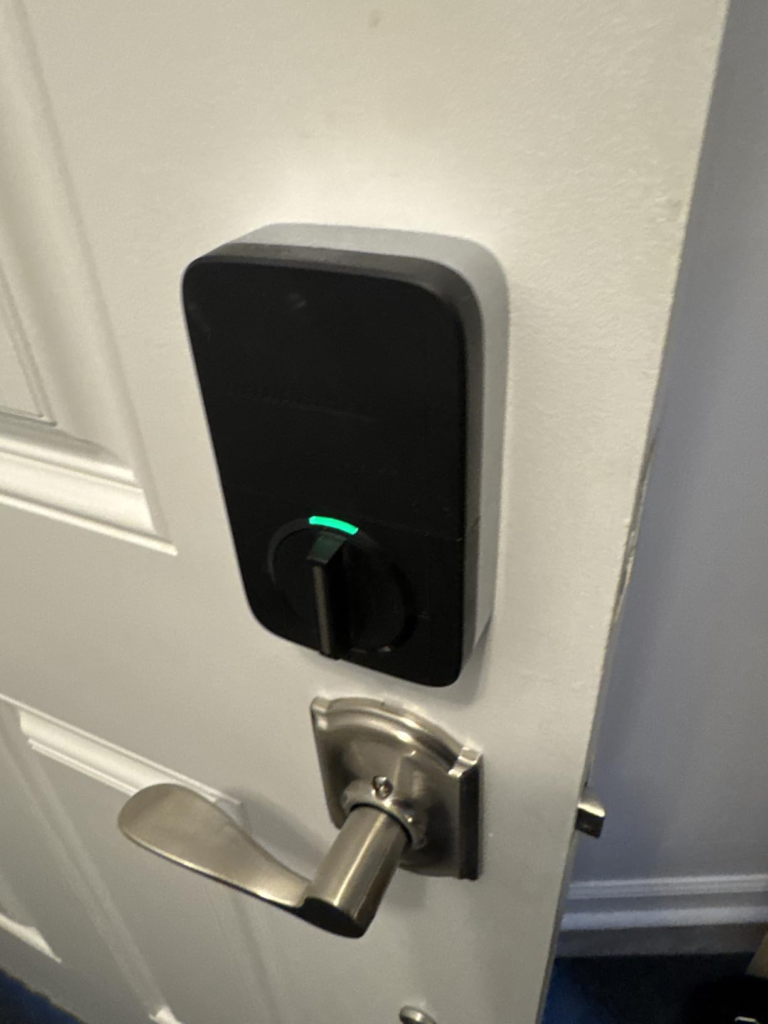
Third: the homeowner who hates visual bulk but still wants more than a keypad. Reviewed specifically noted the lock’s compact, door-friendly design, and that matters more than people admit. A lot of smart locks look like someone bolted a router to the door. This one is smaller, tighter, and visually calmer. In black with satin nickel, it tends to read as deliberate hardware rather than gadget clutter, especially on painted front doors, darker trims, and modern entryways where oversized glossy touchscreens can cheapen the whole façade.
Where Wrong-Fit Begins
This is not for everyone, and saying that makes the recommendation stronger, not weaker.
Wrong-fit starts here:
- You are deeply invested in Apple Home and want native HomeKit behavior from this exact model.
- Your Wi-Fi at the door is weak, unstable, or painful on 2.4 GHz onboarding.
- You expect auto-unlock to behave like a flawless invisible valet.
- You dislike battery maintenance and only remember electronics when they fail.
- You want a big standard keypad layout and have little patience for circular key arrangements.
Those are not small caveats. Reviewed explicitly called out the circular keypad as something that slows code entry versus a traditional numeric layout. TechHive noted that the integrated Wi-Fi is useful but not perfect, and WIRED mentioned that the lock could take a few attempts to connect to Wi-Fi, though it then ran without Wi-Fi issues during a year of testing. Owner feedback echoes the same pattern: keypad and manual methods remain dependable, while auto-unlock and status updates can be less reassuring than the core lock itself.
The One Situation Where This Product Becomes Logical
The ULTRALOQ U-Bolt Pro WiFi becomes logical when your front door is no longer a single-user mechanical event.
That is the line.
If one person with one key leaves and returns at predictable hours, a traditional deadbolt is still an honest answer. But once the door becomes shared territory—family timing, visitor management, service access, remote checks, temporary codes, lock certainty from away—the U-Bolt Pro WiFi stops competing on novelty and starts competing on operational relief. That is where it earns its place.
And within that use case, I understand the appeal. ANSI/BHMA Grade 1 certification, IP65 weather resistance, door-sensor awareness, anti-peep keypad entry, MicroUSB backup power, remote logs, and multiple access paths create a lock that is less brittle than the usual “app-only” fantasy. It gives you layered entry instead of a single point of annoyance. If one method feels off, another is still there. That redundancy is not flashy. It is what keeps the product useful.
What It Solves, What It Reduces, and What It Still Leaves to You
Here is the cleanest way to look at it:
| Layer | What the U-Bolt Pro WiFi does well | What it still leaves to you |
|---|---|---|
| Entry speed | Fingerprint, keypad, app, key, watch, and remote options reduce dead time | You still need to decide which method becomes your daily default |
| Access control | Temporary sharing, logs, alerts, and remote unlock are practical | You need to manage users and remove old access cleanly |
| Security posture | Grade 1 certification, door sensor, anti-peep entry, backup power, weather resistance | You still need good battery discipline and sane app/account hygiene |
| Ecosystem fit | Works with Alexa, Google Assistant, SmartThings, IFTTT | No native HomeKit support on this model |
| Aesthetics | Compact exterior avoids the oversized smart-lock look | You still need a door and trim style that suits the square face |
There is also one subtle strength I do not want to understate: the lock does not force you into a single personality. You can run it like a simple fingerprint deadbolt. You can run it like a family keypad. You can run it as a remote-access tool. You can ignore most of the smart-home theater and still extract value. That flexibility is a real advantage.
Final Compression
The strongest reason to buy the ULTRALOQ U-Bolt Pro WiFi is not that it does a lot. It is that it reduces a specific kind of domestic drag that most locks leave untouched.
The strongest reason to skip it is also simple: if your ecosystem is Apple-first, your door Wi-Fi is weak, or you want zero-maintenance magic, this is the wrong machine.
But if your actual break point is shared access, repeated re-entry friction, and the need to know what your front door is doing when you are not standing in front of it, the U-Bolt Pro WiFi stops feeling like a gadget and starts feeling like clean infrastructure. That is the threshold.
If that is the condition you are actually dealing with, checking the current price, fit, and door compatibility on the product page is the logical next step.
Transparency Note:
This analysis is built on aggregated real-world experience.
It extracts what repeatedly holds, what breaks, and what users uncover only after living with the system—then shapes it into a clear model you can use immediately.
Think of it as structured experience, refined and presented so you don’t have to learn it the hard way.
“A quick note: Don’t believe the star ratings, but trust personal experience. This article is a compilation of collected experiences”