Hisense C2 Ultra Review: The Moment a Projector Stops Feeling Like a Compromise
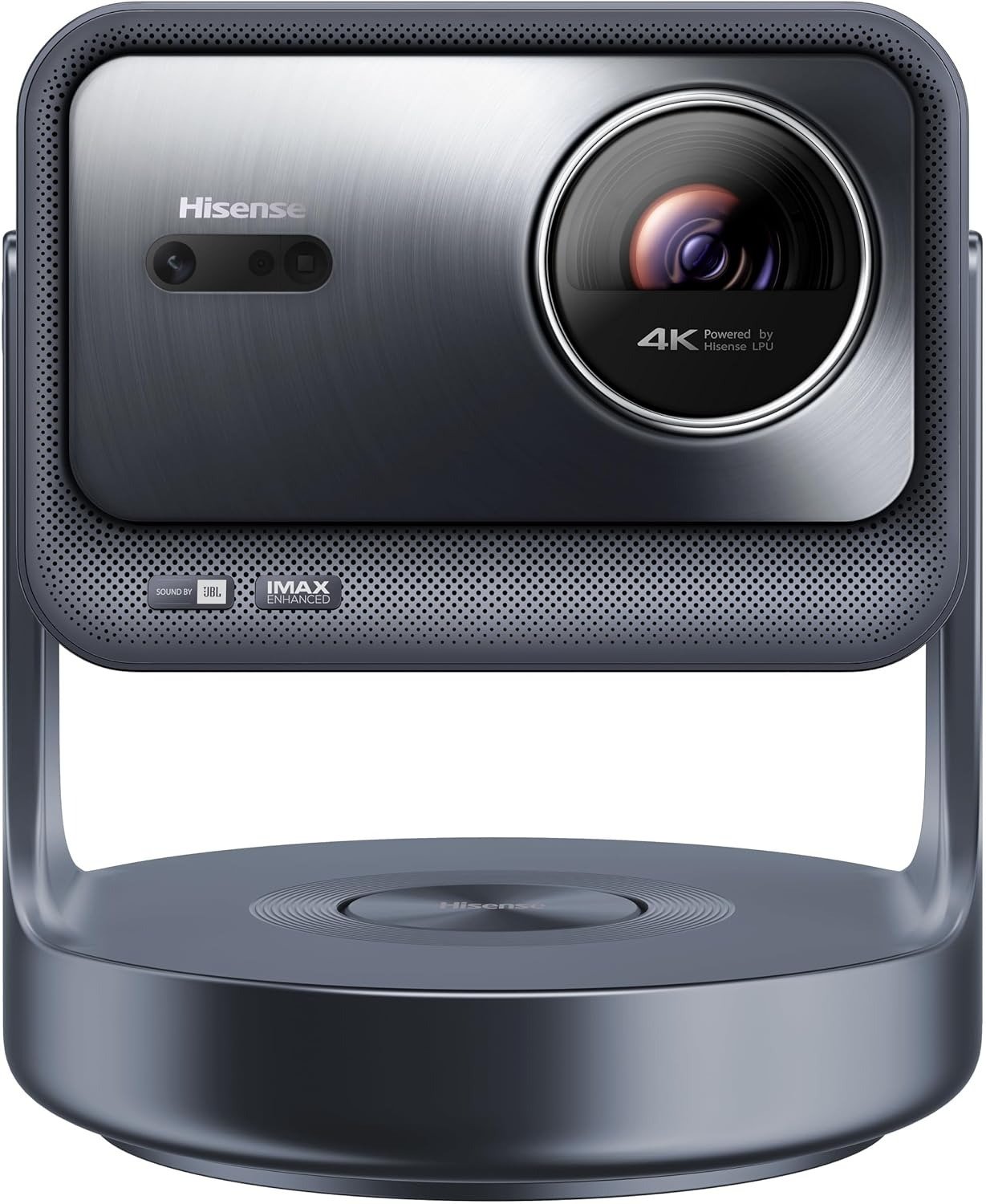
HISENSE C2 ULTRA
A lot of projectors don’t fail in the brochure. They fail at 8:17 p.m., when the room is not fully dark, the image is big but oddly flat, the blacks turn smoky, and you realize you bought size instead of conviction.
The Hisense C2 Ultra interests me for one reason: it tries to solve that exact humiliation with brute brightness, unusually flexible placement, serious color volume, and gaming credentials that most lifestyle projectors only flirt with. Officially, it is a 4K triple-laser mini projector with 3,000 ANSI lumens, a 65-to-300-inch image range, a 0.9–1.5:1 throw ratio, Dolby Vision, HDR10+, IMAX Enhanced, optical zoom, and a 40W 2.1 JBL sound system with a built-in subwoofer. In plain English, this thing is not trying to be cute. It is trying to be usable.
The Result Looks Fine. The Problem Isn’t.
What traps most buyers is that a projector can look impressive in the wrong way. A huge image lands on the wall, colors leap out, everybody says “wow,” and the decision feels finished. It isn’t. The real question arrives later: does the image still hold together when the room is imperfect, the placement is awkward, the content changes, and you stop watching demo footage and start living with it?
That is where the C2 Ultra separates itself from cheaper lifestyle units. RTINGS found it bright enough for moderately lit rooms, with deep blacks in most content, a very wide color gamut, strong out-of-box accuracy, and unusually rich gaming support. TechRadar and Tom’s Guide landed in roughly the same place: bright, punchy, flexible, and far more TV-like than the category usually delivers.
I kept seeing the same pattern in owner reactions as well. People were not fixated on one sexy spec. They were reacting to relief: crisp edge-to-edge sharpness, colors that survive ambient light better than expected, a setup process that doesn’t feel like punishment, and gaming that finally feels responsive on a screen this large. That psychological detail matters. The product is not mainly selling spectacle. It is reducing friction.
What You’re Actually Feeling but Not Naming
Most people don’t say, “I need a projector with better threshold behavior.” They say something messier.
They say the room is normal, not a cave.
They say they don’t want to drag furniture around.
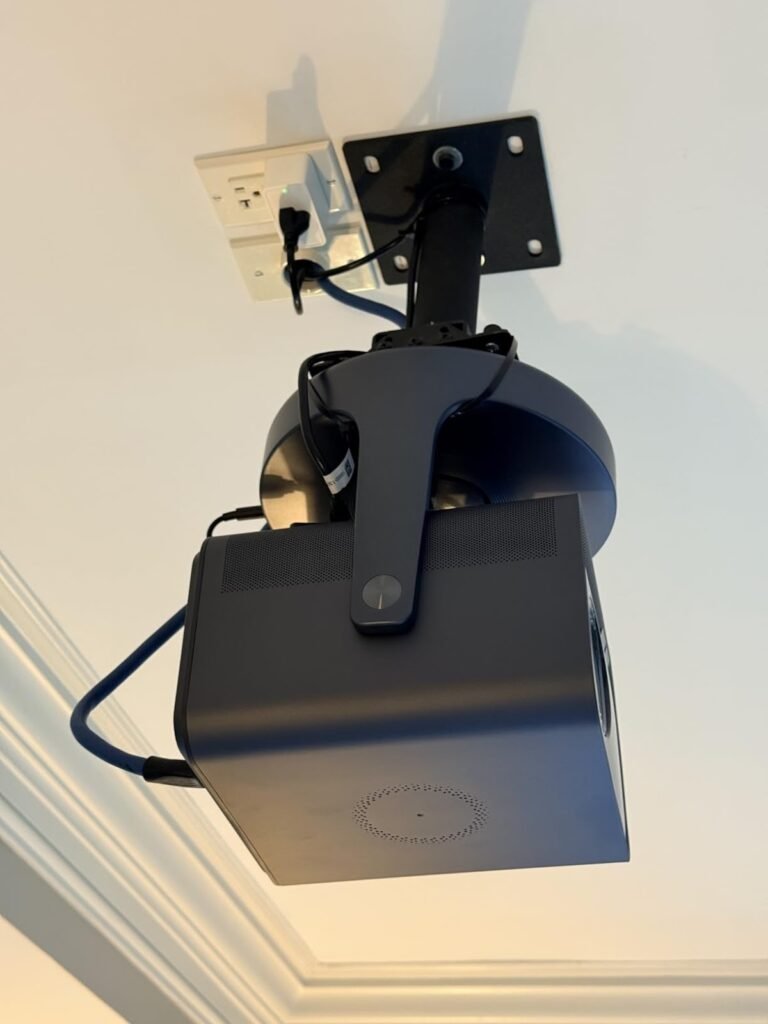
They say they want movies, sports, Xbox, Netflix, and the occasional lazy ceiling projection without turning setup into a ritual.
That is the real pain here. Not lack of image. Lack of tolerance. A projector that only behaves under perfect conditions is not really a home device. It is a fragile event.
The C2 Ultra is aimed at that exact irritation. The rotating gimbal stand, autofocus, keystone, object avoidance, wall-color adaptation, and especially the optical zoom are all there to reduce the tiny repeated annoyances that make many projectors feel exhausting over time. Even reviewers who praised the image kept circling back to the same thing: this unit is unusually easy to place and unusually willing to adapt.
The Hidden Mechanism Behind the Miss
The hidden variable is not “4K.” It is not even “laser.” It is usable image integrity across imperfect conditions.
Here is the mechanism in hard numbers:
| Spec / behavior | What it means in real use |
|---|---|
| Official 3,000 ANSI lumens | Enough light output to stay credible outside a perfectly blacked-out room, which is the difference between occasional novelty and frequent use. |
| Measured 2,779 ANSI lumens in brightest dynamic mode; 2,466 ANSI lumens in dynamic without enhancer | The brightness claim is not fantasy. It falls short of spec, but remains strong for the class and inside accepted tolerance ranges. |
| 0.9–1.5:1 throw with optical zoom | You get genuine placement flexibility without immediately throwing away pixels through crude digital resizing. |
| 93.68% BT.2020 xy / 99.76% P3 xy measured | The color story is not marketing fluff. This is why HDR material can look vivid instead of merely bright. |
| 40W 2.1 JBL audio with built-in 20W subwoofer | It removes the “now I also need external speakers tonight” tax for many buyers. |
That is why the C2 Ultra keeps getting described as “TV-like” by reviewers. Not because it literally replaces a good OLED in every scene. It doesn’t. It earns that comparison because it collapses the gap between wanting a big image and actually using one on a random Tuesday night.
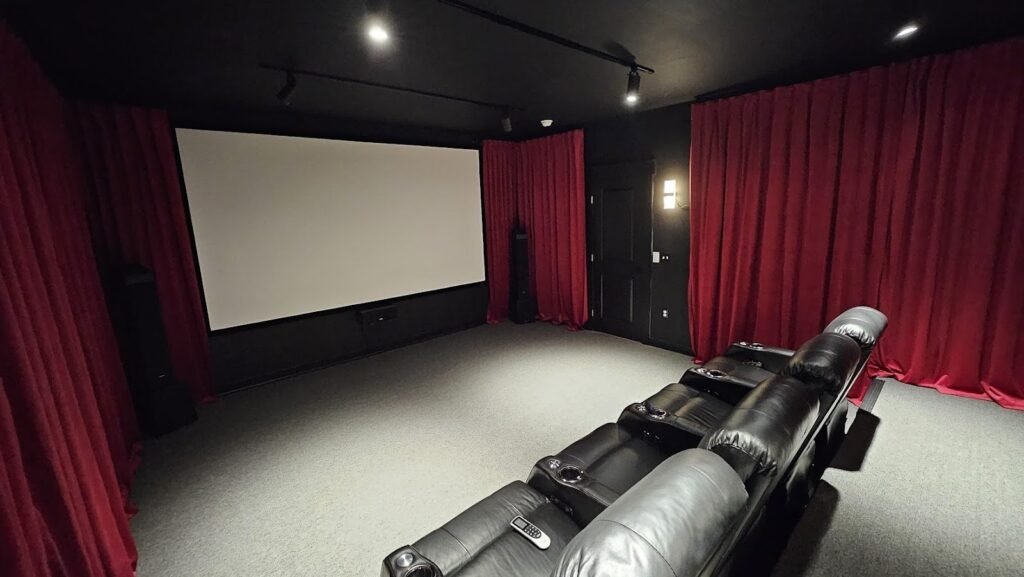
The Threshold Where the Outcome Quietly Breaks
This category breaks at the point where flexibility stops being convenience and starts becoming image damage, latency, or regret.
The C2 Ultra stays on the right side of that break longer than most lifestyle projectors do. It can throw 65 to 300 inches, supports Dolby Vision and HDR10+, carries official Netflix integration, includes one full-bandwidth HDMI 2.1 port plus a second HDMI with eARC, and supports high-refresh gaming modes up to 1080p/240Hz. ProjectorCentral measured input lag as low as 9ms at 1080p/240Hz and 21ms at 1080p/120Hz or 4K/120Hz in its high-refresh configuration.
That matters because the emotional threshold is simple: once a big screen feels sluggish, washed, or fussy, the romance dies. Fast.
The C2 Ultra avoids that collapse better than most. But not infinitely. In very dark scenes with small bright highlights, both RTINGS and ProjectorCentral noted the same weakness from different angles: blacks can rise, shadow-heavy material does not look as inky as the best dedicated theater projectors, and native contrast is not its proudest trait. ProjectorCentral measured native contrast at roughly 1,600:1. RTINGS described the same behavior more practically: excellent depth in most content, but raised blacks in near-dark scenes.
Why Most Buyers Misread This Too Early
Because they compare the wrong things too early.
They compare:
- projector size
- headline brightness
- “4K” labels
They should be comparing:
- how much real flexibility they get before image quality bends
- whether HDR color survives beyond demo clips
- whether gaming and streaming work without attaching extra hardware or extra patience
The lazy comparison trap is assuming every bright projector solves the same problem. It doesn’t. Some are bright but awkward. Some are colorful but noisy. Some are portable but thin-sounding. Some are cinematic until you ask them to play a game. The C2 Ultra is more coherent than that. Its strongest case is not a single knockout spec. It is the way brightness, optical zoom, built-in audio, official streaming support, and gaming support stack into one device that asks for fewer apologies.
There is another early mistake. Buyers see “portable” and imagine featherweight convenience. That is not quite this machine. At about 13.9 pounds, with a chunky stand partly devoted to the subwoofer, it is movable, but not toss-it-in-a-backpack portable. Several reviewers praised the flexibility while also acknowledging the base is bulkier than rivals.
Who Is Actually Inside This Problem
This projector makes the most sense for a very specific person.
| You are inside the problem if… | Why the C2 Ultra fits |
|---|---|
| You want a projector that works in a living room, media room, or mixed-use space | Its brightness and placement flexibility are unusually forgiving for the category. |
| You care about HDR color, not just raw size | Its triple-laser engine and wide gamut are a real advantage, not decorative wording. |
| You want one box to handle streaming, casual audio, and gaming competently | Netflix, VIDAA, JBL 2.1 audio, HDMI 2.1, and low-latency modes reduce ecosystem friction. |
| You hate placement drama | The gimbal stand and optical zoom are not cosmetic. They are a daily-use advantage. |
Psychologically, this is for the buyer who is tired of choosing between three separate machines in disguise: the “movie projector,” the “gaming projector,” and the “portable projector.” The C2 Ultra is compelling because it tries to sit in the overlap. Not perfectly. But credibly.
Where Wrong-Fit Begins
Now the boundary. This is where a lot of glowing reviews become expensive mistakes.
Do not buy the C2 Ultra because you think brightness alone creates elite cinema blacks. It doesn’t. If your entire identity as a viewer is built around dark-room black-level performance, and you are hypersensitive to grayish blacks in difficult scenes, there are more theater-biased options. RTINGS, ProjectorCentral, and comparative rankings all point to that same limitation even while praising the projector overall.
Do not buy it casually if you know you are rainbow-effect sensitive. This is still a DLP-based projector, and both review testing and owner reports mention visible rainbow artifacts for some users, especially around subtitles or bright highlights against dark backgrounds. For sensitive viewers, that is not a small footnote. It is a deal-breaker.
Do not buy it assuming every unit is acoustically invisible. Some owners describe the fan as quiet or easy to ignore; others report higher fan presence or even a more irritating high-pitched whine. ProjectorCentral measured roughly mid-30 dBA at three feet in one setup, which suggests “reasonable” more than “silent.” Placement will matter. Sensitivity will matter.
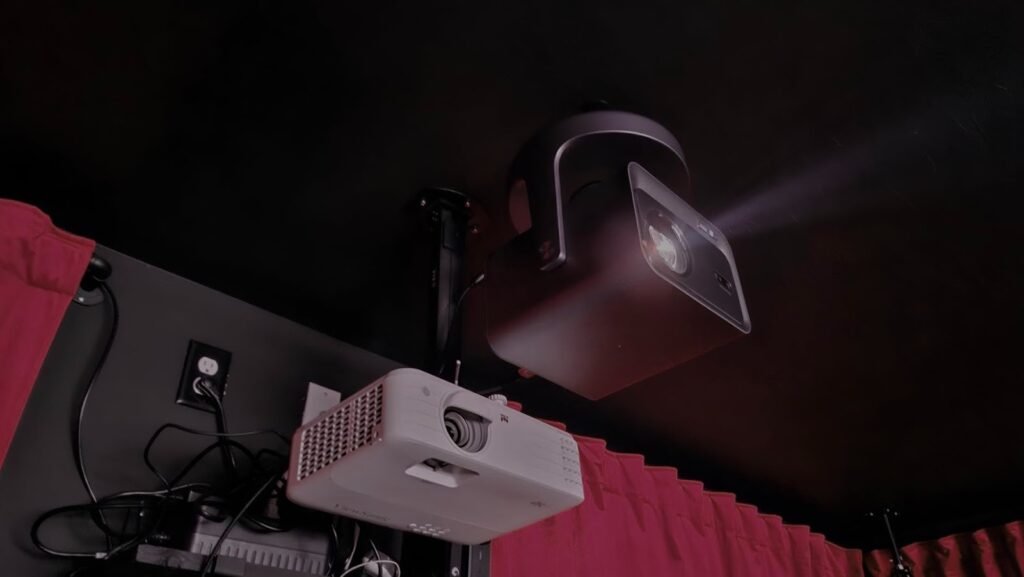
The One Situation Where This Product Becomes Logical
Here is the exact situation where the C2 Ultra stops being a shiny gadget and becomes a logical purchase:
You want a genuinely large, genuinely colorful image in a real room, you want setup flexibility without image self-sabotage, and you need the same machine to handle films, streaming, and gaming without turning every session into a technical negotiation.
That is the moment.
Not when you want absolute black-level purity.
Not when you want the smallest carry-anywhere projector.
Not when you want the cheapest path to “big screen.”
When you want one high-output, high-flexibility projector that removes more friction than it creates, the C2 Ultra becomes unusually coherent. That is why RTINGS rates it so highly for movies and gaming, why ProjectorCentral gave it a Highly Recommended award, and why mainstream reviewers kept describing it as more usable than the average projector in this class.
What It Solves, What It Reduces, and What It Still Leaves to You
What it solves:
- the usual brightness anxiety of lifestyle projectors
- the placement headache that forces furniture compromises
- the need for immediate external audio in casual use
- the split between movie projector and gaming projector
What it reduces:
- the “I need a perfect room” excuse
- the “I need a streaming stick first” annoyance
- the “I moved it two feet and ruined the image” problem
- the sense that projectors are still only for special occasions
What it still leaves to you:
- managing room light if you want the best HDR depth
- accepting that dark-scene black levels are good, not class-defining
- checking your own sensitivity to rainbow artifacts before committing
- deciding whether built-in audio is enough or eARC should feed a fuller system
That last part is important. I do not trust projector reviews that pretend the final 10% does not exist. The C2 Ultra is strong because its trade-offs are legible. You can see where the money went: light output, color, flexibility, features, and day-to-day usability.
Final Compression
After tracing the measurements, the reviews, and the owner reactions, I would frame the Hisense C2 Ultra this way:
It is not the projector for people chasing the deepest possible blacks.
It is not the projector for the ultra-sensitive rainbow-effect crowd.
It is not the projector for someone who wants featherweight portability above all else.
It is the projector for the buyer whose room is real, habits are mixed, patience is finite, and standards are high.
That is why this model keeps pulling attention. It does not win by doing one theatrical trick. It wins by staying convincing after the first impression fades. The image is bright enough to matter, the color is rich enough to feel expensive, the zoom and stand make placement unusually forgiving, and the gaming support means the big screen does not turn mushy the moment a controller enters the room. If that is the condition you are actually dealing with, this is where the decision stops being vague.
Transparency Note:
This analysis is not based on quick personal impressions.
It is derived from documented system behavior, verified user patterns, and the physical constraints of storage capacity.
The goal is to translate complex technical behavior into a realistic performance model that helps you make a clear decision.
“A quick note: Don’t believe the star ratings, but trust personal experience. This article is a compilation of collected experiences”