Govee H6047 GAMING LIGHT BARS REVIEW: WHY THE GLOW STILL DIDN’T MATCH MY SCREEN
Govee H6047 GAMING LIGHT BARS
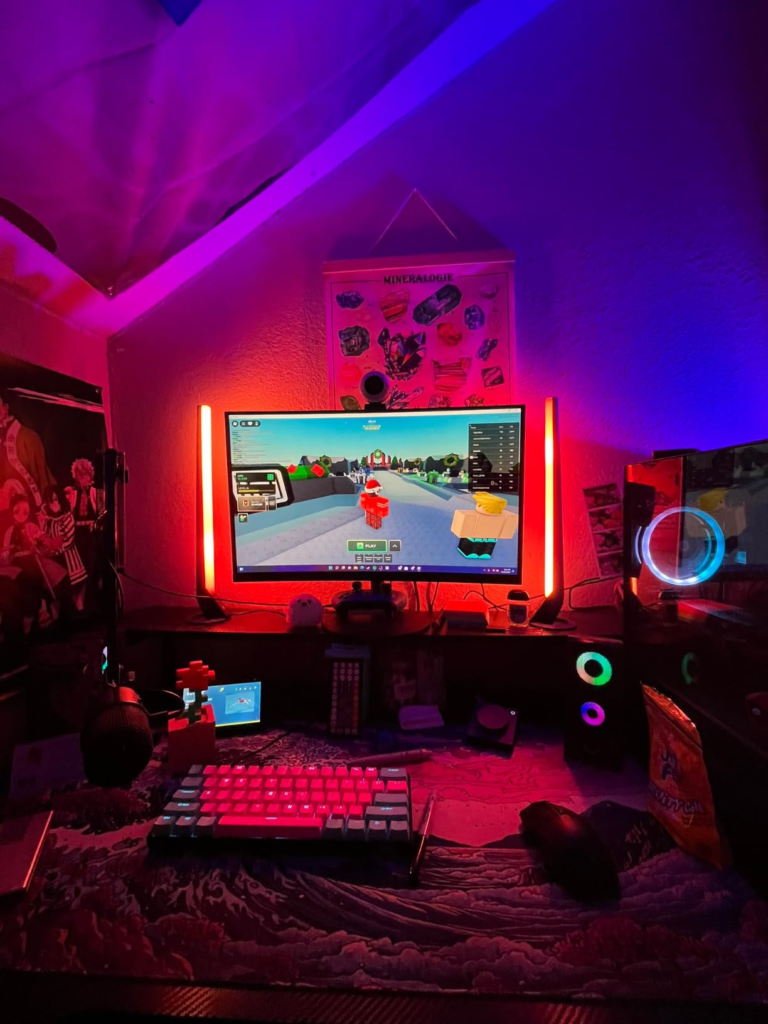
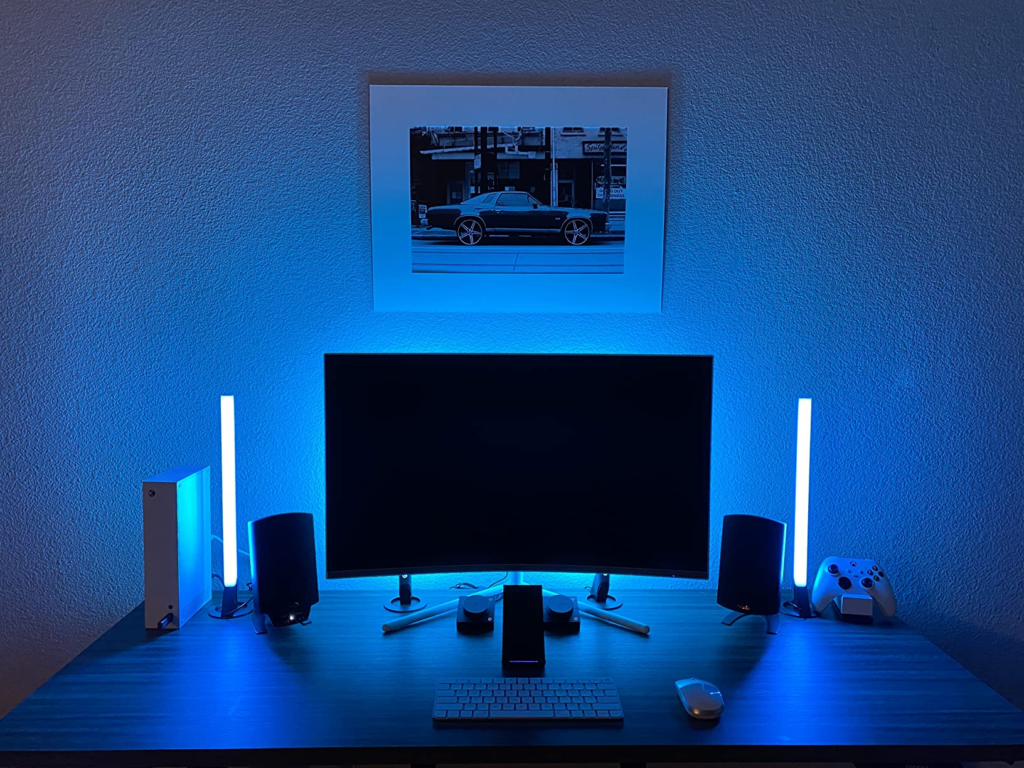
It’s almost midnight, three matches into a session I told myself would end an hour ago, and the two light bars sitting on either side of my monitor are doing their own thing. An explosion goes off on screen — orange, sudden, full-frame — and the bars just keep gliding through whatever slow purple fade I picked earlier. Nothing reacts. Nothing changes. It’s like they didn’t even notice.
That gap is where most people actually meet the Govee H6047 — not in the spec sheet, not in the unboxing photos, but in that one specific moment where you expect the lighting to behave like an extension of your screen and it just doesn’t. The bars aren’t broken. They’re doing exactly what they were built to do. The confusion comes from what the box, and half the listings selling it, quietly let you assume.
Govee H6047 UNBOXING AND SETUP: THE RESULT LOOKS FINE, THE PROBLEM ISN’T
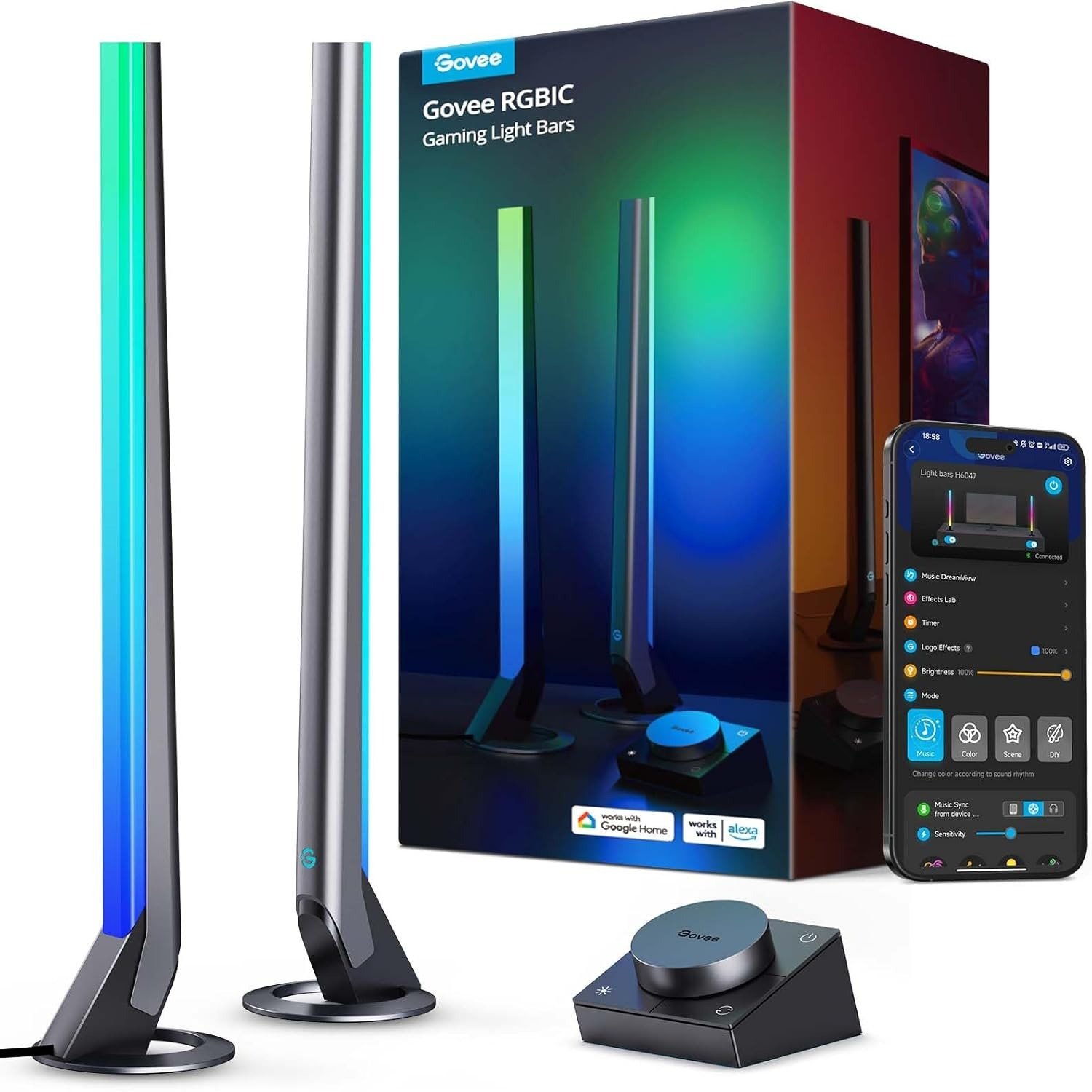
Open the box and the first impression is genuinely solid: two 16.7-inch bars in a sturdy plastic shell, a smart dial controller about the size of a hockey puck, a power adapter, a USB-C cable connecting the bars to the controller, and a thin audio cable tucked into the corner that most people ignore until they read the manual twice. Stands click onto the base of each bar, and there’s a small screwdriver kit if you’d rather screw the mounting plates down than rely on the pre-applied adhesive pads underneath them.
The dial alone is satisfying. Twist it and brightness shifts immediately; click it and you cycle through color modes, no app required. For the first ten minutes, this feels like one of those rare smart-home products that works exactly the way the marketing implies.
Then you open the manual to figure out the audio cable and the Razer setup, and the mood shifts a little. More than one buyer has mentioned losing more time to the wiring instructions than to actually using the thing — not because the hardware is complicated, but because the manual reads like it assumes you already know what DreamView, Chroma Connect, and the Govee Desktop app are before you’ve opened any of them.
| Spec | Detail |
|---|---|
| Model | H6047 — 2 RGBIC light bars + smart dial controller |
| Bar size | ~16.7 in long, roughly 3.4 x 3.4 x 16.7 in each |
| Material | Durable plastic housing |
| Colors | 16.8 million, independently controlled per segment (RGBIC) |
| Scene modes | ~40 per Govee’s own spec sheet; several retail listings round up to “60+” |
| Connectivity | Bluetooth + 2.4GHz Wi-Fi only — no 5GHz support |
| Control | Smart dial, Govee Home app (iOS/Android), Alexa, Google Assistant |
| Audio reactivity | Built-in mic, plus an included headphone passthrough cable |
| Game sync | Razer Chroma/Synapse 3 event sync via a Windows-only desktop app; no camera, no real-time screen color picking |
| Mounting | Detachable stands, mounting screws, and pre-applied adhesive pads |
| Warranty | 12-month limited warranty, lifetime Govee technical support |
| Typical price | Roughly $60–$120 depending on retailer, sales, and refurbished availability |
Govee GAMING LIGHT BARS SCREEN-SYNC EXPECTATIONS: WHAT YOU’RE ACTUALLY FEELING BUT NOT NAMING
Why does a light bar with “Sync with Razer Chroma” printed right on the box not just follow the game? That’s the real question hiding under every mildly disappointed first week. Buyers rarely phrase it that cleanly. They say the lighting feels “less immersive than expected,” or “nice, but not quite what I pictured,” without quite landing on why.
Here’s the why: you pictured an effect where the bars mirror whatever colors are actually happening on your screen, in real time. Govee’s own marketing, stacking words like “gaming,” “RGBIC,” and “Razer Chroma” on the same product page, makes that picture awfully easy to draw. The H6047 was never built to draw it back.
Govee HOME APP, Govee DESKTOP, AND RAZER SYNAPSE: THE HIDDEN MECHANISM BEHIND THE MISS
The H6047 reacts to three things, and only three things. The built-in microphone picks up ambient sound — game audio through your speakers, music, conversation in the room — and turns it into color and brightness shifts. The included audio cable does roughly the same job more directly, plugged into a headphone-out so the lights respond to exactly what you’re hearing rather than what the room happens to pick up. And for a short list of titles that specifically support Razer Chroma, the bars can flash and shift with in-game lighting cues — but only once you’ve installed the Govee Desktop app on a Windows PC, opened Razer Synapse 3, switched on the Chroma Connect module, and added the lights to a Razer group.
None of that is screen color picking. There’s no camera in this kit, and Amazon’s own listing says so directly: no camera, no screen color picking. The “sync” in “Sync with Razer Chroma” refers to event-based cues inside supported games, not a live feed of your actual display. Govee does build true screen-mirroring elsewhere in its lineup — it’s just not built into this particular box, no matter how the bullet points are worded.
Govee H6047 WI-FI, MONITOR FIT, AND MAC COMPATIBILITY: THE THRESHOLD WHERE THE GLOW QUIETLY BREAKS
Three specific limits are where the experience quietly stops matching expectations, and all three are easy to miss until you hit them.
The first is Wi-Fi. The Govee Home app, and the light bars themselves, pair over a 2.4GHz network only — the manual states it plainly, and Govee’s own Razer integration page repeats it. If your router broadcasts one combined network name and steers devices to 5GHz automatically, the app may simply never find your lights during setup. That’s not a defect. It’s worth checking your router settings and exposing a visible 2.4GHz network name before you ever open the box.
The second is the operating system. The Govee Desktop app, which bridges the lights to Razer Synapse, runs on 64-bit Windows 10 and up — full stop. Mac owners keep the mic, the cable, the dial, and the app’s preset library. What they lose entirely is the Razer/DreamView layer. There’s no workaround buried in a settings menu; it’s a platform limitation.
The third shows up after setup, not during it. On Razer’s own community forums, more than one PC gamer has described flickering that appears specifically once the lights are linked through Synapse or a tool like SimHub — and disappears the moment they go back to controlling the lights through the standalone Govee app alone. The hardware isn’t the common thread in those reports. The software bridge is.
| Expectation | Reality |
|---|---|
| Reacts to game or movie sound | Yes — built-in mic and headphone passthrough cable |
| Changes with Razer Chroma-supported games | Yes, but only for specific Chroma-integrated titles, and only with the Windows-only Govee Desktop app linked through Synapse 3 |
| Mirrors on-screen colors in real time | No — no built-in camera, and Amazon’s own listing confirms it doesn’t support screen color picking |
| Works over a 5GHz-only network | No — pairing requires a visible 2.4GHz network |
| Syncs through Razer software on a Mac | No — the desktop sync app is Windows 10 (64-bit) only |
| Responds to Alexa or Google Assistant | Yes |
| Works without ever opening the phone app | Yes — the dial covers brightness, color, mode, and power |
Govee H6047 VS GAMING LIGHT BARS PRO VS MONITOR LIGHT G1: WHY MOST BUYERS MISREAD THIS TOO EARLY
Why do three different Govee products all market themselves with nearly identical language — RGBIC, gaming, 60+ scene modes, works with Alexa and Google Assistant — and still do meaningfully different things once they’re plugged in? Because they’re optimized to win the same five-second scroll on a results page, not to make the differences obvious before you click.
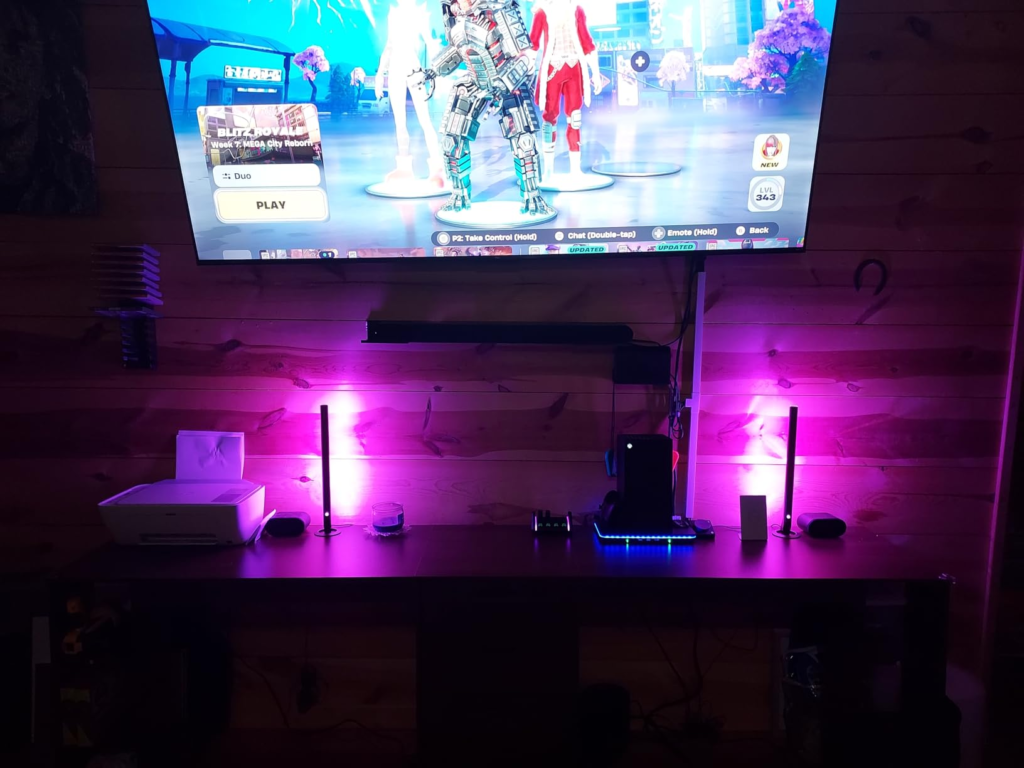
The H6047 is the original, audio-and-event-reactive version: two freestanding bars, no camera, the version this review is actually about. The Gaming Light Bars Pro, model H6048, is the newer sibling — triple-sided illumination, sized for 24 to 32-inch monitors, built around genuine real-time screen color sync through the Windows desktop app. The Monitor Light G1 takes a different shape entirely, clipping directly onto the monitor bezel and using Govee’s VibraMatch pixel-reading technology to track on-screen color across 27 to 34-inch and curved displays.
Scroll quickly enough and all three blur into one product at three different prices. They aren’t. Only two of the three actually read your screen.
| Feature | Govee H6047 | Gaming Light Bars Pro (H6048) | Monitor Light G1 |
|---|---|---|---|
| Real-time screen color sync | No | Yes — via Windows desktop app | Yes — via VibraMatch |
| Illumination style | Two freestanding bars | Triple-sided bars | Clips onto monitor bezel |
| Built for | General desk or room use | 24–32 in monitors | 27–34 in monitors, curved-adaptable |
| Mounting | Stand, screws, or adhesive | Stand or clip | Clips directly to the monitor |
| Strongest at | Budget-friendly, sound-reactive ambiance | True screen-synced PC immersion | Tight, monitor-hugging glow with screen matching |
Who Should Buy the Govee H6047: Who Is Really Inside This Problem
So who does the H6047 actually make sense for? Why does any of this matter if the colors still look good either way?
It matters because the gap between what you expected and what you got is exactly what turns a four-star purchase into a returned box three weeks later — not bad lighting, just lighting quietly sold as something slightly different from what it is.
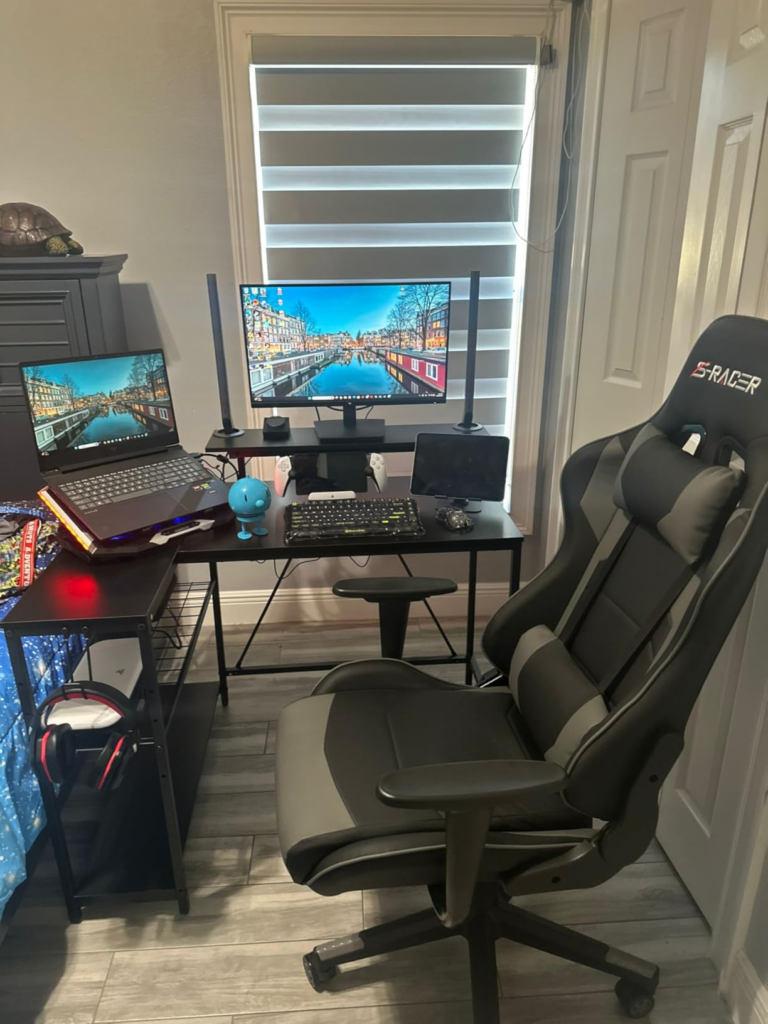
The H6047 fits someone who wants vivid, segmented color around a desk or a room — atmosphere, not a screen mirror. It fits people who game across both PC and console, since the mic, cable, dial, and app don’t care which platform you’re on. It fits anyone who likes music-reactive lighting for streaming, parties, or background mood while working, and anyone who’d rather twist a physical dial than dig through a phone app for routine brightness changes. And it fits a budget-conscious buyer comparing this against pricier ambient-lighting ecosystems chasing a similar vibe at a noticeably higher price.
Govee H6047 DRAWBACKS AND DEAL-BREAKERS: WHERE WRONG-FIT BEGINS
Wrong-fit starts in one specific place: expecting the screen-mirroring effect this kit doesn’t have. If that’s genuinely the feature you’re shopping for, the Pro or the G1 is the better starting point, not this listing.
It also starts for Mac-primary gamers chasing the full Razer/DreamView experience, since that layer simply isn’t available outside Windows. It starts for anyone on a strict 5GHz-only or fully meshed network unwilling to expose a 2.4GHz band during setup. And it starts for anyone hoping two tall freestanding bars will disappear invisibly into a minimalist desk — they’re substantial pieces of hardware, and more than one buyer has said as much, wishing for a cleaner way to integrate them around an existing monitor stand.
| Good Fit | Not a Fit |
|---|---|
| Wants vivid, colorful ambient lighting | Expects literal screen-color mirroring out of the box |
| Games across both PC and console | Is Mac-primary and wants the full Razer desktop layer |
| Enjoys music or sound-reactive lighting | Runs a strict 5GHz-only or fully meshed Wi-Fi setup |
| Prefers a physical dial over constant app use | Wants an invisible, cable-free look around the monitor |
| Comparing this against pricier ambient ecosystems on price | Already needs Pro- or G1-level screen matching |
Govee H6047 BEST USE CASE: THE ONE SITUATION WHERE IT BECOMES THE LOGICAL BUY
There’s one situation where the decision stops being complicated: you’re building or upgrading a desk setup, you want a vivid, colorful, sound-reactive glow without committing to a pricier sync ecosystem, you don’t need the lights to literally mirror your screen, and you’re fine with a short Windows-only setup if you ever want the occasional Chroma flourish in a supported game. In that exact situation, the H6047 stops being a maybe and becomes the obviously sensible pick — not because it’s the most advanced option on the page, but because it’s the right tool for what you actually asked for.
Govee H6047 PROS AND CONS: WHAT IT SOLVES, WHAT IT REDUCES, AND WHAT IT STILL LEAVES TO YOU
| Pros | Cons |
|---|---|
| Genuinely vivid, independently controlled RGBIC segments | No camera, no real-time screen-color picking despite the gaming and Chroma branding |
| Dial works instantly with zero app setup | Full Razer/DreamView sync needs a Windows-only desktop app |
| Reacts well to music and game audio via mic or cable | 2.4GHz-only Wi-Fi can trip up modern mesh routers during pairing |
| Flexible mounting: stand, screws, or adhesive | Two tall freestanding bars need real desk space to look intentional |
| Reasonably priced next to pricier ambient ecosystems | Manual is dense; some buyers report a fiddly first wiring session |
What it solves is straightforward: a flat, single-color desk setup becomes a vivid, independently colored one, with a physical dial that makes daily adjustments effortless. What it reduces is the cost of entry into reactive ambient lighting compared to pricier ecosystems chasing the same vibe. What it still leaves to you is real: you’ll manage your own Wi-Fi band, install extra software if you want the Chroma layer, and accept that no setting anywhere will make this kit mirror your screen.
Govee H6047 FAQ: Quick Answers Before You Decide
| Question | Answer |
|---|---|
| Does the Govee H6047 sync with whatever is on my screen? | No. It has no camera and doesn’t read screen pixels — Amazon’s own listing confirms it. It reacts to sound through the mic or headphone cable, and to specific Razer Chroma-supported games through the Windows-only Govee Desktop app. For literal screen-color mirroring, look at the Gaming Light Bars Pro or the Monitor Light G1 instead. |
| Will it pair if my home Wi-Fi is 5GHz only? | Not directly. The Govee Home app and the light bars only connect over 2.4GHz. Most routers still broadcast both bands — you may just need to expose or create a 2.4GHz network name before adding the device. |
| Can I use this with a Mac? | The core app, dial, scene modes, and audio sync all work fine through your phone on a Mac. What you lose is the desktop Razer Synapse and DreamView layer, since that companion app is Windows 10 (64-bit) only. |
| Does it work with PlayStation or Xbox, or only PC? | The parts that don’t depend on a PC connection — voice control, scene modes, DIY colors, and audio sync through the mic or cable — work the same regardless of platform. The Razer Chroma desktop layer is PC-specific by nature. |
| How many scene modes does it actually have? | Govee’s own spec sheet lists 40; several retail listings round that up to “60+.” In practice, expect a few dozen genuinely distinct moods rather than 60 meaningfully different effects. |
| Will the mounting damage my desk or monitor stand? | Not if you use the included screws and stands rather than relying only on the adhesive pads, which work better as a secondary hold than a primary mount on surfaces you might want to remove them from later. |
Govee H6047 REVIEW VERDICT: THE DECISION IN ONE MOVE
The Govee H6047 is a genuinely vivid, flexible, sound-reactive light bar kit — and a mismatched purchase for anyone shopping for true screen mirroring. Read the spec sheet instead of the bullet points, and the decision gets simple fast: vivid ambient glow with occasional game-event flair, yes; literal screen-sync, no.
If that first description is the one you’ve been nodding along to for the last few minutes, here’s where to find it:
Transparency Note:
This analysis is built on aggregated real-world experience. It extracts what repeatedly holds, what breaks, and what users uncover only after living with the system—then shapes it into a clear model you can use immediately. Think of it as structured experience, refined and presented so you don’t have to learn it the hard way. “A quick note: Don’t believe the star ratings, but trust personal experience. This article is a compilation of collected experiences.”