HAPADIF NO DRILL MOTORIZED BLINDS REVIEW: I PRESSED THE REMOTE, THEN FOUND THE GAP NOBODY SHOWS YOU
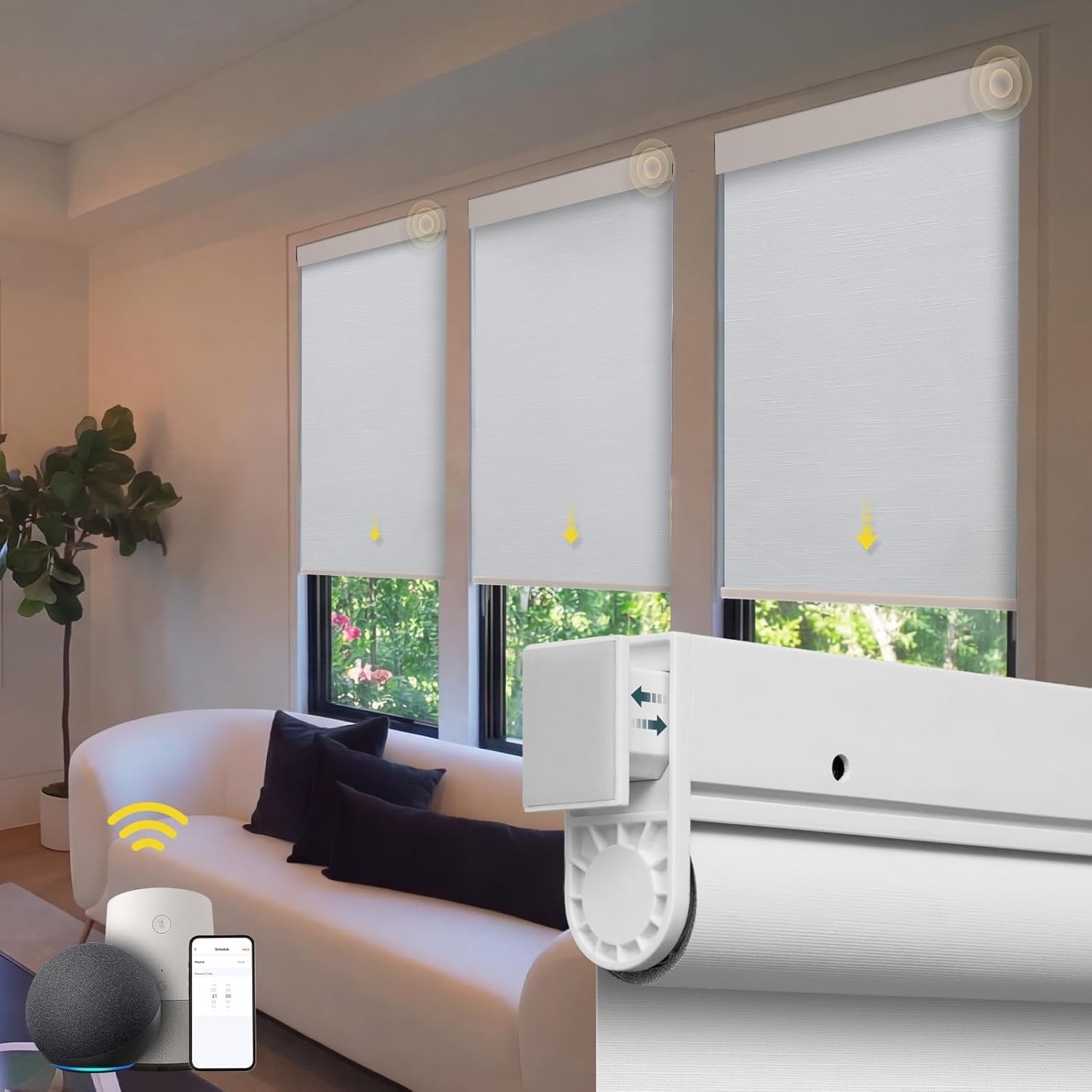
HAPADIF NO DRILL MOTORIZED BLINDS
Hapadif Motorized Blinds First Impression: The Result Looks Fine. The Problem Isn’t.
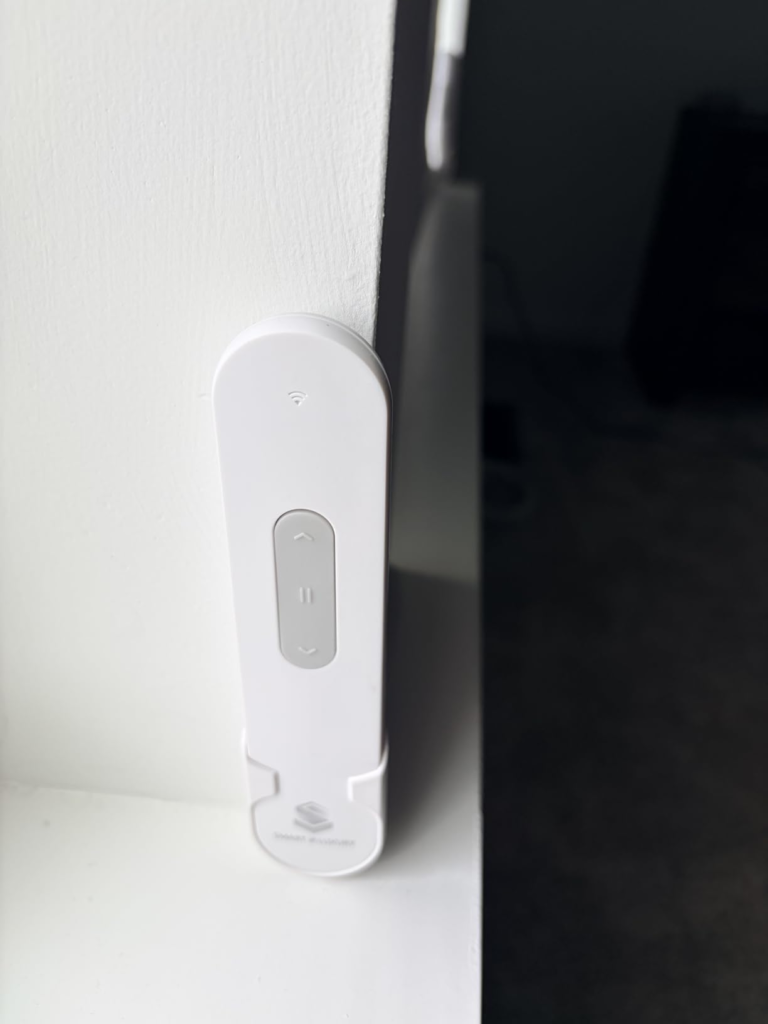
I pressed the remote for the first time, and the shade dropped in one clean, uninterrupted stroke.
No stutter. No drag. No awkward pause at the bottom. It stopped right where I set it, held still, and waited.
That part worked. And honestly — that part still works every single time.
But I’d spent forty minutes before that moment re-reading the product listing, trying to understand why my Alexa command produced nothing. Not a beep. Not a response. The blind sat there, perfectly functional, fully installed, and completely silent on the voice layer.
This wasn’t a broken product. It was an undisclosed threshold — the kind that only reveals itself after you’ve unboxed everything, charged the batteries, and confidently told your smart speaker to close the bedroom blind for the first time.
That gap between what you expected and what arrived is exactly what this review is here to name.
No Drill Motorized Blinds Frustration: The Feeling You Have But Can’t Quite Name
Why do most buyers who feel disappointed with these blinds still give them three stars instead of one?
Because the product itself isn’t the problem. The motor works. The fabric holds its shape. The remote pairs in under ten seconds on the first press. Nobody can honestly say these blinds are broken.
The irritation lives somewhere quieter — in the gap between what “smart blinds” implied in the listing and what smart blinds actually require in your living room.
Why does this happen so reliably? Because every motorized blind listing in this category has trained buyers to treat “Alexa compatible” as a default feature, not a secondary function that costs extra to unlock.
These blinds are smart-capable. They are not smart-ready out of the box.
That one sentence changes the entire purchase experience — and the listing buries it.
Hapadif AX290 Motor & Hub Requirement: The Hidden Mechanism Behind the Disconnect
Here’s the actual mechanism at work.
The Hapadif motorized blinds run on an AX290 motor. This motor is fully capable of voice commands, app control, group scenes, weather-based automation, and scheduled timing — but only after it’s connected to Hapadif’s proprietary Smart Bridge (model MH100), which is sold separately and shipped separately.
Without the bridge, the motor runs clean. Remote goes up. Remote goes down. Basic timer sets with two button presses. Nothing more. No Wi-Fi. No app. No Alexa connection of any kind.
The moment you want to say “Hey Google, open the living room shade,” the system looks for a bridge it doesn’t have yet.
That is the Hub Wall. Not a defect. Not a malfunction. A design decision that splits the product into two completely different experiences depending on whether you knew about it before you bought.
Table 1 — Control Method vs. What’s Actually Required
| Control Method | Included in Box | Requires Separate Purchase |
|---|---|---|
| Physical Remote | ✅ Yes | Nothing |
| Basic Timer (remote-set) | ✅ Yes | Nothing |
| Tuya App Control | ❌ No | Smart Bridge MH100 |
| Alexa Voice Control | ❌ No | Smart Bridge MH100 |
| Google Assistant | ❌ No | Smart Bridge MH100 |
| Group / Scene Control | ❌ No | Smart Bridge MH100 |
| Weather-Based Automation | ❌ No | Smart Bridge MH100 |
| Apple HomeKit / Siri | ❌ No | Not supported by this system |
Smart Motorized Window Blinds Threshold: When “Smart” Quietly Turns Into “Wait, I Need What?”
There are two completely different versions of this product. They live on opposite sides of a line nobody marks explicitly.
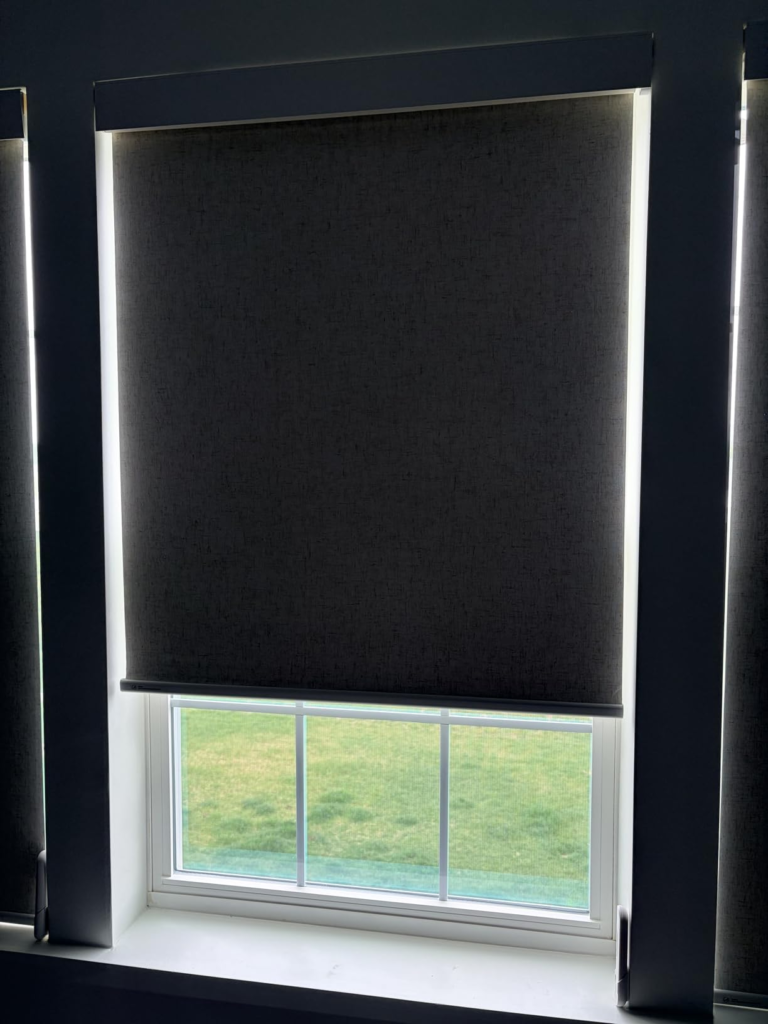
The Remote-Control Version. Batteries in. Remote in hand. Press raise or press lower. The shade moves. Set a basic morning and evening timer directly from the remote. No phone. No Wi-Fi. No pairing. No configuration beyond pointing the remote at the motor. This version works the afternoon it arrives.
The Smart-Home Version. You want Alexa to open the shade at 6:45am. You want to control it from your phone while traveling. You want to group the bedroom and guest room shades together under one scene. For this, you need the Hapadif MH100 Smart Bridge — a separate Wi-Fi hub connected through the Tuya app. Once the bridge is configured, voice commands and app control activate fully. But it’s a separate device, a separate purchase, a separate setup process.
The listing presents both versions as features of one product. It doesn’t position the hub as a decision point. It mentions it in a spec line. And that subtle framing is precisely why buyers cross the wrong threshold without knowing it.
Table 2 — The Two Buying Thresholds
| Threshold | What You Get | What You Need | Who It Fits |
|---|---|---|---|
| Remote-Only | Motor, remote, basic timer, blackout | Box + included AA batteries | Renters, light automators, no-tech households |
| Smart-Home | App, Alexa, Google, scheduling, scenes | Box + Smart Bridge MH100 (extra) | Tech users, multi-room setups |
| Apple HomeKit | Native Siri control | ❌ Not supported by AX290 system | Apple ecosystem users |
The product is excellent at the first threshold. Capable at the second, with extra cost. Absent at the third.
Hapadif No Drill Motorized Blinds Review: Why Most Buyers Misread This Product Too Early
Why do so many people purchase these blinds, compare them on a features checklist, and feel misled after opening the box?
Because the category has created a false equivalence that most buyers never think to question.
At under $100, you’ll find blind after blind advertising: “Alexa compatible. Google compatible. No drill. Battery powered. Smart home ready.” The listings are nearly identical in language. The bullet points read like copies of each other.
But “Alexa compatible” doesn’t mean the same thing across products. For some, the hub ships in the box. For others, it’s Bluetooth-direct and needs no hub at all. For these blinds specifically, it’s a Wi-Fi bridge you order and configure separately.
My advice as someone who’s been through the listing comparison trap: stop reading the feature bullets and ask one follow-up question instead — “What does Alexa access actually require?” That single question, asked before checkout, eliminates the frustration of the Hub Wall entirely.
And here’s what gets lost in the disappointment when buyers don’t ask it: even without the hub, these blinds outperform manual shades at any price on the core use case. The AX290 motor is measurably quieter than competitors at this budget level. The three-layer fabric stays flat, doesn’t sag, and blocks light meaningfully. The remote responds instantly across a full room. The basic timer is genuinely useful.
The problem is never what the product does. It’s always what buyers assumed it would do by default.
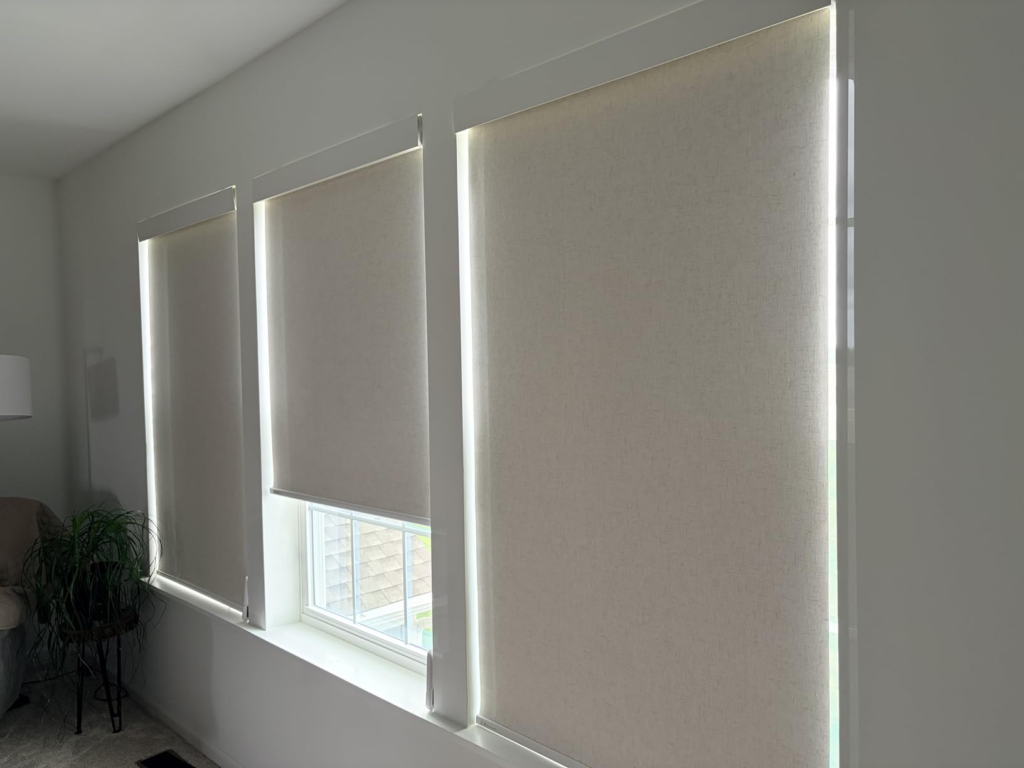
No Drill Electric Window Blinds for Renters: Who Is Actually Living This Problem
The buyers who genuinely benefit from these blinds aren’t difficult to describe. They share a few very specific conditions, and those conditions line up almost perfectly with what this product delivers.
They’re renting. Drilling is restricted by the lease or too permanent for a space they’ll leave in a year. The adhesive no-drill block holds firmly when the window frame is clean, dry, and a minimum of 1.5 inches deep. Independent user reports confirm stable hold across three-plus months of daily operation on standard wood and painted metal frames.
They have young children or pets in the space. Fully cordless window coverings are the only type child safety advocates recommend in bedrooms with children under eight. No pull cord. No dangling chain. Nothing within reach that moves under tension. For parents who’ve been quietly worried every time they adjusted traditional blinds in a child’s room, this removes that specific risk category entirely.
They want automatic light control without a project. They want the shade to open at 7am without touching anything. The built-in remote timer handles that without Wi-Fi, without a phone, without any setup beyond two button presses before bed. That one small daily automation — quiet, invisible, scheduled — is exactly what this product provides at the base level.
They’re working with a real budget. Premium motorized roller shades from brands like Lutron or Hunter Douglas run $300–$600 per window. Mid-tier custom options land around $150–$200. These are $89.90 for a 35×72 inch unit. For renters furnishing apartments or homeowners covering multiple windows, that gap matters.
Table 3 — Buyer Fit Assessment
| Buyer Type | Fit Level | Reason |
|---|---|---|
| Renter (no drilling allowed) | ✅ Strong | Adhesive no-drill mount, removable without wall damage |
| Parent with young children | ✅ Strong | Fully cordless, eliminates cord strangulation risk |
| Light automator (remote + timer only) | ✅ Strong | Full function at base level, zero extra setup |
| Budget-conscious homeowner | ✅ Good | Sub-$90 vs. $150–$600 for comparable motorized options |
| Alexa / Google voice control user | ⚠️ Conditional | Hub required, extra cost, Tuya ecosystem only |
| Multi-room smart home integrator | ⚠️ Conditional | Hub required per setup, group control via Tuya app |
| Apple HomeKit / Siri household | ❌ Poor | AX290 system does not support HomeKit |
| Large window (single span >35″) | ⚠️ Multi-unit | Requires separate unit per section |
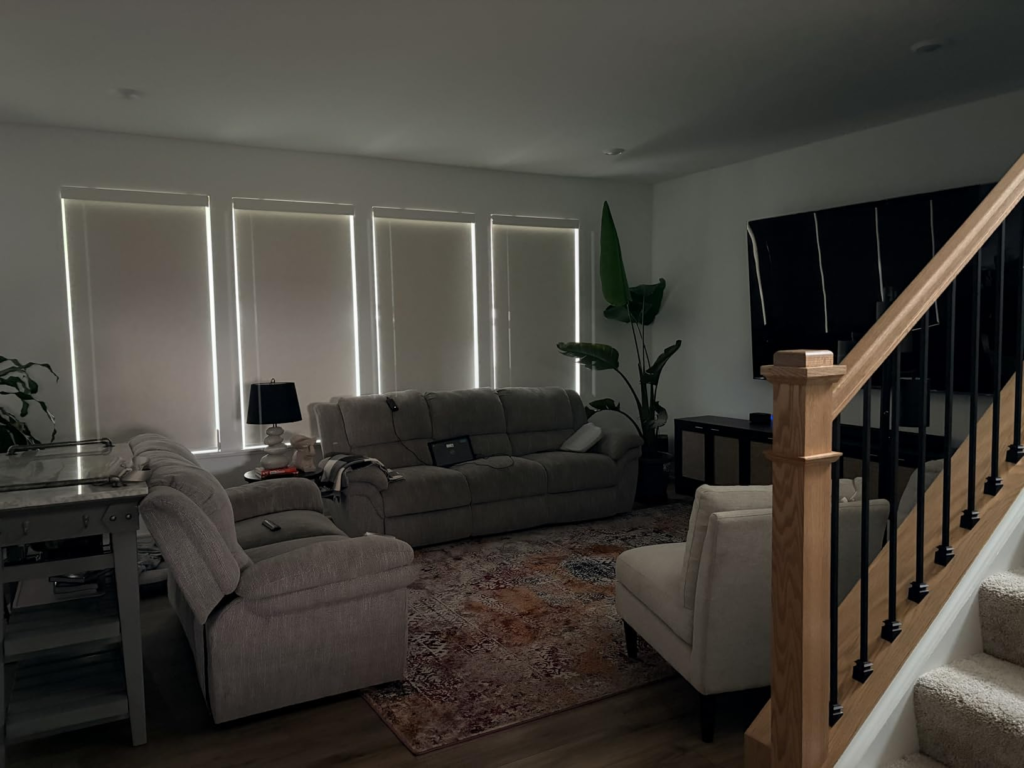
Motorized Roller Shades Wrong Fit: Where Regret Starts
These blinds will feel like the wrong decision in specific, predictable conditions. Knowing them before purchase matters more than any feature list.
Vinyl window frames. The adhesive extension block grips reliably on clean wood and painted metal. On vinyl — especially textured or aged vinyl — the hold weakens faster. Multiple users on vinyl frames reported the mount shifting within four to six weeks of installation. If your frames are vinyl, the no-drill method needs surface testing before committing the full unit.
Shallow frame depth. Inside mount requires a minimum of 1.5 inches of depth. Below that, the mechanism doesn’t seat correctly and the unit risks slipping under the motor’s own movement weight. Outside mount solves this but requires drilling — and at that point, there are sturdier options at the same price.
Extreme light sensitivity. The three-layer blackout fabric blocks approximately 95% of incoming light. For a bedroom used for normal nighttime sleep, that number is more than sufficient. For shift workers sleeping in full daylight, photographers needing full studio darkness, or anyone with severe light-triggered migraines — the remaining 5% plus edge light is real and noticeable.
The “Alexa should just work” household. The moment someone in the family says “Alexa, close the living room blind” and gets silence, the product feels broken — even though it isn’t. That first moment of no response is a sharp, specific disappointment that doesn’t soften quickly. If there’s anyone in your home who will test voice control before the bridge is set up, either get the bridge first or manage expectations explicitly before installation.
Table 4 — Performance Boundaries
| Factor | Actual Performance | Common Buyer Assumption |
|---|---|---|
| Light blocking | ~95%, not absolute blackout | 100% blockout assumed |
| No-drill hold | Reliable on wood/metal; weaker on vinyl | Assumed universal across all surfaces |
| Battery life | ~600 operations (2/day ≈ 10 months) | Often assumed to be rechargeable |
| App / voice control | Hub required, sold separately | Assumed included in the box |
| Frame depth (inside mount) | Minimum 1.5 inches | Frequently overlooked pre-purchase |
| Apple HomeKit | Not supported | Assumed compatible by default |
| Cord design | Fully cordless | Correctly met |
Hapadif Motorized Blinds Remote Setup: The One Configuration Where This Becomes Logical
There is one specific living situation where buying these blinds is the clearest, most defensible decision in the under-$100 motorized shade category.
You rent a one-bedroom or two-bedroom apartment. One or two windows face west or south. Afternoon light floods in and makes the room uncomfortably warm or uncomfortably bright between 2pm and 6pm. For the past year, you’ve been manually adjusting a cheap pull-cord shade — tugging it, watching the mechanism strain, catching it before it snaps up too fast. The cord has frayed at the bottom. You’ve thought about smart blinds but assumed they cost $300 each. You definitely cannot drill.
That is the problem this product was built for.
In that configuration — no drilling, remote operation, basic timer, blackout fabric, sub-$100 price point — there is nothing more capable per dollar at this budget. Installation takes 20 minutes. The remote pairs on the first press. The timer sets in two minutes. The next morning, when the shade rises automatically before your alarm, the decision feels obvious rather than complicated.
The smart home upgrade exists when you’re ready. The MH100 bridge plugs into any outlet, connects through Tuya, and activates Alexa and Google in about 15 minutes of setup. It’s a real upgrade path, not a workaround. You don’t need it on day one.
Table 5 — Out-of-Box vs. Hub-Enabled Functionality
| Feature | Without Hub | With Hub (MH100) |
|---|---|---|
| Remote raise / lower | ✅ | ✅ |
| Adjustable stop position | ✅ | ✅ |
| Basic timer (remote-set) | ✅ | ✅ |
| Tuya App control | ❌ | ✅ |
| Alexa voice commands | ❌ | ✅ |
| Google Assistant commands | ❌ | ✅ |
| Group control (multi-shade) | ❌ | ✅ |
| Weather-based automation | ❌ | ✅ |
| Custom scene scheduling | ❌ | ✅ |
| Apple HomeKit | ❌ | ❌ — not supported |
No Drill Automatic Blinds Daily Performance: What They Solve, What They Reduce, and What Stays On You
What these blinds solve completely is the mechanical repetition of manual adjustment. The getting-up-from-bed. The pulling. The cord wrapping around your finger to get the tension right. That specific, minor daily irritation — the one most people don’t register until it disappears — is gone with a single button press.
What they meaningfully reduce: afternoon light intrusion during sleep or work, UV penetration that fades furniture and flooring over months, the visual hazard of dangling cords in a child’s room, and the noise of spring-loaded shades snapping open before you’re ready.
What remains on you: measuring correctly before ordering (inside mount width equals actual window width minus 0.25 inches), cleaning the frame surface with isopropyl alcohol before applying the adhesive block, noting the first time the remote response slows as the battery indicator, and — when you’re ready — purchasing and connecting the Smart Bridge if voice control becomes a priority.
This is a maintain-occasionally, use-every-day product. At two operations per day, the batteries last approximately ten months. That’s not zero maintenance, but it’s far below any corded blind, any hardwired motorized system, or any spring-loaded shade with a tension mechanism that drifts over time.
Table 6 — Full Technical Specification
| Specification | Detail |
|---|---|
| Brand | Hapadif |
| Motor Model | AX290 |
| Power Source | AA batteries (included) — approx. 600 operations per set |
| Hub for Smart Features | Smart Bridge MH100 (sold separately) |
| Smart Compatibility | Alexa ✅ — Google Assistant ✅ — Apple HomeKit ❌ |
| Installation Method | No-drill adhesive (inside mount) or drilling (outside mount) |
| Minimum Frame Depth | 1.5″ inside mount / 2.5″ for drilling |
| Inside Mount Sizing Rule | Actual window width − 0.25 inches |
| Fabric Construction | Three-layer blackout textured fabric |
| Light Blocking Level | Approximately 95% |
| Included Items | Shade, remote, AA batteries, valance, adhesive blocks |
| Warranty Coverage | 2 years (motors/controllers) / 60 days (fabric/components) |
| Available Colors | White, Black, Grey, Linen |
| Height Range | Adjustable up to 72 inches |
| Price (White, 35×72″) | ~$89.90 |
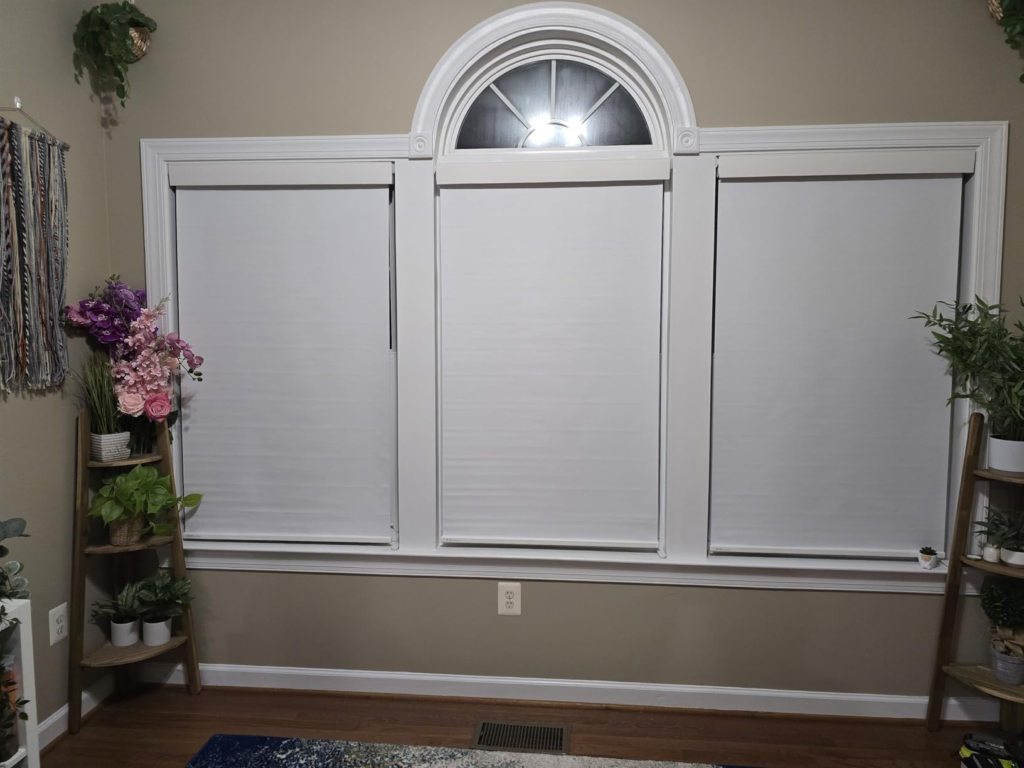
Hapadif No Drill Motorized Blinds Review: Final Compression
This product makes one decision, and everything else follows from it.
The remote-controlled experience is clean. The motor is quiet. The fabric holds flat. The installation is genuinely tool-free on standard frames. The basic timer adds real daily automation without a single extra device. For the buyer whose actual need is “control my blinds without getting up,” this is a direct, competent solution at a price that makes honest sense.
The smart features are a second layer — real, functional, but not automatic. They require the Hapadif Smart Bridge, a Wi-Fi hub sold separately. If you need Alexa, buy the bridge alongside the blinds and install it the same afternoon. If you’re in an Apple HomeKit household, this motor system doesn’t connect to that ecosystem and won’t with any current upgrade.
The no-drill mechanism works reliably on standard wood and metal frames. It has documented limits on vinyl and shallow frames that should be verified before ordering.
The light blocking is substantial and sufficient for most residential bedrooms. It is not absolute.
If your frames are standard depth, your surfaces are clean wood or painted metal, and your goal is cordless automated light control in a rental or a child’s room you won’t drill — the decision is clean from here.
If you’re expecting instant Alexa control from the first morning, add the Smart Bridge to your cart before checkout. That single addition removes the only real frustration point this product generates.
The blinds perform exactly where they’re positioned. The only disappointment that ever occurs is at the threshold — the one that exists between “remote-controlled smart shade” and “voice-integrated smart home device.” Those are two different things. Now you know which one you’re buying.
❓ Frequently Asked Questions
| Question | Answer |
|---|---|
| Does the Hapadif motorized blind work without the Smart Bridge? | Yes, fully. The remote control and the built-in basic timer operate independently of any hub, Wi-Fi connection, or app. The bridge is only required for Alexa, Google Assistant, Tuya app access, and multi-shade group control. |
| Why isn’t Alexa responding to my Hapadif blind? | The AX290 motor has no native Wi-Fi connection. It requires Hapadif’s Smart Bridge (MH100) to communicate with Alexa or Google Assistant. Without the bridge, the blind cannot receive voice commands regardless of your Alexa or Google Home setup. |
| How long do the AA batteries actually last? | The motor is rated for approximately 600 operations per set of batteries. At two operations per day — one open, one close — that’s roughly ten months. At ten operations daily, approximately two months. Battery life is usage-dependent, not time-based. |
| Do these blinds work with Apple HomeKit or Siri? | No. The AX290 motor and the Hapadif Smart Bridge MH100 do not support Apple HomeKit. If HomeKit integration is a firm requirement, you need a different motor platform — brands like Kincmo or Graywind offer native HomeKit support at different price points. |
| Can the no-drill mount be removed cleanly? | The adhesive extension blocks are removable. On painted wood surfaces, clean removal is generally possible. On softer or textured surfaces, adhesive residue may remain. Testing the adhesive on a small inconspicuous area of your frame before full installation is the safest first step. |
| What’s the minimum window frame depth for inside mount? | Inside mount requires at least 1.5 inches of frame depth. Below that, the mechanism cannot seat securely. Outside mount with drilling requires a minimum of 2.5 inches of depth for bracket placement. |
| Can I control multiple Hapadif blinds simultaneously? | Without the hub, the remote controls one shade per remote channel. With the Smart Bridge and Tuya app, multiple shades can be grouped, controlled simultaneously, and assigned to scheduled scenes. |
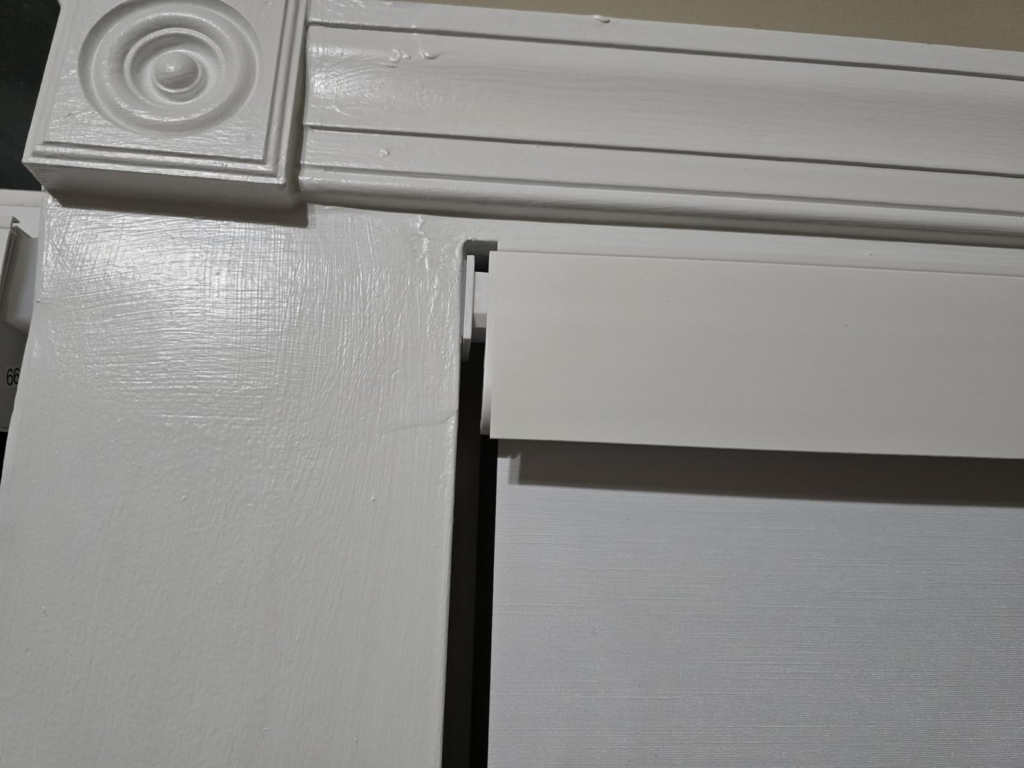
| Is the fabric genuinely blackout? | The three-layer textured fabric blocks approximately 95% of incoming light. This is highly effective for residential bedrooms and living spaces. A thin edge gap can appear without tight inside mounting. The included valance specifically addresses the top-rail gap. For complete light elimination in photography or shift work sleep situations, absolute blackout requirements may exceed what this fabric delivers. |
Transparency Note:
This analysis is built on aggregated real-world experience.
It extracts what repeatedly holds, what breaks, and what users uncover only after living with the system—then shapes it into a clear model you can use immediately.
Think of it as structured experience, refined and presented so you don’t have to learn it the hard way.
“A quick note: Don’t believe the star ratings, but trust personal experience. This article is a compilation of collected experiences”