KASA HS300 REVIEW: I COUNTED NINE PORTS. ONLY SIX EVER LISTEN TO THE APP.
The Result Looks Fine. The Problem Isn’t.
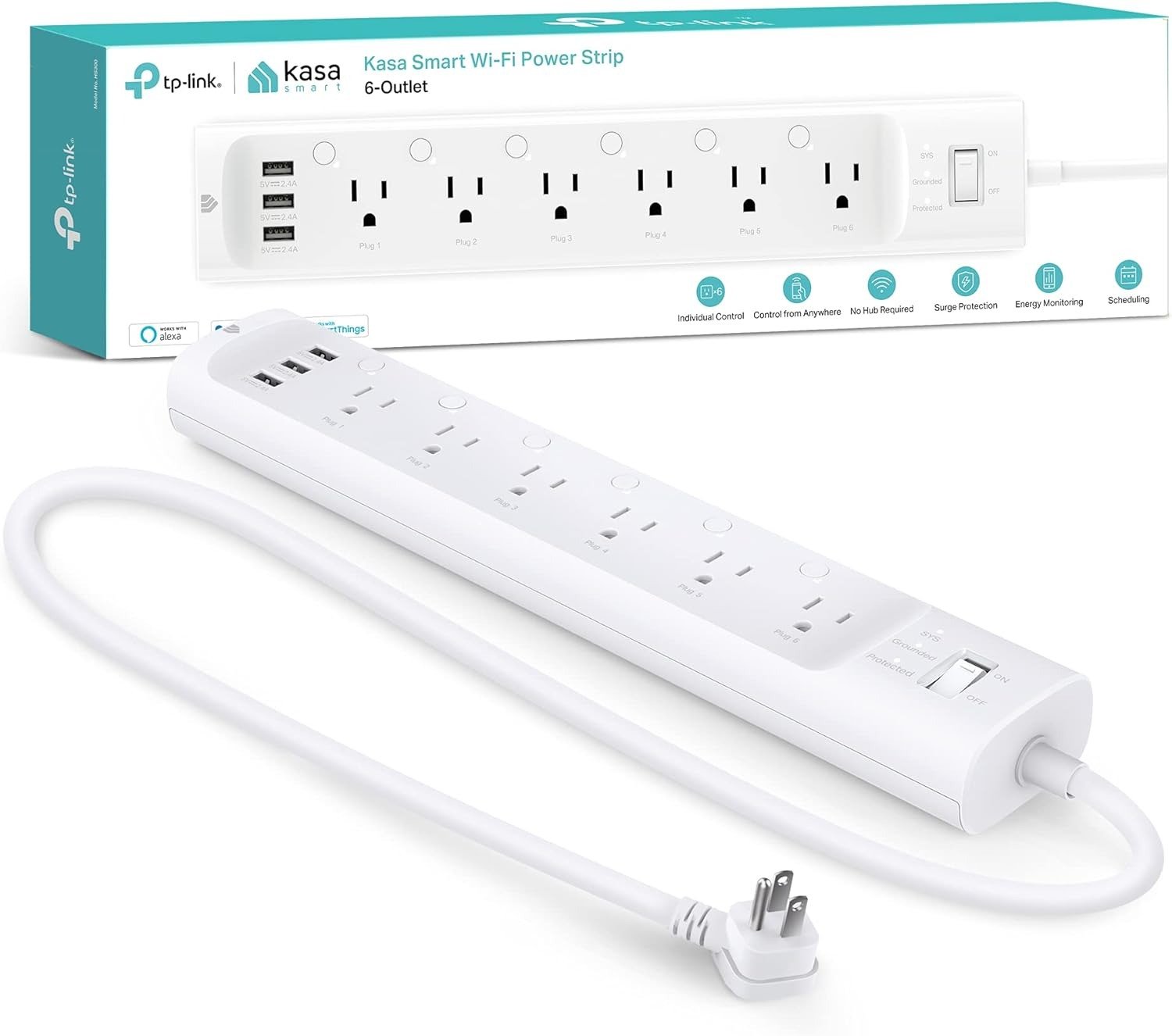
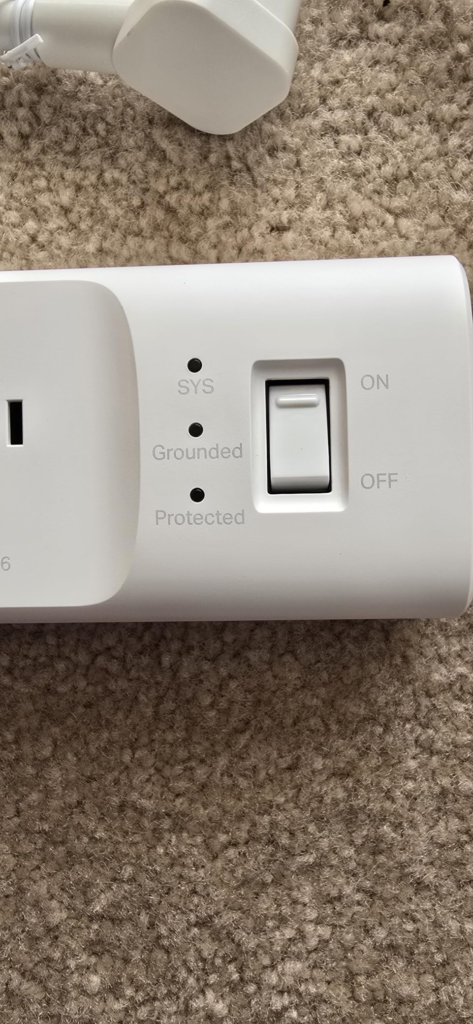
You plug in the TP-Link Kasa Smart Wi-Fi Power Strip (HS300), open the app, and watch six little toggles light up green one by one. Surge protection LED on. Six outlets named and ready. Three USB ports filled with cables. From where you’re standing, you just turned one messy power strip into a fully smart power zone.
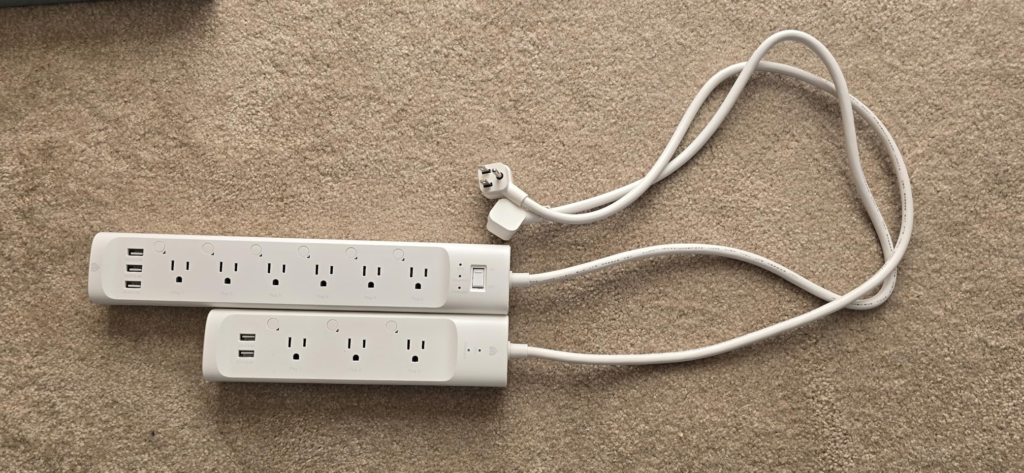
That’s the surface. I’ve spent enough time with this unit, and with the years of owner reports sitting behind it, to tell you the surface is honest but incomplete. The HS300 is sold and perceived as a 9-port smart strip. It is not. It is a 6-port smart strip with a dumb charging shelf bolted to the side. Nothing about the listing lies to you outright — but nothing in it corrects the assumption most buyers walk in with, either.
What You’re Actually Feeling but Not Naming
If you’ve owned one of these for more than a few weeks, some of this will sound familiar even if you never put words to it.
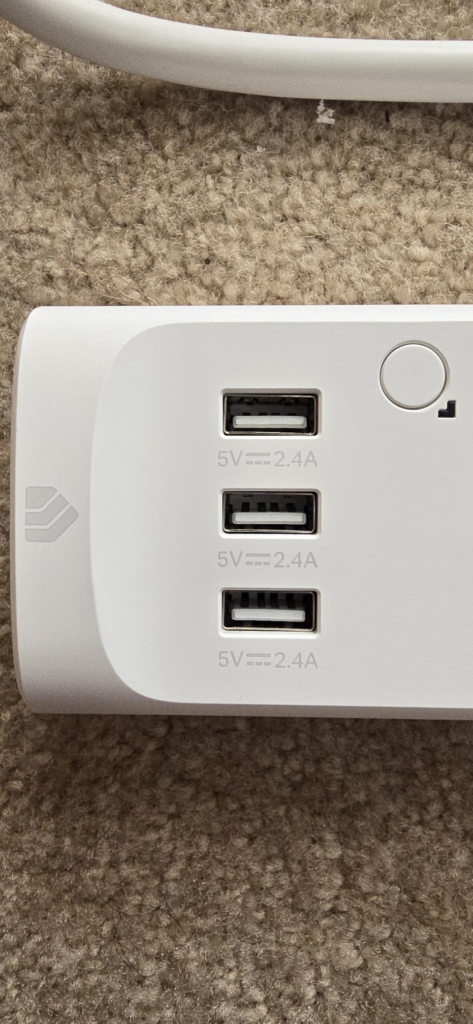
You go to schedule the USB port charging your tablet overnight and discover there’s no toggle for it — it’s just on, all the time, sharing one shared 5V rail with whatever else is plugged into the other two USB slots. You assumed “smart power strip” meant smart everywhere.
You look for a single “turn the whole strip off” button and don’t find one. Kasa treats the HS300 as six separate smart plugs that happen to share a chassis, not as one unit. Want one-tap control of all six? You build that yourself, as a Scene.
And then there’s the quieter unease: an outlet that briefly drops out, or a connected PC that reboots for no reason you can trace. I’ll name that one directly in the next section, because it isn’t random — it’s documented.
The Hidden Mechanism Behind the Miss
Here’s the part the spec sheet doesn’t explain, because it’s not designed to.
The HS300 is six independent relays, each individually metered, each its own addressable smart plug — plus a separate, always-on USB sub-circuit with no relay attached to it at all. TP-Link has, at various points, signaled that smart USB control might arrive in a future firmware update. For this hardware generation, it never did. That’s not a bug. It’s a design choice baked into the board, and no software update changes wiring.
The second mechanism matters more for reliability. Every Kasa device, including this one, is provisioned through a TP-Link cloud account. Once set up, day-to-day control runs over your local Wi-Fi — but the initial pairing, the firmware delivery, and the “remote control from anywhere” feature all route through that account relationship. That same cloud-and-firmware plumbing is the documented source of a recurring complaint across TP-Link’s own community forum and third-party home-automation communities: certain firmware builds have caused individual outlets to lose connectivity, power-cycle briefly, or stop responding to schedules until the app is reinstalled or the device re-added. One forum thread describes two desktop PCs rebooting unexpectedly because the outlets feeding them lost power for an instant, with no log entry to explain why.
None of this makes the HS300 unreliable in the way a cheap strip is unreliable. It makes it dependent on a layer you don’t control: TP-Link’s firmware cadence.
| Spec | What’s Listed | What It Actually Means for You |
|---|---|---|
| Outlets | 6 AC + 3 USB | Only the 6 AC outlets are independently switchable and metered |
| Surge protection | ETL-certified, 540 joules | Solid for everyday surges, not a substitute for a UPS on sensitive gear |
| Max combined load | 15A / 1,800W | Fine for AV racks and office gear; don’t stack two heat-producing appliances on it |
| Wi-Fi | 2.4GHz only | Won’t connect on routers forcing 5GHz-only or aggressive band-steering |
| Hub required | None | Talks directly to your home Wi-Fi |
| Cord length | 6 ft | Enough slack for most desks; tight behind some deep entertainment centers |
| Smart home standards | No Apple HomeKit, no Matter | Hardware predates TP-Link’s newer Matter-certified Tapo line |
The Threshold Where the Outcome Quietly Breaks
There’s a real line buried in all of this, and it’s the one that decides whether the firmware quirks above are background noise or a real problem. I call it the Always-On Threshold.
Below the threshold: lamps, holiday lights, a coffee maker, a monitor, a game console. If one of these briefly loses power because of a firmware hiccup, you notice, you shrug, you move on.
Above the threshold: an aquarium’s heater and filtration, networking equipment you can’t afford to drop, a server, anything medical. A fishkeeping forum thread describes exactly this scenario — an HS300 locked up for hours overnight, the app unable to reach it, cooling fans stuck in their last state, with the tank’s temperature drifting before anyone noticed. The strip wasn’t destroyed. It just stopped answering, and the equipment behind it had no idea.
The HS300 doesn’t fail above this threshold. It just stops being the right category of tool for it. Anything cloud-dependent — this one included — carries a small residual risk that’s irrelevant below the line and genuinely consequential above it.
Why Most Buyers Misread This Too Early
The comparison most people run in their head is outlet count: “six AC plus three USB beats a single smart plug nine to one.” That arithmetic is the misread. The number that actually matters isn’t ports — it’s independently switchable, independently metered points. That number is six, not nine, and it was six the entire time.
The second misread is treating “smart power strip” as a synonym for “smart hub.” It isn’t. A hub can sequence and group devices natively. The HS300 just gives you six plugs in one body — grouping is something you configure, not something it does out of the box.
The third is assuming voice-assistant compatibility means full ecosystem compatibility. It connects cleanly to Alexa and Google Assistant. It has no Apple HomeKit support and no Matter certification — and the listing won’t volunteer that until you’re already searching for why it isn’t showing up in your Home app.
Who Is Actually Inside This Problem
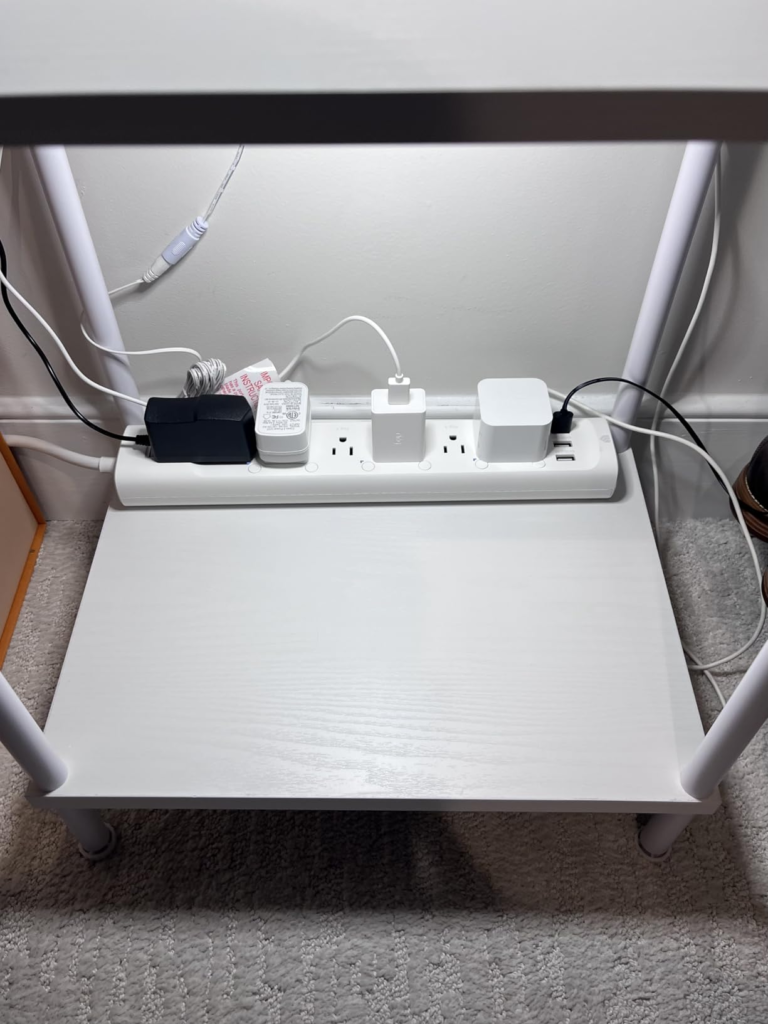
This product earns its price for a specific kind of clutter: four to six devices clustered in one zone — a home office rack with a router, dock, monitor, and lamp, or an entertainment center with a TV, receiver, soundbar, and console — where you want per-device energy visibility and basic remote scheduling without buying six separate smart plugs and losing six pairs of wall-outlet slots in the process.
If that’s your zone, and you’re already living in Alexa or Google Assistant rather than Apple Home, the math behind this strip makes sense.
Where Wrong-Fit Begins
| You’re the right fit if… | You’re the wrong fit if… |
|---|---|
| You’re consolidating 4–6 devices in one zone | You need to schedule something that only charges over USB |
| You already use Alexa or Google Assistant | Your home runs on Apple HomeKit or Matter |
| You want per-outlet energy data without 6 separate plugs | You’re powering equipment that can’t tolerate even a rare power blip |
| You’re fine creating a Kasa account during setup | You refuse any cloud-tied account on principle |
| You want to free up wall-outlet real estate | You expect one-tap control of the whole strip out of the box |
If you land in the second column on more than one row, the regret shows up within the first month — usually the moment you try to do the one thing the strip was never built to do.
The One Situation Where This Strip Becomes Logical
Strip away the marketing and the misreads, and one buyer is left standing: someone below the Always-On Threshold, inside the Alexa or Google ecosystem, managing four to six devices in a single zone, who wants real per-outlet energy visibility and doesn’t want to sacrifice six wall-outlet pairs to six separate plugs.
For that buyer, the HS300’s flat, right-angled plug head — which doesn’t block the neighboring wall socket the way a standard plug does — combined with six individually metered, individually schedulable outlets in one body, is a genuine consolidation. At its typical street price, well below its $79.99 list and usually found in the $35–$50 range, it’s doing the job of six single smart plugs for less than buying six separately would cost, while using a fraction of the wall space.
Two habits make the experience hold up: test every outlet in the app before you commit to its final placement (a fix for the “this one outlet’s schedule won’t fire” issue some owners only catch after mounting it behind furniture), and keep the firmware and app current rather than skipping update prompts — the connectivity-drop pattern is tied to specific builds, not the hardware itself.
| What Gets Reported | Why It Happens | What Reduces It |
|---|---|---|
| An outlet briefly loses power or connection | A documented firmware-level issue on certain builds | Keep firmware and the Kasa app updated; don’t skip prompts |
| Device won’t join at setup | Strip only supports 2.4GHz | Temporarily force your router to 2.4GHz, or use a 2.4GHz guest SSID |
| One outlet’s schedule stops firing | A local sync glitch reported by multiple owners | Remove and re-add that single outlet rather than the whole strip |
| Daily energy total looks inconsistent | The app’s “average” window isn’t time-stamped | Compare same-time daily snapshots instead of relying on the average figure |
What It Solves, What It Reduces, and What It Still Leaves to You
It solves outlet-level consolidation: six metered, switchable, voice-controllable points in one body instead of six separate plugs eating your wall space. It reduces phantom load in exactly the way owners report — one long-term user paired it with a whole-home energy monitor and cut their entertainment center’s always-on draw by automating standby gear, with the savings paying for the strip inside a year.
It leaves a few things to you. The USB rail is yours to manage by hand; no firmware update is coming to change that. The cloud account is a permanent fixture of setup, even though daily control runs locally once configured. And if Apple Home or Matter is where your house is headed, this hardware generation isn’t going there — TP-Link’s newer Matter-certified Tapo plugs serve that need instead, and TP-Link has already begun folding Kasa device control into the Tapo app, a sign of where first-party attention is shifting, even though the Kasa app itself still works.
Worth knowing, separately: TP-Link as a company has faced increased U.S. regulatory scrutiny over its ties to China. Current restrictions have targeted routers specifically, not smart plugs or power strips — but it’s a fair piece of context if you’re weighing long-term investment in any cloud-tied ecosystem, this one included.
Frequently Asked Questions About the Kasa HS300
| Question | Answer |
|---|---|
| Can I control the USB ports separately from the app? | No. All three USB ports share one always-on 5V circuit with no relay attached. They can’t be scheduled, switched off, or monitored individually. |
| Does the HS300 work with Apple HomeKit or Matter? | No. It supports Alexa and Google Assistant but has no native HomeKit support and no Matter certification. |
| Why did one of my outlets briefly lose power or stop responding? | This matches a documented firmware-level issue reported on TP-Link’s own community forum. Keeping the firmware and Kasa app updated meaningfully reduces it. |
| Do I need a TP-Link account to use it? | Yes, an account is required during setup. Once configured, day-to-day control runs over your local Wi-Fi network. |
| How accurate is the energy monitoring? | In independent comparisons against a dedicated power meter, per-outlet readings came in within a few percent — accurate enough to trust for identifying which device is the real energy drain. |
| Can I turn all six outlets off with one tap? | Not natively. The app treats the six outlets as separate devices; a single “all off” control requires building a Scene yourself. |
Final Compression
If your zone sits below the Always-On Threshold and you’re already inside Alexa or Google Assistant, this strip condenses six smart plugs’ worth of control into one body, for less money and far less wall space than buying them separately.
If you need USB-level scheduling, Apple-native control, or you’re powering something that can’t absorb even a rare, brief drop, that need sits outside what this hardware was built to do — no firmware update changes that.
Transparency Note:
This analysis is built on aggregated real-world experience.
It extracts what repeatedly holds, what breaks, and what users uncover only after living with the system—then shapes it into a clear model you can use immediately.
Think of it as structured experience, refined and presented so you don’t have to learn it the hard way.
“A quick note: Don’t believe the star ratings, but trust personal experience. This article is a compilation of collected experiences”