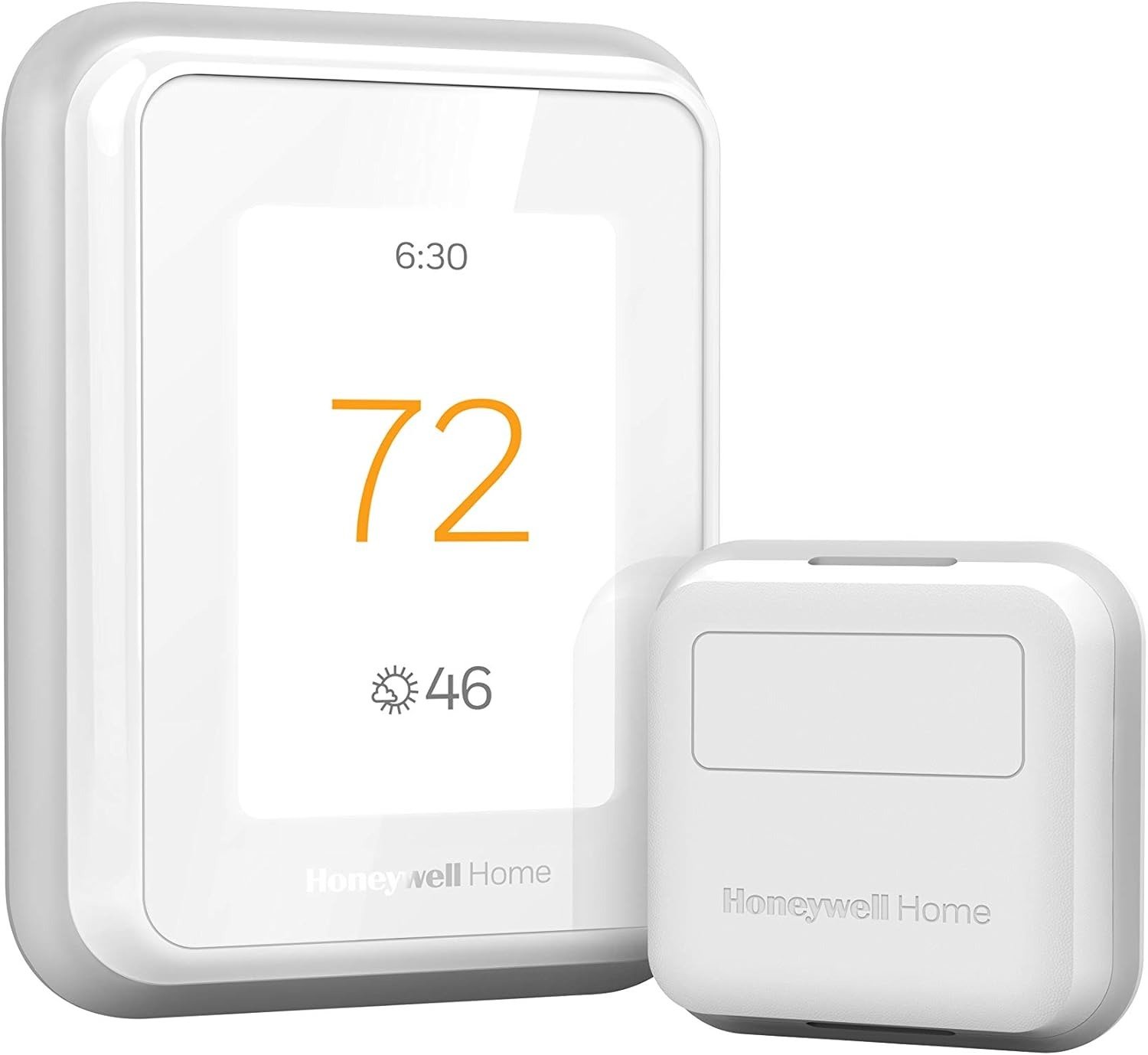
HONEYWELL HOME T9 REVIEW: YOUR HOUSE FEELS RIGHT ON PAPER, WRONG AT 11 PM
The Result Looks Fine. The Problem Isn’t.
Your hallway reads 71°F. Your thermostat agrees. Your HVAC shuts down satisfied.
Meanwhile, your bedroom at the back of the house is pushing 76°F by the time you try to sleep. Your home office, tucked above the garage, runs four degrees colder than the rest of the house from October to March. The system is technically working. The outcome you are living in is not.
This is not a settings problem. It is not a malfunction. It is a structural measurement problem that every standard thermostat — smart or otherwise — is architecturally incapable of solving. The thermostat measures where it lives, not where you live.
That distinction is the only thing that matters when evaluating the Honeywell Home T9.
What You’re Actually Feeling but Not Naming
Most people who land here have already gone through a version of the same sequence: bought a smart thermostat, set a schedule, optimized the temperature display, maybe even enabled geofencing, and still find themselves adjusting the temperature manually every night before bed or every morning in the home office.
They do not call this a thermostat problem. They call it “the house being weird.” They blame insulation, venting, sun exposure — all of which may be contributing factors. But the root issue is simpler and more solvable: the device making climate decisions does not have data from the rooms that matter most to you.
The friction is specific. It shows up at predictable times: when you transition from active parts of the house to sleep, when you move from common areas to a workspace, when one floor of a two-story home runs measurably different from another. The thermostat keeps reading the hallway. Your body keeps reading the room you are actually in.
That gap is the problem the T9 was designed to close.
The Hidden Mechanism Behind the Miss
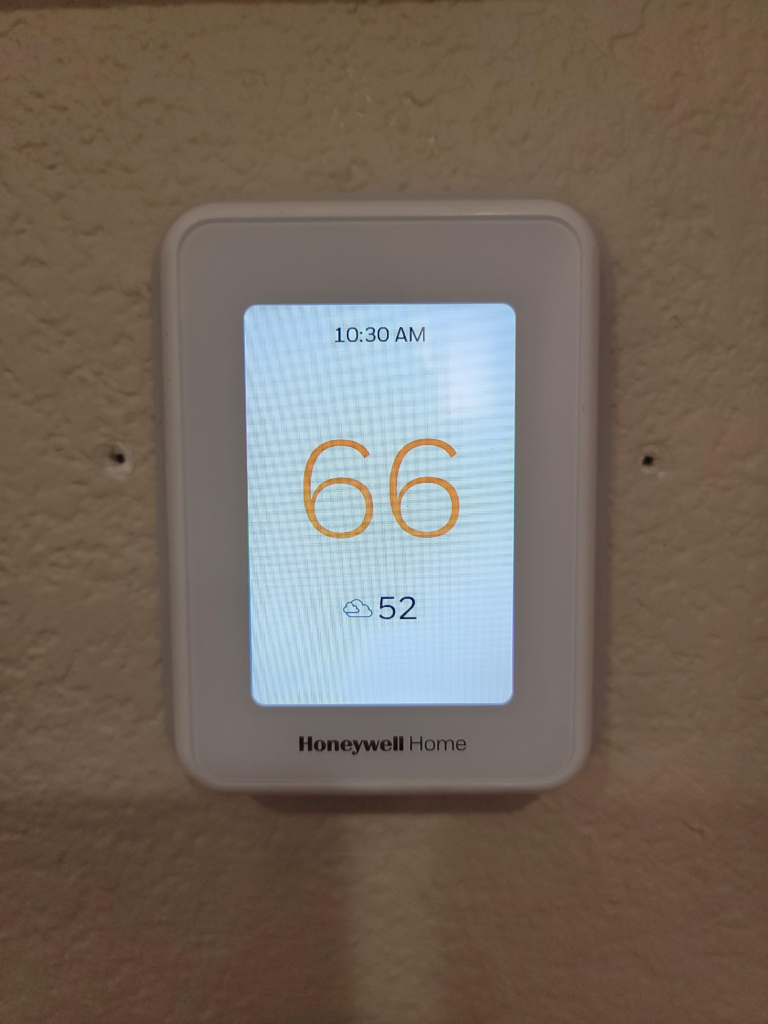
A standard thermostat — even a “smart” one with scheduling and remote access — operates on a single sensing point. That point is almost always a hallway or central corridor, chosen for installation convenience rather than thermal representativeness.
The mechanism behind the recurring comfort miss is this: your HVAC cycles on and off based on the hallway temperature reaching target. Every other room in the house is downstream of that decision, subject to airflow patterns, solar gain, occupancy heat load, and insulation variance that the hallway never experiences. The HVAC shuts down when the hallway is satisfied. Your bedroom is still building heat. The system has no way to know that.
The T9 addresses this through Smart Room Sensors — instead of controlling temperature based only on the hallway where the thermostat is mounted, it can prioritize the rooms you actually use. The sensing priority can shift by time of day, so the living room drives decisions during evening hours and the bedroom drives them at night.
The sensors read temperature and humidity. Each sensor communicates wirelessly to the thermostat and can be set as the priority source during specific time blocks. This changes what the HVAC is actually responding to, not just what number appears on the screen.
The Threshold Where the Outcome Quietly Breaks
The T9’s sensing logic has a threshold. Understanding it prevents the most common buyer regret.
The sensors do not detect occupancy. Unlike Ecobee and Nest sensors, Honeywell T9 Smart Room Sensors do not detect occupancy. This matters because the T9’s room prioritization works on a time-based schedule you configure, not on whether anyone is actually in the room. If your routine is consistent — office at 9 AM, bedroom at 10 PM — the T9 executes that reliably. If your schedule varies unpredictably, you will be managing it manually more than you expected.
The second threshold is connectivity. Multiple users have reported intermittent WiFi disconnections, with support acknowledging the issue is being worked on. This does not affect basic temperature control, which runs locally, but it does affect remote access, geofencing, and app-based adjustments when you need them from outside the house. The thermostat is compatible with both 2.4GHz and 5GHz networks, but many user reviews have reported issues connecting to 5GHz networks specifically.
The third threshold is customization depth. The T9 does not let you customize its internal logic or manually set temperature swing thresholds. If you want precise control over when the second stage kicks in or how aggressive the recovery cycle behaves, the T9 does not offer that granularity.
| Threshold | Behavior Below It | Behavior Above It |
|---|---|---|
| Room-count complexity | Excellent — time-based priority works cleanly | Requires careful scheduling configuration |
| Schedule regularity | Automated, near-zero manual input | Requires frequent manual override |
| WiFi stability | Full remote access and geofencing | Intermittent disconnects, local control only |
| Customization need | Reliable and adequate | Frustrating — logic is fixed |
Why Most Buyers Misread This Too Early
The T9 tends to get compared against the Nest and Ecobee in the first five minutes of research. That comparison has a surface logic to it — they are all smart thermostats, all app-controlled, all in a similar price tier. But the comparison usually starts at the wrong place: aesthetic design, ecosystem branding, or feature count.
Against Ecobee, the T9 can feel like a generation behind on technology. The Ecobee Premium includes a speaker, air quality monitoring, and a metal body. The T9 is a workhorse that focuses purely on temperature. If you are evaluating on those criteria — premium materials, voice hardware embedded in the unit, air quality data — the T9 will lose every time.
But that comparison misses what the T9 actually does better: the T9 sensors can detect occupancy through a different mechanism and prioritize a specific room’s comfort over others, and the sensor system can support up to 20 Smart Room Sensors, which is meaningful for larger or more thermally variable homes.
PCMag gave the T9 an Editors’ Choice award specifically for its room sensor implementation. That is not a general award for being a good smart thermostat. It is a specific recognition for solving the multi-room temperature problem with unusual accuracy.
The early comparison trap is buying the prettier thermostat for a problem that requires the more accurate one.
Who Is Actually Inside This Problem
| Profile | T9 Fit |
|---|---|
| Multi-room home with consistent temperature variance floor-to-floor | Strong |
| Home where bedroom runs 3–5°F different from common areas | Strong |
| Buyer with a regular daily schedule (office hours, sleep time) | Strong |
| User who wants room-by-room comfort without zoned HVAC | Strong |
| Small apartment or studio with no meaningful temperature gradient | Poor |
| Buyer who needs an aesthetically elevated wall piece | Poor |
| User with irregular schedule needing occupancy-based automation | Moderate — requires manual override |
| Buyer who wants deep HVAC logic customization | Poor |
The T9 resolves comfort problems in homes where the thermostat’s location does not represent the rooms that matter. For homes where bedrooms get stuffy at night, offices run colder than the rest of the house, or upstairs temperatures drift away from the ground floor, the T9 solves a real comfort problem.
It does not resolve problems of taste, design preference, or advanced HVAC logic configuration. Those are different products solving different problems.
Where Wrong-Fit Begins
Wrong fit starts in three clear places.
The single-zone small home. If you live in a small apartment with consistent temperatures everywhere, the T9 may be overkill. The room sensor advantage is built for homes with meaningful thermal variation. Without that variation, you are paying for a sensing network that has no variance to correct.
The schedule-variable household. If you work from home some days and not others, if household members have unpredictable routines, if your comfort priorities shift spontaneously — the T9’s time-based room prioritization will feel manual and friction-heavy. You cannot mix the programmed schedule and geofencing, so if you deviate from your programming and are technically inside the geofence, the T9 will not figure it out — you will have to manually override the program. This is not a bug. It is a structural limitation of the time-priority model.
The advanced HVAC control buyer. If you are managing a heat pump with auxiliary heat and need precise control over when and how staging thresholds activate, the T9’s inability to customize its internal logic and set thresholds becomes a real constraint. You will find the system making decisions you cannot override at the level of granularity you need.
Regret in this category tends to sound like: “It works fine, but I can’t make it do what I actually want.”
The One Situation Where This Product Becomes Logical
The T9 becomes the logical choice when your home has rooms that run consistently different from where your thermostat is mounted, and your daily routine is predictable enough to schedule room-priority blocks.
In that context: the bedroom sensor takes priority from 10 PM to 7 AM. The home office sensor takes priority from 8 AM to 5 PM on weekdays. The hallway thermostat handles everything else. The HVAC stops making decisions based on a room you are not in. The rooms you actually sleep and work in drive the cycle.
Users report that within this use case, the house maintains consistent temperature throughout within one degree — something a single-point thermostat cannot achieve. One buyer noted that after setting the bedroom sensor as the overnight priority, they could finally sleep cool consistently for the first time with their current HVAC system.
| Feature | T9 Capability |
|---|---|
| Smart Room Sensors included | 1 (expandable up to 20) |
| Sensor: temperature + humidity | Yes |
| Sensor: occupancy detection | No |
| Geofencing | Yes (requires all household members on app) |
| 7-day scheduling | Yes |
| Alexa / Google Home | Yes |
| Apple HomeKit | Yes |
| C-wire adapter included | Yes |
| WiFi bands | 2.4GHz and 5GHz (5GHz reported inconsistent) |
| ENERGY STAR certified | Yes |
| Utility rebate eligible | Yes — up to $75–$100 depending on provider |
What It Solves, What It Reduces, and What It Still Leaves to You
What it solves: The structural gap between where the thermostat reads and where you live. It brings the measurement point into the room that actually matters, at the time of day it actually matters.
What it reduces: The frequency of manual temperature adjustment. Most users in the right home profile report that the need to intervene drops significantly once room-priority schedules are properly configured.
What it does not solve: Occupancy intelligence. If no one is in the prioritized room, the T9 does not know. It runs the room priority on schedule regardless. This is a meaningful limitation compared to Ecobee’s occupancy-sensing approach, and it is worth knowing before you buy.
What remains yours: Schedule configuration. The T9 is not a learning thermostat. It does not observe your behavior and build patterns from it. You define the schedule. If your routine changes, you update the schedule. That is the trade-off for the simplicity and reliability of the time-based priority model.
Where regret begins: Buying it for a single-room home, for schedule-variable households, or with the expectation that it will behave like a fully autonomous learning system. Those expectations set up a specific kind of disappointment — not because the product is broken, but because it was solving a different problem than the one you had.
Final Compression
The Honeywell Home T9 Review reduces to this:
It is the most practical multi-room comfort tool available in the smart thermostat category under $200, as long as the rooms in your home run measurably different from each other and your daily schedule is regular enough to configure time-based priority blocks.
It is not the most capable thermostat. It is not the most sophisticated. It is not the most elegant piece of hardware to mount on a wall. But it is the most functionally accurate for the specific problem of rooms that the thermostat never visits.
The hardware is good, the room sensors are genuinely useful, and the overall package feels more practical than trendy. It solves real problems better than many prettier ones.
Frequently Asked Questions
| Question | Answer |
|---|---|
| Do the T9 Smart Room Sensors detect motion or occupancy? | No. The T9 sensors measure temperature and humidity only. They do not detect whether someone is in the room. Room prioritization is time-based, not presence-based. If you need occupancy-driven prioritization, Ecobee’s SmartSensors are the closer fit. |
| Can I add more sensors beyond the one included? | Yes. The T9 supports up to 20 Smart Room Sensors (model: RCHTSENSOR). Each sensor adds a measurement point that can be activated as the priority source during specific time blocks. Sensors are sold separately at approximately $30 each. |
| Does the T9 work without a C-wire? | Yes. A C-wire adapter (power extender kit) is included in the box. The T9 is compatible with most 24V HVAC systems. Confirm your wiring configuration against Honeywell’s compatibility check before purchasing. |
| Will the T9 work if it loses WiFi connection? | Yes. Basic temperature control and scheduling run locally on the device. WiFi disconnection removes remote access, geofencing, and app control, but the thermostat continues operating its programmed schedule independently. |
| How is geofencing different from scheduling? | Scheduling sets temperature changes by time of day. Geofencing triggers Away/Home modes based on your smartphone’s location. The two systems do not overlap inside the T9 — if you are home on an unscheduled day, the schedule runs as programmed and geofencing does not override it. Manual adjustment is required for deviations. |
| Is the T9 worth it for a small home or apartment? | Generally no. The T9’s core advantage — room sensor priority — requires meaningful thermal variance between rooms to deliver measurable benefit. In a small, consistent-temperature space, a standard smart thermostat with scheduling will produce the same outcome at a lower price point. |
| What utility rebates are available for the T9? | Rebate eligibility varies by region and utility provider. The T9 is ENERGY STAR certified and has been listed on multiple utility rebate programs, with rebates ranging from $50 to $100 or more in certain areas. Check your local utility’s rebate portal before purchasing — in some markets the net cost drops to under $50. |
Transparency Note:
This analysis is built on aggregated real-world experience. It extracts what repeatedly holds, what breaks, and what users uncover only after living with the system—then shapes it into a clear model you can use immediately. Think of it as structured experience, refined and presented so you don’t have to learn it the hard way.
“A quick note: Don’t believe the star ratings, but trust personal experience. This article is a compilation of collected experiences”