Blue Yeti Review: Your Room Is the Variable Nobody Told You About
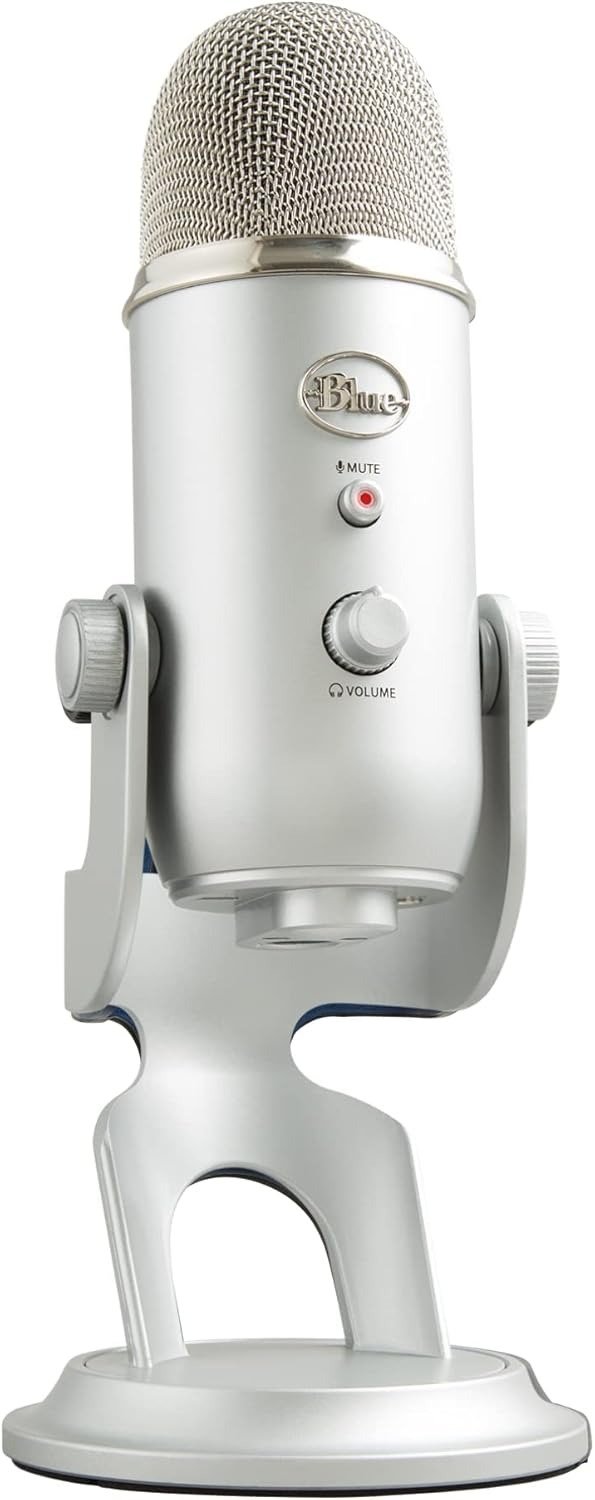
BLUE YETI
The Audio Sounds Fine on the Demo. It Doesn’t Sound Fine in Your Setup.
You plug it in. It works immediately. No drivers, no interface, no configuration panic. The gain knob is real and physical. The mute button is satisfying. You speak into it and hear yourself back in the headphone jack with zero latency. Everything about the unboxing experience tells you: this was the right call.
Then you record.
You listen back. There’s a hiss underneath your voice. A faint AC hum. The chair creak two seconds in. Your mechanical keyboard sounds like someone is building furniture in the background. The room itself — the walls, the floor, the ceiling fan you stopped noticing three years ago — is now a character in your recording.
You didn’t buy a bad microphone. You bought a microphone that tells the truth about the space you’re recording in. And most people are not recording in a space that passes that test.
What You’re Actually Feeling but Not Naming
The frustration isn’t that the Yeti sounds bad. The frustration is that it doesn’t sound the way the YouTube demos sounded.
What you’re experiencing has a name: condenser sensitivity mismatch. The Blue Yeti is a large-diaphragm condenser microphone. That category of microphone is physically engineered to capture everything — delicate transients, subtle breath texture, full-frequency nuance. That sensitivity is the feature that makes it sound rich and present on a clean vocal.
It is also the same sensitivity that picks up your PC tower fan from three feet away, your neighbor’s HVAC through the wall, the low-frequency rumble of street traffic, and the high-frequency flutter of a fluorescent light in the next room.
You don’t feel it as a “condenser problem.” You feel it as: why does this expensive microphone sound worse than my friend’s setup?
The answer is almost never the microphone. It’s the room. And nobody in the purchase funnel told you the room was part of the product.
The Hidden Mechanism Behind the Miss
Here is what the specification sheet will not explain:
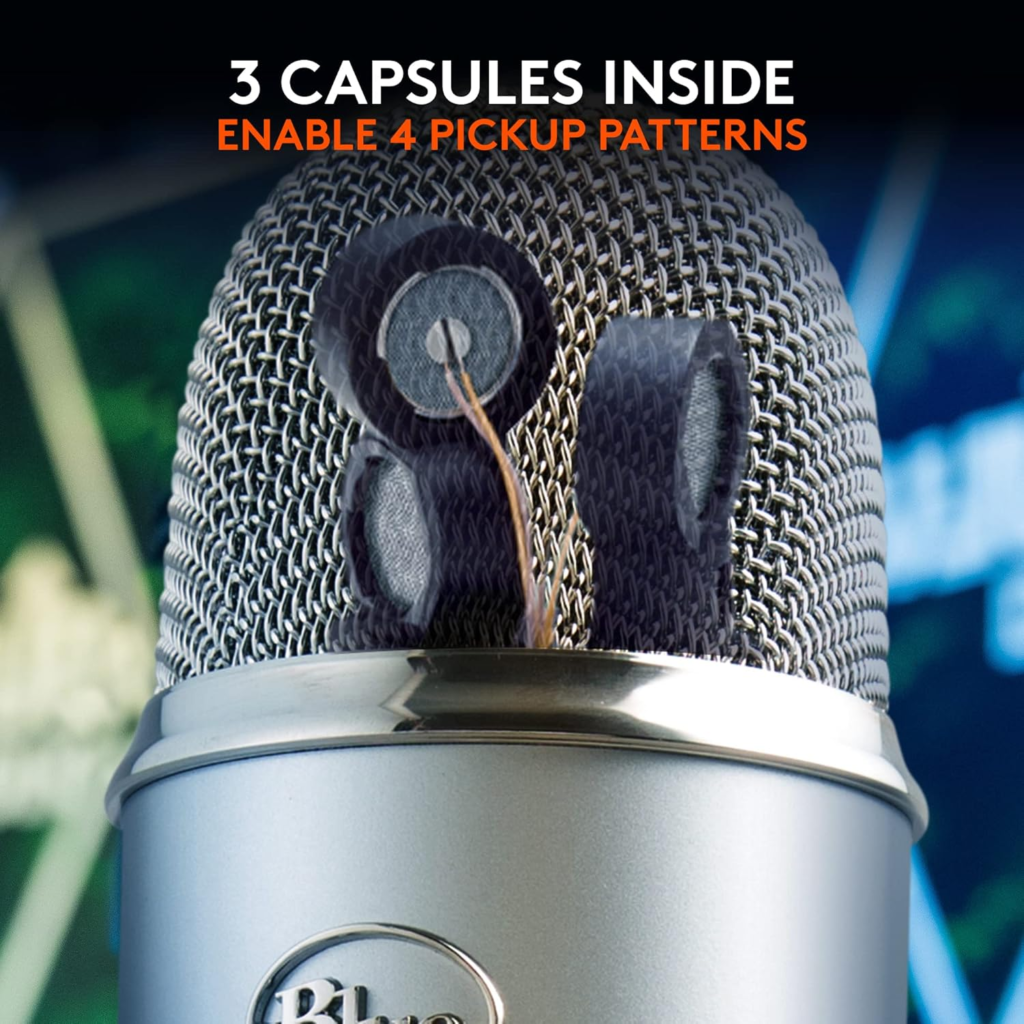
The Blue Yeti operates on a tri-capsule condenser array. Three small-diaphragm capsules — two at the rear, one at the front — are internally matrixed to produce four selectable polar patterns: Cardioid, Omnidirectional, Bidirectional, and Stereo. The pattern determines the shape of what the microphone listens to.
Most people who buy the Yeti use Cardioid. Cardioid mode focuses pickup at the front and rejects sound from the sides and rear. In theory, this protects you from most ambient noise sources.
In practice, rejection is not elimination.
A condenser capsule at this sensitivity level doesn’t refuse ambient sound — it lowers the gain on it. If your room’s noise floor is high enough, even the rejected signal bleeds through at an audible level. Cardioid mode reduces your keyboard noise. It does not silence it.
The self-noise of the Blue Yeti is approximately 20dB(A). That is considered low for a USB condenser. It is still higher than the self-noise of a dynamic microphone operating in the same conditions, and it is certainly higher than silence. In an untreated room, ambient sound adds on top of this floor, not underneath it.
This is the mechanism most buyers never see. The problem doesn’t live in the microphone’s spec sheet. It lives in the acoustic relationship between the capsule and the room.
| Parameter | Blue Yeti (Condenser) | Dynamic Alternative |
|---|---|---|
| Capsule Type | Large-diaphragm condenser | Dynamic moving-coil |
| Sensitivity | High — captures detail and ambient | Lower — rejects ambient by design |
| Self-noise | ~20dB(A) | ~22–25dB(A) typical |
| Room requirement | Treated or acoustically quiet | Works in untreated rooms |
| Background rejection | Pattern-dependent, not eliminated | Inherent in capsule physics |
| Plug & play | Yes | Mostly yes (USB models) |
| Signal richness | High | Moderate (less airiness) |
The Threshold Where the Outcome Quietly Breaks
There is a specific threshold at which the Blue Yeti stops performing the way buyers expect it to.
Call it the Room Noise Threshold.
When ambient noise in your recording environment — measured as background sound pressure from fans, HVAC, street traffic, keyboard clicks, and room reverb — exceeds approximately 35dB(A), the Yeti’s condenser capsule begins capturing it at a ratio that competes with your voice signal.
Below that threshold: the Yeti delivers genuinely broadcast-quality audio. Warm, present, detailed, competitive with microphones costing twice as much. In a quiet room with soft furnishings, proper gain staging (typically 60–70% on the gain knob in Cardioid), and a boom arm to isolate it from desk vibration, the Yeti earns every point of its reputation.
Above that threshold: the output becomes a permanent negotiation between your voice and the room. No amount of cardioid mode adjustment resolves it cleanly. Software noise suppression (Krisp, NVIDIA RTX Voice, Adobe Enhance Speech) reduces it — but introduces processing artifacts of its own.
| Room Condition | Yeti Performance | What You Hear |
|---|---|---|
| Acoustically treated studio | Excellent — broadcast-ready | Voice, clean and present |
| Quiet home office, soft furnishings | Very good | Voice with minimal room character |
| Average bedroom, no treatment | Acceptable — with proper setup | Voice + faint room noise |
| Open office, HVAC running | Degraded — noise floor rises | Voice competing with environment |
| Gaming setup with open PC, fans | Poor — condenser over-captures | Voice buried in ambient hiss |
| Untreated concrete/hard-surface room | Unsuitable — reverb compounds | Voice in a sonic cave |
Why Most Buyers Misread This Too Early
The Blue Yeti has sold over one million units in a single year. It holds top placement in nearly every “best USB microphone” list. It has been Wirecutter’s recommended mic for over a decade. It was adopted by an entire generation of streamers, podcasters, and remote workers because it was the most capable USB microphone that didn’t require an audio interface, a preamp, or a soundcard.
That is a legitimate achievement. And it created a problem.
The Yeti became a category placeholder, not a considered purchase. People searching for “best USB microphone” landed on it because it was genuinely good — and then bought it based on the category reputation rather than the specific fit.
The early comparison trap looks like this: “I need a USB mic. The Yeti is the best USB mic. Therefore I need a Yeti.” That logic bypasses the one variable that determines whether the Yeti performs for you: acoustic environment.
A large number of buyers — estimated at nearly half of new purchasers by at least one audio platform’s survey — use the Yeti with incorrect gain settings, wrong polar pattern, and no vibration isolation. The stock desk stand transmits mechanical vibration directly into the capsule. The gain control, turned too high, amplifies ambient noise before you’ve spoken a word. These aren’t edge cases — they’re the default setup for most buyers.
The mic isn’t failing. The match between the tool and the context is failing.
Who Is Actually Inside This Problem
You are a good fit for the Blue Yeti if:
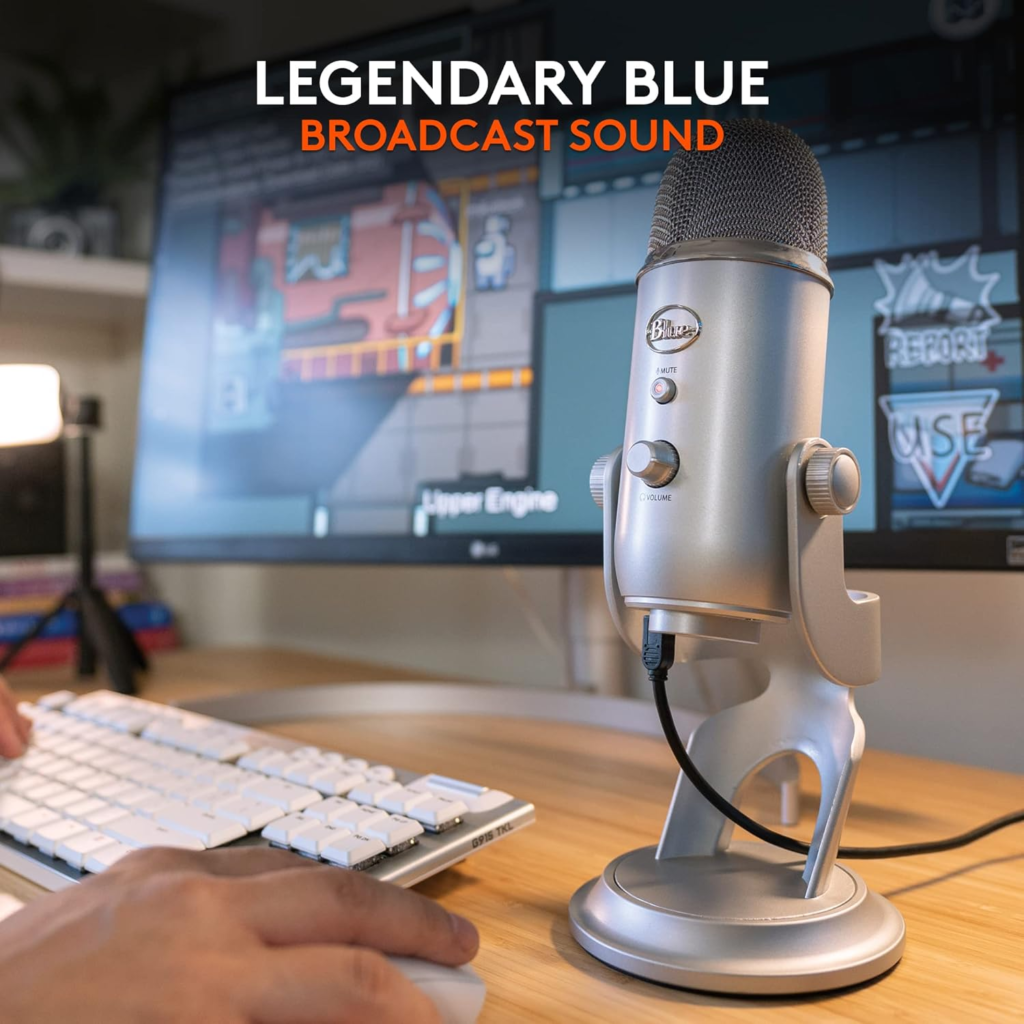
You record in a space that is genuinely quiet — defined as low ambient sound, soft furnishings that absorb reflections, and no running machinery within ten feet. You don’t have a PC tower fan near your desk, or your desktop is enclosed. You are willing to mount the microphone on a separate boom arm (not the stock stand) to eliminate desk vibration. You primarily speak close to the microphone — 4 to 6 inches — in Cardioid mode. You want the flexibility of switching patterns for instrument recording, bi-directional interviews, or ambient room capture. You value the physical controls: real gain knob, mute button, zero-latency headphone monitoring. You want a plug-and-play device that requires no audio interface and no additional investment to begin recording.
In that context, the Yeti produces audio that rivals dedicated studio setups costing significantly more.
Where Wrong-Fit Begins
You are not a good fit for the Blue Yeti if:
Your PC runs loud. Even a moderate tower fan operating three feet away will register as consistent background noise on a condenser capsule. Gaming setups with open-air cases are particularly problematic.
You record in an acoustically live space — hard floors, no rugs, concrete walls, or tiled surfaces. The Yeti captures reflections with the same enthusiasm it captures your voice.
You are in a shared space with ambient conversations, foot traffic, or unpredictable sound events. The Cardioid pattern reduces lateral pickup but does not eliminate it.
You need to record while wearing headphones at volume. Bleed from open-back headphones will enter the capsule.
You assumed the Yeti would fix your audio problems with no environment adjustment. That is the most expensive assumption in USB microphone purchasing.
| Buyer Profile | Fit | Likely Outcome |
|---|---|---|
| Quiet home studio, boom arm, treated room | Strong fit | Broadcast-quality audio |
| Bedroom podcaster with soft furnishings | Good fit | Clean, usable audio |
| Streamer with open PC and no treatment | Poor fit | Ambient noise visible in recordings |
| Remote worker in open office | Poor fit | Background competition |
| Voiceover artist in untreated home office | Marginal — requires workflow adaptation | Acceptable with noise gate + gate processing |
| Musician recording acoustic instruments | Good fit (Stereo/Cardioid patterns) | Natural, detailed capture |
The One Situation Where This Product Becomes Logical
After everything above, the situation where the Blue Yeti becomes the rational, well-reasoned choice is this:
You have — or are willing to create — a recording environment that sits below the room noise threshold. You want a single USB device that handles voice, instruments, and multi-pattern capture without an interface. You want physical control over gain and mute without touching software. You want zero-latency monitoring in a device that costs under $130.
In that configuration, the Yeti is not just acceptable. It is the most functional USB microphone at its price point that doesn’t require you to learn signal routing, phantom power, or interface drivers.
The four polar patterns aren’t marketing — they have distinct use cases. Bidirectional mode handles two-person in-person interviews on one microphone. Stereo mode captures realistic spatial imaging for instruments. Omnidirectional works for conference calls without anyone needing to lean toward the microphone.
No competing USB microphone at this price offers all of that in a single plug-and-play form factor.
| Feature | Detail |
|---|---|
| Capsule count | 3 (tri-capsule array internally matrixed) |
| Polar patterns | 4: Cardioid, Omni, Bidirectional, Stereo |
| Sample rate | 48kHz |
| Bit depth | 16-bit |
| Frequency response | 20Hz – 20kHz |
| Max SPL | 120dB |
| Headphone output | 3.5mm, zero-latency monitoring |
| Connection | USB (Mini-USB on original model) |
| Weight | 1.2 lbs (mic only), 2.2 lbs with stand |
| Physical controls | Gain knob, mute button, headphone volume |
| Software | Blue VO!CE (Logitech G HUB compatible) |
| Price (current) | ~$85–$129 USD depending on retailer and color |
What It Solves, What It Reduces, and What It Still Leaves to You
What the Blue Yeti solves:
The need for an audio interface. The need for a preamp. Driver installation. The need for external phantom power. The learning curve of XLR routing. The barrier between owning a computer and recording high-quality audio.
What it reduces:
Lateral ambient noise in Cardioid mode (meaningfully, but not absolutely). Desk vibration when paired with a proper shock mount and boom arm. Gain staging complexity via a physical knob. Latency in monitoring via the direct headphone output.
What it still leaves to you:
The room. Room treatment — even minimal treatment like recording in a closet full of clothes, hanging a moving blanket behind your chair, or positioning near a bookshelf wall — is your responsibility. The Yeti will faithfully report whatever acoustic environment you give it. That is a feature in the right room and a liability in the wrong one.
The stock desk stand is not adequate for serious recording. A boom arm with a shock mount eliminates desk vibration and mechanical bleed. That is a $20–$50 additional investment that the purchase funnel rarely mentions and that meaningfully changes the output quality.
Final Compression
The Blue Yeti is not a microphone that rewards passive use. It rewards setup.
If you are recording in a room that qualifies — quiet, soft-furnished, acoustically reasonable — and you are willing to mount it properly on a boom arm, position it 4 to 6 inches from your mouth in Cardioid mode, and set the gain to the 60–70% range: the Yeti produces audio that is genuinely difficult to fault at this price.
If you are not in that room, no amount of software correction fully compensates. You will spend more time fighting noise than recording.
The decision isn’t whether the Blue Yeti is good. It is. The decision is whether your environment can hold it.
If your setup qualifies, this is the logical next step.
If it doesn’t — yet — the more honest path is a dynamic USB microphone (the Samson Q2U or Shure MV7 are both designed for untreated environments) while you address the room, then consider the Yeti when the room earns it.
Frequently Asked Questions
| Question | Answer |
|---|---|
| Is the Blue Yeti good for beginners? | Yes — with an important condition. It is plug-and-play and requires no audio interface. But beginners in untreated rooms often get disappointing results not because the mic is bad, but because a condenser capsule at this sensitivity level picks up everything their room emits. If you’re a beginner with a quiet room, it’s one of the best entry points available. If your room is noisy, a dynamic USB mic is a better beginner choice. |
| Why does my Blue Yeti pick up so much background noise? | Because it is a large-diaphragm condenser microphone — a category engineered for high sensitivity. That sensitivity captures room noise, fan noise, keyboard clicks, and HVAC hum alongside your voice. It is not a defect. It is the physics of the capsule type working as designed in an environment it was not designed for. |
| Do I need a boom arm with the Blue Yeti? | Yes, practically speaking. The stock desk stand transmits desk vibration directly into the capsule. Any keyboard typing, table bump, or movement registers in your recording. A boom arm with shock mount eliminates this path. It is not optional if you care about the output quality. |
| Is the Blue Yeti still worth buying in 2026? | In the right setup: yes. In a treated or quiet room with a proper boom arm and shock mount, it remains one of the most capable and versatile USB microphones available under $130. In an untreated room with ambient noise, a dynamic microphone will outperform it at a lower price. |
| What polar pattern should I use for podcasting or streaming? | Cardioid — exclusively. Cardioid focuses the pickup toward the front of the microphone while reducing side and rear capture. Omnidirectional and Stereo modes are for specific use cases (conference calls and instrument recording, respectively) and are not appropriate for solo voice recording. |
| Can software noise suppression fix the Blue Yeti’s background noise problem? | Partially. Tools like NVIDIA RTX Voice, Krisp, and Adobe Enhance Speech meaningfully reduce ambient noise. They also introduce processing artifacts — a subtle hollowness or flutter in the voice that trained ears notice. Clean capture at the source is always preferable to corrected capture in post. Software suppression is a workaround, not a solution. |
| What is the difference between the Blue Yeti and the Blue Yeti X? | The Yeti X has four capsules instead of three, which provides marginally smoother polar pattern performance and cleaner sound across pickup angles. It also adds an 11-segment LED gain meter for visual feedback. The core acoustic behavior — including the room sensitivity issue — is identical between them. The Yeti X is an incremental refinement of the same tool, not a different tool. |
Transparency Note:
This analysis is built on aggregated real-world experience.
It extracts what repeatedly holds, what breaks, and what users uncover only after living with the system—then shapes it into a clear model you can use immediately.
Think of it as structured experience, refined and presented so you don’t have to learn it the hard way.
“A quick note: Don’t believe the star ratings, but trust personal experience. This article is a compilation of collected experiences”