ASUS RT-AX82U Review: YOUR GAME ISN’T LAGGING BECAUSE OF YOUR ISP
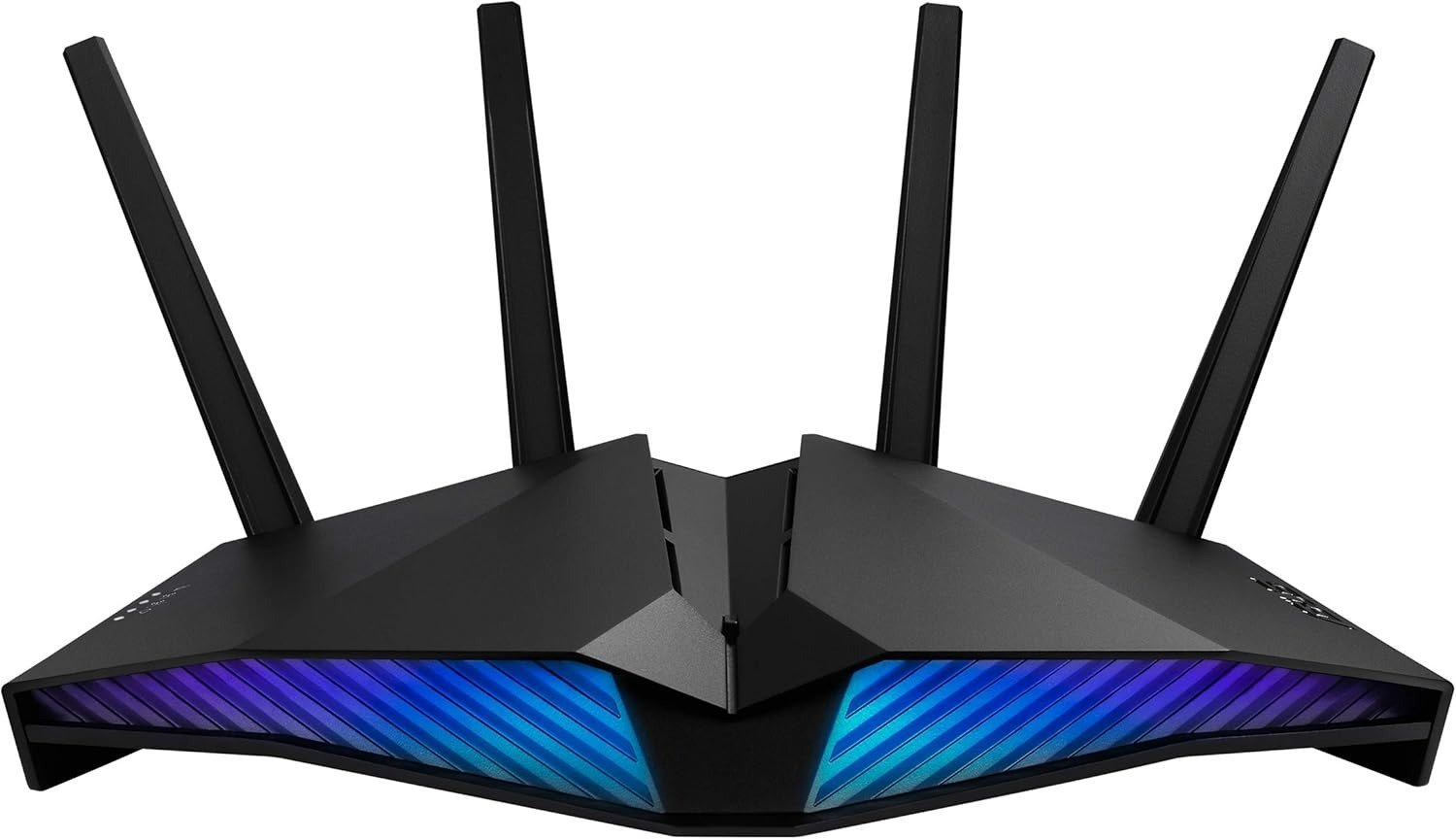
The instinct is to blame the ISP. Most people do. A few blame their device. Almost nobody looks at the router sitting in the corner, blinking its lights, quietly bottlenecking every packet it was never configured to prioritize correctly.
The ASUS RT-AX82U is one of the few routers in its price range that was engineered to solve exactly this — not by promising faster numbers on a spec sheet, but by restructuring how traffic moves through your network when everything is happening at once.
The question isn’t whether it looks impressive. It does. The question is whether its architecture holds at the threshold where most mid-range routers quietly fail: the 6 PM household, when two streams, a console, a cloud gaming session, and a dozen smart home devices are all competing for the same pipe.
The Result Looks Fine. The Problem Isn’t.
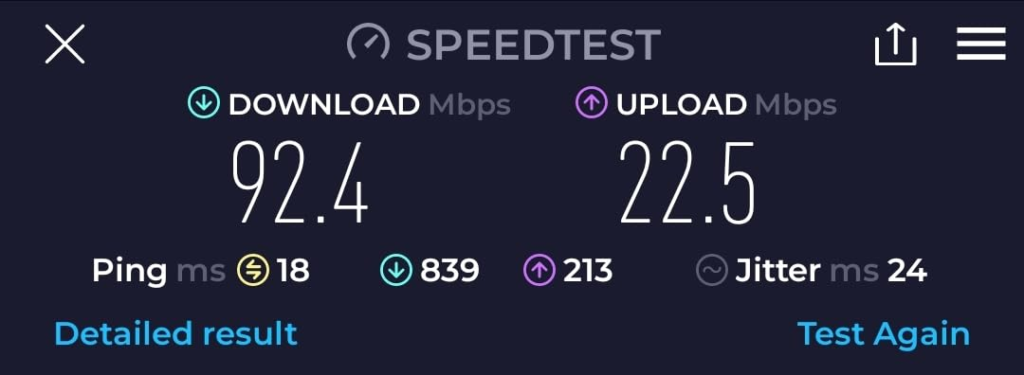
Your speed test shows 850 Mbps. Your ping to Google is 12ms. By every visible metric, the network is working.
Then you load into a match. The first two minutes are clean. Then someone in the house starts a Netflix 4K stream. Your latency jumps from 18ms to 140ms. You die. The stream shows no buffering. The speed test, if you ran it right now, would still look fine.
The reason is that gaming latency and raw bandwidth latency are not the same metric. Tracking actual game network latency is far more complex than what most users measure with standard ping tools. A router that passes bandwidth smoothly can still destroy gaming performance by failing to classify gaming traffic differently from streaming traffic.
This is the silent failure. The numbers look fine. The experience doesn’t.
What You’re Actually Feeling but Not Naming
It’s not lag. Not exactly. It’s inconsistency.
You’ve experienced clean sessions. You know what this connection is capable of. What you can’t explain is why it degrades under load — not catastrophically, but just enough to matter. A 40ms spike. A missed input window. A kill trade that should have been yours.
Most users don’t identify QoS as the variable. They identify it as a router problem, an ISP problem, or a device problem. In reality, the issue is that gaming traffic and video streaming traffic are being treated as equals inside the router’s processing queue.
The router doesn’t know your game is time-critical. It doesn’t know that a 200KB gaming packet needs to arrive in 8ms while a Netflix buffer can wait 400ms without anyone noticing. Without active traffic classification, it processes both the same way — first in, first served.
When Adaptive QoS is enabled and set to gaming priority, the actual gaming network traffic gets elevated above video streams, which means latency and in-game performance return to near-baseline — even when the network is under load from competing devices.
That’s the mechanism. Not marketing. Not a firmware trick. A structural reclassification of what matters.
The Hidden Mechanism Behind the Miss
The ASUS RT-AX82U runs a 1.5GHz tri-core processor with 512MB of RAM. It delivers dual-band Wi-Fi 6 with a combined maximum throughput of 5400Mbps across 2.4GHz and 5GHz bands, with support for both implicit and explicit beamforming.
But the hardware alone isn’t the mechanism that matters for gaming. The mechanism is OFDMA.
Older Wi-Fi standards — including Wi-Fi 5 (802.11ac) — allocate an entire channel to one device at a time, even if that device only needs a small packet delivered. Wi-Fi 6’s OFDMA splits the channel into sub-channels, allowing multiple devices to transmit simultaneously in different portions of the same frequency block. The result: the RT-AX82U handles congested environments more effectively thanks to full 1024-QAM, which allows the router to make small adjustments to its signal to sidestep congestion and gives it access to DFS channels that provide additional open spectrum less used by neighboring routers.
DFS channels matter more than most buyers realize. In a dense apartment building or suburban neighborhood, the standard 5GHz channels are saturated with dozens of competing signals. DFS channels require radar detection compliance but offer dramatically less interference. The RT-AX82U supports them. Most routers below $300 do not, or don’t enable them by default.
This is the hidden variable. Not the RGB. Not the design. The radio architecture that keeps your gaming channel clear when your neighbor’s router is hammering the same band.
The Threshold Where the Outcome Quietly Breaks
Every router has a load threshold — the point at which its internal processing can no longer maintain the promises its specs make under ideal conditions.
For the ASUS RT-AX82U, real-world testing defines this threshold clearly:
| Load Condition | 5GHz Throughput | Gaming Latency | Notes |
|---|---|---|---|
| Single device, close range | ~880 Mbps | ~18ms | Near theoretical ceiling |
| Single device, 40ft / 12m range | ~860 Mbps | ~22ms | Minimal degradation |
| Multiple devices, QoS disabled | ~750 Mbps | 80–140ms spikes | Congestion unmanaged |
| Multiple devices, QoS enabled (Gaming) | ~720 Mbps | ~25ms | Traffic reclassified |
| 2.4GHz band, any gaming scenario | ~160–200 Mbps | Highly variable | Not appropriate for gaming |
The 2.4GHz band produced the highest dropped-frame rate in gaming tests. Gaming on 2.4GHz is technically functional and practically inadvisable.
The threshold is not a hardware ceiling. It’s a configuration ceiling. An RT-AX82U running on default settings with QoS disabled at peak household load behaves like an average mid-range router. The same hardware, properly configured, behaves like a prioritized gaming machine.
Most buyers never configure it. They install it, connect their devices, and wonder why it doesn’t feel different from their old router.
Why Most Buyers Misread This Too Early
The first comparison most people make is spec-to-spec. They line up the RT-AX82U against the RT-AX86U, note that the 86U has a 2.5Gbps multi-gig port and more processing headroom, and conclude the 82U is the inferior choice.
The RT-AX86U is only clearly better when you can actually take advantage of its multi-gig port. If your ISP delivers 1Gbps or less — which covers the vast majority of residential connections — the multi-gig hardware provides exactly zero additional performance.
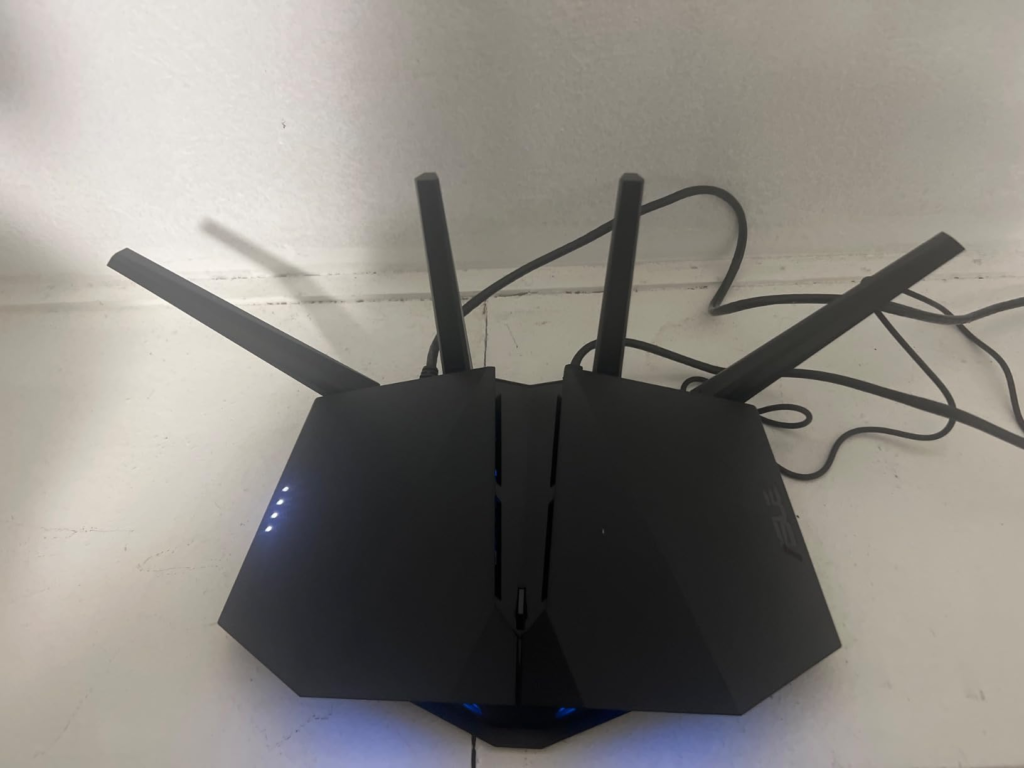
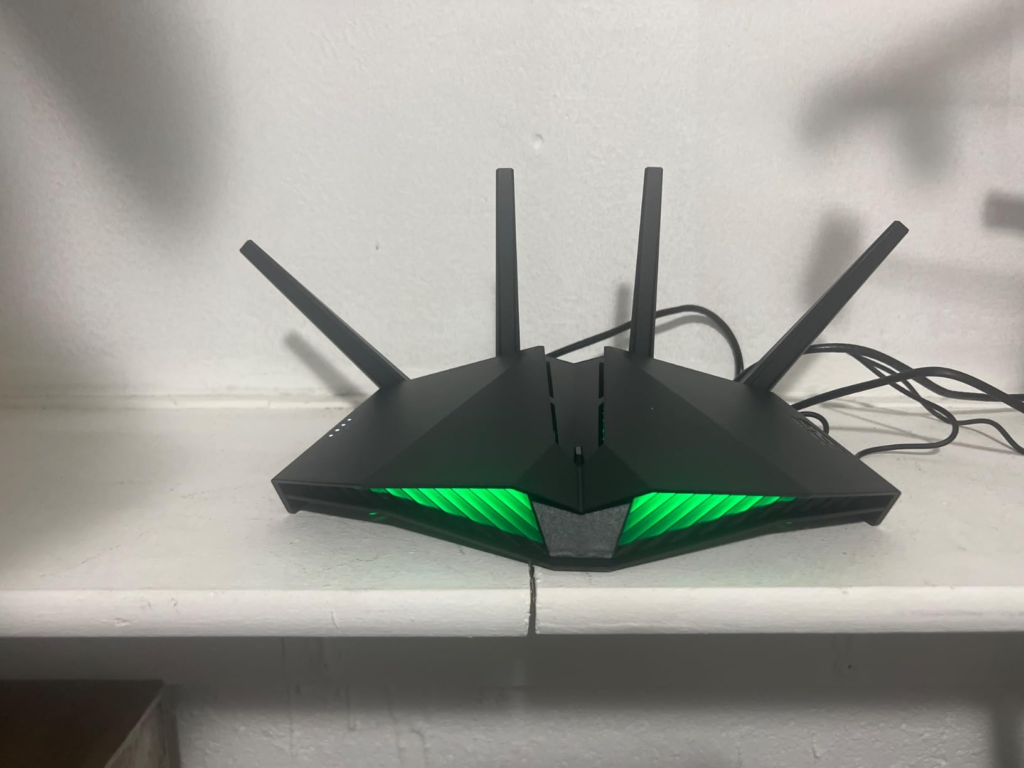
The second misread is the RGB. Buyers either dismiss the router because the lighting feels gimmicky, or they select it exclusively because the lighting looks impressive. Neither is the right frame.
The RT-AX82U on the inside is a somewhat muted version of the RT-AX86U — it has lesser processing power, Wi-Fi specs, and no multi-gig port — but other than that, the two share the same robust web interface, feature set, and AiMesh support.
The third misread is treating it as a gaming-only router. Its dual-band AX5400 connection, with support for 160MHz channels, has the capacity to handle several devices simultaneously — making it equally effective for households that need both gaming performance and streaming reliability at the same time.
The feature comparison table most buyers consult misses the actual decision variable: not what the router can do at peak, but what it does to your gaming traffic when everything else is competing with it.
| Feature | ASUS RT-AX82U | Typical AC Router (2019–2021) |
|---|---|---|
| Wi-Fi Standard | Wi-Fi 6 (802.11ax) | Wi-Fi 5 (802.11ac) |
| OFDMA | Yes | No |
| 1024-QAM | Yes | No (max 256-QAM) |
| 160MHz Channel Support | Yes | Rare |
| DFS Channel Access | Yes | Varies |
| Adaptive QoS (Gaming) | Yes | Rarely effective |
| AiMesh Compatibility | Yes | No |
| Lifetime Security (AiProtection Pro) | Yes (no subscription) | Usually subscription |
| Multi-Gig Port | No | No |
| Dedicated Gaming LAN Port | Yes (LAN1) | No |
Who Is Actually Inside This Problem
You are inside this problem if your home runs more than 15 connected devices simultaneously. Signal strength remains strong throughout average homes of 2,000–2,500 square feet, and the router connects up to 40 devices simultaneously.
You are inside this problem if your gaming happens wirelessly, not over Ethernet. Wired users are largely immune to the core failure mode because wired traffic bypasses RF congestion entirely. Wireless gaming users — the majority, given the layout of most homes — are directly exposed to the OFDMA and DFS advantages this router carries.
You are inside this problem if your household has mixed-use traffic: one person gaming, one streaming, one on a video call. The software included provides parental controls and a gaming QoS for free, with no subscription required — unlike some competitors that gate similar features behind recurring fees.
You are inside this problem if you’ve already tried QoS on an older router and found it made no difference. The key issue on older hardware is that QoS can fail to help because the router lacks the processing architecture to classify and reroute packets effectively under load — the problem isn’t the feature, it’s the platform running it.
Where Wrong-Fit Begins
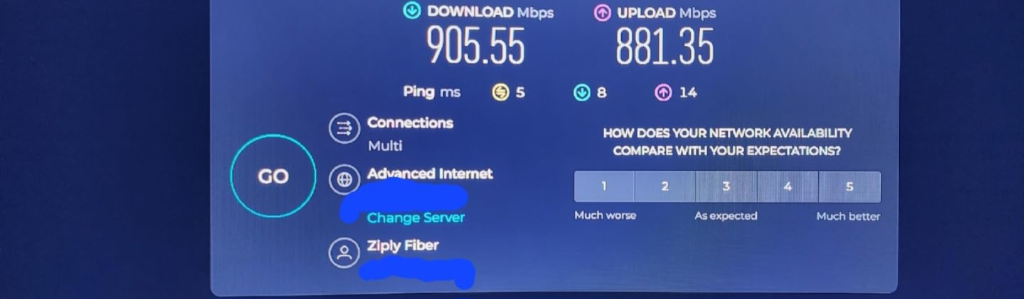
The RT-AX82U is the wrong router if your internet connection exceeds 1Gbps. Without a multi-gig port, the router’s wired throughput caps at 1Gbps — so if you have a 2Gbps or multi-gig fiber plan, you need a router with a 2.5Gbps or 10Gbps WAN port to take full advantage.
It is the wrong router if you need enterprise-grade VPN routing. The RT-AX82U lacks VPN Fusion — the feature that allows simultaneous VPN and non-VPN traffic routing available on some higher-end ASUS models. It also lacks WTFast integration, the gamer VPN available on ROG Rapture-tier hardware.
It is the wrong router if your home requires mesh coverage beyond approximately 2,000 square feet from a single unit. If you live in a home of 1,800 square feet without thick walls, this router will cover every corner as a standalone unit. Beyond that, you need a second AiMesh node — which the router supports, but which adds to the total cost of ownership.
It is the wrong router for 2.4GHz-only gaming scenarios. The performance floor on 2.4GHz is real and consistent. If your gaming device cannot reach the 5GHz band — or if thick concrete walls prevent it — the priority architecture the router provides loses most of its practical value.
| Wrong-Fit Scenario | Why It Fails |
|---|---|
| ISP delivers >1Gbps | No multi-gig WAN port |
| Gaming device only reaches 2.4GHz | Performance floor too low for gaming |
| Large home (>2,000 sqft) single unit | Range limitation, node needed |
| VPN Fusion required | Feature absent on this model |
| WTFast / cloud gaming VPN needed | ROG tier required |
| CPU-intensive tasks (OpenVPN at speed) | AX86U Pro handles this better |
The One Situation Where This Router Becomes Logical
You have a gigabit connection or below. Your household runs simultaneous gaming, streaming, and smart home traffic. Your gaming device connects over 5GHz Wi-Fi, not Ethernet. You want security that doesn’t require a monthly payment. And you want a router that can later expand into a mesh system if your needs grow — without replacing everything you already bought.
At its price point solidly in the upper mid-range segment, the RT-AX82U offers considerable value: high fps scores, gaming-centric QoS settings, and integrated lifetime security in a compact, stable unit.
The configuration that makes this router perform at its ceiling is not complex. Enable Adaptive QoS, set priority to Gaming, enable DFS channels manually in the 5GHz band settings, and connect your primary gaming device to LAN1 (the dedicated gaming port). With QoS enabled and gaming mode selected, testing showed a 9.7% improvement in gaming performance on a regular Ethernet port, with the gaming port showing an additional 4.7% gain above baseline.
That’s the complete picture: a properly configured RT-AX82U, in the right household, at the right internet tier, handling the right use case.
What It Solves, What It Reduces, and What It Still Leaves to You
What the RT-AX82U solves:
- Traffic competition between gaming and streaming traffic, via Adaptive QoS
- RF congestion in dense wireless environments, via OFDMA and DFS channel access
- Security subscription fatigue, via lifetime AiProtection Pro (Trend Micro-powered)
- Coverage extension when needed, via AiMesh node compatibility
- Setup complexity, via a clean web interface and the ASUS Router app with a 15-minute average first-time setup
What it measurably reduces:
- Latency spikes during household peak hours, when QoS is configured
- Dead zones in homes up to ~2,000 square feet via beamforming and 5dBi antennas
- Channel interference from neighboring networks via DFS spectrum access
- Setup friction for Open NAT configuration, via three-step port forwarding
What it still leaves to you:
- Firmware update management (ASUS releases periodic updates; some users report temporary connectivity issues immediately after updates — wait 24 hours before judging post-update behavior)
- DFS channel activation (not enabled by default; must be turned on manually in wireless settings)
- QoS configuration (disabled by default; requires deliberate setup to function)
- Bridge mode configuration when placed behind an ISP-provided modem-router combination (double-NAT can reduce performance; enabling bridge mode on the ISP device or placing the RT-AX82U in DMZ resolves this)
| What It Handles | What Requires Your Setup |
|---|---|
| Traffic classification (when QoS enabled) | Enabling QoS manually |
| Security (lifetime, automatic) | Firmware updates |
| Range (~2,000 sqft) | DFS channel activation |
| Mesh expansion (AiMesh) | Purchasing compatible nodes |
| Mobile game boost (one-tap) | App installation |
Final Compression
The ASUS RT-AX82U is not the fastest router available in 2025. It is not the most powerful. It does not have the widest range, the deepest VPN stack, or the highest ceiling for multi-gig connections.
What it is: a structurally sound Wi-Fi 6 router, correctly priced, built for a specific use case — the household with a standard gigabit connection, mixed-use traffic, wireless gaming, and no appetite for subscription-based security.
If you’re looking for a well-performing, feature-laden, compact Wi-Fi 6 machine that you can use for gaming and everything else, the RT-AX82U fits squarely — but the key phrase is “correctly configured.”
Unconfigured, it performs like a competent mid-range router with good looks. Configured — QoS on, Gaming priority active, DFS enabled, gaming device on LAN1 — it behaves like a network that was built around your game rather than around your ISP’s marketing brochure.
If you’re inside the threshold described above — gigabit or below, wireless gaming, mixed household traffic, home under 2,000 square feet — the decision stops being vague here.
If you need multi-gig WAN support, VPN Fusion, or professional-grade routing capability, step up to the RT-AX86U Pro instead. The price delta is real. So is the hardware gap.
Everything else in between is configuration, not hardware.
Frequently Asked Questions About the ASUS RT-AX82U
| Question | Answer |
|---|---|
| Does the ASUS RT-AX82U support Wi-Fi 6? | Yes. The RT-AX82U is a full Wi-Fi 6 (802.11ax) router with OFDMA, 1024-QAM, and 160MHz channel support across the 5GHz band. It is backward compatible with all Wi-Fi 5 (802.11ac) and older devices. |
| What is the maximum speed of the RT-AX82U? | The combined maximum theoretical throughput is 5,400 Mbps — 574 Mbps on 2.4GHz and 4,804 Mbps on 5GHz. Real-world sustained speeds under testing reach approximately 860–880 Mbps on 5GHz at short to medium range, capped by the Gigabit WAN port. |
| Does the RT-AX82U have a multi-gig port? | No. All network ports — 1x WAN and 4x LAN — are standard Gigabit Ethernet (1Gbps maximum). If your internet plan exceeds 1Gbps, this router cannot fully utilize it over wired connections. |
| What is the dedicated gaming port on the RT-AX82U? | LAN1 is designated as the Gaming Port. Any wired device connected to LAN1 receives automatic traffic prioritization. In testing, this produced a measurable improvement over standard LAN port performance when QoS was active. |
| Is AiProtection Pro free on the RT-AX82U? | Yes. AiProtection Pro, powered by Trend Micro, is included for the lifetime of the product at no additional subscription cost. It provides malicious site blocking, two-way intrusion prevention, and infected device quarantine. |
| What is AiMesh and does the RT-AX82U support it? | AiMesh is ASUS’s proprietary mesh networking system that allows multiple compatible ASUS routers to form a seamless whole-home network with unified management. The RT-AX82U supports AiMesh both as a primary router and as a node in a larger system. |
| Does the RT-AX82U support WPA3? | Yes. It supports WPA3 security protocol alongside WPA2, providing the current highest standard of wireless network encryption for compatible devices. |
| What is the coverage range of the RT-AX82U? | Under typical residential conditions — drywall construction, moderate obstruction — the RT-AX82U provides reliable coverage in homes up to approximately 2,000 square feet as a standalone unit. Thick concrete walls, multi-story layouts, or homes above this threshold benefit from adding a second AiMesh-compatible node. |
| Can the RT-AX82U handle 30+ connected devices? | Yes. The router is rated for up to 40 simultaneous device connections, supported by OFDMA’s multi-device scheduling on the 5GHz band. |
| What is Mobile Game Mode on the RT-AX82U? | Mobile Game Mode is a one-tap feature accessible through the ASUS Router app that prioritizes mobile gaming traffic specifically — reducing ping and latency for mobile devices competing for bandwidth with other household traffic. |
| Does the RT-AX82U work with GeForce NOW? | Yes. ASUS certified the RT-AX82U as compatible with NVIDIA’s GeForce NOW cloud gaming platform. The Adaptive QoS system includes specific optimization for GeForce NOW traffic patterns. |
| Is the RT-AX82U a good router in 2025? | For households with sub-1Gbps internet, wireless gaming, and mixed-use traffic — yes. It lacks a multi-gig port and VPN Fusion compared to higher-tier ASUS models, but for its target use case, its Wi-Fi 6 architecture, lifetime security, and QoS stack remain competitive. Buyers with multi-gig ISP plans or advanced VPN requirements should look at the RT-AX86U Pro instead. |
Transparency Note:
This analysis is built on aggregated real-world experience.
It extracts what repeatedly holds, what breaks, and what users uncover only after living with the system—then shapes it into a clear model you can use immediately.
Think of it as structured experience, refined and presented so you don’t have to learn it the hard way.
“A quick note: Don’t believe the star ratings, but trust personal experience. This article is a compilation of collected experiences”