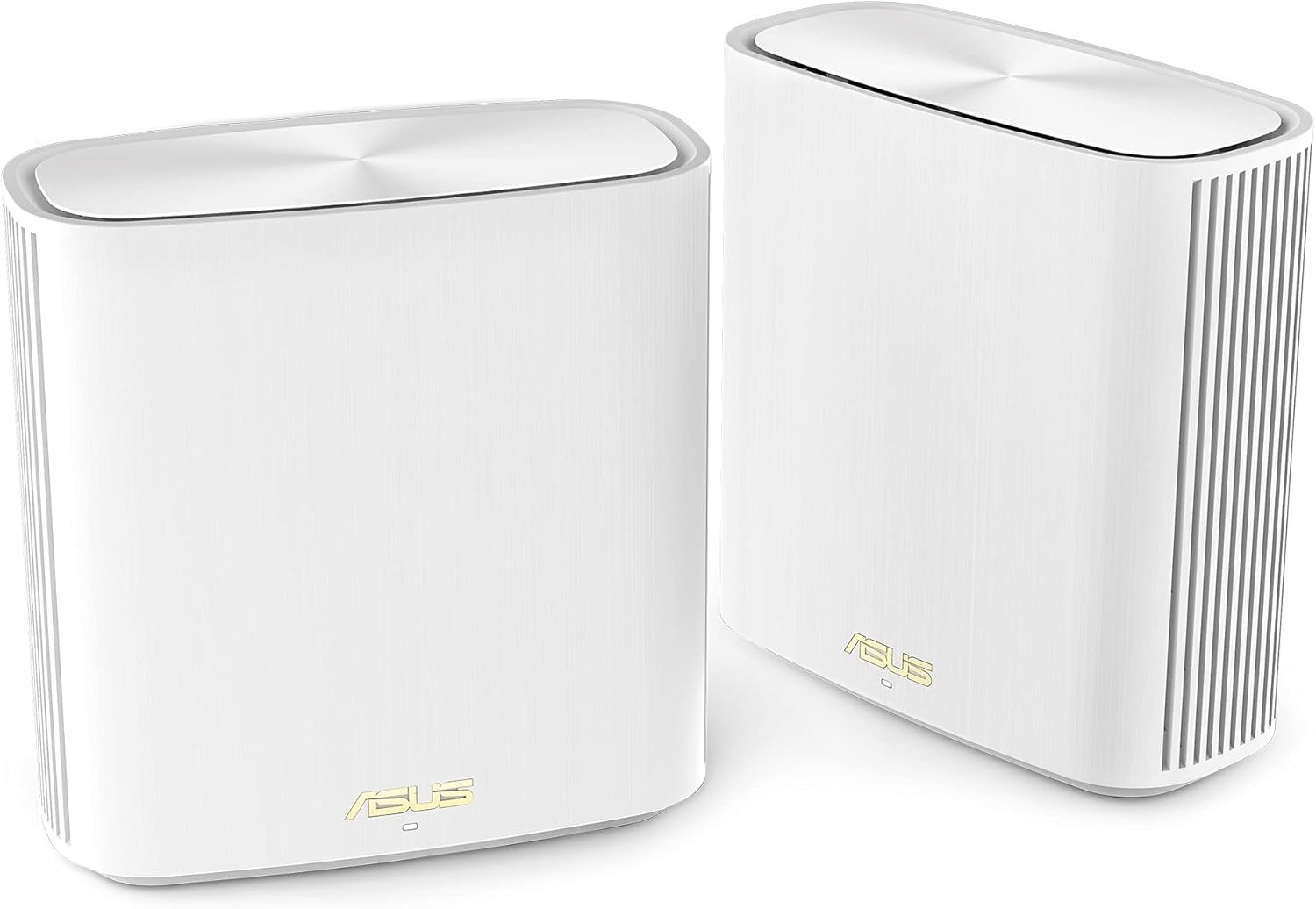
ASUS ZENWIFI XD6 REVIEW: YOUR HOUSE HAS WIFI SIGNAL EVERYWHERE — SO WHY DOES SPEED COLLAPSE THE MOMENT YOU WALK AWAY FROM THE ROUTER?
The Result Looks Fine. The Problem Isn’t.
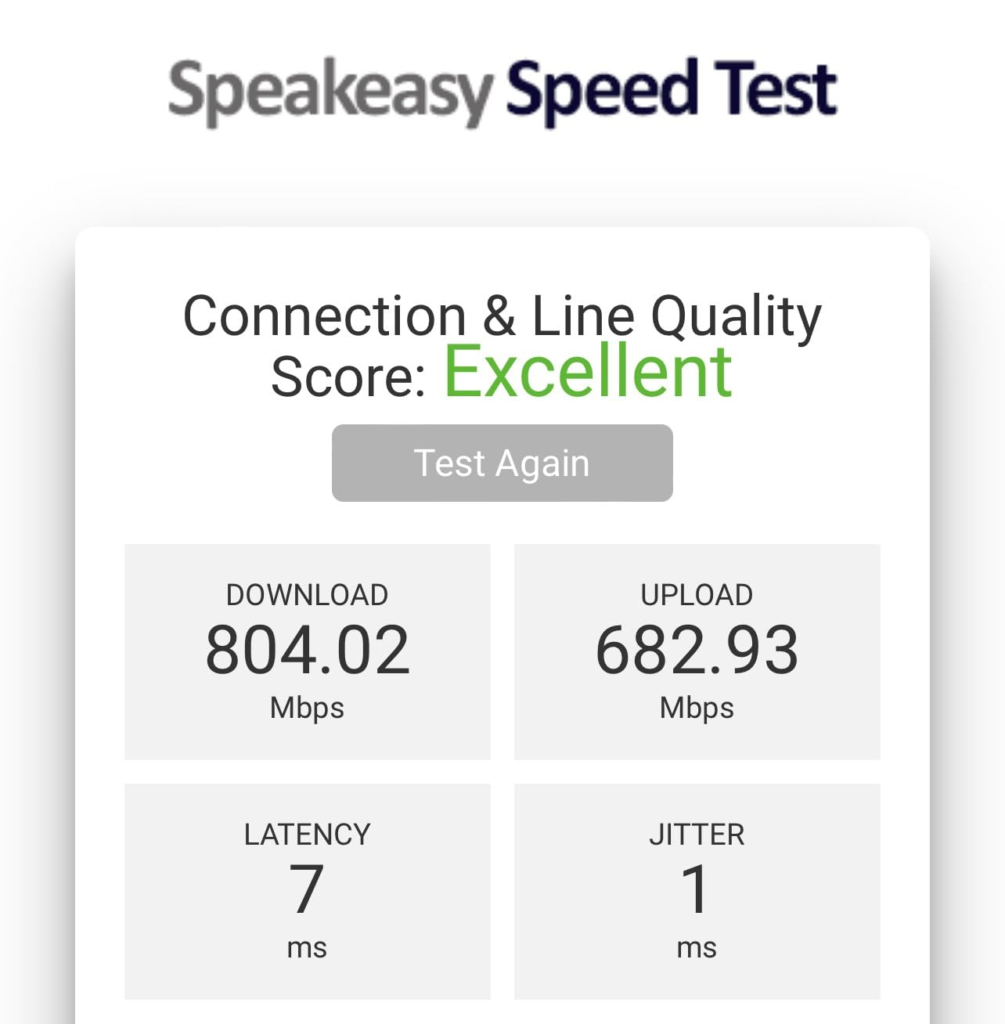
You run a speed test next to the router. The numbers are excellent — 800 Mbps, sometimes higher. The app shows everything green. All your devices are connected. The signal bars are full across the house.
Then you sit down at your desk on the second floor, open a video call, and it stutters. You move to the back bedroom and the upload speed drops by half. You’re not in a dead zone — the coverage is real — but the performance you assumed was coming through isn’t.
That gap between signal presence and actual throughput is the specific problem the ASUS ZenWiFi XD6 is built to address. And it does address it — under precise conditions. Outside those conditions, the very architecture that makes it elegant creates a ceiling most buyers don’t know exists until they’ve already installed it.
What You’re Actually Feeling but Not Naming
The frustration isn’t “bad WiFi.” The bars are there. The frustration is inconsistency that doesn’t match what you paid for.
You expected a mesh system to give you the same experience in every room. What you’re experiencing instead is a performance gradient — strong at the source node, noticeably softer at the satellite node, and occasionally unreliable when both nodes are competing for the same radio band to talk to each other and to your devices simultaneously.
You haven’t named it yet because the marketing never gave you the vocabulary. The spec sheet says 5400 Mbps. The coverage map says 5,400 sq ft. Neither number tells you what happens to actual throughput when the two nodes are talking wirelessly over a shared 5GHz channel while your laptop is also trying to use that same channel to connect.
That’s the unnamed friction. It has a real name: wireless backhaul contention.
The Hidden Mechanism Behind the Miss
The ASUS ZenWiFi XD6 is a dual-band system. That means it operates on two frequency bands: 2.4 GHz and 5 GHz. Every device in your home — your laptop, your phone, your smart TV — connects to one of those bands. The mesh nodes themselves also need to communicate with each other constantly to pass your internet traffic across the network. This inter-node communication is called the backhaul.
In a tri-band mesh system, one entire band is reserved exclusively for node-to-node communication. The XD6 does not have that luxury. It uses the same 5 GHz band for both: serving your devices and maintaining the mesh backhaul simultaneously.
The result is a bandwidth split. When the wireless backhaul splits the available bandwidth between two nodes, it reflects a considerable drop in throughput compared to what a single node delivers on its own. Each ASUS ZenWiFi XD6 node delivers surprisingly strong wireless performance in a compact form factor, but still struggles with throughput in a multi-node configuration due to the inherent limitations of using a wireless backhaul.
This isn’t a defect. It’s a structural reality of the dual-band design. Understanding it is what determines whether this system is right for your specific home.
| Backhaul Type | Band Usage | Client Performance at Node | Speed Consistency |
|---|---|---|---|
| Wireless (default) | Shared 5GHz band | Moderate reduction | Variable |
| Wired Ethernet | Dedicated cable | Full node performance | Consistent |
| Wireless (160MHz mode) | Shared but wider channel | Higher ceiling | Requires manual setup |
The Threshold Where the Outcome Quietly Breaks
There are two separate performance conversations happening with this product — and most buyers are reading the wrong one.
Single-node performance is remarkable. A single node ZenWiFi XD6’s Wi-Fi throughput was remarkably similar to the ASUS ROG Strix GS-AX5400 in all tested locations, which was unexpected in the most positive way. A compact, sleek device with no external antennas matching gaming router performance is a legitimate engineering achievement.
Wireless mesh performance is where the threshold appears. The ZenWiFi XD6 has no dedicated backhaul for the mesh node, which makes it slightly slower than the flagship ZenWiFi XT8 — but the ceiling isn’t where people expect it to fall. The drop only becomes significant when your satellite node is placed far from the primary router with no ethernet connection between them, and when devices connected to that node are doing high-bandwidth tasks simultaneously.
The break point is not distance. It’s concurrent high-bandwidth wireless demand on a shared band.
| Scenario | Performance Outcome |
|---|---|
| Single node, one room | Excellent — up to 800+ Mbps at close range |
| Two nodes, wired backhaul | Excellent — consistent throughout |
| Two nodes, wireless backhaul, light use | Good — functionally transparent for most tasks |
| Two nodes, wireless backhaul, 4K + video calls | Noticeable reduction on satellite node |
| 160 MHz mode enabled manually | Significantly better wireless backhaul ceiling |
Note: The system seems to prefer 80MHz mode by default, and you have to manually select 160MHz mode to get the faster speed. Most buyers never touch this setting. That’s a configuration gap that costs real throughput without anyone flagging it.
Why Most Buyers Misread This Too Early
The first mistake is comparing the XD6 to tri-band systems on raw numbers. The second mistake is assuming that “mesh” automatically means “equal performance everywhere.” Neither assumption holds cleanly.
The ZenWiFi XD6 will definitely provide much faster speed than systems like the Deco X60 due to the much faster backhaul speed. The comparison most people make — “dual band vs. tri-band, tri-band wins” — misses the fact that the XD6’s 5GHz radio is running at AX5400 tier, which gives it a substantially wider wireless backhaul ceiling than cheaper dual-band competitors even without a dedicated band.
The second misread is on the 802.11r fast-roaming question. AiMesh does not support 802.11r, which means the ZenWiFi XD6 does not support fast roaming under 100ms. ASUS says this is intentional in order to support the latest WPA3 encryption, which isn’t compatible with 802.11r fast transition. In reality, despite not having 802.11r, the difference in roaming is barely noticeable compared to other consumer-grade mesh WiFi systems.
People read “no 802.11r” and assume roaming will be janky. For most use cases with modern devices, it isn’t. The 802.11k/v assistance the XD6 does support handles the transition well enough that the gap is theoretical rather than experiential for most households.
| Common Buyer Assumption | What Actually Happens |
|---|---|
| Dual-band = slower than tri-band everywhere | False — single-node XD6 matches gaming routers in testing |
| No 802.11r = bad roaming | Overstated — 802.11k/v handles it for most modern devices |
| 5400 Mbps = actual throughput | Marketing aggregate; real-world numbers depend on backhaul type and channel width |
| Full coverage = full speed | Signal coverage and throughput are separate variables |
| Default settings = optimal settings | 160MHz must be manually enabled for peak performance |
Who Is Actually Inside This Problem
The XD6 is the correct solution for a specific type of home networking situation. Getting this wrong either leaves you overpaying for features you don’t need or underpowered for demands you actually have.
You are the right fit for the XD6 if:
Your home is between 2,500 and 5,400 square feet and you’re currently dealing with dead zones or weak coverage at the edges. You have ethernet ports pre-run in your walls, or you’re willing to run a single cable between floors to enable wired backhaul. Your internet plan is under 1 Gbps. You want enterprise-level firmware controls — VPN, QoS, parental controls, traffic monitoring, guest network segmentation — without a subscription fee.
With ASUS you have control over a multitude of settings, or you can just leave it on the defaults, and if you ever wish to dive into the config, it will be ready and waiting for you. That asymmetry — usable by beginners, configurable by experts — is genuinely rare in consumer mesh systems.
You are also a fit if you have 30+ devices and need reliability rather than peak speed. Users with 30 devices connected, most dormant, hold 130 Mbps+ per device on a 500 Mbps ISP plan while streaming all TV and working from home without issues.
Where Wrong-Fit Begins
The XD6 becomes the wrong purchase under a specific set of conditions, and the regret from buying it in these scenarios is structural — not fixable through settings or firmware.
Wrong fit if your home has no ethernet runs and you’re above 1 Gbps service. The XD6’s ports are all Gigabit. Even with wired backhaul, you cannot push beyond 1 Gbps between nodes. If you’ve subscribed to a 2 Gbps or multi-gig fiber plan, this system’s port ceiling will become visible.
Wrong fit if your two nodes must be placed far apart with no wired connection between them and you routinely run 4K video, remote work video calls, and gaming simultaneously from the satellite node location. The shared wireless backhaul will compress your available bandwidth at exactly those moments.
Wrong fit if you want USB-based network storage. The XD6 has no USB port, so it has no USB-related features. If shared drives, printer servers, or network-attached storage through the router are part of your plan, this system doesn’t accommodate them.
Wrong fit if you’re in a dense urban environment with frequent radar signals on DFS channels. If you live in an area with frequent radar signals, you should turn off the use of DFS channels for the 5GHz band, which means you can no longer use 160MHz channel width, cutting performance in half — though you’ll get a much more reliable connection. The reliability-versus-performance tradeoff in these environments is real and not easily visible before purchase.
| Household Profile | XD6 Fit |
|---|---|
| 2,500–5,400 sq ft home with ethernet runs | ✅ Excellent fit |
| Internet plan under 1 Gbps, 20–50 devices | ✅ Strong fit |
| Wants firmware control without subscriptions | ✅ Best-in-class for consumer mesh |
| 2+ Gbps internet, needs multi-gig ports | ❌ Port ceiling too low |
| Purely wireless setup, heavy satellite-node usage | ⚠️ Backhaul contention risk |
| Needs USB network storage | ❌ No USB port on XD6 |
| Dense urban DFS radar interference likely | ⚠️ Will lose 160MHz performance |
The One Situation Where the ASUS ZenWiFi XD6 Becomes the Logical Choice
After the boundary is drawn correctly, what remains is a clearly defined situation where the XD6 is not just a good option — it’s the structurally superior one in its price category.
You have a home between 2,500 and 5,400 square feet. You have ethernet cabling, or you can run a single cable between the two nodes. Your ISP plan is under 1 Gbps. You want the coverage and signal stability of mesh with the firmware depth of a prosumer router. You want security that doesn’t expire. ASUS AiProtection has you covered for the life of the product — no annual subscription, no renewal prompt, no paywall for parental controls.
If you can use a wired backhaul, the strong individual node performance of the ZenWiFi XD6 will ensure strong Wi-Fi performance anywhere in your house with no compromises.
That sentence is the key. The system’s architecture is designed for wired backhaul. When you give it that, the dual-band “limitation” disappears — because the band is no longer split. The full 5GHz capacity goes to your devices. Each node performs like a standalone router. And you get full AiMesh coverage across your entire home with no performance gradient.
The ZenWiFi XD6 is a great mesh WiFi system thanks to strong WiFi coverage and fast WiFi speed, combined with ASUS’s improved AiMesh 2.0 software that greatly enhanced the stability and consistency.
What It Solves, What It Reduces, and What It Still Leaves to You
What it solves cleanly: Dead zones in large homes. Coverage gaps between floors. Network security at the router level without subscriptions. Device management for large households. Roaming across the home on a single SSID. The signal problem where you’re technically connected but performance drops in rooms far from the router.
What it reduces but doesn’t eliminate: Wireless backhaul contention — it’s reduced by the high-tier 5GHz AX5400 radio, but not removed without ethernet. Roaming latency — 802.11k/v handles it well but doesn’t match the sub-100ms transition of 802.11r. Setup complexity — the ASUS Router app is genuinely simple, but the depth of settings available means misconfiguration is possible if you override defaults without understanding what you’re changing.
What it still leaves to you: Enabling 160MHz manually for peak performance. Deciding whether to run ethernet between nodes. Monitoring firmware updates carefully — it is best to use the same firmware version across all AiMesh members, and if things don’t seem right after a major update, the recommended approach is to back up settings, reset the hardware, and set it up from scratch.
| Category | Outcome |
|---|---|
| Dead zone elimination | Solved — 5,400 sq ft 2-pack coverage |
| Security & parental controls | Solved — lifetime free, no subscription |
| Wired backhaul performance | Solved — full node speed retained |
| Wireless backhaul performance | Reduced but workable for most loads |
| 160MHz performance | Requires manual activation |
| USB network storage | Not available on XD6 model |
| Multi-gig internet support | Not available — Gigabit ports only |
| Roaming experience | Good — 802.11k/v, not 802.11r |
Frequently Asked Questions
| Question | Answer |
|---|---|
| Does the ASUS ZenWiFi XD6 require a subscription for parental controls or security? | No. AiProtection Pro, which includes intrusion prevention, malicious site blocking, and advanced parental controls, is free for the lifetime of the product. No annual renewal. |
| What is the actual coverage area of the 2-pack? | ASUS claims up to 5,400 square feet. Real-world coverage depends on building materials, wall density, and node placement. Concrete and thick plaster reduce effective range. Open floor plans with standard drywall see performance closer to the claimed figure. |
| Does the XD6 support wired backhaul? | Yes. The XD6 includes one WAN port and three LAN ports on each unit. Using an ethernet cable between nodes switches the system to wired backhaul automatically, which completely removes wireless backhaul contention and delivers full node performance to every connected device. |
| Why does my satellite node feel slower than the primary router even with strong signal? | In wireless backhaul mode, the 5GHz band is shared between inter-node communication and client connections. This is the structural dual-band limitation. The fix is either wired backhaul or manually enabling 160MHz channel width in the wireless settings to increase total backhaul capacity. |
| Is the XD6 compatible with other ASUS routers in AiMesh? | Yes. You can simply add any AiMesh-compatible router to your network at any time to extend coverage with streamlined setup and management. The XD6 can serve as primary router, satellite node, or both, depending on your network configuration. |
| Does the ZenWiFi XD6 support WiFi 7? | No. The XD6 is a WiFi 6 (802.11ax) system. If you need WiFi 7, ASUS has released newer systems including the ZenWiFi BD5 and BT6 series. |
| What happens if I’m on a plan faster than 1 Gbps? | The XD6’s ports are Gigabit only. Internet speeds above 1 Gbps will be capped at the port ceiling. For multi-gig plans, ASUS recommends systems with 2.5G ports such as the ZenWiFi BD series. |
Final Compression
The ASUS ZenWiFi XD6 is not a product that fails quietly. It’s a product that succeeds visibly under the right conditions and reveals a specific structural boundary outside them. That boundary is not a flaw in the product — it’s a flaw in how most buyers read mesh WiFi marketing.
The 5400 Mbps number is real under ideal conditions. The 5,400 sq ft coverage claim holds in open environments with favorable building materials. The firmware is genuinely the deepest available at this tier — no competitor in the price range matches what ASUS ships for free. The security is lifetime, not licensed. The AiMesh integration works exactly as claimed.
The one thing that doesn’t perform without your active involvement is the wireless backhaul. Enable 160MHz manually. Run ethernet between nodes if your home allows it. When you do, the system’s architecture stops working against you and starts working completely for you.
If your home is between 2,500 and 5,400 square feet, your plan is under 1 Gbps, and you can run a cable between floors — or already have ethernet ports — the ASUS ZenWiFi XD6 is the most logically defensible mesh purchase in its class. Not because of the numbers. Because the conditions for its peak performance match exactly what that kind of home actually looks like.
If that describes your situation, the decision isn’t complicated. The only thing left is whether you act on it now or spend another month troubleshooting a system that was never designed for what you’re asking it to do.
Transparency Note:
This analysis is built on aggregated real-world experience.
It extracts what repeatedly holds, what breaks, and what users uncover only after living with the system—then shapes it into a clear model you can use immediately.
Think of it as structured experience, refined and presented so you don’t have to learn it the hard way.
“A quick note: Don’t believe the star ratings, but trust personal experience. This article is a compilation of collected experiences”