LINKSYS ATLAS 6 STOPS DEAD ZONES—UNTIL YOUR HOUSE CROSSES A HIDDEN THRESHOLD
The ugly truth about “better Wi-Fi” is that most people are not buying speed. They are buying relief. Relief from the bedroom that loads slower than the living room. Relief from the upstairs Zoom call that freezes at the exact second someone asks a serious question. Relief from that small ritual of irritation—walking three steps toward the hallway so the page will finally open. That is the trap this product steps into. Not glamour. Not hype. Friction.
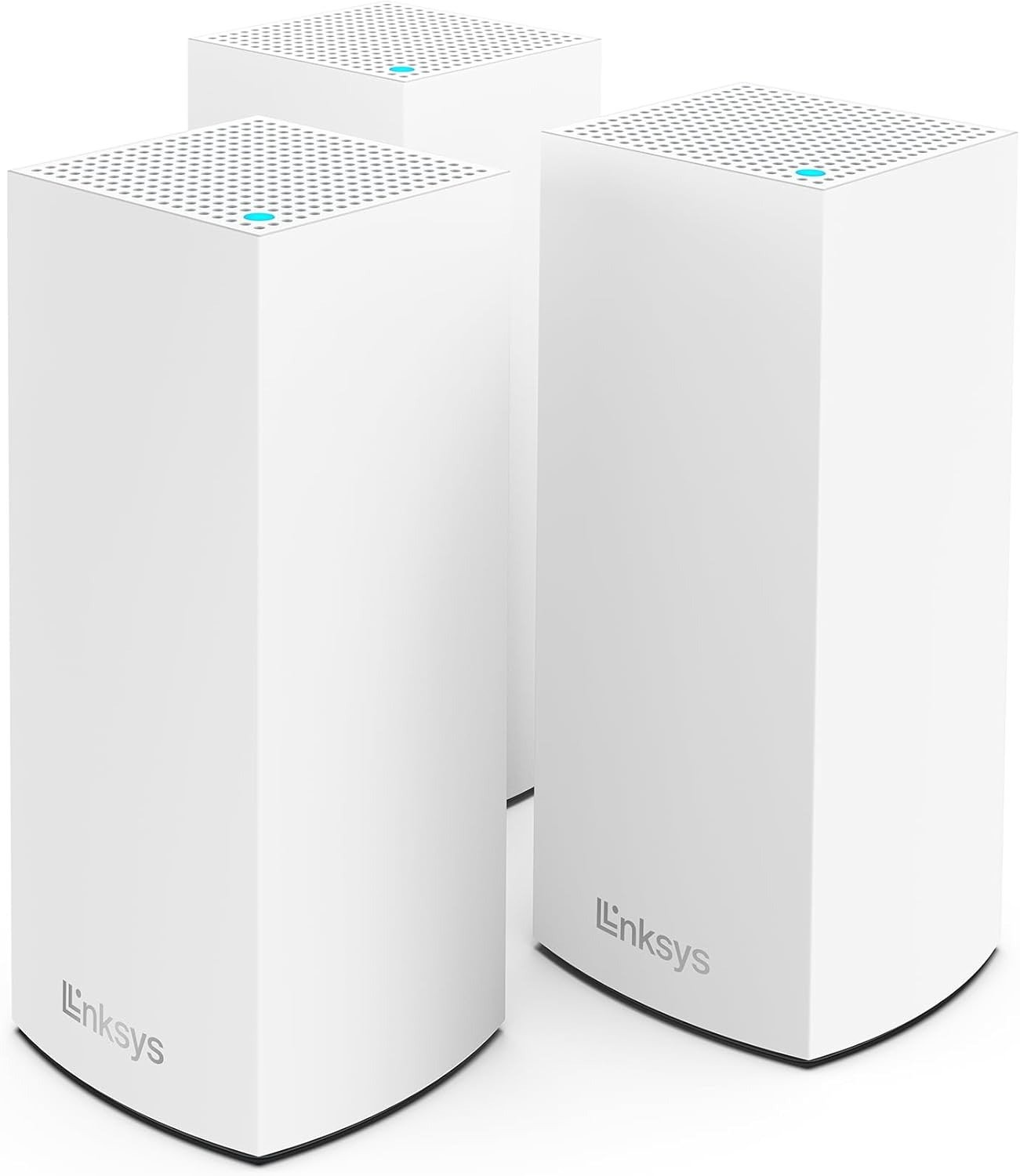
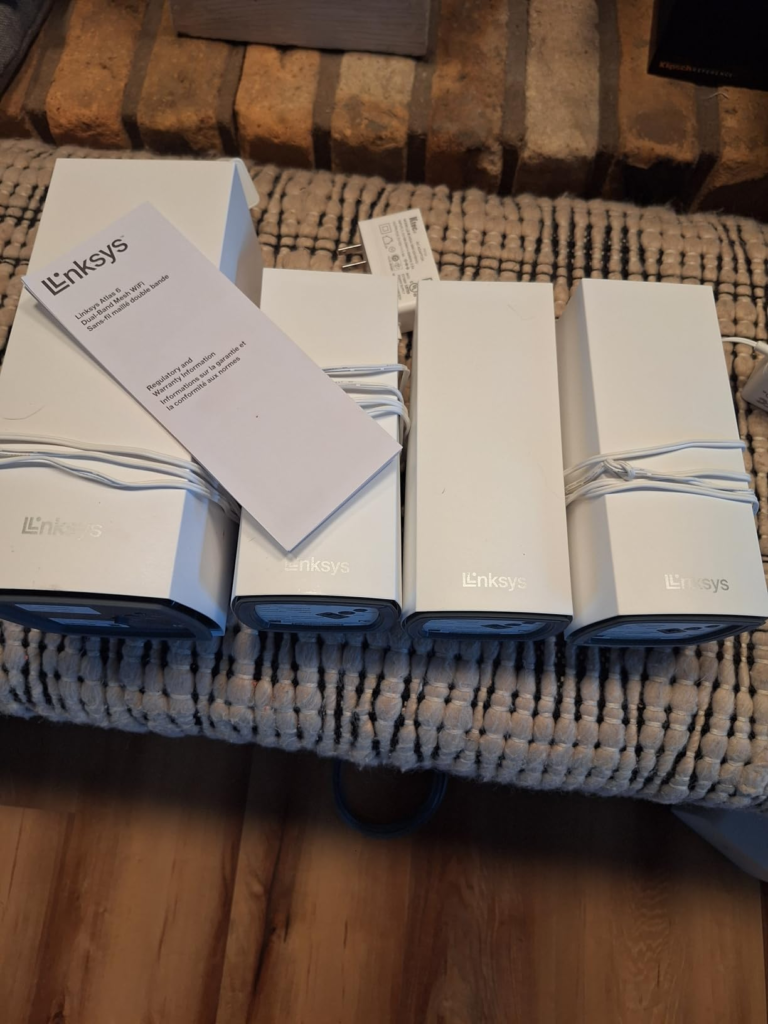
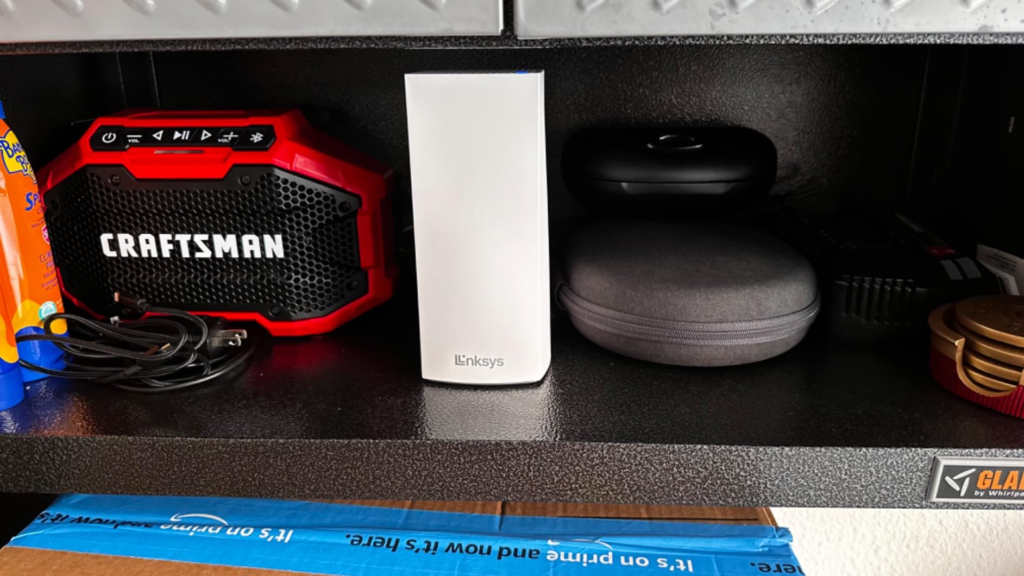
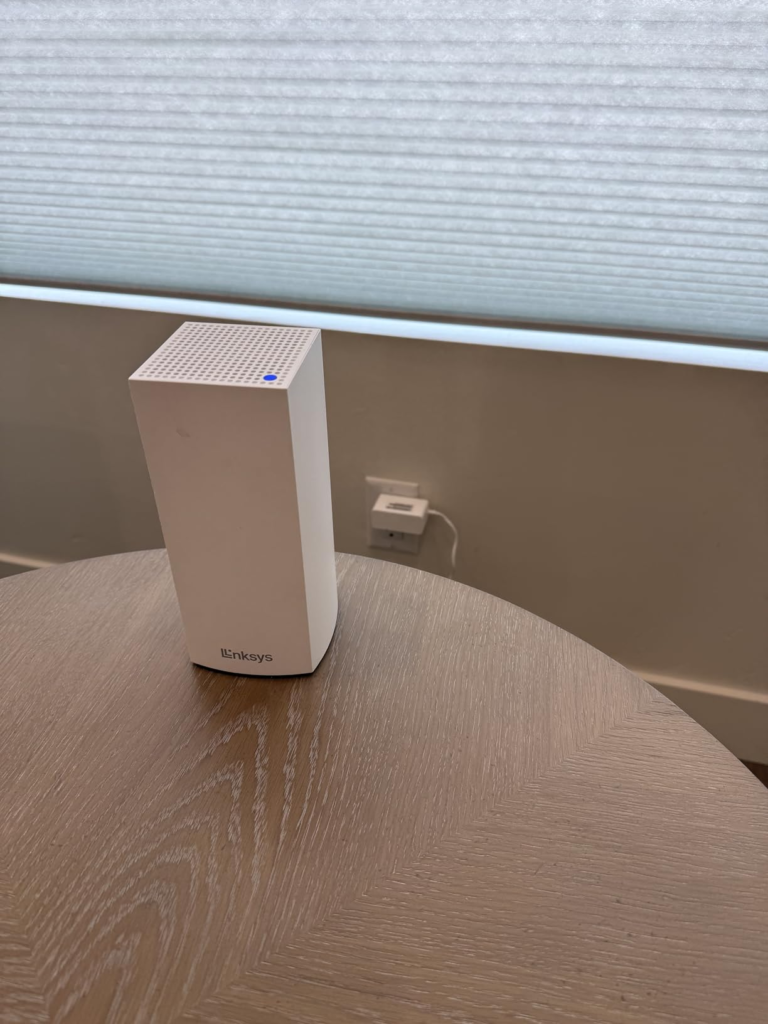
I spent time looking at the Linksys Atlas 6 three-pack the way a tired buyer actually does: not as a spec sheet, but as a promise. Three slim white towers. Quiet, clean, almost decorative. They do not scream “network hardware.” They sit on a shelf, console, or sideboard like modern room objects rather than black plastic machinery, and that matters more than people admit because Wi-Fi gear lives in visible spaces—entry tables, media units, stair landings, hallway corners. This one changes the room by not fighting the room. Each node is about 3.4 x 3.4 x 7.3 inches, with a single WAN port and three gigabit LAN ports, which is unusually generous at this level.
The Result Looks Fine. The Problem Isn’t.
This is where buyers misread the situation. They see “AX3000,” “6,000 sq. ft.,” “75+ devices,” and think the decision is about maximum reach. It usually is not. The real problem is not whether a signal appears in the far room. The real problem is whether that far-room signal still feels normal when multiple people are living on it at once. The Atlas 6 can absolutely improve coverage and wipe out dead zones in many homes. Owners repeatedly praise the easy setup, stronger signal, broader reach, and the practical comfort of finally getting usable Wi-Fi on all floors. Amazon shows a 4.3/5 rating from 262 reviews for the linked three-pack listing, while Best Buy shows 4.7/5 from 388 reviews with 94% saying they would recommend it.
That sounds simple. It isn’t. A mesh system can look “fixed” before it is fully fixed. Bars appear. Devices connect. The app looks calm. Yet the house still feels slightly sticky under load—tiny pauses, softer throughput, moments of lag. Not failure. Drag. That distinction matters.
What You’re Actually Feeling but Not Naming
What most people call “bad Wi-Fi” is often three different pains wearing one mask:
| Friction you feel | What it looks like | What it usually means |
|---|---|---|
| Coverage pain | Dead rooms, weak corners, one bad floor | You need better distribution |
| Capacity pain | More buffering when many devices are active | Shared airtime is getting crowded |
| Backhaul pain | Speed drops harder at child nodes than expected | Nodes are spending bandwidth talking to each other |
The Linksys Atlas 6 is strong against the first pain. It is decent against the second. The third is the one buyers usually do not name until after purchase.
That is why some customer feedback sounds ecstatic and some sounds merely satisfied. If you came from a single old router or a patchwork of extenders, this system can feel like the house finally exhaled. If you expected every remote node to behave like the main one under heavier traffic, the emotional curve flattens.
The Hidden Mechanism Behind the Miss
The Linksys Atlas 6 is a dual-band mesh system: 2.4 GHz and 5 GHz, rated up to 574 Mbps on 2.4 GHz and 2402 Mbps on 5 GHz, with 2×2 spatial streams and Wi-Fi 6 support. That sounds healthy on paper, and in close-range testing it can be fast: one review saw 5 GHz peak around 717 Mbps, occasionally nearing 800 Mbps.
But dual-band mesh has a built-in compromise. The same wireless lanes serving your phones, TVs, tablets, and laptops may also be used for node-to-node communication. RTINGS explains the general rule clearly: wireless backhaul introduces a speed penalty because the mesh units must use Wi-Fi to talk to each other, while wired backhaul avoids that by giving them a direct Ethernet path. Tech Advisor makes the same point specifically for the Atlas 6: because it is dual-band, the mesh traffic uses that same 5 GHz “motorway lane,” reducing bandwidth available for user traffic.
That is the hidden variable. Not “Is mesh good?” Not “Is Wi-Fi 6 fast?” This: How much of your house depends on wireless backhaul once the network is busy?
The Threshold Where the Outcome Quietly Breaks
Here is the threshold in plain language:
The Atlas 6 feels logical until the child nodes are expected to deliver near-main-router confidence over a wireless link in a busy home.
Cross that line, and the mood changes.
Not because the product is bad. Because the expectation is.
A simple way to see it:
| Situation | Atlas 6 behavior |
|---|---|
| Replacing an old single router in a mid-size home | Usually a dramatic improvement in reach and stability |
| Streaming, browsing, smart-home use across many rooms | Generally strong fit |
| Far node serving heavy traffic entirely over wireless backhaul | This is where limits show sooner |
| Home with Ethernet available between nodes | Fit improves sharply |
| Buyers chasing premium tri-band or multi-gig class behavior | Wrong expectation |
The product supports wired backhaul, and that changes the equation more than flashy marketing words ever will. Linksys documents the MX2000 series hardware as one gigabit internet port plus three gigabit Ethernet ports per node, while Linksys support also provides setup guidance for wired child nodes. Tech Advisor specifically calls wired backhaul a “life-saver” in larger homes or homes with thick concrete walls and notes that the extra Ethernet ports make the Atlas 6 more practical than many similarly priced rivals.
Why Most Buyers Misread This Too Early
They buy the box. They should be buying the bottleneck.
That sounds harsh, but it is the cleanest way to say it. Most buyers compare by headline class—AX3000, Wi-Fi 6, coverage claims, device count. They compare forward-facing numbers while the real fight is happening backstage: backhaul type, node placement, wall density, and how many active devices share airtime. Even independent best-of guides still warn that dual-band mesh nodes tend to be slower under wireless backhaul because the same bands handle all traffic.
There is another early mistake: people assume “mesh” means “premium.” It often just means “distributed.” Distribution is not the same as abundance. You are spreading connection more evenly. You are not creating infinite headroom.
Who Is Actually Inside This Problem
You are inside this problem if your story sounds like one of these:
- Your current router is fine in one room and quietly miserable in the rest.
- You care more about consistent whole-home usability than about bragging-right benchmark numbers.
- You want a system that looks clean in the house, sets up through an app, and gives you real Ethernet ports on each node for TVs, consoles, or wired endpoints.
- You may have two or three floors, awkward walls, or rooms where extenders never felt natural.
- You are willing to place nodes intelligently—and even better, wire them if your house allows it.
In that lane, the Atlas 6 starts to make emotional sense because it reduces the daily annoyance that cheaper networking decisions tend to scatter across a house. Not one dramatic failure. A hundred little ones.
Where Wrong-Fit Begins
You are drifting into wrong-fit territory if you expect any of the following:
- top-tier multi-gig wired networking
- a dedicated wireless backhaul band
- advanced parental controls or richer manual tuning
- elite performance at remote nodes without Ethernet
- a “set it anywhere and it still flies” kind of deployment
The app is well-liked for setup and visibility, but reviewers also note its limits. Tech Advisor highlights only basic parental controls, limited device prioritization, and little manual channel control. That is not a defect if you want simplicity. It is a mismatch if you want a lab bench.
The One Situation Where This Product Becomes Logical
The Linksys Atlas 6 three-pack becomes a clean recommendation when the real job is turning an uneven home network into a calm, usable, whole-home system without paying for a more advanced class than your house will actually exploit.
That is the moment it stops being “another mesh kit” and starts becoming the rational next step.
Especially when one of these is true:
| Best-fit condition | Why it matters |
|---|---|
| You are upgrading from an older router or extenders | The jump in coverage and stability is usually obvious |
| You need multiple LAN ports at nodes | Three LAN ports per unit reduce clutter and extra switches |
| Your internet plan is around gigabit or below | The hardware class aligns better with that ceiling |
| Your home can use Ethernet backhaul | You sidestep the biggest dual-band compromise |
| You want quiet-looking hardware in lived-in rooms | The design is easier to place without visual resentment |
This is also where placement matters. I would not hide these deep inside cabinets. I would stand the main node near the modem in an open central zone—media console, hallway shelf, office credenza—then place the second on the next real traffic seam, not just “the next far room.” The third belongs where signal starts to thin, often a landing, a corridor edge, or the room just before the bad room. That is how the house starts to feel expensive: not because the towers look luxurious, but because your movement through the space stops colliding with digital resistance.
What It Solves, What It Reduces, and What It Still Leaves to You
It solves:
- dead zones
- coverage inconsistency
- the extender mess that never quite feels native
It reduces:
- setup anxiety
- visible hardware ugliness
- the need for extra Ethernet switches in some rooms
- day-to-day complaints about weak signal and spotty reach
It still leaves to you:
- node placement discipline
- realistic expectations for wireless backhaul
- the choice to wire nodes if your home layout allows it
- acceptance that “fast enough everywhere” is not the same thing as “maximum speed anywhere”
Final Compression
If your house is suffering from patchy Wi-Fi, scattered dead spots, and the slow humiliation of doing router gymnastics in rooms that should simply work, the Linksys Atlas 6 is not a fantasy upgrade. It is a sensible correction. The real limit is not the marketing promise. It is the threshold where dual-band wireless backhaul starts carrying more than it should. Stay on the right side of that line—or wire the nodes—and this system makes deep, ordinary sense. Cross it blindly, and you will blame the wrong thing.
If that is the condition you are actually dealing with, this is the logical next step: the Linksys Atlas 6 MX20MS3 three-pack on the product page.
Transparency Note:
This analysis is built on aggregated real-world experience.
It extracts what repeatedly holds, what breaks, and what users uncover only after living with the system—then shapes it into a clear model you can use immediately.
Think of it as structured experience, refined and presented so you don’t have to learn it the hard way.
“A quick note: Don’t believe the star ratings, but trust personal experience. This article is a compilation of collected experiences”