UniFi Dream Wall Review: The Moment a Clean Wall Becomes More Valuable Than a Better Rack
UNI FI DREAM WALL
A messy network does something subtle to a space. It does not just look technical. It looks unfinished.
A shelf sags under a gateway. A switch hums in the corner. Injectors breed like insects. One cable drops straight, another loops badly, a third vanishes behind furniture like a bad apology. The Wi-Fi may work. The cameras may record. The speeds may look fine on paper. But the room tells a different story.
That is the real entry point for the UniFi Dream Wall.
Not raw speed.
Not spec envy.
Not the fantasy of buying one box and becoming “enterprise.”
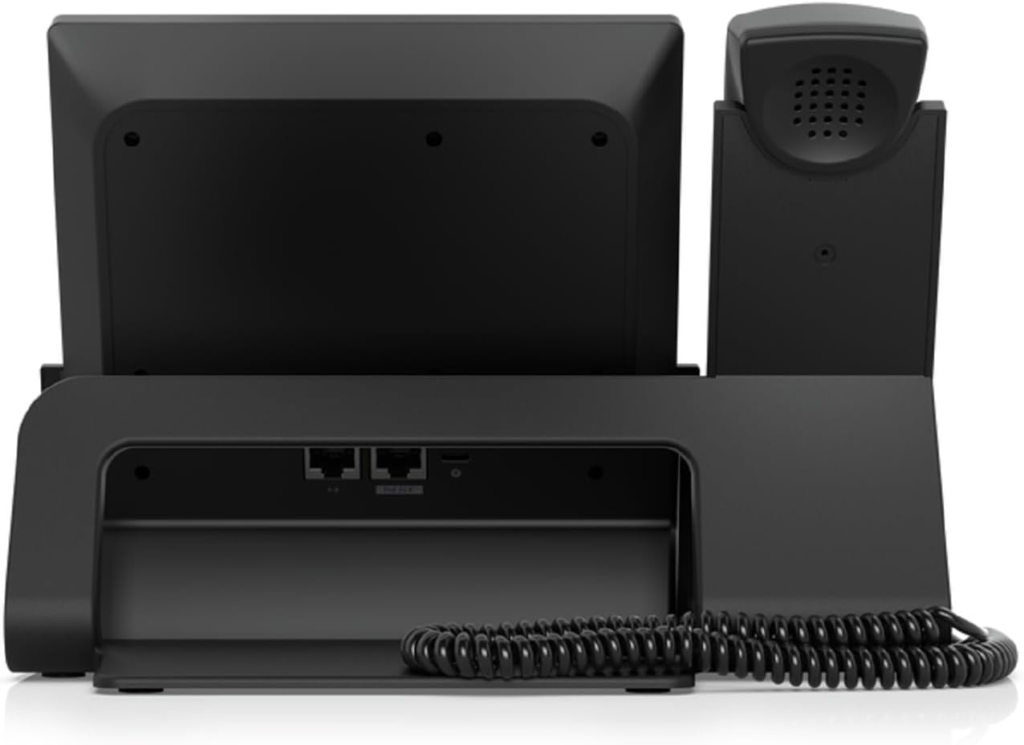
What pulled me toward the Dream Wall was something colder and more practical: the point where network clutter starts bleeding into the visual order of the house or office, and you stop needing “a router” and start needing one controlled vertical surface that swallows routing, switching, PoE, storage, and management without turning the wall into a punishment. On paper, the UDW gives you exactly that: a wall-mounted UniFi gateway with integrated Wi-Fi 6, 17 GbE LAN ports, a 2.5 GbE RJ45 port, two 10G SFP+ ports, a 420W PoE budget, 3.5 Gbps IDS/IPS throughput, dual hot-swappable PSU support, and built-in storage for UniFi Protect workloads.
But that spec sheet hides the only question that matters:
When does this thing become logical, and when does it become a beautifully mounted mistake?
The Result Looks Fine. The Problem Isn’t.
A lot of home and small-business networks fail in a deceptively polished way.
The dashboard is green.
The internet is “fast.”
The camera feed opens.
Yet the setup still keeps asking for little acts of maintenance. A reboot here. A PoE injector there. A second box because the first one had no room left. An access point bolted on later because the original Wi-Fi assumption turned out to be wishful thinking.
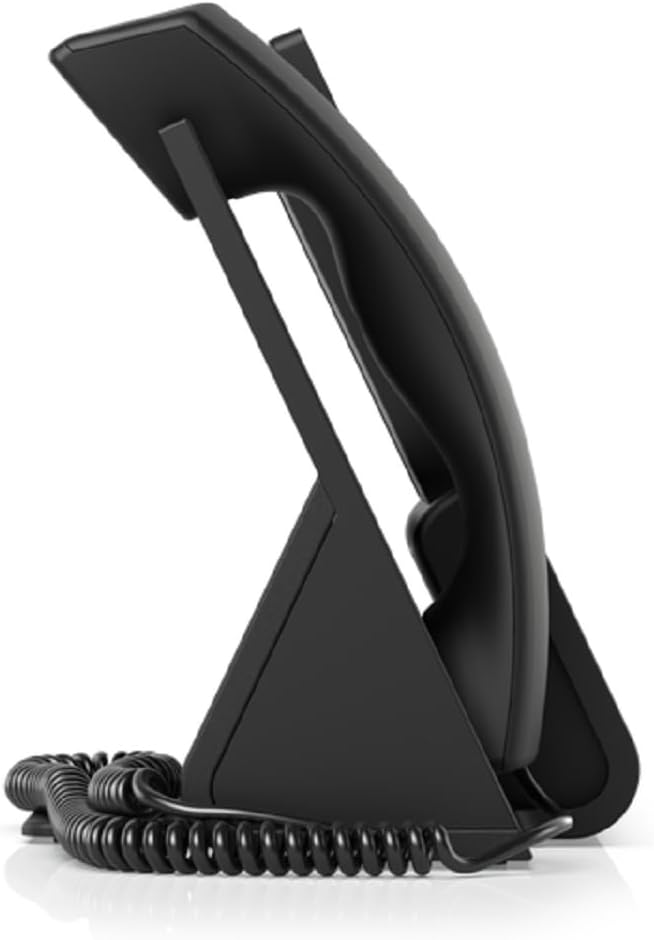
That is the kind of failure the Dream Wall is built to intercept. It is not mainly a speed flex. It is a surface-control device. It compresses multiple moving parts into one wall presence: gateway, controller, switch, PoE distribution, NVR-friendly storage layer, and Wi-Fi. Ubiquiti positions it as a wall-mounted 10G Cloud Gateway with full UniFi application support, and the published hardware layout backs that up.
What people respond to, again and again, is not just performance. It is the reduction in system sprawl. Even positive community comments tend to praise the simplicity, the all-in-one maintenance profile, and the fact that it works well when a clean install matters.
What You’re Actually Feeling but Not Naming
Most buyers do not describe this problem correctly.
They say:
“I want a cleaner setup.”
“I don’t want a rack.”
“I need more ports.”
“I want something premium on the wall.”
That is close, but not precise enough.
What they are really reacting to is a three-part friction:
- visual drag — hardware making the room look temporary
- intervention burden — too many separate boxes to power, mount, cool, and revisit
- upgrade residue — yesterday’s quick fix becoming today’s permanent clutter
The Dream Wall hits hard when those three pile up in the same room.
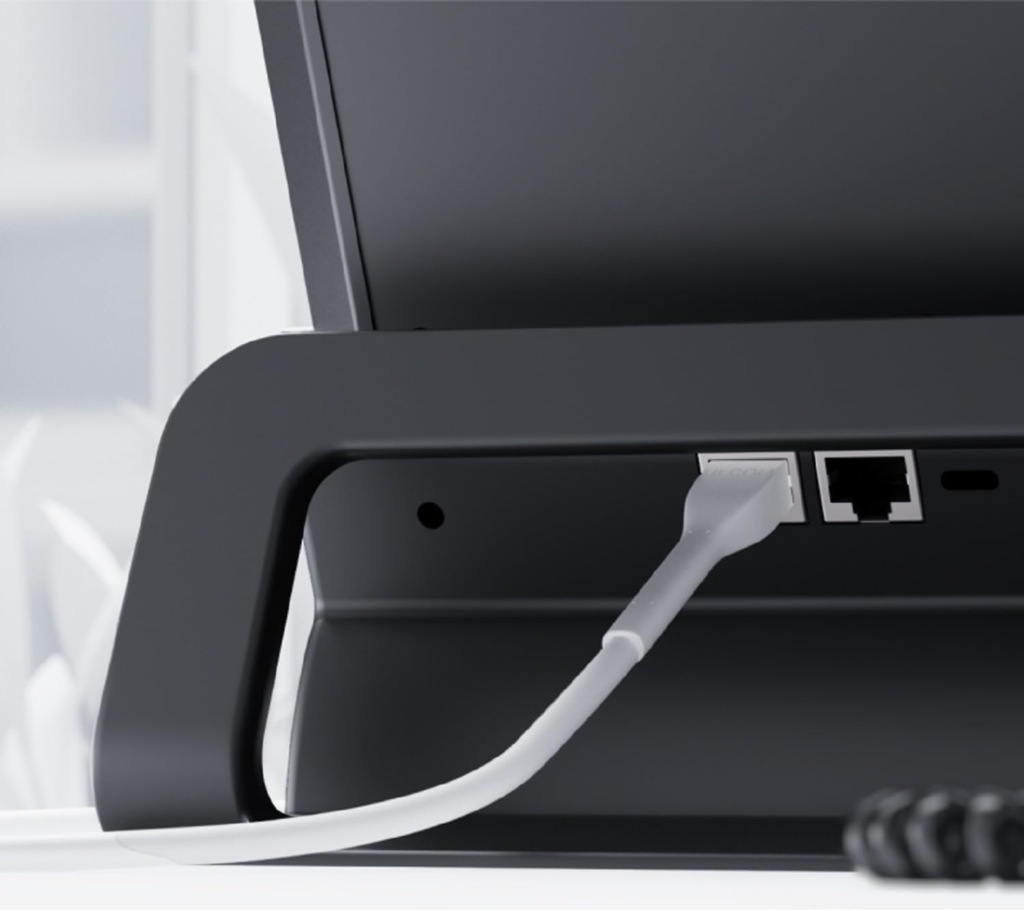
I can picture the exact kind of space where it changes the atmosphere. A narrow utility wall near the home office. A hallway closet wall with raceway and clean cable drop. A media corner where a tiny rack would look like overkill and a loose pile of gear would look worse. Mounted flat, with the cable raceway aligned and the lines entering cleanly, the device stops reading like “network equipment” and starts reading like infrastructure. That is not a small psychological detail. It changes how the entire corner of the room feels.
Not softer.
Sharper.
More deliberate.
The Hidden Mechanism Behind the Miss
Here is where most Dream Wall discussions go wrong: they compare it like a normal router.
That misses the mechanism.
The UDW is not competing cleanly with a consumer router. It is competing with an accumulation: gateway + switch + PoE budget + controller + access point + some level of Protect support + the time and mess required to house all of that. Its official hardware profile makes that obvious. You are getting 17 GbE LAN ports, 12 PoE-capable ports split across PoE / PoE+ / PoE++, 420W of PoE budget, integrated Wi-Fi 6, 3.5 Gbps IDS/IPS throughput, support for 300+ connected users, and built-in storage that includes a 128 GB SSD plus a pre-installed 512 GB microSD card for NVR functions.
That sounds like a knockout. It is not.
Because the hidden variable is not capacity alone. It is what kind of compromise you are buying into to get that compression.
The same all-in-one design that makes the Dream Wall elegant is the thing that limits its grace later. Several experienced UniFi users keep circling the same objection: the integrated design means one visible appliance becomes one concentrated point of failure, one upgrade bottleneck, and one place where radio, routing, switching, and storage logic age together instead of separately.
That is the mechanism behind the split.
The Dream Wall wins by collapsing boxes.
It loses when you later wish those boxes had stayed independent.
The Threshold Where the Outcome Quietly Breaks
This is the threshold I would name for this category:
The No-Rack Threshold
You cross it when all three of these become true at once:
| Signal | What it means |
|---|---|
| You need many wired drops and meaningful PoE in one visible zone | A basic router + injector setup stops being elegant |
| You do not want a rack, shelf stack, or mini-closet build | Modularity starts costing visual order |
| You can accept that future upgrades will be less surgical | Integration becomes more valuable than part-by-part freedom |
The moment you cross that threshold, the Dream Wall stops looking expensive and starts looking structurally coherent.
Before that threshold, it is easy to overpay for convenience you do not fully need. After it, the “cheaper modular route” often begins to carry hidden taxes: uglier installs, more power bricks, more mounting points, more heat pockets, more maintenance surfaces, more visual friction.
The raw hardware supports the case for dense deployment. The UDW has a 420W PoE budget, up to 60W on PoE++ ports, two 10G SFP+ ports, one 2.5 GbE RJ45 port, published camera support figures up to 12 HD / 7 2K / 4 4K, and dual hot-swappable PSU architecture.
But the same published Wi-Fi profile also tells you what it is not: built-in Wi-Fi 6, 5 GHz up to 2.4 Gbps, 2.4 GHz up to 300 Mbps, with no 6 GHz band. In 2026, that matters.
Why Most Buyers Misread This Too Early
Because they buy from the front of the product, not the back of the problem.
They see:
the screen
the wall presence
the all-in-one promise
They do not see:
the aging curve of an integrated radio
the cost of replacing a whole wall unit when one layer feels old
the way camera ambitions can outgrow onboard storage logic
That is why community reactions split so sharply. Supporters praise the simplicity, the clean install, the decent built-in AP, and the satisfaction of having one managed device instead of a shelf of parts. Critics attack the exact same design from the opposite angle: outdated radio versus newer Wi-Fi 7-era options, no hard drive bay for larger Protect ambitions, and the feeling that a UDM-SE plus separate AP or switch can be more flexible long-term.
That disagreement is not noise. It is the product revealing its boundary.
And boundaries are where good buying decisions live.
Who Is Actually Inside This Problem
The Dream Wall is logical for a narrow but very real buyer.
You are inside this problem if most of the following describe you:
| True-fit signal | Why it matters |
|---|---|
| You want a premium wall-mounted install in a visible area | The product’s form factor becomes part of the value |
| You need many wired ports plus real PoE headroom | The integrated switch budget is doing real work |
| You are already comfortable with the UniFi ecosystem | The application stack and management layer become leverage |
| You have modest-to-moderate Protect ambitions | The built-in storage path makes sense without forcing a separate NVR immediately |
| You care more about a clean deployment than chasing the newest Wi-Fi standard | The integrated Wi-Fi 6 radio stops being a deal-breaker |
This is why some owners sound unusually satisfied. When their use case fits, the Dream Wall removes an entire category of domestic ugliness. One Reddit owner described it as quiet, low-power, and flexible enough to fit install locations where other hardware would be more awkward. Others praised the built-in AP as “decent” and the one-device maintenance model as genuinely convenient for smaller installs.
That kind of satisfaction is not hype. It is fit.
Where Wrong-Fit Begins
Wrong-fit starts the moment you buy the Dream Wall for prestige instead of structure.
You are outside the fit zone if any of these dominate your situation:
- You are building for maximum long-term modularity
- You expect to grow camera count aggressively
- You want the latest wireless generation built into the primary unit
- You already have a concealed rack or don’t mind one
- You prefer replacing gateway, AP, switch, and NVR layers independently
This is where criticism of the product becomes completely fair.
A lot of experienced UniFi users openly say the Dream Wall makes less sense than a UDM-SE or newer gateway plus separate AP if you have the space for modular hardware. Some call the wall design mainly an aesthetics play unless you truly cannot or will not install a rack. Others point out the lack of a hard-drive bay as a serious limitation for larger Protect setups. Current UniFi ecosystem guides also increasingly point new buyers toward newer Wi-Fi 7 or non-Wi-Fi gateways for fresh installs, even while acknowledging that the Dream Wall remains supported.
There is also a quieter risk: thermal and acoustic sensitivity. Reports vary. Some owners call it quiet. Others report heat or fan-whine concerns and warn about airflow and placement. That inconsistency is itself a buying signal. This is not a box I would tuck into a hot sealed nook and forget.
The One Situation Where This Product Becomes Logical
Here it is.
The UniFi Dream Wall becomes logical when you need one elegant, wall-mounted control surface for a cable-dense UniFi environment, and you value spatial order more than modular purity.
That is the situation.
Not “I want the best router.”
Not “I want the newest radio.”
Not “I want to future-proof everything.”
I mean this specific scenario: a home office, boutique retail room, visible utility zone, design-conscious renovation, or compact business where a rack would feel clumsy, exposed gear would cheapen the space, and you actually need the port count, PoE distribution, and UniFi consolidation the UDW delivers. In that lane, the Dream Wall’s unusual shape stops being a gimmick and starts being the answer. Its official feature set is unusually well matched to that job: wall mount, 17 LAN ports, deep PoE, integrated Wi-Fi, full UniFi application support, and optional PSU redundancy via an add-on power module.
If your break point starts there, this is not a vanity purchase.
It is spatial engineering.
What It Solves, What It Reduces, and What It Still Leaves to You
Here is the cleanest way I can put it.
| It solves | It reduces | It still leaves to you |
|---|---|---|
| Hardware sprawl | Cable chaos in visible spaces | Placement and airflow discipline |
| Separate-box fatigue | Power-brick clutter | Honest expectations about Wi-Fi age |
| PoE distribution pain | Ongoing “small fix” maintenance | Decisions about camera scale and retention |
| Entry into the UniFi stack | The need for a rack in some installs | Acceptance of all-in-one upgrade tradeoffs |
And that last column matters most.
The Dream Wall does not remove thinking. It removes a category of ugliness and friction.
You still need to decide where it belongs. A painted utility wall, office side wall, or carefully finished media area makes sense. A sealed hot closet, a hidden cavity with poor ventilation, or a layout that really needs multiple APs from day one does not. Ubiquiti’s own coverage estimate is about 1,500 square feet, and community reports on Wi-Fi range are mixed enough that I would not buy this assuming the built-in AP will magically solve a complicated floor plan.
So yes, it can make a space look more expensive.
Yes, it can make a room feel more intentional.
Yes, it can pull a tangle of network hardware into one controlled vertical plane.
But only if you are buying it for the right wound.
Final Compression
The UniFi Dream Wall is not the universal answer. That is exactly why it can be the right answer.
I would not buy it to chase the newest wireless standard. I would not buy it for a camera-heavy Protect build. I would not buy it if I already had a hidden rack and enjoyed modular upgrades.
I would buy it when the network has become visually loud, physically scattered, and operationally irritating — and when I need one mounted object to bring the room, the cables, and the decision back under control.
That is the No-Rack Threshold.
Cross it, and the Dream Wall stops being a strange premium appliance and starts feeling inevitable. Stay below it, and there are cleaner values elsewhere in UniFi’s current lineup.
If this is the condition you are actually dealing with, the UniFi Dream Wall is the logical next step.
Transparency Note:
This analysis is built on aggregated real-world experience.
It extracts what repeatedly holds, what breaks, and what users uncover only after living with the system—then shapes it into a clear model you can use immediately.
Think of it as structured experience, refined and presented so you don’t have to learn it the hard way.
“A quick note: Don’t believe the star ratings, but trust personal experience. This article is a compilation of collected experiences”