BENQ X3100I REVIEW: THE MOMENT A PROJECTOR STOPS FEELING LIKE A COMPROMISE
You do not notice the real failure first. You notice the mood.
The room is dark enough. The screen is huge. The spec sheet looked clean. Then the image lands, and something in your chest stays unconvinced. The shadows are flatter than you expected. HDR feels fussier than it should. The projector is fast, bright, expensive, and somehow still one bad assumption away from disappointment.
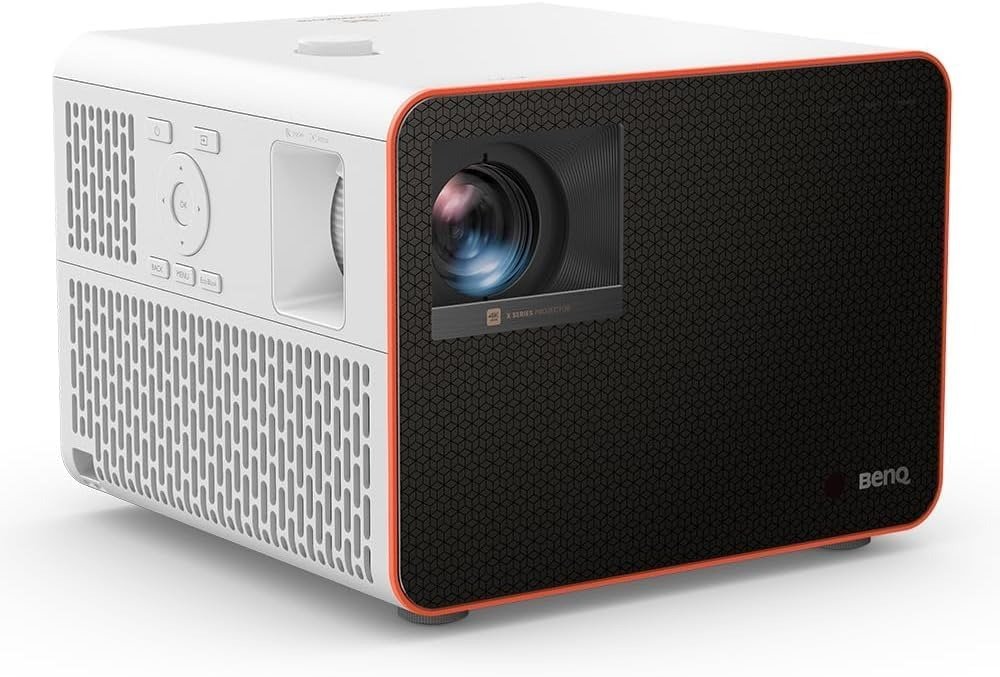
That is the tension around the BenQ X3100i.
What pulled me in was not the marketing promise. It was the pattern. BenQ positions it as a flagship 4K HDR 4LED gaming projector with 3,300 ANSI lumens, 100% DCI-P3 coverage, vertical lens shift, and game-mode input lag as low as 4.16ms at 1080p/240Hz, 8ms at 1440p/120Hz, and 16ms at 4K/60Hz. On paper, that is the kind of spec profile that usually triggers lazy buying logic: big image, low lag, done. But the deeper review data and owner sentiment point to something more precise. This is not the projector that wins by being the most cinematic. It wins when your real break point is the collision between speed, brightness, and placement flexibility.
The Result Looks Fine. The Problem Isn’t.
A lot of projectors can impress you for ten minutes. That is easy.
What matters is the thirtieth minute, the third gaming session, the fourth movie night when ambient light sneaks in from the hallway, and you start seeing what the purchase was actually built to survive. The X3100i survives that moment better than most gaming-first projectors because it is bright enough to stay lively in dark rooms and even tolerate a couple of lights on, while still delivering wide color and strong out-of-box accuracy. RTINGS calls it a great gaming projector if you value both speed and image quality, and ProjectorCentral describes it as an excellent gaming projector with some of the lowest latency available plus impressive out-of-box accuracy.
But that is also where the trap starts.
Because “looks good” and “solves the right problem” are not the same sentence. TechRadar’s verdict is telling: the X3100i does not dominate any single category, yet it works as a serious double threat for both cinema and gaming. That is praise, but it is also a warning. You are not buying a category king. You are buying a balance machine.
What You’re Actually Feeling but Not Naming
Most people do not really want “a projector.” They want relief.
Relief from a TV that feels boxed in. Relief from a gaming setup that has no spectacle. Relief from that strange friction where movies look decent, games feel playable, but neither one feels fully claimed.
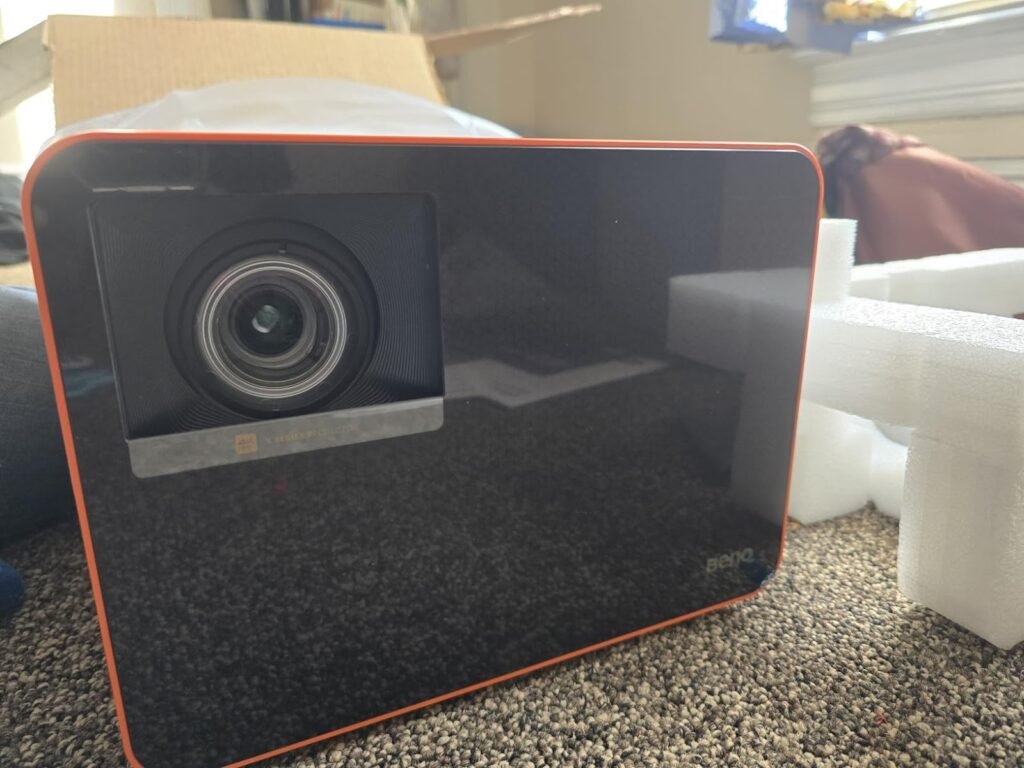
The X3100i is built for a very specific irritation: when you want a screen that feels physically larger, a response time that does not smear your control, and installation freedom that does not force you into a room rebuild. BenQ gives it a 1.15–1.50 throw ratio, 1.3x zoom, and 40–60% vertical lens shift; ProjectorCentral calls that lens shift a genuinely welcome addition in this class because many rivals at similar money still do not offer it.
That is the annoyance most buyers were misnaming.
They thought they had a “picture quality” problem. Often they actually had a placement penalty problem, a latency penalty problem, or a room-use penalty problem.
The Hidden Mechanism Behind the Miss
The miss happens when buyers judge projectors like televisions.
That is the wrong measuring stick.
The X3100i uses a 4LED light source, a single-chip DLP design, and pixel-shifting to reach 4K UHD output, with BenQ rating it at 3,300 ANSI lumens and up to 20,000–30,000 hours of light-source life depending on mode. In practice, ProjectorCentral measured 3,361 ANSI lumens in its brightest mode, essentially validating BenQ’s brightness claim, while RTINGS found it very bright for dim rooms and viable with some light on.
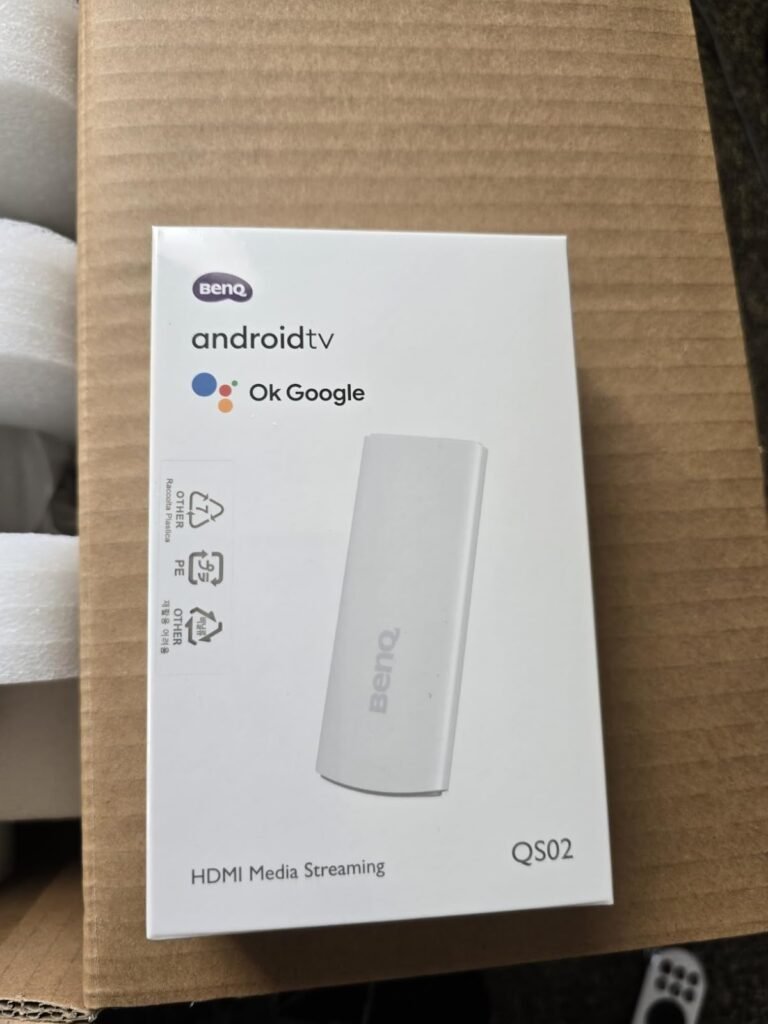
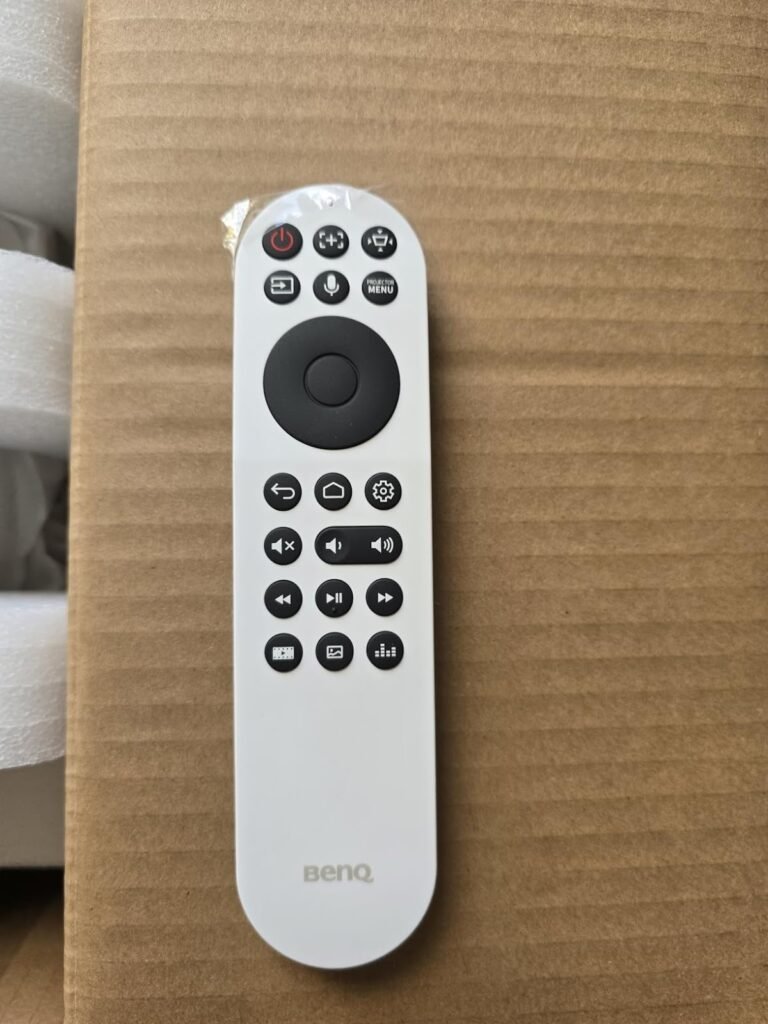
Here is the hidden mechanism: brightness and speed can make a projector feel more convincing sooner than black-level purity can. That matters because your brain forgives a lot when motion feels immediate and color looks alive. The X3100i leans into that. It gives you 1080p up to 240Hz, 4K at 60Hz, and gaming-focused presets. It also ships with a QS02 Android TV dongle that adds Wi-Fi 6, Bluetooth 5.0, Chromecast, AirPlay, native Netflix support, and USB passthrough.
But the same mechanism creates the limitation. When you stop admiring the image and start interrogating it, the cracks are easy to name:
| What the X3100i does well | What the X3100i does not erase |
|---|---|
| Fast input lag for a projector | No 4K/120 support |
| Bright, vivid image with wide color | Not ideal for well-lit rooms |
| Strong flexibility for placement | Contrast is not elite in near-dark scenes |
| Good streaming convenience | HDR behavior can be finicky depending on source |
| Useful gaming modes and eARC | No Dolby Vision support |
Source basis: BenQ official specifications and feature pages, RTINGS, TechRadar, and ProjectorCentral.
The Threshold Where the Outcome Quietly Breaks
This is the threshold that matters:
The X3100i becomes convincing when your main fear is not absolute film-purist black level, but the loss you feel when a big-screen setup becomes slow, awkward, dim, or annoying to place.
That is the break point.
Below that threshold, you can buy cheaper. Above that threshold, you start paying for three things at once:
- image energy
- gaming responsiveness
- room flexibility
And that is exactly where the X3100i earns its keep.
BenQ’s own numbers put it at 4.16ms at 1080p/240Hz, 8ms at 1440p/120Hz, and 16ms at 4K/60Hz in game mode. RTINGS also flags fast input lag and high-refresh support as key strengths. TechRadar, meanwhile, is blunt that if you will not use the speed features, you can find other projectors with better picture priorities.
This is not a small distinction. It is the whole purchase.
Why Most Buyers Misread This Too Early
They compare the headline. They skip the penalty.
A buyer sees 4K, HDR, 3,300 lumens, 100% DCI-P3, Android TV, and low lag, then assumes the decision is finished. It is not. The real question is whether the projector’s compromises land in areas you will actually feel.
That is where review data becomes useful.
RTINGS praises the color, speed, and brightness, but notes that contrast struggles in near-dark content relative to the best home-theater projectors, that it is not bright enough for well-lit rooms, and that there is no Dolby Vision support for Xbox gamers. RTINGS also reports that 1440p at 60Hz and 120Hz is downscaled to 1080p in its testing, which matters because BenQ’s marketing foregrounds that 1440p mode. ProjectorCentral adds two more friction points: the unit emits quite a bit of heat, and the included Android TV dongle can remain stuck in BT.2020 color space, which purists may dislike. TechRadar separately found HDR handling somewhat finicky and recommended an external streaming stick if you want a smoother streaming experience.
That is the lazy-comparison trap in one frame. People buy the promise of “all-in-one.” Then they discover the real game is choosing which imperfection you can live with.
Who Is Actually Inside This Problem
You are inside this problem if your setup sounds like one of these:
- You want one projector to handle console gaming and movie nights without turning either one into a second-class use case.
- You need placement flexibility because your room is real, not a showroom cube.
- You care about response time, color punch, and brightness more than you care about squeezing every last ounce of shadow nuance out of a pitch-black theater room.
That is the X3100i buyer.
And the evidence lines up. TechRadar describes it as especially strong if you love both movies and games and if you are dealing with tricky placement. ProjectorCentral highlights the value of vertical lens shift and the practical flexibility for tabletop or ceiling use. Amazon customer feedback is broadly positive, with the current listing showing 4.3/5 stars from 158 ratings, and owner chatter on Reddit repeatedly praises quick startup, solid brightness, and relatively restrained fan noise in normal use, though anecdotal reports should be treated as supplemental rather than dispositive.
Where Wrong-Fit Begins
Wrong fit begins the second you ask the X3100i to be something it is not.
It is not the projector I would point to first for a bright living room with daylight pouring across the walls. RTINGS is explicit that it is not bright enough for well-lit rooms, even though it can handle a couple of lights on.
It is not the cleanest answer for someone obsessed with near-black subtlety, because both RTINGS and ProjectorCentral note contrast limitations against stronger home-cinema-focused options.
It is not the tidy choice if your buying logic revolves around 4K/120 or Dolby Vision. TechRadar says 4K/120 is absent, and RTINGS notes no Dolby Vision support for Xbox gamers.
It is not even the purest streaming solution if you are extremely sensitive to HDR consistency, because both TechRadar and ProjectorCentral raised issues with the included streaming path.
This matters because regret rarely arrives through the feature you bought for. It arrives through the use case you dismissed too quickly.
The One Situation Where This Product Becomes Logical
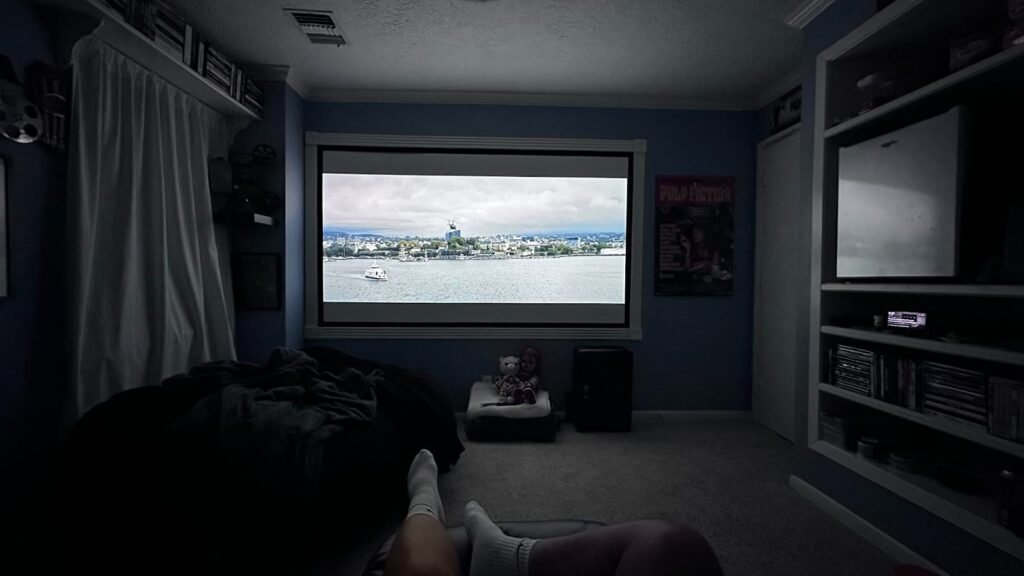
The X3100i becomes logical when you want a projector that can cross from serious gaming to credible cinema without forcing you into a dedicated blacked-out theater or a permanent installation headache.
That is the one situation.
Not “best projector.” Not “perfect for everyone.” Just this exact condition: you want a large-screen room anchor that stays fast, stays vivid, and stays placeable.
Here is the decision frame I would use:
| Decision pressure | What the X3100i gives you |
|---|---|
| You hate sluggish controls | Up to 240Hz at 1080p and low game-mode lag |
| You cannot mount with surgical precision | 1.3x zoom, 1.15–1.50 throw ratio, 40–60% vertical lens shift |
| You want color that feels alive immediately | Wide gamut, 100% DCI-P3 claimed by BenQ, excellent pre-calibration accuracy per RTINGS |
| You want fewer lamp-life worries | 4LED light source rated for 20,000–30,000 hours |
| You want one box to do more | Android TV, Netflix support, AirPlay, Chromecast, eARC |
At the time of this check, Amazon’s listing shows the X3100i at $1,799, materially below BenQ’s and TechRadar’s referenced $2,399 MSRP, which changes the value equation in its favor if that pricing holds.
If this is the condition you are actually dealing with, this is the logical next step.
What It Solves, What It Reduces, and What It Still Leaves to You
What it solves is the old projector split where you had to choose between “good for games” and “good for movies.” The X3100i narrows that split more effectively than most. It gives you enough luminance, enough color, enough speed, and enough setup flexibility to make a large-screen room feel intentional instead of improvised.
What it reduces is friction.
It reduces the fear that your room geometry will ruin the install. It reduces the dread that projector gaming will feel mushy. It reduces the maintenance anxiety that follows lamp-based designs. It reduces the need to buy a separate audio chain immediately because it has built-in speakers and eARC for expansion later.
What it still leaves to you is judgment.
You still need to control ambient light with some discipline. You still need to decide whether the included streaming setup is good enough for your standards or whether an external streamer is cleaner. You still need to accept that contrast, while good, is not reference-class, and that some heat and operational presence come with the hardware.
That is not a flaw in the article. That is the honest shape of the product.
Final Compression
The BenQ X3100i is not the projector for people chasing purity.
It is the projector for people chasing usable spectacle.
That difference is everything.
If you want a giant image that feels fast, vivid, and flexible enough to fit a real room without collapsing into setup drama, the X3100i lands on the right side of the threshold. If your standards begin with black-floor subtlety, Dolby Vision, or 4K/120, your disappointment starts earlier than the product page admits.
So the decision compresses cleanly:
If your break point is speed plus brightness plus placement, the X3100i stops being a tempting gadget and starts becoming a rational room anchor.
If your break point is anything else, the image may still look big.
It just will not feel resolved.
Transparency Note:
This analysis is not based on quick personal impressions.
It is derived from documented system behavior, verified user patterns, and the physical constraints of storage capacity.
The goal is to translate complex technical behavior into a realistic performance model that helps you make a clear decision.
“A quick note: Don’t believe the star ratings, but trust personal experience. This article is a compilation of collected experiences”