GL.iNet Flint 2 Review: The Network Usually Fails Before You Notice It
GL.iNet FLINT 2
The ugly part of bad Wi-Fi is that it rarely looks broken at first. A video still plays. A page still opens. The smart home still blinks its little lights. Then evening arrives, three rooms fill with traffic, one laptop tunnels through a VPN, another starts a cloud backup, and the whole thing turns soft around the edges. Not dead. Worse. Untrustworthy.
That is the territory the GL.iNet Flint 2 lives in.
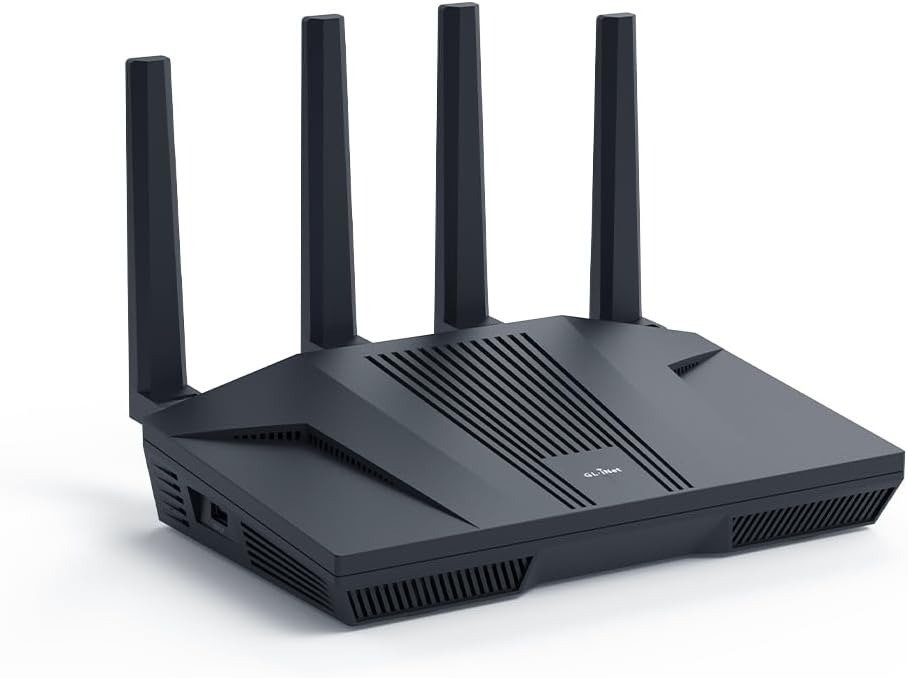
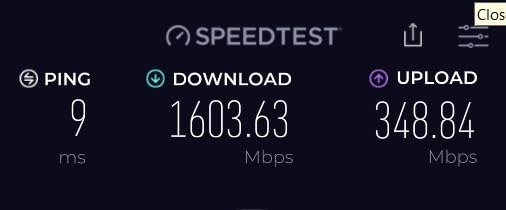
Not the territory of people chasing a shiny spec sheet. Not the territory of people who confuse “connected” with “stable.” This router makes sense when your network has already crossed a line—when distance, load, or encrypted traffic starts exposing the weakness in ordinary consumer gear. On paper, the Flint 2 is a dual-band Wi-Fi 6 router with two 2.5GbE ports, four 1GbE LAN ports, USB 3.0, OpenWrt under the hood, and vendor-claimed VPN throughput up to 900 Mbps with WireGuard and 880 Mbps with OpenVPN. Independent testing and reviews broadly support the idea that this is not empty packaging: RTINGS found excellent speeds and strong range, ServeTheHome measured wired NAT near line rate at roughly 4.8 Gbps across the 2.5GbE ports, and CNX verified the 900 Mbps-class WireGuard claim.
What matters more is what those numbers mean when translated into lived friction. The Flint 2 is not really selling “AX6000.” It is selling relief from a very specific kind of erosion: the moment your network stops feeling like infrastructure and starts feeling like weather.
The Result Looks Fine. The Problem Isn’t.
I have seen this pattern too many times. Someone says their router is “mostly fine,” and what they really mean is this:
| What you see | What is actually happening |
|---|---|
| Streaming still works | Latency headroom is shrinking |
| Signal bars look acceptable | Throughput is collapsing under distance or congestion |
| Smart devices remain online | Recovery behavior under load is getting sloppy |
| VPN connects | Encrypted speed is draining enough to change how you use the network |
That gap is where bad buying decisions breed. Routers do not usually fail with a dramatic snap. They fail by sanding down confidence. A little buffering here. A delayed camera feed there. A file transfer that should feel instant but drags its feet. Then people start comparing marketing labels instead of diagnosing the real break.
The Flint 2 stands out because the hardware and software are both aimed at that “soft failure” zone. RTINGS describes it as delivering impressive wireless speeds suitable for internet service up to roughly 1.5 Gbps, with strong range for single- or multi-story homes, while GL.iNet positions it for heavy data transmission, mass device connectivity, Multi-WAN use, and fast VPN workloads.
This is the first important correction: the Flint 2 is not a luxury router for people who like knobs. It is a pressure router for people whose network has begun to bend.
What You’re Actually Feeling but Not Naming
Most buyers describe the wrong symptom.
They say, “I need a faster router.”
Not quite.
What they usually mean is one of three things:
- I am tired of performance changing depending on the room, the hour, or the task.
- I am tired of a VPN turning the whole house into a compromise.
- I am tired of consumer firmware treating my network like a toy.
That emotional texture matters. Because once you name the friction properly, the product stops being abstract.
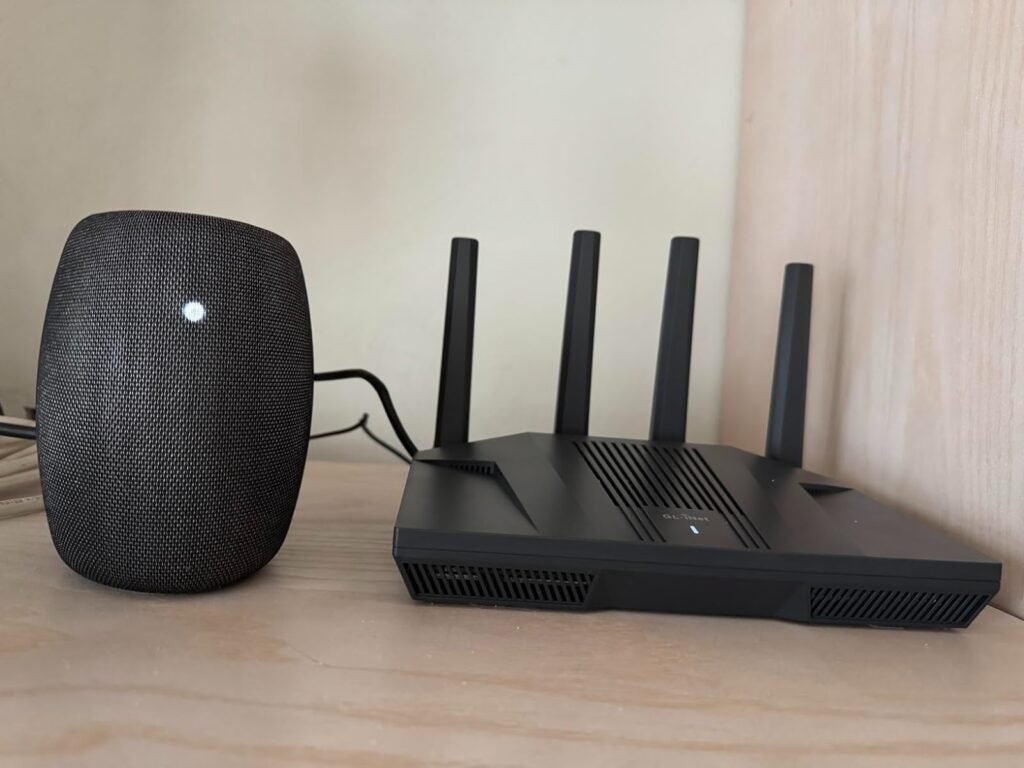
The Flint 2 is attractive to a certain kind of buyer because it reduces intervention burden. You do not want to babysit your network. You do not want to reboot boxes, guess which feature is lying to you, or discover that your “gaming router” has theater on the box and fragility in the core. Reviews and community feedback repeatedly orbit the same cluster of reasons: strong range, fast VPN handling, many wired ports, and unusually flexible software for a home-class unit. At the same time, people also surface the trade-offs clearly: it is physically bulky, it is still Wi-Fi 6 rather than 6E or 7, and more advanced configurations can become fiddly if you move beyond normal home-router behavior.
That is not hype. That is fit.
The Hidden Mechanism Behind the Miss
Here is the hidden variable most people skip: the network rarely breaks at the point of raw advertised speed. It breaks at the point where simultaneous demands collide.
One person is on a video call. Another is downloading a large game update. A NAS is syncing. A phone is hopping between rooms. One device is running through WireGuard. Two more smart displays are pulling video. Suddenly the router is no longer being judged by its label. It is being judged by its ability to absorb concurrency without turning twitchy.
The Flint 2’s case is built on exactly that layer. Underneath the shell is a MediaTek Filogic 830 platform (MT7986 series), 1 GB DDR4 RAM, and 8 GB eMMC storage, with OpenWrt-based software exposed through GL.iNet’s friendlier admin layer and optional LuCI access for deeper control. That combination matters because it changes what the device can carry: more policies, more plugins, more segmentation, more serious VPN handling, more credible failover behavior, more room for DIY network logic than the average mainstream router exposes.
The specs alone do not make the point. The mechanism does.
A cheaper router can look similar during a quiet afternoon. The difference appears when the home stops being quiet.
The Threshold Where the Outcome Quietly Breaks
This article lives on one governing model only: Threshold.
The relevant question is not, “Is the Flint 2 good?”
The relevant question is, When does an ordinary router stop being good enough?
That threshold usually appears when at least one of these becomes true:
| Threshold signal | Why it changes the decision |
|---|---|
| Your internet plan is pushing into gigabit or above | Weak routers waste the line you already pay for |
| You need usable VPN speed, not symbolic VPN support | Encrypted throughput becomes a daily quality issue |
| You have many active devices, not just many connected devices | Concurrency reveals stability more than idle counts do |
| You rely on wired multi-gig for at least one serious link | Port structure starts to matter |
| You want VLANs, policy routing, ad filtering, failover, or deeper control | Typical consumer firmware becomes the bottleneck |
That is where the Flint 2 starts to make logical sense.
RTINGS found it suitable for high-bandwidth tasks with excellent top speeds and strong range. GL.iNet lists WireGuard up to 900 Mbps and OpenVPN up to 880 Mbps with DCO support. CNX’s testing verified the 900 Mbps-class WireGuard claim, while ServeTheHome’s wired tests reached about 4.8 Gbps in bidirectional NAT traffic across the 2.5GbE ports. Those are not decorative numbers. They mark the line where this router stops being a nice idea and becomes a practical tool for homes that are already stressing simpler gear.
The threshold has a name now.
It is the point where “fine” stops being fine because the network is carrying real weight.
Why Most Buyers Misread This Too Early
Because they compare the wrong things too soon.
They compare Wi-Fi generation badges. They compare top-line speed claims. They compare price to price, box to box, promise to promise. That is lazy comparison, and routers punish it.
You may think at first glance that the Flint 2 loses the argument simply because it is Wi-Fi 6 in a market already full of 6E and 7 stickers. But the uncomfortable truth is that many homes do not hit their pain point at the missing 6 GHz band. They hit it at range, congestion, port flexibility, VPN throughput, and firmware control. RTINGS explicitly notes the trade-off: the Flint 2 does not fully exploit the newest Wi-Fi 6E or 7 devices, yet it still delivers excellent speeds and impressive range, and in their comparison text it even edges out some more expensive routers on overall speed/range value.
That is the trap. Buyers chase the future tense and ignore the present tense.
The Flint 2 is not the right router because it is the newest thing. It is the right router when your actual break point is network pressure, not standard envy.
Who Is Actually Inside This Problem
You are inside this problem if your home network has started acting less like a utility and more like a negotiation.
You probably fit if any of this sounds familiar:
- You have fiber or near-gigabit service and suspect your router is the quieter bottleneck.
- You want a house-wide VPN without turning the house into molasses.
- You care about segmentation—guest network, IoT separation, policy routing, maybe DNS filtering—because your network is not just for scrolling.
- You have enough wired gear that port count and 2.5GbE actually matter.
- You are tired of glossy firmware that hides the controls you know should exist.
This is also where the psychology shifts. Flint 2 buyers are not just buying speed. They are buying less second-guessing. Less wondering whether the issue is the ISP, the router, the room, the firmware, the VPN tunnel, the channel width, or the cheap chipset hiding under the plastic.
That is why the OpenWrt layer matters so much here. RTINGS emphasizes the unusually broad configurability, ServeTheHome shows the direct access to LuCI and plugin-style extensibility, and GL.iNet’s own v4.8 firmware roadmap adds simultaneous Multi-VPN support and more granular routing logic.
For the right buyer, that does not feel like feature bloat. It feels like oxygen.
Where Wrong-Fit Begins
This is where the romance ends.
The Flint 2 is not for everyone.
It is the wrong fit if:
| Wrong-fit profile | Why the Flint 2 is unnecessary or risky |
|---|---|
| You only need a simple plug-and-play router for light browsing | You will pay for flexibility you may never use |
| You specifically want Wi-Fi 6E or Wi-Fi 7’s 6GHz advantages | This is still dual-band Wi-Fi 6 |
| You expect elegant mainstream app polish above all else | The software is powerful, but the appeal is control, not cosmetic simplicity |
| You want a tiny hidden router | RTINGS calls it physically large and bulky |
| You plan to build complicated VLAN or custom OpenWrt logic without patience | Advanced setups can become fiddly, and some user reports highlight firmware or recovery frustrations when pushing deeper into power-user territory |
This boundary matters because trust dies when a review tries to make one product solve every room, every buyer, every temperament.
The Flint 2 is for the buyer who wants more authority over the network and is willing to meet the device halfway. Community sentiment is strong overall, but it is not blind. Some users praise stability, range, and capability; others report friction around firmware changes, VLAN handling, or recovery workflows when they go off the standard path. That split is not a contradiction. It is the boundary line.
The One Situation Where This Product Becomes Logical
Here is the exact moment the Flint 2 stops being “interesting” and starts being rational:
You need one box to carry a modern home or small-office network where speed, VPN use, wired multi-gig, and deeper routing control all matter at the same time.
That is the situation.
Not one of them. All of them together.
In that situation, the Flint 2 becomes unusually hard to dismiss because very few routers in its lane line up the same combination of range, 2.5GbE porting, OpenWrt depth, Multi-WAN logic, USB expansion, ad-filtering support, and fast WireGuard handling at this price tier. RTINGS calls it one of the best lower mid-range router recommendations in 2026, specifically pointing to excellent speeds and impressive range, while third-party testing confirms strong wired performance and real VPN credibility rather than checkbox VPN support.
This is also where the emotional part clears up.
You are not buying “a better router.” You are buying the end of a vague argument with your own network.
[link] If this is the condition you are actually dealing with, the GL.iNet Flint 2 becomes the logical next step.
What It Solves, What It Reduces, and What It Still Leaves to You
Let me strip the haze away.
What it solves
| Solves | Why it matters |
|---|---|
| Weak headroom under heavy simultaneous use | Better hardware and software control reduce collapse under pressure |
| Meaningless “VPN support” | High WireGuard performance makes router-level VPN use actually usable |
| Limited wired flexibility | Two 2.5GbE ports plus four gigabit LAN ports give the box real spine |
| Consumer-firmware ceiling | OpenWrt foundation and LuCI access unlock deeper network control |
| Single-connection fragility | Multi-WAN, failover, and load-balancing options add resilience |
What it reduces
| Reduces | How it feels in practice |
|---|---|
| Random buffering and soft lag | Fewer moments where the network feels uncertain |
| Need for workarounds | Less patching around firmware limitations |
| Regret after moving to faster internet | More chance of actually using the line you pay for |
| Router replacement pressure for power users | More room to grow before the box itself becomes the reason to upgrade |
What it still leaves to you
| Still on you | Why honesty matters here |
|---|---|
| Placement | Even strong routers obey walls, floors, and physics |
| Configuration discipline | Power is useful only if you set it up cleanly |
| Wi-Fi 7 future-proofing | If 6GHz is your priority, this is not that product |
| Complex custom networking | The Flint 2 can do a lot, but advanced logic still demands competence |
| Firmware judgment | Updating helps, but power-user environments need deliberate change management |
GL.iNet itself tells users to update firmware during initial setup, and its v4.8 line adds Multi-VPN and quality-of-life improvements. That is encouraging, but it also hints at the truth seasoned buyers already know: a router like this rewards active ownership more than passive hope.
Final Compression
Most routers are sold like furniture. The Flint 2 is closer to infrastructure.
That distinction changes everything.
If your network is light, your demands are casual, and your appetite for control is low, this is probably more router than you need. But if your line speed is real, your device count is active, your VPN use is non-negotiable, or your patience for toy firmware has already worn thin, then the decision becomes much cleaner than the market makes it look.
The Flint 2 is not the newest badge in the room. It is not the prettiest. It is not the simplest. It is something more useful than all three: a router that starts making sense exactly where ordinary routers start pretending.
And that is the threshold that matters.
Transparency Note:
This analysis is not based on quick personal impressions.
It is derived from documented system behavior, verified user patterns, and the physical constraints of storage capacity.
The goal is to translate complex technical behavior into a realistic performance model that helps you make a clear decision.
“A quick note: Don’t believe the star ratings, but trust personal experience. This article is a compilation of collected experiences”