ALTA LABS AP6 PRO REVIEW: FAST WI-FI MEANS NOTHING IF IT FALLS APART UNDER LOAD
The Result Looks Fine. The Problem Isn’t.
A speed test can lie to your face.
You stand ten feet from the access point, watch a clean number flash across the screen, and think the job is done. Then evening arrives. A laptop joins a call. A TV starts streaming. Phones drift from room to room. A doorbell wakes up. An iPad clings to the wrong node for too long. Nothing looks catastrophic. That is exactly why this kind of Wi-Fi failure lingers. It does not crash loudly. It frays.
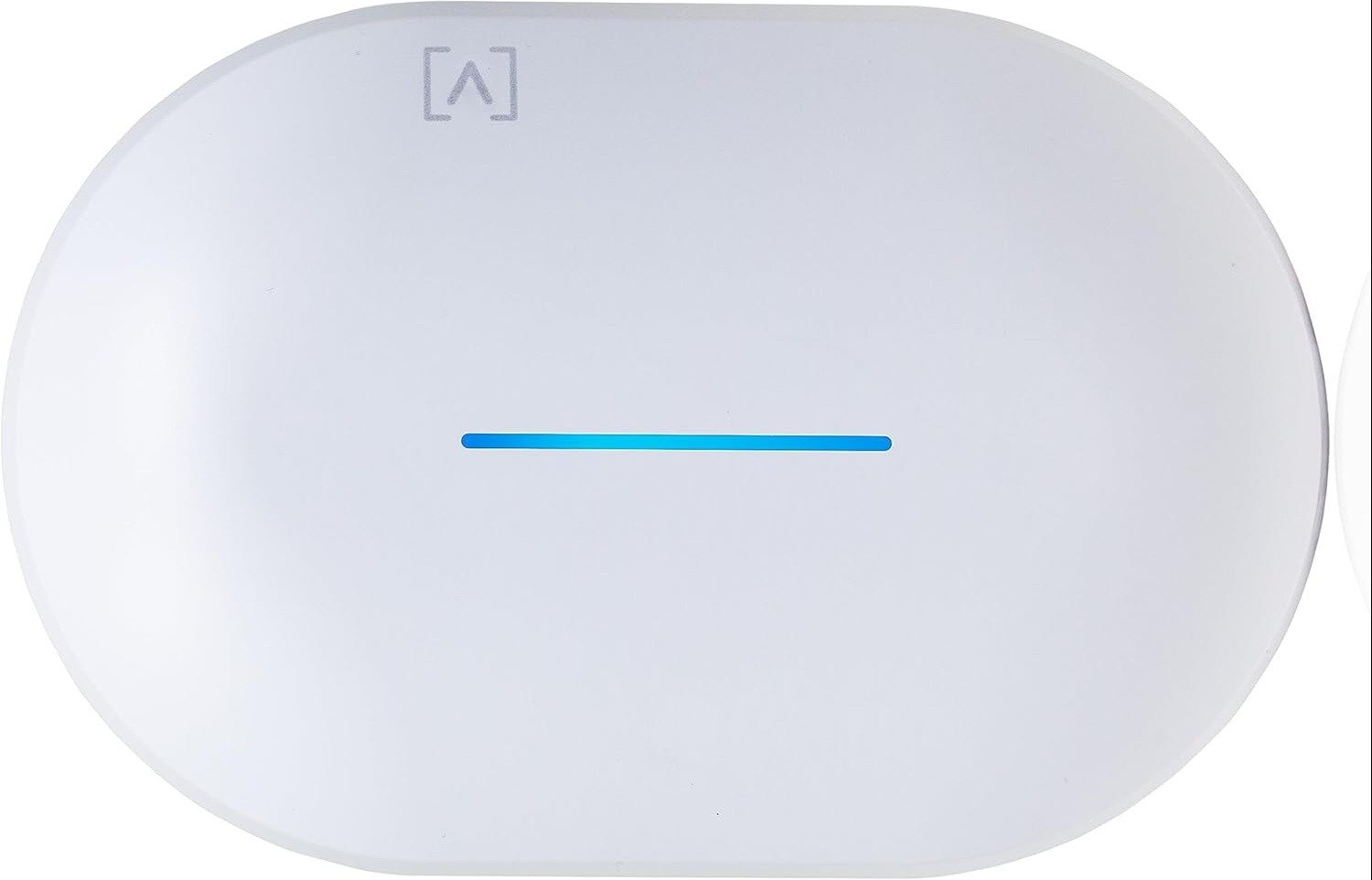
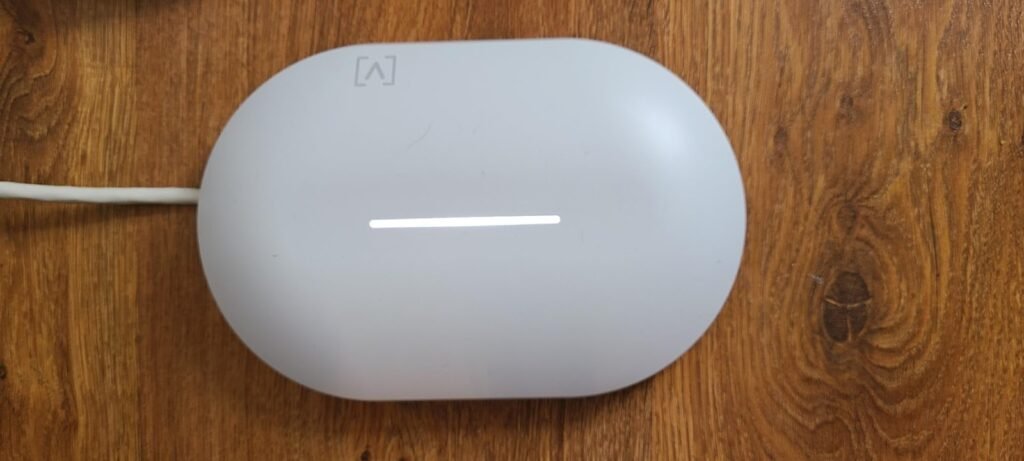
That is the first thing that pulled me toward the Alta Labs AP6 Pro. Not the headline number. Not the “6.3 Gbps” promise. Not the 4096 QAM badge. What mattered was the shape of the product: a dual-band Wi-Fi 6 access point with 4×4 5 GHz radios, PoE+ deployment, automatic 802.11r/k/v roaming, support for 350+ concurrent clients, and an enclosure that can live indoors or under protected outdoor overhangs thanks to its IP54 rating. This is not a gadget built for a vanity speed test. It is built for the moment your network starts getting messy.
I kept coming back to one idea while reading the spec sheet, installer notes, owner reports, and field comments: the real break point is not speed. It is stability under movement and density. That is the threshold this article is about.
What You’re Actually Feeling but Not Naming
Most people do not say, “My network has crossed a consistency threshold.”
They say smaller things.
The TV buffers once.
The Teams call gets strange for five seconds.
The phone says full bars, but a page hangs.
The smart home feels moody.
You restart gear that was never truly “down.”
That vague irritation has a pattern. You are not always dealing with a weak internet connection. You are often dealing with a network that still looks healthy in snapshots but has started to lose composure when devices pile up, move around, and compete for airtime.
What I like about the AP6 Pro is that its design is aimed straight at that kind of annoyance. The 5 GHz side is 4×4 with MU-MIMO and OFDMA, not the lighter 2×2 setup common in simpler access points. Alta says that design can outperform 2×2 APs by more than 30% throughput in many cases, and owner feedback repeatedly circles back to the same theme: forgiving placement, strong stability, solid roaming, fast reboots after updates, and easy management.
That matters because the pain here is rarely cinematic. It is cumulative. Three seconds here. A hiccup there. A house or office that never quite feels settled.
The Hidden Mechanism Behind the Miss
The hidden variable is simple: people judge access points by peak throughput when the lived experience is shaped by placement, client density, roaming behavior, and radio structure.
That is why the AP6 Pro makes more sense than it first appears.
On paper, the hardware tells a clear story:
| Spec | Alta Labs AP6 Pro | What it means in real use |
|---|---|---|
| 5 GHz radio | 4×4 MU-MIMO / MU-OFDMA | More headroom when multiple modern clients crowd the faster band |
| 2.4 GHz radio | 2×2 MU-OFDMA | Enough for IoT and legacy drag without pretending 2.4 GHz is the hero |
| Max Wi-Fi capacity | 5.8 Gbps on 5 GHz + 574 Mbps on 2.4 GHz | Marketing ceiling, not your daily speed, but it signals class and radio ambition |
| Roaming | 802.11r/k/v | Better handoff behavior when devices move |
| Power | PoE+ | Cleaner ceiling or wall placement, which often matters more than raw spec sheets |
| Wired uplink | 1 x GbE RJ45 | Important limitation if your goal is multi-gig wireless throughput to the edge |
| Clients | 350+ | This is built for density, not just a couple of phones and a laptop |
| Weather resistance | IP54 | Indoor first, but flexible enough for protected exterior placement |
Note: Table values are from Alta’s official datasheet and product page.
Now the quiet catch.
This access point still uses a single GbE management/network port. So while the radio side is ambitious, the wired side draws a boundary. If you are imagining a clean multi-gig, Wi-Fi-7-era brag build, the AP6 Pro is not trying to be that. It is a Wi-Fi 6 access point with a stronger-than-basic radio design and better deployment logic than the average consumer box, not a no-compromise bleeding-edge showpiece.
That single detail saves a lot of wrong purchases. It tells you what this product is actually for: not spectacle, but composure.
The Threshold Where the Outcome Quietly Breaks
I would name the threshold here like this:
The network feels fast in isolation, then starts slipping once movement, concurrency, and placement matter at the same time.
That is where cheaper logic dies.
Below that line, almost anything decent can look good. One user. One room. One phone. One synthetic test.
Above that line, the network starts revealing its true build quality. Roaming matters. Antenna structure matters. Ceiling placement matters. A stable control layer matters. Even reboot behavior after firmware updates matters more than people admit. Alta’s own documentation leans into range, roaming, client density, and simplified management; owner reports echo strong uptime, easy setup, forgiving placement, smooth mesh behavior, and fast replacement support when something did fail.
One forum user pushed an AP6 Pro with four active devices at once while downloading a 75 GB game, running a Teams call over VPN, streaming on multiple screens, and reported that the network stayed composed, with the desktop peaking at 763 Mbps and no visible degradation on the call or streaming sessions. That single anecdote is not a lab verdict, but it fits the same pattern I kept seeing: the AP6 Pro earns attention when the network has to stay calm, not merely look fast.
Why Most Buyers Misread This Too Early
Because they buy the wrong metric.
They buy “Wi-Fi speed.”
They should be buying wireless behavior under pressure.
The early mistake usually takes one of three forms:
- Feature-led judgment — staring at the throughput headline and ignoring uplink limits, mounting realities, and roaming behavior.
- Placement blindness — buying a good AP, then treating it like a router to be left on furniture instead of placed where the signal geometry actually works.
- Near-fit optimism — assuming a stronger access point fixes an environment that is actually limited by layout, client mix, channel conditions, or bad network design.
There is also a subtler mistake: over-reading the word “mesh.” Alta supports intelligent mesh formation, but wireless backhaul is still not magic. In access-point systems generally, wired backhaul remains the cleanest path when you want to preserve range and speed. Even broad AP testing from RTINGS on UniFi access points reinforces the same principle: wired backhaul is the better-performing configuration. So when I look at the AP6 Pro, I see mesh as a rescue rope, not the main event.
Who Is Actually Inside This Problem
You are inside this problem if your network has already entered the irritating middle ground:
| You are likely inside the fit zone if… | Why the AP6 Pro starts making sense |
|---|---|
| Your current Wi-Fi looks fine on paper but feels unreliable during real household or office movement | Roaming support and stronger 5 GHz structure target behavioral stability, not just idle performance |
| You want a clean wall/ceiling PoE deployment instead of another shelf device | PoE+ plus included mounting hardware changes placement quality immediately |
| You have many active clients, smart devices, guest access, or segmented network needs | 350+ client support, VLANs, multiple SSIDs, guest isolation, hotspot, DPI, and AltaPass are all aimed at managed environments |
| You want simpler AP-centric management without building your entire stack around one ecosystem | Owner sentiment consistently praises setup ease and AP performance, even when they prefer other ecosystems for full-stack software |
Note: Feature and fit statements are drawn from Alta’s documentation, Amazon listing, and owner/installer reports.
This is especially true if what bothers you is not dead Wi-Fi, but intervention burden. The constant fiddling. The weird one-off drops. The feeling that your network only behaves when you babysit it.
That kind of friction is expensive, even when nobody calls it expensive.
Where Wrong-Fit Begins
This is where I would stop romanticizing the AP6 Pro.
It is the wrong fit if you want a tiny, casual, no-drill consumer fix and have no intention of proper placement. It is the wrong fit if your real goal is to exploit multi-gig internet at the wireless edge because the uplink here is still GbE. It is the wrong fit if you are shopping for Wi-Fi 6E or Wi-Fi 7 territory rather than a better-executed Wi-Fi 6 access point. And it is the wrong fit if you only need one basic room covered and are nowhere near the consistency threshold this product is designed to address.
There is also a more practical boundary. One owner specifically noted that the AP6 Pro did not feel as “strong” as a U6 LR, even though setup and management were easier and they would still buy again. Another thread shows that real-world throughput can depend heavily on channel width, interference, and configuration choices; one user initially topped out around 500 Mbps until settings and conditions were examined more closely. That is normal for wireless, but it matters. This is still radio. Not sorcery.
The One Situation Where This Product Becomes Logical
The Alta Labs AP6 Pro becomes logical when your network is no longer failing as a connection problem and has started failing as a consistency problem.
That is the center of the decision.
If the break point in your space looks like this—
clients pile on,
people move,
latency gets weird,
placement matters,
you want PoE cleanliness,
you need better AP behavior without turning the article into a whole-ecosystem debate—
then the AP6 Pro stops looking like a flashy access point and starts looking like a clean correction. The 4×4 5 GHz design, automatic roaming support, cloud/mobile management, VLAN and guest controls, AltaPass, DPI filtering, and IP54 flexibility all line up around that exact condition.
That is why I would not frame it as a universal recommendation.
I would frame it as a threshold answer.
What It Solves, What It Reduces, and What It Still Leaves to You
What it solves:
- weak AP-class hardware logic in environments that have already outgrown “good enough” Wi-Fi
- bad placement economics by letting you use PoE+ and proper mounting
- a lot of day-two management friction through cloud/mobile control, VLANs, guest controls, hotspot options, and per-client settings
What it reduces:
- roaming awkwardness
- density-related strain on the faster band
- the constant low-grade annoyance of a network that behaves differently every hour
What it still leaves to you:
- correct placement
- sane channel planning
- realistic expectations around a 1 GbE uplink
- the discipline to use wired backhaul where possible instead of expecting mesh to erase physics
And one more thing: trust is easier when support is visible. Alta offers a limited two-year warranty, and owner reports show at least some cases where replacement support moved quickly after a failure. That does not erase risk. It narrows the sting of it.
Final Compression
Here is the clean read.
The Alta Labs AP6 Pro is not interesting because it shouts “6.3 Gbps.” Plenty of hardware can shout.
It is interesting because it is built for the quiet moment when a network starts disappointing you without fully collapsing. The point where speed still looks fine, but real life does not. The point where movement, density, and placement expose the lie.
That is the threshold.
If that is the condition you are actually dealing with, the AP6 Pro is a logical next step—not because it promises magic, but because its design is aimed at the exact place where ordinary Wi-Fi starts slipping.
Transparency Note:
This analysis is not based on quick personal impressions.
It is derived from documented system behavior, verified user patterns, and the physical constraints of storage capacity.
The goal is to translate complex technical behavior into a realistic performance model that helps you make a clear decision.
“A quick note: Don’t believe the star ratings, but trust personal experience. This article is a compilation of collected experiences”