The Door Opens Fast. The Decision Usually Doesn’t.
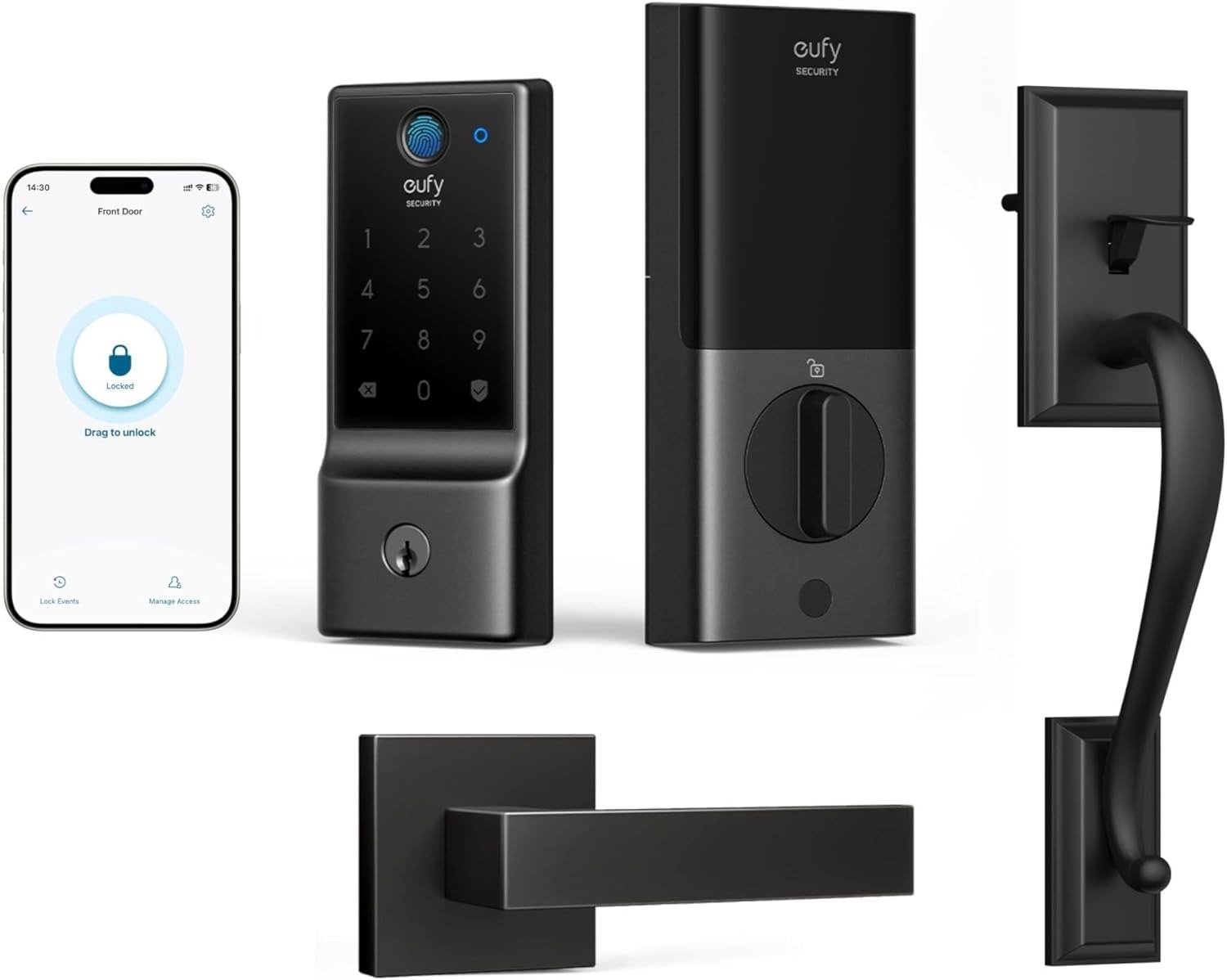
EUFY SMART LOCK C220 WITH HANDLESET
I don’t think most people buy a smart lock because they love smart locks. They buy one because the front door keeps asking for attention in small, annoying ways. A key goes missing. Someone arrives before you do. A cleaner needs access once. A family member forgets the code. Then the routine starts feeling heavier than the hardware. That is the real problem this category is trying to solve—not “security theater,” not gadget collecting, but entry friction. The eufy Smart Lock C220 with Handleset only makes sense if it reduces that friction without creating a new one. That is the threshold I used here.
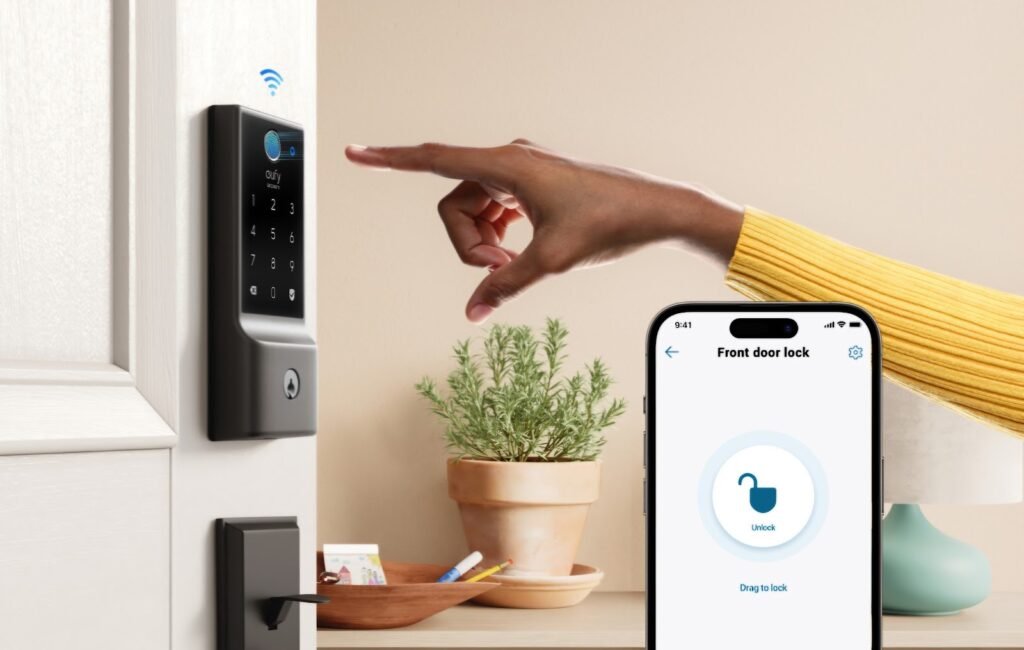
The first thing that matters is not the fingerprint sensor. It is not the app either. It is whether the lock stays simple after the novelty dies. The C220 brings built-in Wi-Fi, app control, fingerprint access, keypad entry, physical key backup, Apple Watch support, Alexa/Google Assistant support, and an advertised battery life of around eight months from 8 AA batteries. On paper, that is a lot of convenience for its tier. In practice, the decision turns on a narrower question: does it remove repeated micro-friction without asking you to join a larger ecosystem or tolerate heavier trade-offs later?
The Result Looks Fine. The Problem Isn’t.
A front door can look “solved” long before access is actually solved. That is the trap. The lock works, the keypad lights up, the fingerprint reader responds, the app connects, and the product seems done. But daily entry systems do not fail all at once. They fail in little interruptions: the extra second when the fingerprint misses, the moment remote access lags, the low-battery cycle you now have to remember, the realization that your door was never the right fit for this style of installation in the first place. The result looks modern. The burden may simply have moved.
That is why this product should not be judged like a normal gadget. I would not start with style, even though the handleset version does make the door look more visually coherent. I would start with how often the lock removes a task you were quietly doing over and over. If it reduces key dependency, lets you manage temporary access cleanly, and keeps app control stable enough that you stop thinking about the door, then it is doing its job. If not, the entire “smart” layer becomes decorative overhead.
What You’re Actually Feeling but Not Naming
The irritation here has a shape. It is not fear. It is mental residue.
You are tired of the door being a coordination problem.
You are tired of access living in texts, memory, and improvisation.
You are tired of tiny entry mistakes turning into little domestic delays.
That is why the C220’s best argument is not “advanced security.” Its best argument is controlled access without extra hardware. Built-in Wi-Fi means no separate bridge. The app allows remote control, event history, real-time notifications, and guest access management. The lock can store up to 50 fingerprints and 100 passcodes. For the right household, that is not feature inflation. It is routine compression.
What I kept coming back to is this: the smart lock category is often sold as convenience, but the real value is attention recovery. You stop checking whether someone got in. You stop hiding keys. You stop building your own clumsy access system around a mechanical deadbolt. When that happens, the product earns its place. When it does not, all you bought was a more complicated lock.
The Hidden Mechanism Behind the Miss
Most people misread these locks because they judge them by unlock methods instead of dependency layers.
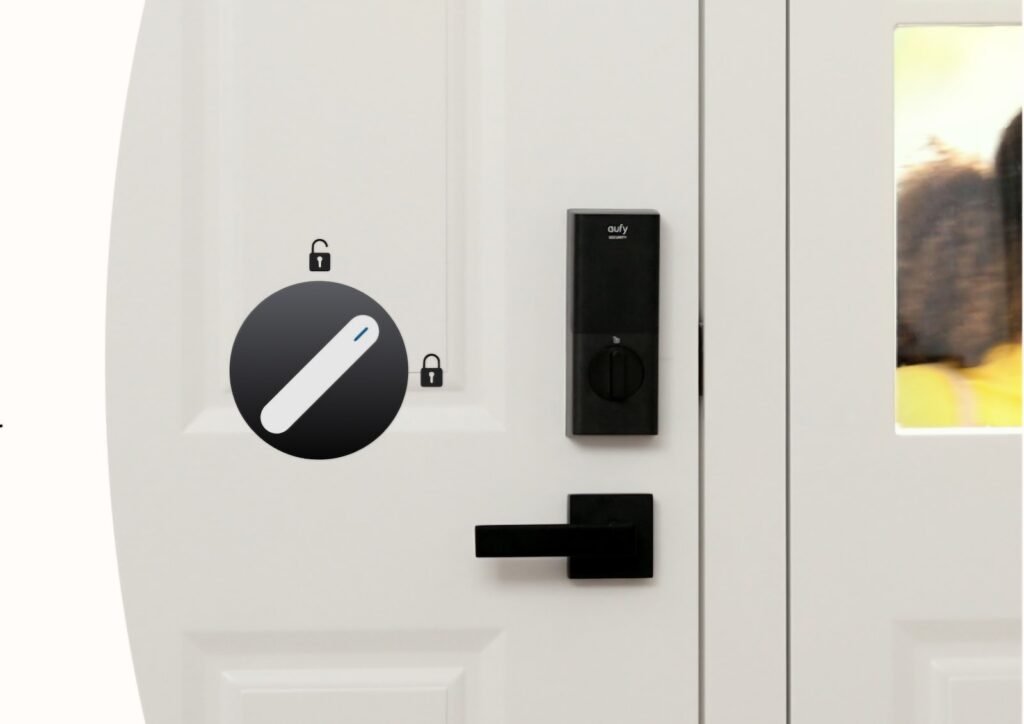
The C220’s hidden variable is not the fingerprint reader alone. It is how much convenience it delivers without asking for extra architecture. Built-in Wi-Fi matters because it removes the bridge problem. Standard AA batteries matter because replacement is simple, even if battery life varies with usage. Physical keys matter because smart access still needs a non-smart fallback. Emergency power at the bottom of the lock matters because “dead battery” panic is a real category failure, not a footnote.
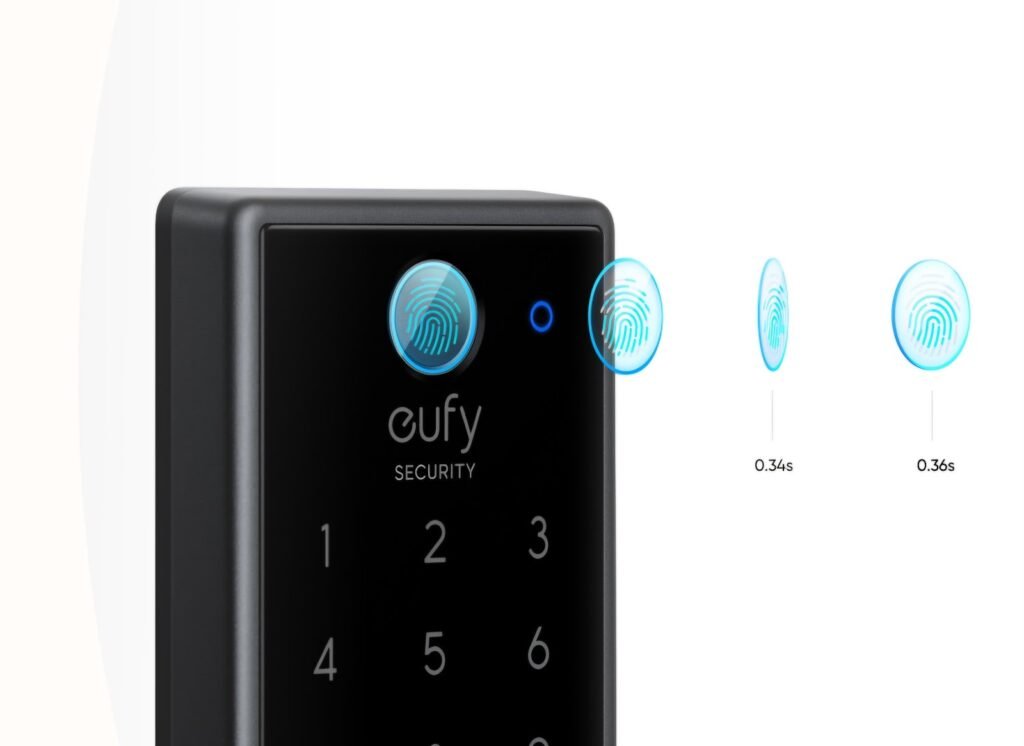
The other mechanism is recognition stability. eufy says the fingerprint system is self-learning and can recognize in under 0.3 seconds, while Tom’s Guide found Eufy’s fingerprint reader effective and fast on a related Wi-Fi model. That does not mean every user will get flawless biometric performance. It means the design priority here is fast, repeatable entry rather than premium ecosystem breadth. That distinction matters.
There is also a quieter mechanism behind the lock’s value: access governance. Scheduled codes, guest profiles, event visibility, and remote unlock are not dramatic features, but they are the reason a smart lock stops being a toy and starts becoming household infrastructure. The door is no longer just a door. It becomes a permission point you can actually manage.
The Threshold Where the Outcome Quietly Breaks
This is a Threshold product. It is not for every front door, every smart home, or every buyer psychology. It becomes logical only after a few conditions line up.
The first threshold is door compatibility. The C220 is built for standard deadbolt setups, not mortise locks. eufy specifies a required minimum distance of more than 45 mm from the crossbore center to the top of the handleset, door thickness between 35 mm and 55 mm, and incompatibility with mortise locks. Tom’s Guide likewise notes Eufy’s deadbolt design fits standard door thickness and backset ranges, but not mortise or lever-handle type locks. If your door starts outside those conditions, the convenience story breaks before the product even starts.
The second threshold is security class expectation. The C220 is ANSI/BHMA Grade 3, and eufy says that equates to more than 100,000 lock/unlock cycles and an expected lifespan of over 30 years at roughly 10 uses a day. That is respectable for mainstream residential use. It is not the same thing as higher-end Grade 1 positioning in more premium locks. If you are shopping for the heaviest-duty class or a more advanced commercial-style security posture, this is the point where the fit starts narrowing.
The third threshold is ecosystem ambition. eufy states the C220 works with Alexa and Google Assistant, but not Apple HomeKit, IFTTT, Matter, HomeBase, or a separate Wi-Fi bridge. Tom’s Guide also notes the lack of Apple HomeKit support on Eufy’s Wi-Fi smart lock line. If your real goal is deep Apple Home, Matter-first automation, or broad multi-platform smart-home routing, the outcome begins to fracture here.
Why Most Buyers Misread This Too Early
They buy by headline category.
Fingerprint. Wi-Fi. Keyless. App. Done.
That is too early.
A smart lock is not a phone. It is a high-frequency access tool attached to a physical failure point. The wrong way to judge it is by counting features. The right way is to ask which burden it removes, what new maintenance it adds, and how tolerant you are of ecosystem limits. That is why the C220 can look modest beside more expensive locks and still be the better decision for some doors. It is not trying to win by spectacle. It is trying to clear the daily-entry threshold with less complexity.
Another common misread is assuming “smart” means universal compatibility. It does not. Some users report solid long-term reliability and practical battery life in the six-to-seven-month range. Others report app issues, weather sensitivity at the fingerprint sensor, or inconsistent integrations. I would not read that as a contradiction. I would read it as a reminder that this category is brutally dependent on installation conditions, door exposure, firmware state, and ecosystem expectations. A lock can be right for the house and wrong for the buyer.
Decision Table: What This Lock Is Actually Optimized For
| Need | Fit |
|---|---|
| Direct Wi-Fi without buying a bridge | Strong |
| Fast everyday entry by fingerprint/app/keypad | Strong |
| Temporary codes and guest access management | Strong |
| Standard residential deadbolt replacement | Strong |
| Premium Apple Home / Matter ecosystem depth | Weak |
| Mortise-door compatibility | No fit |
| Highest security class / Grade 1 expectations | Weak |
| Minimal battery maintenance under heavy Wi-Fi use | Borderline |
This is the table that matters more than a generic pros-and-cons list because it shows what the product is structurally trying to do—and what it is not.
Who Is Actually Inside This Problem
This lock is for the person whose front door has become a minor administrative system.
It fits homes where people come and go on different schedules.
It fits families that keep handing off access.
It fits rentals or second properties where remote unlock and passcode control are more useful than deep smart-home tinkering.
It fits buyers who want a straightforward smart deadbolt with built-in Wi-Fi and biometric entry, but who do not want to pay video-lock money or build around a hub.
It also fits a very specific emotional profile: the buyer who hates key friction more than they crave smart-home maximalism. That buyer will understand this product quickly. The point is not to impress the door. The point is to stop the door from interrupting the day.
Access Table: Where the C220 Feels Useful
| Real Situation | What the C220 Changes |
|---|---|
| Cleaner, dog walker, or guest needs timed access | Creates passcodes and tracks entry history |
| Family members hate carrying keys | Fingerprint, keypad, app, and key backups reduce dependence on one method |
| You are away from home and need to let someone in | Remote unlock works over built-in Wi-Fi |
| You want fewer add-ons and less setup clutter | No separate bridge required |
| You want premium lock + camera + display in one device | This is the wrong tier |
Where Wrong-Fit Begins
This is not for the buyer who wants the lock to anchor a broad Apple Home or Matter-centered setup. eufy explicitly says the C220 is not compatible with Apple HomeKit, IFTTT, or Matter at this stage. If that is your priority, the problem will not be performance. The problem will be architecture.
This is not for a door with mortise hardware or nonstandard spacing. That sounds obvious until you realize how many “good product, bad fit” reviews start there. A lock can be easy to install and still be wrong for the door.
This is not for the buyer who wants the heaviest-duty residential class or a premium video-lock bundle. Grade 3 is enough for many homes, but it is not pretending to be Grade 1. The C220 also does not include a camera, display, or more advanced embedded security layers found higher up in eufy’s own lineup.
And this is not for exposed-weather users who expect biometric perfection in all conditions. Community feedback suggests rain and direct sun can complicate the fingerprint experience in some setups, even though the lock is rated IP53 and eufy specifies an operating range from -22°F to 158°F. Weather resistance is not the same thing as frictionless wet-finger use. That boundary deserves to be said plainly.
Boundary Table: Where the Fit Starts Falling Apart
| Buyer Priority | What Happens Here |
|---|---|
| “I need Apple Home or Matter first.” | Wrong fit |
| “I need this for a mortise door.” | Wrong fit |
| “I want the strongest class and premium add-ons.” | Near-fit at best |
| “I want lower-cost keyless access with remote management.” | Strong fit |
| “My door is exposed and I rely mainly on fingerprint in rain.” | Borderline |
The One Situation Where This Product Becomes Logical
If your real problem is not “I need the most advanced smart lock,” but “I need my front door to stop requiring coordination energy,” the eufy C220 becomes logical very quickly.
That is the point where the product stops being a list of functions and starts being an answer.
Not because it does everything.
Because it does enough of the right things in one body: built-in Wi-Fi, fast fingerprint entry, remote control, guest access, event history, standard battery replacement, physical key backup, and a handleset that makes the front door look intentionally finished rather than patched together. It is not a universal lock. It is a clean one-step upgrade for a standard residential deadbolt user who values convenience density more than ecosystem prestige.
What It Solves, What It Reduces, and What It Still Leaves to You
What it solves is entry friction.
What it reduces is key dependence, guest-access improvisation, and door-status uncertainty.
What it still leaves to you is fit verification, battery maintenance, and realistic expectations about ecosystem breadth.
The trade-off pattern is clean:
You gain direct Wi-Fi and remote management, but you trade off broader smart-home standards.
You gain fast biometric entry and multiple fallback methods, but you trade off some elegance in size and top-tier hardware class.
You gain simple access control, but you still need to treat the lock like a front-door device, not a frictionless magic trick.
For me, that is the most honest way to read the C220. It is not the lock for someone chasing the highest-spec brag sheet. It is the lock for someone who wants the front door to behave better tomorrow than it did yesterday. That is a narrower promise. It is also the more useful one.
Final Compression
The mistake is to ask whether the eufy C220 is a “good smart lock” in the abstract.
The right question is simpler.
Has your front door crossed the point where keys, timing, and access handoffs are costing more attention than they should?
If the answer is yes—and your door is a standard deadbolt door, your expectations stay inside Grade 3 reality, and you do not need HomeKit or Matter—this is where the decision stops being vague. The C220 earns its place by shrinking routine friction, not by pretending to be everything. If that is the condition you are actually dealing with, this becomes the logical next step.
Transparency Note:
This analysis is not based on quick personal impressions.
It is derived from documented system behavior, verified user patterns, and the physical constraints of storage capacity.
The goal is to translate complex technical behavior into a realistic performance model that helps you make a clear decision.