Your Wi-Fi Can Look Fast and Still Feel Fragile — Where the AmpliFi Alien Mesh Kit Actually Starts to Matter
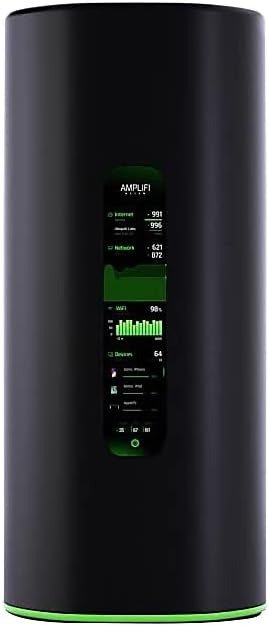
AMPLIFI ALIEN MESH KIT
You notice it in small humiliations first.
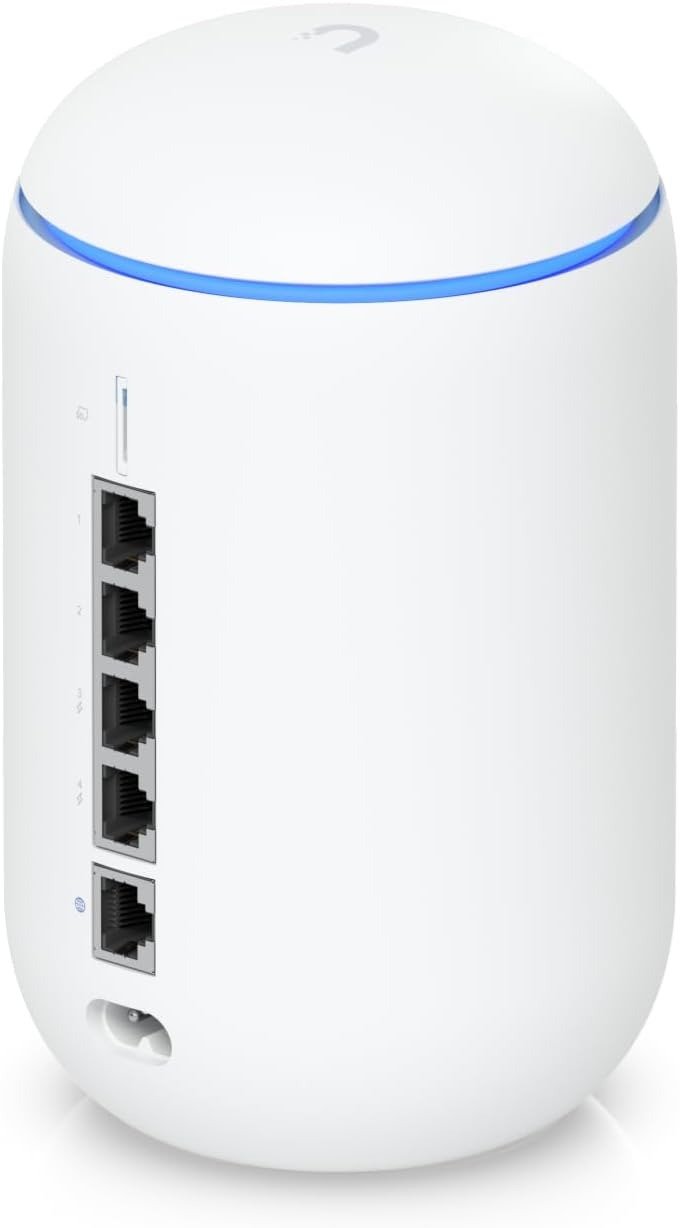
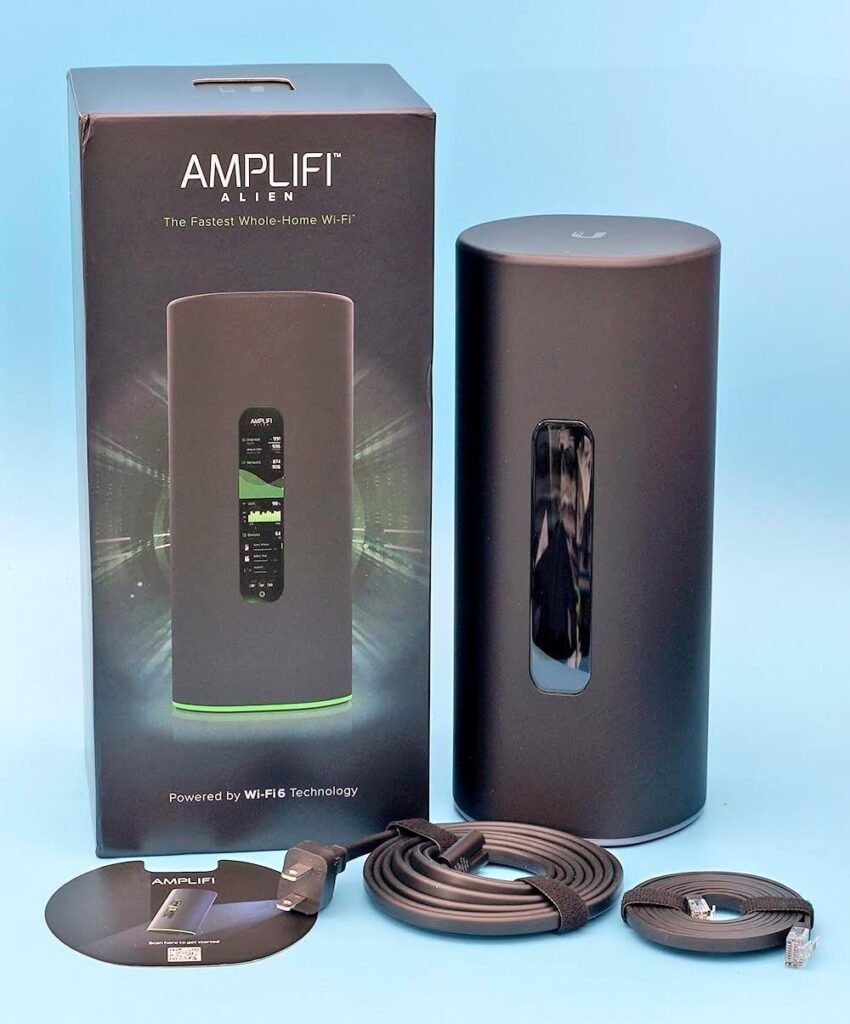
A video call that holds until someone upstairs starts streaming. A camera that stays “online” but drifts just long enough to miss the moment you wanted. A laptop that shows full bars while a large download crawls like something is pinched in the walls. That is the mistake most people make with home Wi-Fi: they trust the icon, not the outcome. What pulled me into the AmpliFi Alien Mesh Kit was not the promise of speed. It was the suspicion that a lot of “bad internet” is really a placement, range, and handoff problem wearing a speed mask. The Alien line was built around that idea: tri-band Wi-Fi 6 hardware, a touchscreen you can actually use, four LAN ports on the main router, mesh expansion, Teleport VPN, guest isolation, and later firmware additions such as an isolated IoT network and continued security fixes through 2025.
The Result Looks Fine. The Problem Isn’t.
The hard part with this kit is that it can look healthy before it feels healthy.
A phone still reports a strong signal. The front screen still shows a clean network. The app still looks civilized. Meanwhile, the experience turns uneven in the exact places people do not measure well: room-to-room consistency, long-distance throughput, roaming behavior, and whether a second node is solving the right problem or just stretching the same constraint into a larger area. RTINGS found the Alien impressive over long distance, and Tom’s Guide called its range excellent, but neither of those findings means every “mesh problem” disappears. They mean the platform has strong physical reach; the lived result still depends on layout, interference, and how the second unit is linked back.
That distinction matters because this is not a cheap system pretending to be premium. It is a premium-feeling system that can still be misread if you buy it for the wrong symptom. The Alien Mesh Kit is easy to set up, visually polished, and unusually friendly for people who hate living inside admin panels. Best Buy review summaries repeatedly center the same trio: easy setup, strong coverage, and good performance. The friction starts later, when buyers quietly expect enterprise-style flexibility from a product whose strength is controlled simplicity.
What You’re Actually Feeling but Not Naming
Most people do not say, “I have a backhaul problem.”
They say, “My internet gets weird in the back room.”
They do not say, “My network is fine in peak speed but unstable at the edge.”
They say, “It works, but I keep checking it.”
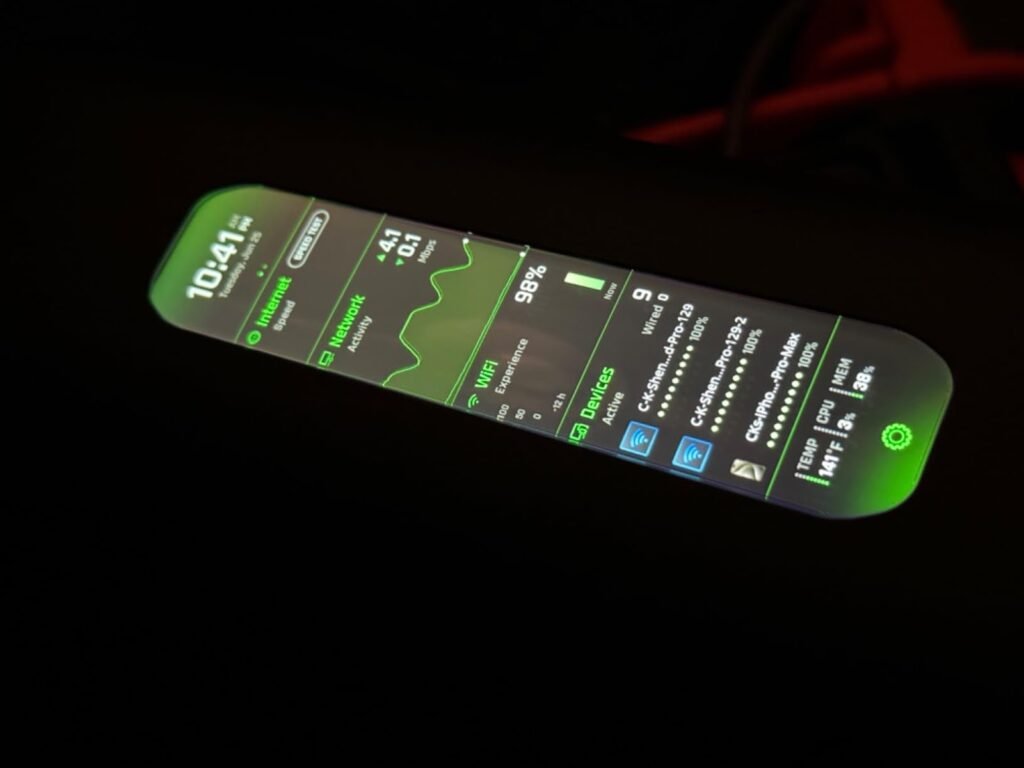
That is the real irritation profile this product lives inside: not total failure, not dead zones in the cartoon sense, but a house where the network keeps asking for your attention. The Alien Mesh Kit is good at lowering that attention load because it is simple to deploy, gives you a live display, includes device management, built-in speed testing, family profiles, port forwarding, extra SSID support, and app-based control without burying basic tasks. That is why people who are tired of fiddling often like it faster than people who are chasing lab-grade tweakability.
What buyers often miss is that “less fiddling” is not the same thing as “more headroom.” This kit reduces operational friction. It does not magically rewrite the laws of distance, wall material, node placement, or Gigabit Ethernet limits. Tom’s Guide notes Gigabit ports only, no USB, and overall performance that did not lead the class despite the premium pricing. RTINGS also flags that it is a Wi-Fi 6 router, not Wi-Fi 6E or 7, and says it is best matched to internet service up to roughly 750 Mbps. That tells you exactly where the comfort zone is.
The Hidden Mechanism Behind the Miss
The hidden variable is not “mesh” by itself.
It is what your second node is doing when the house gets noisy.
The Alien Mesh Kit is tri-band, but that does not automatically mean you get a permanently dedicated backhaul lane in the way many buyers imagine. Dong Knows lists no dedicated backhaul band for the kit, while also noting that wired backhaul is supported. The radios are substantial: 4×4 on 2.4 GHz Wi-Fi 6, 4×4 on one 5 GHz Wi-Fi 6 radio up to 4804 Mbps, and another 4×4 5 GHz radio for Wi-Fi 5 devices up to 1733 Mbps, with 160 MHz channel support. That is a serious radio design. But the buying mistake happens when shoppers see “tri-band” and stop there. The real question is what happens when that architecture meets your walls, your neighbors’ interference, and your device mix.
That is also why Ethernet backhaul changes the personality of this system.
When users wire the nodes together, many of the usual mesh compromises soften. One Best Buy verified purchaser explicitly described using two units with Ethernet backhaul and called the speed fantastic, the setup incredibly easy, and the display best in class. That is not a small anecdote. It points to the mechanism: the Alien shines most clearly when you let the radios serve clients instead of making them carry too much inter-node burden through a difficult house.
The Threshold Where the Outcome Quietly Breaks
This is the threshold I would name for the Alien Mesh Kit:
The Friction-to-Flexibility Threshold
The point where your house needs more than easy coverage, and starts demanding deeper control, faster-than-gigabit plumbing, or more scalable node economics than this system naturally offers.
Below that threshold, the Alien feels elegant.
Above it, the elegance starts looking restrictive.
Here is the practical version:
| Condition | What Happens to Alien |
|---|---|
| You need strong range with very little setup drama | Strong fit |
| Your internet plan is well below multi-gig and roughly within the product’s practical comfort zone | Strong fit |
| You want visible status and quick app control instead of deep network administration | Strong fit |
| You can use Ethernet backhaul or have a layout friendly to wireless mesh | Stronger fit |
| You want multi-gig LAN/WAN headroom or 6 GHz for newer 6E/7 devices | Weak fit |
| You expect cheap, modular expansion with flexible satellite buying | Weak fit |
| You want deep prosumer controls more than guided simplicity | Weak fit |
The facts under that table are not mysterious. The main unit has four Gigabit LAN ports and one Internet port. The MeshPoint has only one Gigabit LAN port. Tom’s Guide notes the lack of USB and Gigabit-only networking, while RTINGS notes no multi-gig capability and no 6 GHz band for newer devices. Dong Knows adds the expansion caveat: the MeshPoint is not sold separately, and scaling beyond the kit typically means buying additional Alien routers.
Why Most Buyers Misread This Too Early
They shop the silhouette.
They do not shop the break point.
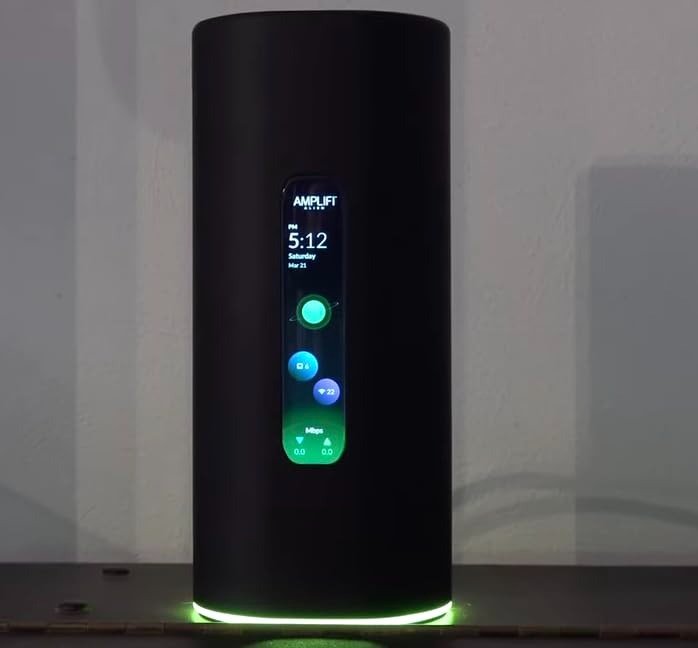
The Alien is visually persuasive before it is technically understood. It has the kind of industrial design that makes many home routers look like unfinished plastic. The touchscreen is not a gimmick either; multiple reviewers call it genuinely useful for at-a-glance information and quick control. That matters because convenience is part of network quality. A system you understand at a glance gets checked sooner, placed better, and managed with less resentment.
But buyers also overread the premium surface.
They assume premium design equals premium flexibility. Not here. Dong Knows describes the kit as unique and excellent in coverage and ease, but also restrictive in hardware options. Tom’s Guide admired the screen and easy setup while still saying the kit fell short on overall performance at its price tier. Even user commentary outside formal reviews tends to split along the same seam: people praise coverage and simplicity, then the complaints show up around firmware behavior, price, heat, or the feeling that the system is too thin for advanced networking needs.
That is the early-comparison trap.
People compare specs, or they compare price, or they compare how the product looks on a desk.
They should be comparing how much house friction they need to remove without creating new admin friction.
Who Is Actually Inside This Problem
This kit makes the most sense for a buyer with a house that is large enough, awkward enough, or busy enough to punish a single router—but not so demanding that the network must become a hobby.
You are inside the problem if several of these are true:
| Signal | Why It Matters |
|---|---|
| A single router gives you “usable” Wi-Fi, but edge rooms feel inconsistent | You are dealing with range quality, not total absence |
| You want a clean, fast setup with strong whole-home behavior | Alien is built around easy deployment |
| You value a front display and a sane app more than a deep control plane | That is one of its real strengths |
| You stream, game, work remotely, and move through the house often | Roaming and long-distance consistency matter more |
| You want mesh, but not an ugly, high-maintenance stack of hardware | Alien leans hard into this use case |
You are especially inside the problem if your current complaint sounds like this:
“Everything is technically connected. I just do not trust it.”
That is not a raw bandwidth complaint. It is a network confidence complaint, and the Alien’s blend of good range, simple setup, visible status, and mesh support can genuinely fix that when the house and expectations match. RTINGS highlights its long-distance speed retention, and Tom’s Guide calls it one of the fastest mesh kits to set up.
Where Wrong-Fit Begins
This is not for the buyer whose main priority is future-proof bragging rights.
If your priority is multi-gig networking, this will not work as a clean long-term answer.
If your priority is 6 GHz support for Wi-Fi 6E or 7 devices, this is already behind that curve.
If your priority is deep control, broad node-buying flexibility, or a path that grows cheaply one node at a time, the Alien’s controlled ecosystem will start to feel narrow. RTINGS is explicit about the lack of multi-gig and 6 GHz, and Dong Knows is explicit about the restrictive expansion logic of the kit.
This is also not for people who confuse premium price with premium universality.
Tom’s Guide put the two-pack at the same $700 level as top-tier competitors at the time of review, while also saying the Alien fell short on overall performance. That does not make it bad. It makes it specific. You are paying here for a blend of range, polish, easy setup, design, and daily usability—not for the broadest spec horizon in the category.
There is a second wrong-fit zone people rarely name:
buyers who need the network to disappear completely for years and get nervous around firmware variance. AmpliFi has continued issuing fixes for security, stability, IoT compatibility, IPv6, Teleport, and mesh behavior, which is good. It also means this is an actively maintained platform rather than a dead appliance. For some people that is reassuring. For others, any system with a living firmware history feels like another thing that might one day require attention.
The One Situation Where This Product Becomes Logical
The AmpliFi Alien Mesh Kit becomes logical when your real problem is whole-home confidence with minimal setup burden, and your house is just complicated enough that a single premium router stops feeling trustworthy.
That is the one situation.
Not “I want the most router for the money.”
Not “I need the deepest features.”
Not “I want to future-proof for every standard arriving next.”
I would authorize it when the house has enough distance, enough wall loss, or enough room-to-room inconsistency that a single box is no longer calm—but the buyer still wants a consumer-friendly experience, strong long-distance Wi-Fi, visible status, guest isolation, Teleport-style convenience, and a setup process that does not turn into a weekend project. The hardware and review pattern support that reading: strong range, easy deployment, good app experience, tri-band design, four LAN ports on the main unit, and a feature set aimed at practical home use rather than deep prosumer tinkering.
This is the clean binary:
| Need | Fit |
|---|---|
| “I want the easiest premium mesh experience that still feels serious.” | Strong |
| “I need faster-than-gigabit wired networking.” | Weak |
| “I want my router to tell me what is happening without opening an app every time.” | Strong |
| “I want cheap satellites and lots of modular expansion options.” | Weak |
| “I care more about coverage and calm than extreme tweaking.” | Strong |
| “I buy for Wi-Fi 6E/7 device potential first.” | Weak |
What It Solves, What It Reduces, and What It Still Leaves to You
What it solves:
It solves the feeling that your Wi-Fi is always almost good enough. It addresses long-distance weakness better than most pretty-looking consumer hardware has any right to, and it does so with a setup path that remains unusually humane. Official materials and reviewers align on that broad shape: tri-band Wi-Fi 6, strong coverage intent, easy setup, clear local status, and mesh-capable expansion.
What it reduces:
It reduces the need to babysit the network. The screen matters. The app matters. Guest controls matter. Ongoing firmware work matters. These are not glamorous advantages, but they remove daily cognitive tax, which is exactly what many households actually feel when they say the internet is “annoying.”
What it still leaves to you:
It still leaves placement discipline, expectation discipline, and architecture discipline. You still need to decide whether wireless backhaul is enough for your house or whether Ethernet between nodes will let the system breathe. You still need to accept Gigabit port limits. You still need to know whether you are buying comfort now or headroom for a more demanding future. The product cannot answer those questions for you. It can only expose them more clearly than most routers do.
Final Compression
The AmpliFi Alien Mesh Kit is not the answer to “What is the best mesh system?”
That is the wrong question.
The right question is this:
At what point does a house stop needing more advertised speed and start needing cleaner coverage with less friction?
That is where the Alien earns its place.
It is a mesh system for people who are tired of unstable comfort, not for people chasing every last future-facing checkbox. Its strongest case is a real home, real walls, real movement, real device load, and a buyer who wants the network to become quieter without becoming a side profession. The price, Gigabit ceiling, lack of 6 GHz, and limited expansion flexibility keep it from being universal. The range, simplicity, polish, and whole-home calm keep it from being ordinary.
If your break point starts with room-to-room inconsistency, edge-of-home hesitation, and the low-grade fatigue of never quite trusting the network, this becomes a logical next step.
Transparency Note:
This analysis is not based on quick personal impressions.
It is derived from documented system behavior, verified user patterns, and the physical constraints of storage capacity.
The goal is to translate complex technical behavior into a realistic performance model that helps you make a clear decision.