Tapo D130 Review: The Picture Looks Fine Until the Doorstep Starts Disappearing
TAPO D130
A lot of doorbells look convincing for the first ten seconds. You get a clean feed, a motion alert, a voice button, and the usual promise that your front door is now “covered.”
Then the real test shows up in ordinary life: a package left too low for the frame, a courier standing too close to the lens, a monthly plan quietly becoming part of the cost, or a delay that turns “live view” into replay.
That is the break point I care about here. Not whether a doorbell can show a face. Whether it keeps being useful when the problem shifts from visitor recognition to front-step clarity without friction.
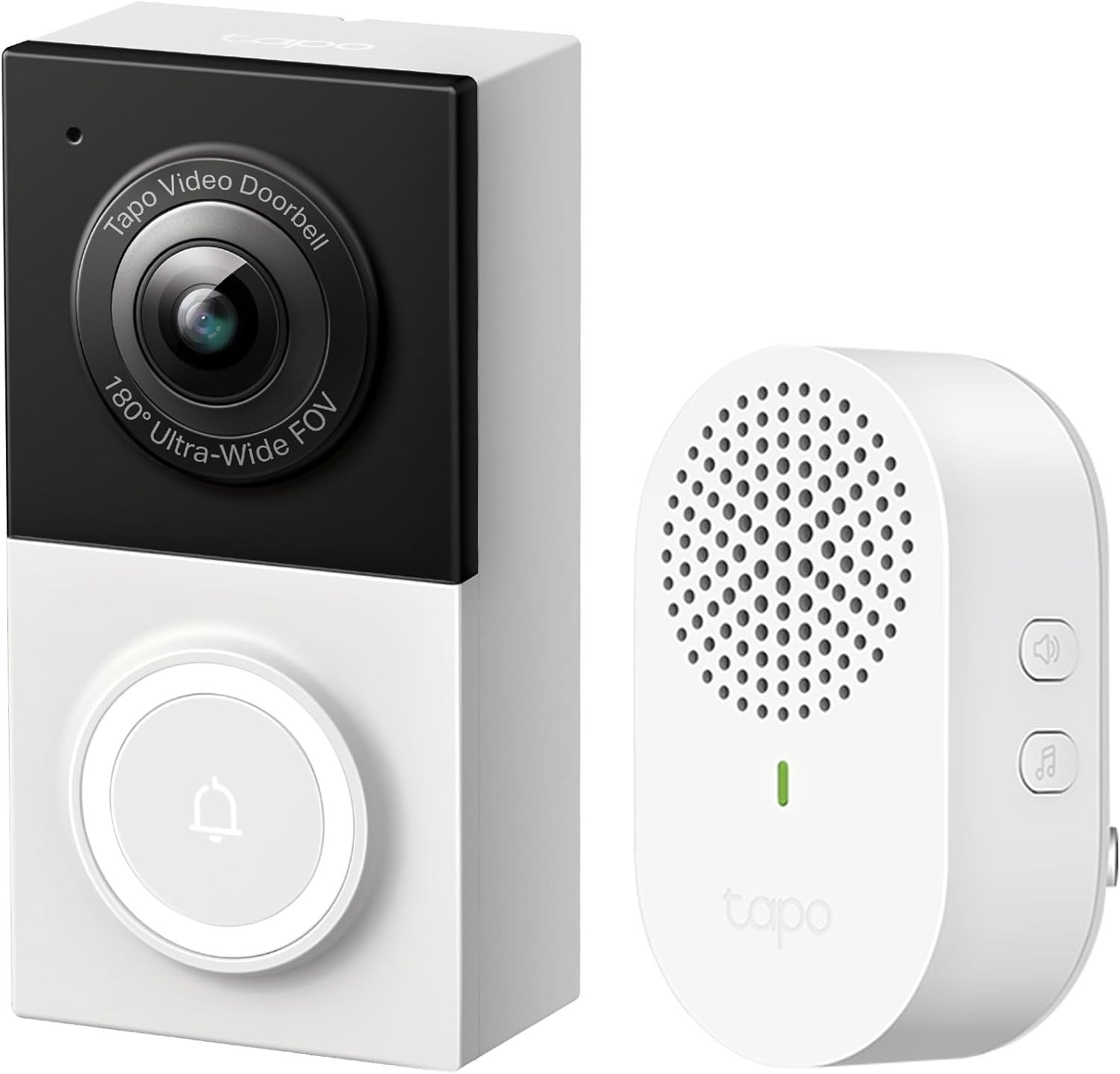
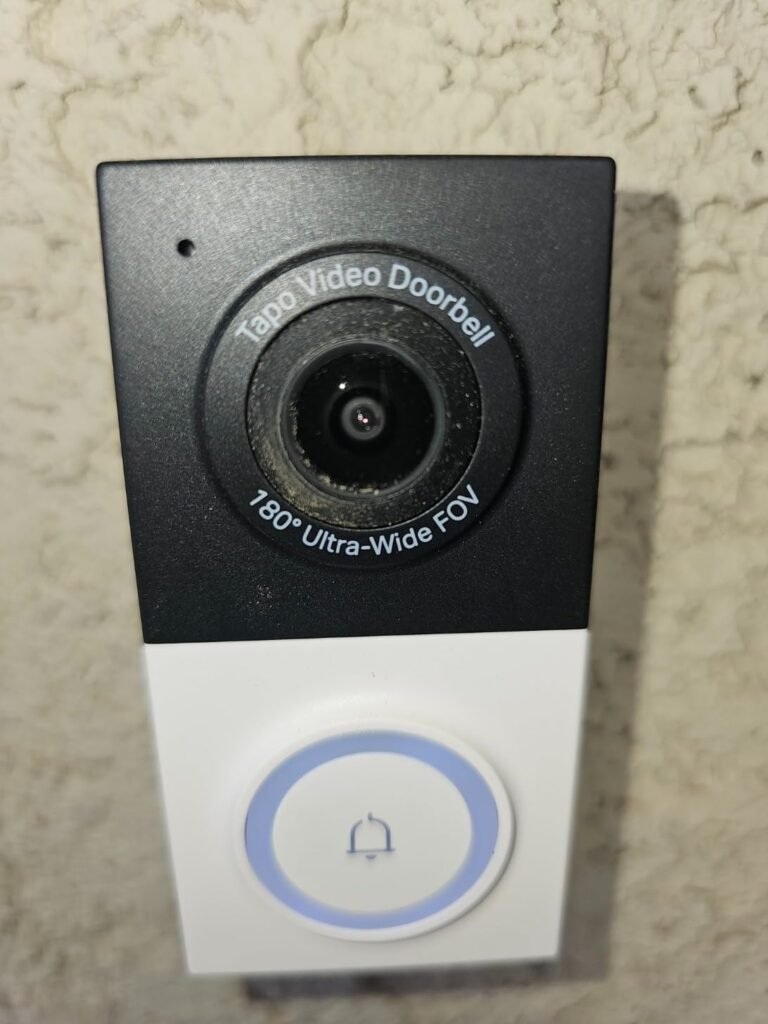
In the D130’s case, the core facts are unusually specific for the price: 2560 × 1920 video, a 4:3 feed, 180° diagonal view, hardwired power, local microSD support up to 512 GB, and RTSP/ONVIF support on a wired doorbell. Those are not decorative features. They define the threshold where a cheap doorbell stops being cheap in the wrong way.
The Result Looks Fine. The Problem Isn’t.
What misleads most buyers is that “good enough” doorbells often look acceptable in a static demo.
The category has trained people to judge from the wrong distance. Sharpness gets attention. Utility gets ignored.
In current buying guides, the trade-offs repeat: some models prioritize headline image quality, some are better for package visibility, some keep the entry price low but move important functions behind subscriptions, and some still leave local storage out entirely.
That is why a doorbell can feel good on day one and thin out later under repeated use. The front door is not a glamour shot. It is a high-friction checkpoint.
What You’re Actually Feeling but Not Naming
The irritation is usually not “I need a smarter doorbell.” It is more specific than that.
It is the low-grade annoyance of checking a clip and realizing the parcel is half out of frame. It is the maintenance dread of learning that usable alerts, stored footage, or richer history now depend on another subscription.
It is the attention load of a doorbell that technically works but asks you to tolerate delay, recharge routines, or narrow framing.
When I strip the marketing language away, the real buyer complaint is usually this: I do not want my doorbell to become another small system I have to babysit.
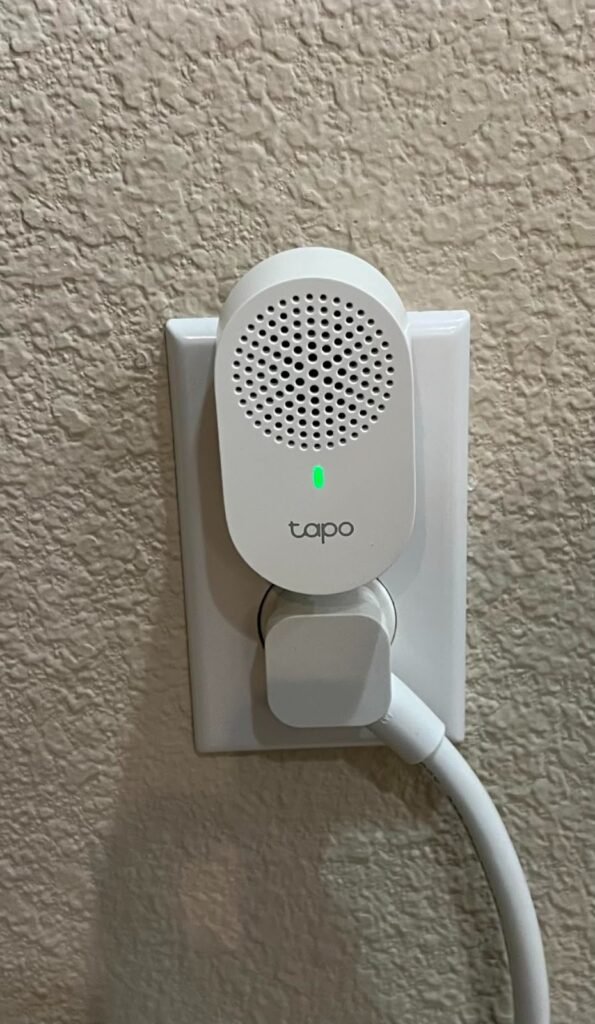
The D130’s pitch only works if it answers that exact condition: wired power, included chime, local storage, broad vertical framing, and one of the few wired doorbells in its class with RTSP/ONVIF support for people who want it to live inside a larger setup later.
The Hidden Mechanism Behind the Miss
The miss is not usually resolution. It is frame usefulness.
A doorbell can have a decent sensor and still fail the front-step job because the frame shape and viewing geometry are wrong for what actually happens at a door.
The D130 uses a 4:3 feed with a 180° diagonal field of view, and TP-Link explicitly positions that as a head-to-toe view with more vertical detail than a typical 16:9 doorbell. That matters because the problem area is often not out at the gate line. It is lower and closer: packages, hands, doorstep placement, someone standing right under the camera.
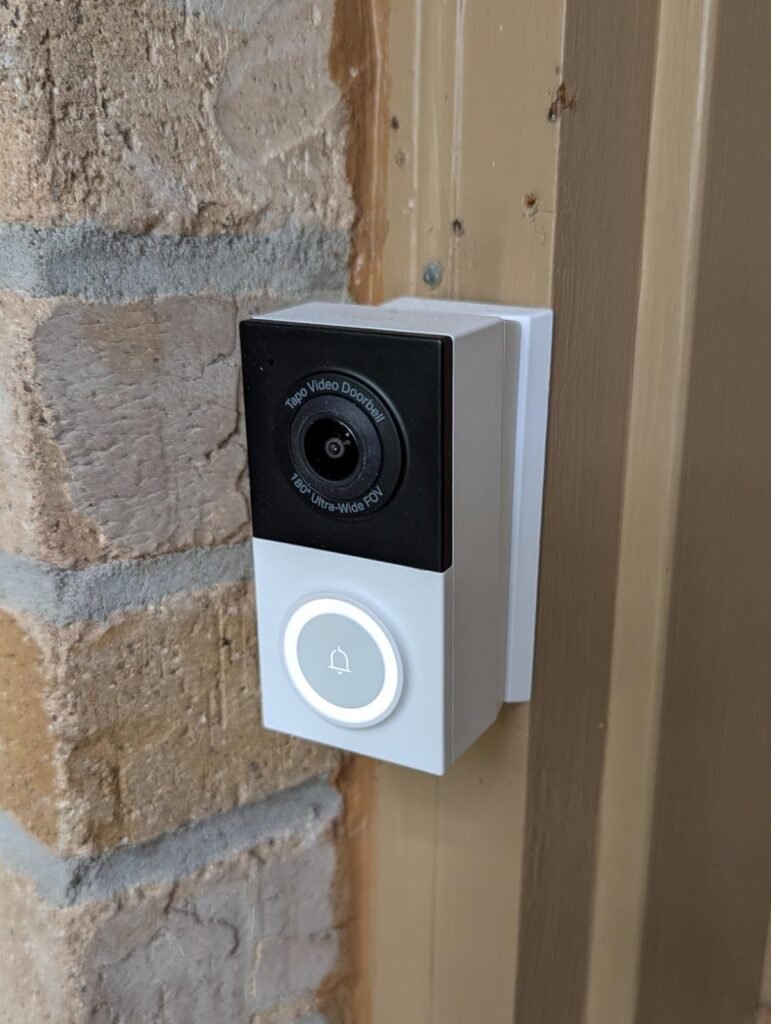
Add the 5° wedge option, and the product is clearly engineered around placement correction rather than just raw spec inflation.
The mechanism is simple: more useful vertical framing reduces the number of times you technically captured motion but missed the thing you actually cared about.
What usually gets judged first
| What usually gets judged first | What actually decides long-term usefulness |
|---|---|
| Resolution number | Vertical coverage and framing shape |
| App screenshots | Whether the doorstep stays visible |
| Smart alerts | Whether storage and playback stay practical |
| “Works with Alexa/Google” | Whether the feed fits your routine without babysitting |
The table is the whole category mistake in miniature. Most bad doorbell purchases are not underpowered. They are misjudged early.
The D130 is strongest exactly where that misjudgment usually starts.
The Threshold Where the Outcome Quietly Breaks
Here is the threshold I would name for this product:
The Doorstep Visibility Threshold — the point where a doorbell stops being about seeing who arrived and starts being about seeing what was left, where it was left, and whether you can review it cleanly without adding another maintenance layer.
Below that threshold, almost any decent doorbell can feel acceptable. Above it, the details suddenly matter: 4:3 instead of a wider-but-shorter cinematic crop, hardwired power instead of charging cycles, local storage instead of plan pressure, and enough field correction to see the lower portion of the entry zone.
The D130 also supports 24/7 continuous recording to microSD when hardwired, with TP-Link claiming up to 390 hours of 2K 5MP footage on a 512 GB card.
That shifts the product from event-only convenience to a more dependable record when the missed moment matters.
Threshold variable
| Threshold variable | Tapo D130 answer |
|---|---|
| Frame shape | 4:3 |
| Field of view | 180° diagonal / 172° horizontal / 144° vertical |
| Power model | Hardwired only, 8–24VAC, 10VA minimum |
| Continuous recording | Yes, to local microSD |
| Local storage ceiling | Up to 512 GB |
| Smart-home expansion path | Alexa, Google Assistant, RTSP, ONVIF |
Specs from TP-Link’s product page, FAQ, and support materials.
Why Most Buyers Misread This Too Early
They compare the wrong pain points.
They compare “2K vs 2K.” They compare whether the app looks modern. They compare star ratings without asking what those ratings are actually rewarding.
On Amazon US, the D130 sits at 4.3/5 from 1,648 ratings; on Amazon UK, 4.3/5 from 2,245 ratings. That is solid, but the more useful signal is why it gets traction: price pressure is low, local storage is available, the view is unusually wide and tall for the class, and the included chime removes one more tiny friction point.
At the same time, the product is not frictionless. There are public support and community cases discussing laggy live view, choppy playback, and occasional compatibility-mode fixes.
That matters because the wrong reading of this product is “cheap miracle.” The better reading is “well-targeted wired doorbell with a very strong value threshold and some app or performance rough edges you should not romanticize away.”
The uncomfortable truth is that many buyers overpay for brand reassurance and still accept cloud dependence, while others underpay and end up with a device that creates a new chore.
The D130 is interesting because it tries to avoid both mistakes at once. That is harder than it sounds.
Who Is Actually Inside This Problem
This product makes the most sense for a very particular buyer.
| Your real condition | Fit |
|---|---|
| You already have doorbell wiring and want to use it | Strong |
| You care about seeing packages and the lower doorstep clearly | Strong |
| You want local storage without making a subscription mandatory | Strong |
| You prefer a wired doorbell because you are tired of charging cycles | Strong |
| You may want RTSP/ONVIF later for NVR, NAS, or smart-home workflows | Strong |
| You want the cleanest possible setup with no troubleshooting appetite at all | Borderline |
| You need 5 GHz Wi-Fi | Weak |
| You need battery operation or rental-friendly flexibility | Weak |
That last row is important. The D130 is hardwired only and uses 2.4 GHz Wi-Fi.
If your situation is temporary, wiring is poor, or you are choosing from the standpoint of “I just want the easiest possible install,” you are already stepping outside its strongest territory. This is not a universal recommendation. It is a threshold recommendation.
Where Wrong-Fit Begins
Wrong-fit begins the moment you buy it for the wrong convenience story.
If you want a battery doorbell, this is wrong-fit. If you rent and cannot touch existing wiring, this is wrong-fit.
If your front-door priority is polished app experience above everything else, or you have no tolerance for occasional network or display-mode tinkering, you should not smuggle those preferences into this product and then call it a failure later.
TP-Link’s own ecosystem comparison makes the D130 the wired, 24/7-recording model in the lineup, while the battery units make different compromises around power and recording behavior. Community discussions also reinforce that the wired D130 is the doorbell in the Tapo range associated with RTSP/ONVIF, precisely because wired power changes what the device can sustain.
That strength is real. So is the trade-off.
The One Situation Where This Product Becomes Logical
It becomes logical when your problem is no longer “I need a video doorbell,” but this:
I need a wired doorbell that lets me see more of the doorstep, record locally, avoid mandatory monthly fees, and still leave room for a more advanced setup later without spending premium-brand money.
That is the D130’s lane.
At roughly the $50 range on Amazon US when surfaced in search, it does not win by pretending to be luxury hardware. It wins by aligning several high-friction needs in one body: 2K 5MP 4:3 video, head-to-toe framing, person/pet/vehicle/package detection, included chime, IP65 weather resistance, local microSD support, and RTSP.
Even the hardwired-only limitation is part of that logic, because always-on power is exactly what enables 24/7 local recording and broader protocol support in the first place.
What It Solves, What It Reduces, and What It Still Leaves to You
| What it solves cleanly | What it reduces | What it still leaves to you |
|---|---|---|
| Poor lower-doorstep visibility | Subscription pressure | Existing wiring quality |
| Battery maintenance | Missed context around deliveries | 2.4 GHz Wi-Fi stability |
| Lack of local storage | Feature lock-in for basic recording | microSD purchase and setup |
| No path into RTSP/ONVIF workflows | Reliance on cloud-only history | accepting that some users have reported lag or playback issues |
This is the right place to be strict. The D130 can reduce hassle; it does not remove all setup responsibility.
You still need compatible hardwiring, stable Wi-Fi, and realistic expectations about app-side behavior. TP-Link’s spec sheet is clear on the electrical requirement—8 to 24VAC with 10VA minimum—and the public support forum shows that when performance issues appear, they can involve troubleshooting rather than magic.
On the other side of that equation, the value case is real enough that the product has built a strong review base in both the US and UK stores.
Final Compression
I would not buy the Tapo D130 because it is cheap.
I would buy it because it crosses a very specific line that cheap doorbells usually miss.
It gives you a taller, more useful frame. It gives you wired continuity instead of recharge drift. It gives you local recording without forcing a plan first.
It gives you an actual expansion path through RTSP/ONVIF that many budget doorbells never offer.
And it does all of that without pretending to be flawless. The trade-off is simple: you gain practical coverage and lower long-term friction, but you accept hardwired installation, 2.4 GHz limits, and the possibility that some setups will need tuning.
That is not a weakness hidden behind marketing. That is the cost of the strength.
If your break point starts at the doorstep, the subscription, and the charging cycle—not at brand prestige—this is where the decision stops being vague:
Transparency Note:
This analysis is not based on quick personal impressions.
It is derived from documented system behavior, verified user patterns, and the physical constraints of storage capacity.
The goal is to translate complex technical behavior into a realistic performance model that helps you make a clear decision.
If your situation is slightly different, start here: