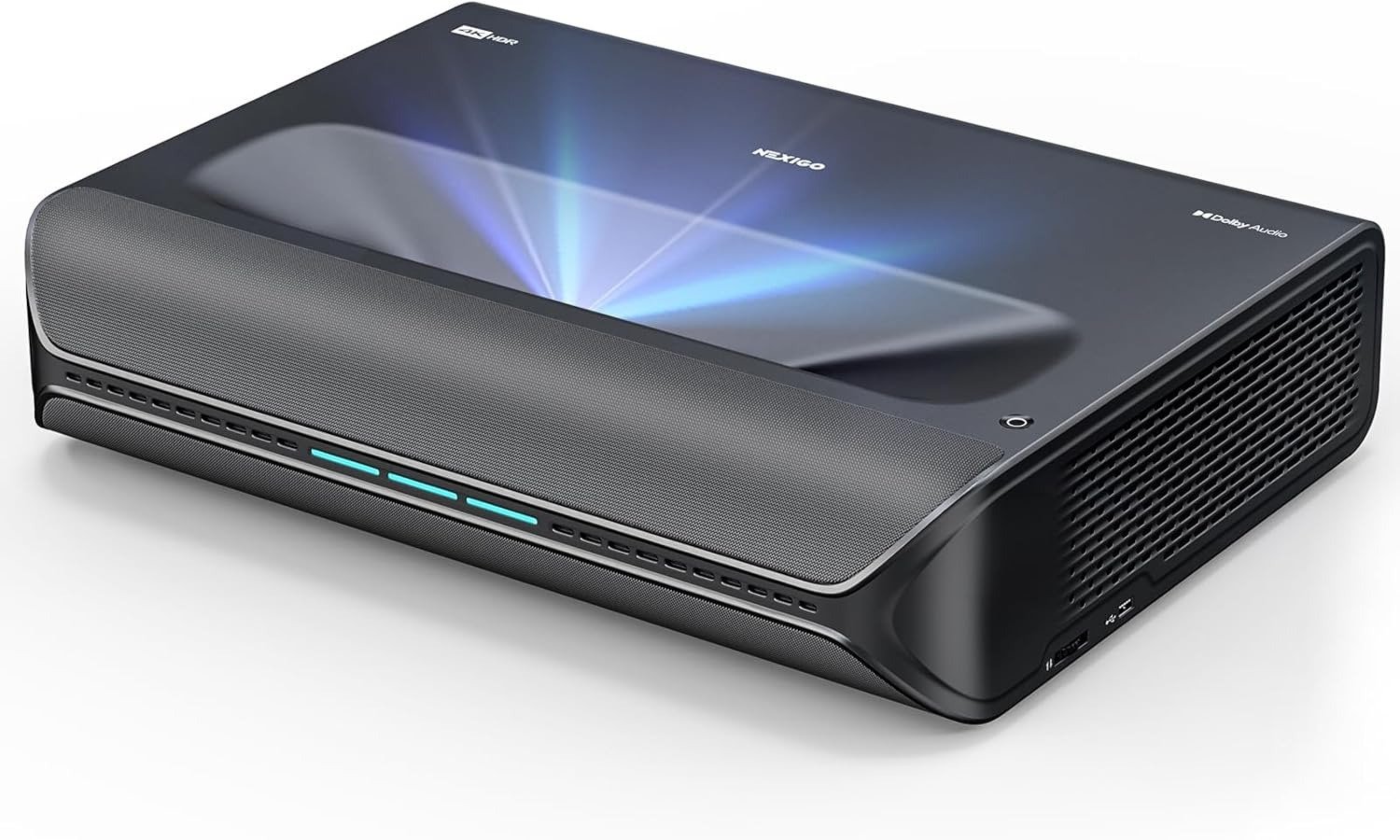
NexiGo Aurora Pro Review: The Image Looks Huge. The Room Makes the Real Decision
NEXIGO AURORA PRO
The Result Looks Fine. The Problem Isn’t.
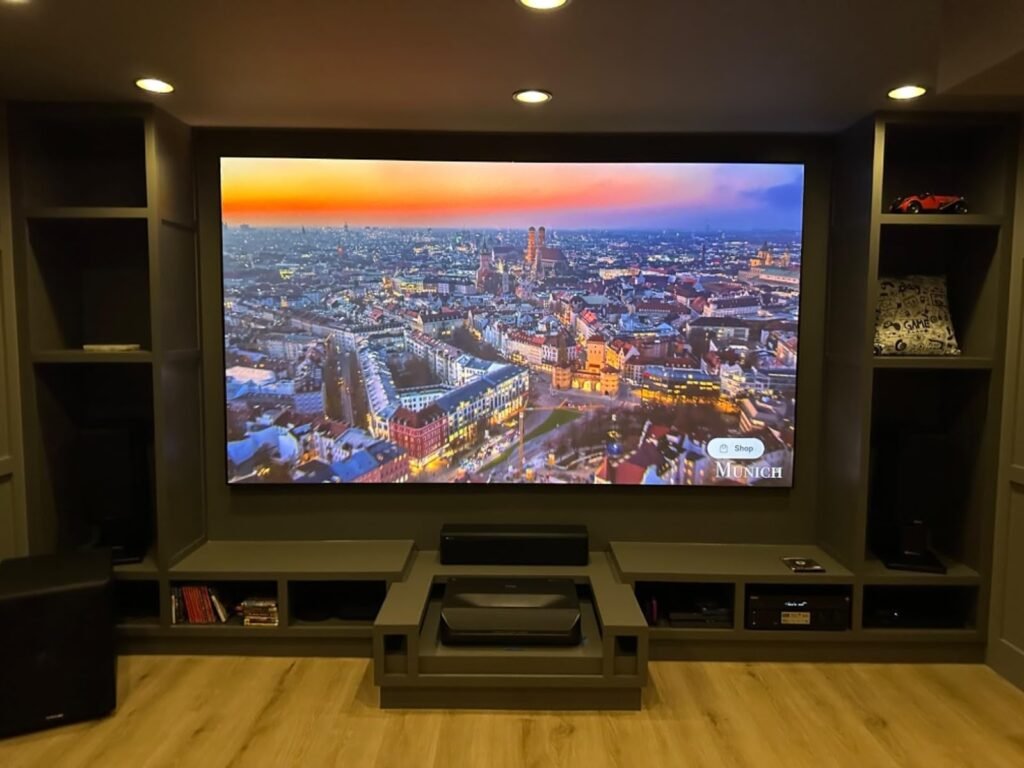
A lot of ultra-short-throw projectors impress in the first ten minutes. The wall lights up. The size feels absurd. Dolby Vision is there. The colors look alive. You start thinking the decision is already over.
That is where most people read this category too early.
With the NexiGo Aurora Pro, the surface result can look excellent before the real test has even started. The real test begins when black areas have to hold shape, when mixed scenes need depth instead of glare, when subtitles sit over dark content, and when the room refuses to cooperate. This projector is not built around the “big picture” threshold. It is built around the black-floor threshold. Cross that threshold, and it starts making sense. Miss it, and even the right spec sheet can turn into the wrong purchase.
What You’re Actually Feeling but Not Naming
Most buyers do not say, “My black floor is collapsing.” They say something softer.
They say the picture looks strong, but not settled.
They say bright scenes are impressive, but darker movies feel flatter than expected.
They say the projector looked like a home-theater move, yet somehow still behaves like a compromise.
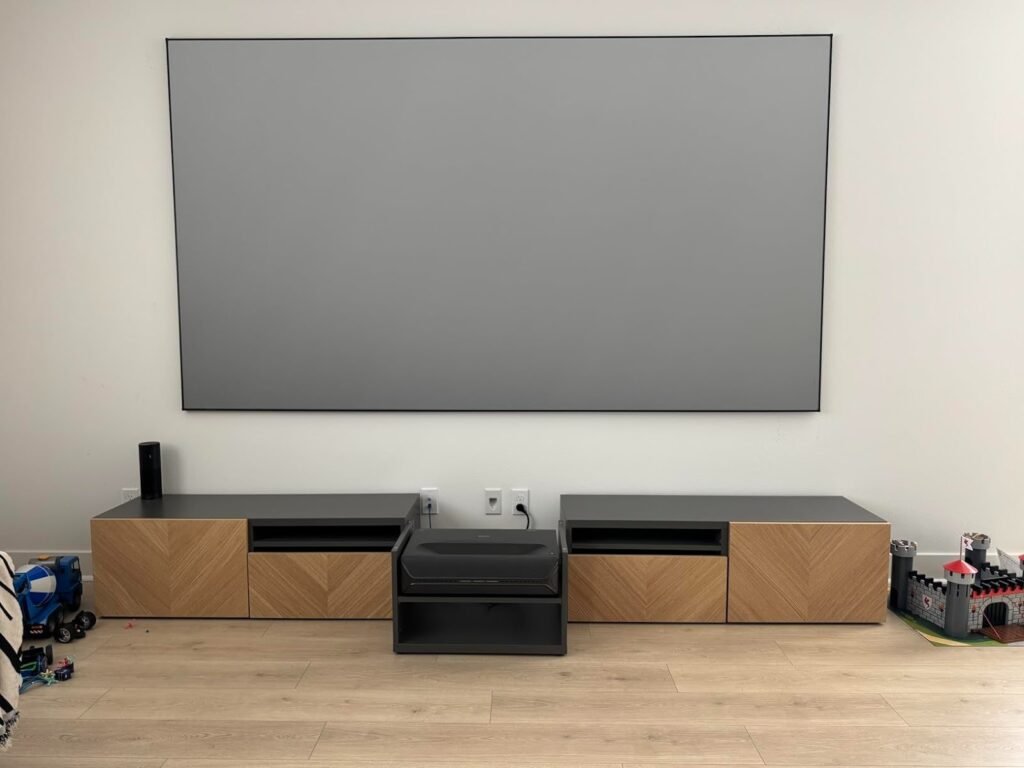
That friction usually has nothing to do with 4K on the box. It comes from a mismatch between what UST buyers think brightness solves and what actually determines conviction on screen. The Aurora Pro is bright enough for a 100-inch image in a dim or moderately lit room, but RTINGS is explicit that it still looks best with light control, and not in rooms that keep fighting the image. That is why some owners rave about the picture while others quietly discover they bought the room problem, not the projector solution.
The Hidden Mechanism Behind the Miss
The hidden variable is not “Is this projector good?”
It is: Does your setup allow its contrast advantage to show up often enough to matter?
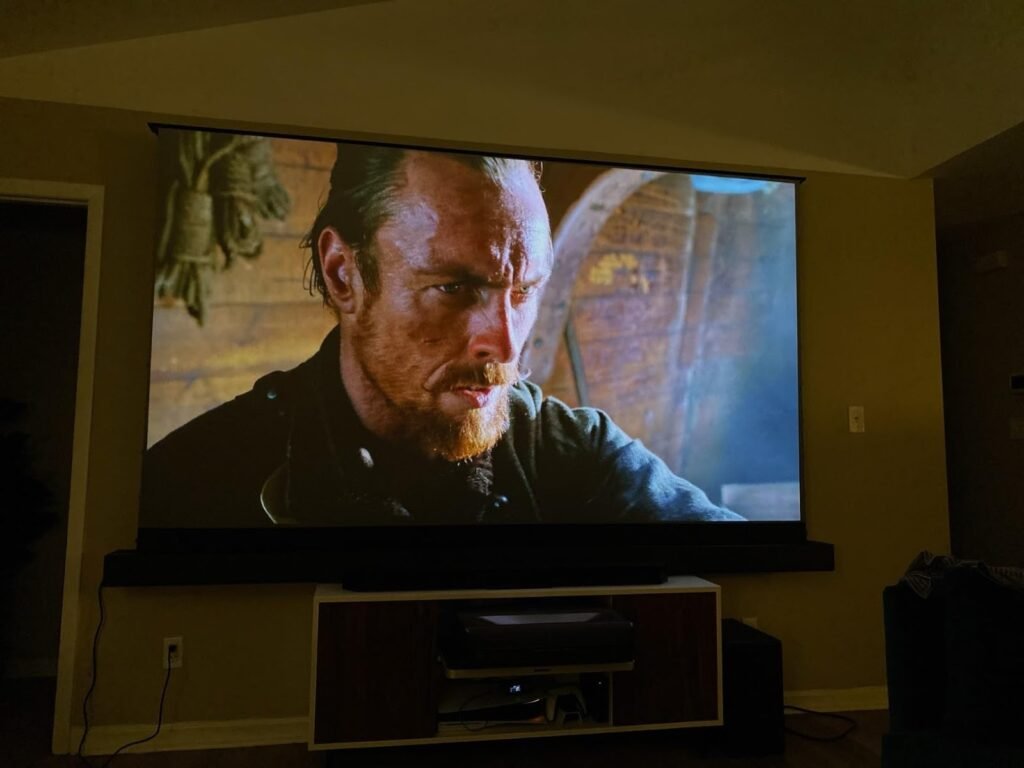
The Aurora Pro’s strongest technical case is contrast. RTINGS calls it a very good UST overall, with great contrast and a solid dark-room experience. Projector Reviews goes even harder, arguing that its black level performance stands ahead of most ultra-short-throw DLP models in its price range and that dark-room performance is where it really earns its identity. That is the mechanism. This is not mainly a daylight brute. It is a UST that wins when the room stops washing out the work it is trying to do.
That also explains the strange split in expert reactions. RTINGS flagged poor pre-calibration color accuracy, while Projector Reviews found the Cinema modes strong enough out of the box that many buyers may never feel forced into professional calibration. Those are not meaningless contradictions. They tell me the Aurora Pro is a projector whose outcome depends heavily on mode choice, room conditions, source chain, and how strict you are about reference accuracy versus perceived cinematic punch.
The Threshold Where the Outcome Quietly Breaks
This projector has a clear break point.
Below that point, it feels like a serious home-cinema tool.
Beyond that point, it starts asking the room to do work the room is not doing.
I would define the Aurora Pro threshold like this:
| Threshold Variable | Inside the Threshold | Outside the Threshold |
|---|---|---|
| Room light | Controlled or dim | Daylight-heavy or reflective |
| Screen choice | Proper UST/ALR thinking | Bare wall optimism |
| Content type | Films, prestige TV, HDR movies, console gaming | Casual daytime TV with lights everywhere |
| Buyer expectation | Wants depth, shadow detail, and cinematic weight | Wants TV replacement immunity to the room |
| Setup tolerance | Will place and tune carefully | Wants plug-in perfection |
That table matters more than another “pros and cons” box because the Aurora Pro does not usually fail in obvious ways. It fails when the buyer expects brightness to overpower physics. Officially, NexiGo rates it at 2400 lumens, 3000:1 native contrast, 6000:1 dynamic contrast, 80- to 150-inch recommended image size, and a 0.233:1 throw ratio. Those are meaningful numbers, but they do not erase room behavior. They just tell you where the projector can start from.
Why Most Buyers Misread This Too Early
They compare the wrong thing first.
They compare lumens before black structure.
They compare feature count before fit.
They compare “supports 4K@120Hz input” before asking what that means in lived use.
The Aurora Pro supports Dolby Vision, HDR10+, HDR10, HLG, active 3D, three HDMI 2.1 ports, eARC, Wi-Fi 6, and a 60W speaker system with Dolby Atmos support. On paper, that stack is unusually aggressive for the price band. It is also one of the very few UST projectors marketed around 4K@120Hz input and low-latency play. But if you read too quickly, you turn an intelligently positioned projector into a fantasy machine that is supposed to solve everything at once.
That is where lazy comparison traps start.
| Common Buyer Metric | Why It Misleads Here |
|---|---|
| “It has Dolby Vision, so HDR will always look premium.” | HDR support matters, but room control and black handling decide whether the image has weight. |
| “It supports 4K@120Hz input, so it is a high-end gaming projector.” | Input support is real, but the displayed behavior and latency profile still need context. |
| “2400 lumens means I can use it like a bright-room TV.” | RTINGS explicitly says it is not quite bright enough for rooms with meaningful ambient light. |
| “Built-in smart features mean no extra streamer needed.” | RTINGS describes the built-in Android TV experience as barebones and recommends a streaming stick. |
That is why I would not evaluate the Aurora Pro as a spec collector. I would evaluate it as a threshold machine. If your use case stays on its side of the line, it becomes unusually persuasive. If not, the same features start feeling decorative.
Who Is Actually Inside This Problem
This projector fits a specific kind of buyer far better than the average product page suggests.
| You Are Inside the Fit If… | Why the Aurora Pro Starts Making Sense |
|---|---|
| You watch mostly at night or can control light | Its contrast advantage becomes visible instead of theoretical. |
| You care about movie depth more than daytime brute force | This is where its image character is strongest. |
| You want a serious UST without moving into much higher pricing | The value argument gets stronger when you use its best conditions. |
| You game, but not as an esports absolutist | Its latency profile is good enough for serious casual play and strong console use. |
| You want built-in sound that is not an afterthought | Multiple reviewers call the onboard sound unusually capable for the class. |
This is also why owner sentiment trends warmer than the raw anxiety around projector shopping would suggest. Amazon’s listing shows 4.2/5 from 289 global ratings, with many owners praising image quality, sound, and overall satisfaction. On Reddit, several recent owners describe the image as sharp, colorful, and unusually free of the laser-speckle annoyance that often poisons the projector experience. That kind of praise is not proof of universal fit. It is proof that, for the right room and expectations, the Aurora Pro lands well.
Where Wrong-Fit Begins
Wrong-fit starts earlier than most buyers admit.
It starts when you want TV-like immunity to ambient light.
It starts when you hate setup decisions.
It starts when you hear “projector” and mentally picture a giant flat panel with none of the trade-offs.
This is not for the buyer who wants to throw it on a plain wall in a bright family room and call the job done. It is not for the buyer who treats UST screen choice as optional. It is not for the buyer who wants perfect out-of-box neutrality without touching picture modes or source choices. And it is not for the buyer who expects silence under every condition, because reviewer feedback on noise is mixed: NexiGo rates it at 26 dB, Projector Reviews found the fans audible in quiet moments but not distracting once content starts, while ProjectorScreen lists operating noise among its downsides.
Wrong-fit also begins when you interpret “gaming support” too loosely.
Projector Reviews measured input lag around 17.8 ms at 4K/60, 12.8 ms at 1080p/120, and 9 ms at 1080p/240, while RTINGS says 60Hz performance is low enough for single-player gaming but that higher-refresh modes are usable rather than elite. That is not a weakness. It is a boundary. The Aurora Pro is a big-screen gaming projector. It is not a reflex-first display for players who build the whole purchase around latency supremacy.
The One Situation Where This Product Becomes Logical
The Aurora Pro becomes logical when the actual problem is this:
You want a UST projector that can produce unusually convincing dark-room contrast for its class, give you broad HDR format support, handle console gaming credibly, and avoid forcing an immediate external audio upgrade.
That is the use case where the whole package locks together.
Officially, you get 2400 lumens, 107% BT.2020 coverage, support for Dolby Vision and HDR10+, active 3D, three HDMI 2.1 ports with one eARC connection, Wi-Fi 6, and 60W of onboard audio. In practice, RTINGS validates the contrast case and says it is especially appealing for dark-room movie watching and gaming, while Projector Reviews argues that its black levels, shadow detail, and overall dark-room behavior push it near the top of the short list in this class.
That does not make it universal. It makes it coherent.
What It Solves, What It Reduces, and What It Still Leaves to You
Here is the cleaner trade-off map.
| What It Solves | What It Reduces | What It Still Leaves to You |
|---|---|---|
| Weak black performance common to many USTs in its price range | The need for an immediate soundbar purchase | Light control and screen discipline |
| HDR format anxiety | The fear that big-screen gaming will feel sluggish | Better streaming via an external stick |
| Shallow built-in speaker performance | The risk of buying a UST that only looks good in bright demo clips | Mode tuning based on your content |
| Spec-sheet confusion around gaming | Laser-TV buyers’ need to jump straight to pricier models | Acceptance that brightness does not cancel room physics |
This is the part many reviews skip. The Aurora Pro does not remove responsibility from the buyer. It reduces the number of compromises after you meet its threshold. That is why it can feel excellent to one owner and merely expensive to another. The projector is doing a real job. It just is not doing every job.
Final Compression
After going through the measurements, reviewer disagreements, owner sentiment, and the actual shape of the spec sheet, I do not read the NexiGo Aurora Pro as a generic “premium UST.”
I read it as a dark-room-first UST with real contrast strength, serious HDR flexibility, credible gaming behavior, and unusually useful built-in sound. That is the clean reading.
The mistake is to buy it for the size.
The right reason is to buy it for the threshold it crosses.
If you can control light, respect screen choice, and you want a projector that feels more cinematic than flashy, the Aurora Pro is one of the more rational buys in its class. If your room is bright, your expectations are TV-like, or your patience for setup is low, the same projector starts losing its logic long before the movie starts.
Transparency Note:
This analysis is not based on quick personal impressions.
It is derived from documented system behavior, verified user patterns, and the physical constraints of storage capacity.
The goal is to translate complex technical behavior into a realistic performance model that helps you make a clear decision.