Your Wi-Fi Didn’t Really Reach That Room — It Just Stopped Failing Loudly
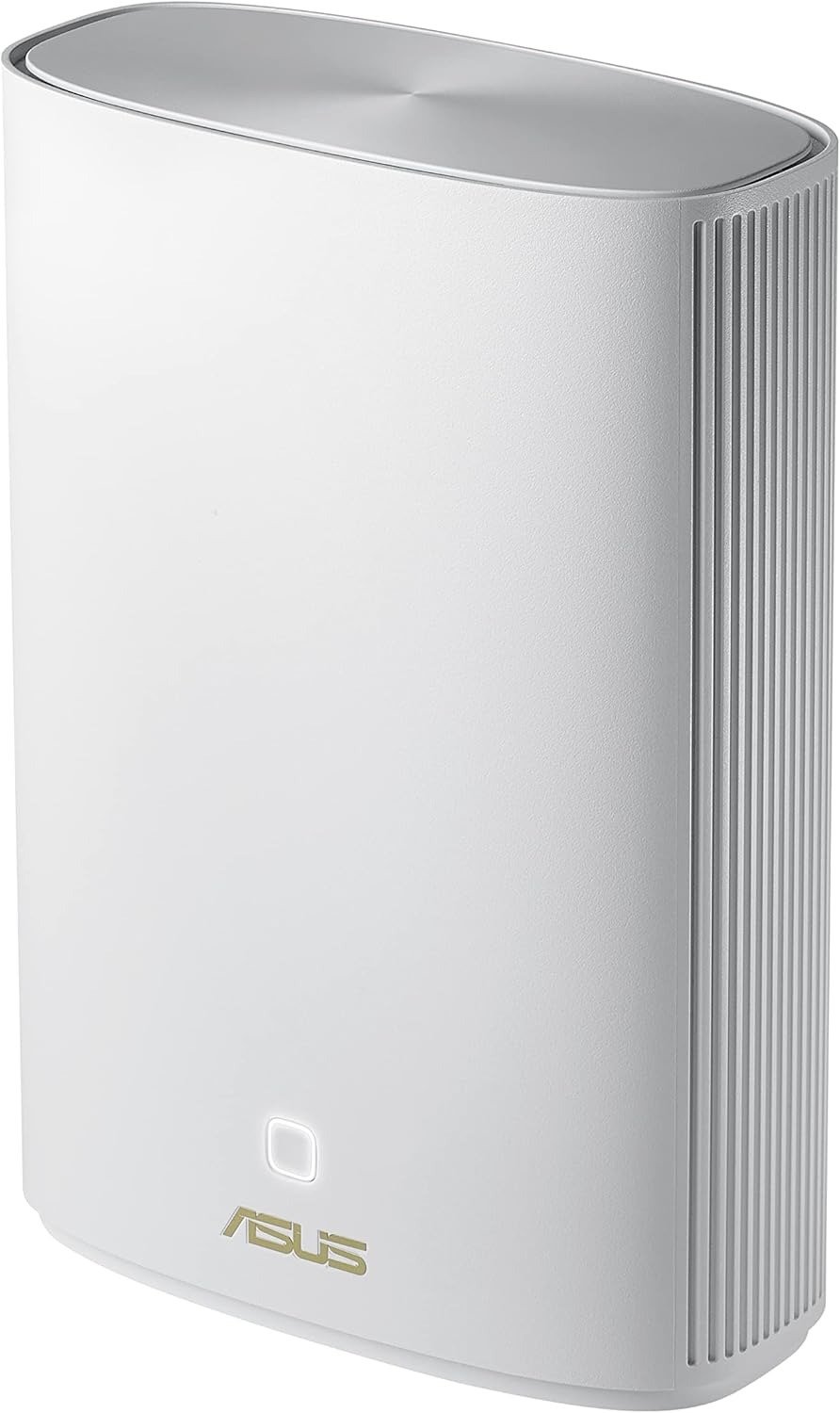
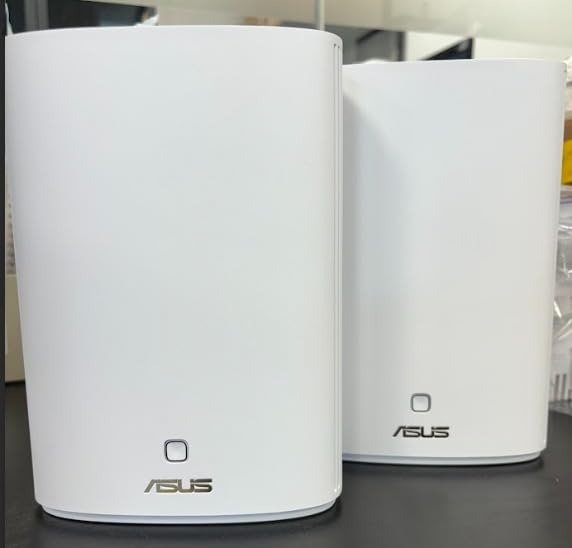
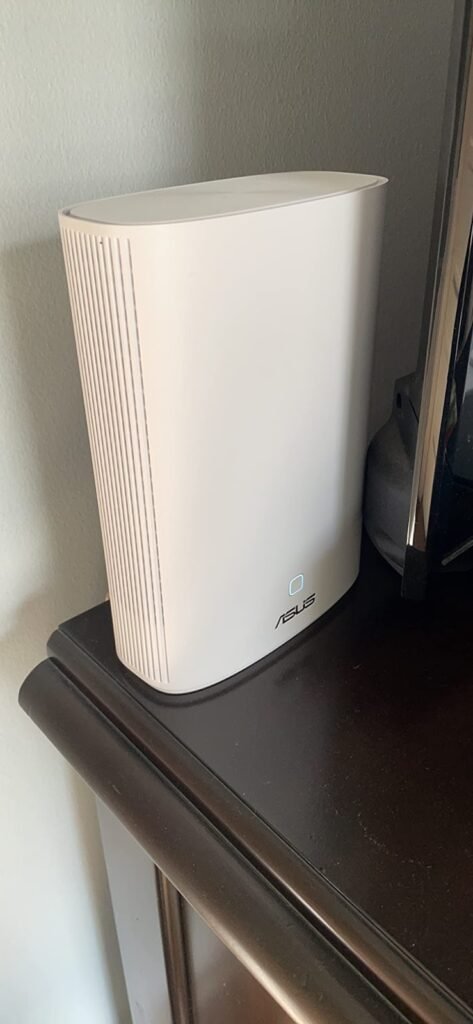
PRODUCT NAME: ASUS ZENWIFI AX HYBRID XP4
Introduction
I do not look at the ASUS ZenWiFi AX Hybrid XP4 as a “faster mesh system.” I look at it as a correction for a very specific kind of house problem: the room where the bars still show up, the app still opens, the stream still starts, and yet the connection feels oddly brittle once walls, floors, and distance begin stacking against each other. That is the real tension here. The assumption most buyers carry is simple: if the signal exists, the network is fine. On this category, that assumption breaks first. The XP4 was built around that break point, not around headline speed. ASUS positions it as a dual-band Wi-Fi 6 mesh kit with three backhaul options—powerline, Ethernet, and Wi-Fi—and the entire product only makes sense if your problem is backhaul reliability, not just router vanity.
The Result Looks Fine. The Problem Isn’t.
This is what the miss looks like in real life.
A phone loads. A TV buffers once in a while. A camera works until everyone gets home. A back room shows “connected,” but nobody trusts it enough to stop checking it. That is usually the point where people buy the wrong thing. They buy louder Wi-Fi, stronger marketing, or a prettier mesh diagram. What they needed was a more stable path between nodes.
What pulled me toward the XP4 is that every serious review kept circling the same idea from different angles: not speed theater, but getting data through buildings that defeat normal wireless backhaul. TechRadar framed the product around thick walls and reliable coverage rather than raw pace, Android Central explicitly said it is not for gigabit-class expectations or aging wiring, and Dong Knows reduced the fit to three conditions: thick walls, no Ethernet run, and electrical wiring suitable for powerline. That overlap matters more than any spec badge.
What You’re Actually Feeling but Not Naming
Most people do not say, “My mesh backhaul is collapsing under environmental attenuation.”
They say something much simpler: the far room always feels off.
That “off” feeling usually comes from one of five things:
| What you notice | What is actually happening |
|---|---|
| Full bars, inconsistent behavior | Client link is present, node-to-router path is weak |
| Good speed near the main unit, sharp drop elsewhere | Backhaul is taking the real hit |
| Streaming survives, calls and cameras feel fragile | Stability matters more than burst speed |
| Performance changes by room and time of day | Building layout and electrical noise are shaping the result |
| Adding a node helps less than expected | You fixed coverage, not the transport path between nodes |
That is why the XP4 is unusual. It is not only a Wi-Fi mesh product. Each unit also includes HomePlug AV2 MIMO powerline networking, so the node can send its backhaul traffic over the home’s electrical wiring when normal wireless backhaul is the weak link. ASUS rates the platform at AX1800 on Wi-Fi and AV1300 on powerline, with three backhaul modes available.
The Hidden Mechanism Behind the Miss
The hidden variable is not your download plan. It is the path the node must survive.
A normal dual-band mesh kit uses the same wireless environment your clients are already fighting through. Thick walls, reinforced concrete, long room-to-room spans, floor separation, and awkward placement do not merely reduce client speed. They also damage the connection between the mesh nodes themselves. Once that path degrades, the “coverage” you think you bought becomes a cosmetic number.
The XP4’s answer is to let backhaul move three ways: Wi-Fi, Ethernet, or powerline, with automatic selection based on link quality and manual selection available if you want control. On paper, that is the product’s whole thesis. In practice, it means the system has a second route when radio conditions turn dirty. That is the part many buyers miss: the product is less about broadcasting farther and more about refusing a bad transport path when walls make Wi-Fi backhaul unreliable.
The Threshold Where the Outcome Quietly Breaks
This is the threshold I would name:
Backhaul Correction Threshold — the point where adding ordinary mesh nodes no longer restores trust because the path between nodes is the real failure.
That threshold usually shows up under a narrow set of conditions:
| Condition | Threshold signal |
|---|---|
| Brick, concrete, dense plaster, or difficult floor separation | Node signal exists, but far-room experience still feels fragile |
| No practical Ethernet run | You cannot solve it cleanly with wired backhaul |
| Internet plan is moderate, not multi-gigabit | You need consistency more than peak throughput |
| Devices in remote rooms are cameras, TVs, workstations, or routine-use devices | Reliability matters more than burst benchmarks |
| Existing electrical wiring behaves well enough for powerline | The hybrid design can finally do its job |
This is where the numbers become more useful when read calmly. Officially, the XP4 is an AX1800 dual-band Wi-Fi 6 system with 1201 Mbps on 5 GHz and 574 Mbps on 2.4 GHz, plus AV1300 HomePlug AV2 MIMO. Each unit has one Gigabit WAN port, two Gigabit LAN ports, a USB 3.2 Gen 1 port, four internal antennas, a 1.2 GHz quad-core processor, 512 MB RAM, and 256 MB flash. That hardware is competent, but it is not a speed monster. It is a structural answer to a structural problem.
The uncomfortable truth is that powerline numbers are theoretical long before they become emotional. ASUS cites AV1300 and says the unit should be connected directly to a wall socket rather than an extension lead. Independent testing repeatedly narrows the fantasy: Dong Knows says best-case powerline performance is only a few hundred megabits and is always half-duplex, APH Networks measured practical HomePlug throughput closer to roughly 130 Mbps down and 100 Mbps up in its mesh tests, and Pokde showed performance collapsing badly when local appliance interference increased. That is the threshold in plain English: this product becomes useful exactly where stable-enough powerline beats unreliable wireless backhaul, not where powerline becomes magically fast.
Why Most Buyers Misread This Too Early
They compare the wrong column.
They compare AX class, headline throughput, or brand prestige, then wonder why the dead room remains spiritually dead.
Tom’s Guide makes the product’s limitation brutally clear: the XP4 is not appropriate for gigabit broadband expectations and fits better under about 300 Mbps internet service, while TechRadar says almost the same thing in softer language by framing the system around reliability rather than outright speed. Android Central reaches the same practical boundary from the buyer side: not ideal if you want a simple mesh solution, need gigabit speeds, or live with older wiring. That convergence tells me the product should be judged by path repair, not by the same standards I would use for a tri-band speed-first mesh kit.
This is the lazy-comparison trap in one table:
| Buyer metric | What it sounds like | Why it misleads on XP4 |
|---|---|---|
| “AX1800 is not high enough” | Speed class | The product is solving transport integrity more than front-end bragging rights |
| “AV1300 means 1.3 Gbps everywhere” | Theoretical powerline ceiling | Real wiring and interference decide the actual result |
| “Mesh is mesh” | Category flattening | Hybrid backhaul behaves differently from ordinary dual-band mesh |
| “It covers 5,500 sq. ft., so I’m done” | Coverage optimism | Coverage claims do not erase wiring limitations or environmental drag |
| “If it has Wi-Fi 6, it should handle everything” | Spec shorthand | Wi-Fi 6 does not turn poor backhaul into good backhaul |
ASUS’s own claims about coverage and thicker-wall suitability are directionally useful, but the disclaimers matter too: actual throughput and coverage vary with construction, traffic, and environment. On this product, those words are not legal wallpaper. They are the product.
Who Is Actually Inside This Problem
This product is for a narrow reader, and that is a strength.
You are inside this problem if your house or office behaves like this:
- Wi-Fi degrades after passing through dense walls, ceilings, or awkward room geometry.
- Running Ethernet is impractical, messy, or simply not going to happen.
- Your internet plan is moderate enough that a stable 100–300 Mbps experience in difficult rooms would feel like a fix, not a compromise.
- The remote room matters every day. It is not a once-a-month guest room. It is a camera zone, bedroom office, upstairs TV, garage workspace, or back office you are tired of babysitting.
- You value ASUS’s software stack: AiMesh support, WPA3, AiProtection Pro, guest networks, QoS, parental controls, VPN client/server features, and the option to expand with other AiMesh hardware later.
For this kind of buyer, the XP4 has a respectable support layer around the central thesis. The software feature set is deeper than what many basic mesh kits offer: WPA3, AiProtection Pro, Instant Guard, multiple VPN modes, guest networking, QoS, and AiMesh expansion are all present in the official spec sheet. That does not rescue a bad fit, but it does increase the product’s usefulness once the fit is right.
Where Wrong-Fit Begins
This is not for everyone. In fact, this is not for most people.
It starts becoming a wrong fit when any of these are true:
| If your priority is… | This becomes… | Why |
|---|---|---|
| Maximum wireless speed | Weak fit | Dual-band AX1800 is not designed to win spec wars |
| Gigabit or faster internet with high expectations in every room | Wrong fit | Independent reviews repeatedly place it below speed-first alternatives |
| Old, noisy, or unpredictable wiring | Risky fit | Powerline performance depends heavily on the electrical environment |
| Simplest possible setup | Borderline fit | Some reviewers found setup and tuning more involved than average |
| A huge home needing three-pack convenience out of the box | Weak fit | TechRadar notes there is no three-pack bundle, though AiMesh expansion is possible |
This is the key anti-selling sentence: if your real problem is speed envy, do not buy a hybrid mesh system built for path correction. If your real problem is unstable reach through hostile walls and you cannot pull Ethernet, then the category changes.
The setup story also deserves honesty. Pokde found initial setup straightforward if both units are started near each other and configured through the usual ASUS interface, while TechRadar described the hybrid design as making initial setup more complicated than normal. Those are not contradictions. They describe the same product from two kinds of buyers: one comfortable with router logic, one wanting appliance-grade simplicity.
The One Situation Where This Product Becomes Logical
The ASUS ZenWiFi XP4 becomes logical in one very specific situation:
You have a moderate-speed internet plan, thick walls or difficult floor separation, no practical Ethernet route, and just enough electrical integrity in the house for powerline to be better than gambling on wireless backhaul.
That is the moment the product stops looking niche and starts looking clean.
What convinced me is not one benchmark. It is the pattern across tests. TechRadar saw the XP4 hold a reliable 100 Mbps connection in a difficult back office where normal Wi-Fi usually failed. APH Networks found powerline mesh throughput limited, yet still good enough to guarantee roughly 100 Mbps to hard-to-reach areas in its environment. Tom’s Guide, although critical of the speed ceiling, still treated the hybrid design as a potentially useful answer when Wi-Fi alone falls short in thick-wall buildings. That is enough for a threshold article: not universal victory, but repeatable logic.
If this is the condition you are actually dealing with, this becomes the logical next step.
What It Solves, What It Reduces, and What It Still Leaves to You
Here is the cleanest way I can compress the trade-off.
| What it solves | What it reduces | What it still leaves to you |
|---|---|---|
| Weak node-to-router path in thick-wall layouts | Dead zones, unreliable far-room behavior, routine connection babysitting | Verifying that your electrical wiring is good enough for powerline |
| Need for a second transport option beyond Wi-Fi backhaul | Fragility in difficult rooms | Accepting that this is not a gigabit-first system |
| Desire for deeper router controls than basic mesh kits offer | Need for extra subscriptions for security features | Spending a bit more time on placement and setup logic |
| Moderate remote-room coverage problem | Repeat frustration in offices, garages, upper rooms, back rooms | Plugging units directly into wall sockets and avoiding extension leads |
The software layer is stronger than the hardware headline suggests. You get AiProtection Pro, WPA3, Instant Guard, VPN support, guest networking, and AiMesh compatibility. But the physical law still wins. Extension leads can hurt powerline performance. Interference from appliances can drag throughput down. Long electrical paths can turn a promising idea into a mediocre one. The XP4 does not break those laws. It simply gives you one more route when ordinary mesh has already started to lie.
Final Compression
Most mesh systems fail politely. That is why buyers misread them.
The ASUS ZenWiFi XP4 is not the mesh kit I would choose for raw speed, spec vanity, or clean-sheet modern wiring with easy Ethernet options. I would choose it when the house itself is the obstacle and the obstacle keeps beating ordinary backhaul. That is the threshold.
If your break point starts here, the decision stops being vague:
True fit: thick walls, no Ethernet run, moderate internet speeds, important far-room use, decent electrical wiring.
Near fit: you might solve the problem with careful node placement and ordinary mesh, but you are already near the point where backhaul integrity matters more than headline speed.
False fit: you want the fastest mesh on paper.
Wrong fit: you expect powerline to behave like Ethernet, or your wiring is old enough to turn the product’s core advantage into a liability.
That is why I would not call the XP4 impressive in the usual way. I would call it justified.
And in networking, justified is often the better word.
Transparency Note:
This analysis is not based on quick personal impressions.
It is derived from documented system behavior, verified user patterns, and the physical constraints of storage capacity.
The goal is to translate complex technical behavior into a realistic performance model that helps you make a clear decision.
“A quick note: Don’t believe the star ratings, but trust personal experience. This article is a compilation of collected experiences”