My GL-MT6000 Flint 2 Review: When 900 Mbps WireGuard Is Real — and When Your Assumption About "Fast" Quietly Breaks
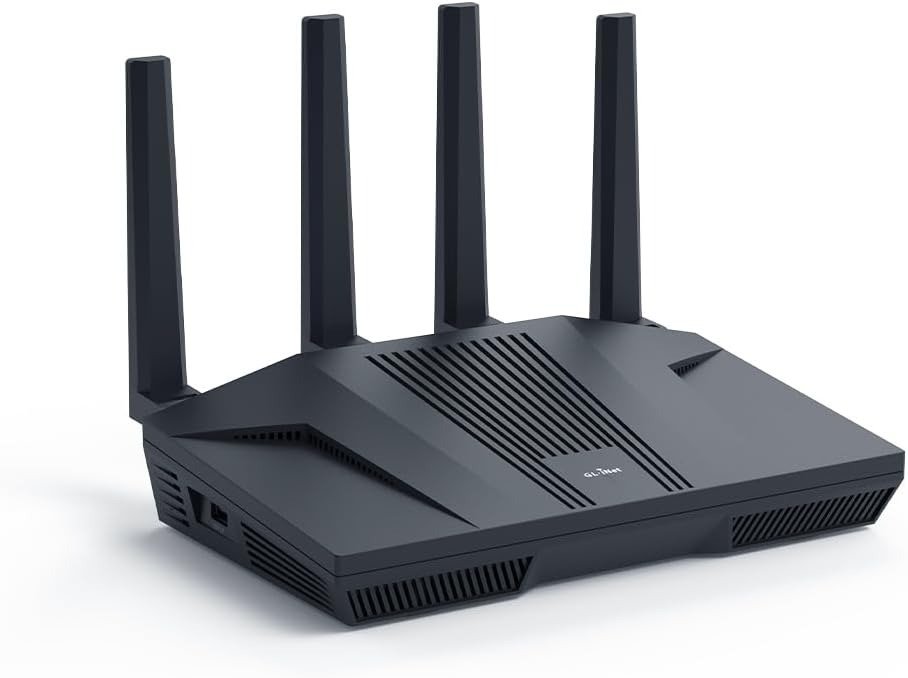
GL-MT6000 FLINT 2
The Result Looks Fine. The Problem Isn’t.
You plug in a new router. Pages load. Streaming works. Gaming feels the same. You run a speed test and it passes. So you move on.
Then, three weeks later, your VPN is running at 40 Mbps. Or your tunnel drops during the work call you can’t afford to restart. Or you add a second device to the VPN policy and both slow to a crawl.
Nothing broke visibly. Everything “works.” But the performance you bought is not the performance you’re experiencing.
This is the exact friction point where most buyers of performance-tier routers like the GL-MT6000 Flint 2 end up — not because the device failed, but because the question they asked before buying was the wrong one.
What You’re Actually Feeling but Not Naming
The GL.iNet GL-MT6000 Flint 2 sits in an interesting spot — it’s a mid-range WiFi 6 router built for people who actually want to do something with their hardware, not just plug it in and forget it.
That sentence contains a quiet warning most buyers skip entirely.
“Do something with their hardware” is not a casual phrase. It means: configure VPN tunnels. Set routing policies. Run AdGuard Home simultaneously with WireGuard. Build Multi-WAN failover rules. Manage VLANs in LuCI. Push traffic between policy domains.
If none of those words triggered recognition, the device is not wrong for you — your expectation of it is.
The annoyance you feel after buying a router at this tier and finding it “doesn’t feel that different” is not random. It has a mechanism. And that mechanism starts the moment you evaluate this class of device as if it were a better version of your ISP’s box.
The Hidden Mechanism Behind the Miss
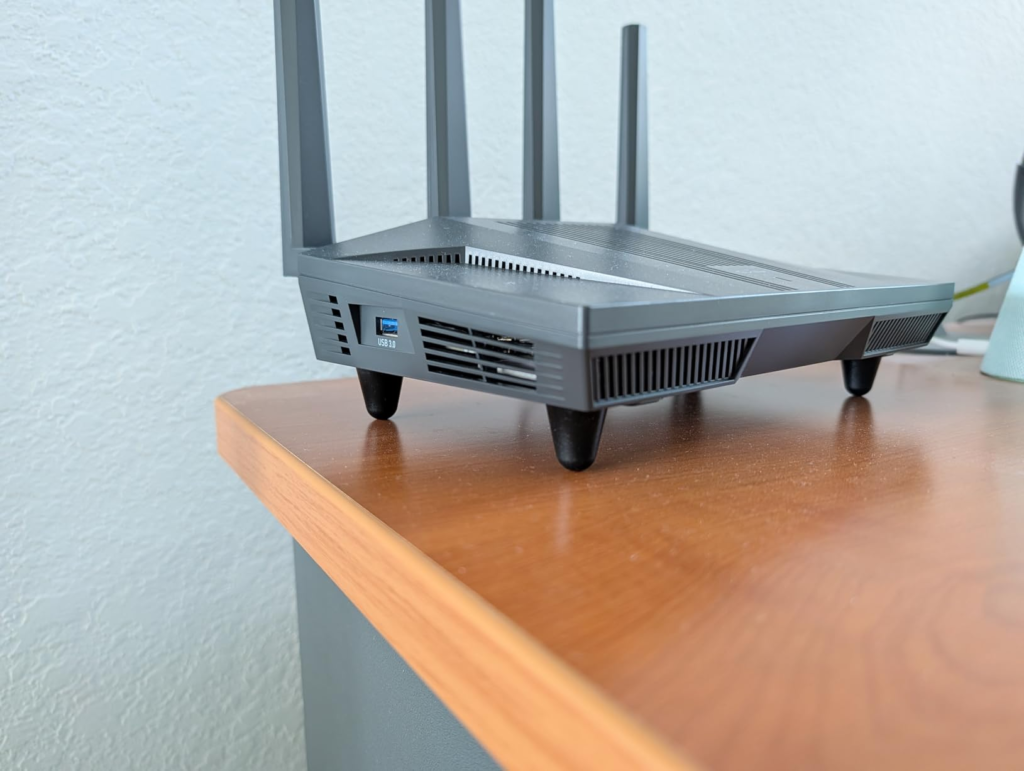
The GL.iNet GL-MT6000 Flint 2 runs GL.iNet’s custom firmware, built on OpenWrt, and that’s what separates it from the sea of generic consumer options. Inside: a MediaTek Quad-core processor, 1GB of DDR4 RAM, and 8GB of eMMC storage — enough headroom to run plugins, VPN tunnels, and network-wide filtering simultaneously.
That hardware profile — particularly the 8GB eMMC — is not common at this price tier. Most routers in this range carry 256MB or 512MB of flash. Hardware-wise, you’re not going to get more for the money in a dual-band AX router. It has 4×4 radios for both 2.4GHz and 5GHz, and more flash and RAM than most other routers at this price point.
But here’s what those specs don’t tell you:
The Flint 2’s entire value proposition is firmware-layer performance. The hardware gives the ceiling. The firmware — and specifically your ability to configure it — determines where you actually operate.
GL.iNet’s firmware is on par with or better than ASUS, which was one user’s previous top-ranked router firmware vendor. It delivers a polished experience with advanced controls including firewall and VPN settings.
That polish, however, is not automatic. It requires a user who knows what they’re configuring and why.
The Threshold Where the Outcome Quietly Breaks
Here is the actual performance threshold — stated plainly, not as marketing:
| Scenario | Real-World Result |
|---|---|
| WireGuard client mode, wired | ~850–975 Mbps (consistently close to ceiling) |
| OpenVPN with DCO enabled | ~880 Mbps (lab conditions, wired) |
| OpenVPN without DCO | ~190 Mbps (significant drop) |
| WireGuard server mode | Slower than client mode — specs differ |
| Multi-device VPN simultaneously | Varies by tunnel count and CPU allocation |
| WiFi-only use, no VPN | Unremarkable vs. competitors at same price |
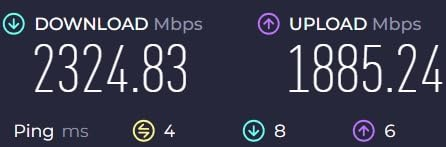
One user reported running whole-house internet traffic through WireGuard VPN and consistently reaching around 975 Mbps through the tunnel — an achievement very few routers at any price can match.
Real-world WireGuard rates vary with ISP and server distance. The firmware provides granular server selection and quick failover so you can prioritize nearby endpoints for lower jitter.
But the threshold that most buyers cross without knowing it is this: the moment you rely on WiFi for your primary performance expectation, the Flint 2 is not what you paid for.
The Reddit consensus on the GL-MT6000 is clear: OpenWrt king, great value — but no 6GHz Wi-Fi. Dual-band only. No Wi-Fi 6E. No 6GHz band. For households with devices that depend on a clean, uncongested 6GHz channel, the Flint 2 is architecturally excluded from that conversation.
Why Most Buyers Misread This Too Early
The most common mistake is price-tier comparison. The Flint 2 at ~$127–$160 gets compared against TP-Link, ASUS, and Netgear routers in the same bracket. The specs look similar on paper — Wi-Fi 6, quad-core, multi-gig ports. So buyers assume the difference is marginal.
It is not marginal. It is categorical.
| Feature | Flint 2 (GL-MT6000) | Typical Competing Router ($130–$160) |
|---|---|---|
| WireGuard VPN speed | ~900 Mbps | 20–80 Mbps (if supported at all) |
| OpenVPN (DCO) speed | ~880 Mbps | 10–50 Mbps typical |
| eMMC storage | 8GB | 256MB–512MB |
| Firmware base | OpenWrt 23.05 (modifiable) | Proprietary, locked |
| Plugin ecosystem | 5,000+ OpenWrt packages | Vendor-controlled only |
| VLAN + firewall control | Full LuCI access | Limited or locked |
| Multi-WAN failover | Native | Rare or absent |
| 6GHz band | ❌ Not available | Available on 6E models |
| Setup complexity | Moderate-to-high | Low |
The GL.iNet Flint 2 delivers higher top speeds, better range, and multi-gigabit networking ports compared to competitors like the TP-Link Archer AX55. That said, the GL.iNet occupies a different product category in terms of target user.
That last sentence is the one that matters. Different target user. Not a better version of the same device. A different device category that happens to share a price bracket.
Who Is Actually Inside This Problem
You are the right buyer for this device if your network has at least one of these conditions:
| Condition | Why Flint 2 Solves It |
|---|---|
| You need full home VPN without per-device setup | WireGuard runs router-level, covers all devices at near-gigabit |
| You travel and want to tunnel back home | Server mode + Tailscale support makes home-as-VPN-node viable |
| You want ad blocking + VPN simultaneously | AdGuard Home + WireGuard run simultaneously without performance collapse |
| You want OpenWrt without a DIY flash project | Flint 2 ships OpenWrt-based firmware out of the box, with upgrade path to vanilla OpenWrt |
| You have a fiber connection above 500 Mbps | The 2.5G WAN port actually uses that bandwidth — a 1G port cannot |
| You manage 30+ devices | 1GB DDR4 handles simultaneous client load without the slowdowns lower-RAM routers show |
| You want Multi-WAN failover for home office reliability | Native failover + load balancing is built-in, not a firmware hack |
One user’s specific workflow: when traveling, they use the Flint 2 as a home VPN server and carry a smaller GL.iNet router as the client. Tested with both OpenVPN and WireGuard — no complaints, only praise.
Another user eliminated bufferbloat entirely using SQM configuration on OpenWrt, replacing a mesh system and ISP router simultaneously with a single Flint 2.
These are not edge cases. They are exactly the use profiles this hardware was engineered for.
Where Wrong-Fit Begins
The Flint 2 starts producing buyer regret under specific conditions. These are not speculation — they come from verified user reports and forum threads:
| Wrong-Fit Signal | What It Means |
|---|---|
| You want to plug it in and walk away | This device rewards configuration. Without it, you’re paying for capability you won’t access |
| You primarily care about WiFi range | Early firmware versions showed WiFi instability across both bands — speeds degraded significantly, with high ping and packet loss on some firmware versions — firmware updates addressed most of this, but it is not a WiFi-first device |
| You need 6GHz band | Dual-band only. No Wi-Fi 6E. If you have a Meta Quest 3, wireless VR streaming, or a heavily congested 5GHz environment, the Flint 2 cannot serve that use case |
| You expect VPN out of box with zero setup | VPN works, but selecting protocol, endpoint, and routing policy requires manual configuration |
| Your company blocks unregistered MACs | The Flint 2 would not work at all in environments that block unregistered MAC addresses — a real constraint for corporate WFH setups with IT-managed networks |
| You want the “safest” hardware reliability | One user reported their unit died within two weeks and returned it without repurchasing — statistically rare given the 4.6/5 Amazon rating on 1,363+ reviews, but hardware variability exists |
With exception of WiFi, the Flint 2 is faster than its successor the Flint 3, and is considered more stable — a meaningful statement from users who tested both.
This is a device that ages well in the right hands and frustrates quickly in the wrong context.
The One Situation Where This Product Becomes Logical
If your home internet connection exceeds 500 Mbps, and you want every device in that home protected by a VPN tunnel without slowing that connection to a fraction of its speed — this is the only category of router that solves that problem cleanly in the $130–$160 price range.
WireGuard throughput in real-world testing consistently lands close to the 900 Mbps ceiling — an impressive figure for a router in this category. The value proposition weakens considerably if you have no use for VPN, AdGuard, or advanced routing features.
That sentence is the entire decision compressed into two sentences. Read it again.
If VPN, AdGuard, or advanced routing are not in your use case, the device is overbuilt for your actual need. If they are — there is no comparable option at this price.
Built-in VPN diagnostics report handshake times, packet loss, and CPU load, letting you pinpoint bottlenecks. For remote work, the Flint 2 sustains low latency while maintaining strong encryption.
The firmware’s visibility into its own tunnel health is something most consumer routers simply don’t offer. You can see what’s happening. That matters when you’re debugging a remote work setup at 9am on a Monday.
What It Solves, What It Reduces, and What It Still Leaves to You
| Category | Reality |
|---|---|
| Solves completely | Whole-home VPN at near-gigabit speed |
| Solves completely | Ad blocking at DNS level for all devices simultaneously |
| Solves completely | Multi-WAN failover for home office redundancy |
| Solves completely | OpenWrt access without flashing from scratch |
| Significantly reduces | Bufferbloat (via SQM — requires configuration) |
| Significantly reduces | Router CPU as VPN bottleneck |
| Reduces but doesn’t eliminate | WiFi dead zones (good range for its class, but single-AP limitation applies in large homes) |
| Still leaves to you | Initial configuration — this is not a plug-and-play device |
| Still leaves to you | VPN provider selection and endpoint optimization |
| Still leaves to you | Firmware updates — early versions had real WiFi bugs; staying current is not optional |
| Does not provide | 6GHz band — if you need it, this is a structural no |
Users who have owned two of these routers for over a year report the ability to do exactly what they want in LuCI — set up VLANs, install additional packages, write custom dual-WAN scripts. The device earns its description as “great for the money.”
That longevity signal matters. Routers that frustrate tend to get replaced fast. This one stays.
Final Compression
The GL-MT6000 Flint 2 is a VPN performance device that happens to also function as a router. That ordering is deliberate.
If you are managing a network where VPN speed, routing control, and firmware depth are the constraints that actually limit your daily experience — this device removes those constraints at a price point that has no serious competition.
If you are managing a network where WiFi coverage, zero-configuration ease, or 6GHz band access are the constraints — this device does not address them structurally, regardless of how it performs in other categories.
The decision is not complex once the actual variables are visible. What creates complexity is evaluating a VPN infrastructure device using WiFi-router criteria.
If your primary internet connection runs above 500 Mbps, your VPN use is real and ongoing, and you’re willing to invest 30–45 minutes in the initial configuration — this is where the decision stops being vague.
Frequently Asked Questions
| Question | Answer |
|---|---|
| Does the GL-MT6000 Flint 2 actually reach 900 Mbps WireGuard in real use? | Yes — consistently, in wired client mode with a fast ISP connection. Real-world testing consistently lands close to the 900 Mbps ceiling, which is rare in this category. Server mode and WiFi connections will produce lower results. ISP speed and server distance also affect the number. |
| Is the GL-MT6000 difficult to set up? | Relative to a consumer router, yes. Initial WireGuard setup takes roughly 10 minutes and works reliably once configured. The GL.iNet admin panel is cleaner than raw OpenWrt, but this is not a plug-and-play device. Budget time for first-time configuration. |
| Does it support Wi-Fi 6E or a 6GHz band? | No. It is dual-band only — no 6GHz. This is one of its known limitations. If you need 6GHz for VR streaming, dense client environments, or interference-free performance, a different device is required. |
| Can it run AdGuard Home and WireGuard at the same time? | Yes — AdGuard Home is natively supported for DNS-level blocking across all connected devices, and runs concurrently with VPN tunnels. The 1GB RAM and quad-core CPU handle both without collapse. |
| What happens if I don’t update the firmware? | Early firmware versions had documented WiFi instability across both 2.4GHz and 5GHz bands, including degraded speeds and high ping. Firmware updates resolved most of these issues. Staying current is not optional — it is part of operating this device correctly. |
| How does it compare to the newer GL-MT Flint 3? | With the exception of WiFi standards, the Flint 2 is faster than the Flint 3 and considered more stable — specifically due to higher WireGuard throughput from its stronger CPU. If VPN speed is your priority, Flint 2 currently outperforms its successor. |
| Is the Flint 2 reliable long-term? | Users who have run two units for over a year report no issues — with the ability to run VLANs, dual-WAN scripts, and custom packages without degradation. The isolated hardware failure reports exist but represent a small minority of the 1,363+ Amazon reviews averaging 4.6 out of 5. |
Transparency Note:
This analysis is built on aggregated real-world experience. It extracts what repeatedly holds, what breaks, and what users uncover only after living with the system—then shapes it into a clear model you can use immediately. Think of it as structured experience, refined and presented so you don’t have to learn it the hard way.
“A quick note: Don’t believe the star ratings, but trust personal experience. This article is a compilation of collected experiences”