THE HISENSE M2 PRO PROMISES A 200-INCH SCREEN IN ANY ROOM. THE ROOM IS THE PART NOBODY WARNED YOU ABOUT.
The Result Looks Fine. The Problem Isn’t.
You’ve seen the setup videos. Tabletop. Coffee table. Ten seconds to focus. A crisp 100-inch image appears on a plain wall. The Hisense M2 Pro makes it look easy because, in those videos, everything cooperates: the wall is white, the room is dim, the content is Dolby Vision, there is exactly one source device.
That’s not a lie. That’s a rehearsed room.
The projector itself performs. Its TriChroma triple-laser light source delivers 1,300 lumens of brightness while reproducing 110% of the BT.2020 color gamut Projector Reviews — color coverage that rivals projectors twice its price. Three discrete laser primaries enable an extremely wide color gamut without incurring the brightness losses associated with color filters. Projector Reviews The image, under the right conditions, is genuinely impressive.
But “under the right conditions” is doing enormous structural work in that sentence, and the spec sheet never defines it.
What You’re Actually Feeling but Not Naming
The dissatisfaction that surfaces weeks after purchase doesn’t sound like a technical complaint. It sounds like this:
“It’s great at night, but during the day it’s just… fine.”
“I had to close all the blinds and it still wasn’t quite what I expected.”
“The picture is beautiful in one room and washed out in another.”
This isn’t disappointment with the projector. It’s a mismatch between what brightness at 1,300 lumens means on a spec sheet versus what it means in a real, mixed-light living room.
In brighter rooms with ambient light, colour and contrast quickly thin out Trusted Reviews — not catastrophically, but enough to erode the cinematic impression you paid $1,299 for. The colors stay rich. The image stays sharp. But the perceived depth collapses. A 100-inch image stops feeling like a theater and starts feeling like a large laptop screen on a wall.
This is not a defect. It is the physics of 1,300 lumens meeting daylight. And it’s the variable that separates satisfied owners from regretful ones.
The Hidden Mechanism Behind the Miss
The M2 Pro uses a single-chip DLP architecture with pixel-shifting — 2.07 million micromirrors powered by a precision DLP system to project detailed 4K visuals up to 200 inches. ProjectorCentral The pixel-shifting produces a 4K-class image from a 1080p native chip, which is standard across all projectors under $4,000 and visible only under deliberate comparison.
What this architecture carries with it — and what the marketing never explains — is a known optical behavior: the rainbow effect. Occasional rainbow artefacts appear in high-contrast scenes — a known limitation of single-chip DLP. Trusted Reviews There are very brief moments when the rainbow effect occurs during some panning shots. What Hi-Fi?
For the majority of viewers, this is infrequent and ignorable. For a specific minority — those who are sensitive to rapid color separation artifacts — it is not. One AVS Forum user described it as “horrible red, green and blue effect every time I look at it especially on anything white.” There is no firmware fix for this. It is a hardware characteristic of the DLP chip design.
The second hidden mechanism is firmware behavior. On firmware 1.0.925, some users reported increased speckle, crushed blacks, shadow detail loss, and locked laser brightness settings in Dolby Vision mode AVS Forum — with no update since late 2025. This is not universal. It is a real risk for a small subset of users, and Hisense’s response has been inconsistent.
Understanding these two mechanisms determines whether you are buying a projector or a problem.
The Threshold Where the Outcome Quietly Breaks
The M2 Pro performs excellently within a specific envelope. Outside it, performance degrades measurably. This table defines where the thresholds actually sit:
| Variable | Within Threshold | Approaching Limit | Past Threshold |
|---|---|---|---|
| Ambient Light | Blackout to dim (< 10 lux) | Evening with curtains drawn | Daytime open room |
| Screen Size | 65–120 inches | 120–150 inches | 150–200 inches (brightness drops noticeably) |
| Wall Surface | Dedicated projection screen or white wall | Light grey wall (auto-corrects) | Colored or dark walls |
| Viewing Distance | 1.4m–3m | 3m–4.4m | Beyond 4.4m (image dim, detail softens) |
| Content Type | Streaming 4K HDR via VIDAA | 1080p upscaled | SDR in bright room |
| Source Devices | Single source via streaming | Single HDMI device | Two+ devices (requires switching) |
| Gaming Resolution | 1080p @ 240Hz, 1080p @ 120Hz | 4K @ 60Hz | 4K @ 120Hz (not supported) |
The table above is not a criticism of the M2 Pro. It is the operating map the spec sheet omits.
The unit’s 1.0 to 1.3x optical zoom lets it throw a 65-inch image at distances between 1.4m and 1.9m What Hi-Fi? — giving it genuine room flexibility. But the brightness envelope does not flex with the throw distance. A 200-inch image at 4.4 meters in a dim room is viable. The same image in a lit room is not.
Why Most Buyers Misread This Too Early
The error pattern is consistent: buyers compare lumens numbers across products and assume linearity. The M2 Pro has 1,300 lumens. A competitor may have 1,800 or 2,000. The instinct is to call those options “brighter and therefore better.”
What that comparison misses is the TriChroma architecture’s fundamental advantage. Three discrete laser primaries enable an extremely wide color gamut without incurring the brightness losses associated with color filters. Projector Reviews Single-laser or dual-laser designs with LED supplements lose significant brightness when rendering saturated colors because filters block light energy. The M2 Pro’s triple laser system does not. Its 1,300 lumens is spectrally efficient brightness — not filtered-down brightness.
This is the comparison that a lumen number alone cannot tell you.
| Feature | Hisense M2 Pro | Single-Laser Rival at 1,800L | LED Portable at 2,000L |
|---|---|---|---|
| Color at Full Brightness | Full gamut maintained | Narrowed gamut | Heavily narrowed gamut |
| BT.2020 Coverage | 110% | ~70–80% | ~60–70% |
| Rainbow Effect Risk | Low-moderate (DLP) | High (single-chip + color wheel) | Near-zero (LED, no DLP) |
| Dolby Vision Support | Yes | Rare at this size | No |
| Laser Lifespan | 25,000+ hours | 15,000–20,000 hours | 30,000+ hours (LED) |
| True 4K | Pixel-shift 4K | Pixel-shift 4K | Usually 1080p native |
| Portability | 3.9 kg | 2.5–3 kg | 1–2 kg |
The M2 Pro is not the brightest box in its price tier. It is the most color-accurate box in its brightness tier. Those are not the same thing, and conflating them is the most expensive mistake a buyer in this category makes.
Who Is Actually Inside This Problem
The Hisense M2 Pro resolves a specific, real frustration: you want a large image — 80 to 130 inches — in a real living space, without a fixed ceiling mount, without a dedicated theater room, without running cables across the floor, and without sacrificing color quality to achieve portability.
You are the right buyer if:
- Your primary viewing happens after dark or in a room you can dim with minimal friction.
- You rely primarily on streaming — Netflix, Prime, Disney+, Apple TV+ — rather than physical media players or multiple console setups.
- You move the projector between spaces: bedroom, living room, garden, a friend’s place.
- You value Dolby Vision as a real image quality input, not a checkbox.
- You are comfortable with one HDMI input because your second or third source is wireless.
The target customer includes consumers who value a balance of style, performance, and convenience — apartment dwellers, younger audiences, and professionals seeking portable entertainment for travel, outdoor events, or flexible home use. Projector Reviews
Where Wrong-Fit Begins
This projector will disappoint you if your situation matches any of the following:
| Wrong-Fit Condition | Why It Fails |
|---|---|
| Daytime living room, open windows | 1,300L is insufficient against daylight — image thins out visibly |
| Two+ HDMI sources simultaneously needed | Single HDMI input; no switching between console + Blu-ray without a hub |
| 4K/120Hz gaming is a priority | HDMI 2.1 port does not support 4K@120Hz — only 4K@60Hz or 1080p@120Hz |
| High rainbow-effect sensitivity | DLP architecture produces occasional RBE; some users find it jarring |
| Deep cinematic black levels required | No iris, no light shuttering; blacks are projector-typical, not OLED-equivalent |
| Screen size consistently above 150 inches | Brightness drops perceptibly; room must be near-blackout |
| Firmware stability is critical | Firmware 1.0.925 introduced issues for some units; update cadence is slow |
Give it a pass if you require multiple HDMI inputs for local sources, profound home cinema contrast, or high frame rate gaming support. Trusted Reviews
The buyers who feel regret about the M2 Pro are almost uniformly in one of three groups: those who watch in lit rooms, those who needed two HDMI sources, or those who are DLP-sensitive. None of these were defects. All of them were diagnosable before purchase. The spec sheet just never asked the right questions.
The One Situation Where the Hisense M2 Pro Becomes Logical
When your room is controllable — not permanently dark, but controllable — and your usage pattern is streaming-primary with occasional single-source physical input, the M2 Pro occupies a position that no other product in its weight class does cleanly.
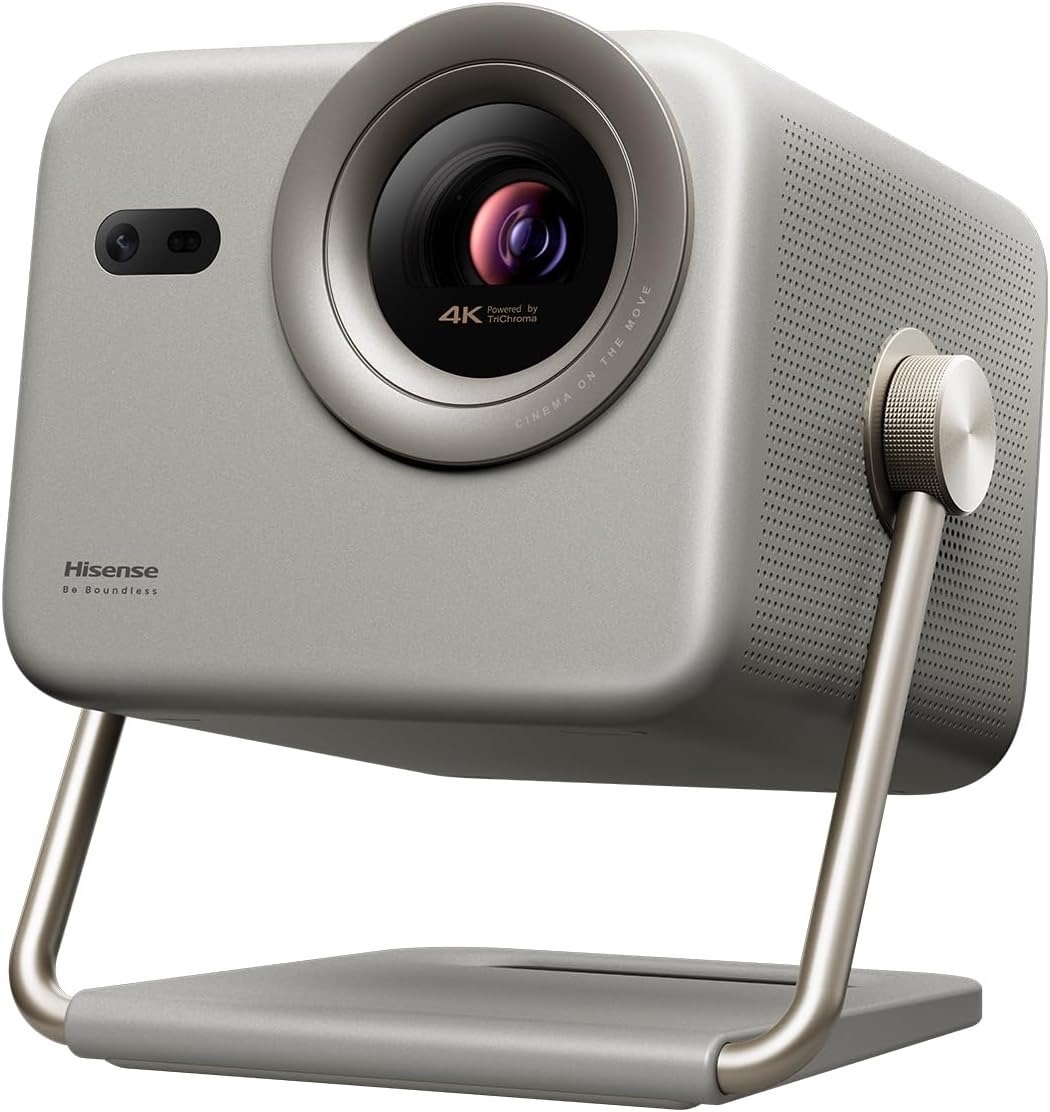
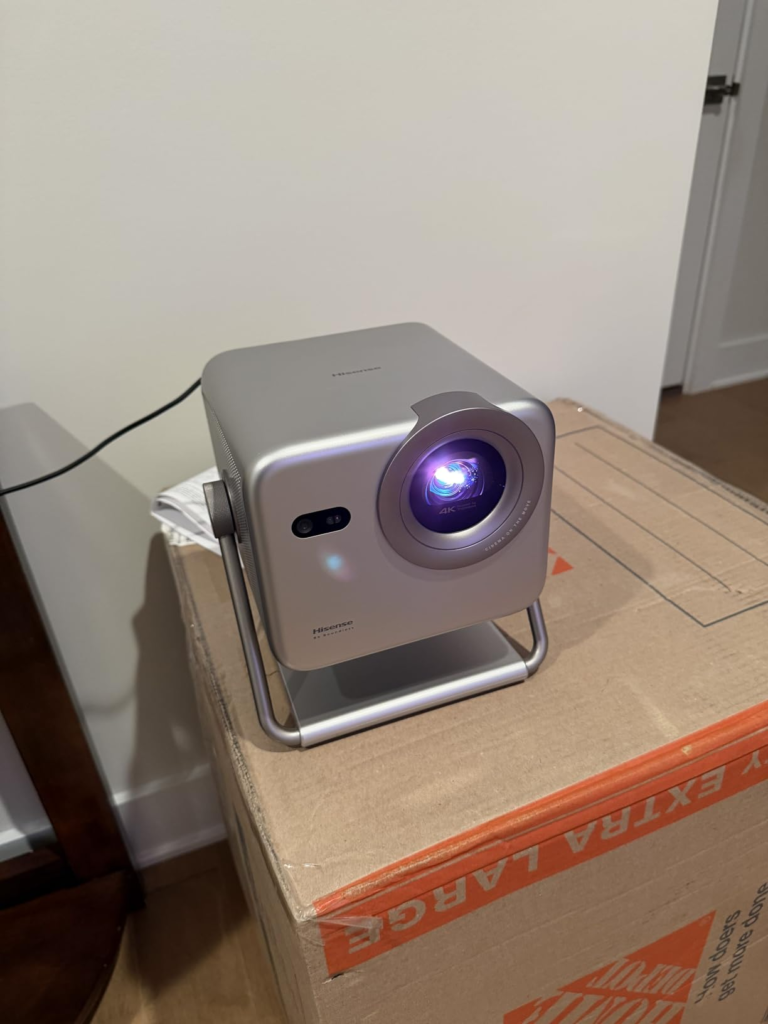
Weighing 3.9kg, it is by far one of the smallest and lightest in its class. What Hi-Fi? A compact, tabletop design, it pairs a triple-laser light engine with DLP pixel-shifting technology to deliver UHD resolution images — and you can park it on a coffee table, sideboard or shelf, or move it easily between rooms as needed. Trusted Reviews
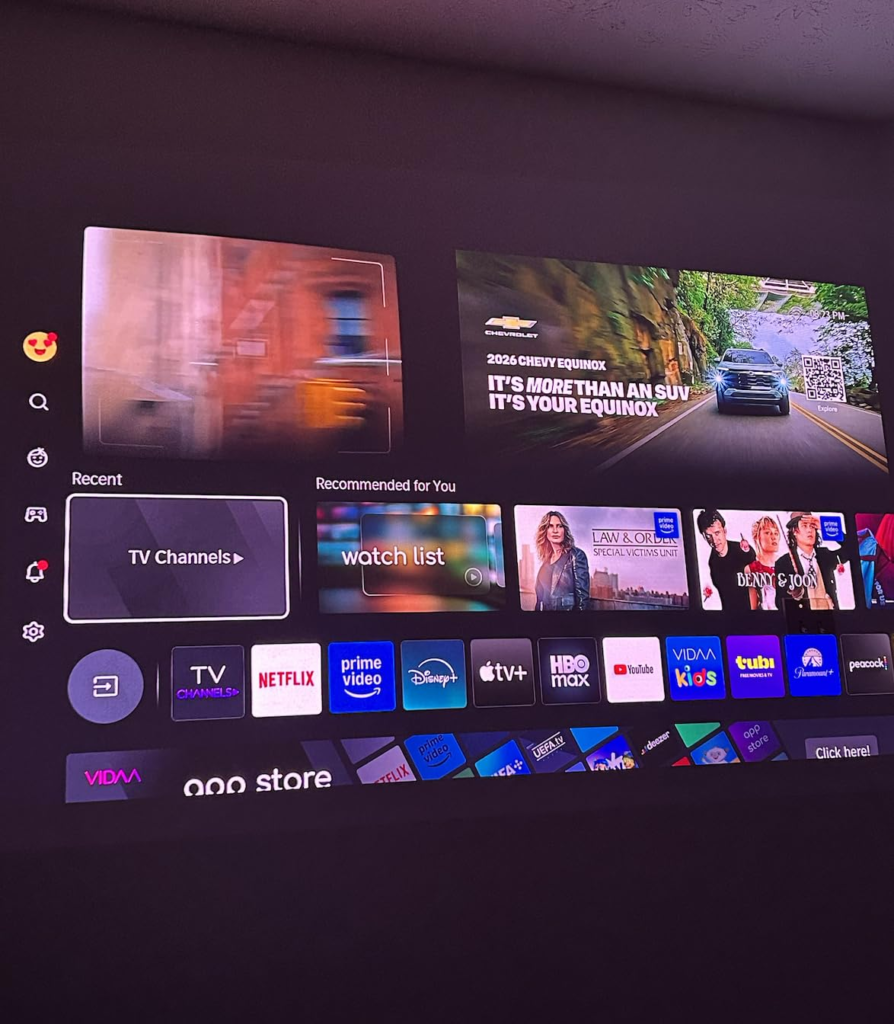
The AutoMagic AI Adjusting System 2.0 handles focus, keystone, obstacle avoidance, and wall color correction automatically. It genuinely takes only a minute or two to get a sharp, vibrant picture. Digital Reviews Network The VIDAA OS is responsive, not ad-heavy, and carries Netflix, Disney+, Prime Video, Apple TV+, and YouTube natively.
The M2 Pro is compact and light enough to carry between rooms or homes, yet bright enough to deliver a large, immersive image. Projector Reviews
At $1,299 MSRP — frequently found at $999 on sale — it sits in a gap where the nearest rivals either sacrifice color science, add significant weight, or cost substantially more.
What It Solves, What It Reduces, and What It Still Leaves to You
| Category | What the M2 Pro Handles | What Remains Your Job |
|---|---|---|
| Color Accuracy | 110% BT.2020 TriChroma laser, no filter loss | Choosing Filmmaker Mode over default Standard mode |
| Setup Friction | Auto-focus, auto-keystone, obstacle avoidance, wall color correction | Ensuring ceiling height clears the projection path for larger sizes |
| HDR Performance | Dolby Vision, HDR10, HDR10+, HLG — all supported | Managing ambient light to let HDR contrast read properly |
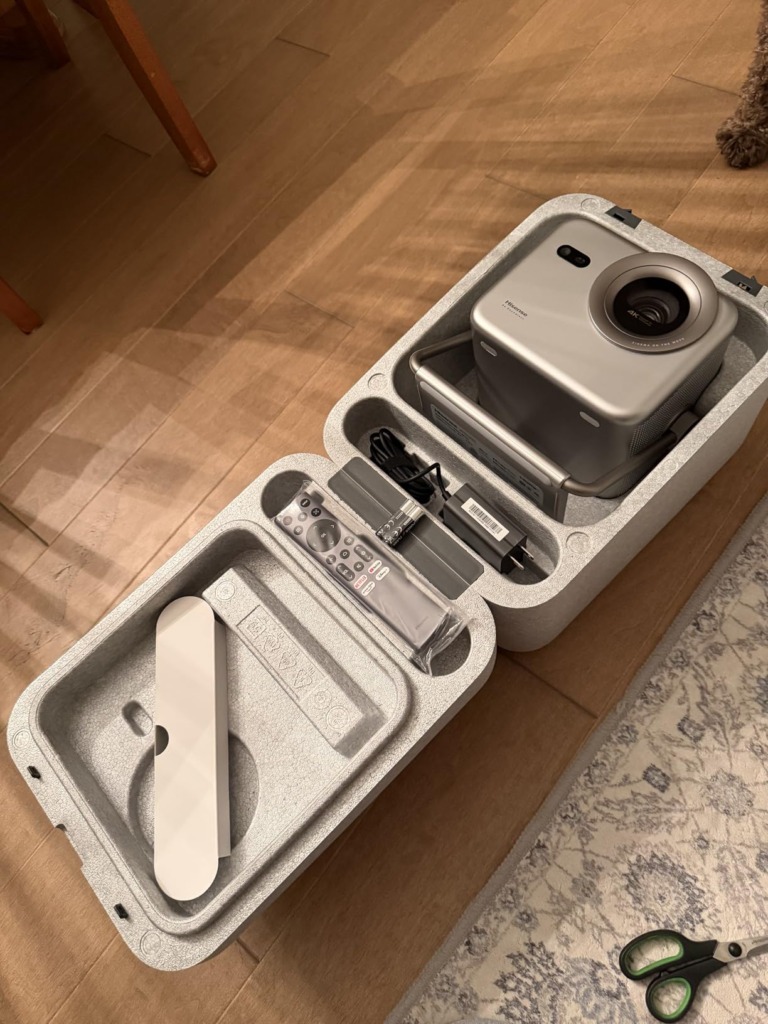
| Portability | 3.9 kg, included carry case, 360° gimbal, optical zoom 1.0–1.3x | Finding adequate power access at each location |
| Audio | 20W stereo, DTS Virtual:X, Dolby Audio | Upgrading via eARC soundbar for cinematic sound |
| Connectivity | Wi-Fi 6, AirPlay 2, Bluetooth, single HDMI 2.1 eARC | Managing multiple physical sources with a separate HDMI switcher |
| Gaming | 1080p@240Hz, 1080p@120Hz, 4K@60Hz, ALLM | Accepting 4K@60Hz ceiling; no 4K@120Hz on current-gen consoles |
| Long-Term Cost | 25,000+ hour laser life — no lamp replacements | Monitoring firmware updates; Hisense’s update cadence is inconsistent |
The M2 Pro does not pretend to be a fixed home theater. It pretends to be a room-agnostic cinema engine, and it delivers that — precisely when the room cooperates.
The color science is real. The portability is real. The 25,000-hour laser life means you will likely upgrade your living situation before you need a service call. The M2 Pro is Hisense’s smallest and most portable 4K projector to date. Projector Reviews
What it leaves to you is light management. That is not a minor variable. For buyers who understand that going in, it is completely workable. For buyers who expected to replace a television in a bright living room, it will not close the gap.
Final Compression
The question is not whether the Hisense M2 Pro is a good projector. It is.
The question is whether your room, your sources, and your viewing habits fall inside the envelope where its strengths — TriChroma color, effortless portability, zero lamp cost, Dolby Vision fidelity — are the ones that actually matter to your daily experience.
If you watch primarily after dark or in a controllable space, stream more than you switch physical sources, and value color accuracy over raw lumen count, the M2 Pro is not a compromise. It is the most sensibly engineered answer to that specific life situation currently available at its price.
If you live in a bright open-plan space, need two or more HDMI sources active, or play 4K games at 120Hz, this is not your projector — not because it fails, but because it was never designed for your conditions.
The projector is not the decision. Your room is the decision. The M2 Pro is what happens when your room says yes.
Transparency Note:
This analysis is built on aggregated real-world experience.
It extracts what repeatedly holds, what breaks, and what users uncover only after living with the system—then shapes it into a clear model you can use immediately.
Think of it as structured experience, refined and presented so you don’t have to learn it the hard way.
“A quick note: Don’t believe the star ratings, but trust personal experience. This article is a compilation of collected experiences”