YOUR DOOR LOOKS LOCKED. THE LOCK DOESN’T KNOW IF THE DOOR IS CLOSED.
Most people who buy a smart lock are solving the wrong problem. They see the keypad. They see the bulk on the door. They think: I want something smarter than this. So they compare specs, read a few reviews, pick the one with the best app, and install it. The door locks on schedule. Notifications arrive. The automation runs. Everything looks correct.
But there is a moment — usually quiet, usually at night — when the system does something unexpected. The auto-lock fires. The app says “Locked.” The door was ajar the whole time. The bolt drove into the frame. The mechanism strained. Nobody was told. Nothing failed loudly enough to notice.
That moment is not a glitch. It is a design gap. And it exists in nearly every smart lock that cannot actually sense whether the door is physically closed before it acts.
This is not a review. It is an explanation of why most smart lock decisions are made one step too early, and what changes when the decision is made at the right point.
THE RESULT LOOKS FINE. THE PROBLEM ISN’T.
A deadbolt that locks on a schedule looks exactly the same whether the door is closed or open. The app confirms the action. The log records it. The automation completes. The interface gives you every signal that the system is working.
What the interface cannot give you is the one thing that matters at 11 PM: confirmation that the door is actually shut before the bolt extends.
When door status sensing is absent, the lock will attempt to auto-lock regardless of whether the door has fully closed. 9to5Mac The result is not a failed lock. It is a lock that succeeded at the wrong task.
This is the silent failure mode. It does not produce error messages. It produces a false sense of security so structurally similar to real security that most people never notice the difference until a specific circumstance exposes it. A door that swings slightly on a windy night. A frame that does not seat cleanly. A child who did not pull the door all the way. In each case, the app says: Locked.
WHAT YOU’RE ACTUALLY FEELING BUT NOT NAMING
There is a specific low-grade dread that comes with smart home ownership that almost nobody names precisely.
It is not that the technology is broken. It is that you cannot fully trust what the technology is reporting. The lock says “Locked” — but you check anyway. The camera shows the door — but you zoom in to be certain. The automation ran — but you go back to verify. The doubt is not irrational. It is a learned response to a gap between what a system reports and what it actually knows.
The scenario that troubles careful users is returning home to a dead battery and no fallback power option — no USB-C port, no 9-volt emergency contact point — just a lock that has quietly stopped working. CNN
That anxiety is not a personality flaw. It is the correct response to a system that reports status without verifying state. When a lock cannot distinguish between “door closed, bolt extended” and “door open, bolt extended,” the report it gives you is structurally incomplete. You fill the gap with manual checking. That checking is the cost the spec sheet does not list.
THE HIDDEN MECHANISM BEHIND THE MISS
Smart locks have two jobs. One is mechanical: extend and retract the bolt reliably. The other is informational: tell you what is actually happening at the door. Most smart locks do the first job well and the second job poorly, because the second job requires a sensor that is rarely included and even more rarely accurately positioned.
The standard approach to door sensing involves a magnetic contact sensor — one part on the door, one part on the frame. When the door closes, the magnet aligns with the sensor and signals “closed.” This works, until it does not. Alignment shifts over time. Temperature changes affect door frame geometry. Older homes with settling frames create contact inconsistencies. The sensor can report “closed” when the door is not cleanly shut.
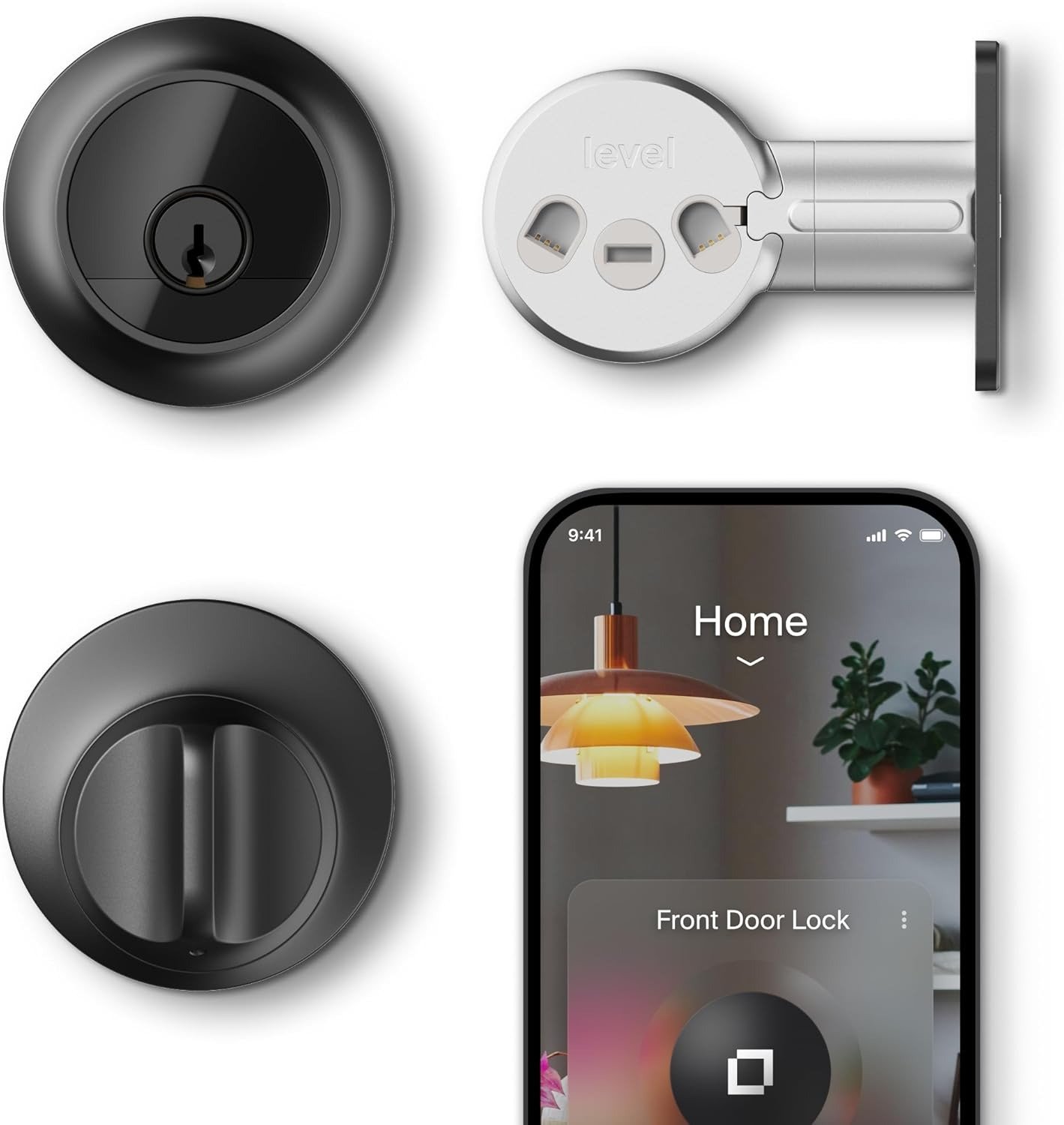
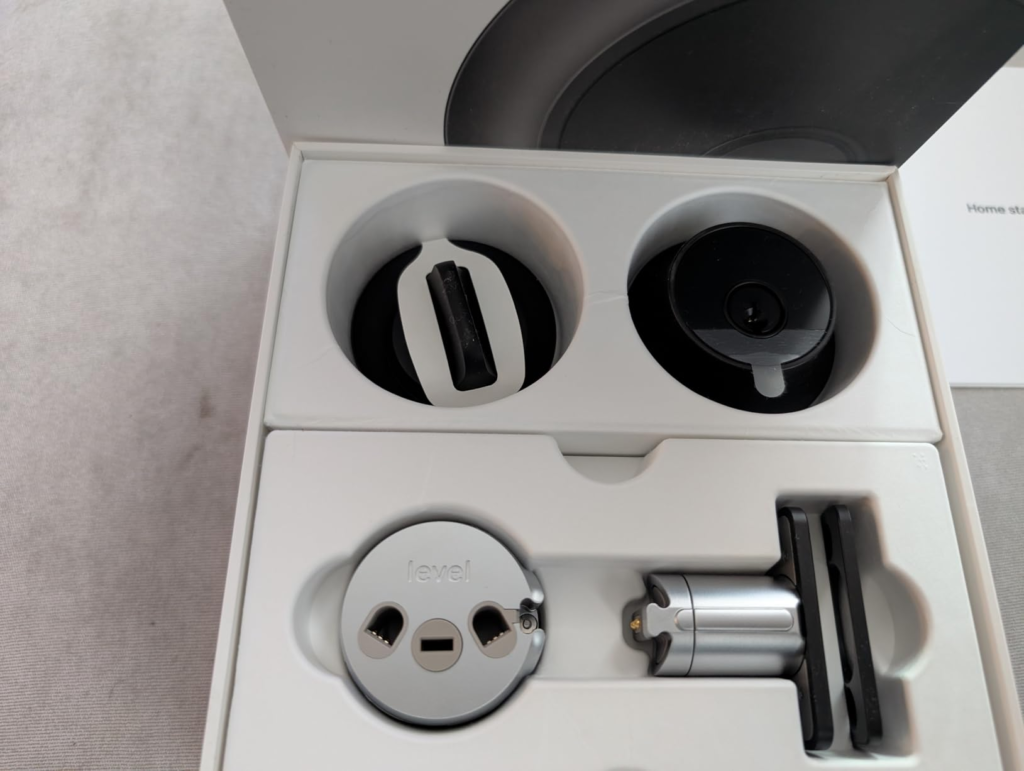
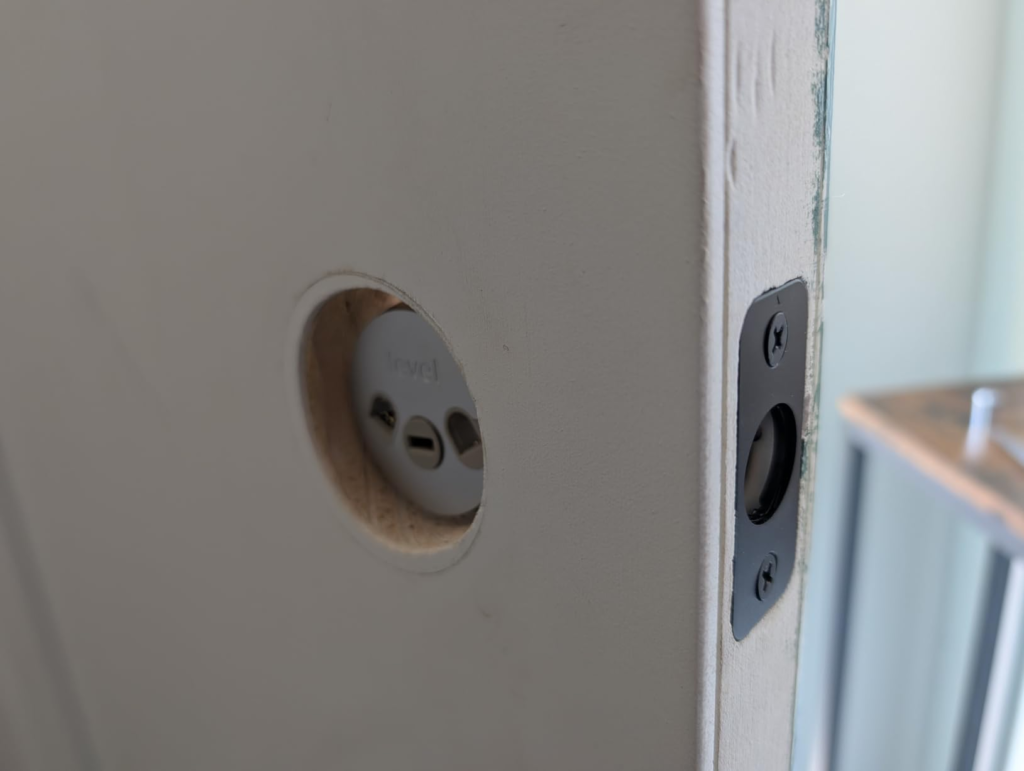
The Level Lock Pro takes a different approach, building the door status detection directly into the hardware itself via a redesigned magnetic strike plate, rather than relying on a separate external sensor mounted on the frame. 9to5Mac When the bolt extends into the strike plate, the lock receives confirmation that the door was in the right position to receive the bolt cleanly. If the door is ajar, the auto-lock does not fire.
This means automations can be built around actual door state: an alert if the door remains open past ten minutes, or lights near the entryway turning off only when the door is confirmed closed. 9to5Mac The reporting is no longer theoretical. It is structural.
THE THRESHOLD WHERE THE OUTCOME QUIETLY BREAKS
The breaking point in smart lock reliability is not battery failure or connectivity loss. Those are loud failures. They announce themselves and get fixed.
The threshold that breaks quietly is the gap between “lock command executed” and “lock condition verified.”
Below this threshold, a smart lock is an automation device. It executes instructions reliably. Above it, a smart lock is a security device. It verifies conditions before acting. Most locks on the market operate below this threshold. They are automation devices with security branding.
| Capability | Below Threshold | Above Threshold |
|---|---|---|
| Door state awareness | None — reports lock action only | Detects open / closed / jammed |
| Auto-lock behavior | Fires on schedule regardless of door position | Withholds auto-lock if door is not fully closed |
| Automation triggers | Time-based | State-based |
| False security risk | Present | Substantially reduced |
| User trust calibration | Manual verification required | System-reported state matches physical state |
The Level Lock Pro achieves above-threshold performance through a dual-core microprocessor that separates the Bluetooth stack from the Matter/Thread stack — a design change that in previous generations caused timeout delays, unresponsiveness, and excess battery drain when the two protocols competed for the same processor. AppleInsider
The threshold is not a feature. It is a design commitment. Crossing it requires hardware changes, not software updates.
WHY MOST BUYERS MISREAD THIS TOO EARLY
The typical smart lock buying decision happens at the feature comparison stage. Keypad: yes or no. Apple HomeKey: yes or no. Fingerprint reader: yes or no. Price range. App rating. That comparison produces a ranked list that looks like useful information. It is not.
Feature comparison tells you what a lock can do. It does not tell you what a lock can verify. It does not tell you what a lock knows about your door at the moment it acts.
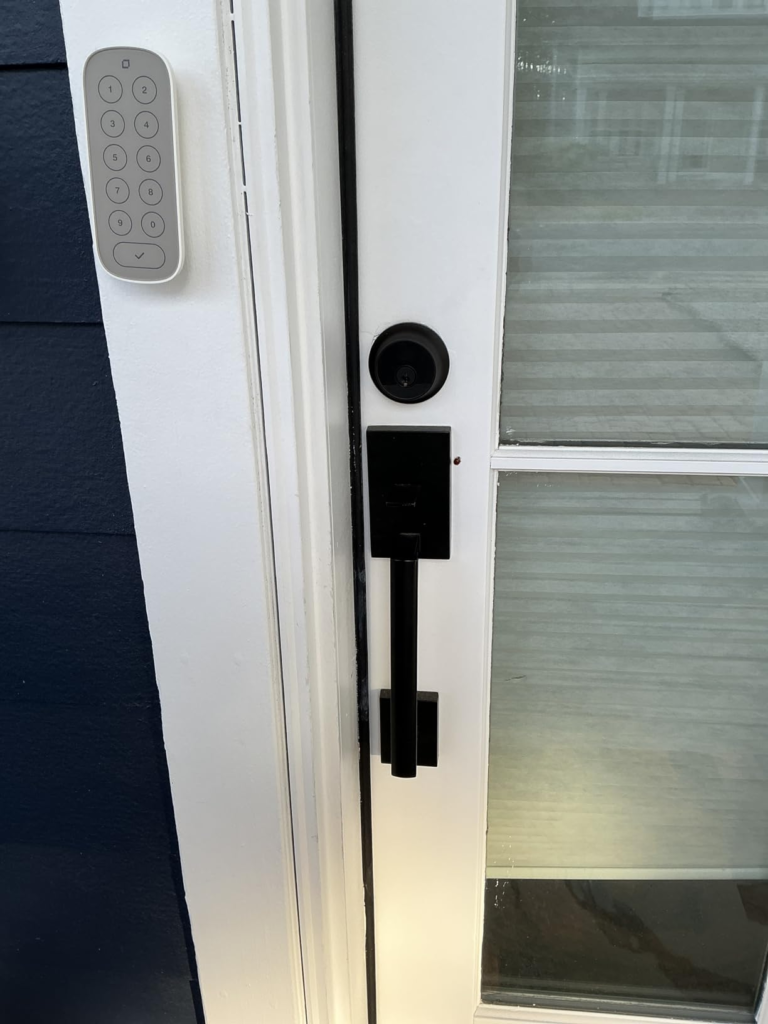
Level Lock Pro has no numeric keypad included at base price, no biometric reader, and no USB-C emergency power port — three features that appear on competing products at lower price points. PCWorld On a feature comparison grid, that looks like three deficits.
What the grid cannot show is that the competing products with keypads and fingerprint readers still bolt against a door they cannot sense. They add access methods without adding state awareness. The feature list grows; the threshold problem does not move.
The early comparison trap is choosing the lock that wins the feature list while losing the verification question. A keypad on a lock that auto-bolts into an open door is a more convenient version of the same structural failure.
WHO IS ACTUALLY INSIDE THIS PROBLEM
| User Situation | Inside the Problem? |
|---|---|
| Uses iPhone or Apple Watch as primary access method | Yes — Home Key + Matter is the native fit |
| Has Apple TV 4K (3rd gen), HomePod mini, or HomePod (2nd gen) | Yes — Thread border router already present, no additional hardware needed |
| Runs automations (leave/arrive/time-based) and needs conditional logic | Yes — door state detection enables state-based automation |
| Manages rental property or shares access with recurring visitors | Partial — guest pass system works well for time-bounded access |
| Wants a lock that is visually indistinguishable from a standard deadbolt | Yes — the only lock that passes this test with this feature set |
| Cares that a Google Home or Alexa household can also participate | Yes — Matter allows simultaneous operation across up to five smart home platforms PCWorld |
| Wants a lock neighbors and visitors cannot immediately identify as smart | Yes — exterior assembly is unchanged from a standard deadbolt |
The user inside this problem shares one characteristic: they are optimizing for what the door knows, not just for what the app shows.
WHERE WRONG-FIT BEGINS
Some users will buy this lock, use it correctly, and still find it wrong. That is not a product failure. It is a fit failure. And fit failures are expensive.
Wrong fit begins here:
You do not have a Thread border router, and you are not willing to add one. Thread-based Matter locks require a Thread border router — a device like an Apple TV 4K, HomePod, Nest Hub, or SmartThings station — to connect to your smart home remotely. Without one, remote access requires the separate Level Connect bridge, which adds $79 to the total cost. SmartSMSSolutions
You rely primarily on PIN code entry at the door. The Level Lock Pro has no keypad included. The Level Keypad is sold separately, and adding it brings the effective purchase to $428 before any additional accessories. PCWorld
You need a lock that works with a mortice or latch mechanism. The Level Lock Pro is a deadbolt-only solution, largely suited to North American standard bore-hole door configurations. It is not compatible with mortice or latch locks. Homekit News
You want biometric access — fingerprint or palm. Level provides no biometric unlocking in any form. That capability exists on competing products, though in significantly larger form factors. PCWorld
You need emergency power access. The lock has no USB-C port or external contact point for temporary power if the CR2 battery dies before replacement. Physical keys remain the only fallback in that scenario. PCWorld
The wrong-fit user is not making a bad decision by avoiding this lock. They are making the correct decision by recognizing that the primary value proposition — invisible design, Matter over Thread, door state detection — is not the value they are shopping for.
THE ONE SITUATION WHERE THIS PRODUCT BECOMES LOGICAL
After the threshold is named. After the fit conditions are mapped. After the wrong-fit cases are drawn.
There is one situation where the Level Lock Pro becomes the only structurally coherent answer:
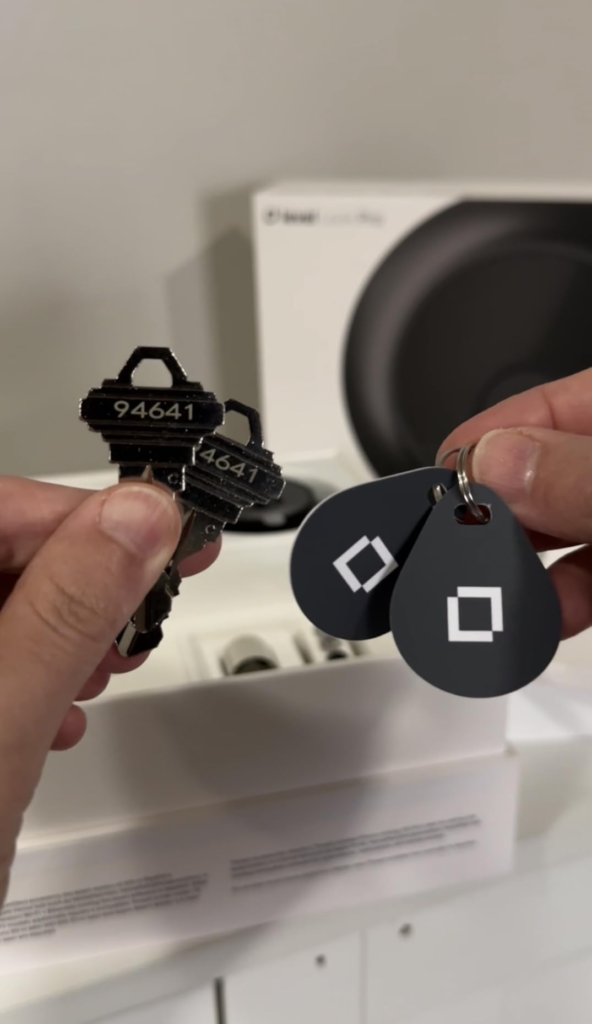
You want a lock that verifies door state before acting. You are in a Thread-ready household. You access via iPhone or Apple Watch and want HomeKey to work instantly. You want to run conditional automations — not just timed automations. You do not want your front door to announce that it is smart. And you want all of this inside a lock that takes ten minutes to install with a Phillips screwdriver and a single CR2 battery.
In tested conditions, Home Key recognition and voice commands operate at near-instant speed, with door status confirmed in the Home app and auto-lock withheld when the door is not fully closed. 9to5Mac
The dual-core microprocessor design keeps Bluetooth and Thread on separate stacks, resolving the latency and battery drain issues that affected earlier generations. AppleInsider
Battery life is rated at 9–12 months from a single CR2 cell, with Thread’s low-power mesh communication keeping radio draw minimal compared to Wi-Fi-dependent alternatives. Level
No other lock in production combines all five of these conditions in a form factor that a visitor cannot distinguish from a $40 hardware store deadbolt.
WHAT IT SOLVES, WHAT IT REDUCES, AND WHAT IT STILL LEAVES TO YOU
| Category | What Changes |
|---|---|
| Solves | The gap between “lock executed” and “door actually closed” |
| Solves | Multi-ecosystem fragmentation via simultaneous Matter platform support |
| Solves | Deadbolt visibility — exterior is unchanged, no smart lock silhouette |
| Reduces | Manual door-checking behavior driven by false-positive lock reports |
| Reduces | Battery anxiety via Thread’s low-power protocol and 9–12 month CR2 rating |
| Reduces | Installation complexity — standard bore hole, no wiring, no balancing act |
| Still yours | Thread border router requirement if you do not already own one |
| Still yours | Physical key discipline — no emergency power port if battery reaches zero |
| Still yours | Keypad purchase decision if PIN-code access matters to anyone in your household |
| Still yours | Level app dependency for firmware updates and NFC card management |
The expectations most likely to produce regret are battery-related. Level sends advance warnings through the app as the CR2 depletes, but there is no way to deliver emergency power to the lock externally if the battery reaches zero with the door locked — carrying a physical key remains necessary. CNN
That is not a flaw. It is the structural cost of hiding the entire mechanism inside the door. The invisibility and the limitation come from the same design decision.
FINAL COMPRESSION
The decision is not “is this a good lock.” The decision is “does my situation match the conditions this lock was built for.”
If you have a Thread-ready household, access primarily through iPhone or Apple Watch, run automations that depend on what the door is actually doing rather than what a timer says, and want a lock that does not look like a lock from either side of the door — the Level Lock Pro is not a premium option. It is the only structurally complete answer to those conditions combined.
If you are missing a Thread border router, need a keypad included at base price, or require biometric access, the honest answer is that the wrong-fit cost will exceed the product’s value before you finish setting it up.
If you are going to buy a nearly invisible smart lock, the Level Lock Pro — with Matter compatibility and flexible unlocking options — is the best possible version of that product available. Gizmodo
The lock is $349. The Thread border router, if you need one, is already in most modern smart home setups. The Phillips screwdriver is in your drawer. The only thing left is to confirm whether the conditions above describe your door — or someone else’s.
Transparency Note:
This analysis is built on aggregated real-world experience.
It extracts what repeatedly holds, what breaks, and what users uncover only after living with the system—then shapes it into a clear model you can use immediately.
Think of it as structured experience, refined and presented so you don’t have to learn it the hard way.
“A quick note: Don’t believe the star ratings, but trust personal experience. This article is a compilation of collected experiences”