YOU DO NOT HAVE A WI-FI PROBLEM. YOU HAVE A THRESHOLD PROBLEM.

A bad home network rarely fails with drama. It fails quietly.
A Zoom call freezes for two seconds in the back room. A security camera buffers right when someone walks past the driveway. A game download that looked fast near the router turns sluggish one floor away. The signal bars still look respectable. That is the trap. The result looks acceptable just long enough to make you diagnose the wrong thing.
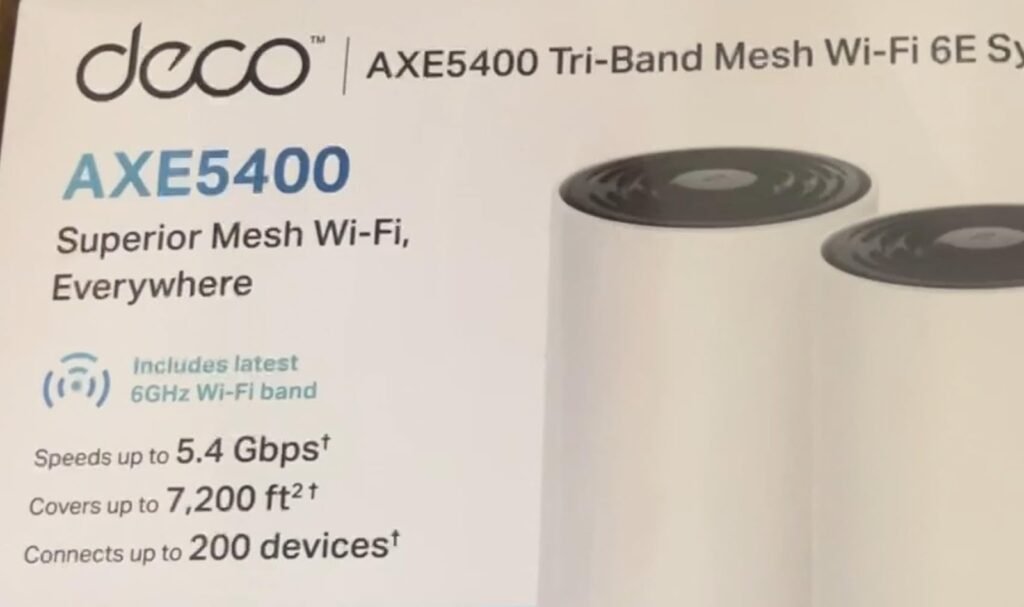
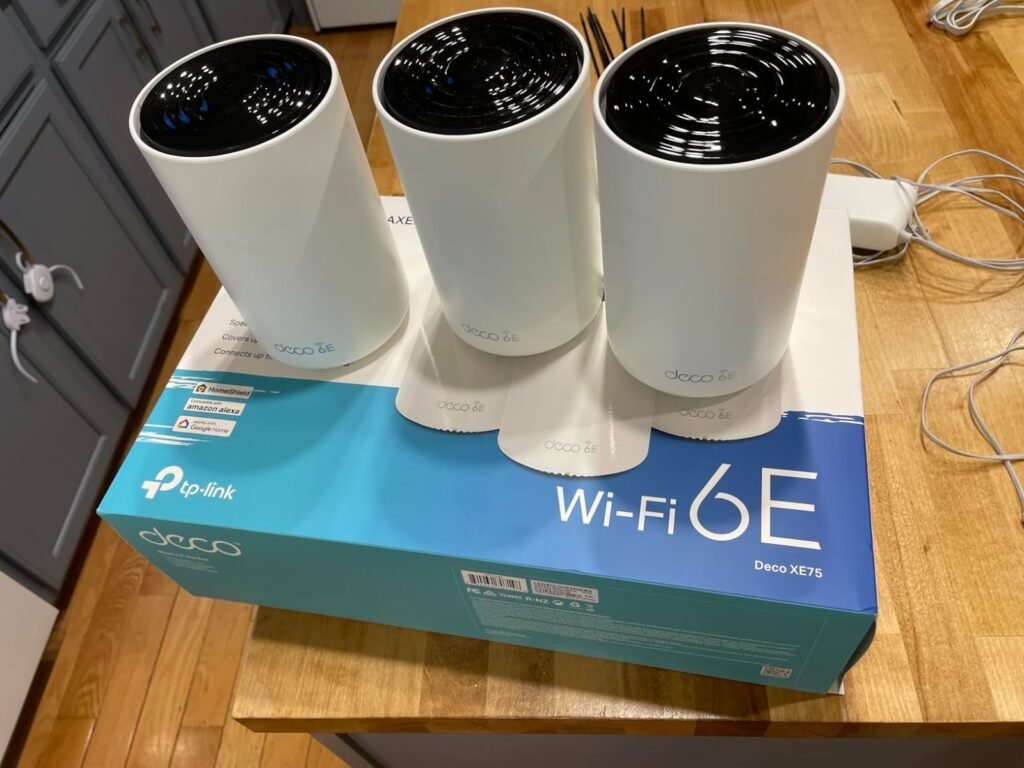
That is what pulled me into the TP-Link Deco XE75. Not the usual marketing noise. Not the ritual obsession with “whole-home coverage.” What mattered was the break point: the moment a house stops behaving like one simple room and starts punishing a single-router setup with walls, distance, and device density. On paper, the XE75 is a tri-band Wi-Fi 6E mesh system rated AXE5400, with 6 GHz and three gigabit ports per unit, plus official support for up to 200 devices and coverage tiers that scale by pack size. Independent testing and broad owner feedback line up around the same pattern: easy setup, strong range, very good value, but real limitations once you push into faster-than-gigabit expectations or rely too heavily on wireless backhaul.
THE RESULT LOOKS FINE. THE PROBLEM ISN’T.
This is why weak Wi-Fi wastes so much time. It impersonates randomness.
One day the bedroom TV streams 4K without complaint. The next day your phone clings to a weaker node longer than it should. Smart-home gear stays connected, but the network feels soft around the edges—laggy, inconsistent, slightly sticky. Not dead. Just unreliable enough to make you resent the house.
That is exactly where mesh systems become seductive. The XE75 is built for that kind of house: not a tiny apartment, not a lab, not a mansion with enterprise gear hidden in the walls, but the ordinary multi-room home where the router lives in one bad spot and the dead zones spread like dampness. TP-Link positions the 3-pack for up to 7,200 square feet and the 2-pack for 3–5 bedroom homes, while RTINGS’ coverage findings on the closely related XE5300 variant describe impressive range and recommend starting with a two-pack unless the home is especially large or obstructed.
The contradiction is simple: coverage can improve before confidence does.
That is the part most buyers miss.
WHAT YOU’RE ACTUALLY FEELING BUT NOT NAMING
You may think you want “stronger Wi-Fi.”
Usually, you want three narrower things:
| What you feel | What is actually happening | Why it matters |
|---|---|---|
| “The signal reaches, but it feels off.” | The network is present, but throughput and handoff quality are uneven. | Coverage without consistency still feels broken. |
| “Everything works near the main unit, then goes soft.” | Distance and obstacles are forcing weaker links or less efficient backhaul behavior. | Your best speed is not your lived speed. |
| “Setup was easy, but I still don’t trust it.” | The network fixed the obvious dead zones, not the invisible performance threshold. | Relief without certainty creates regret. |
The XE75 gets strong marks precisely because it reduces the obvious pain fast. Tom’s Guide calls it one of the faster mesh systems in its class and one of the cheaper options, while Amazon’s aggregated customer feedback shows heavy praise for setup, speed, quality, and coverage from thousands of buyers. That kind of pattern matters because it tells me the product is not winning on fantasy. It is winning because it removes friction quickly in real homes.
But relief is not the same as fit.
THE HIDDEN MECHANISM BEHIND THE MISS
Most people judge mesh Wi-Fi like this: more nodes, more bars, problem solved.
That is the lazy comparison. The real mechanism is harsher.
A mesh system lives or dies on how it moves traffic between nodes, not just how far it shouts. The XE75 is tri-band, which matters because the extra 6 GHz band can be used to separate traffic more intelligently and, in some conditions, support backhaul behavior more gracefully than cheaper dual-band systems. TP-Link lists 2402 Mbps on 6 GHz, 2402 Mbps on 5 GHz, and 574 Mbps on 2.4 GHz, with AI-driven mesh, beamforming, OFDMA, MU-MIMO, and optional Ethernet backhaul support. Tom’s Guide also notes that the XE75 dynamically adjusts flow and can use 6 GHz for backhaul when possible.
That sounds clean. Real life is messier.
The hidden variable is not “Do you have mesh?” It is this:
How much of your good experience depends on wireless backhaul staying strong after walls, floors, and distance start eating the advantage?
That is where the tone changes. RTINGS explicitly notes that on the XE5300/XE75 platform, the 6 GHz band can be slower than 5 GHz when connected through a satellite unit. Dong Knows makes the same structural point more bluntly: in a wireless setup, range and performance must be balanced, and once the home gets larger, wired backhaul becomes the cleaner answer.
That is the miss.
Not whether the network reaches. Whether it still behaves.
THE THRESHOLD WHERE THE OUTCOME QUIETLY BREAKS
Every product category has a line where satisfaction turns theatrical and then collapses. For the XE75, that line is not “big house” in the abstract. It is what I’d call the wireless backhaul honesty threshold.
Before that threshold, the XE75 feels clever. Light footprint. Fast setup. Clean app. Strong value. Good speeds near and mid-range. Small nodes you can place without turning the room into a networking shrine. RTINGS calls the platform a mid-range standout, and Tom’s Guide measured 1.220 Gbps at 15 feet in testing, with solid real-world behavior in a multi-story home.
After that threshold, the cracks become specific:
| Threshold signal | What it usually means | XE75 implication |
|---|---|---|
| You pay for internet above 1 Gbps | Your WAN/LAN ceiling starts to matter more than Wi-Fi marketing | XE75 has 3 gigabit ports per unit, not multi-gig ports. |
| Your satellites rely on difficult wireless hops | The “mesh fix” becomes distance-sensitive | Performance can soften significantly as 6 GHz loses its short-range edge. |
| You want deep router controls, not simple management | Convenience and configurability start to conflict | Setup is app-first and management is more limited than a more advanced standalone router. |
This is why the XE75 is so easy to misjudge. It is good enough to impress you early. It is also constrained enough to disappoint the wrong buyer later.
That is not a flaw in the product.
That is the threshold doing its job.
WHY MOST BUYERS MISREAD THIS TOO EARLY
Because they compare the wrong numbers.
They compare top-line speed claims. They compare pack size. They compare whether the box says 6E. Then they ask the wrong final question: “Is it fast?”
That is too crude.
The sharper question is: At what point does this system stop feeling clean once my house, internet plan, and device mix start leaning on it daily?
The XE75 usually gets misread in three predictable ways:
- Buyers with sub-gigabit internet assume they need pricier hardware simply because newer exists.
- Buyers with multi-gig internet assume a well-reviewed mesh kit will automatically preserve that headroom.
- Buyers with difficult layouts assume “coverage” and “performance under pressure” are the same thing.
They are not.
Tom’s Guide praises the XE75 for price and throughput but flags the port limitation clearly. RTINGS praises the platform’s range and speeds but also stresses the lack of multi-gigabit ports and the weaker 6 GHz behavior via satellite. Amazon owner feedback adds a useful human layer: setup is widely praised, but a minority of reviewers mention intermittent issues or management frustrations, which is exactly what I expect when an easy mainstream mesh product is placed into homes with edge-case demands.
In other words: the first impression is often accurate. It is just incomplete.
WHO IS ACTUALLY INSIDE THIS PROBLEM
The right buyer for the XE75 is not “everyone who hates dead zones.”
Too broad. Too sloppy.
You are actually inside this problem if most of the following are true:
- Your house is large enough, long enough, or awkward enough that a single router leaves rooms behind.
- Your internet plan is at or below gigabit, so the absence of multi-gig ports is not a structural wound.
- You want a system that is easier to deploy than advanced router-and-access-point setups.
- You care more about stable whole-home behavior than about obsessing over exotic networking controls.
- You have a growing pile of smart-home devices, cameras, TVs, consoles, phones, and laptops, and you want them to stop fighting over one weak corner of the house.
This is where the XE75 becomes extremely coherent. Officially, it supports Wi-Fi 6E, router or access-point mode, VPN options, IoT isolation features, WPA3, and HomeShield services, while reviews repeatedly describe the nodes as compact, discreet, and easy to place. That last point sounds cosmetic until you live with mesh gear. Placement quality often decides whether a network becomes invisible in the best way or visible in the worst one.
WHERE WRONG-FIT BEGINS
Wrong fit begins the moment you ask this system to be something it never promised.
If you have multi-gig fiber and actually intend to use it, the XE75 is not the clean answer. The ports are gigabit. That ceiling is real. If your home can support wired backhaul and you care deeply about extracting every last drop from a faster-than-gigabit plan, you are already leaning past this model’s natural shape. RTINGS and Tom’s Guide both flag that limitation directly.
Wrong fit also begins if you want router hobbyist control. Dong Knows notes that the Deco app is effectively central to setup and day-to-day management, and the local web interface is limited. For mainstream households, that is convenience. For tinkerers, it can feel like a padded room.
And one more thing deserves honesty: TP-Link’s HomeShield includes a free basic layer, but some more advanced security and parental control features live behind the Pro subscription. Tom’s Guide cites recurring prompts to upgrade and lists the paid tier at $55 per year or $6 per month after a trial. That will not bother everyone. It will bother some people immediately.
So the exclusion line is clean:
| If this sounds like you | Likely outcome |
|---|---|
| “I just want dead zones gone and the house to feel normal again.” | Strong fit |
| “I need a discreet, easy mesh system for a sub-gigabit home.” | Strong fit |
| “I need full multi-gig performance end to end.” | Wrong fit |
| “I want advanced router-style control more than simplicity.” | Near-fit at best |
| “My home is huge and I refuse wired backhaul even when the layout gets difficult.” | Fit declines as distance and obstacles rise |
THE ONE SITUATION WHERE THIS PRODUCT BECOMES LOGICAL
The XE75 becomes logical in one very specific situation:
When your house has outgrown a single-router life, but your network has not yet outgrown gigabit-class hardware.
That is the sweet spot.
In that lane, the XE75 is unusually persuasive. It gives you tri-band Wi-Fi 6E, genuinely strong range for the class, fast short-range performance, compact nodes, simple setup, and enough maturity in the product line that you are not buying a science experiment. RTINGS even calls the XE5300/XE75 platform the best mesh router they tested at a mid-range price point, and Tom’s Guide frames the XE75 as one of the fastest and cheapest mesh options in its segment. Owner feedback reinforces the same pattern: setup is easy, coverage is strong, and the overall value lands well with buyers who wanted the house fixed without turning networking into a weekend hobby.
This is the sentence that matters:
The XE75 is not the mesh system for people chasing bragging rights. It is the mesh system for people trying to make the house stop resisting them.
If that is your actual condition, the TP-Link Deco XE75 is where the decision stops being vague.
WHAT IT SOLVES, WHAT IT REDUCES, AND WHAT IT STILL LEAVES TO YOU
What it solves:
- Dead zones that come from asking one router to do the work of a distributed system.
- The daily nuisance of inconsistent room-to-room behavior.
- The setup anxiety that comes with more complex prosumer networking gear.
- The price jump that often separates sensible mesh from premium overkill.
What it reduces:
- Buffering and weak-signal frustration in ordinary large-home use.
- The maintenance burden of extenders, split networks, and awkward roaming.
- The visual clutter problem, because the nodes are small and easier to place discreetly.
What it still leaves to you:
- You still need sane node placement.
- You still need to be realistic about walls, floors, and long wireless hops.
- You still need a different class of hardware if your real demand is multi-gig performance or deeper configurability.
- You still need to decide whether the paid HomeShield extras matter to your household.
That last part is important. Trust comes from residue, not fireworks. A product becomes believable when it leaves some work on your side instead of pretending to erase reality.
The XE75 passes that test.

FINAL COMPRESSION
Most homes do not need a heroic router. They need the network to stop fraying at the edges.
That is why the TP-Link Deco XE75 is compelling. Not because it is perfect. Because it understands the real pain line for a huge number of households: one router is no longer enough, but a more expensive multi-gig mesh stack would be wasteful theater. This system closes that gap well. Strong range. Fast-enough real performance. Easy rollout. Honest limitations. And a very clear threshold beyond which you should stop pretending it is the right tool.
That is the decision in plain English:
If your network failure begins with distance, room transitions, and everyday device congestion inside a gigabit-class home, the XE75 is not a gamble. It is a rational correction.
If your break point starts after that—multi-gig fiber, deeper controls, harsher backhaul demands—then the elegance of this product becomes the boundary of this product.
And that boundary is exactly why it is easy to trust.
Transparency Note:
This analysis is not based on quick personal impressions. It is derived from documented system behavior, verified user patterns, and the physical constraints of storage capacity. The goal is to translate complex technical behavior into a realistic performance model that helps you make a clear decision.
“A quick note: Don’t believe the star ratings, but trust personal experience. This article is a compilation of collected experiences”